
Download Prime Video Channel Shows: 2 Options for 2026

Summary: Amazon Prime Video Channels like Starz, AMC+, and Acorn TV offer extra shows beyond standard Prime. But their downloads face time and device limits. This guide explains the key difference between Prime vs Channels and shows how to safely download Channel videos.
Prime Video Channels Explained
A missing Download button or an app-bound offline copy is usually why readers search for a Prime Video Channels download. Eligible titles can be downloaded in the Prime Video app, while a desktop workflow may fit authorized viewers who need ordinary local files. My rule is simple: check the official button and viewing window first.
- Amazon Prime Video: This is Amazon's own library of content (such as original series like "The Boys" and "Jack Ryan"), which is included with Prime membership.
- Amazon Channels: This is content distributed through the Amazon platform by third-party partners (such as Starz, Acorn TV, AMC+, Hidive, etc.). To watch these channels, you need to subscribe separately in addition to your Prime membership.
Simply put, Prime Video is the main library, and Channels are paid add-ons.
Official Prime Video downloads remain app-managed, and Prime Video download limits can vary by title, device, and subscription status. Channel access is tied to the active add-on subscription.
Channels Versus Standalone Apps
Amazon Channels let you manage select add-on subscriptions through Prime Video rather than juggling separate billing systems and apps.
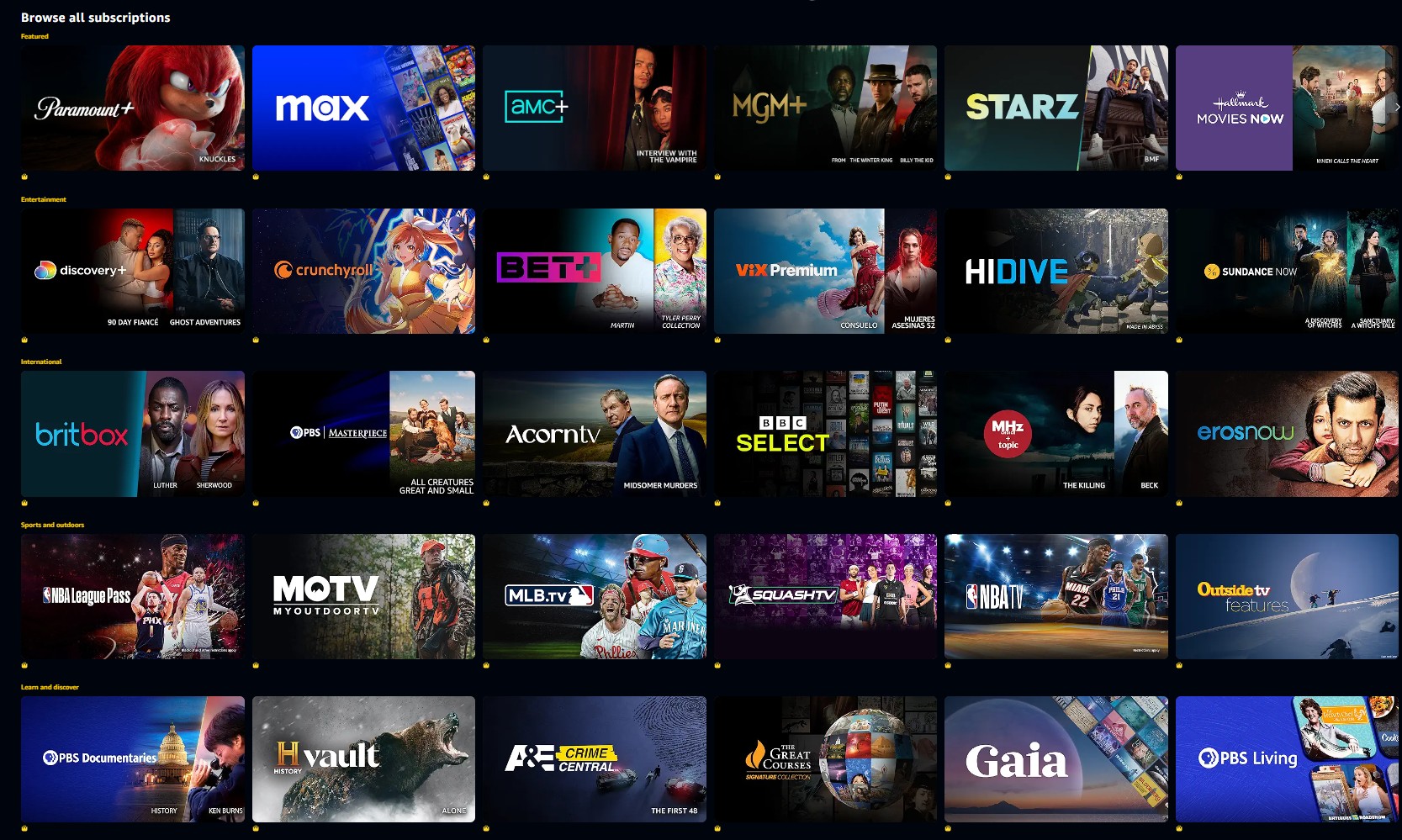
Amazon Prime Video Channels is an additional paid content module, which is essentially a "third-party streaming platform via Amazon." For example:
- Fans of British dramas might subscribe to Acorn TV;
- Those who want to watch the latest and hottest American series might choose Starz or AMC+;
- Anime fans might choose Hidive;
- Those who follow Indian films might prefer Erosnow;
- Free ad-supported programming is now available within Prime Video.
If you're a Prime member, you only have direct access to the main library; if you want to watch a series exclusive to a channel, you'll need to subscribe to it additionally.

Difference between Channels and the Official Streaming Sites
Almost all Amazon Channels have their official streaming websites. For example, Starz appears as a Channel on Amazon, but it also has an independent Starz official website.
The key difference is the subscription path. A Channel subscription is managed through Amazon, while a standalone subscription is managed directly by that service. Available plans, titles, app features, and support can differ.
- Subscribe through Prime Video: Amazon manages billing and playback through the Prime Video ecosystem. Access to a channel's separate app depends on that channel's own account-linking policy.
- Subscribe directly with the channel Direct subscriptions use that service's billing, app, catalog, and support policies. Compare the current plan details before choosing.
For viewers who want consolidated billing and app-based playback, Prime Video Channels can be the simpler fit.
Linking Accounts: Peacock & Amazon Prime
As of August 2026, Peacock Premium Plus is available in the United States as a separate Prime Video Channel subscription. It uses Amazon billing and offers select offline downloads, but it is separate from a Peacock subscription purchased directly from Peacock.
A displayed trial may be available through the Prime Video Channel listing. A direct Peacock account and a Peacock Channel subscription remain separate purchase paths.
Free Viewing Inside Prime Video
The standalone Freevee app closed in 2025, and its free ad-supported programming is now part of Prime Video. Readers looking for free shows now found in Prime Video should check the title page for current playback and download availability.
Official Channel Downloads
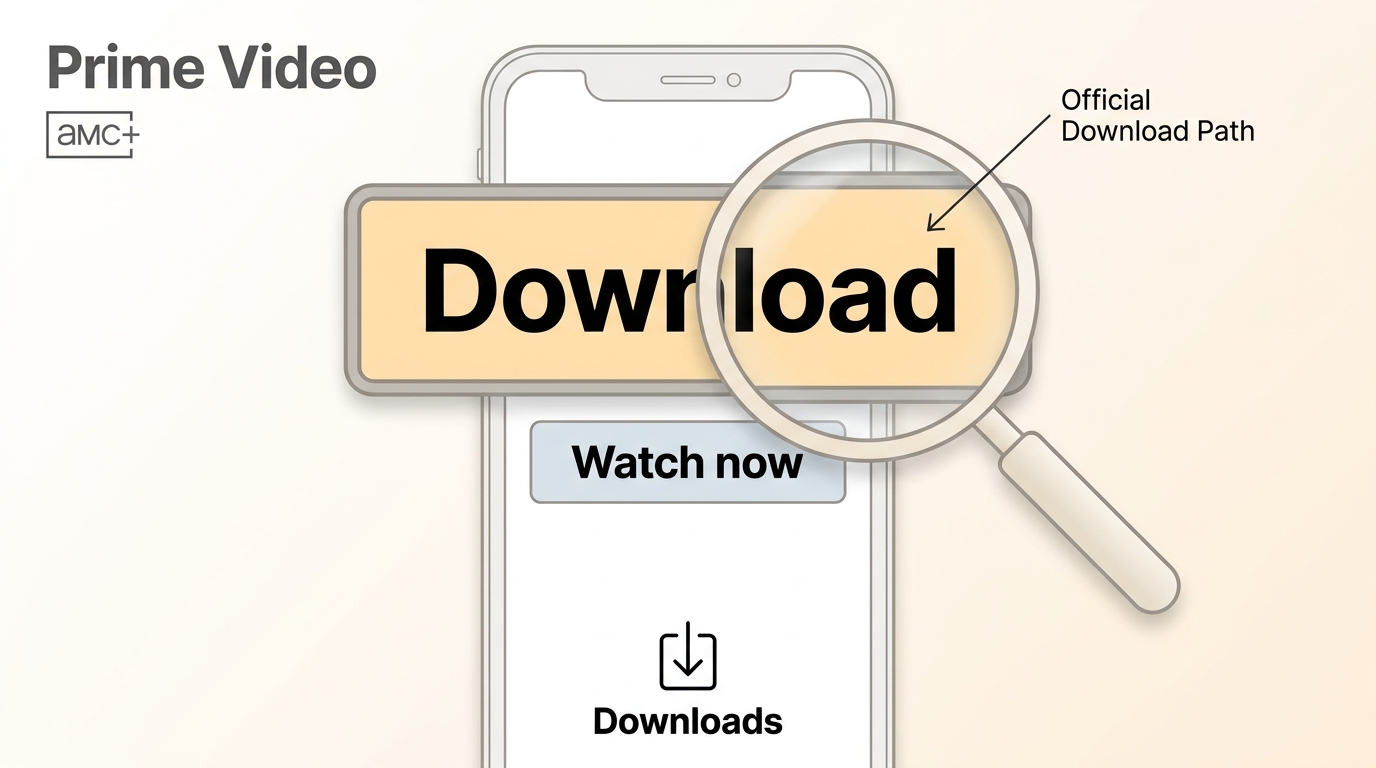
An eligible Channel title shows a Download control in a supported Prime Video app. Availability varies by title and device, so the official route is the simplest choice when temporary, app-bound offline viewing is enough.
Eligible Titles and Supported Devices
Open the Prime Video app on a supported mobile device, tablet, or compatible computer app, then check the title page. If there is no Download control, the title, Channel, device, or regional catalog may not support official offline viewing.
Download a Season or Episode
- Open Prime Video and sign in to the account with the active Channel subscription.
- Find the eligible movie, season, or episode.
- Select Download, or choose individual episodes from the season page.
- Open Downloads in the Prime Video app to start playback.
Official Channel Download Rules
Official downloads are managed within the Prime Video app. The rules below are typical as of August 2026 and can vary by title and device.
| Method | Where It Plays | Access Rules | Best Fit |
|---|---|---|---|
| Official Prime Video app | Prime Video app | Eligible titles; two devices; timed viewing | Occasional offline viewing |
| StreamFab desktop workflow | Compatible local players | Authorized personal use only | File and library controls |
Device and Viewing Windows
Official add-on downloads typically allow up to two devices, about 30 days to begin watching, and about 48 hours to finish after playback begins. The Channel subscription must remain active for access.
App Downloads Versus Local Files
An official download is an app-managed offline copy, not an ordinary transferable video file. If app-based playback fits your needs, it avoids adding another workflow.
Local Files for Authorized Offline Viewing
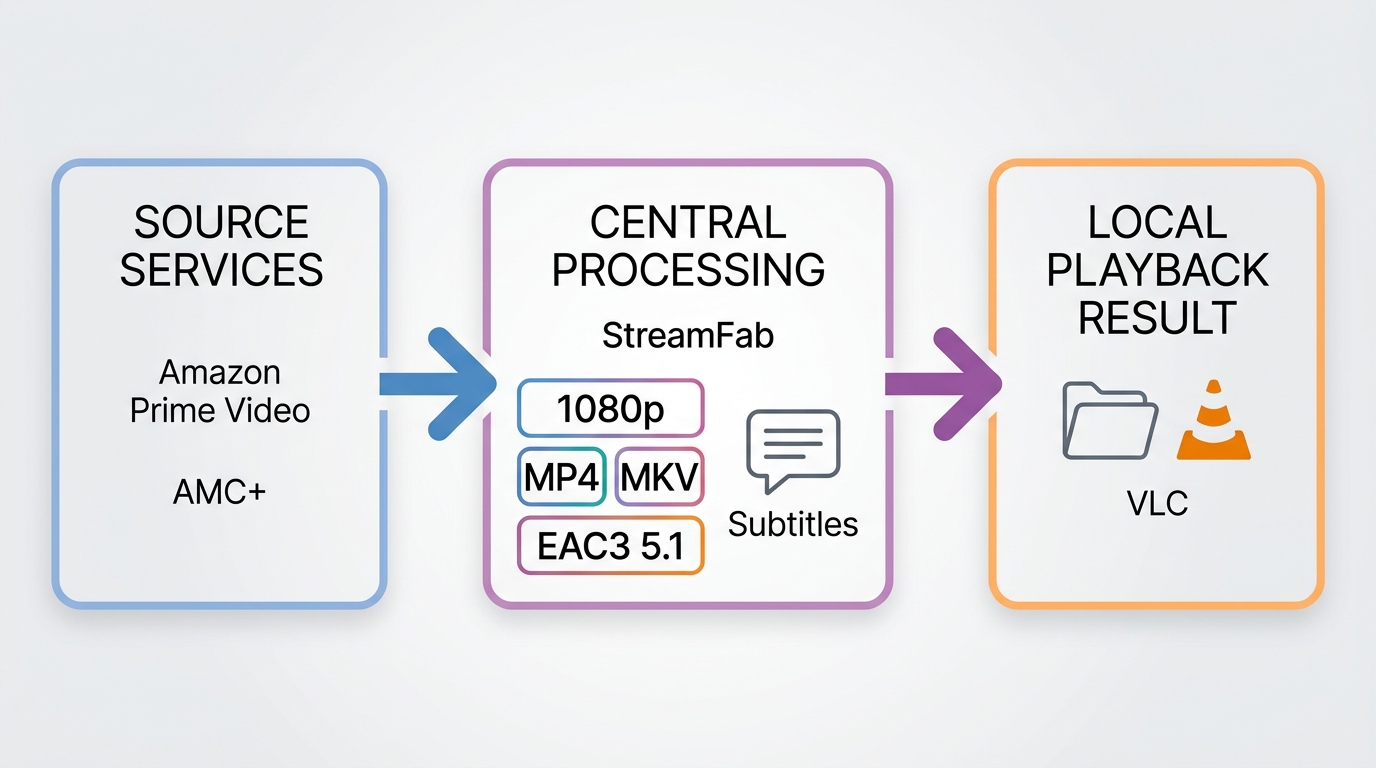
For content you are authorized to access, with an active subscription, and where platform terms and applicable law permit personal offline viewing, StreamFab Amazon Downloader provides a desktop local-file workflow on Windows and Mac. It is not the practical choice for someone who only needs an occasional in-app download.
When a Desktop Workflow Fits

- Offline retention for integrated third-party network add-ons.
- Multi-language audio track and SRT subtitle extraction.
- High-bitrate resolutions maintaining original fidelity.
- Automated season mapping for serial content.
MP4, MKV, Audio, and Subtitles
For eligible Prime Video Channel titles, StreamFab Amazon Downloader supports up to 1080p where available, MP4 or MKV output, H.264 or H.265 video, EAC3 5.1 or AAC 2.0 audio, and selectable audio and subtitle languages when served by the source title.
Its MP4 output can suit readers who want to convert Prime Video to MP4 for a media library, while MKV can be useful when keeping more track options together. Batch and scheduled handling can help with a season, but I would start with one episode when source quality or regional availability is uncertain.
Before starting the desktop workflow, sign in with the active Amazon and Channel subscription that authorizes the title. Use it for personal offline viewing only, subject to the relevant platform terms and applicable law.
Desktop Workflow for Channel Videos
Use this route only for authorized Channel content with an active subscription. The task is straightforward: select the Channel title, choose the available options, queue the episodes, and start.
Select the Channel Title
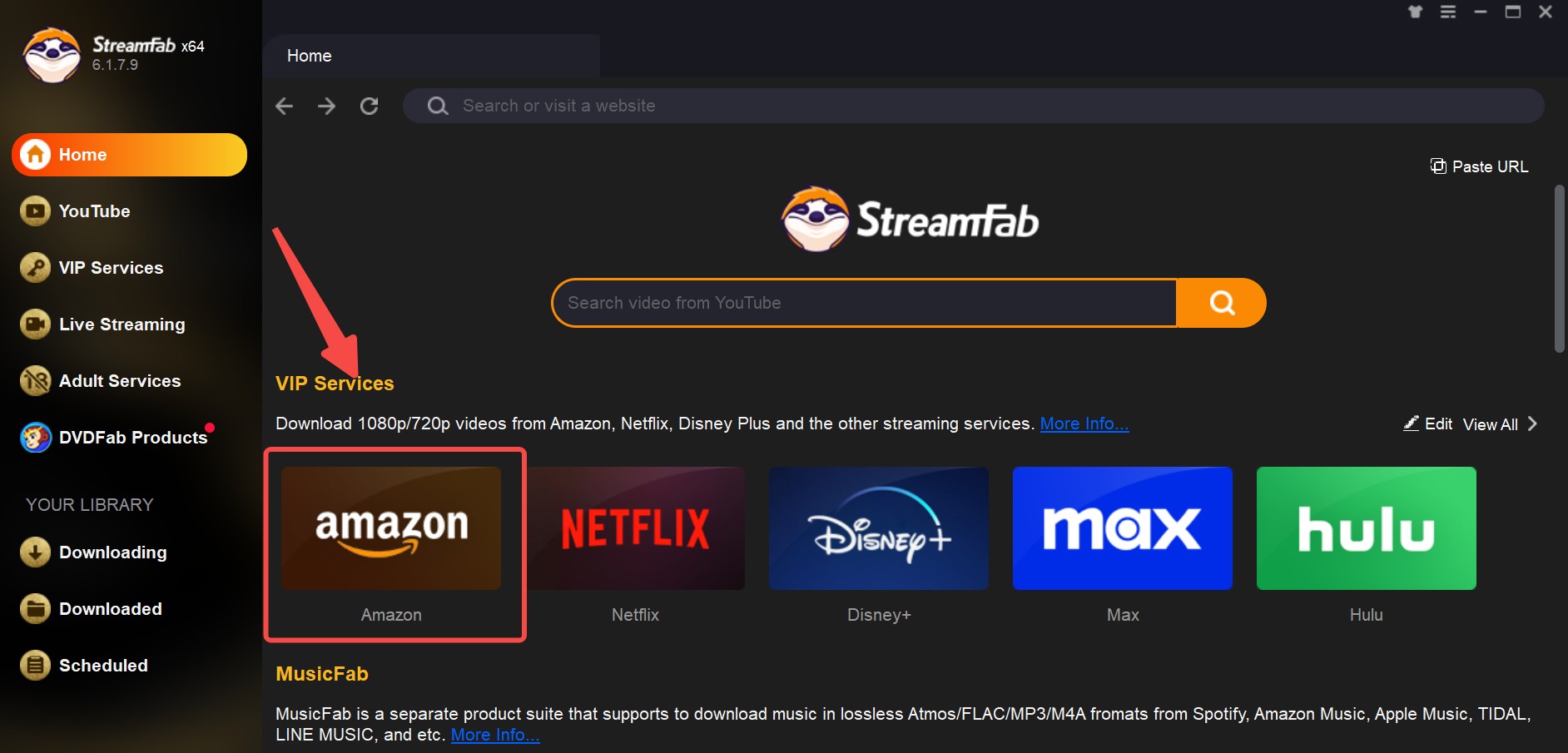
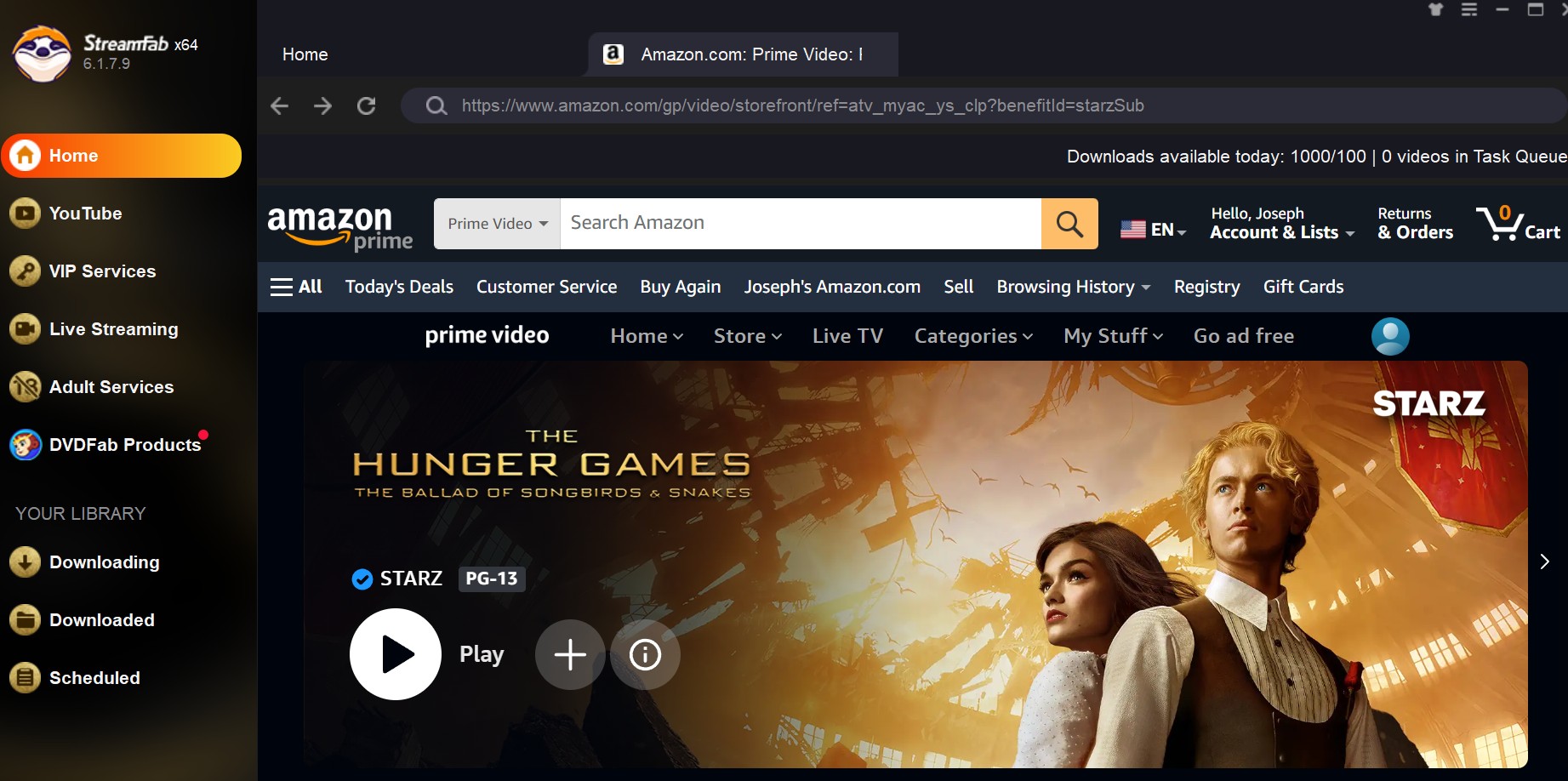
Note: Rest assured that StreamFab will not collect any information regarding your Amazon account.
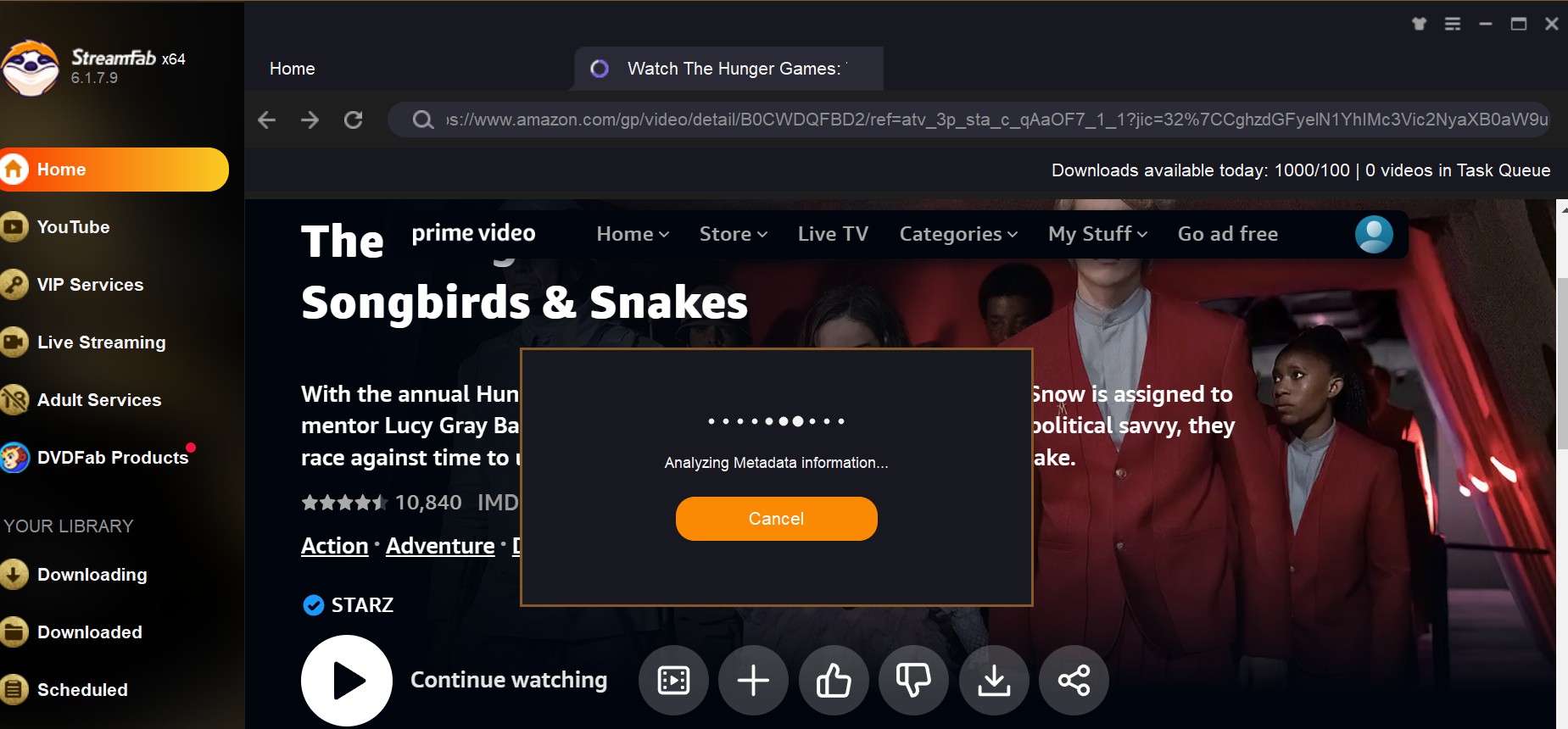
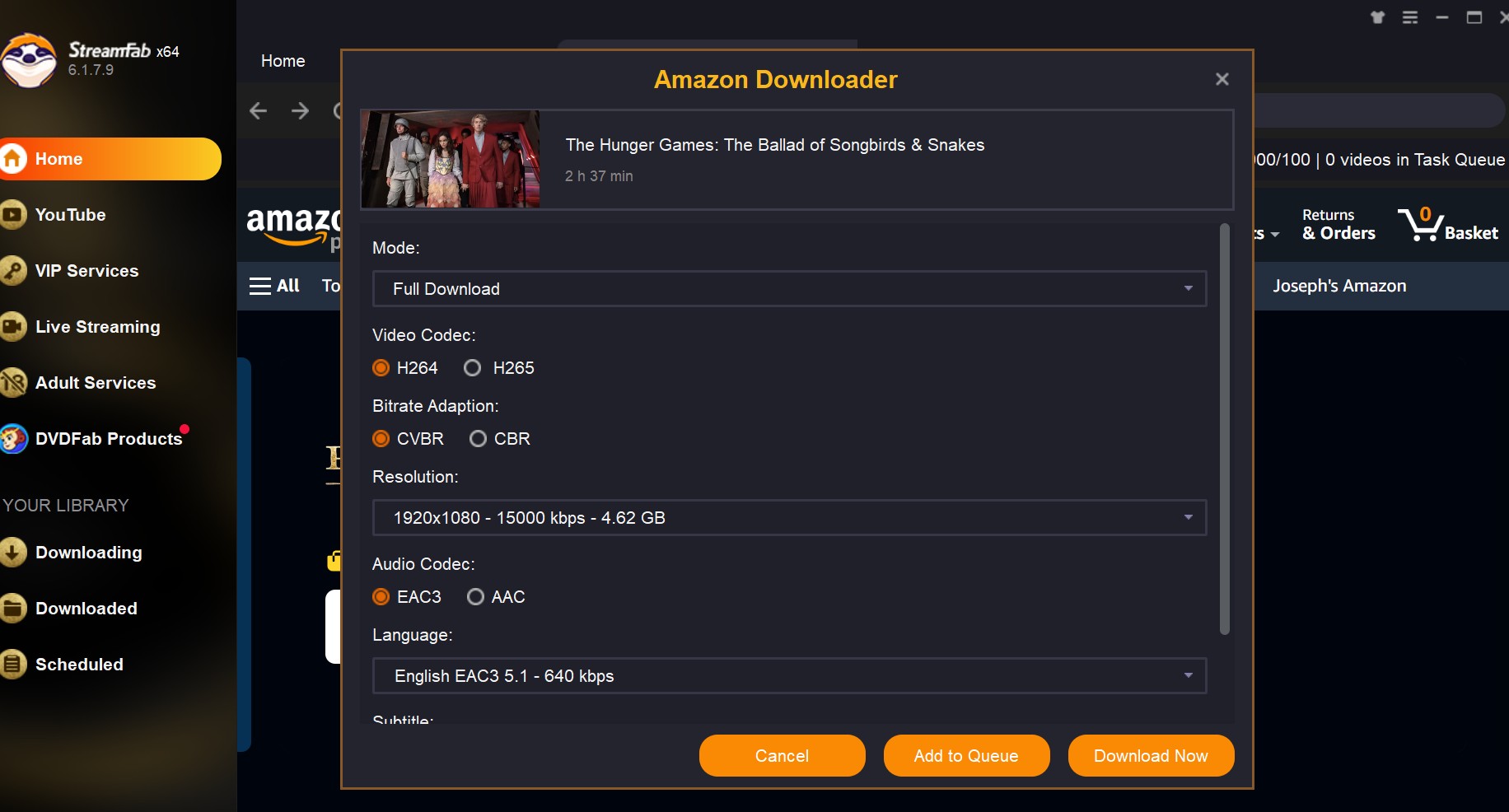
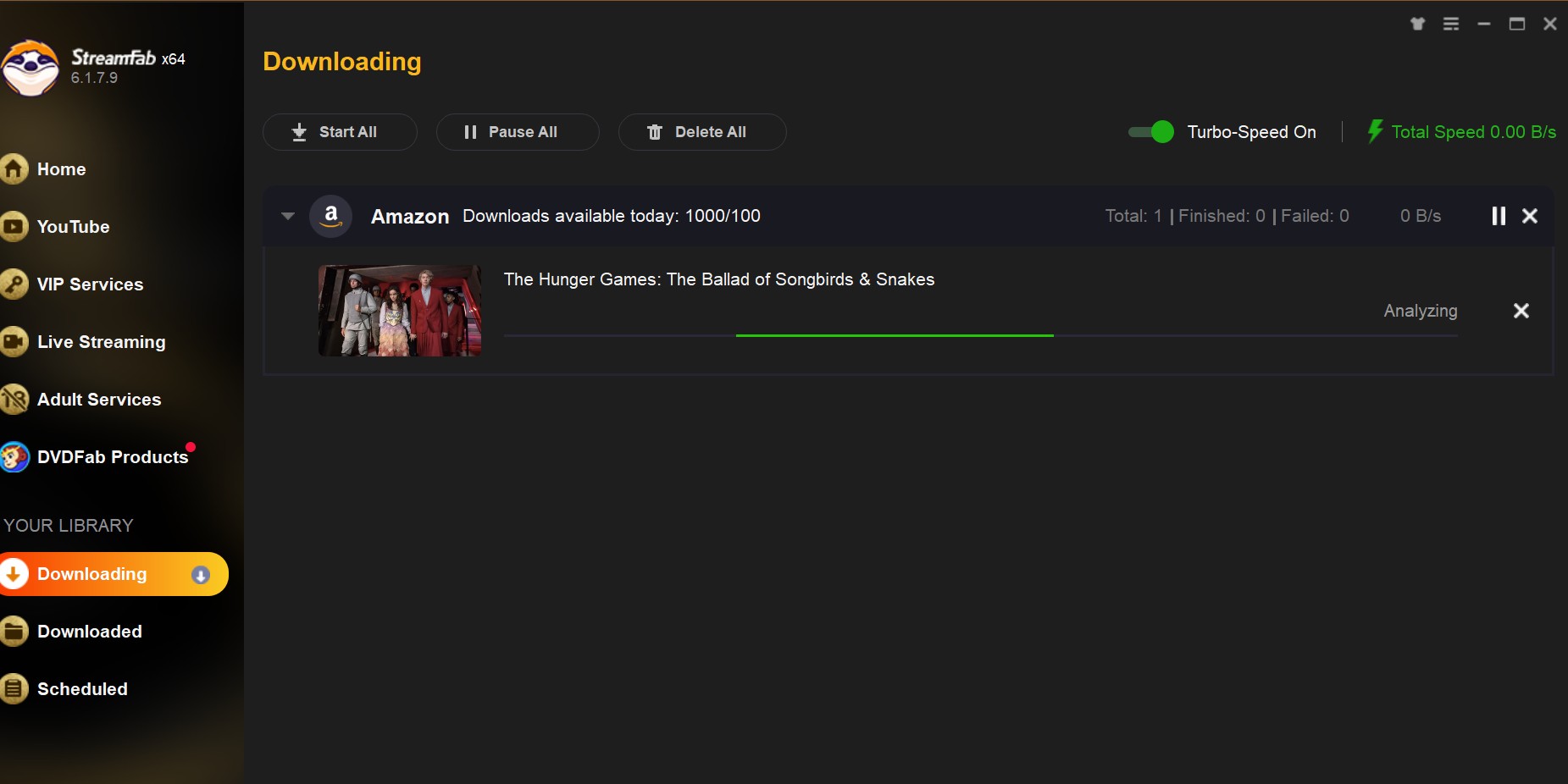
Choose Output and Start
Choose the available video, audio, and subtitle options, add one episode or a season to the queue, and start the task. Batch handling is useful for a current season, but a single episode is the better first check when title availability is uncertain.
FAQs
Choose the Right Download Path
Choose the official Prime Video app when you want simple, temporary offline viewing on a supported device. Consider a desktop workflow when normal local files, batch handling, or language controls matter more than app-based convenience. In my view, checking the official Download button first is the most efficient decision point.
StreamFab Amazon Downloader is not affiliated with Amazon. Its desktop workflow is intended for authorized personal offline viewing with an active subscription, where permitted by platform terms and applicable law. You can use the available trial to decide whether its file and queue controls fit your needs.

To watch Prime Video on Chromecast, use the Prime Video Cast icon from a supported iPhone or Android device on the same Wi-Fi network. For occasional laptop viewing, use Chrome’s Cast tab; on Google TV hardware, the native Prime Video app is usually simpler.
By Nicole Lopez - Oct 27, 2026
Struggling with offline viewing? Here is the "Plain English" breakdown of the official Amazon Prime Video download restrictions.
By Erika Leen - Oct 27, 2026
Tested in 2026: the best amazon prime video downloader picks for offline viewing on Windows and Mac — with real bitrate data, pros/cons, and a free trial on every tool.
By Nicole Lopez - Oct 12, 2026
Learn how to fix Amazon Prime Video offline playback errors in 2026. Discover official download rules, device limits, DRM handshake issues for a stable offline experience.
By Jacob Harrison - Sep 28, 2026