
How to Convert Amazon Prime Video to MP4: 3 Methods Compared

Summary: I tested 3 metods to find real ways to convert Amazon Prime Video to MP4. Discover how to save Prime shows in MP4, and how should we do it within reasonable boundaries.
Can Prime Video Downloads Become MP4 Files?
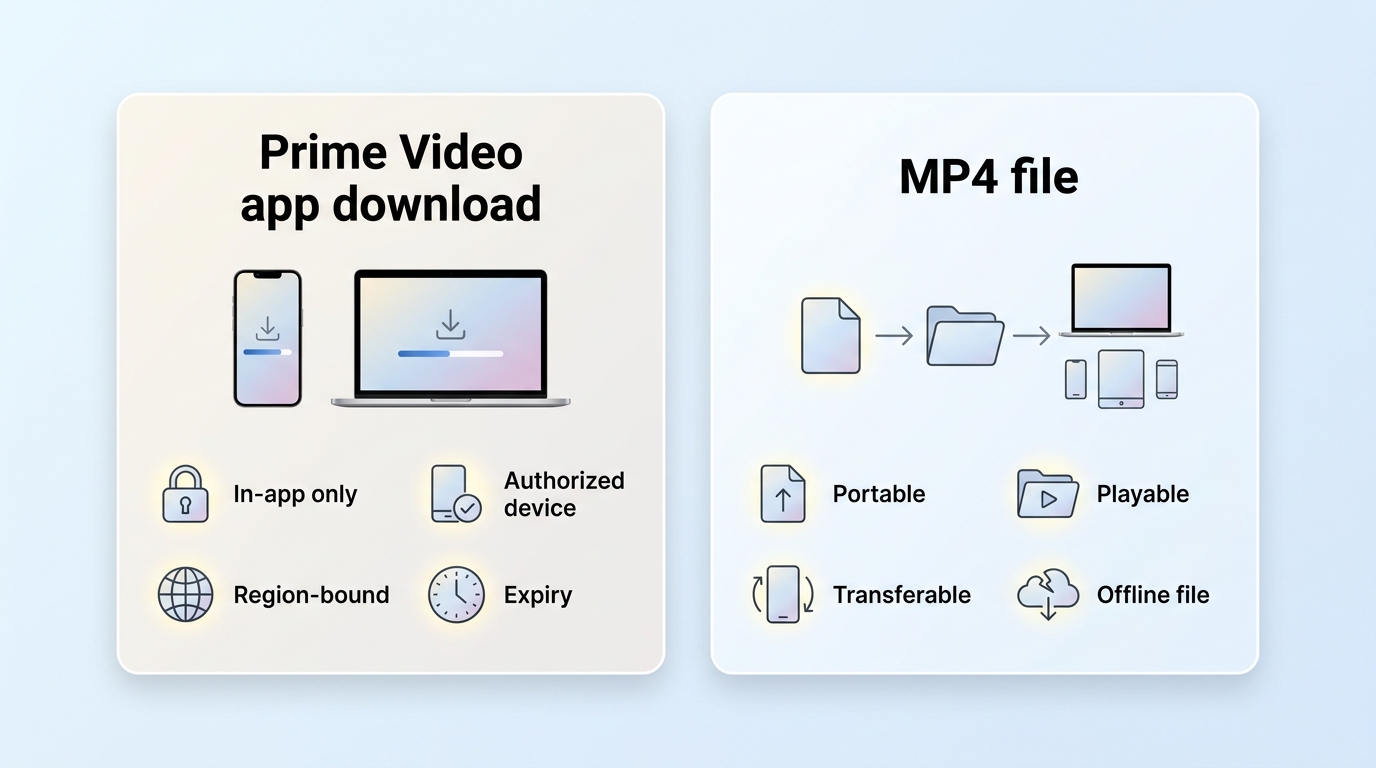
If you want to convert Amazon Prime Video to MP4, the key limitation is that official Prime Video downloads are not regular video files. They are an app-bound video cache, so an ordinary converter cannot simply open them as MP4. A dedicated Prime Video workflow or real-time recording can create a separate local file for authorized personal offline viewing.
This app-managed approach applies licensing rules such as account and device authorization, regional availability, and viewing Windows, which is why the official app does not offer a direct MP4 export. Amazon Prime Video content protection is part of that managed playback model.
Prime Video Cache vs. MP4 Files
Unlike a regular MP4 file, Prime Video download limits can still apply to official offline viewing because the download remains an in-app cache rather than an exported file. As of July 2026, available resolution and audio in the United States depend on the title and Prime Video plan; 4K UHD and premium formats are associated with Prime Video Ultra.
To give you a clearer understanding of this difference, I've compared the two in terms of format principles and user experience. Please see the table below for details:
| Comparison | Amazon Prime Video File | MP4 File |
|---|---|---|
| Structure | Multiple files (segments + manifest) | Single container file (.mp4) |
| Encryption | Managed under Amazon’s content protection (see Amazon DRM) | Often unencrypted, or protected by the file owner’s chosen method |
| Playback | Intended for Prime Video app / authorized environments | Broad player compatibility (subject to your rights to use the file) |
| Ownership | A viewing license under platform terms | A file format; what you can do with it still depends on licensing/copyright |
| Convertibility | Not designed for direct export | Designed for broad device compatibility |
| Offline Use | Typically tied to account/device and viewing rules | Offline playback is generally easier on more devices, but still for personal use within applicable rules |

Official Prime Video downloads are app-bound offline copies, while MP4 is a portable container whose playback and permitted use still depend on the file, license, and applicable rules.
Why Prime Video Does Not Export MP4
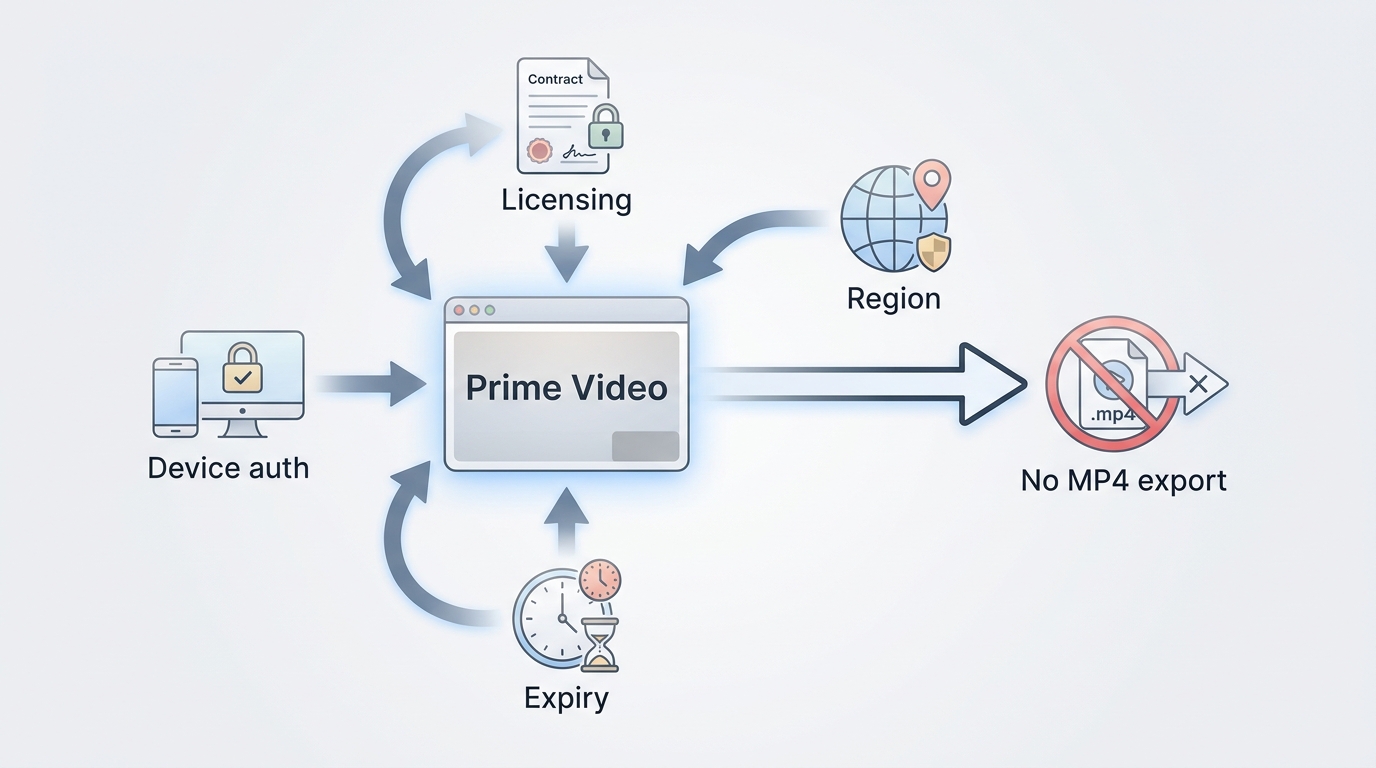
MP4 format clearly offers a more convenient experience when we watch Amazon offline, so why doesn't Amazon Prime Video use MP4 format?
Prime Video uses app-managed downloads to apply licensing, account, device, regional, and viewing-window rules to offline playback.
Content protection and offline rules help apply licensing requirements and control how titles are accessed across regions, devices, and viewing Windows.
As a result, official downloads are tied to your account and Prime Video’s viewing rules rather than provided as freely exportable files. Official offline viewing is the simplest option on supported devices, but it does not solve the need for a portable local-file workflow.
Personal Use, Platform Terms, and Copyright
For content you’re authorized to access, where permitted by platform terms and applicable law, a local-file workflow may be considered for personal offline viewing.
Convenience does not erase platform or copyright limits, so the practical question is not whether payment creates ownership, but whether a workflow fits authorized personal use.
Personal-use boundary
A portable format can improve device compatibility, but it does not grant rights to redistribute, sell, publicly share, or commercially use a title. Saving or moving a local copy should stay limited to content you are authorized to access, where the platform terms and applicable law permit it.
From the aspects of Amazon Prime Video rules
Amazon’s Terms of Service place strict limits on tampering with, modifying, or attempting to circumvent its content protection measures. Before using any third-party software, users should review Amazon’s terms and comply with local copyright laws.
Three Prime Video to MP4 Methods Compared
Before choosing a tool, separate the official app cache from a dedicated desktop downloader, a screen recorder, and a generic online converter. They serve different needs, and results can vary by title, account, region, device, and software version.
The comparison below focuses on what each method can realistically do for authorized personal offline viewing.
Free and online converter caution: Generic web converters and browser extensions commonly cannot process an app-bound Prime Video download. Avoid services that request account credentials, untrusted executable downloads, or full video uploads without a clear privacy policy. A trial or recording option may be limited, but it is more transparent than promising a free direct conversion.
- Dedicated desktop downloader: suited to repeat use when selectable audio, subtitles, batch processing, and local MP4 or MKV output matter.
- Screen recorder: a fallback for Edge cases, but it takes recording time and may encounter black-screen or synchronization issues.
- Generic online or free converter: not a strong fit for app-bound Prime Video downloads and may introduce privacy or reliability concerns.
Here is a practical comparison of the three method types. Quality depends on the source title, plan, playback environment, and tool settings, rather than file size alone.
| Method factor | Dedicated Prime Video downloader | Screen recorder | Generic online or free converter |
|---|---|---|---|
| Feasibility with official app cache | Creates a separate local file through a dedicated workflow | Captures playback in real time; results vary by environment | Usually cannot process the app-bound cache directly |
| Output quality and time | Up to 1080p when supported; efficient for repeat desktop use | Depends on playback settings and takes recording time | Variable quality and unclear processing practices |
| Audio and subtitles | Audio-language and subtitle options; MP4 or MKV output | Often limited to what plays during recording | Often limited or unclear |
| Black-screen risk | Possible compatibility issues after platform or software changes | Possible, depending on title, browser, and recording environment | Support and privacy risks can be higher |
| Best fit | Repeat desktop use with batch or scheduled processing | Live or otherwise unsupported playback cases | Simple non-protected personal videos, not Prime Video downloads |
| Not ideal for | Phone-only use or a one-time occasional title | Batches or readers prioritizing efficiency | Account-sensitive or privacy-conscious use |
The chart below illustrates why a dedicated desktop method, recording, and generic conversion should not be treated as interchangeable.
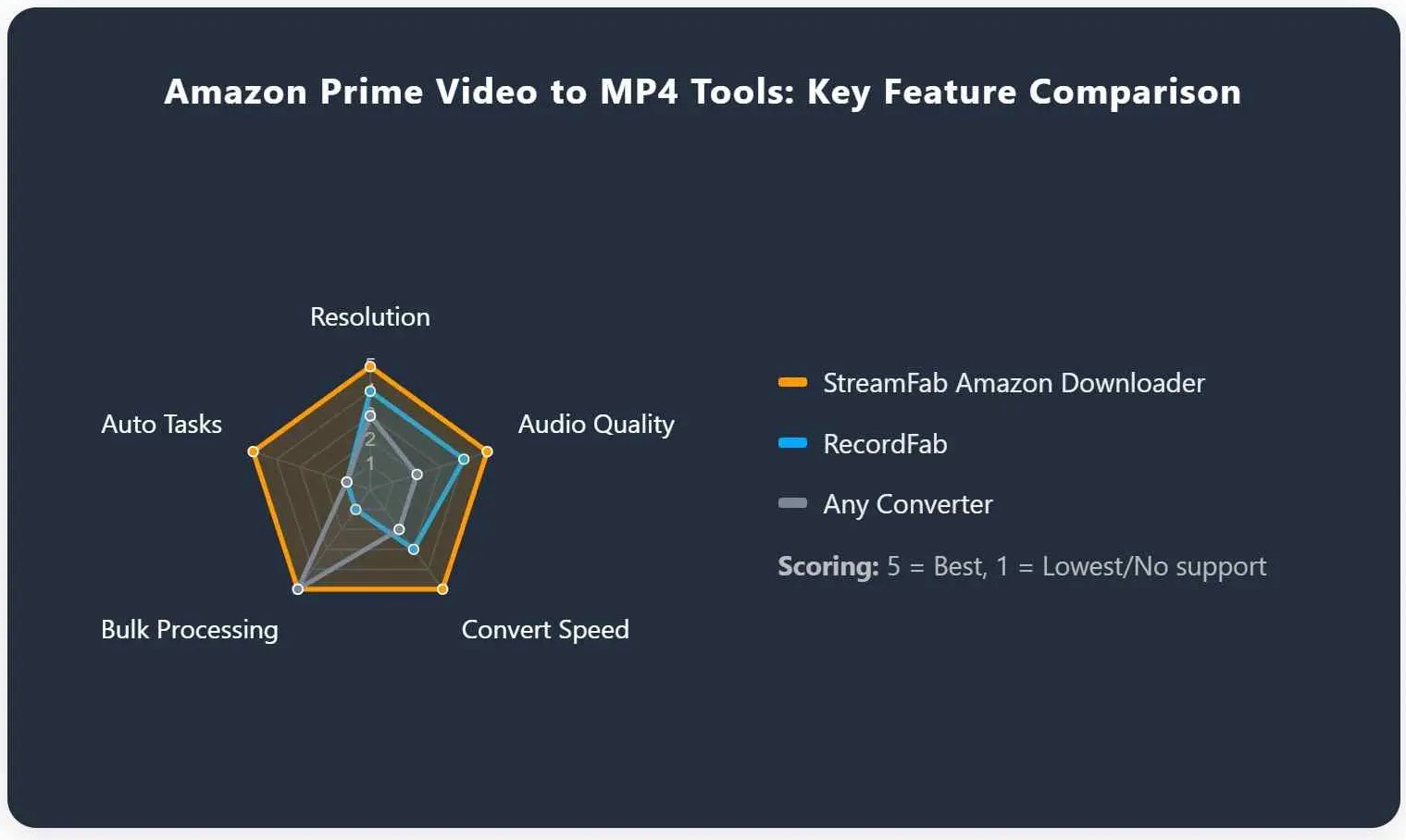
My practical takeaway is straightforward: a dedicated downloader fits repeat, quality-focused desktop use; recording can help in Edge cases but costs time; generic online converters are not ideal for app-bound Prime Video downloads.
1. StreamFab for Downloadable Local MP4 Files
- Platform: Windows and Mac desktop use
- Output: MP4 or MKV, with up to 1080p where supported
- Audio: EAC3 5.1 or AAC 2.0, depending on the title
- Best For: Repeat desktop users who value audio choices, subtitles, and automation.
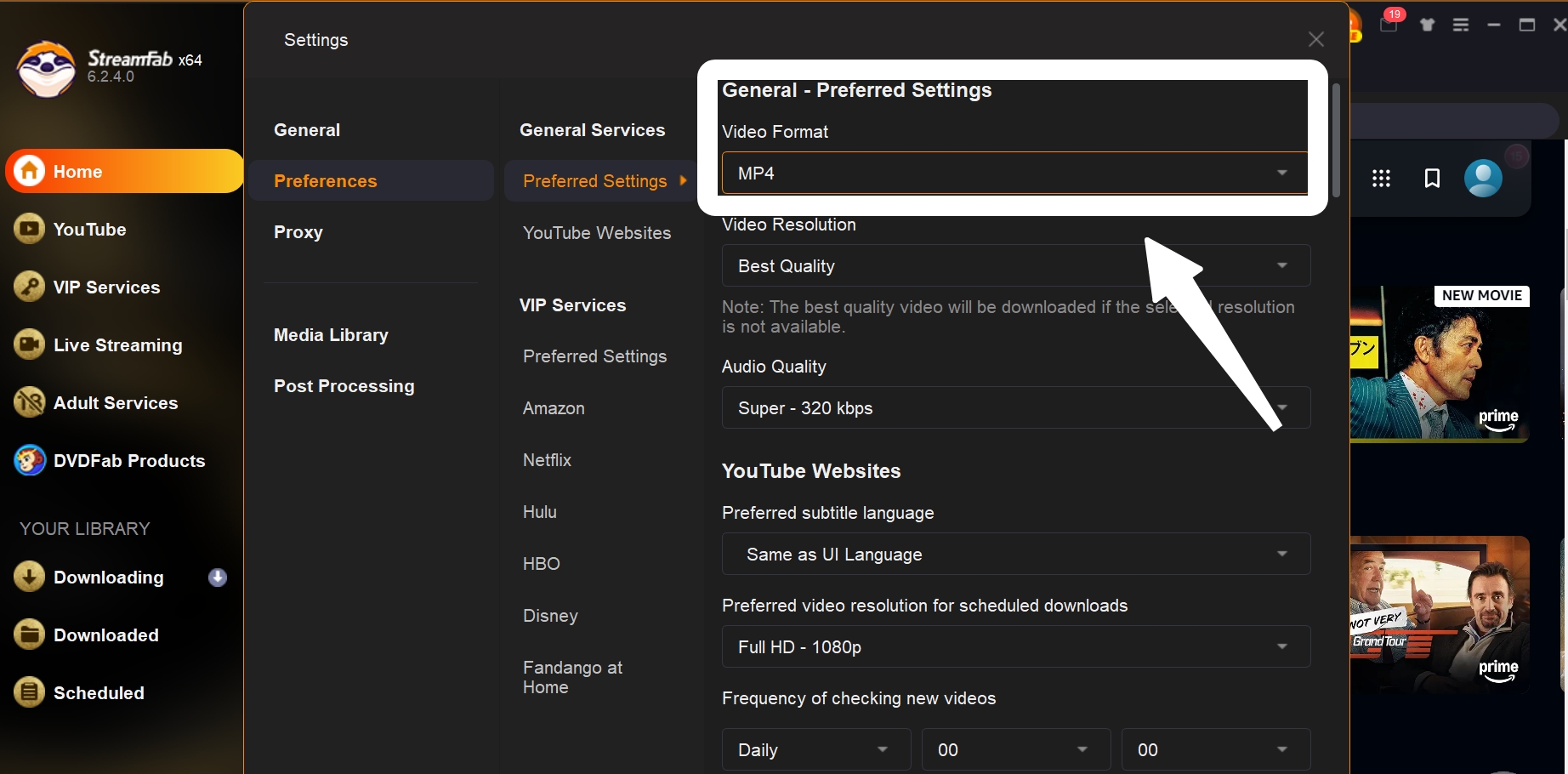
StreamFab Amazon Downloader is separate from Prime Video’s official download feature and provides a desktop option for authorized personal offline viewing, with MP4 or MKV output, up to 1080p where supported, and selectable audio and subtitle options.
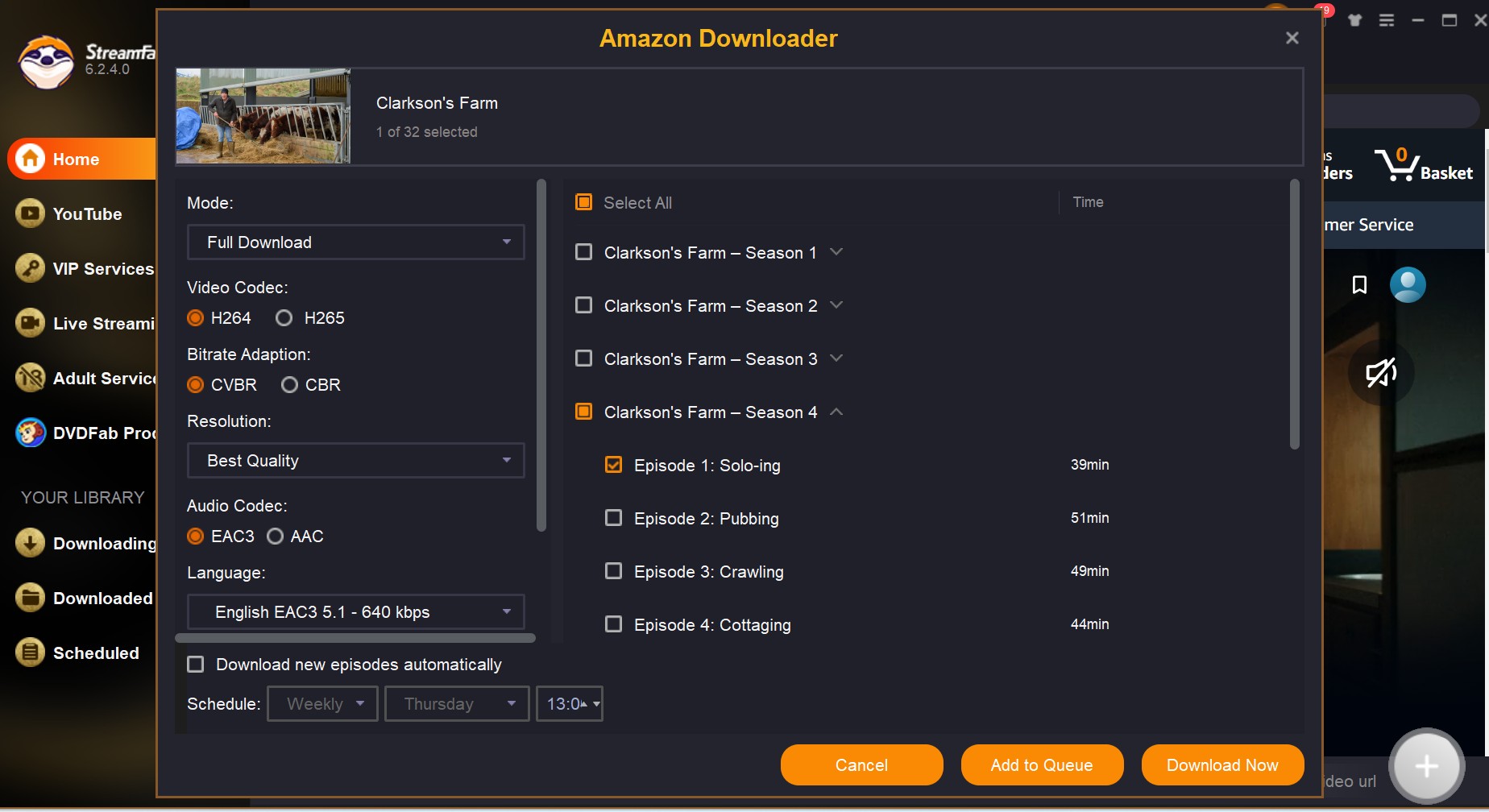
For Amazon Prime Video, StreamFab supports Windows and Mac, MP4 or MKV output, up to 1080p, EAC3 5.1 or AAC 2.0 audio, subtitle selection, batch processing, and scheduled downloads. It is a stronger fit for repeat desktop use than for someone who needs one occasional title or a phone-only workflow.
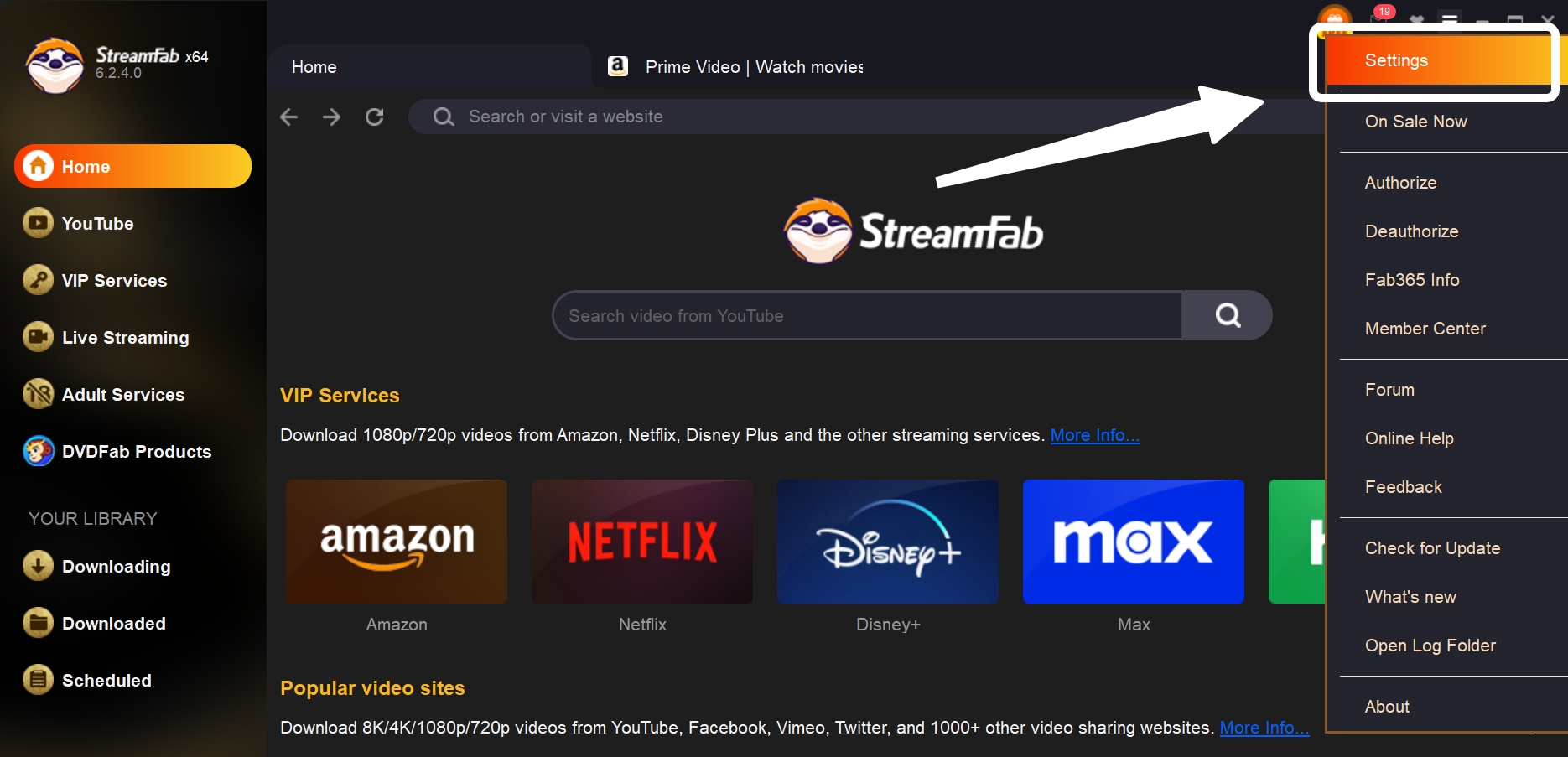
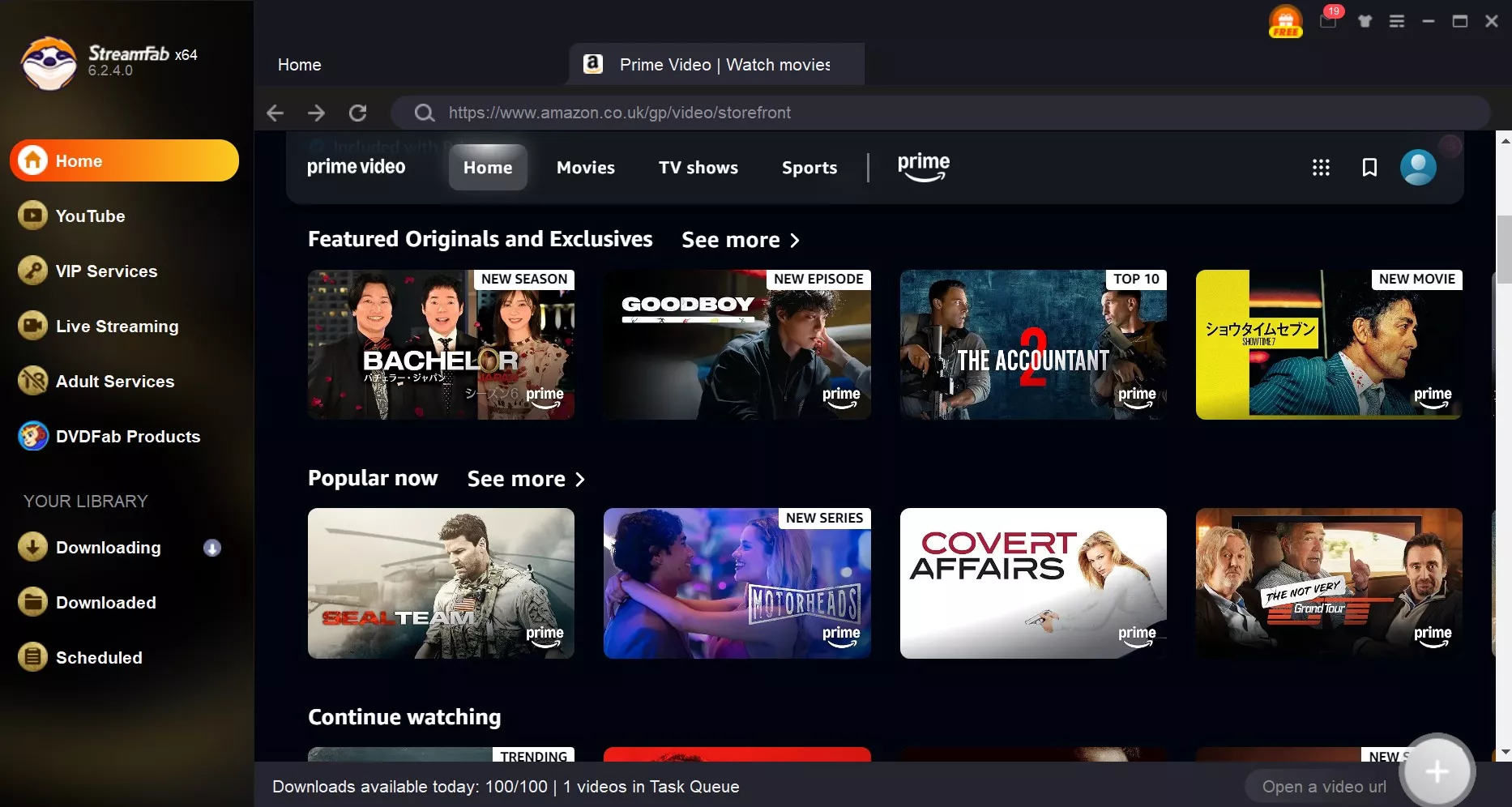
Use the in-app workflow after signing in to your authorized Prime Video account. If an Amazon title is not detected, first confirm that it plays normally in a browser, update the software, refresh the sign-in state, test without a VPN where appropriate, and confirm that all parts of a multi-part title were detected. A March 2026 release addressed an Amazon analysis issue, but compatibility can still vary by title, account, region, and version.
The following steps show the general desktop workflow:
My Insight:
- The CPU usage stayed under 15% thanks to the efficient H.264/H.265 encoding options. If you are managing a large library, use the Auto-Download feature.
- StreamFab is not limited to your usual Prime Video titles, even Amazon Channels, Amazon rentals, or Bonus Extras can also be archived.
Note: Available subtitles, audio, and title categories may vary by title, region, and licensing.
Our in-depth review of StreamFab Amazon Downloader covers the product in more detail. This article stays focused on choosing an MP4 workflow rather than expanding into a full product review.
Readers comparing dedicated desktop options can use the best Amazon video downloader reviews to assess broader product differences before choosing a tool.
2. Any Video Converter as a Recording Fallback
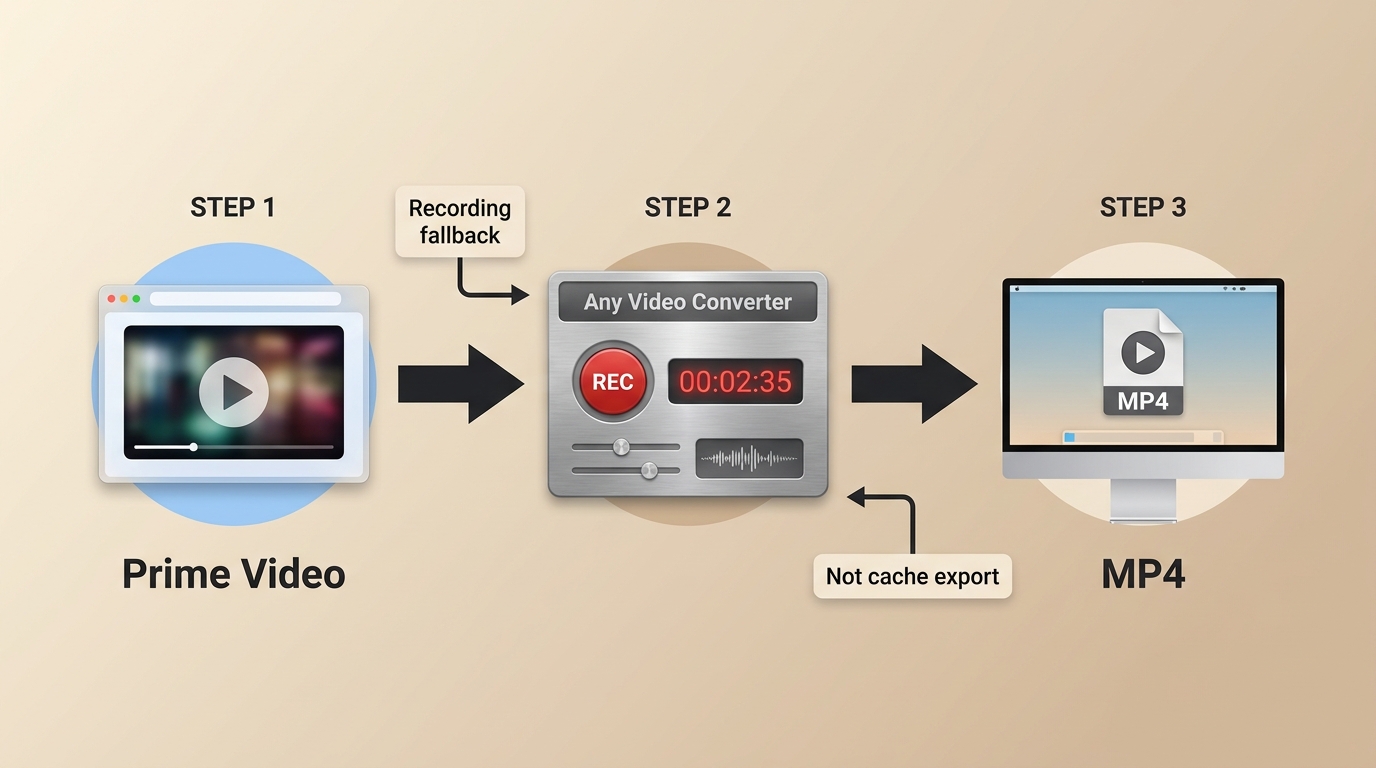
Any Video Converter’s Prime Video guidance uses a recording-based workflow rather than a simple URL-to-MP4 conversion. It can be a cautious fallback for occasional use, but it should not be confused with dedicated Prime Video download support.
Its general conversion features and free-tier limits do not establish direct support for app-bound Prime Video downloads. Black screens can occur during recording, and the available workflow may depend on browser, device, and software conditions.
- Method: Recording-based Prime Video workflow
- Time: Recording duration depends on playback and system conditions
- Quality: Depends on playback settings and recording environment
- Best For: Occasional fallback use when a recording workflow is acceptable.
For Prime Video, treat Any Video Converter as a screen-recording option. If you use it, follow its current recording instructions and expect that browser or playback conditions may affect the result.
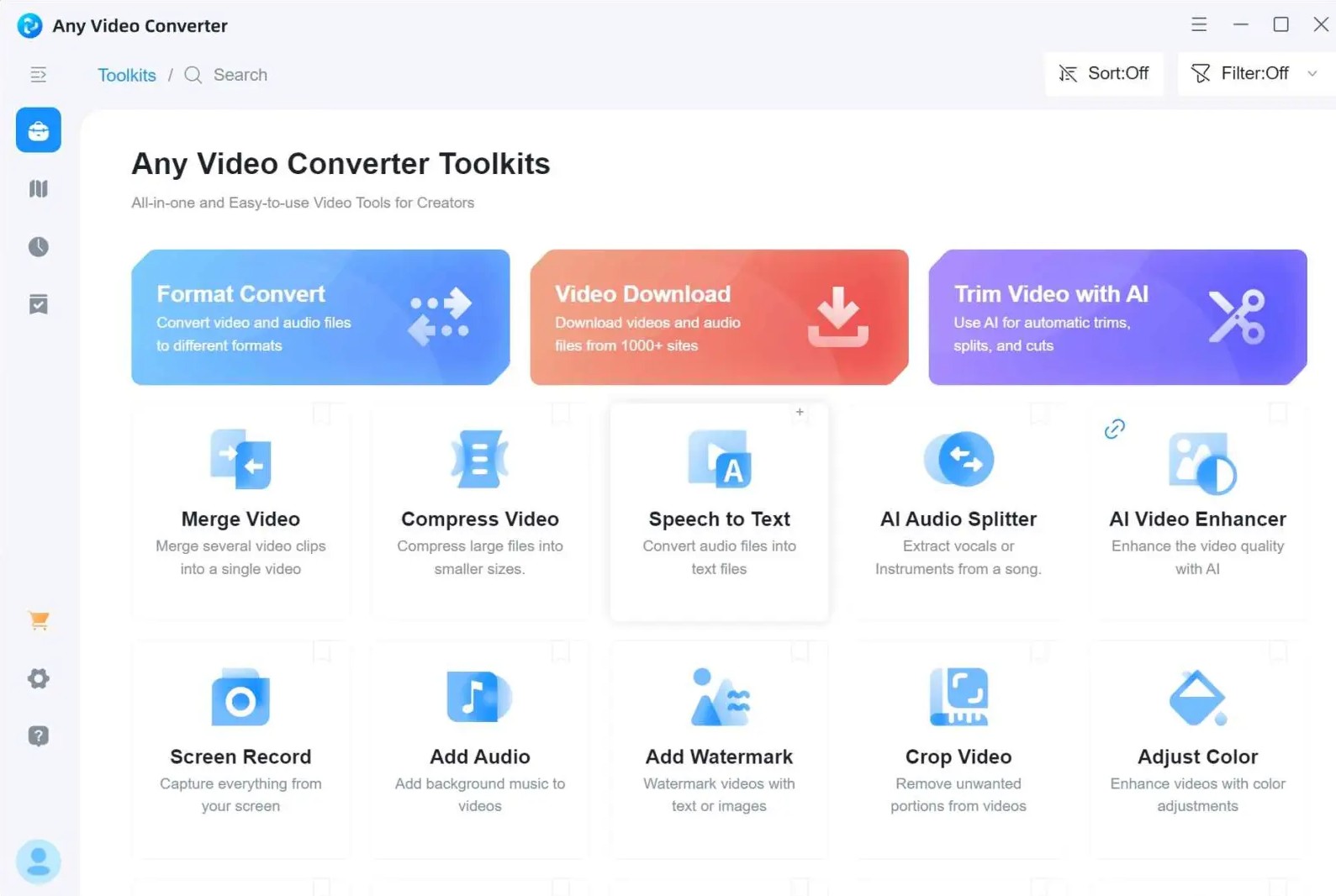
Download and install Any Converter on your PC, then launch it.
Copy the Amazon video link, and Any Converter will auto-analyze it.
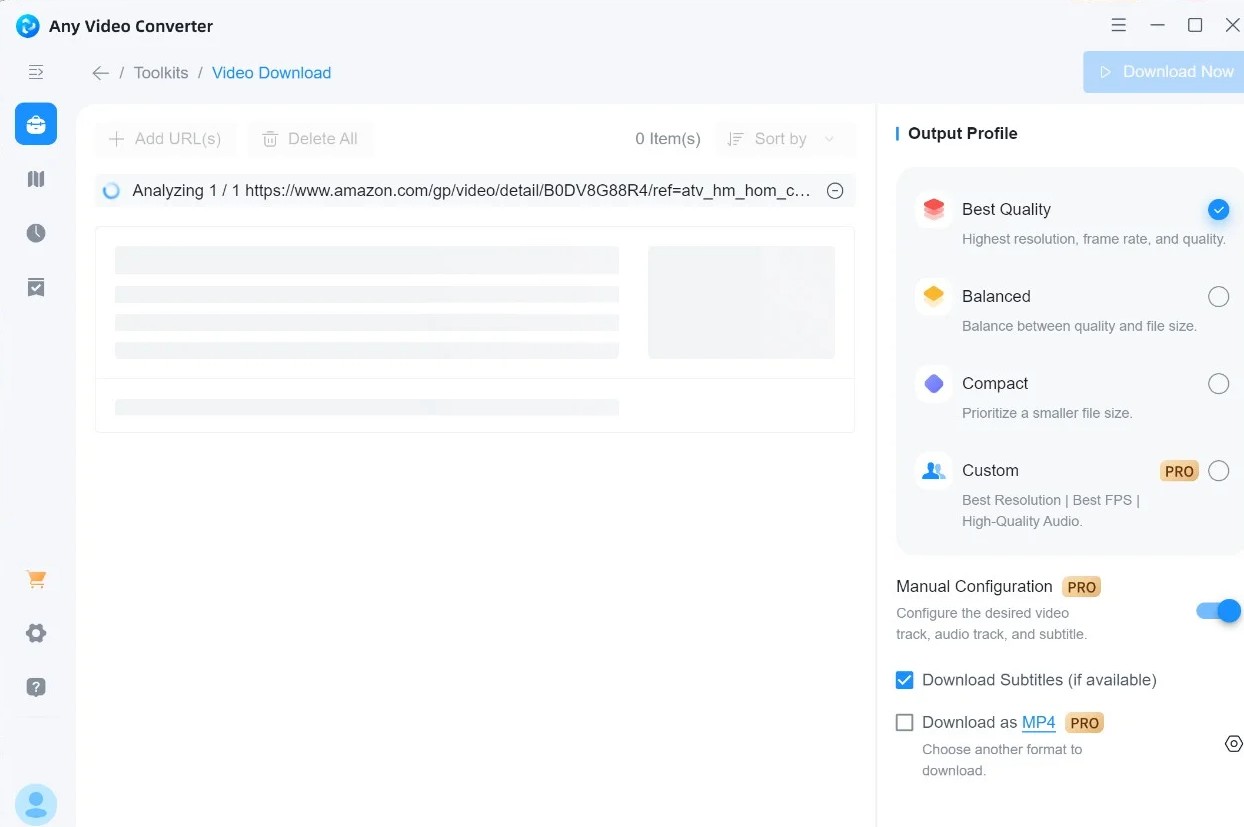
Select MP4 as the output format and adjust any desired settings.
Click "Convert Now" to export the video as an MP4 file to your chosen location.
My Insight:
- General conversion features should not be treated as proof of direct Prime Video download support.
- Recording can encounter black screens. If that happens, review the software’s current browser guidance and confirm that normal Prime Video playback is working before trying again.
3. RecordFab for Real-Time Capture
RecordFab is a related recording product that can serve as a fallback for live or otherwise unsupported playback cases. Recording captures playback in real time, so it is less efficient than a dedicated desktop downloader and results can vary by title and environment.
It works by mirroring the playback window in real time and saving the content as a standard MP4 file afterward.
- Results: Depend on the title, playback environment, device, and software version
- Time: Real-time capture requires recording time
- Quality: Depends on playback and recording settings
- Best For: Live or otherwise unsupported playback cases where recording is acceptable.
Real-time capture can be useful when recording is the available fallback, but black-screen, synchronization, and environment-dependent failures can still occur.
However, when you choose this way to convert Amazon Prime videos to MP4, parts of the limits are impossible to avoid:
- Time-consuming: you need to wait for the whole video to be played so that you can get the recorded file
- It offers a relatively lower output quality than direct downloads: recorded 1080p Amazon videos in general, not original 1080p lossless resolution
Recording is useful when it solves a specific playback case, but it is not ideal for batches or for readers prioritizing source-matched efficiency. In my view, it is the method to keep in reserve rather than the default choice for repeat use.
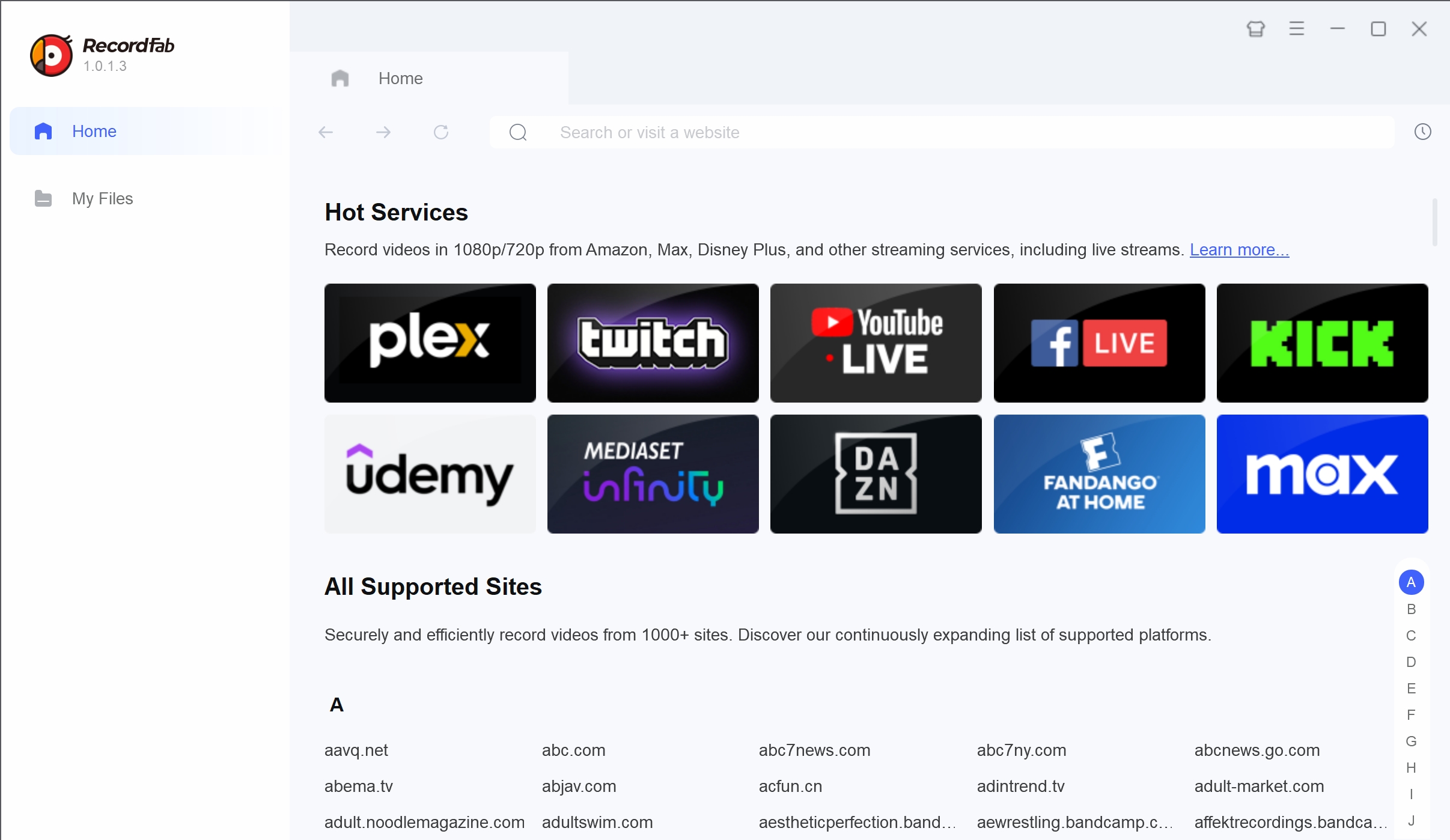
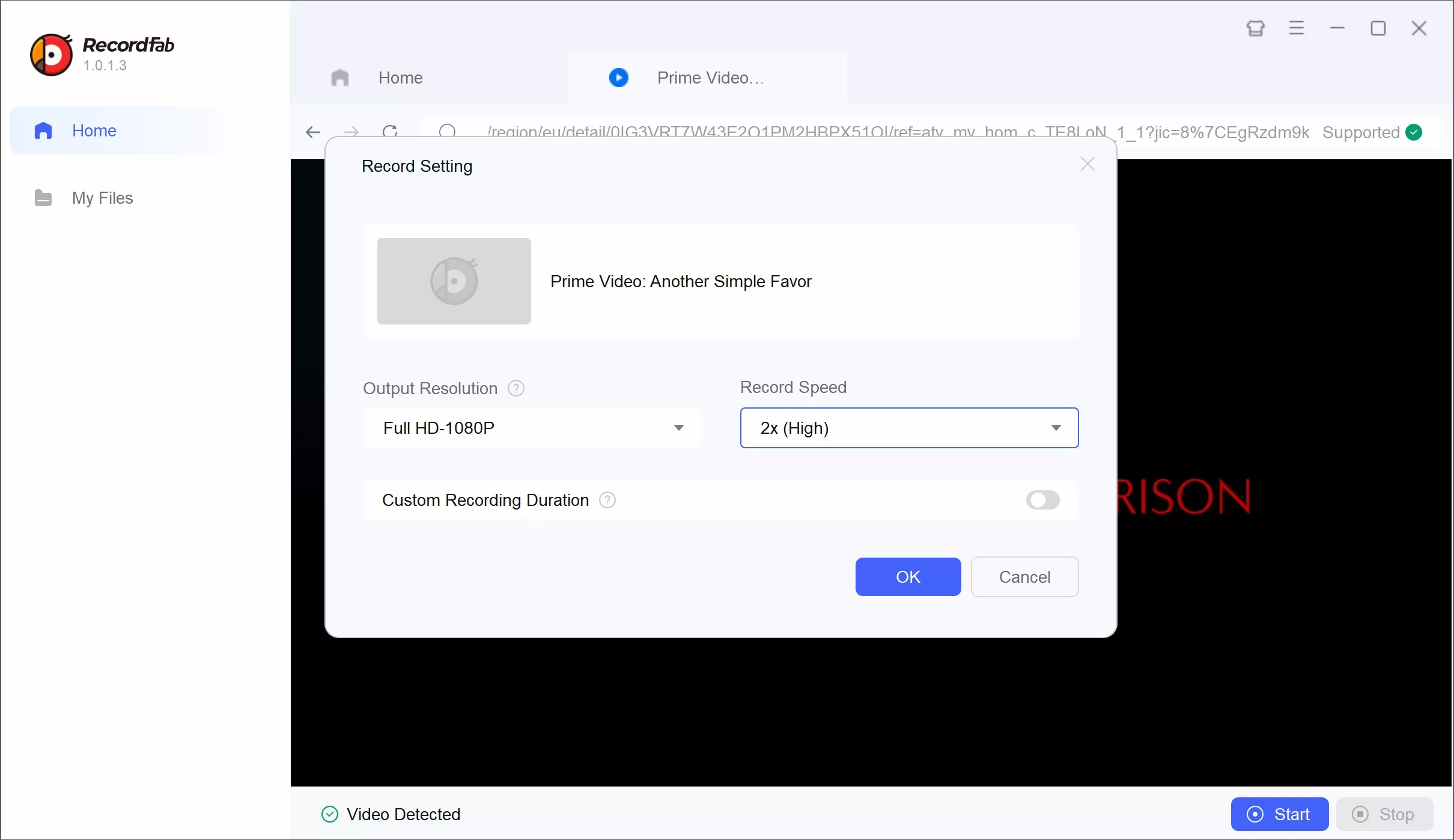
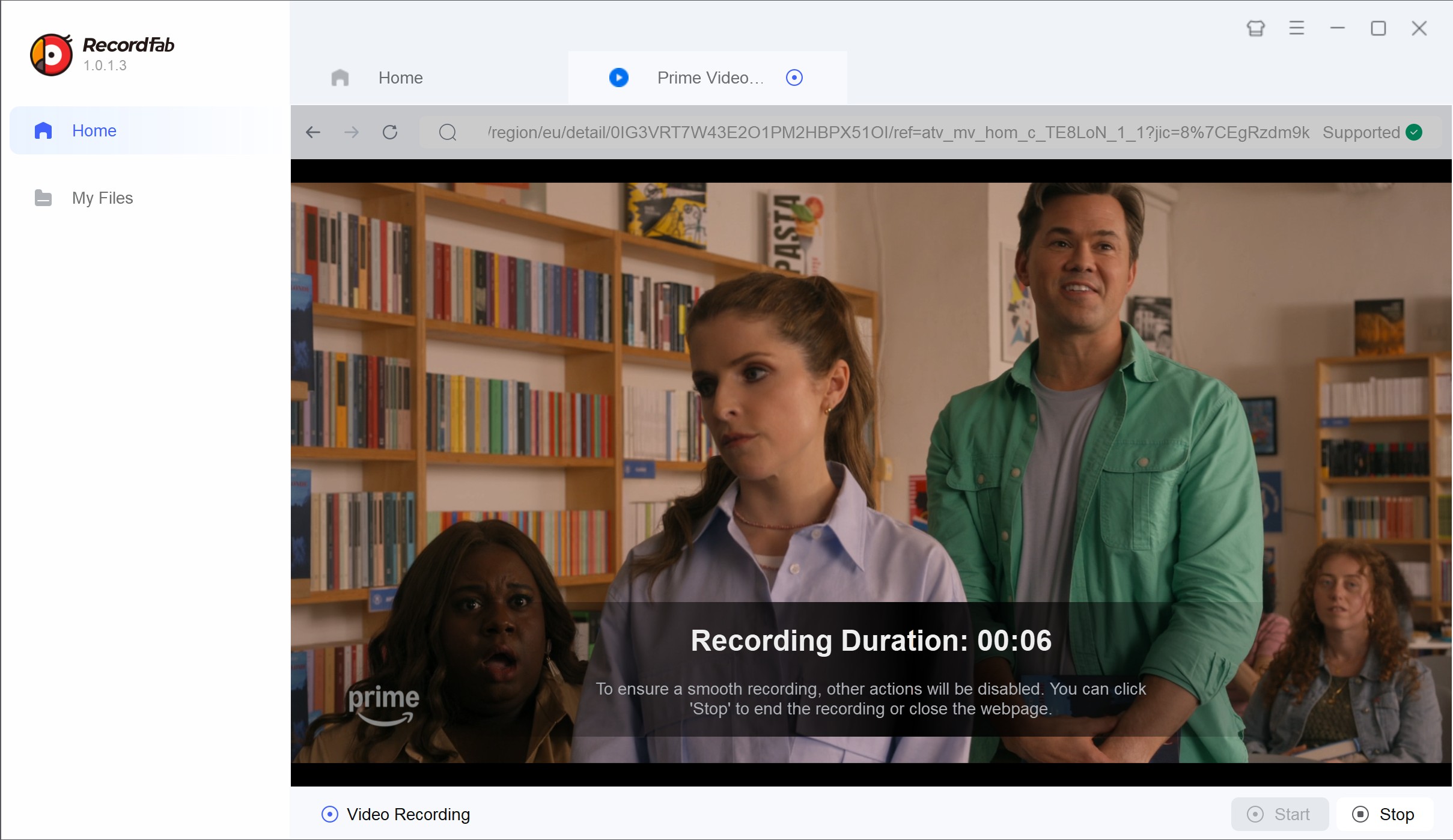
Below are the step-by-step instructions in a non-operational overview (please follow RecordFab’s official guide for exact actions):
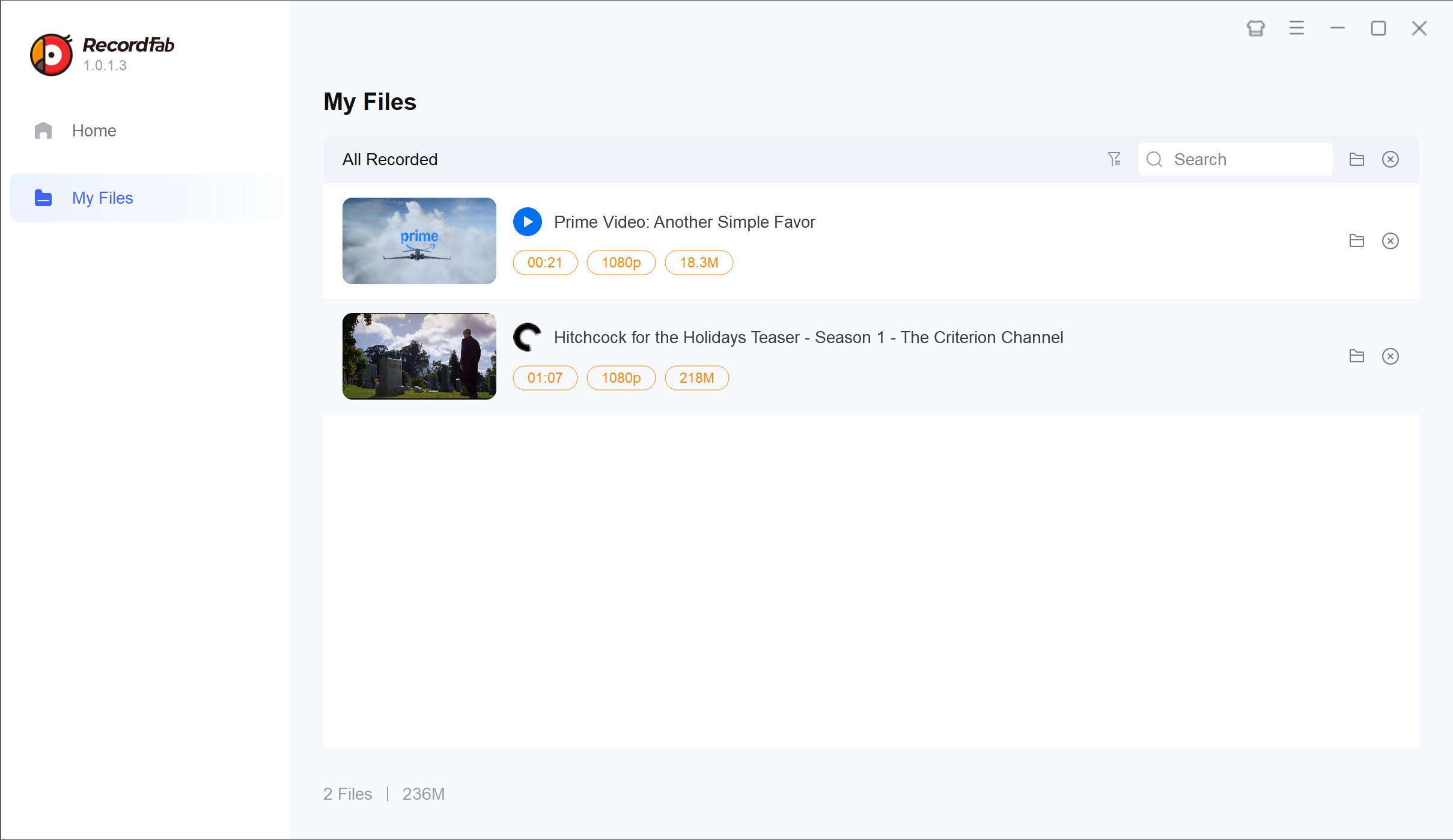
My Insight:
- Recording performance can change with the title, browser, hardware, and playback environment.
- Choose the highest available playback quality if image quality matters, while recognizing that recording results are not guaranteed.
RecordFab may help in limited cases, such as live playback that is not available for official offline downloading. It is slower than a dedicated downloading approach, and device, title, and platform conditions can affect the outcome.
For authorized local files, compatible storage can make it easier to transfer Amazon Prime Video downloads to an SD card for local playback.
FAQs
Does Prime Video Limit Official Downloads?
Yes. Limits can depend on the title, subscription or channel, region, and number of supported devices. Prime Video does not provide one universal download cap that applies to every account and title.
Why Do Prime Video Downloads Expire?
Official downloads are licensed, app-managed copies, so their viewing window can vary by title and account status. The time allowed to begin watching and the window after playback starts may differ, which is why an older download can expire even when it remains listed in the app.
Can I Watch Downloaded Prime Video Titles on an Airplane?
Yes, supported-device official downloads can be watched without an internet connection after they finish downloading, subject to title availability, account authorization, and the applicable viewing window. Official app downloads remain inside Prime Video rather than functioning as transferable files. External-screen playback follows device and app support; watching Amazon Prime on Chromecast has its own device-specific requirements.
Why Do Official Prime Video Downloads Stay Inside the App?
Official downloads are stored for playback in supported Prime Video environments, not exported as normal MP4 files. That app-bound design also limits direct file transfer and external playback of the official downloaded copy.
Conclusion
Official Prime Video downloads are the simplest choice for supported-device offline viewing. They are app-managed, however, so they do not function as ordinary MP4 files.
When an authorized desktop local-file workflow, selectable audio or subtitles, and repeat processing matter, a dedicated downloader is generally the stronger fit. Recording is a slower fallback for live or Edge-case playback, while generic online converters are not a practical choice for app-bound Prime Video downloads.
My recommendation is to choose the simplest method that fits the viewing need: use official downloads for ordinary offline viewing, a dedicated desktop tool for repeat authorized personal use, and recording only when its trade-offs are acceptable. Paying for access does not transfer ownership or redistribution rights.
This page is for general informational purposes. Any tools mentioned are intended for personal backup/offline viewing of content you are legally authorized to access. Do not use them for commercial purposes, redistribution, or copyright infringement. Always comply with Amazon’s Terms of Service and applicable local laws.

Yes, you can directly download Amazon Prime video on Mac through the official macOS app (subject to a strict 30-day limit) or utilize third-party downloders to export permanent local MP4 files. Explore my 2026 technical tests to avoid blackout restrictions.
By Erika Leen - Aug 26, 2026
Amazon Prime Video Channels like Starz, AMC+, and Acorn TV offer extra shows beyond standard Prime. But their downloads face time and device limits. This guide explains the key difference between Prime vs Channels and shows how to safely download Channel videos.
By Erika Leen - Aug 25, 2026

I revisits the most iconic PBS Kids shows of the 2000s, sharing heartfelt recommendations and formative memories of each series,
By Erika Leen - Aug 21, 2026
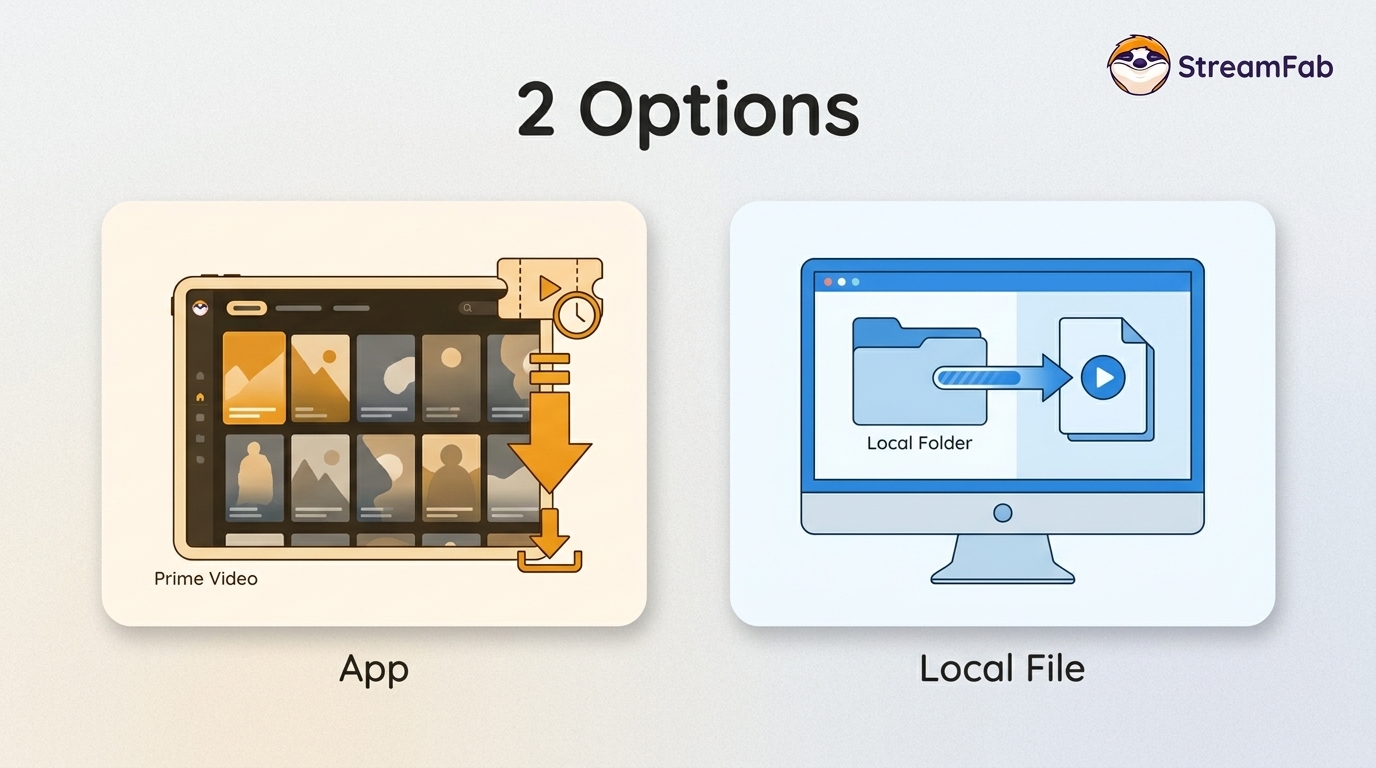
You can download eligible rented Amazon movies and purchased titles through the Prime Video app, but rentals have limited viewing Windows and app-managed storage. This guide explains the official route first, then a desktop local-file workflow for authorized viewing when format, audio, or playback flexibility matters.
By Nicole Lopez - Aug 11, 2026