
How to Download HBO Max Shows on Mac: 3 Offline Methods (2026)

Summary: This guide explains why there is no official HBO Max app for Mac and provides the best workarounds for downloading and watching shows offline on a MacBook. It evaluates top third-party downloaders that save shows in high resolution, and offers a brief alternative for screen recording clips without black screens, helping macOS users build a permanent offline library beyond what the official app allows.
Here's the short answer: HBO Max has no download app for macOS, so on a Mac you either stream in a browser or save a local copy with a desktop tool. Official offline downloads work only in the HBO Max mobile apps on iPhone, iPad, Android, and Amazon Fire tablets, and those files expire on a timer.
If you're a Mac user who noticed the download button is simply missing, you're not imagining it. In this guide I'll explain why HBO Max blocks downloads on desktop, lay out the three realistic ways to watch HBO Max offline on your laptop, and show what a saved MP4 or MKV actually gets you when you want to download HBO Max shows on Mac.
Does HBO Max Support Official Downloads on Mac
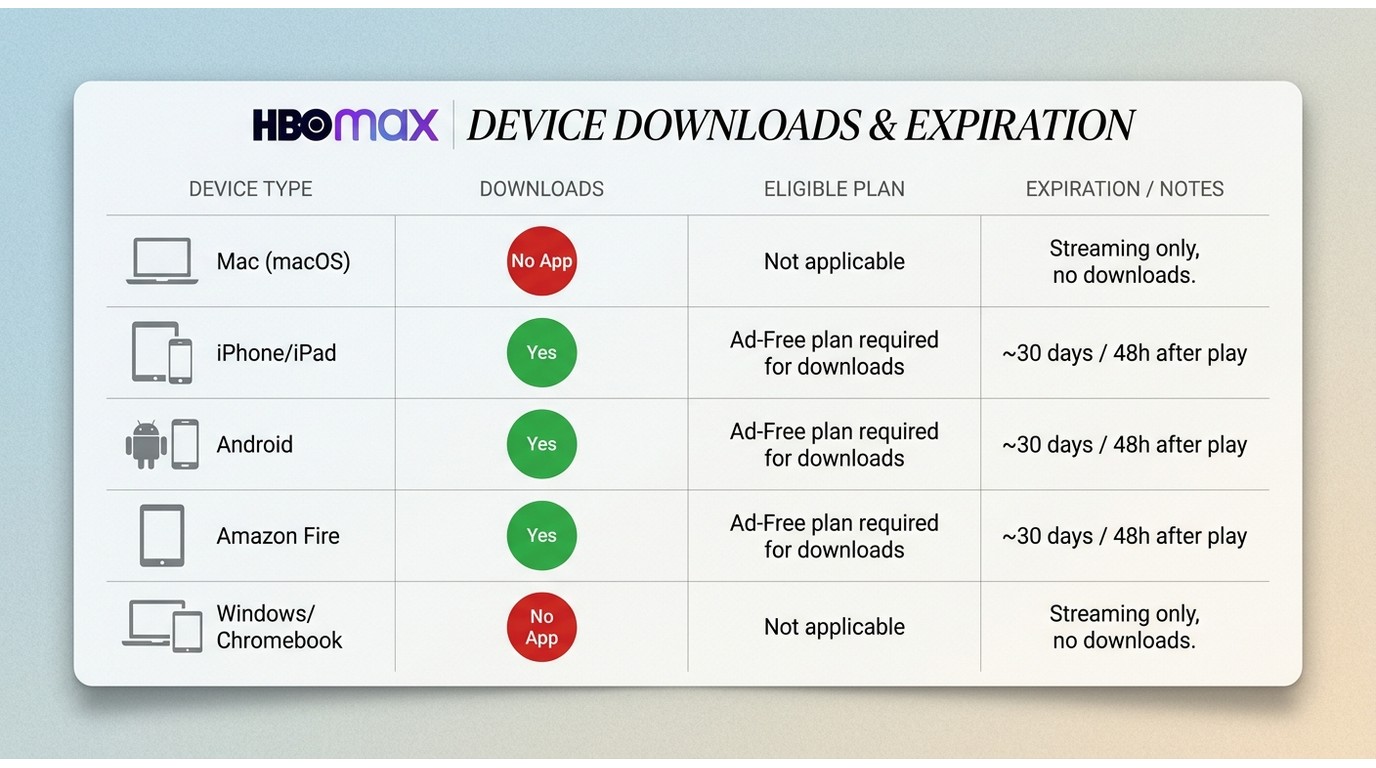
Short answer: not on macOS. As of August 2026, HBO Max does not publish a desktop app for Mac, and the web player at hbomax.com has no download button. Official offline downloads are limited to the HBO Max mobile apps on iPhone, iPad, Android phones and tablets, and Amazon Fire tablets, on eligible ad-free plans. Those saved files expire about 30 days after download or 48 hours after you start playing, and they only play back inside the HBO Max app.
Which Devices and Plans Allow Official Downloads
| Device | Official HBO Max download? | Eligible plan | File expiration |
|---|---|---|---|
| Mac (macOS, any chip) | No app, no browser downloads | — | — |
| iPhone / iPad | Yes, in the HBO Max app | Ad-free plans | ~30 days / 48 hours after play |
| Android phone / tablet | Yes, in the HBO Max app | Ad-free plans | ~30 days / 48 hours after play |
| Amazon Fire tablet | Yes, in the HBO Max app | Ad-free plans | ~30 days / 48 hours after play |
| Windows / Chromebook | No app, no browser downloads | — | — |
The service is branded HBO Max again in the United States; you may still see the shorter Max name on some older app icons or links. If you own an Apple Silicon Mac (M1/M2/M3/M4/M5), the iPadOS HBO Max app cannot be installed either: the developer opted the app out of the run-on-Mac feature, so it will not appear in the Mac App Store search.
Why HBO Max Won't Let You Download on Mac
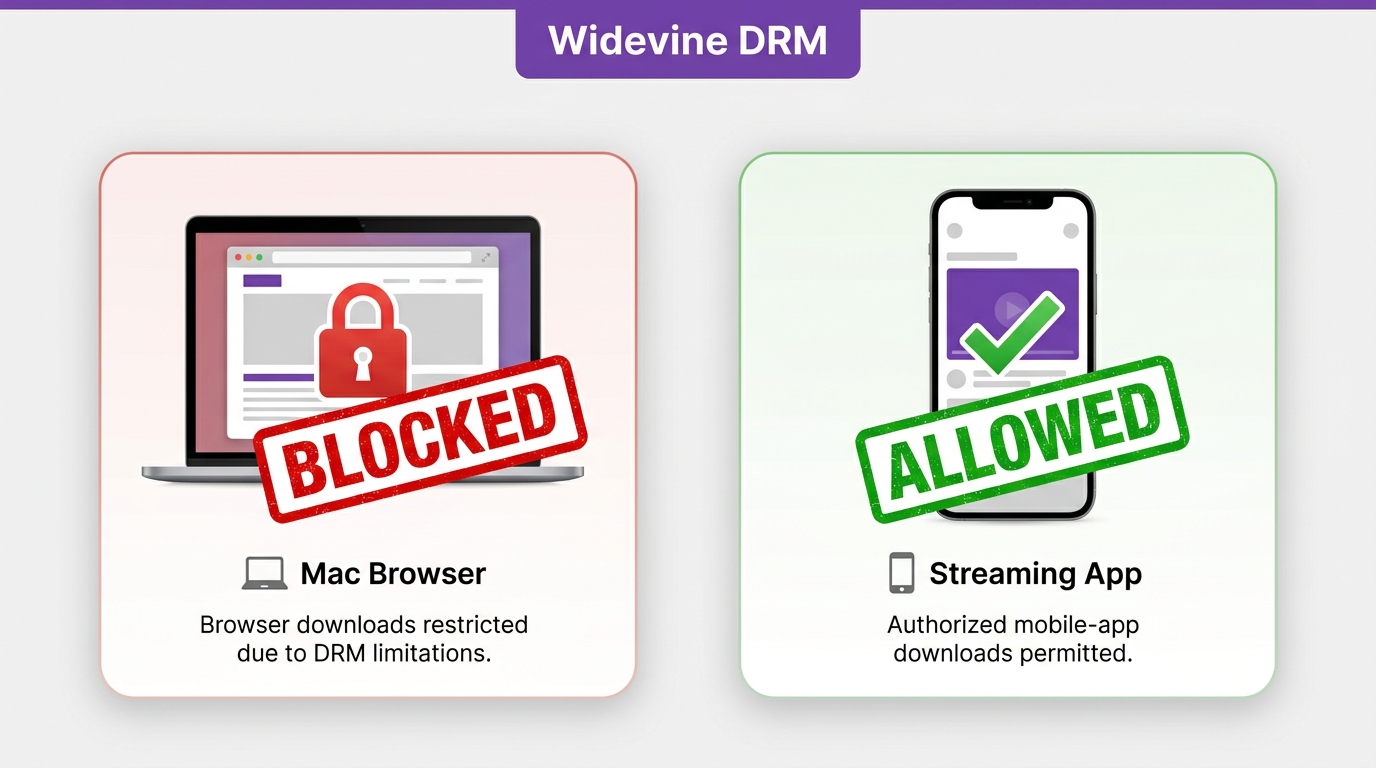
Now that we know Mac is left out of the official download list, the natural next question is why. HBO Max streams on desktop through a browser-based DRM layer (Widevine), and that layer is designed for streaming only, not for saving files locally. Because Warner Bros. Discovery has not shipped a macOS app, there is no in-app download queue on Mac the way there is on iPhone, iPad, or a Fire tablet. If your HBO Max downloads keep failing on your phone, that's a separate playback-authorization issue rather than a Mac limitation.
This design hits two groups of Mac users hardest: travelers who lose Wi-Fi on planes or trains, and viewers with unreliable home connections who want a single long episode ready before bed. For them, the mobile-only rule and the 30-day / 48-hour timer aren't a small inconvenience — they're the whole reason to look for another path.
Three Ways to Watch HBO Max Offline on Mac
With no macOS app in play, Mac viewers have three realistic offline paths, each with its own trade-offs on quality, waiting time, and how long the file stays watchable. The table below is a signpost — the detailed how-to for each path follows in the next sections, and our best HBO Max downloader review goes deeper on individual tools.
| Offline path | Video quality | Output format | Time to get a 1-hour episode | Offline expiration |
|---|---|---|---|---|
| Desktop downloader on Mac | Up to the resolution your plan allows | MP4 or MKV, plays anywhere | Faster than real time, a full episode in a fraction of its runtime | Local file, no built-in timer |
| Screen recording on Mac | Limited by browser playback, often 720p | MOV / MP4, plays anywhere | Real time — a 1-hour show takes 1 hour | Local file, no built-in timer |
Saving HBO Max Shows as MP4 or MKV on Mac
When people ask how to download HBO Max shows on Mac, what they usually want is a plain video file they can double-click. A desktop downloader is a third-party tool that saves a local copy of content you're authorized to access on your own paid HBO Max subscription, for personal offline viewing, where platform terms and local copyright law allow it. Two Mac-compatible options are widely used today: StreamFab and CleverGet.
StreamFab HBO Max Downloader for Mac
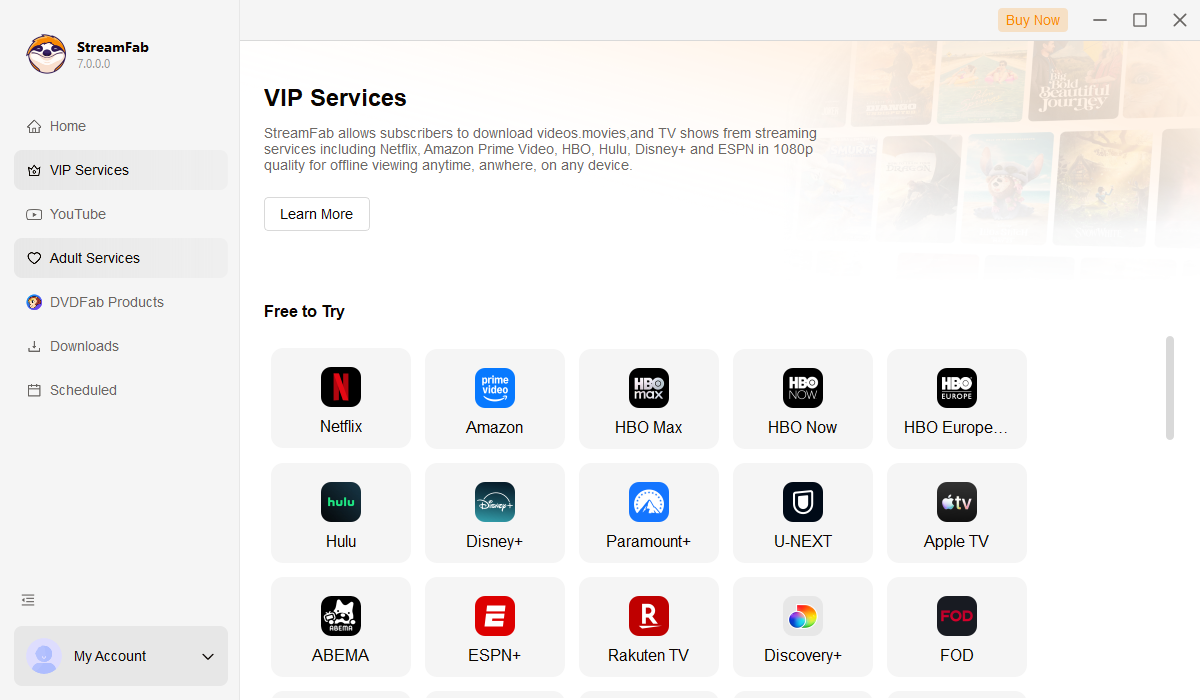
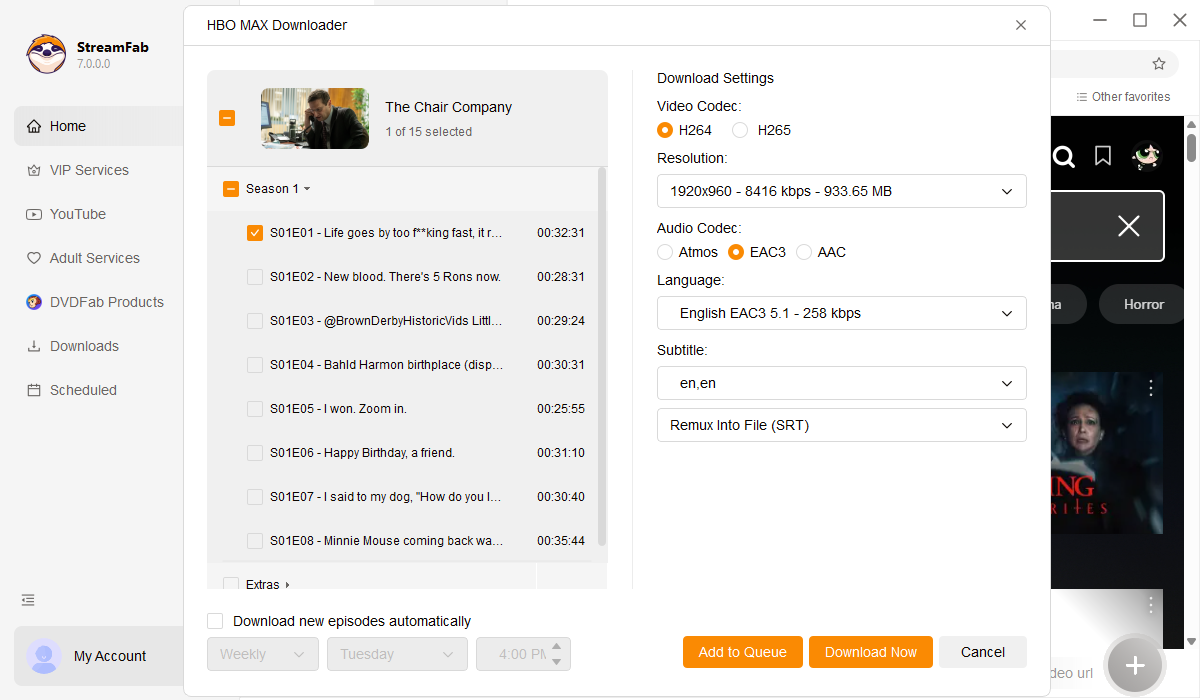
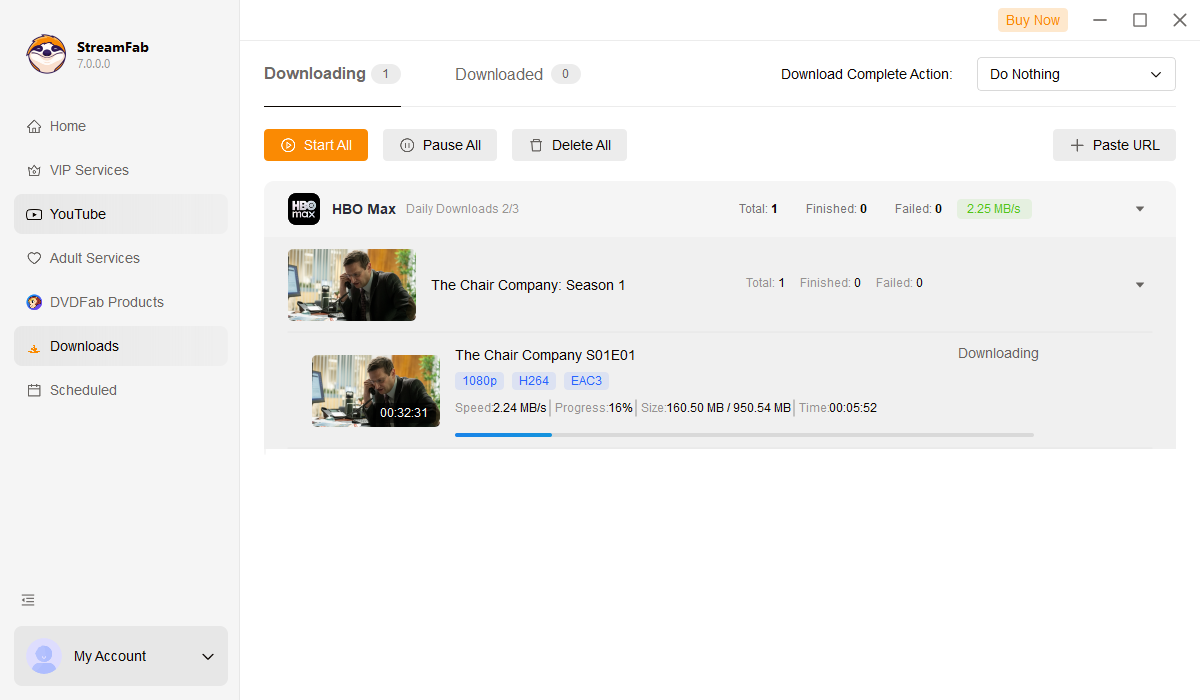
StreamFab HBO Max Downloader is a desktop app for Windows and Mac that saves HBO Max episodes and movies as MP4 or MKV files, up to the resolution your plan allows, with original multichannel audio (Dolby Atmos / EAC3 5.1 where available) and selectable subtitles. It runs natively on Apple Silicon and supports batch and scheduled saving, so a whole season can be queued to download overnight.
Because saved files live outside the HBO Max app, they play in QuickTime, VLC, IINA, Plex, or the Apple TV app without a session check every time you open them — which is what most Mac travelers are actually after.
Best for: Mac users who want a full season ready before a long trip or a weekend without Wi-Fi.
Not ideal for: quick 30-second clips for social — screen recording is faster there.

The ultimate solution to download shows and movies from HBO Max on your MacBook in up to 4K/1080p resolution. Never worry about offline expiration or geoblocking again.
How to Download HBO Max on MacBook by StreamFab
CleverGet HBO Max Downloader (720p)
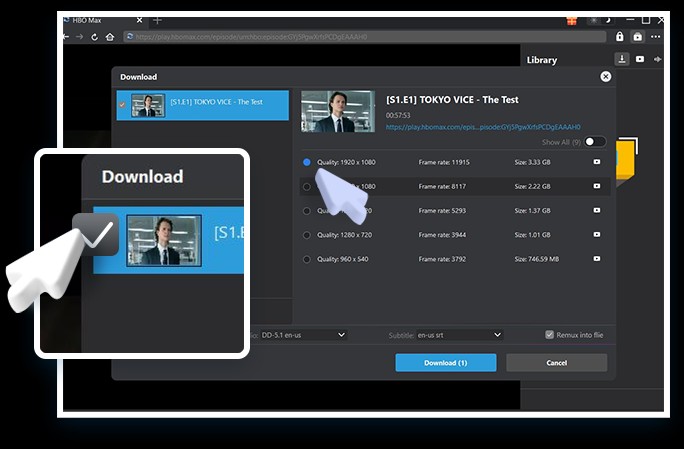
CleverGet HBO Max Downloader (product page: cleverget.org/hbo-downloader/) is an active alternative that saves HBO Max content up to 720p as MP4 or MKV, with subtitle options either embedded or exported as separate SRT files. Output tops out at 720p, which is fine for a MacBook Air on a plane but visibly softer than 1080p on a larger Retina display.
Best for: viewers who just want a watchable copy for a phone or a smaller laptop screen and don't need 1080p.
Not ideal for: anyone planning to watch on an external monitor or a TV.

- Saves HBO Max shows as MP4 or MKV, playable in QuickTime, VLC, IINA, or the Apple TV app.
- Keeps multiple subtitle and audio language tracks from the source.
- Subtitles can be exported as separate SRT files or embedded directly into the video.
- Output caps at 720p, which looks softer than 1080p on larger Retina displays.
- Support for the newest episode releases can lag behind the platform's launch schedule.
- Real-world download speed varies with your connection and can be slower than the on-screen estimate.
Tutorial of Download HBO Max Shows on MacBook by CleverGet
Screen Recording HBO Max on Mac
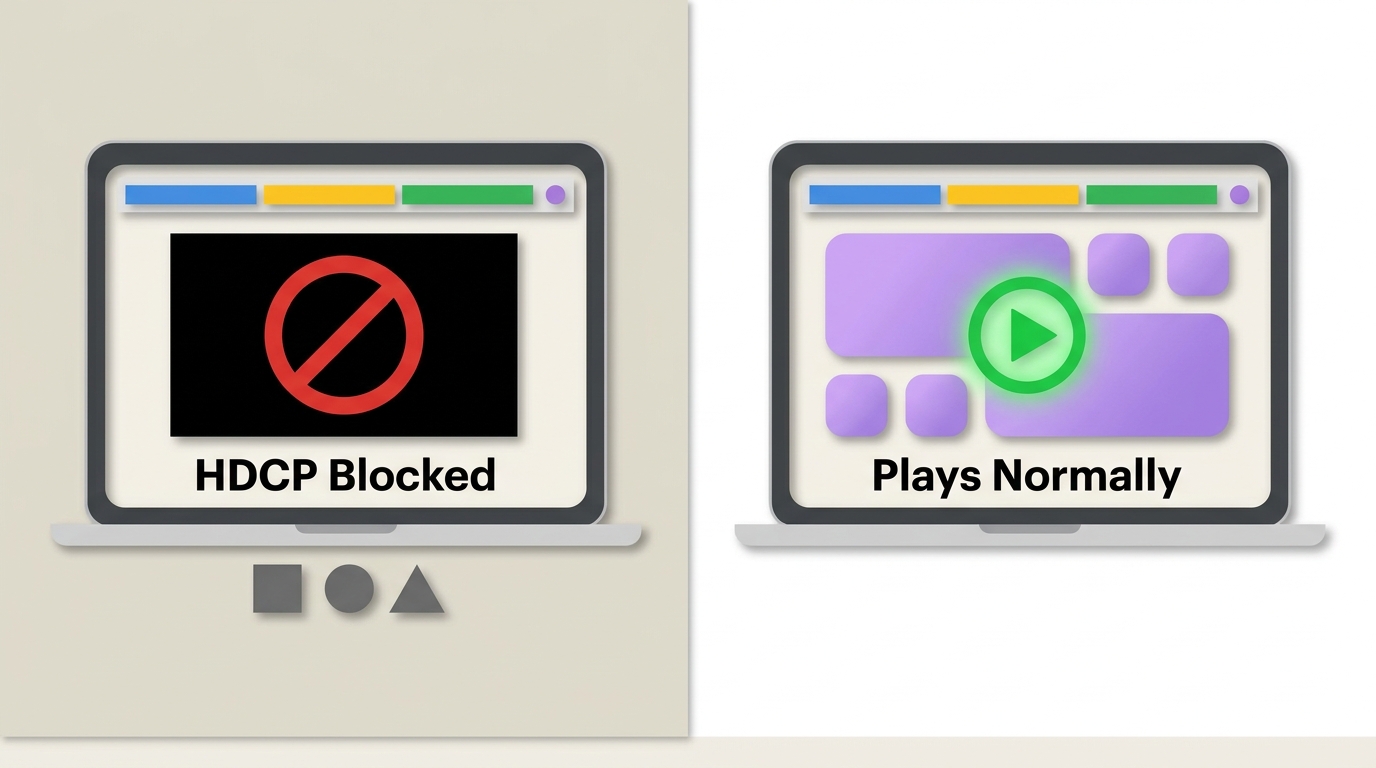
Onto path number three. If you only need a short clip for personal reference, screen recording with QuickTime or a dedicated tool is the lightest option. The catch is the HDCP black screen: Safari and Chrome hand HBO Max playback to a protected pipeline, so a raw screen recording often captures a blank rectangle where the video should be. A workaround guide is available for how to screen record HBO Max.
Even when the picture comes through, recording is real-time (a 2-hour movie takes 2 hours) and frame rate often drops during busy scenes.
Best for: a 30-second clip you want to reference or discuss.
Not ideal for: a whole season for a flight.
Frequently Asked Questions
Conclusion
There's no single winner for every Mac user — it depends on what you actually want to watch and where. If you just need a short clip for reference, screen recording is fastest. If you're mostly on the go with a phone or iPad, the official HBO Max mobile app and its 30-day / 48-hour downloads cover you without extra software. And if you want a full season ready on a MacBook for a flight or a spotty Wi-Fi cabin, a desktop downloader that saves MP4 or MKV is the practical fit — StreamFab HBO Max Downloader is one such option that runs on both Mac and Windows.
Mandatory Legal Disclaimer:The tools discussed here are intended for private, non-commercial offline viewing of content you access through a paid HBO Max subscription, within the platform's Terms of Service and your local copyright law. Do not use them to redistribute or share copyrighted media.


HBO Max download failures usually come down to eligibility, account-wide limits, storage, network settings, or an app that needs a clean reset. This guide gives you six checks in the right order, a message-to-fix lookup, a travel preflight test, and a measured Windows or Mac alternative for authorized offline viewing.
By Marcia Hatcher - Aug 6, 2026

Wondering how to rip HBO max video in 2026? This guide covers three practical options for offline viewing, with tips on availability by title, device, and plan.
By Erika Leen - Aug 4, 2026
This article reviews the best HBO Max downloaders of 2026 for Windows and Mac. It compares their video quality, pricing, user experience, etc. Each downloader is evaluated based on testing, helping readers select the best tool for their needs. StreamFab HBO Max Downloader stands out as the top choice with its 4K quality, fast speed, and advanced features.
By Erika Leen - Aug 4, 2026

Learn how to properly configure the HBO Max Kodi addon via the SlyGuy repository in 2026. Troubleshoot Widevine CDM black screens, bypass geoblocking, and discover a 4K offline archiving alternative.
By Nicole Lopez - Aug 4, 2026