
How to Watch HBO Max Offline on Your Laptop [Any Plan]

Summary: If you are an ad-free subscriber, you can watch Max videos offline on mobile devices, but the access to watch Max offline on laptop has been closed by Max app. No worries, this post offers a feasible solution to this problem.
Can you watch HBO Max offline directly on a laptop?
Officially, no. HBO Max does not offer a desktop app for Windows or Mac, and the web browser version does not support offline caching due to DRM policies.
The Practical Workaround: For content you're authorized to access, a desktop tool can save a local MP4/MKV copy on your PC or Mac for personal offline viewing — where platform terms and applicable law allow.
Table of Contents
I ran into this the hard way last month: boarding a red-eye, opening my MacBook, and realizing the season of The White Lotus I'd queued up for the flight was stuck behind a Wi-Fi wall. If you're the traveler with the laptop bag, the remote worker who lives in coffee shops with flaky Wi-Fi, or the parent whose kid demands cartoons on a road trip, this guide is for you.
Below I'll walk through the official browser limitations, the Apple Silicon Mac loophole most articles miss, and where a desktop tool actually earns its place — plus the practical caveats you should understand before trying anything beyond the official app to download videos from HBO Max.
Official Tutorial: How to Watch HBO Max Offline via the Mobile App
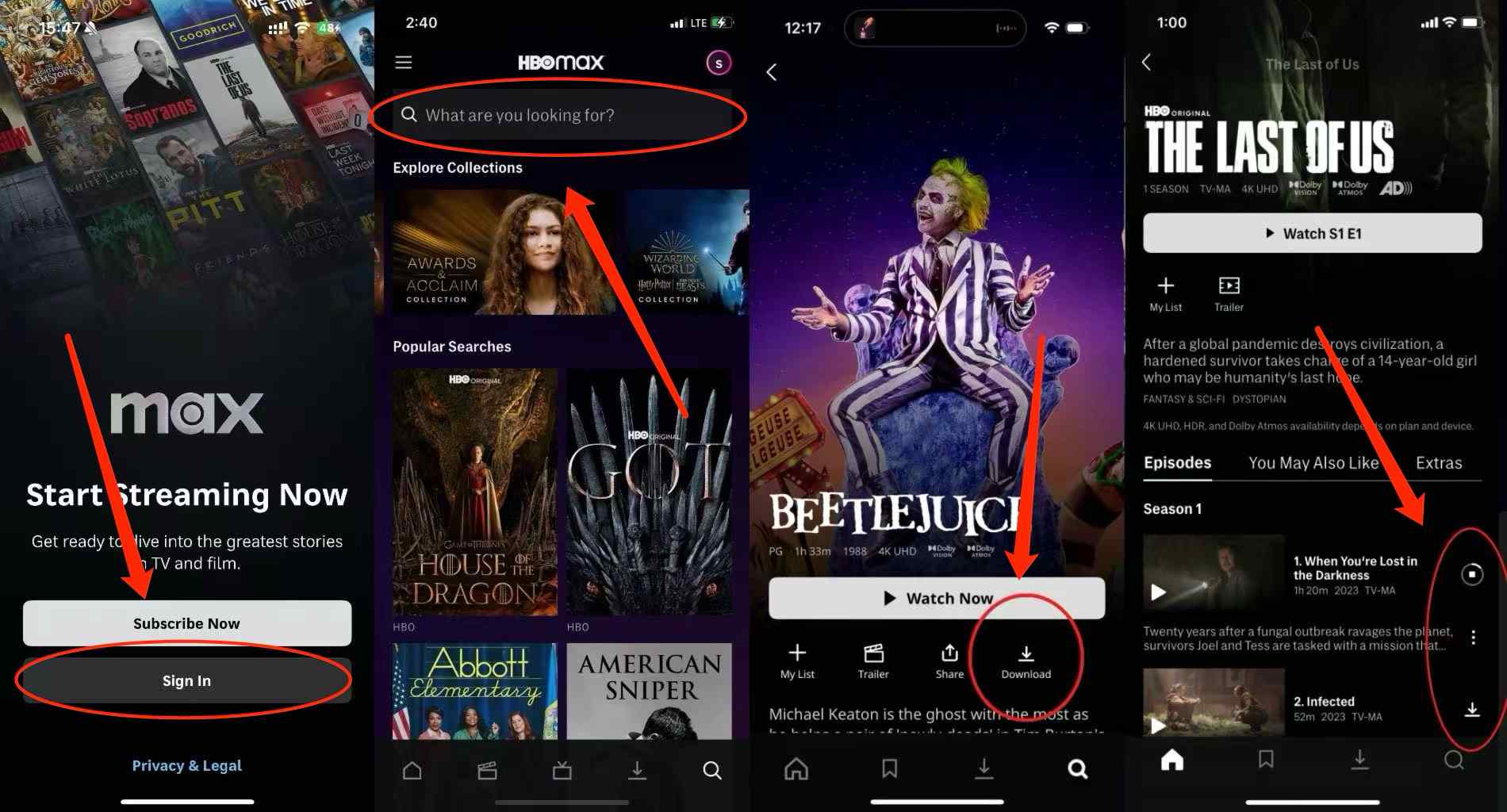
Before we tackle computers, let's cover the basics. Official offline downloads work on iPhone, iPad, Android phones and tablets, and Amazon Fire tablets; Windows PCs and Macs have no native HBO Max app and cannot download titles for offline viewing officially. If you're on a supported mobile device, the process is straightforward:
Note:
- Apple iPhone, iPad, and iPod Touch
- Android phones and tablets
- Amazon Fire tablets
Verify your subscription status. You must be on an Ad-Free plan to access the offline feature. Connect to your WiFi or use mobile data.
Launch the HBO Max app, and look for the video that you want to watch offline.
Tap the Save button. If you want to watch your cached videos offline, go to the My Offline Library section on your profile.
Even on supported mobile devices, offline viewing isn't a free-for-all. You will be hit with these severe official limits:
| Feature/Limit | Standard Plan ($18.49/mo) | Premium Plan ($22.99/mo) |
|---|---|---|
| Total Cached Items | Up to 30 | Up to 100 |
| Movie Limit | 30 movies | |
| TV Show Limit | Max 25 episodes per series | |
| Viewing Window | 48 hours to finish after starting | |
| Unwatched Expiration | Expires 30 days after saving | |
(Data based on my personal tests and official documentation from 2026)
Can You Watch HBO Max Offline on a Laptop? (The Restrictions)
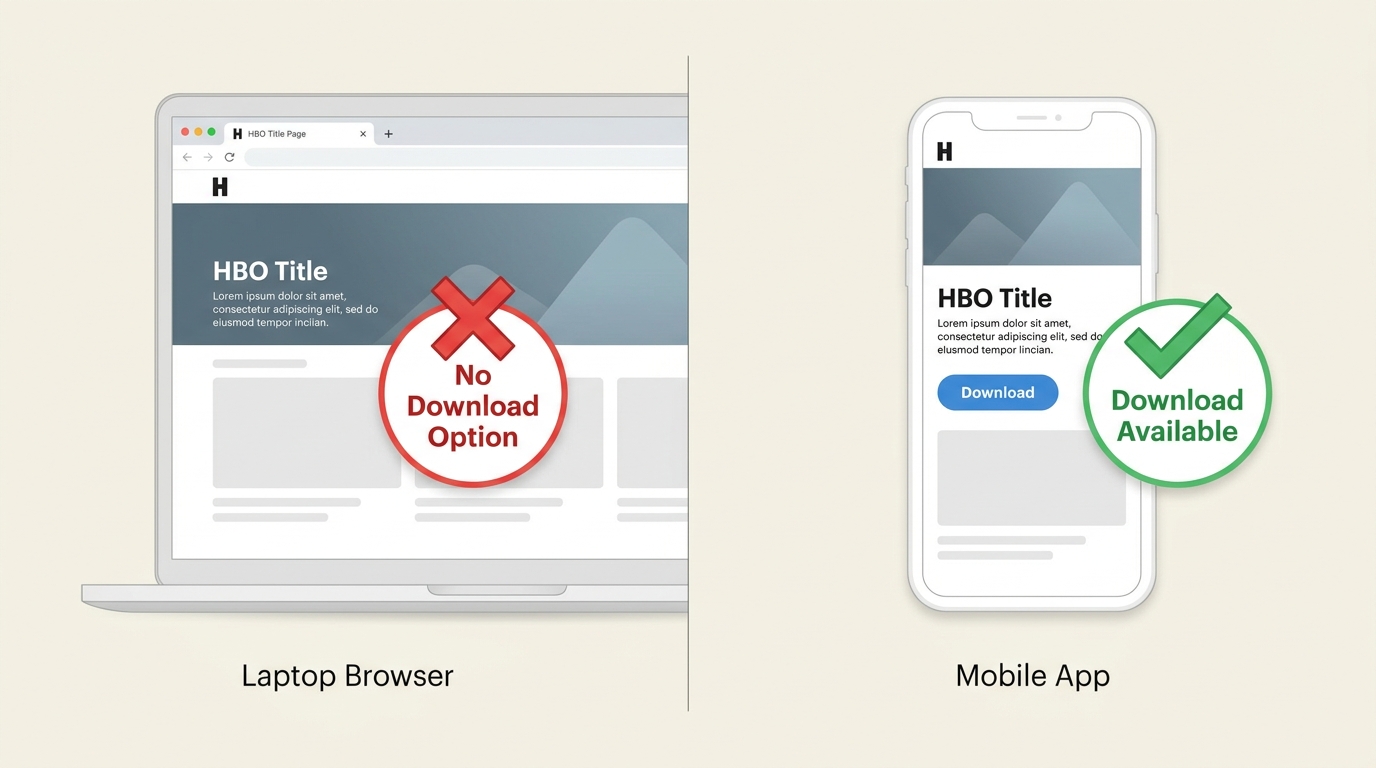
Officially, no. You cannot watch HBO Max offline on a laptop directly through the platform. The web browser version lacks offline capabilities entirely, and there is no native desktop app for Windows or macOS. Where you're authorized to access the content and platform terms allow, you can instead save a local copy with a desktop tool — one practical workaround for laptop users, not a magic key.
The Restriction: Why Browser Caching is Blocked
If you log into HBO Max via Chrome, Safari, or Edge on your computer, you'll quickly notice the offline save button is completely missing. This isn't a bug; it's a deliberate DRM (Digital Rights Management) restriction. HBO Max has no native Windows or macOS desktop app, and its web player uses Widevine DRM to block browser-side caching — which is why no download button appears anywhere in a browser, on any plan.
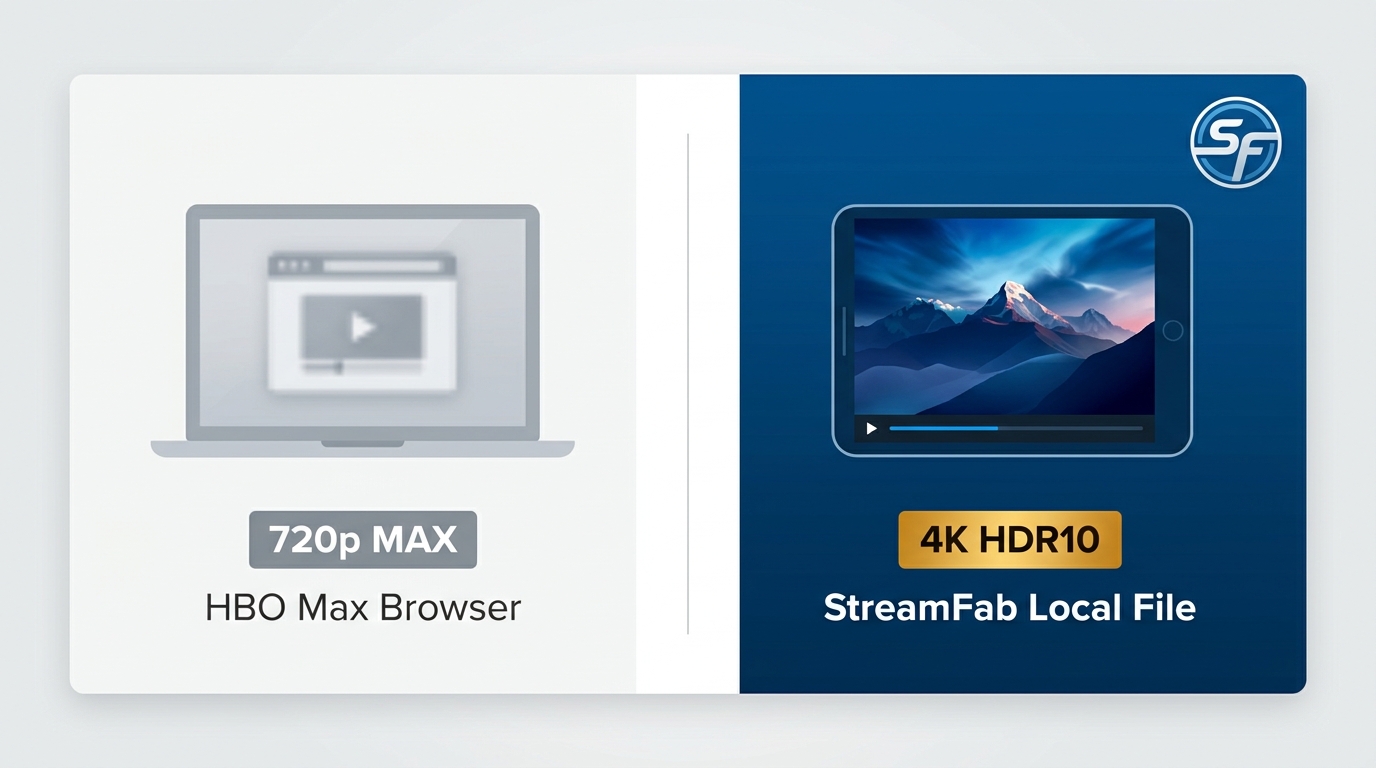
Here's the part most guides skip: on a PC the HBO Max web player is capped at roughly 720p, and there's no desktop app that unlocks anything higher. So if you're paying for the Premium tier expecting 4K on your laptop, the browser quietly serves you a fraction of what you're paying for. In my view that quality gap — not the missing button — is the real reason laptop users go looking for a workaround; a local file saved by a desktop tool can reach up to 4K HDR10 where the title supports it. For issues on the mobile app side (download button missing, downloads won't play), the HBO Max downloads not working guide covers the full troubleshooting flow.
The Ultimate Workaround: Offline Caching Tools for PC and Mac
Since the official route doesn't extend to laptops, one practical option — for content you're authorized to access, where platform terms and applicable law allow — is a desktop tool that saves a local copy of the title as an MP4/MKV file for personal offline viewing. It's a workaround for a specific user group (Intel Macs, travelers, viewers who want 4K on the laptop screen), not a universal replacement for the official app.
Important Warning: Software Safety and Legal Use
I am not a lawyer, but the general consensus is that saving content for personal, offline viewing during an active, paid subscription falls under fair use in many jurisdictions. You must never distribute, upload, or share these files. Regarding safety, only install verified tools like the ones reviewed below. Free, open-source scripts on GitHub often require complex Python setups, while shady "free" exe files are often packed with malware.
Offline Software Comparison: Which is Best for Your Laptop?
I have rigorously tested the top PC and Mac extraction tools on the market. To find the best HBO Max downloader for your specific computer setup, you must look at hardware acceleration, batch processing, and maximum resolution. Here is how they stack up:
| Software | Max Resolution | Hardware Acceleration (GPU) | Batch Episodes Support | Mac Support (M-Series) |
|---|---|---|---|---|
| StreamFab (Top Pick) | Up to 4K HDR10 / 1080p | Yes (NVIDIA/AMD/Intel) | Yes (Auto-select full seasons) | Yes (Native Apple Silicon) |
| CleverGet | 720p/1080p | Partial | Yes (Manual selection) | Yes (Intel-based) |
| TunePat | 720p/1080p | No | Basic | Yes |
Solution for Binge-Watchers: Batch Save HBO Max Episodes on Laptop
Say your actual task is bigger than one movie — you want a full season of The Last of Us queued up before a weekend without Wi-Fi. That's where a desktop tool earns its keep. Instead of tapping "save" on every episode inside the mobile app (and hitting the 25-episodes-per-series ceiling), StreamFab leverages your laptop's processing power to queue whole seasons in one pass.
For MacBook Users: If you are specifically looking to download HBO Max shows on Mac, StreamFab is fully optimized for macOS, including native support for Apple Silicon (M1/M2/M3/M4/M5 chips). This ensures blazing-fast processing without overheating your machine or draining your battery excessively.

Create a permanent, high-definition MP4/MKV archive of your favorite titles directly on your PC or Mac hard drive. Enjoy ultra-fast GPU-accelerated batch saving for offline viewing.
- PC-Grade Quality: Make the most of your laptop's screen with up to 1080p or 4K local files (where the title supports it).
- Local Storage Freedom: Save files to your internal drive or an external SSD as standard MP4/MKV formats.
- Smart Batch Processing: Queue a full season in one pass and let the tool work in the background while you do other things.
- Best for / Not needed if: Best for Intel Mac owners, frequent travelers, and Premium subscribers who want 4K on the laptop screen. Not needed if the official mobile app already covers your device (iPhone, iPad, Android, Fire, or Apple Silicon Mac running the iPad app).
Step-by-Step Guide: Saving to Your PC/Mac
If you are considering a third-party tool for personal offline viewing, here is the high-level flow—without the click-by-click details. Always make sure you have lawful access (for example, an active subscription).
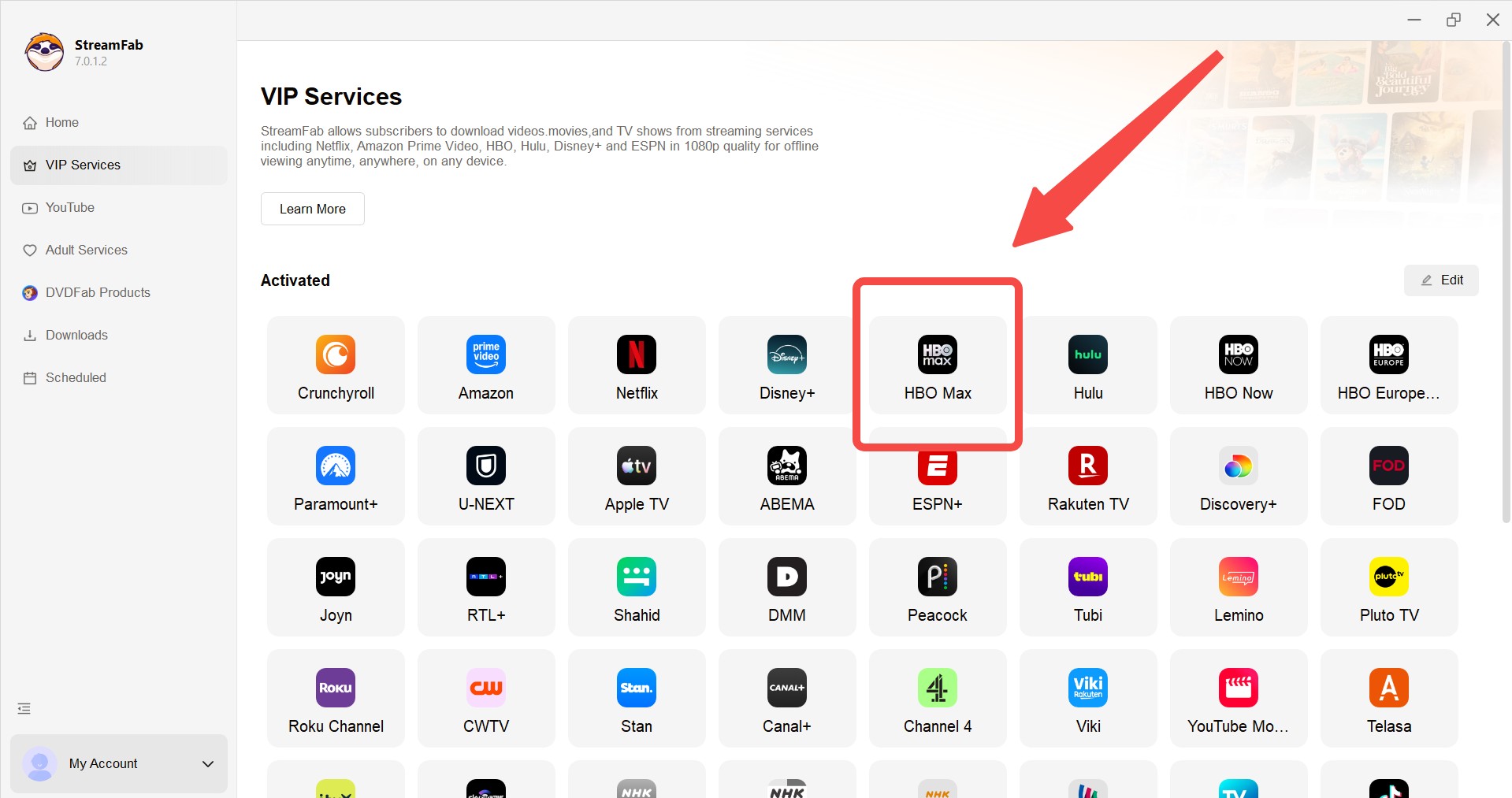
Sign in with your valid account
Log in with your own HBO Max account that has an active subscription using the software's built-in browser interface.
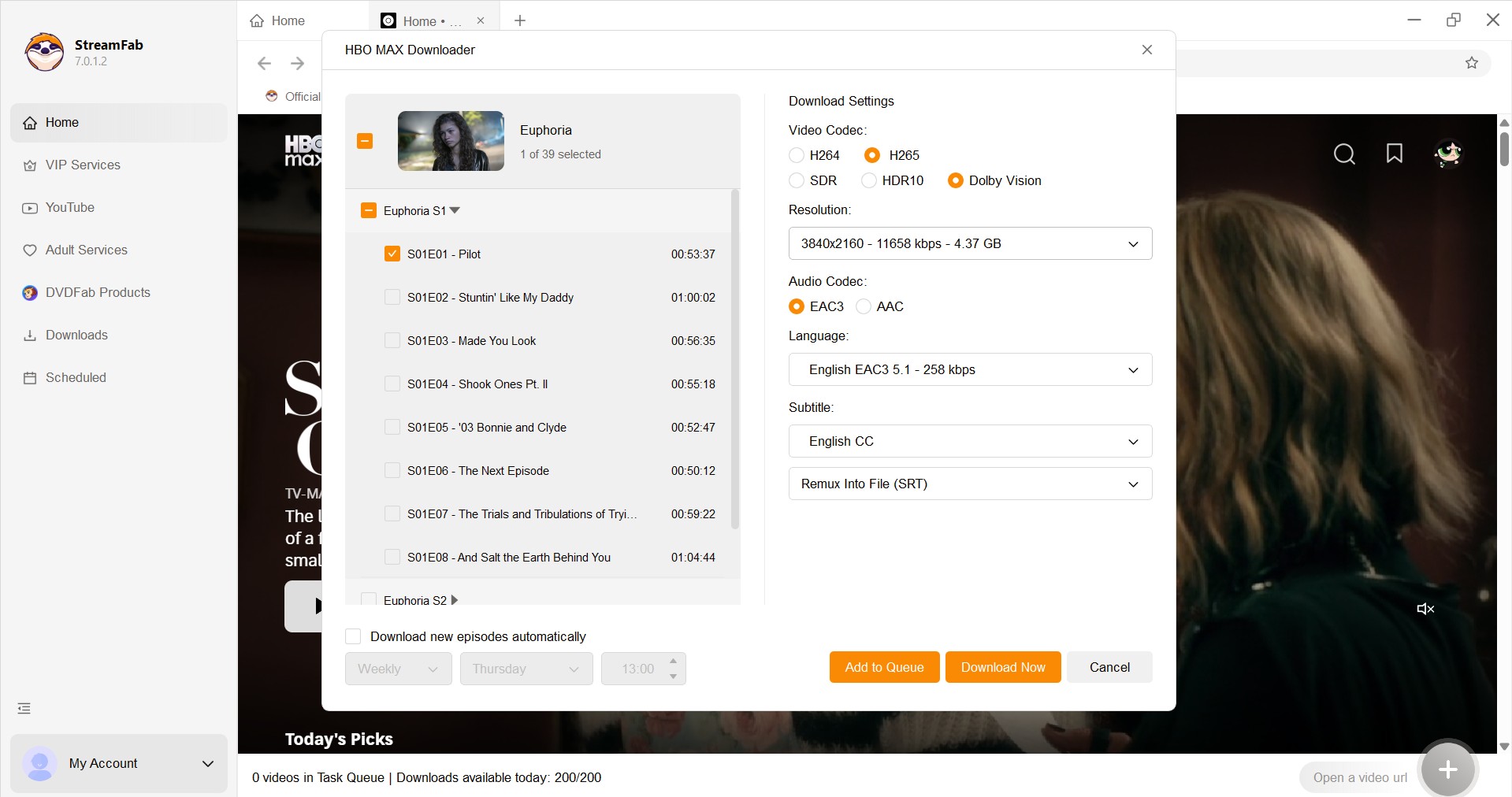
Set your local backup preferences
Pick your backup preferences. Choose a format (MP4/MKV), and be picky about the audio and subtitles. If it's a TV show, check the boxes for all the episodes you want to cache for offline viewing.
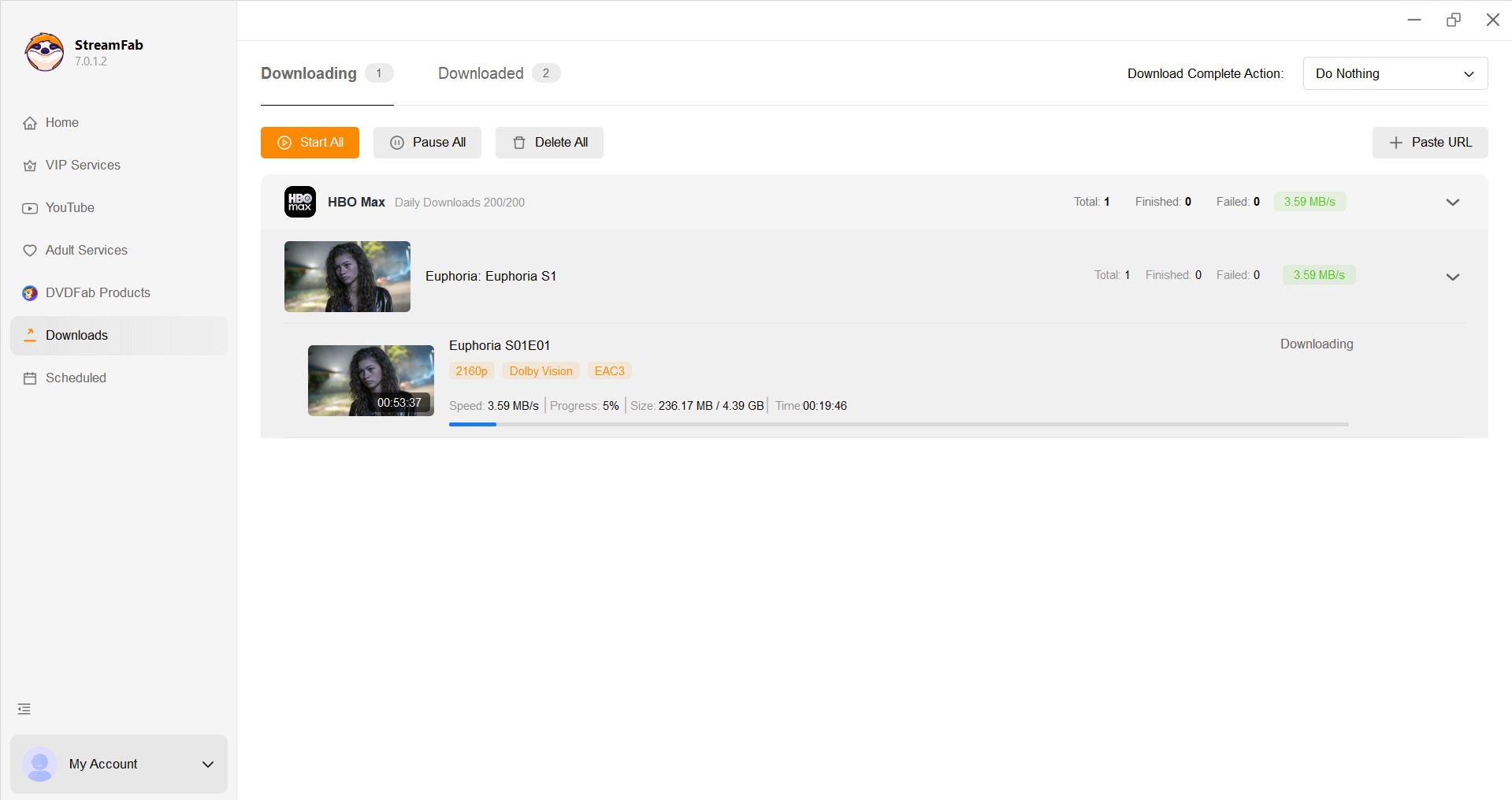
Start saving your personal offline copy
Hit start and save your shows as an offline library directly to your computer's hard drive. Then, when you are on a plane or stuck with lousy Wi-Fi, your favorites are right there with you.
Alternative Consideration: Screen Recording
If you only need to capture a short moment occasionally, screen recording is something people bring up. Just keep expectations realistic: many streaming platforms apply technical and policy restrictions that can limit what gets captured, and you should always respect copyright and the platform’s terms.
If you go this route, stick to legitimate use cases (personal notes, commentary where permitted, or other lawful scenarios), and don’t rely on “tricks” that are meant to defeat platform protections. Some users also look at dedicated recorders like RecordFab, but you should treat any recording approach as “use only when allowed,” not a guaranteed solution.
FAQs
Conclusion
Here's how I'd map the choice. Mobile device (iPhone, iPad, Android, Fire, or Apple Silicon Mac running the iPad app)? Use the official offline downloads — free, sanctioned, and good enough for most flights. Intel Mac, Windows laptop, or a Premium subscriber who's tired of 720p on a 15-inch screen? A desktop tool to save a local MP4/MKV copy is where the honest value is, and it's worth doing inside a valid subscription and within HBO Max's terms.
The one thing I'd push back on is framing any of this as a hack. It isn't. It's picking the right tool for the device you actually own — which is a boring answer, but it's the one that survives contact with a real flight and a real Wi-Fi outage.

Just to be clear: this software is strictly for backing up streaming content you've already paid for (like your active subscription). It's not for sharing, selling, or uploading online. Please use it responsibly and stick to HBO Max's terms and your local laws.
Streaming platforms change their code often, so I revisit this guide to keep the methods honest.
Latest Changes:
- 2026 Status Check: Confirmed HBO Max still has no native desktop app for Windows or macOS that supports offline syncing.
- Apple Silicon Loophole: Added the M1–M5 Mac path — installing the HBO Max iPad app from the Mac App Store and using its official offline downloads (Ad-Free plan required).
- New FAQs: Answered the recurring MacBook question and added a direct answer to "why is there no download button on my laptop?"
From the Author (Erika Leen): I ran this round on a Windows 11 laptop and an Apple Silicon MacBook. If a claim didn't hold up on both, it didn't stay in the guide.


HBO Max download failures usually come down to eligibility, account-wide limits, storage, network settings, or an app that needs a clean reset. This guide gives you six checks in the right order, a message-to-fix lookup, a travel preflight test, and a measured Windows or Mac alternative for authorized offline viewing.
By Marcia Hatcher - Aug 6, 2026
This guide explains why there is no official HBO Max app for Mac and provides the best workarounds for downloading and watching shows offline on a MacBook. It evaluates top third-party downloaders capable of high-resolution decryption, and offers a brief alternative for screen recording clips without black screens, helping macOS users bypass official limits and build a permanent offline library.
By Jacob Harrison - Aug 6, 2026

Wondering how to rip HBO max video in 2026? This guide covers three practical options for offline viewing, with tips on availability by title, device, and plan.
By Erika Leen - Aug 4, 2026
This article reviews the best HBO Max downloaders of 2026 for Windows and Mac. It compares their video quality, pricing, user experience, etc. Each downloader is evaluated based on testing, helping readers select the best tool for their needs. StreamFab HBO Max Downloader stands out as the top choice with its 4K quality, fast speed, and advanced features.
By Erika Leen - Aug 4, 2026