
3 Tested Methods to Download YouTube Videos on Android (2026)

Summary: This article introduces three practical ways to download YouTube videos on Android devices: using the YouTube app, online download tools, and StreamFab YouTube Downloader for Android. It compares each method in terms of resolution, limitations, and features, helping users choose the best option for smooth offline viewing.
Choose the Download Outcome You Need
Short answer: Before you pick a tool, pick the outcome. On Android in 2026, "download a YouTube video" actually means three different results, and mixing them up is where most guides (and most readers) go wrong:
- Offline playback inside YouTube: YouTube Premium saves eligible videos for playback within the YouTube app itself. Availability, quality, and reconnection rules are set by YouTube and vary by video, region, and account.
- Your own upload: If you own the video, YouTube Studio lets you export the original from your channel — the cleanest, most portable option, but only for content you uploaded.
- A transferable file on Android: A gallery-visible MP4 or MKV you can move to a laptop, an SD card, or another phone. This requires a separate, authorized local-file workflow — a browser tool or a dedicated Android app — used for content you're authorized to access.
In my editorial reading of Android download questions, most confusion comes from conflating the first outcome with the third, and that single mismatch decides everything else: the tool, the file location, and whether the download survives an app update. Sort the destination first; the method falls out of it.
Note: The methods below are intended for personal backup of content you have legal access to. Always follow YouTube's Terms of Service and respect copyright laws. For more info, check StreamFab copyright and usage guidelines.
I've spent a lot of time testing Android download workflows since 2022, and the pattern is always the same: a method that worked last month quietly breaks, or floods the phone with redirect ads, or produces a file the reader can't actually find. The fix isn't a better tool — it's a clearer question. Below I compare the three method categories against the outcomes above, then walk through storage, safety, formats, and the failures you'll actually hit.
How to Download YouTube Videos on Android
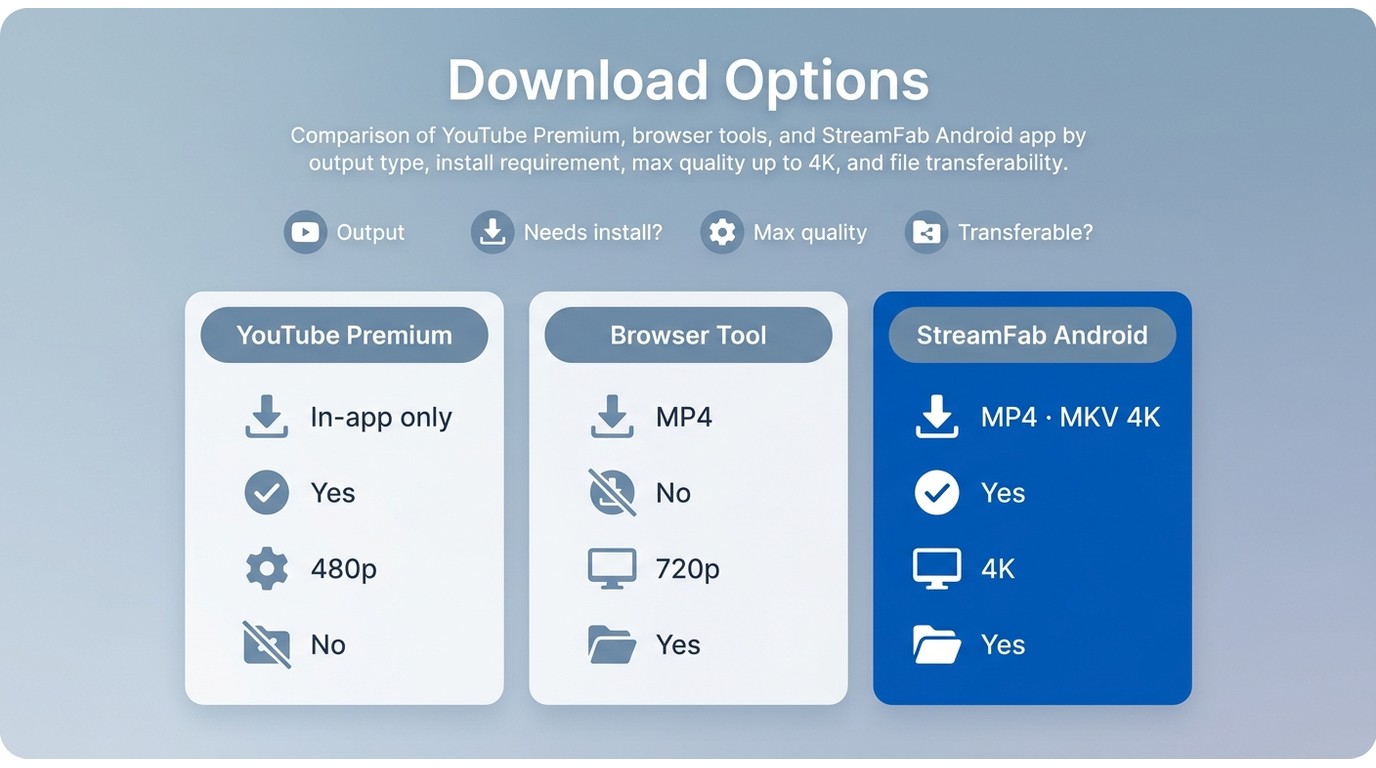
Three categories cover almost everything worth trying on Android in 2026: YouTube's own Premium feature, a browser-based downloader (a route sometimes searched as a YouTube downloader without Premium), and a dedicated downloader app. Each maps cleanly to one of the outcomes above — pick by outcome, not by which app has the loudest homepage.
Before you start, quick prerequisites:
- You're authorized to access the content (your own upload, a Premium subscription, a Creative Commons or public-domain video, or explicit permission).
- Enough free space on the destination (phone internal storage, SD card, or the computer you'll transfer to).
- For app or APK routes: install from the official developer source; for browser routes: use a current, published domain.
- A stable network connection — mobile data will burn through a data cap on higher-resolution videos.
YouTube Premium for App-Only Viewing
The most direct route is YouTube's own offline feature inside the YouTube app. It's the only method that plays back in YouTube's native player with full account and creator context — and the only one where the "download" never leaves the app. Availability, quality, and reconnection requirements are set by YouTube and vary by video, region, and account. Best for readers who just want offline viewing inside the app; not ideal if you need a file you can move to another device.
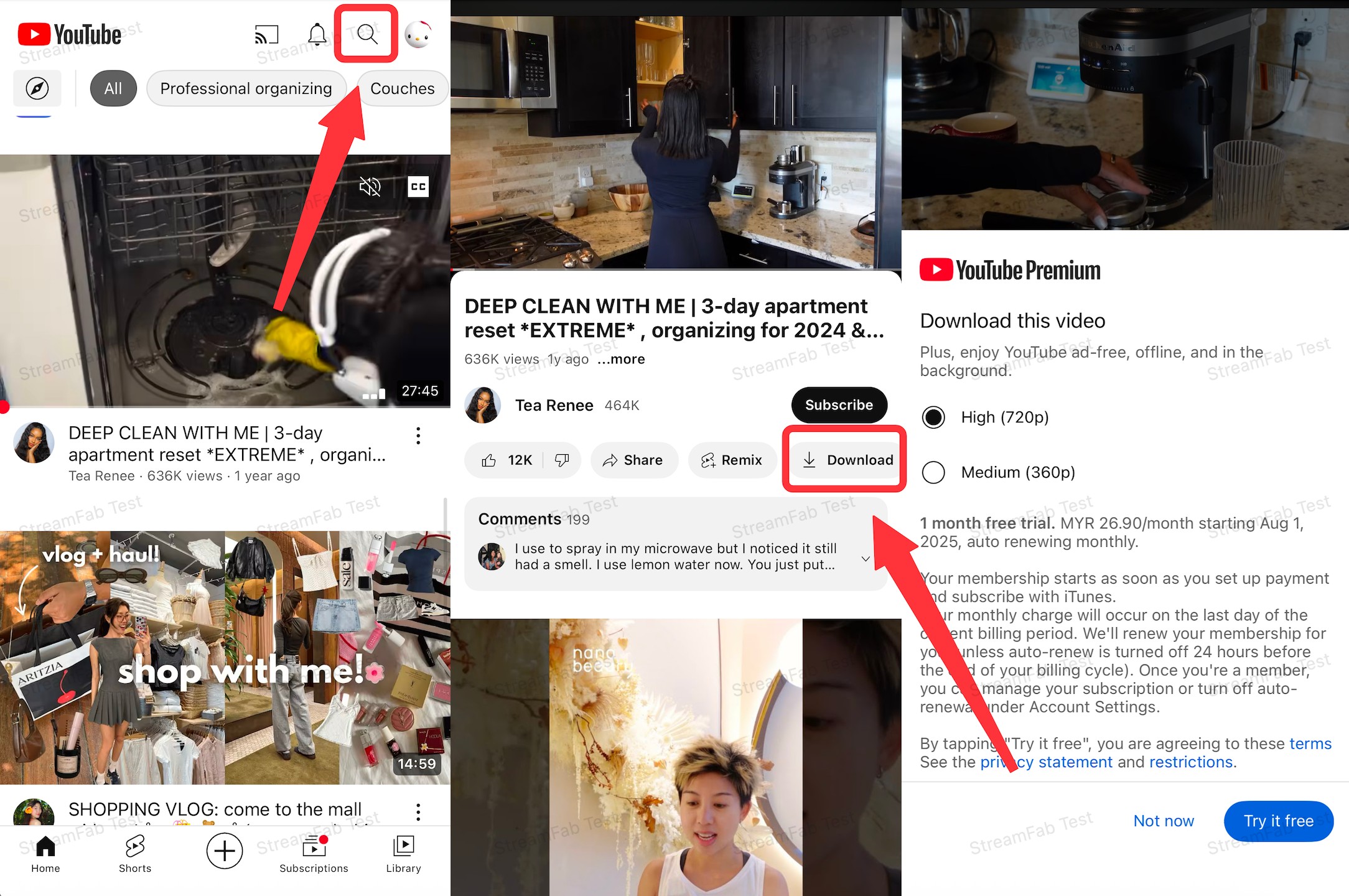
- Locked to the app: Offline copies play only inside the YouTube app on your Android device and can't be transferred to other players.
- Periodic reconnection: Offline availability is time-limited and requires periodic reconnection; the exact window is set by YouTube and can change.
- Creator controls: Some channels disable the offline option for their videos.
- Quality varies: Selectable download quality depends on the video and account; not every video is available in higher resolutions.
- Deleted content disappears: If the creator removes the video from YouTube, your offline copy is affected too — it may become unplayable or download deleted YouTube videos disappear.
Browser Tools for Occasional Downloads
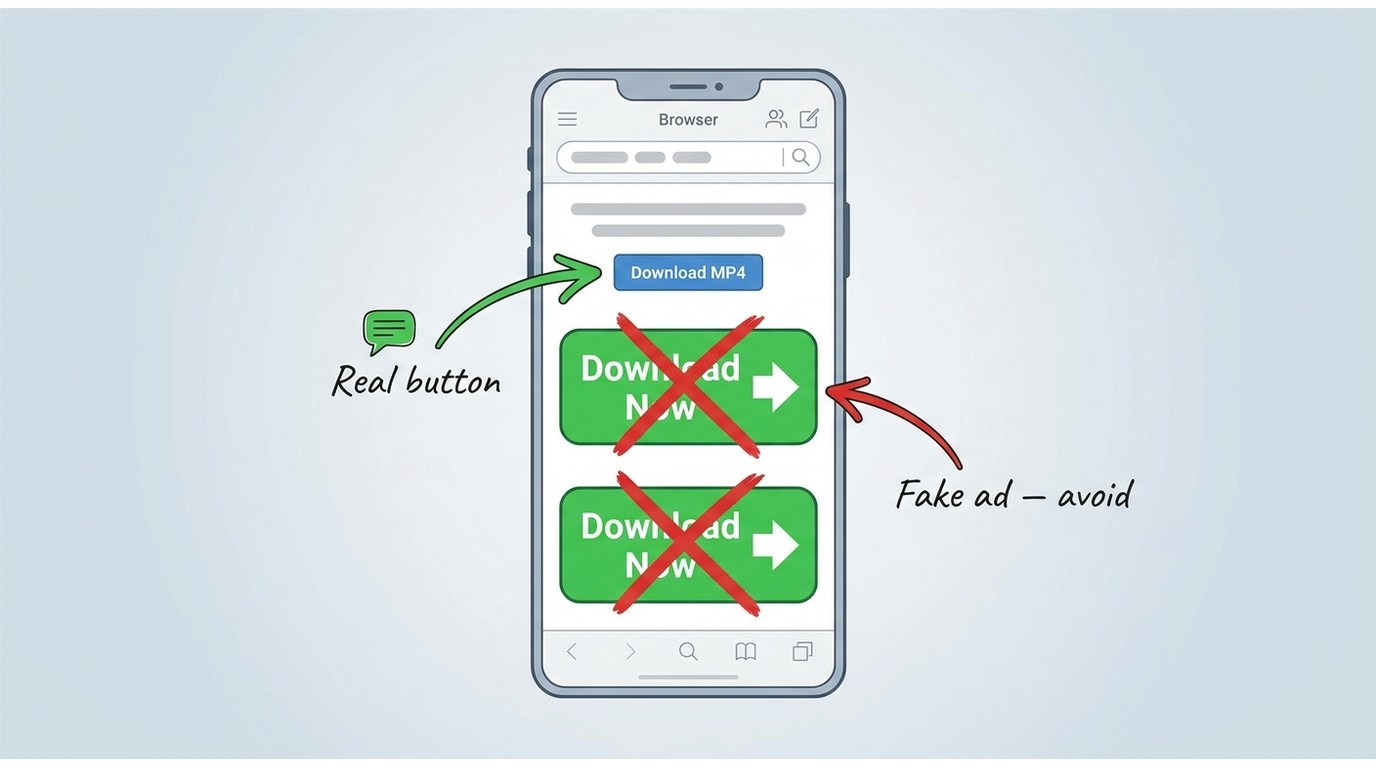
Warning: Browser-based YouTube downloaders sit in a gray area. Domains change frequently, redirects and fake download buttons are common, and some pages push adware. Only use one for content you're authorized to access, where permitted by YouTube's terms and applicable law — and run the safety checks below first.
The second category is a browser-based downloader — a website you paste a YouTube URL into, then save the resulting file to your phone. Its appeal is that nothing gets installed. Its cost is that these sites change domains, ownership, and ad behavior constantly; the "good" site from six months ago is often a redirect farm today. Best for a one-off, when you don't want to install anything; not ideal for sensitive devices, repeat workflows, or higher-quality output.
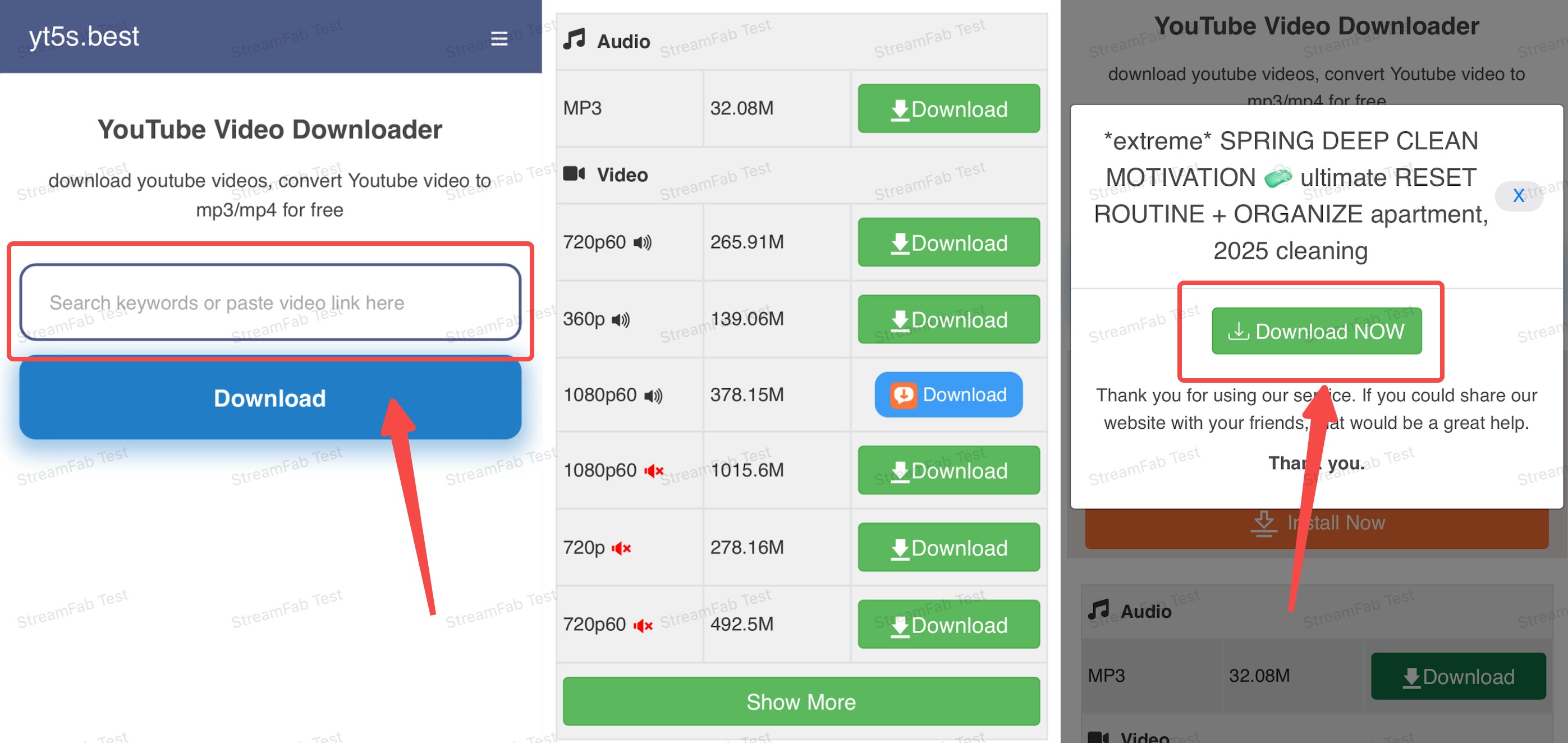
- There are always ads in pop-up windows when I download videos, and I need to tap close many times.
- Although downloads are possible most of the time, there are occasional download failures.
- There are also restrictions on download quality. If you want to download higher-quality videos, you need to download and purchase their products. Even if you use their paid app, you can only download up to 1080p, not 4K/8K.
Android Apps for Local Files

My recommendation: If a browser tool feels risky and Premium's app-only playback isn't enough, a dedicated Android app is the third path — one you install once, then use to pull authorized content into a real, movable file. It's the category I default to when I need the file to survive an app update.
Most readers land here because they need a local, transferable file — something Premium's in-app offline can't give them, and something a browser tool can't reliably deliver at higher resolutions or across a playlist. A dedicated downloader app fits that gap. For a desktop-first workflow, StreamFab YouTube Downloader runs on Windows 10/11 and macOS, saves authorized content as MP4 or MKV with selectable quality, subtitle options, and batch queues, then transfers to your Android phone or SD card over USB or Wi-Fi. If you'd rather stay entirely on-device, the Android video downloader comparison covers maintained on-phone apps side by side. Best for authorized users who want portable local files or repeat downloads; not ideal if you only ever watch inside the YouTube app, or if you need a strictly on-phone workflow with no PC step.
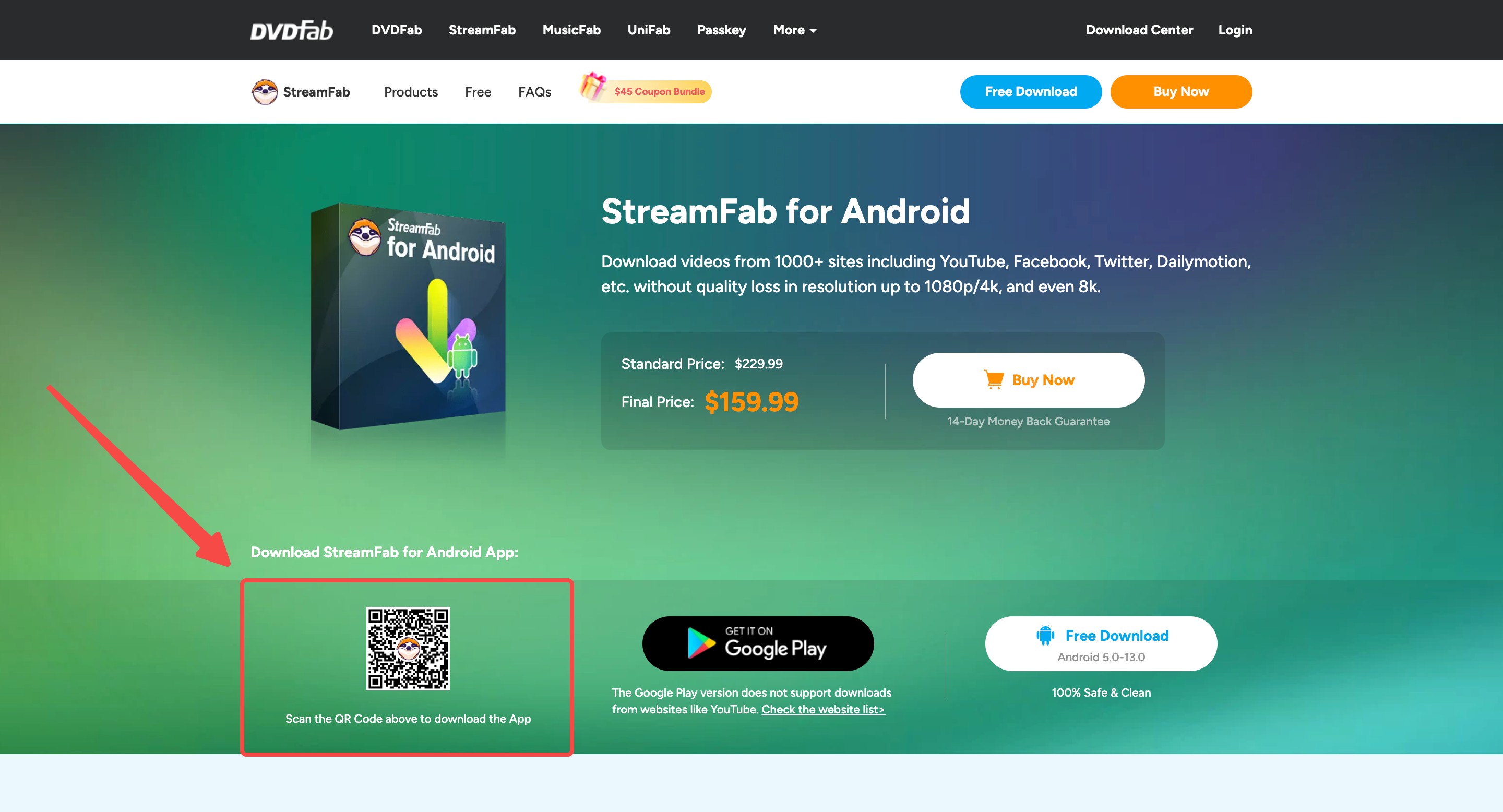
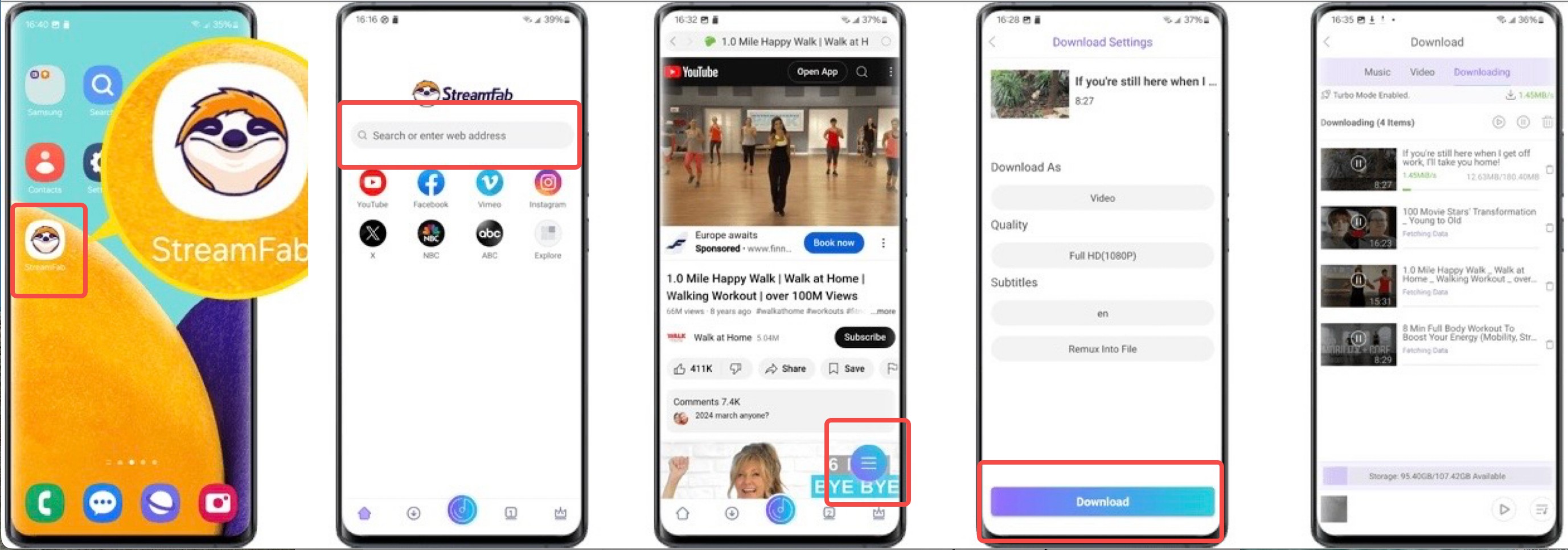
- Ad-free interface with no in-app ad interruptions during the workflow.
- Selectable output quality up to the source's available resolution (up to 8K where the source supports it), for content you're authorized to access.
- Standard MP4 or MKV output on Windows 10/11 or macOS — transfer to your Android phone or SD card over USB or Wi-Fi.
- Batch queue: download multiple videos in parallel to save round-trips.
- Built-in search inside the app, so you don't need to copy and paste links from a browser.
Compare Formats, Quality, and Portability
| Dimension | YouTube Premium | Browser tool | Desktop app (e.g., StreamFab YouTube Downloader Pro) |
|---|---|---|---|
| Where the file plays | Inside the YouTube app only | Any player (local file) | Any player (local file) |
| Visible in Gallery / Files | No (app-managed) | Yes | Yes |
| Transferable to another device | No | Yes | Yes |
| Selectable quality | Varies by video and account | Typically limited; varies by site | Selectable up to source availability |
| Audio-only output | No | Varies by site | Yes |

Table note: capability rows describe method categories as of August 2026. What a specific browser tool or app supports depends on its current build and YouTube's current behavior; confirm on the vendor's official product page before relying on any single row.
Save Files to Gallery or Storage
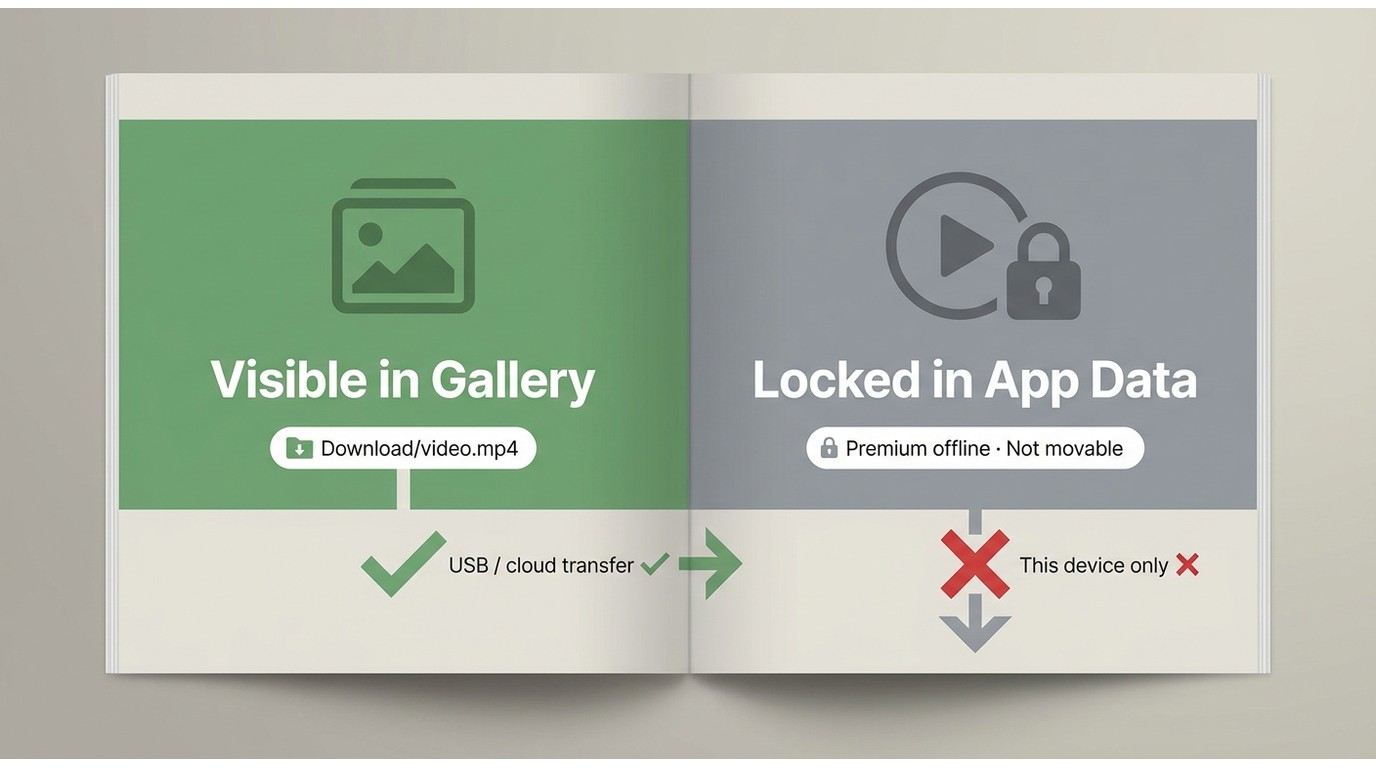
Once you've picked an outcome, the next question is where the file actually lives. A YouTube Premium offline copy doesn't sit in your Gallery or a file manager — it's stored inside YouTube's own app data and only surfaces in the app's Downloads tab. A browser download or an on-phone downloader produces a real file: usually in Internal Storage / Download, or in whichever folder the app writes to (some let you pick). A desktop workflow writes to your PC or Mac, and you then move the file to Android.
Two Android specifics worth checking before you start a large download:
- SD card destination: if you're on a phone with expandable storage, most apps let you set the SD card as the target — do it before the first job, not after.
- Media scanner: for a downloaded MP4 to appear in Gallery, the file needs to land in a folder Android's media scanner reads. If a video shows up in Files but not Gallery, the folder — not the file — is the issue.
Transferring to another device is only possible when the download is a real local file: USB cable to a computer, cloud storage, or a Wi-Fi transfer app all work on standard MP4/MKV. Premium offline copies stay on the phone they were downloaded to.
Check Safety Before You Download
Whether you go with a browser tool or a sideloaded APK, run the same short checklist first. It takes a minute and heads off almost every "my downloader gave me a virus" scenario I see reported.
- Source: for apps, prefer the official developer site or a reputable store listing; for browser tools, check that the domain matches what the vendor publishes today, not a lookalike.
- Permissions: a YouTube downloader needs storage access. It does not need contacts, SMS, or accessibility services — decline anything off-topic.
- Play Protect / scanner: let Android's Play Protect scan APKs on install, and run any downloaded file through a reputable scanner if you have doubts.
- Redirects and fake buttons: on browser tools, the real download button is usually the smallest one; giant green "Download" buttons are almost always ads.
- Never enter account or payment details on a free downloader site — no legitimate YouTube saver needs your Google login or a card number.
Video, Audio, and Subtitle Options
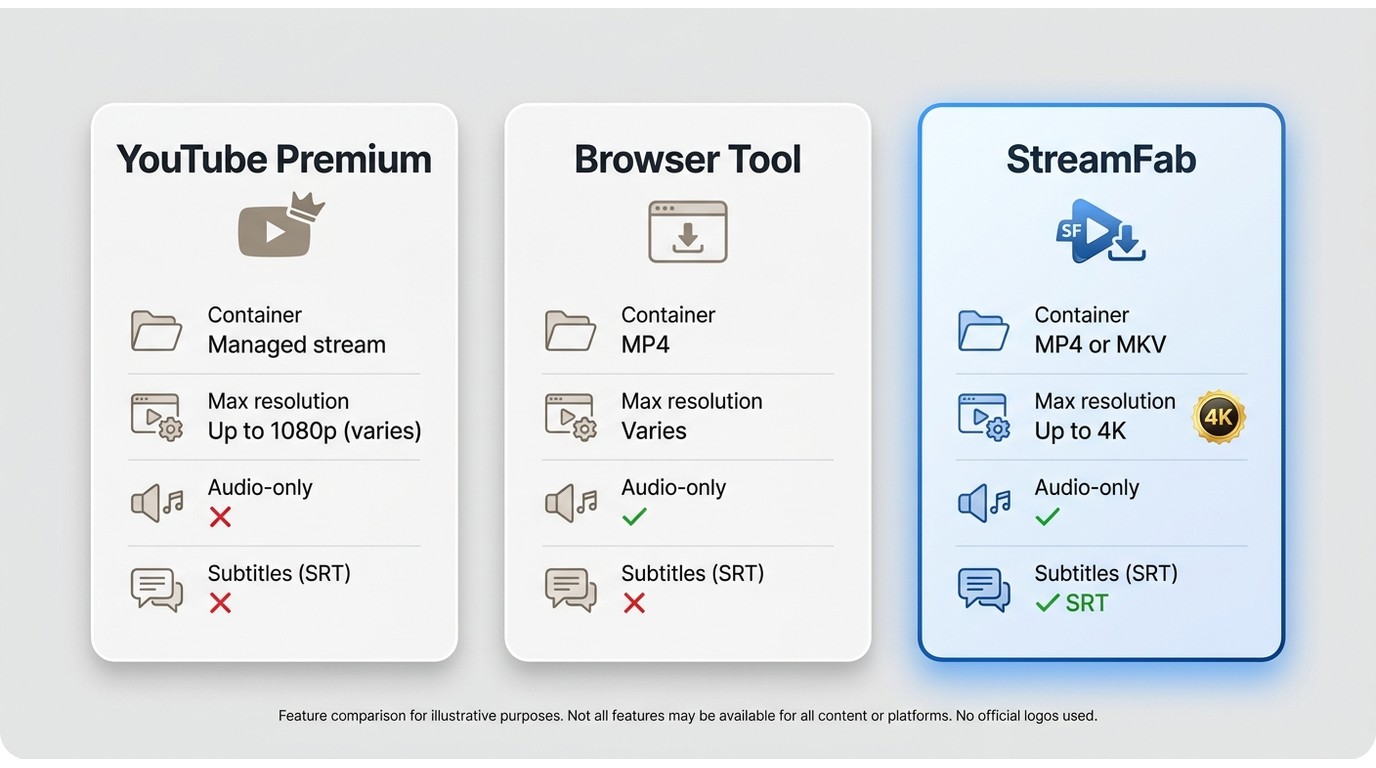
Format capability is where the three categories separate most clearly. Premium offline is a managed stream, not a file — you don't choose a container, codec, or subtitle track. Browser tools usually output MP4 at whatever resolution the site's current parser can pull, and audio-only support varies site by site. A maintained Android app typically lets you pick MP4 or MKV, choose between selectable video qualities, grab audio-only when you want to convert YouTube videos to MP3, and save subtitle tracks as SRT or embed them. If your priority is download YouTube videos in 4K, note that source availability is the real ceiling — no downloader creates resolution that YouTube isn't serving.
Fix Common Android Download Failures
When an Android downloader breaks, it's almost always one of four things — and none of them mean the app is dead.
- Parsing errors: YouTube changes its player often, and third-party parsers lag behind. Update the app or extension first; if you're on the latest build and it still fails, wait 24-48 hours before assuming the tool is broken.
- Missing high-resolution formats: a video that used to offer 1080p or 4K may temporarily only expose lower rungs. This is a YouTube-side change; try again later rather than switching tools reflexively.
- Login-required or age-restricted videos: some content requires signing in through the app. If a downloader supports authenticated sessions, use them for authorized content only.
- Rate limits: hammering YouTube with parallel requests triggers temporary blocks ("limited by YouTube" style messages). Reduce parallelism, pause, and resume — don't uninstall and reinstall, which usually clears any existing offline data.
If Premium's in-app downloads stop playing, don't clear YouTube's app storage first — that wipes offline data. Reconnect, sign back in, and check the video is still on YouTube; creator removals affect offline copies too.
FAQs
Conclusion
No single method wins for everyone on Android — the right pick is the one that matches your outcome:
- YouTube Premium if in-app offline viewing is all you need. It's the smoothest route with the fewest surprises — but nothing leaves the app, and reconnection rules are YouTube's, not yours.
- A browser tool for a genuine one-off, when you don't want to install anything. Run the safety checklist first, and don't build a repeat workflow around one — the domain that worked last week may not work today.
- A dedicated downloader app if you need portable local files, batch downloads, or repeat use for content you're authorized to access. StreamFab YouTube Downloader Pro is the desktop (Windows/Mac) route I'd default to, then transfer to Android; if a strictly on-phone workflow is a hard requirement, weigh the maintained on-phone apps in the comparison linked above.
Pick by outcome first, method second. That single reordering is what separates a download that works in six months from one that quietly stops.
Note: The workflows above are intended for personal backup and offline viewing of content you're authorized to access, where permitted by YouTube's Terms of Service and applicable law. Redistribution and commercial use are not.


This guide organizes 34 movies into verified free picks, official Hindi and Bollywood uploads, and paid genre recommendations. It also explains rentals, purchases, official mobile downloads, and when a Windows or Mac local-file workflow fits authorized offline viewing.
By Jacob Harrison - Sep 15, 2026
How to Convert YouTube Videos to MP3? This article shows you how to convert YouTube video to MP3 with online video converters and with desktop program StreamFab YouTube to MP3.
By Nicole Lopez - Sep 8, 2026
If you are watching your favorite YouTube content & want to save it instantly for your later offline watch, try the best alternative to YouTube downloader.
By Jacob Harrison - Aug 11, 2026
Compare three ways to download YouTube movies as MP4 files on PC. This guide reviews StreamFab, CleverGet, and RecordFab based on video quality, subtitle support, download speed, and their ability to handle common errors such as throttling, missing audio, and black screens.
By Nicole Lopez - Aug 6, 2026