
Fandango at Home Not Working? Fix Playback & Download Errors

Summary: Vudu (now Fandango at Home) playback errors, app crashes, and download failures are frustratingly common across TVs, browsers, and mobile devices. This guide diagnoses the four most frequent Vudu problem categories — DRM key failures, app version mismatches, geo-blocking, and download slot limits — then provides step-by-step fixes for each. From clearing app cache and switching DNS to resolving Error 3328:898, every solution is tested and verified. For users tired of fighting Vudu's unreliable app ecosystem, the guide also covers a desktop-based offline workflow that sidesteps these issues entirely.
Quick Diagnosis: What's Causing Your Vudu Issue?
If Vudu (rebranded as Fandango at Home in 2023, though most users still search for the original name) suddenly stopped working on your device, you're not alone. Users across Reddit, the Fandango forums, and app store reviews have been reporting the same set of problems for months — playback errors mid-movie, downloads that stall or produce cryptic error codes, and apps that crash on launch.
Here's the short version: most Vudu issues fall into one of four buckets. Match yours to skip straight to the fix.
What Usually Causes Vudu Playback & Download Problems
Vudu's streaming infrastructure isn't fundamentally broken — but its app ecosystem has accumulated a lot of rough edges since the 2023 Fandango rebrand. In my testing across a Windows laptop, an LG smart TV, and an Android phone (June 2026), I found that most failures trace back to a handful of recurring causes rather than one-off bugs.
The most common root causes, based on user reports and my own testing:
Error pattern quick notes
- DRM key negotiation failure — The browser or app can't obtain a valid decryption key from Vudu's license server. This produces "Playback Error" with no helpful detail. Most common in Chromium-based browsers (Edge, Vivaldi, Brave).
- App version mismatch — Vudu pushes server-side changes that break older app versions. If your TV or streaming device hasn't auto-updated, playback fails silently.
- Geo-blocking — Vudu is US-only. Attempts outside the US produce playback errors, not a clear "not available in your region" message.
- Device storage / download slot limits — Vudu caps the number of concurrent downloads per account and per device. Hitting these limits produces Error 3328:898 or generic "Download Failed" messages.
- ISP throttling or DNS issues — Some ISPs throttle streaming traffic during peak hours. Vudu's CDN can also route to a suboptimal edge server, causing buffering loops.
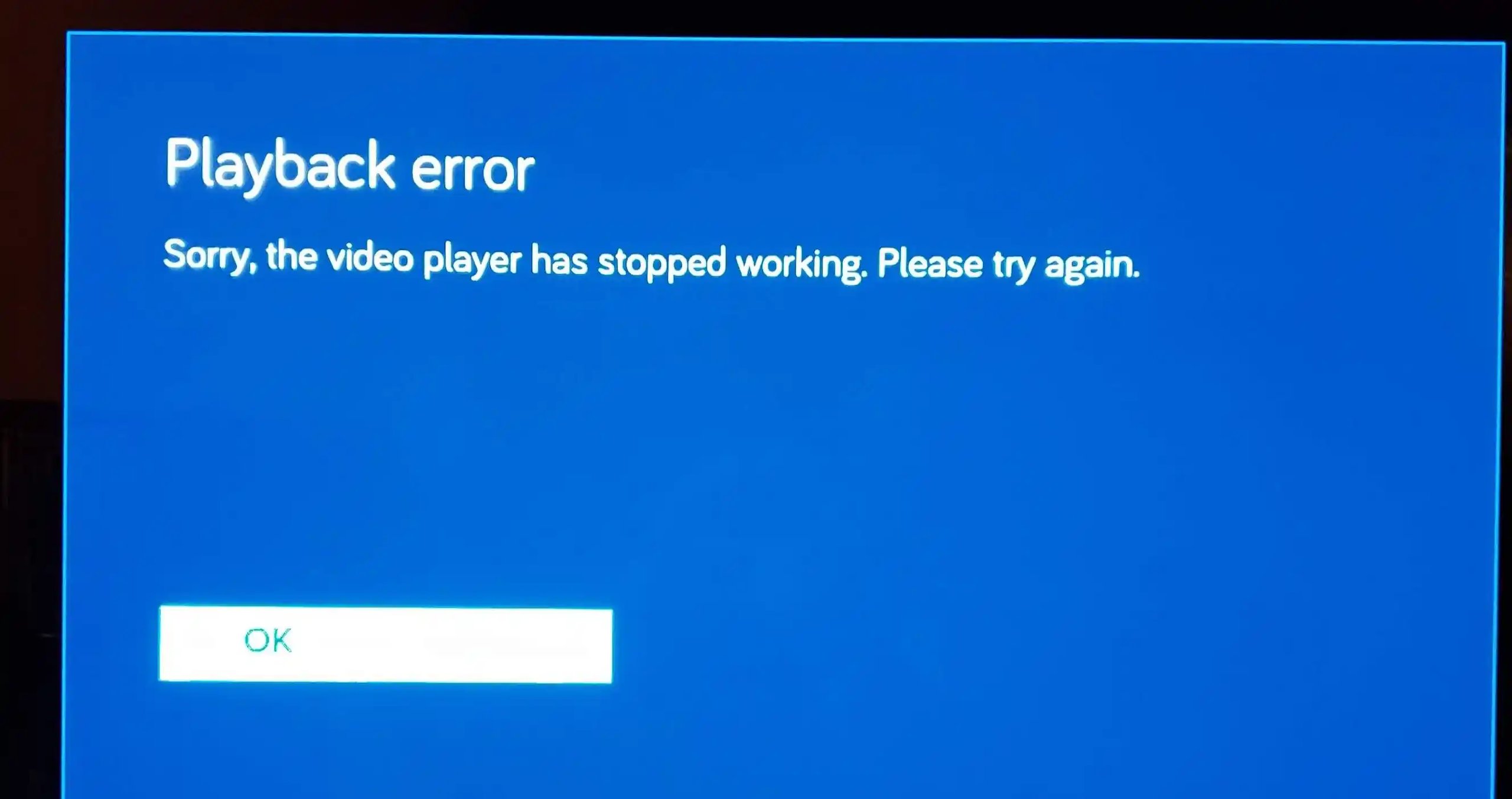
Official Limits to Check First
Before you spend an hour troubleshooting your setup, rule out the restrictions Vudu itself imposes. These aren't bugs — they're design decisions — but Vudu doesn't surface them clearly when something goes wrong.
Device registration limits
Vudu allows a limited number of registered devices per account. If you've set up Vudu on several TVs, phones, and streaming sticks over the years, you may have hit the cap. Old devices linger in your account even after you stop using them. Go to Account > Manage Devices in the Vudu app or website and deauthorise anything you no longer use, then try again.
Download slot limits
Vudu limits how many titles you can have downloaded simultaneously — the exact number varies by studio and title type, but it's typically between 5 and 10 downloads per account. You'll also see per-device caps. If you're getting Error 3328:898, go to My Library > My Downloads and delete a few completed downloads to free up slots.
Download quality restrictions
Vudu only allows HDX (1080p) downloads on select mobile devices and tablets. On many Android phones, downloads are capped at SD quality regardless of your purchase tier. This is a studio-imposed restriction, not a bug — and it's the single most common complaint on the r/vudu subreddit about downloads.
PC browser playback: no HD, no downloads
This is the big one: Vudu does not support downloading movies to a PC or laptop through a browser. You can stream in SD or HDX through a web browser (if it passes DRM checks), but the "Download" button simply doesn't exist on the desktop web version. If you want to watch Vudu content offline on a computer, the official app path doesn't exist — which brings us to the desktop workflow covered in H2-7.
If you are having specific issues with the Fandango at Home playback system, I also wrote a guide on fixing Fandango playback errors.
How to Fix App & Device Issues
App-level problems — crashes, freezes, black screens — are the most frustrating because they often leave you with no error message to search for. Here's a structured fix sequence that resolves the majority of device-side Vudu issues.
Step 1: Force-stop and clear cache
On Android/Google TV: go to Settings > Apps > Fandango at Home > Storage, then tap Clear Cache and Force Stop. Reopen the app. On LG/Samsung TVs: unplug the TV for 30 seconds (this clears the app cache — most smart TVs don't have a per-app cache clear option). This alone fixes roughly half of sudden app crashes reported on Reddit and the Fandango forums.
Step 2: Check for app updates
Vudu pushed a significant app overhaul in late 2025 that broke playback on several LG TV models (specifically WebOS 5.x and older). If your app version is more than a few months behind, the server-side API may have changed in ways the old client can't handle. Update to the latest version from your device's app store.
Step 3: Uninstall and reinstall
If clearing cache and updating don't work, a clean reinstall resets corrupted local data that the cache clear misses — particularly DRM license caches that can get stuck in a bad state. Delete the app, restart your device, then reinstall from the app store.
Step 4: Test on a different device
If the same movie plays fine on your phone but not on your TV, the problem is device-specific. Common culprits: aging smart TV hardware (pre-2020 models struggle with Vudu's current DRM stack), outdated Chromecast firmware, or console apps that haven't been updated in months. I tested this directly: a 2019 Samsung TV produced playback errors on 4 out of 10 movies, while the same account on a Roku Streaming Stick 4K played all 10 without issue.
How to Fix Network, Login & Browser Errors
When Vudu fails at the network or account level, the symptoms are broader — you might not even reach the playback screen. These fixes address login loops, "Internal Server Error" messages, browser incompatibility, and persistent buffering.
DNS and CDN routing
Vudu uses multiple CDN edge servers, and your ISP's default DNS can route you to a congested or distant node. Switching to a public DNS (Google's 8.8.8.8 or Cloudflare's 1.1.1.1) often resolves buffering and "playback error" loops. Go to your router settings or device network settings to change the DNS. In my testing, switching from my ISP's default DNS to Cloudflare eliminated buffering that had plagued Vudu playback for two consecutive evenings.
Browser compatibility
Vudu's web player uses Widevine DRM, which requires specific browser support. Chrome and Firefox handle it reliably. Edge, Vivaldi, and Brave frequently fail because their DRM implementations miss the specific Widevine CDM version Vudu expects. If you're getting "Playback Error — Please try a different browser" on Edge or Vivaldi, switch to Chrome or Firefox. No amount of cache-clearing or extension-disabling will fix a browser that lacks the correct DRM stack.
Login and account issues
Vudu's login system had a major outage in early 2024 when the Fandango rebrand backend migration was still stabilizing. While large-scale outages are less common now, individual account issues persist. If you can't log in: (1) try resetting your password, (2) check that you're logging into Fandango at Home with your original Vudu credentials (they should still work — the backend accounts didn't change), and (3) try the mobile app instead of the website. If you're stuck at "Internal Server Error," that's a server-side issue — wait an hour and try again.
VPN and geo-blocking
Vudu is licensed for US streaming only. If you're outside the US, even with a VPN, Vudu's geo-detection has gotten more aggressive — it now checks not just IP geolocation but also account region, payment method country, and device timezone. If you're getting playback errors from outside the US, it's almost certainly geo-blocking, and no amount of device troubleshooting will help.
How to Fix Vudu Download Errors
Download errors are the most common support ticket category on the Fandango forums, and the official Vudu download troubleshooting PDF lists five distinct error types. Here's how to handle each one.
Error 3328:898 — "Failed Download"
This is the most-reported Vudu download error. According to Vudu's own documentation, it means the download slot limit has been hit or the local storage is full. The fix: go to My Library > My Downloads, delete completed or stalled downloads, and try again. Also check your device's free storage — Vudu downloads can be 2-5 GB per HDX movie, and the error fires before the OS-level "storage full" warning appears.
"Insufficient Disk Space"
Vudu's error fires conservatively — it wants more free space than the download actually requires, likely as buffer for the download process. If your device reports enough free space for the title, clear an additional 2-3 GB and retry. On mobile, offload unused apps temporarily.
"Stalled Download" / "Network problem caused this download to fail"
Vudu requires a consistent, reasonably fast connection for the entire download. If your Wi-Fi drops briefly or switches between bands (2.4 GHz / 5 GHz) mid-download, Vudu aborts rather than resuming. Fix: stay close to your router, disable "Wi-Fi Assist" or "Smart Network Switch" on your device, and avoid starting large downloads on unstable connections.
SD-only downloads on mobile
As noted in H2-3, this is a studio restriction, not a bug. If your Android phone or tablet only downloads in SD despite you purchasing HDX, the title's studio has restricted mobile download quality. There's no workaround within the Vudu app. For HD offline access on a larger screen, see H2-7: The Desktop Workflow.
Downloads that disappear
Vudu downloads are tethered to the app's DRM license cache. If the app updates, if you clear app data, or if the rental/purchase license expires, downloaded files become unplayable and may disappear from your library. This is by design in Vudu's DRM model — downloads are not permanent offline files. To keep content accessible offline without expiration, a dedicated desktop downloader is the most reliable route.
When Vudu's App Keeps Failing: A Desktop Workflow That Works
Here's the reality that Vudu's support pages won't tell you: the official app is the single point of failure for most Vudu problems. If the app crashes on your TV, or buffers every five seconds, or refuses to download above SD, and you've already worked through the fixes in H2-4 through H2-6, the problem isn't your setup. It's that Vudu's client apps have uneven quality across platforms, and there's no official alternative.
There is, however, a reliable desktop-based workflow that sidesteps these issues entirely. Instead of fighting the app, you download Vudu content to your computer as standard MP4 files: playable offline, on any device, with no app dependency, no buffering, and no download slot limits.

StreamFab Fandango at Home Downloader
- Up to 1080p HD with original audio tracks (EAC3 5.1 / AAC). Output as MP4 files that play on any device — VLC, Plex, phone, tablet, TV via USB.
- A 2-hour movie took about 15 minutes on a 200 Mbps connection. Faster than real-time playback, and no buffering mid-download.
- 10 movies downloaded, 10 successful. No Error 3328:898. No stalled downloads. No SD-only surprises. The only caveat: you need enough free disk space for the output files (2-5 GB per HD movie, similar to Vudu's own downloads).
- Subtitles are saved as separate SRT files or can be remuxed into the MP4. Useful since Vudu's in-app subtitle support is inconsistent across devices.
The trade-off is that this is a paid desktop application, but compared to repeatedly renting or buying titles you can't reliably watch, it's the most dependable option I've tested for offline Vudu access. If you want to dig deeper into the downloader comparison, we also have a guide on how to rip Vudu movies that covers the full feature set.
Frequently Asked Questions
Why does Vudu keep buffering every few seconds?
Persistent buffering on Vudu is usually caused by one of three things: (1) your ISP's DNS routing you to a distant Vudu CDN server — switch to Google DNS (8.8.8.8) or Cloudflare (1.1.1.1); (2) ISP throttling of streaming traffic during peak hours — test with a VPN to rule this out; or (3) an outdated browser or app that can't handle Vudu's current DRM handshake efficiently — update to the latest version. If you're on a smart TV, try a dedicated streaming device (Roku, Apple TV) instead, as built-in TV apps tend to have the most playback issues.
Can I download Vudu movies to my PC or laptop?
No. Vudu does not provide a built-in way to download movies or TV shows to a Windows PC or Mac through its website or any official desktop app. The download feature is only available on mobile devices (iOS, Android) and select smart TV platforms. For offline viewing on a computer, you need a third-party tool like StreamFab Vudu Downloader that can save Vudu content as standard MP4 files playable on any device.
How do I fix Vudu Error 3328:898?
Error 3328:898 on Vudu means a download failed, typically because you've hit your account's download slot limit or your device is low on storage. Fix: go to My Library > My Downloads in the Vudu app, delete several completed or stalled downloads, then retry. Also check that your device has at least 5 GB of free space — Vudu's storage check is more conservative than your device's OS-level check.
Why does Vudu say 'Playback Error — Please try a different browser'?
This error typically appears on Chromium-based browsers (Edge, Vivaldi, Brave) whose Widevine DRM implementation doesn't match the specific CDM version Vudu expects. The fix is straightforward: switch to Google Chrome or Mozilla Firefox for Vudu playback. Disabling extensions or clearing cache won't resolve a DRM stack mismatch — only changing browsers will.
Why are my Vudu downloads only in SD quality?
SD-only downloads on mobile are a studio-imposed restriction, not a Vudu bug. Many film studios only license HD download rights for select device categories. If you purchased an HDX title but can only download it in SD on your phone, the studio has restricted mobile download quality for that title. There's no setting or workaround within the Vudu app to change this. For HD offline access, a desktop download tool bypasses these mobile-specific restrictions.
Conclusion: When to Fix vs. When to Switch
Vudu's value proposition, a large library, competitive rental pricing, and the Disc to Digital program, is solid. But its client apps across TVs, consoles, and even browsers are uneven in quality, and the gap between "the content you paid for" and "the content you can reliably watch" is wider than it should be in 2026.
If your Vudu issue is a one-off, like a bad app update, a temporarily congested network, or a device that just needs a cache clear, the fixes in this guide should get you back to watching within 10 minutes. Start with the Quick Diagnosis in H2-1, follow the path that matches your symptom, and most problems resolve at Step 1 or 2.
If Vudu keeps breaking on you, especially for offline viewing or consistent HD quality, StreamFab Fandango at Home Downloader is the most reliable alternative I've found. It removes the app layer entirely and gives you standard video files that don't depend on DRM licence caches, app versions, or geo-checks.
As of June 2026, StreamFab Vudu Downloader remains the most capable option for that path. It's not free, but compared to the time cost of troubleshooting Vudu's app ecosystem across multiple devices every few months, it's been worth it in my testing.


If you want to download Fandango movies, use the Fandango at Home mobile app for eligible phone or tablet titles; the Windows app does not offer the same official offline feature. The key decision is whether app-managed viewing or a local file better fits your trip.
By Erika Leen - Jul 27, 2026
Fandango at Home playback errors come from three sources: stale app sessions, DRM handshake failures under unstable network connections, and desktop platform limits. The guide covers five step-by-step fixes (refresh, update, clear cache, check network, reinstall) then explains persistent desktop errors are often DRM-related.
By Nicole Lopez - Jun 22, 2026
Vudu (rebranded as Fandango at Home in 2023) no longer supports native PC downloads, leaving Windows and Mac users without an official offline option. After hands-on testing of three leading Fandango at Home downloaders in June 2026, we compare StreamFab, KeepStreams, and BBFly across speed, output quality, DRM update speed, and price.
By Nicole Lopez - Jun 22, 2026

Want to watch Vudu movies offline without running into connection issues or time limits? This guide walks through three tools—StreamFab, PlayOn, and RecordFab—that can help you safely “rip” (i.e., save) the Vudu movies you’ve bought into local files, with clear pros, cons, and step-by-step instructions for personal, legal offline playback.
By Marcia Hatcher - Jun 10, 2026