Fandango Playback Error Fixed: 5-Min Quick Guide 2026

Summary: Fandango at Home playback errors come from three sources: stale app sessions, DRM handshake failures under unstable network connections, and desktop platform limits. The guide covers five step-by-step fixes (refresh, update, clear cache, check network, reinstall) then explains persistent desktop errors are often DRM-related.
A "Fandango playback error" or "Fandango at Home not playing" message usually comes from one of a few common sources: a browser or app cache that needs clearing, an outdated streaming app or media player, a network condition that blocks DRM verification, or the platform's desktop limitation that does not offer the same native download path as mobile. If your video keeps buffering, the error message keeps returning, or you need local files for a computer, here is the fastest path through each case.
Fandango at Home playback errors show up in a few common forms: the video buffer spinner that never clears, a playback error code that appears right after you press play, or a message that the title cannot be played on this device. In 2026, most of these problems fall into three buckets: temporary app or browser state, a DRM handshake that fails under certain network conditions, or a desktop expectation that the official service does not support. This guide sorts each type and shows when a desktop download workflow is the more practical answer.
What Causes Fandango Playback Errors
When you search for "fandango playback error" or "fandango at home playback error," the underlying reason usually matches one of these patterns:
- Temporary app or browser state: cached data from an older session conflicts with the current title's DRM verification, or the app itself needs a refresh after an update.
- Network or connection issues: the service requires a stable connection for the initial DRM handshake, and certain DNS, VPN, or proxy configurations can interrupt that check.
- Device or app incompatibility: an outdated app version, an unsupported device, or a media player that does not handle the service's streaming format.
- Desktop platform limits: the official Fandango at Home offline workflow is centered on mobile devices, so attempting to download or play on a PC can return confusing errors that are actually platform restrictions rather than real failures.
How to Fix Fandango Playback Errors — Step by Step
Start with the simplest fixes that resolve most playback errors on any device, then move to the browser or desktop-specific steps if those do not help.
1. Refresh the app or browser session
Many "fandango playback error" messages clear after a session refresh. Sign out, close the app or browser tab, reopen, and sign back in. If you are on a mobile device, force-close the Fandango at Home app, then relaunch it.
2. Update to the current version
An outdated app is one of the most common causes of streaming and playback errors on Fandango at Home. Open your app store, check for updates to the Fandango at Home app, and install any pending version. On a desktop browser, verify that your browser itself is up to date.
3. Clear cache and stored data
Stale cache often causes playback errors that seem random. On the mobile app, go to Settings → Apps → Fandango at Home → Storage → Clear Cache. On a desktop browser, clear the browser cache for Fandango at Home's domain, then reload the page.
4. Check your internet connection
Fandango at Home needs a stable connection for DRM verification when playback starts. A weak Wi-Fi signal, a recent network change, or a VPN that routes through a non-US location can all trigger playback errors. Try switching to a different network or disabling custom DNS and VPN settings, then test again.
5. Reinstall the app if errors persist
If none of the above steps work, uninstall the Fandango at Home app, restart your device, reinstall, and sign in again. This clears any corrupted app data that update and cache-clearing steps might not fully resolve.
- Playback error after an app update: sign out and back in before diving into deeper troubleshooting.
- Video keeps buffering on one device but not others: clear that device's app cache and check for system updates.
- Error appears only on desktop: see §3 below — this is often a DRM handshake limit, not a title issue.
Why Fandango Videos Keep Buffering or Won't Play
If your Fandango at Home video keeps buffering or a playback error blocks playback entirely, the root cause is often tied to how the service handles DRM (digital rights management) protection. This is particularly common on desktop environments where the DRM handshake follows a different path than on mobile apps.
Fandango at Home, like most major streaming platforms, uses DRM to control how content is delivered and played. When the DRM handshake fails, because of an outdated security module, a browser that does not support the required DRM level, or a network condition that interrupts the verification, the result is a generic playback error message that does not explain the real cause.

- The video loads but shows a black screen instead of playing
- Playback starts and then stops after a few seconds with a buffering spinner
- A "playback error" message appears immediately after pressing play
- The title plays on mobile but shows an error on desktop
If the official troubleshooting steps (refresh, update, clear cache, reinstall) did not resolve the issue and your goal is to watch offline on a computer or build a local library, a desktop download workflow bypasses the browser-based DRM restrictions entirely. That is where the StreamFab Fandango at Home Downloader comes in as the more practical alternative.
For a full walkthrough of that process, our guide on how to download Fandango movies on PC covers format options, quality settings, and the complete step-by-step setup.
The Desktop Solution: Download Fandango Videos for Offline Viewing
Many users land on a Fandango playback error page when the actual problem is not a temporary bug but a workflow mismatch. If you have tried the troubleshooting steps above and the error keeps returning, or if your goal is to keep local copies for laptop viewing on flights or trips, the StreamFab Fandango at Home Downloader gives you a dedicated desktop workflow with MP4/MKV output, up to 4K quality on compatible titles, and support for EAC3 5.1 or AAC 2.0 audio on supported content.

- Save compatible Fandango at Home videos in MP4 or MKV format.
- Download supported titles at up to 4K quality.
- Keep EAC3 5.1 or AAC 2.0 audio on compatible downloads.
- Queue multiple downloads instead of relying on a one-at-a-time mobile flow.
- Build a desktop library for personal offline viewing on laptops and local storage.
For the complete walkthrough, see the dedicated guide on the Vudu download workflow for PC & Mac.
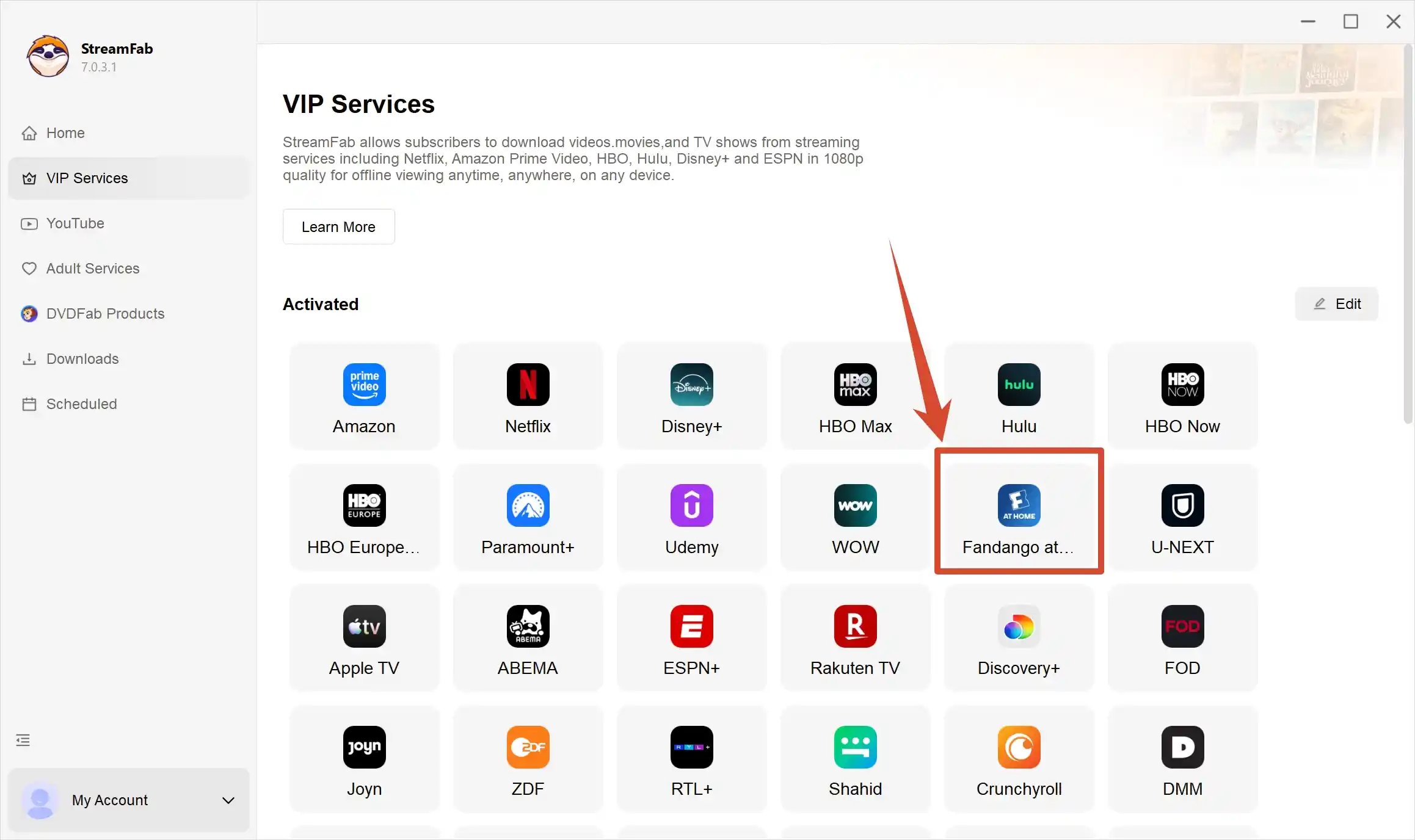
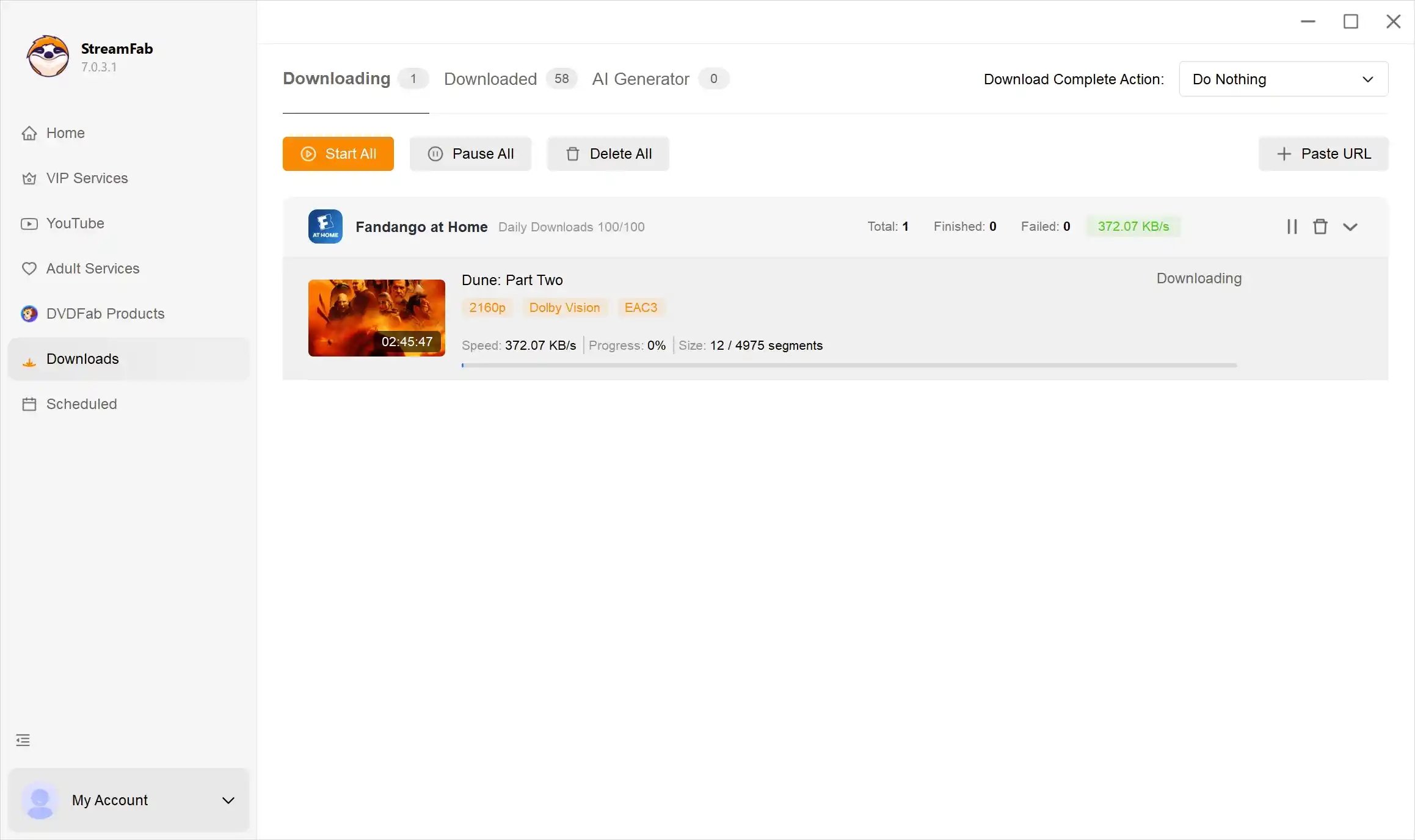
Play the video and let StreamFab analyze it
Start playing your movie or episode. StreamFab will detect the title and display the available download options.
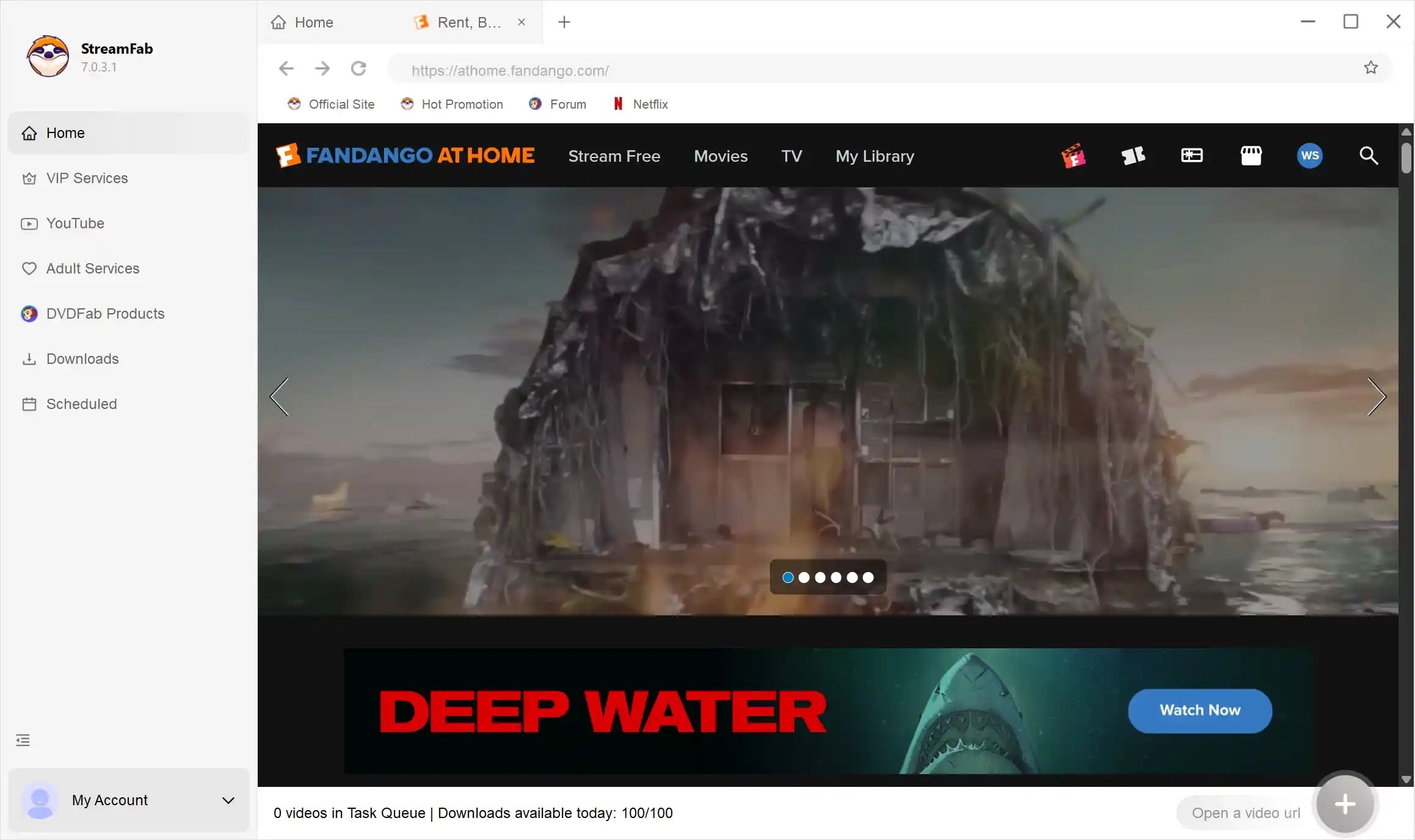
Choose format, quality, and audio
Select your preferred video resolution, audio track, subtitles, and output format from the download panel before starting.
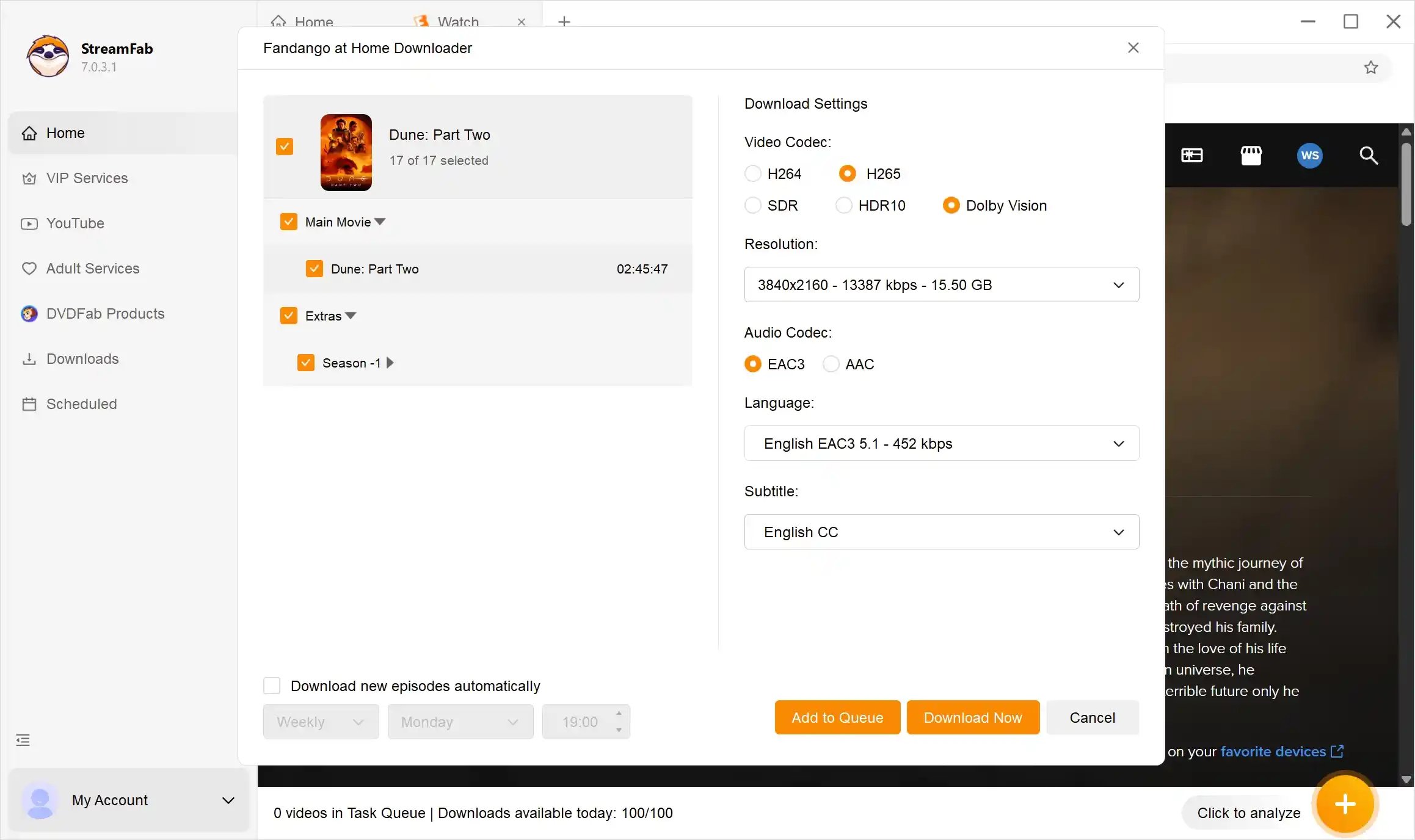
Start the download
Click Download Now and track your progress in the queue panel. Multiple titles can be queued for batch-style downloading.
When to use the desktop workflow instead of fixing the mobile app:
- You need offline files for a PC or Mac that the mobile app cannot provide.
- The official playback error keeps returning after you tried every standard fix.
- You want local files in a standard format rather than app-tethered downloads.
- You want to bypass browser-based DRM restrictions on desktop playback.
FAQ
Why does Fandango at Home keep saying "playback error"?
The most common causes are a stale app session, outdated app version, or a DRM verification failure on an unstable connection. Start with the official steps: update the app, sign out and back in, clear the cache, and test on a stable network connection. If the error persists only on desktop, the browser-based DRM handshake may be the underlying limit.
Why does my Fandango video keep buffering?
Buffering that never resolves usually points to a network issue or a DRM handshake that stalls during playback start. Try switching to a different network, disabling VPN or custom DNS settings, and testing on a mobile device to separate network problems from device limits.
Can I watch Fandango at Home offline on a PC?
Not through the official mobile-focused download workflow. If you need desktop offline files, a dedicated tool such as StreamFab Fandango at Home Downloader gives you a PC and Mac workflow with local MP4 or MKV output.
What should I do if Fandango at Home says "content not available on this device"?
This usually means the title's DRM restrictions do not match your current device or browser environment. Try playing the title on a supported mobile app or a different browser. If you need it on a desktop, the StreamFab downloader workflow is designed to handle this scenario.
Does clearing the Fandango at Home cache delete my downloads?
No. Clearing the app cache removes temporary session data but does not affect downloaded titles. Your downloaded content remains available after a cache clear.
Can I fix a Fandango streaming error by reinstalling the app?
Yes — reinstalling resolves persistent errors caused by corrupted app data that a standard cache clear does not reach. Uninstall, restart your device, reinstall, and sign in again to test.
Conclusion
Fandango at Home playback errors are usually fixable once you identify whether the cause is a temporary session issue, a network condition, or a desktop platform limit. Start with the official steps — update the app, clear the cache, refresh the session, and test on a stable connection using a supported device.
If your goal is offline playback on a PC or Mac and the official troubleshooting does not resolve the error, the StreamFab Fandango at Home Downloader provides a desktop workflow that bypasses browser-based DRM restrictions. That gives you a cleaner path to local files instead of working around the mobile-only playback limits.
Update Log
This article is regularly reviewed and updated to reflect the latest information.
- First published as a dedicated Subpage for the Fandango at Home cluster, covering fandango playback error (300/mo) and fandango at home playback error (200/mo)
- Structured around the plan's top-half troubleshooting / bottom-half DRM-solution content strategy
- Internal links directed to Pillar (how-to-download-fandango-movies-on-pc) and product page (fandango-at-home-downloader.htm) per cluster link matrix
This article was verified on June 22, 2026. All information reflects the latest available data at the time of review. We advocate for personal offline backup in compliance with applicable terms of service.

If you want to download Fandango movies, use the Fandango at Home mobile app for eligible phone or tablet titles; the Windows app does not offer the same official offline feature. The key decision is whether app-managed viewing or a local file better fits your trip.
By Erika Leen - Jul 27, 2026
Vudu (now Fandango at Home) playback errors, app crashes, and download failures are frustratingly common across TVs, browsers, and mobile devices. This guide diagnoses the four most frequent Vudu problem categories — DRM key failures, app version mismatches, geo-blocking, and download slot limits — then provides step-by-step fixes for each. From clearing app cache and switching DNS to resolving Error 3328:898, every solution is tested and verified. For users tired of fighting Vudu's unreliable app ecosystem, the guide also covers a desktop-based offline workflow that sidesteps these issues entirely.
By Nicole Lopez - Jun 22, 2026
Vudu (rebranded as Fandango at Home in 2023) no longer supports native PC downloads, leaving Windows and Mac users without an official offline option. After hands-on testing of three leading Fandango at Home downloaders in June 2026, we compare StreamFab, KeepStreams, and BBFly across speed, output quality, DRM update speed, and price.
By Nicole Lopez - Jun 22, 2026
Want to watch Vudu movies offline without running into connection issues or time limits? This guide walks through three tools—StreamFab, PlayOn, and RecordFab—that can help you safely “rip” (i.e., save) the Vudu movies you’ve bought into local files, with clear pros, cons, and step-by-step instructions for personal, legal offline playback.
By Marcia Hatcher - Jun 10, 2026