Download Fandango Movies in 2026: Mobile vs. PC Options

Summary: If you want to download Fandango movies, use the Fandango at Home mobile app for eligible phone or tablet titles; the Windows app does not offer the same official offline feature. The key decision is whether app-managed viewing or a local file better fits your trip.
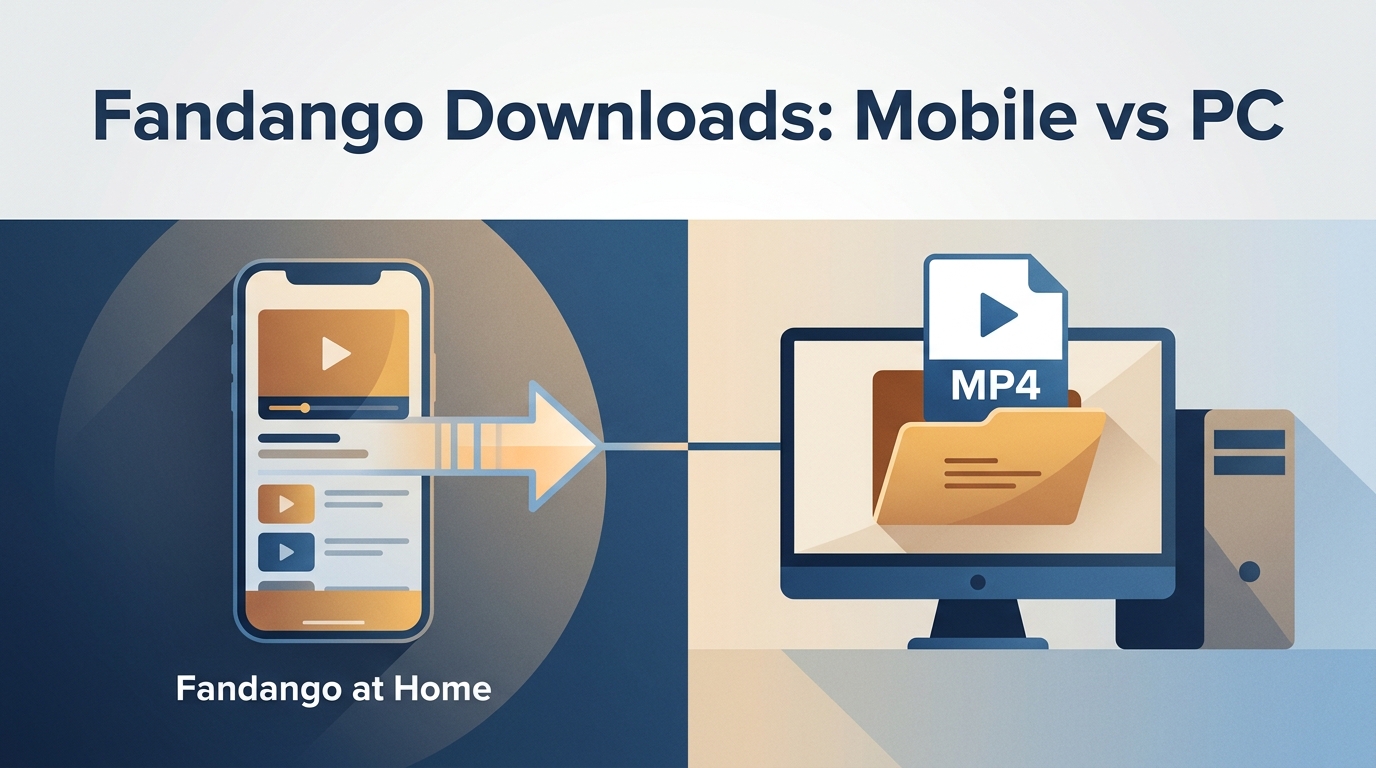
Table of Contents
What Fandango Downloads Actually Provide
The mobile Download button and the Windows app serve different functions. Official Fandango offline downloads are primarily an in-app mobile experience for eligible phone or tablet titles, while installing the Fandango Windows app does not add the same official offline option.
In-App Download vs. Local Video File
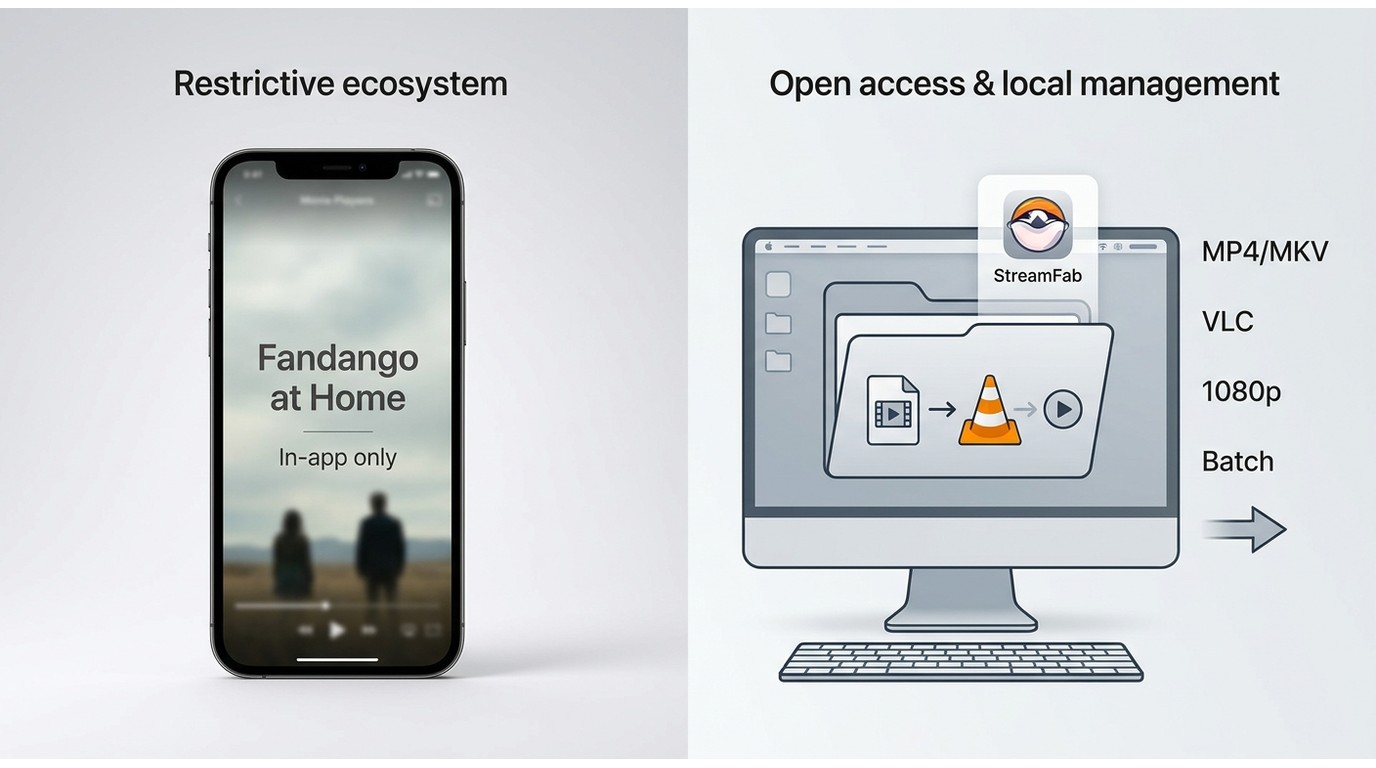
An official Fandango at Home download is app-managed offline access, opened from the supported app rather than as a normal MP4 or MKV file in a file browser. That means it is not designed to be copied to an external drive, burned to a disc, or added directly to a media server. This distinction is the practical decision point: choose the official app for simple mobile viewing, or evaluate a local-file workflow only when laptop playback and library controls actually matter.
This guide explains where official Fandango offline downloads work, what to check before traveling, and when a qualified desktop local-file option may fit personal offline viewing.
Where Official Offline Downloads Work
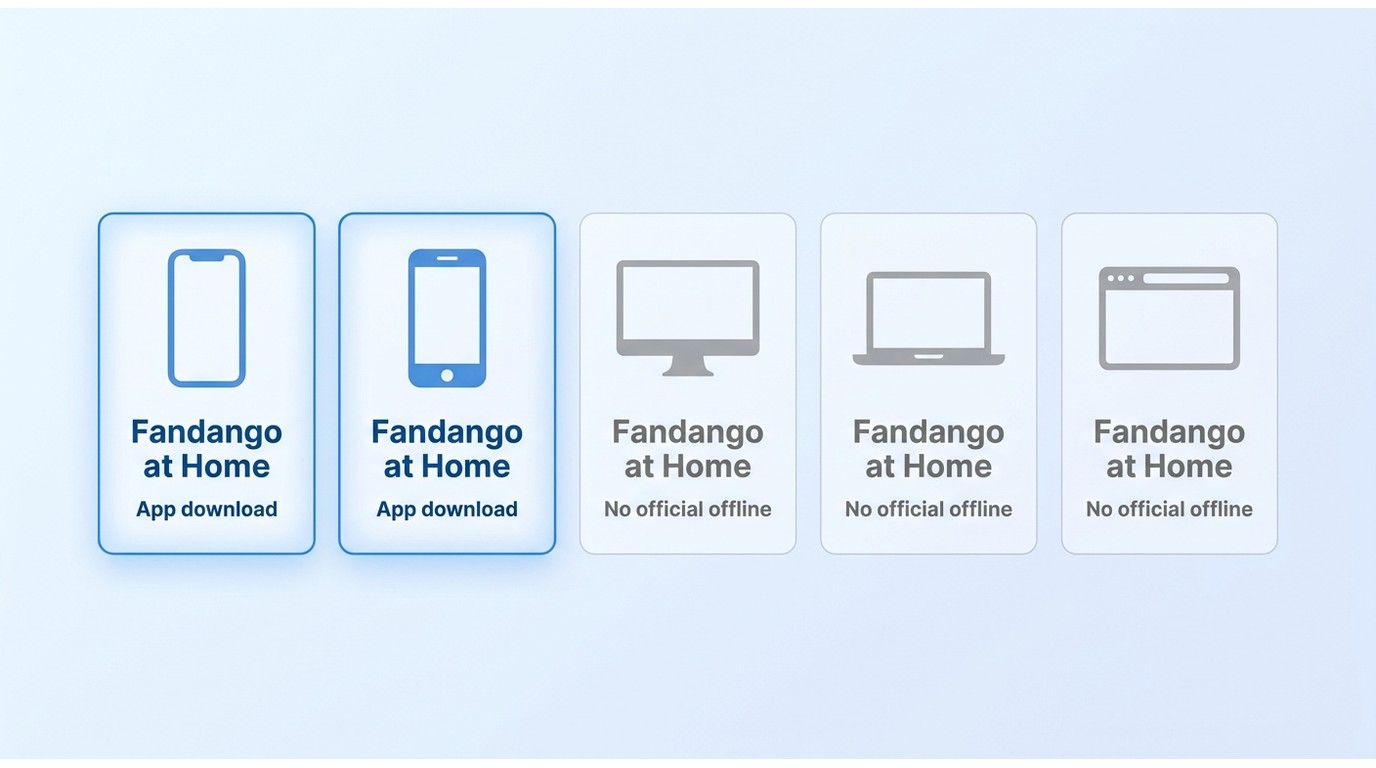
Device and Download Capability Matrix
| Device or access method | App or streaming access | Official offline downloads | Output and transferability |
|---|---|---|---|
| iPhone or iPad | Fandango at Home mobile app | Available for eligible titles | App-managed playback; not a normal transferable video file |
| Android phone or tablet | Fandango at Home mobile app | Available for eligible titles | App-managed playback; not a normal transferable video file |
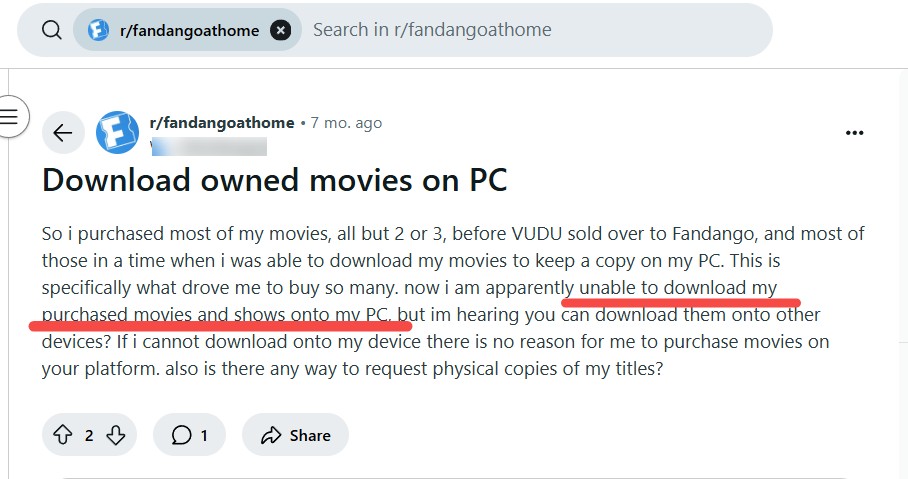
| Windows | Fandango app and streaming access may be available | Not officially available as the mobile offline feature | Streaming or app access does not create a local video file |
| Mac | Browser streaming access | Not officially available as the mobile offline feature | Streaming does not create a local video file |
| Browser access | Streaming in a supported browser | Not officially available | No local video file from the official browser experience |
Use the Fandango at Home app from an official app store and sign in to the account that holds the purchased or rented title. Supported devices and availability may change, so check the current status on Fandango at Home’s official site.
1. Detailed Steps to Download Fandango at Home Movies on Mobile
Before starting, make sure you have the app, an active signed-in account, enough storage, and a stable connection. Then follow these steps:
- A supported mobile device
- Fandango at Home app installed from an official app store
- A signed-in Fandango at Home account with an eligible title
- Available phone or tablet storage
- A stable internet connection
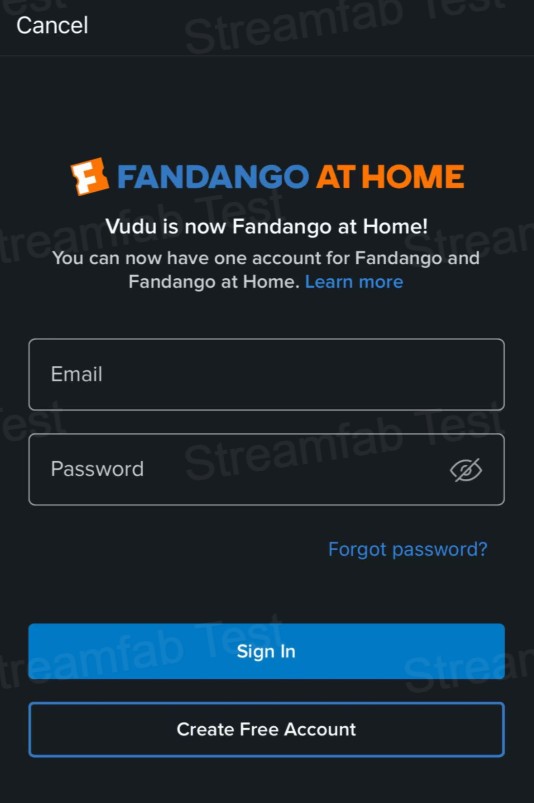
Grab your Android, iPhone, or iPad, install the Fandango at Home app, and sign in.
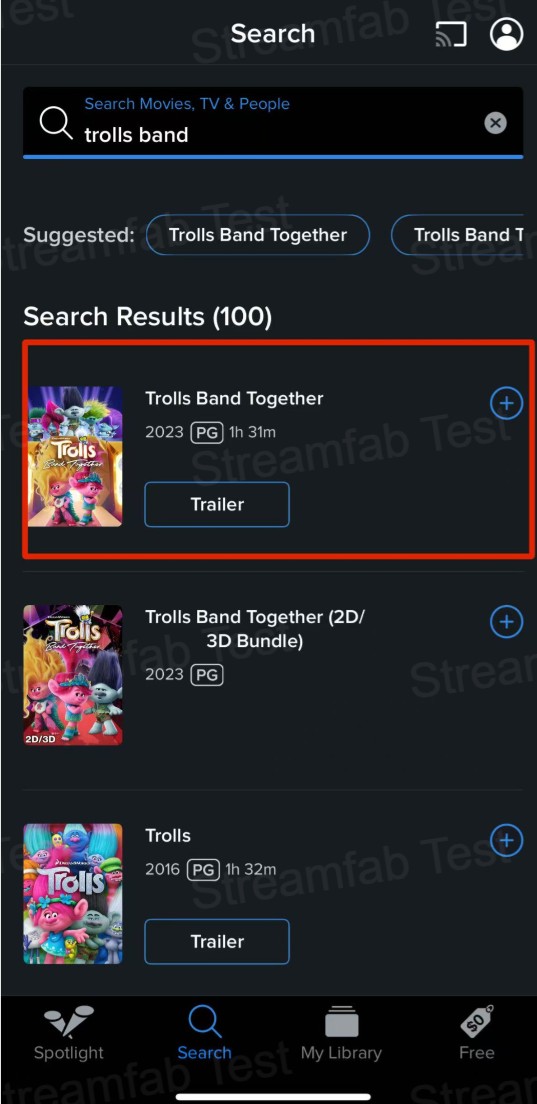
Pop the movie title or a few keywords into the search box, hunt down your flick, and toss it into your ‘Watchlist’.
Head to your ‘Watchlist’. If you bought or rented that movie, a ‘Download’ button will show up waiting for you.
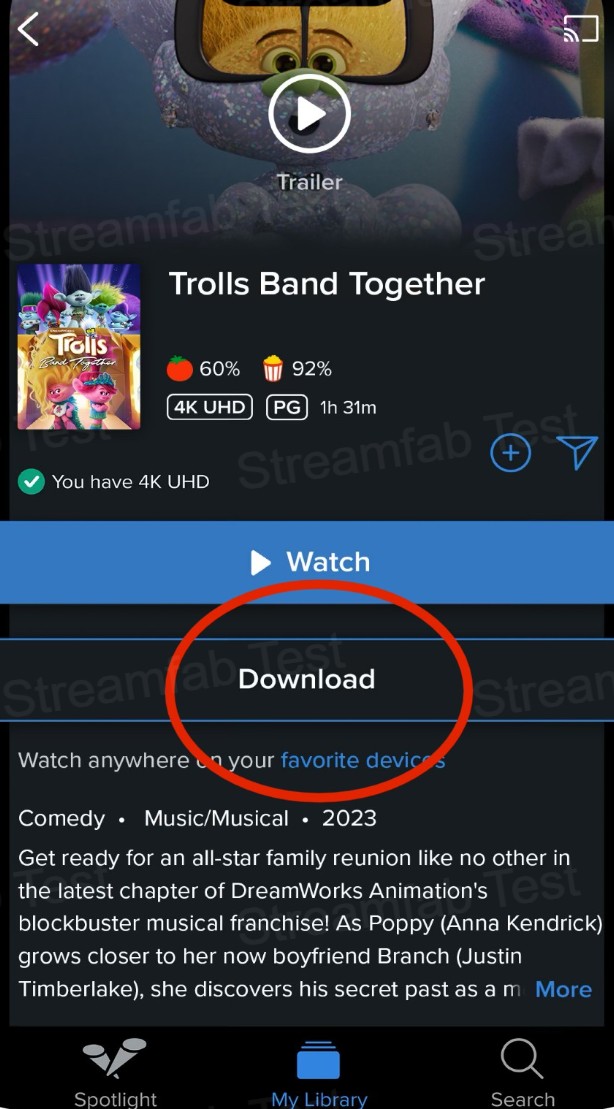
Tap the 'Download' button. You can now watch this movie offline whenever you lack internet access.
Why the Download Button May Be Missing
A purchase or rental does not automatically mean every title will show a Download button. Check that you are using a supported mobile device, signed into the correct account, running a current app version, and viewing an eligible title with sufficient storage available.
Google Play and YouTube temporarily left Movies Anywhere on October 31, 2025, then returned as retail partners in December 2025. Its practical coverage limits are explained below.
If streaming also lets you down mid-movie, our 5-minute guide on how to fix Fandango playback errors quickly covers the most common causes and solutions.
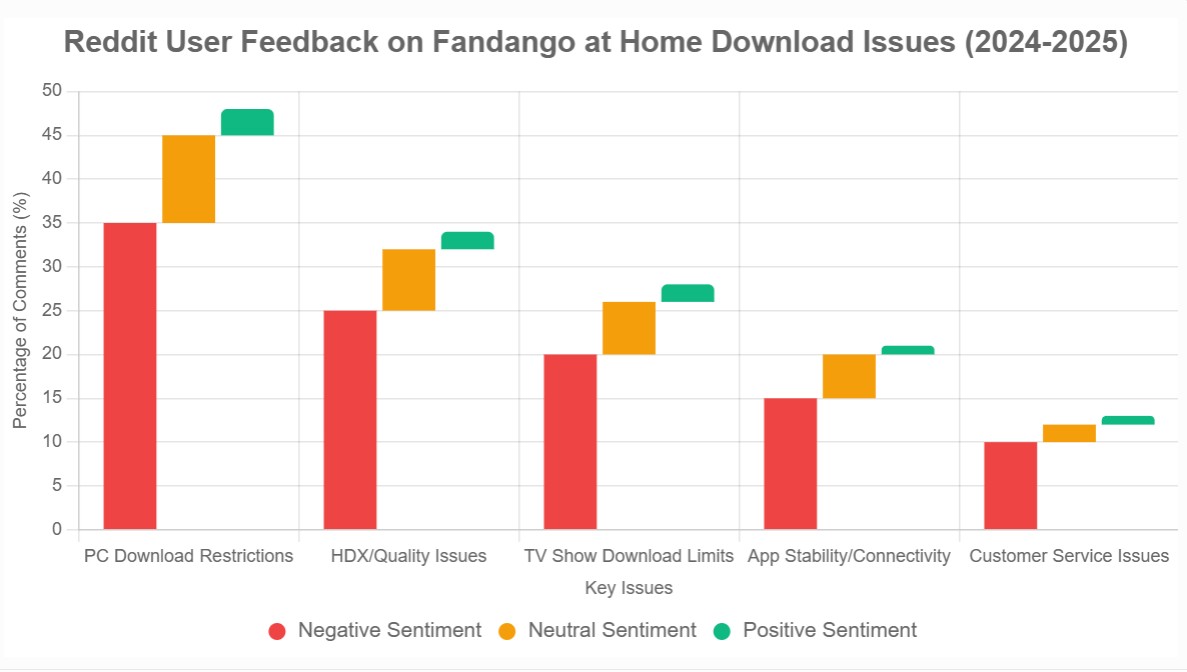
For laptop playback, an external drive, or a local media library, the key requirement is a normal local file rather than an app-managed download. A Plex setup for Fandango at Home movies is a separate workflow and should be considered only if local-library playback is your actual goal.
If the app is current, the title is eligible, and the button is still unavailable, the issue may be Fandango at Home not working rather than a download limitation.
Limits to Check Before Traveling
Eligibility, Rentals, and License Checks
Official downloads can vary by title eligibility, rental terms, device binding, and account or license checks. A rental and a purchase may not carry the same viewing conditions, and a long period without connecting can affect app-managed playback. Before leaving, download the exact title you plan to watch and test it in airplane mode. A title-specific test is more reliable than assuming a Download badge covers an entire trip.
Official downloads remain inside the Fandango at Home app, so they should not be treated as ordinary local files. If mobile playback is all you need, this is usually the lower-friction option.
Movies Anywhere Has Limited Coverage
Movies Anywhere can sync eligible movies across participating retailers, but it does not replace Fandango offline downloads. It does not cover every movie, and it generally does not address TV-show availability or the need for a transferable local file.
A Desktop Local-File Workflow
For content you’re authorized to access, where permitted by platform terms and applicable law, use local-saving features for personal offline viewing only. Do not upload, share, sell, or redistribute saved files.
When StreamFab Fits

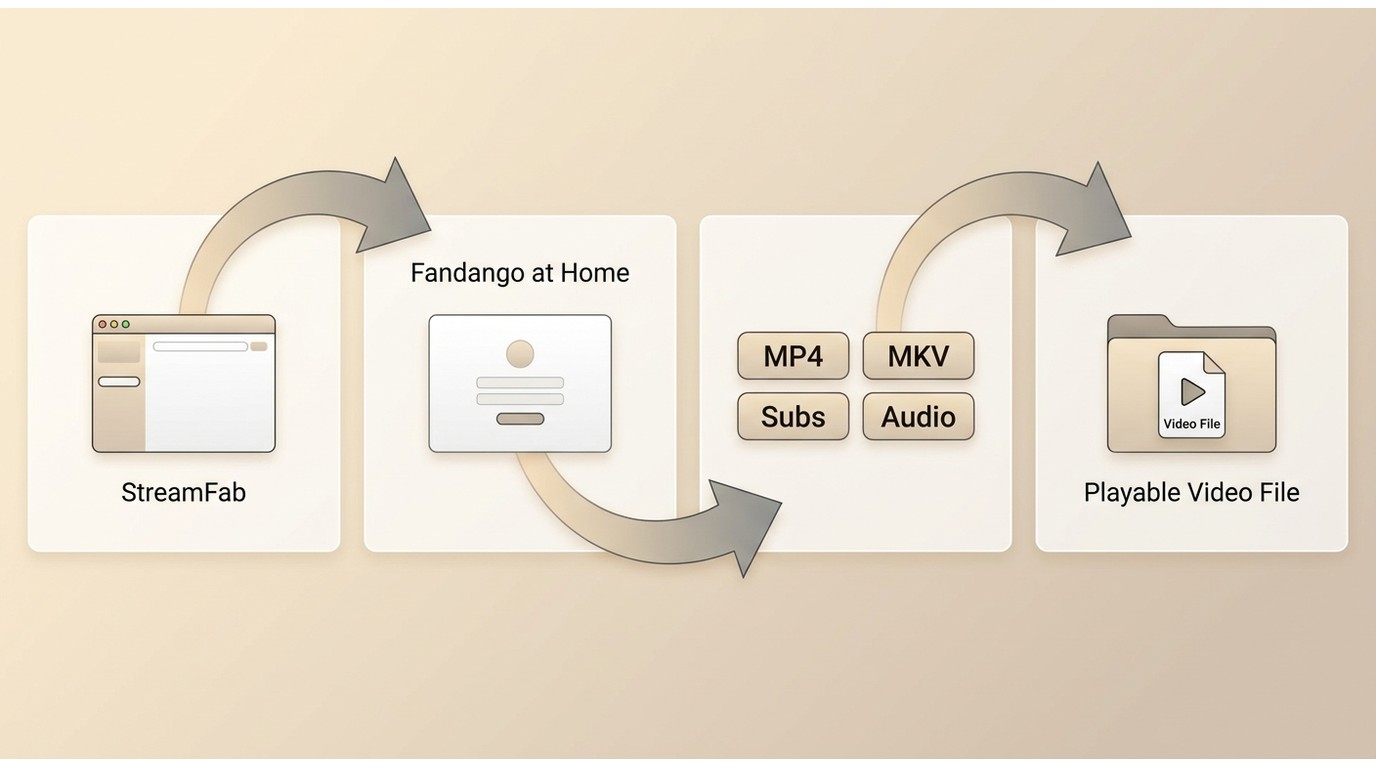
Save authorized Fandango at Home playback as local files withup to 4Kwhere the source and selected settings allow, withEAC3 5.1audio where available, in device-friendly MP4 or MKV formats.
For content you’re authorized to access, where permitted by platform terms and applicable law, StreamFab Fandango at Home Downloader is a desktop option alongside the official app when official downloads are unavailable on Windows or Mac.
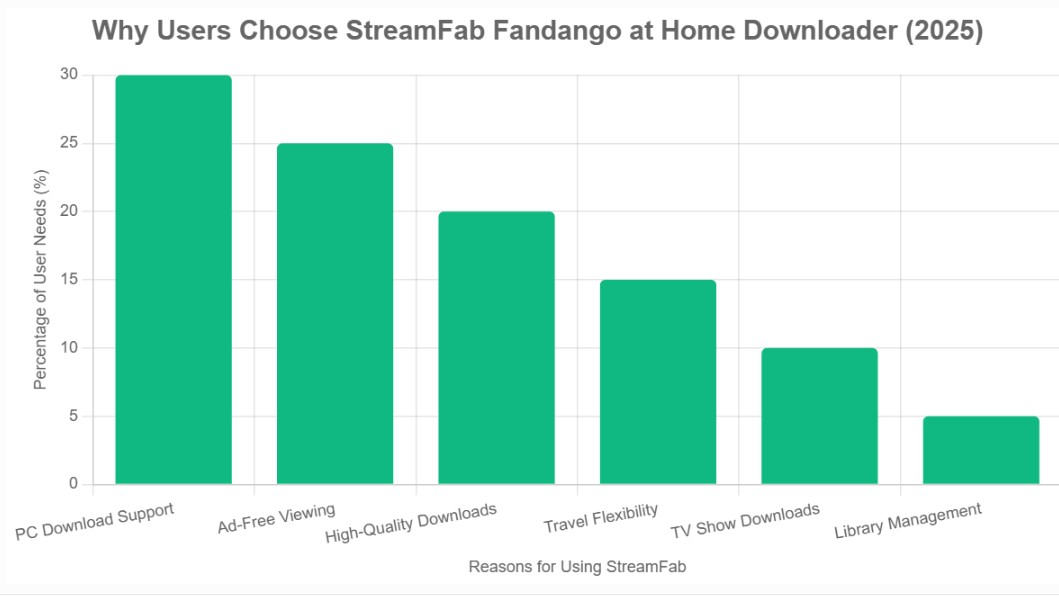
It fits readers who need local-file playback or basic library controls on a computer; it is not ideal for someone who simply wants occasional phone or tablet viewing through the official app. StreamFab offers a free trial with limited features; pricing and license options vary by selection (as of July 2026). Readers comparing Fandango at Home downloaders can review the broader tool comparison separately.
Local Playback and Library Controls
The relevant outcome is simple: local MP4 or MKV files can suit Windows or Mac playback when an authorized viewer needs more control than an app-managed mobile download provides. Resolution, SDR, HDR10, Dolby Vision, multichannel audio, subtitles, and metadata depend on the title and selected settings. Batch and scheduled tasks can also help organize episodic viewing without turning the process into a manual queue.
For this use case, those controls justify a desktop workflow only when you genuinely need local playback or library organization. Otherwise, the official mobile app is the cleaner choice.
- Save authorized titles as local files for personal offline viewing.
- Queue episodes or selected titles withavailable video profiles
- Convert Fandango to MP4 including up to 4K where the title and settings support it.
- Keep original audio where available, includingEAC3 5.1alongside supported subtitle choices.
- Save subtitles as SRT files or include them with the video.
- Use MP4 or MKV files for compatible local playback and library organization.
The deciding factors are device, file type, and viewing frequency: local-file controls matter for a laptop library, but they add unnecessary setup when the official mobile app already covers an occasional trip.
Desktop Download Steps

To use StreamFab Fandango at Home Downloader, you will need:
- A valid Fandango at Home with purchased titles;
- A PC laptop (Windows or macOS will do);
- A stable network connection (better no less than 50Mbps);
- Storage needs vary with the title’s duration, selected resolution, and available source quality.
Before starting, you need a Windows or Mac computer, a signed-in Fandango at Home account with an authorized title, available storage, and a stable internet connection.
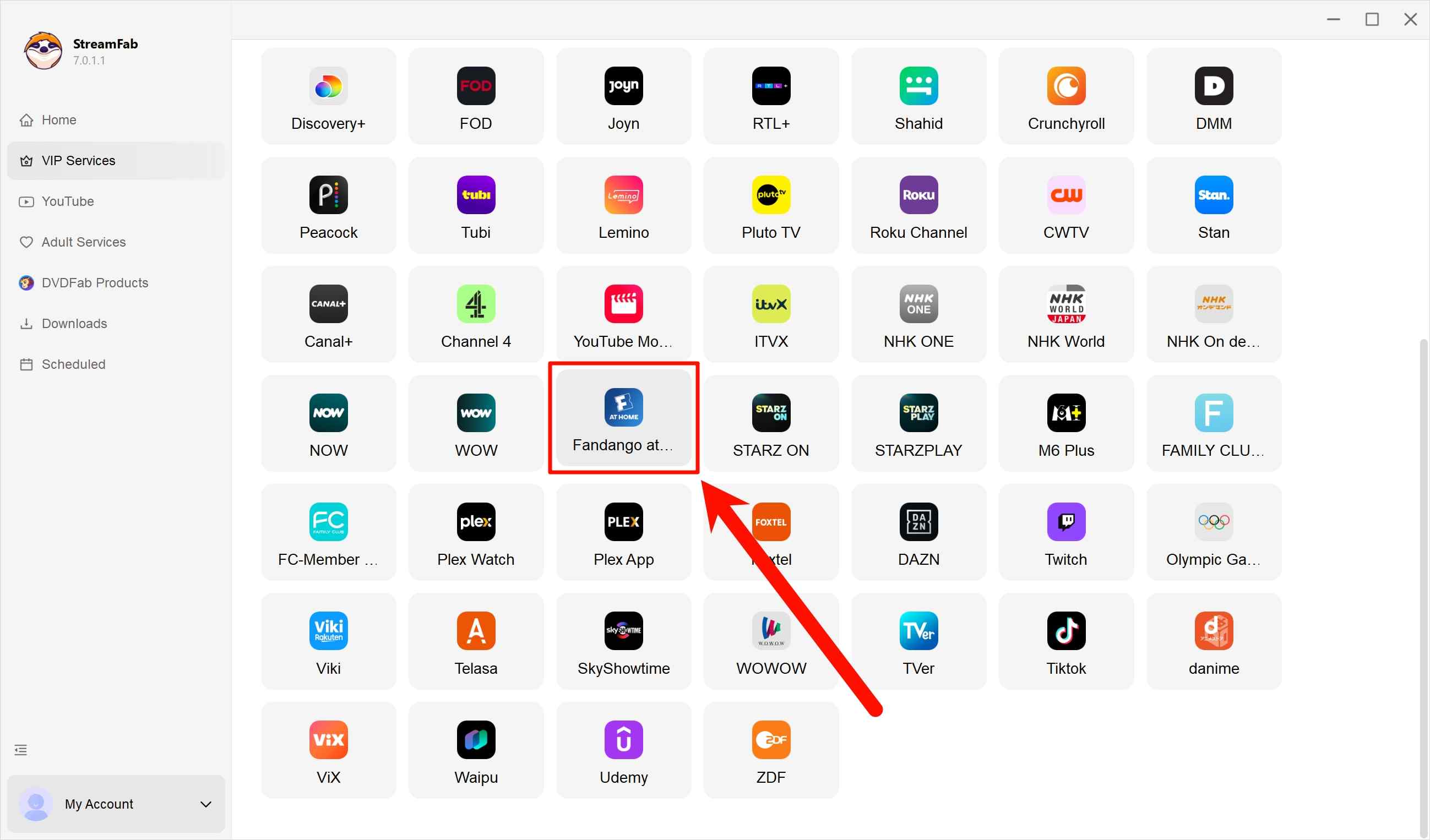
Next, launch StreamFab, hunt down the Fandango at Home tab in VIP Services, and sign in using your Fandango account. Make sure you’ve actually bought some content.
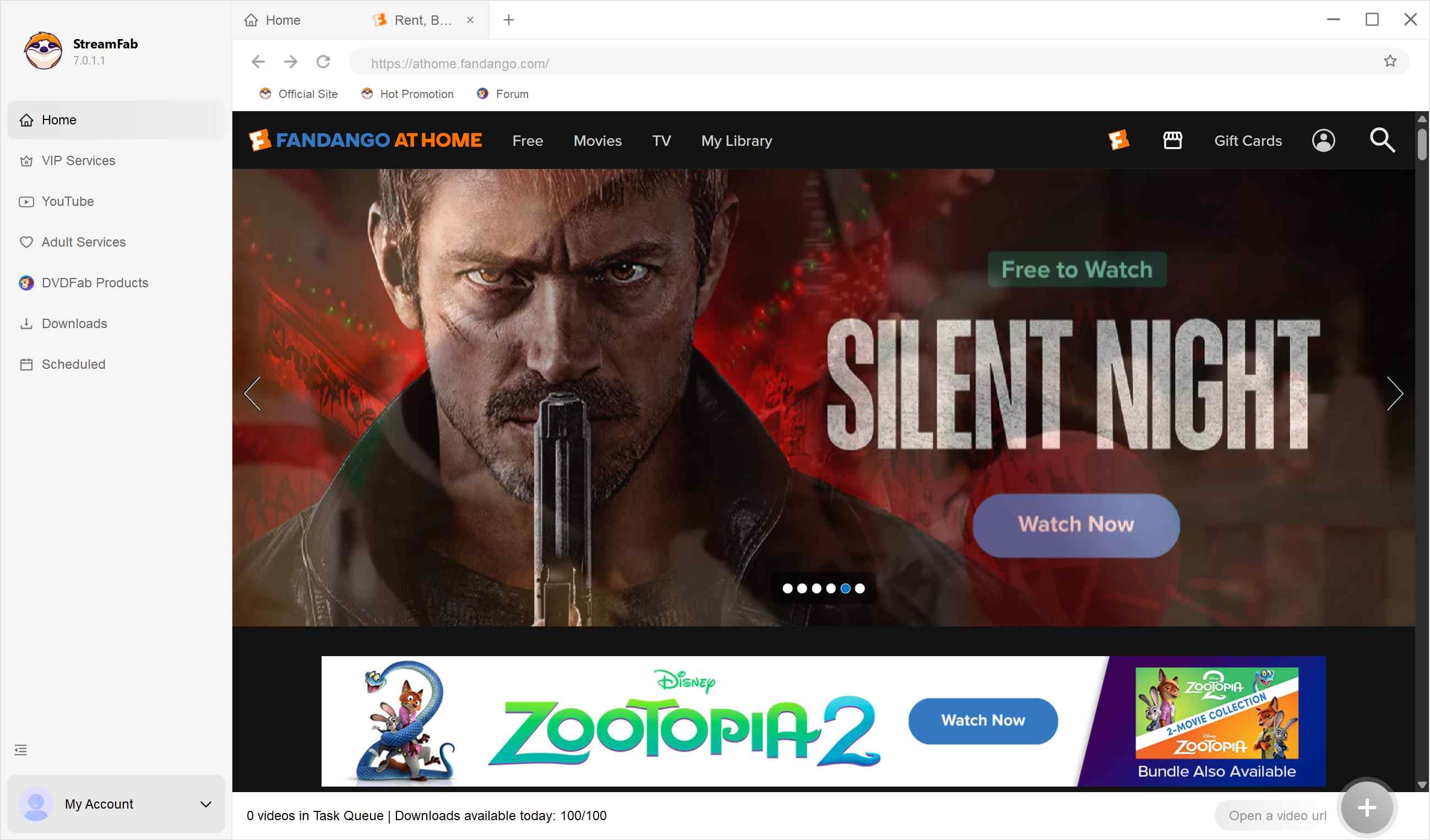
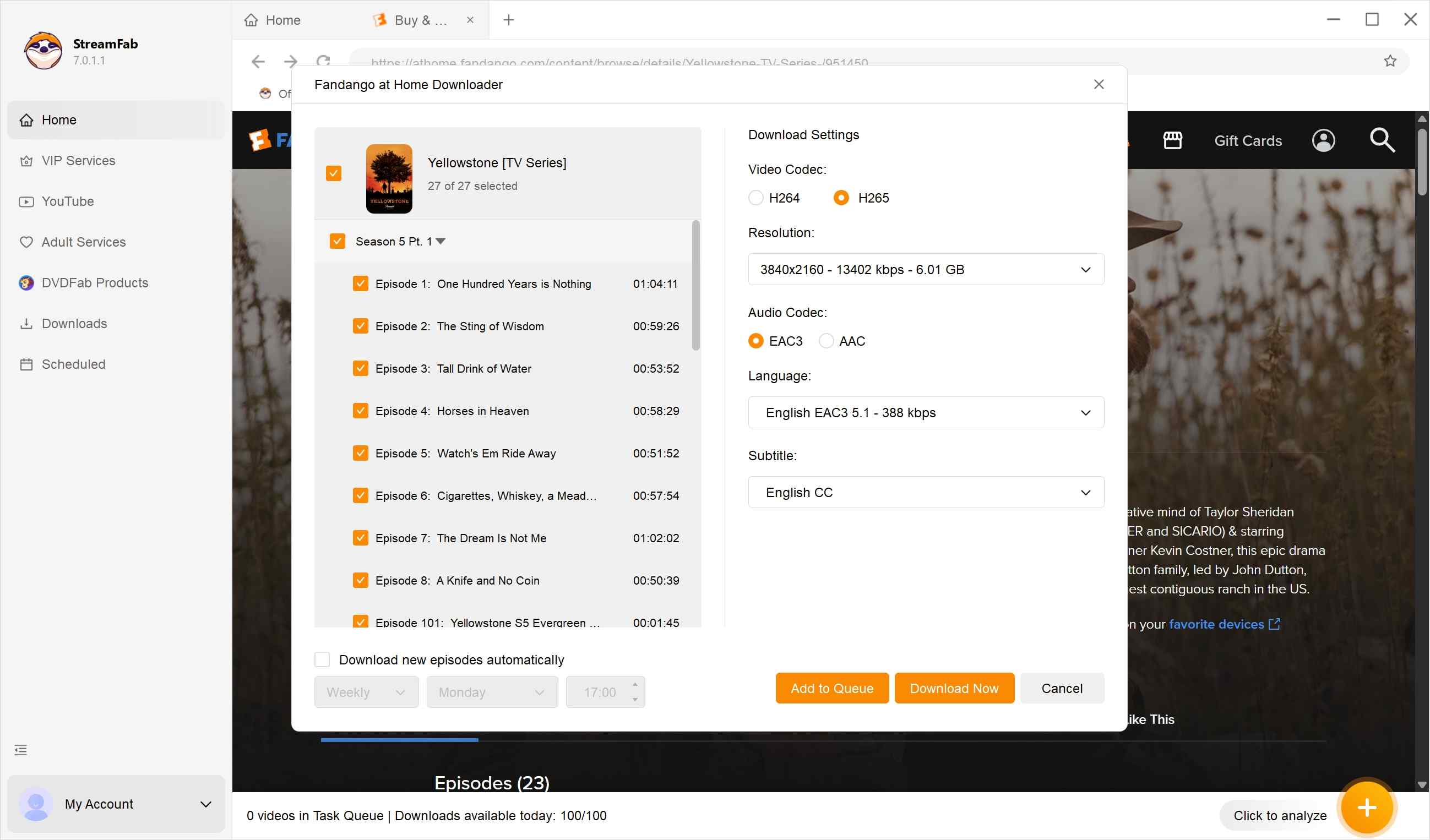
Now, just play the movie (say, Yellowstone). StreamFab analyzes, and a settings panel pops up with resolution, audio, episodes, etc.
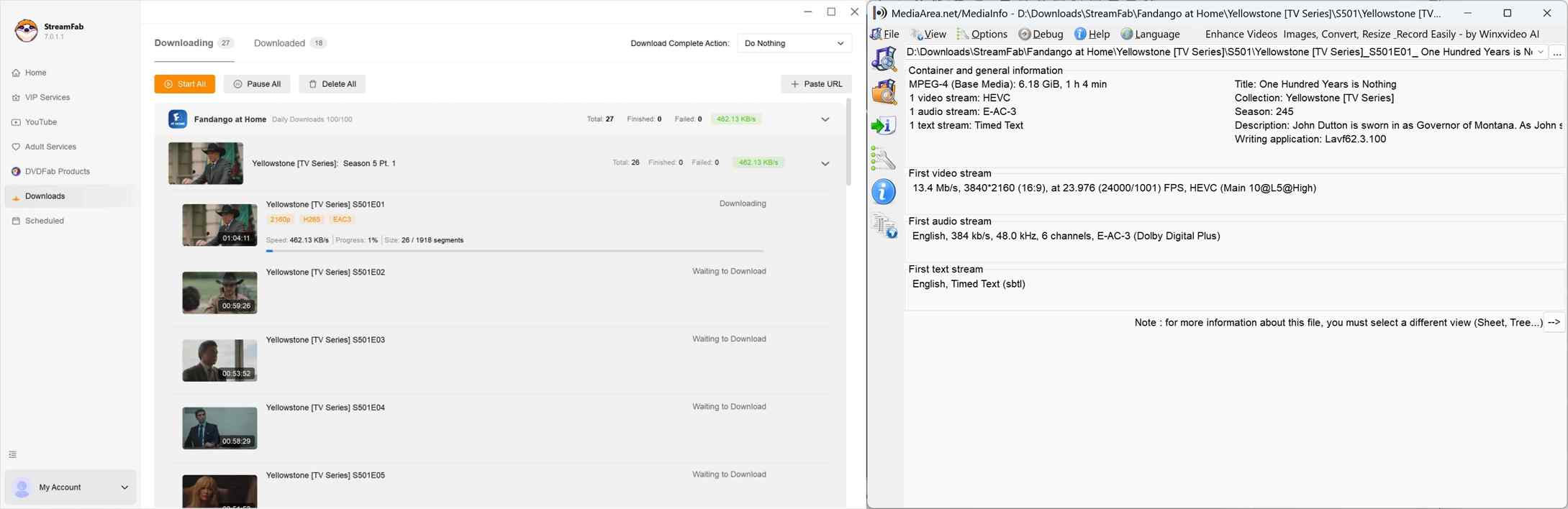
Start the download task. The file will be saved to your PC for a flexible offline access.
Choose the Right Offline Method
The right choice depends on where you plan to watch and whether you need app-managed access or a local file. The table below keeps that decision focused on practical use rather than a feature checklist.
- Choose the official mobile app if: You want simple offline viewing on an eligible phone or tablet title.
- Consider StreamFab if: You are an authorized Windows or Mac user who needslocal-file playbackand library controls beyond the official app’s in-app experience.Neither option guaranteesfuture access or a universal offline duration.
| Consideration | Fandango at Home mobile app | StreamFab desktop workflow |
|---|---|---|
| Supported devices | Eligible Android and iOS mobile devices | Windows and Mac |
| Offline model | App-managed access for eligible titles | Local files for authorized personal offline viewing |
| Playback and output | Opened inside the Fandango at Home app | MP4 or MKV files for compatible local players |
| Transferability | App-bound; not a normal video file | Local-file use remains subject to applicable terms and law |
| Eligibility and checks | Title, rental, device, account, and license conditions may apply | Available settings and access conditions may affect results |
| Quality controls | Managed by the official app and eligible title | Available video, audio, subtitle, and episode selections |
| Best fit / not ideal for | Best for simple phone or tablet travel viewing; not ideal for laptop local files | Best for local playback and library controls; not ideal for occasional mobile-only viewing |
FAQs
1. Is the Fandango at Home app free to install?
Yes. Installing the app is free, but movies and shows may require a purchase or rental before they can be watched or downloaded when eligible.
2. Where can I find movies downloaded in the mobile app?
Open the Fandango at Home app while signed into the account used for the title, then look in your library or downloads area. Official downloads are opened within the app, not through a normal file browser.
3. Why is the Download button missing for some titles?
Check the device, title eligibility, account, app version, available storage, and active rental or purchase entitlement. A missing button can also reflect an app or service issue rather than the title itself.
4. Does Movies Anywhere replace a Fandango at Home offline download?
No. Movies Anywhere can sync eligible movies from participating studios and retailers, but it does not cover every title, generally does not include most TV shows, and does not create a transferable local video file.
Conclusion
Use the official Fandango at Home app when eligible phone or tablet downloads are enough for travel. Consider the desktop workflow when an authorized user needs local-file playback or library controls on Windows or Mac. That is the decision I would make before adding another tool: start with the device and file access you actually need, not a promise of access that no platform can make unconditionally.

This content is for informational purposes only. Use any offline-saving feature only for titles you are authorized to access, for personal viewing. Do not upload, share, sell, or redistribute saved files, and always follow the service terms and applicable laws.

Find the cause of a Fandango at Home playback error by comparing titles, devices, and networks. Follow five troubleshooting steps, use checks for TVs, consoles, browsers, and phones, and repair failed mobile downloads. Learn how authorized desktop MP4 and MKV viewing differs from official app downloads.
By Nicole Lopez - Sep 28, 2026
Vudu (now Fandango at Home) playback errors, app crashes, and download failures are frustratingly common across TVs, browsers, and mobile devices. This guide diagnoses the four most frequent Vudu problem categories — DRM key failures, app version mismatches, geo-blocking, and download slot limits — then provides step-by-step fixes for each. From clearing app cache and switching DNS to resolving Error 3328:898, every solution is tested and verified. For users tired of fighting Vudu's unreliable app ecosystem, the guide also covers a desktop-based offline workflow that sidesteps these issues entirely.
By Nicole Lopez - Sep 24, 2026
Vudu (rebranded as Fandango at Home in 2023) no longer supports native PC downloads, leaving Windows and Mac users without an official offline option. After hands-on testing of three leading Fandango at Home downloaders in June 2026, we compare StreamFab, KeepStreams, and BBFly across speed, output quality, DRM update speed, and price.
By Nicole Lopez - Sep 24, 2026
Fandango mobile downloads stay inside the app, while a PC or Mac library needs portable media files. Compare the two routes, review desktop and recording options, and set up compatible files for Plex. The FAQ covers account access, external drives, Movies Anywhere, and missing audio tracks.
By Marcia Hatcher - Sep 24, 2026