
Best Firefox Video Downloader Extensions in 2026: Tested & Ranked

Summary: Tested in June 2026 — here are the 7 best Firefox video downloader extensions ranked by Manifest V3 compatibility, max quality, and real-world performance, plus a desktop alternative for DRM-protected streams that browser add-ons simply cannot handle.
I tested every major firefox video downloader extension available on Mozilla Add-ons in June 2026 — and the results were more uneven than I expected. The best video downloader for firefox depends almost entirely on what you are trying to capture: a public YouTube clip, an HLS livestream replay, or a DRM-protected OTT stream.
After running each video download plugin firefox through the same test battery across Windows 11 and macOS, here is what actually works in 2026, including which mozilla video downloader extension options survived the Manifest V3 migration and which ones quietly stopped working.


Downloading Videos in Firefox: What the Law Says
Using a free video downloader firefox extension is convenient, but it does not automatically make everything legal or risk-free. Most streaming services and content platforms include copyright clauses in their terms: they typically allow you to watch content on their site or apps, not to redistribute the files elsewhere.
To keep things on the safe side:
- Use downloads only for personal offline viewing.
- Only save video content for which you have valid viewing or access rights.
- Check each site's terms (YouTube, Twitch, OTT services, etc.) before downloading.
- Be extra careful with content that is clearly behind a paywall or subscription.
Also, services like Netflix, Amazon Prime Video, and Disney+ use advanced DRM streaming techniques, which makes any Firefox browser addon hard to adapt to their content protection layers.
My June 2026 Testing Setup for Firefox Video Downloaders
Regarding the videos for testing, my rule is that if YouTube videos can be downloaded, I use the same 8K UHD HDR video for comparison. For those that do not support YouTube, I compare them based on the download performance of a 4K video on Vimeo.
| Time frame & versions |
|
|---|---|
| Network & hardware |
|
| Test content types |
|
| What I checked for each add-on |
|
The goal was not to crown a single winner, but to map out which extension fits which type of user and highlight where browser add-ons start to break down — especially after the Firefox MV3 migration accelerated through 2025 and into 2026.
Top 7 Firefox Video Downloader Extensions in 2026
Before diving into detailed reviews, here is a quick snapshot of what these 7 Firefox video downloader options are best at, including their Manifest V3 compatibility status — the single most important factor for extension longevity in 2026:
| Firefox Add-on | Manifest V3 Compatible | Max Quality (with audio) | YouTube Support | Needs Companion App? | Best For |
|---|---|---|---|---|---|
| Video DownloadHelper | ✅ v8.x+ | Up to 1080p+ (with app) | ✓ | ✓ (HD / merging) | All-round multi-site downloading |
| Video Downloader Professional | ⚠️ Partial | Up to 4K on some sites | ✕ | ✕ | Clean UI for general embedded videos |
| SaveFrom.net Helper | ⚠️ Partial | Up to 720p with audio | ✓ (except U.S.) | ✕ | Quick Download button on YouTube |
| Download Video & Flash | ❌ MV2 only | Up to 4K on compatible sites | ✕ | ✕ | Legacy sites and Flash-era formats |
| Free Download Manager extension | ✅ Updated | Depends on desktop app | ✕ | ✓ | Power users who already use FDM |
| Easy YouTube Video Downloader Express | ⚠️ Partial | Up to 1080p / MP3 (Pro) | ✓ | ✕ | Simple one-click YouTube download |
| YouTube Video Downloader HD, 4K & Multi-Format | ⚠️ Partial | Up to 4K on supported sites | ✓ | ✕ | YouTube/Vimeo/TikTok button-style downloads |

Below are short, opinionated reviews of each tool. For every add-on, I will include a "Quick verdict" so you know immediately whether it is worth trying. I have fully tested each one, and I see no malware tracks. If you are still concerned, use them in private windows or Firefox in the sandbox.
1. Video DownloadHelper

This was the first video downloader extension for Firefox I ever tried, and I still keep it installed. Video DownloadHelper has been around forever. According to its AMO page, it has well over 1.8 million users and supports a wide range of sites, including YouTube-like platforms, news sites, and even some streaming players. Crucially, version 8.x achieved Manifest V3 compatibility, making it one of the more future-proof choices in this list heading into 2026.
Based on my experience, its only drawback is that it works inconsistently on YouTube: sometimes you can download, and sometimes there is not even a download option. To learn more, please check the latest Video DownloadHelper review.
- Allows conversions between audio-video formats
- Free and supports thousands of websites
- MV3-compatible in v8.x, ensuring continued Firefox extension compatibility
- Creates a video file by capturing the media directly from the screen
- Need to install the companion app to download in full HD, M3U8, or MPD
- Missing audio or a big QR watermark on the video when not using the app
- Converting or merging files requires a paid license ($30.5)

2. Video Downloader Professional

Video Downloader Professional is a good middle-ground option if you want something clean and uncomplicated. Once installed, clicking its toolbar icon shows a list of detected videos with their resolutions. You can save items to a personal list and download them later, which is handy if you are collecting clips for a project. Its MV3 migration status is partial — it still loads on current Firefox builds, but the developer's update cadence has slowed, which raises questions about long-term extension compatibility.
- Convert video to any file format you want
- Supports video quality 720p/1080p resolution
- Able to download 3D videos
- Struggle with encrypted or segmented streams in m4s
- YouTube support is hit or miss
- MV3 migration is incomplete; long-term compatibility uncertain

3. SaveFrom.net Helper

When I just want to download a YouTube video without jumping through hoops, SaveFrom.net Helper is usually my shortcut. It adds a clean "Download" button right under YouTube videos — no new tab, no right-click tricks, just click and save.
Unfortunately, if you are in the United States, you will not be able to use it to download YouTube videos unless you use a VPN. The official announcement cites copyright infringement as the specific reason.
- Fast and totally free
- No companion app required
- Up to 8K UHD quality on supported sites
- Not available in the U.S.
- Audio and video download separately; manual merging needed
- MV3 migration status remains partial

4. Download Video and Flash

Download Video and Flash is one of those extensions you forget about until you land on a weird legacy site. It shines on pages that still rely on older players or custom video implementations. It has the clearest interface, but also the narrowest service coverage. Just like its name says, it performs best on Flash videos, like those on Newgrounds or Internet Archive — not on YouTube, Vimeo, or X. It has not made the jump to Manifest V3, which means its shelf life in modern Firefox is genuinely uncertain.
- Detects media and image sources on legacy pages
- Offers both built-in and external download managers, including IDM or GNU Wget
- Supports multiple video formats and HD-quality videos up to 4K resolution
- MV2-only; no confirmed MV3 roadmap
- Sometimes misses encrypted or segmented streams
- No features like format conversion or MP3 export


Given its specialty in Flash videos, its quality test should not be compared with other Firefox video downloaders in this collection on a like-for-like basis.
5. Free Download Manager Extension

If you already use Free Download Manager on your PC, its Firefox extension lets you send media links straight into FDM. Then you can use FDM's full power: batch downloads, bandwidth limits, pause/resume, and torrent support. So, rather than calling it a video download plugin for Firefox, it is more accurately a desktop download manager with a Firefox extension front-end. The FDM team has pushed MV3-compatible updates, which gives it a healthier long-term outlook than several rivals on this list.
Due to better performance on desktop, it can help you save OnlyFans videos on Firefox, and it works equally well on other major video platforms when you have a direct download link.
- Supports batch downloads, pauses/resumes, bandwidth limits, and torrents
- Compatible with different types of proxy servers
- Offers a convenient Snail Mode for slow downloading
- MV3-compatible updates available
- Not suitable for beginners
- Requires installing external desktop software
- Bugs appear sometimes during the downloading process
- Poor resource sniffing for video sites; needs a direct link to work reliably

6. Easy YouTube Video Downloader Express

Easy YouTube Video Downloader Express is exactly what the name implies: a straightforward YouTube downloader integrated directly into the YouTube page UI. It adds a "Download As" button below the player, and you can pick from multiple formats (MP4, MP3, FLV, 3GP) and up to 1080p with its Pro tier. As a functional YouTube video downloader extension for Firefox and Chrome in 2026, it gets the job done — but it works more slowly (or simply does not work) in the U.S. region, and its MV3 migration is incomplete.
- Outputs MP4 or MP3 format files
- Selectable resolution from 480p to 1080p
- 1080p and MP3 downloads require a donation-based Pro upgrade
- Limited to 360p or 720p without the Pro upgrade
- Does not support other sites like Vimeo or Facebook
- Incomplete MV3 migration raises long-term extension compatibility concerns

7. YouTube Video Downloader HD, 4K & Multi-Format

YouTube Video Downloader HD, 4K & Multi-Format is not literally an extension in the traditional sense, since it redirects to an online YouTube video downloader after you click its extension button. Although it is a bit of a workaround, it can indeed download YouTube videos in up to 4K quality — provided you purchase its Pro version; otherwise, you can only download three 1080p videos per day.
- Outputs compatible MP4/MP3 files
- Easy to use with a simple interface
- 2K and higher resolutions require a subscription
- Very limited daily download quota, up to 3 downloads total on the free tier
- Does not detect region-locked or age-restricted videos

When Firefox Extensions Hit Their Limits: The Manifest V3 Problem
The single biggest shift affecting every firefox video downloader extension right now is the Firefox MV3 migration. Mozilla completed its transition to Manifest V3 for new extension submissions, which imposes stricter rules on background scripts, network request interception, and the APIs that download helpers have historically relied on.
What this means practically:
- Extensions still running on MV2 architecture may be delisted or stop working on future Firefox releases.
- MV3's declarativeNetRequest API gives extensions less flexibility to intercept media streams, making HLS and DASH capture harder.
- Several popular video download plugin firefox options have either gone silent on MV3 updates or pushed only partial migrations.
- An extension that worked perfectly in Firefox 120 may silently fail on Firefox 138+ if its developer has not shipped an MV3 rebuild.
From the seven extensions tested, only Video DownloadHelper (v8.x) and Free Download Manager have confirmed MV3-compatible releases. The rest are in various stages of partial migration or have no public roadmap at all. This is the main reason why a desktop solution becomes relevant for anyone who needs consistent, update-proof video downloading.
StreamFab: The Desktop Alternative for DRM and HLS Streams
Extensions adapt to video site updates slowly, and after technical updates on the platform side, these extensions require a relatively long waiting time to complete adaptation. Beyond the Manifest V3 extension compatibility issue, you may also have encountered these problems:
- An extension worked yesterday, but fails after a site or browser update.
- Some downloads come out without audio or with strange artefacts.
- Most add-ons cannot touch encrypted streaming services (Netflix, Prime Video, Disney+, etc.).
That is when I started leaning on desktop software for heavier tasks. Among the tools I tried, the one I kept using was StreamFab Video Downloader, which runs outside the browser entirely and supports:

- 1,000+ sites, including YouTube, Facebook, Twitter/X, TikTok, and many more
- OTT platforms like Netflix, Prime Video, Hulu and others (subject to regional and legal constraints)
- Full-resolution downloads up to 8K/4K, with Dolby Atmos/EAC3 5.1/AAC 2.0 audio when available
- Batch downloads with scheduling and automatic next-episode detection
- Subtitle downloads and metadata saving for use in Plex or other media managers
For quick one-off clips, I still use extensions, since they are a single click away. But when I want to save a whole season, a long playlist, or high-bitrate 4K movies, I switch to StreamFab for its faster and more stable performance across different sites — and for the peace of mind that a browser update will not suddenly break my setup.
Again, all the usual legal notes apply: always use such tools for personal offline use only, and respect each service's terms.

Tap the VIP Services or the YouTube icon on the left channel to find the streaming website you want. You can also copy and paste your video URL directly into the address bar on the Homepage.

The built-in browser of this tool will detect the video and show it in search results. Once you see the video, play it. A window will open on the screen; customize the output profile with quality, format, subtitles, and so on.

Select the "Download Now" option to proceed with offline saving. Or choose "Add to Queue" to download the videos in later spare time.

Firefox Video Downloader Extensions vs. StreamFab: Head-to-Head
After spending three months putting Firefox video downloaders and StreamFab through their paces, here is what really sets them apart:
| Dimension | StreamFab Video Downloader | Video DownloadHelper | Flash Video Downloader |
|---|---|---|---|
| Manifest V3 Compatible | ✅ Desktop architecture | ✅ v8.x confirmed | ⚠️ Partial only |
| DRM Video Support | ✅ 1000+ sites | ❌ No DRM | ❌ No DRM |
| Max Quality | ✅ 8K UHD | ✅ Up to 4K | ✅ Up to 1080p |
Firefox Video Downloader FAQ for 2026
Which Firefox video downloader extensions survived the MV3 migration?
As of June 2026, Video DownloadHelper (v8.x) and Free Download Manager extension are the two options with confirmed Manifest V3 compatible releases. Video Downloader Professional, SaveFrom.net Helper, Easy YouTube Video Downloader Express, and YouTube Video Downloader HD 4K remain in partial migration states. Download Video & Flash has not published any MV3 roadmap, making it the highest-risk option for future Firefox extension compatibility.
Why does my Firefox video downloader extension need a companion app?
Modern streaming can be tricky. Sometimes audio and video arrive as separate files, or they are in a format the browser cannot natively merge. A companion app lets the extension combine everything into one file and switch formats, such as MP4 to MKV or MP3. It also sometimes enables higher resolutions that a pure browser extension cannot achieve on its own.
Can Firefox extensions download from Netflix, Prime Video, or Disney+?
No. Those services use protected streams specifically to prevent easy copying and redistribution. Browsers need dedicated DRM modules just to play the content, and typical Firefox extensions are not permitted to intercept or save those streams. A desktop solution with dedicated DRM decryption support is required for those platforms.
What is the best free video downloader for Firefox in 2026?
For a free video downloader firefox option that is both feature-rich and MV3-ready, Video DownloadHelper remains the top pick in 2026. It supports thousands of sites, has a confirmed Manifest V3 compatible v8.x release, and offers screen capture as a fallback. For YouTube-only needs on a budget, Easy YouTube Video Downloader Express covers the basics at no cost (with a 720p cap on the free tier). For users who need DRM or HLS stream support beyond what any browser extension can offer, StreamFab Video Downloader is the logical step up.
Is it legal to download videos using Firefox extensions?
Making backups for personal offline viewing is generally considered reasonable. All Firefox extension tools may only be used to save video content that you have viewing rights to during your subscription period. The principle throughout is: no distribution or reselling of personal offline copies.
Conclusion
No single tool works for everyone. If you just want quick YouTube downloads, a basic Firefox video downloader extension is usually all you need. But if you are hitting limits — missing buttons, blocked sites, low quality, encrypted streams, or MV3 compatibility warnings — a desktop tool like StreamFab Video Downloader fills in the gaps that browser add-ons structurally cannot.
I use both: extensions for routine quick grabs, and StreamFab when things get tricky — stubborn DRM streams, full-season batch downloads, or 4K HDR captures that extensions simply cannot handle. That is the most practical approach to downloading videos from Firefox for offline viewing in 2026.
Download Any Firefox Video in 2026 — Including DRM-Protected Streams
StreamFab captures HLS, DASH, and protected streams that Firefox extensions miss entirely.

Identify protected and unprotected M4V files, use authorized Apple TV playback, convert compatible files, or choose a separate supported-streaming workflow.
By Erika Leen - Sep 8, 2026
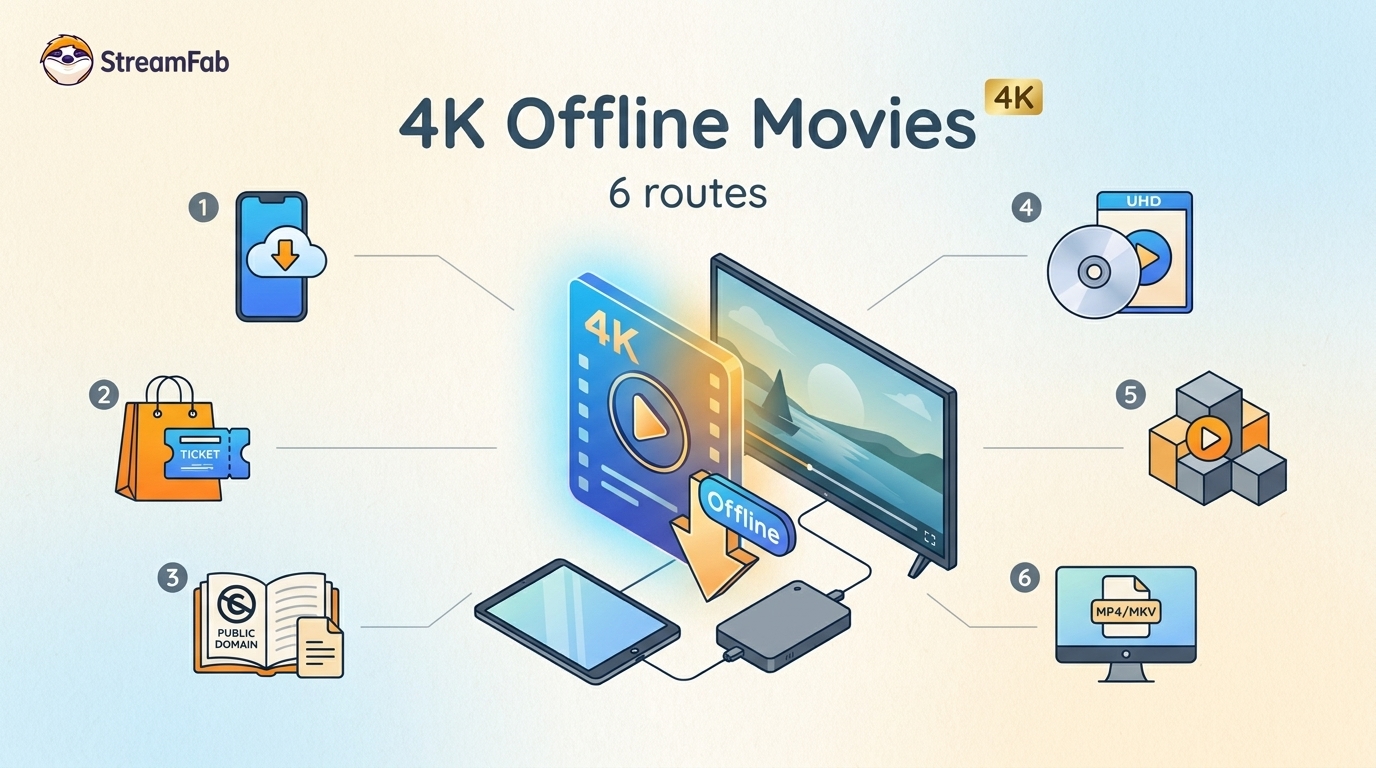
Legal 4K movie downloads do not all provide the same kind of offline access. Most mainstream services offer app-locked downloads, while portable movie files, UHD Blu-ray, public-domain media, and authorized desktop workflows involve different quality, cost, device, and licensing limits.
By Jacob Harrison - Aug 12, 2026
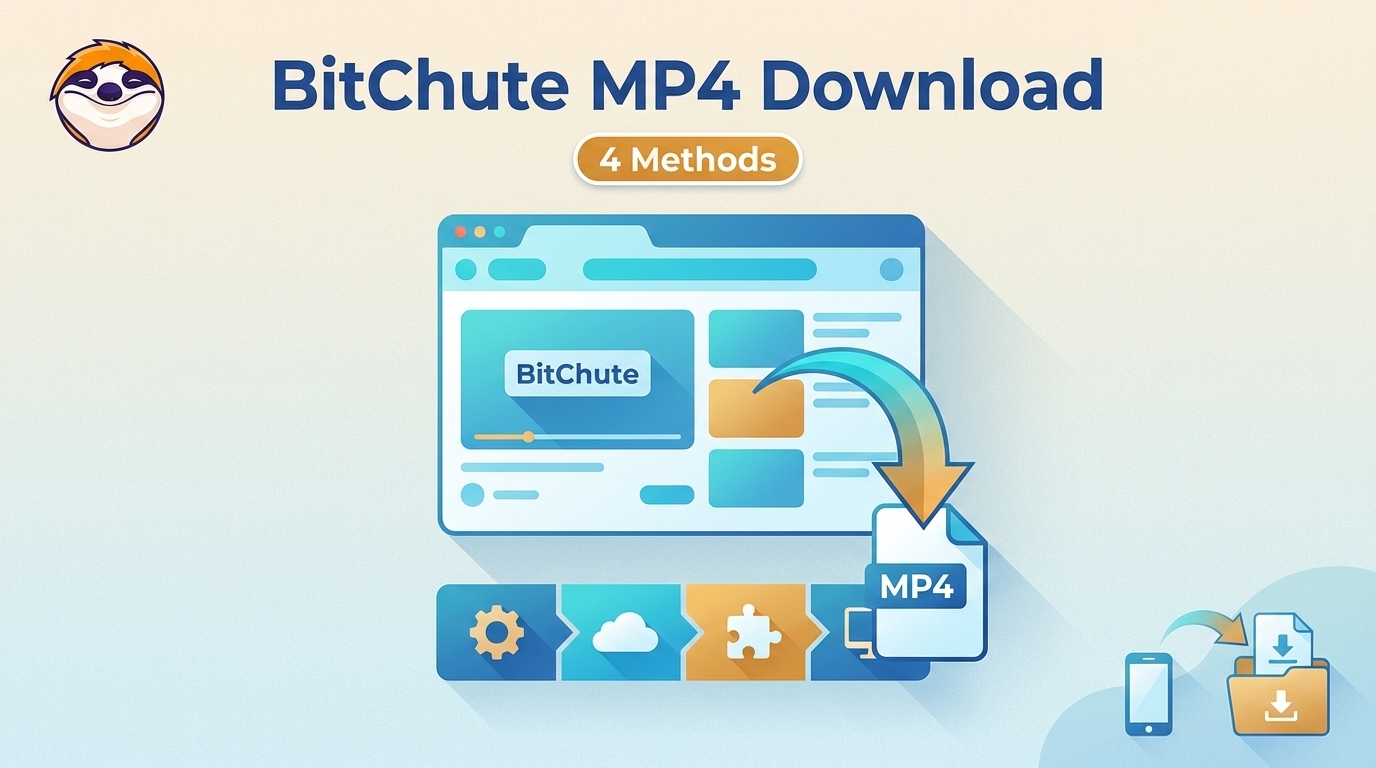
To get straight to the point, you can download a BitChute video as MP4 through its download icon: open the video, then use Save As. For authorized content where permitted, this guide explains when desktop, Android, or browser alternatives make sense.
By Marcia Hatcher - Aug 11, 2026
Looking to convert a link to MP4 in 2026? I've systematically tested top desktop and online converters to bypass Widevine DRM, dynamic tokens, and geoblocking for seamless PC and Android extraction.
By Jacob Harrison - Aug 7, 2026