
Video DownloadHelper Review 2026: Safe, Free, and Still Working?

Summary: Video DownloadHelper is still useful for occasional, authorized web-video tasks when its browser path works, but results can vary by browser, site, stream type, and Premium status. The practical conclusion is that it suits simple direct downloads better than repeatable, file-managed workflows. This Video DownloadHelper review covers current working conditions, permissions, free-use friction, user feedback, and alternatives.
Table of Contents
Video DownloadHelper Review: Is It Still Worth Using?
Quick Verdict and Current Status:
As of Aug 2026, the Firefox Add-ons listing showed Video DownloadHelper 10.5.10.2, updated July 10, 2026. That listing does not guarantee identical behavior across browsers, sites, or stream types, so this review treats direct downloads, adaptive streams, native processing, and Premium prompts as separate tasks.
What It Does and What Costs Extra
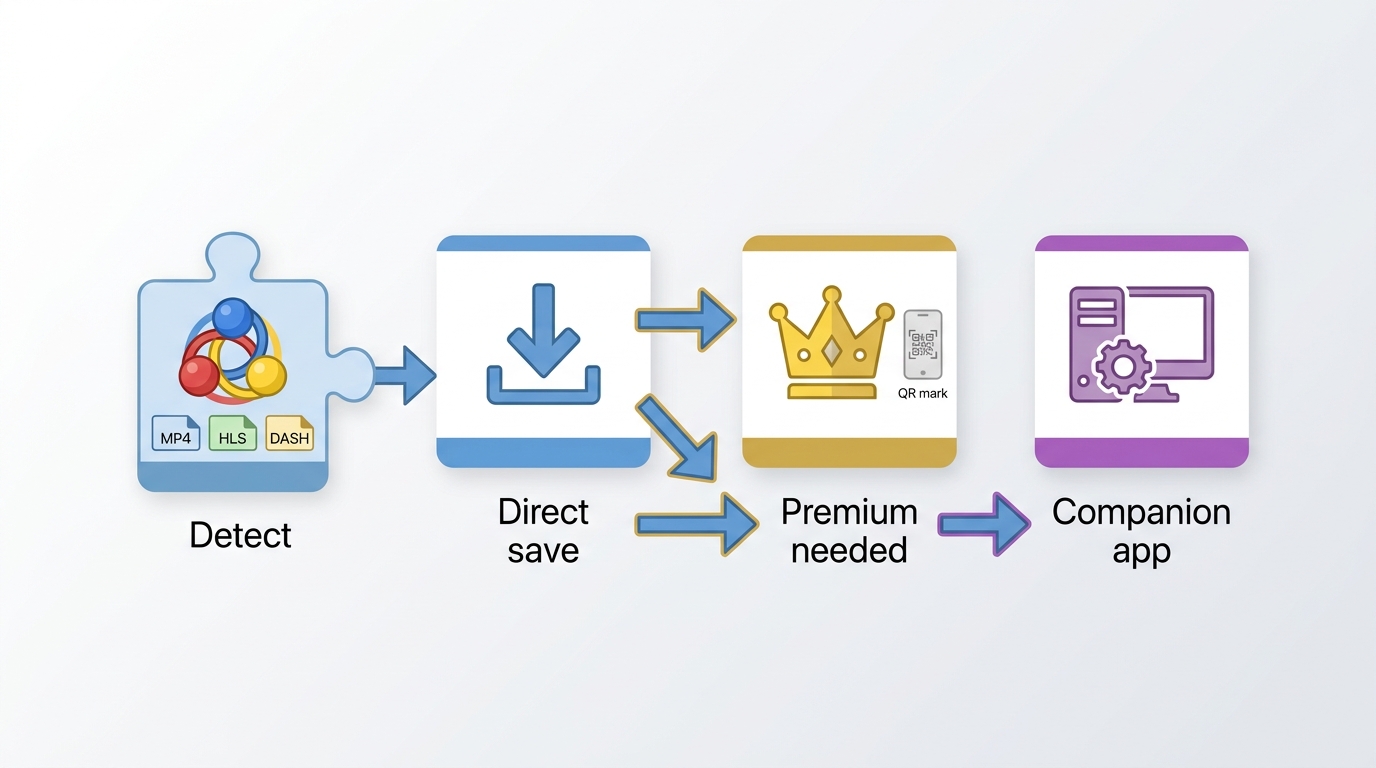
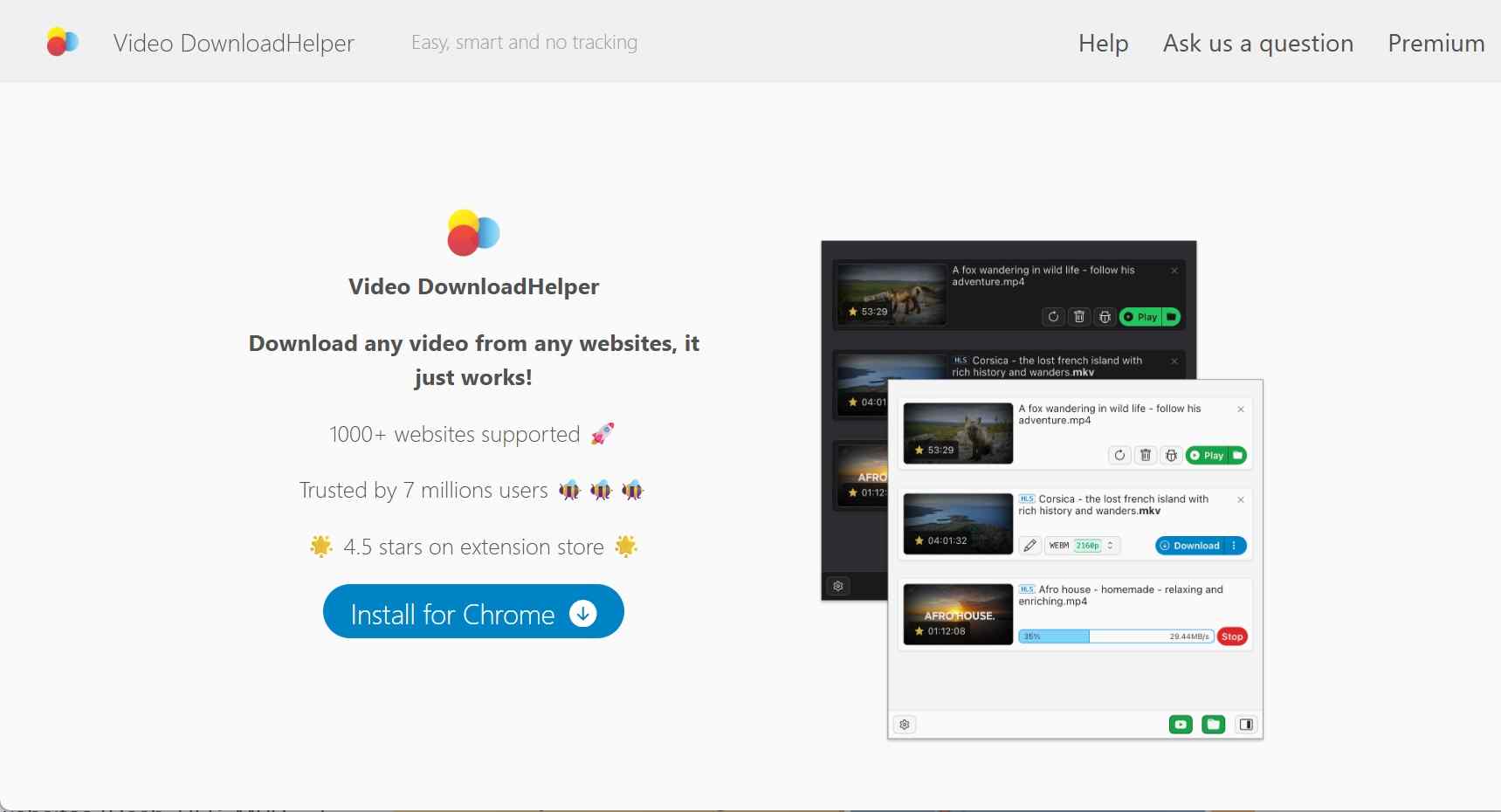
If you’ve spent any time looking for a way to save web videos, you’ve likely seen the iconic "three-colored balls" icon. Video DownloadHelper (VDH) is one of the oldest and most widely used video download Chrome extensions for media capture. Unlike standalone software that acts as a dedicated downloader, VDH operates as a media sniffer.
It doesn't "search" for a file; it monitors page activity while media plays. When it recognizes a standard MP4, an HLS (m3u8) stream, or a DASH manifest, the icon may light up to show an available task. The behavior of HLS, M3U8, and DASH streaming video download workflows can differ from direct-file downloads, especially when conversion or Premium restrictions apply.
| Feature/Version | Free | Premium |
|---|---|---|
| Platform Support | Chrome, Firefox, Edge | |
| Best For |
| HLS/DASH streams |
| HLS/DASH Streams | May trigger QR watermark, waiting, or task limits | Premium may reduce free-tier restrictions, depending on the task |
| Conversion and Complex Tasks | May be limited or prompt for additional processing | May involve Premium features or the Companion App |
| QR Watermark Reports | Reported on some adaptive-stream tasks | Premium status can affect the result |
| Save Location | Usually follows the browser’s download settings; native processing can change the workflow | |
| Cost and License Scope | Free tier available | Premium terms vary by offer and browser storefront |
| Premium can be worthwhile when its task-specific restrictions affect your usual downloads, but a fixed U.S. price and cross-browser license scope are not stated here because storefront terms can differ. | ||
What Changed in Video DownloadHelper 10.5
The Firefox Add-ons listing showed Video DownloadHelper 10.5.10.2, updated July 10, 2026. Version 10 is best treated as a release family rather than a promise that every task now follows the same path: direct downloads may stay in the browser, while conversion or complex-stream tasks can still invoke native processing or Premium restrictions.
- Review Scope:This update documents observable browser-store and policy conditions as of July 2026. It does not present a controlled cross-browser performance test, because site behavior, browser versions, stream types, and Premium prompts can change independently.
- Companion App Depends on the Task:Some direct downloads may run without external software. Conversion, complex streams, or Premium-related tasks can still involve the Companion App, so readers who avoid native components should check the prompt before proceeding.
- Save-Location and File Naming:Browser-based downloads generally follow browser settings, while native processing can change available save and conversion options. File names and metadata can vary by site and stream.
For an occasional direct clip, a browser extension can be the lower-effort choice. For repeatable batch work or more control over file organization, browser limits may become the deciding friction point rather than the version number.
Is Video DownloadHelper Safe to Install?
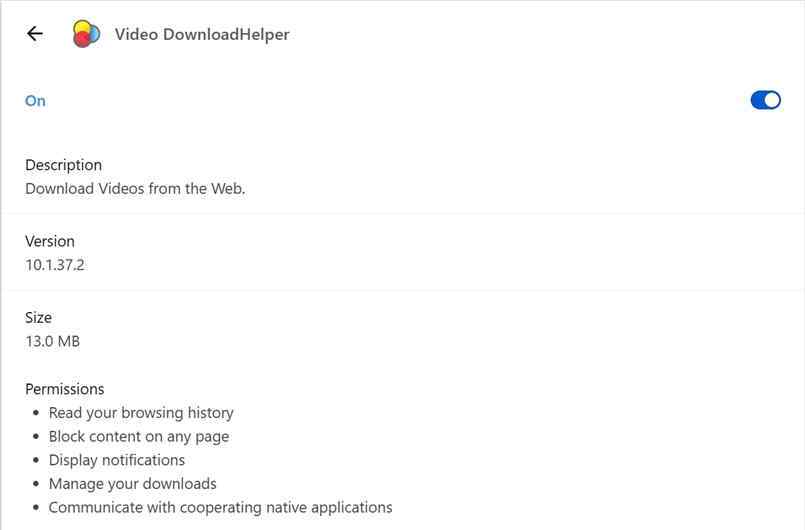
Permissions and Privacy Exposure
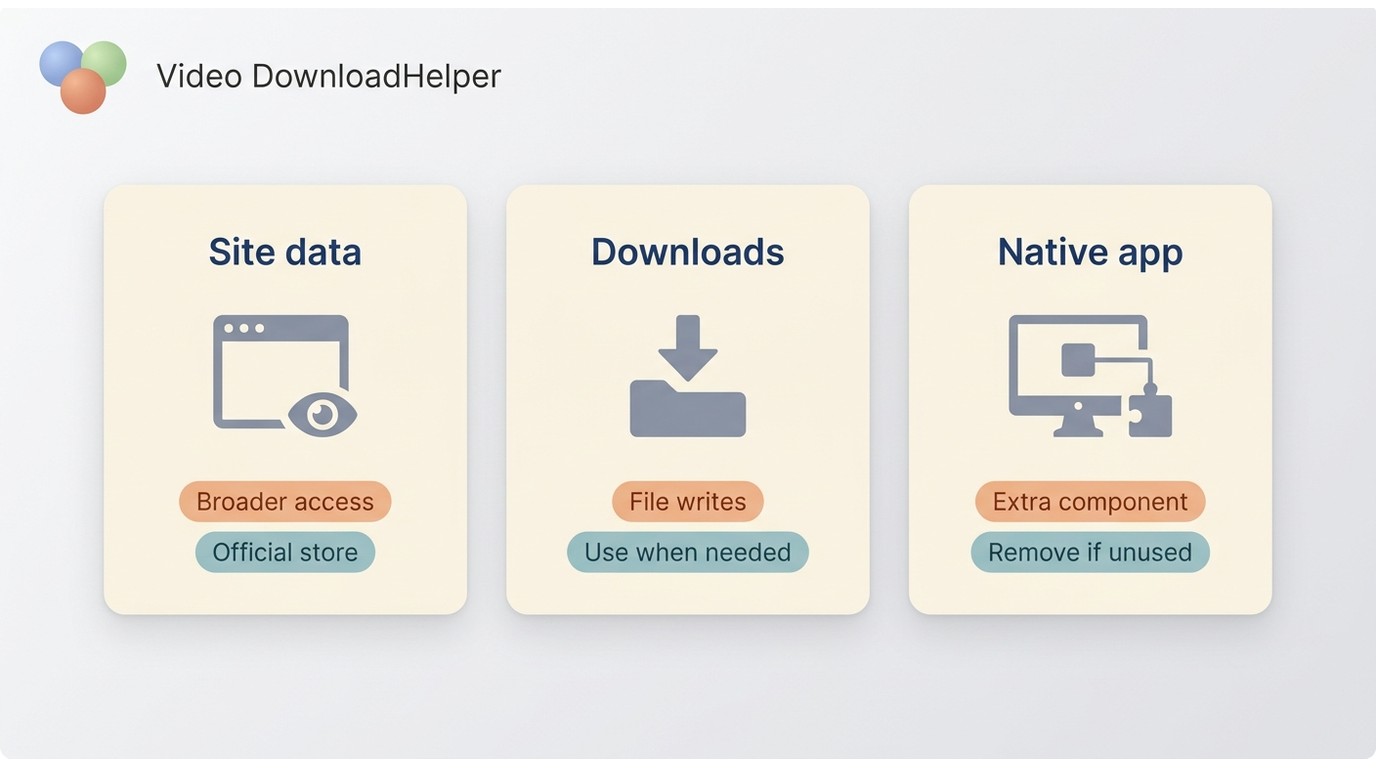
Safety has two separate questions: whether you installed the official extension, and how comfortable you are granting its broad browser permissions.
| Why It Is Requested | Practical Exposure | Mitigation | |
|---|---|---|---|
| Read and change data on websites you visit | The extension needs page-level access to detect media activity. | It can interact with pages in the browser profile where it is installed, which is a meaningful privacy trade-off. | Install only from an official browser store, review updates, and use a separate browser profile for media tasks rather than sensitive browsing. |
- Installation and Native Processing: Install Video DownloadHelper from an official browser store rather than from a look-alike download page. Some direct tasks may stay in the extension, while conversion or complex-stream tasks can prompt for the Companion App. Treat that prompt as a separate installation decision and review what the task requires before accepting it.

- Broad Site Access: The permission to "Read and change all your data on the websites you visit" gives the extension the page access needed to detect media activity. That is a broad footprint, not a trivial permission. A practical mitigation is to use an official-store installation in a separate browser profile and keep sensitive browsing in a profile without media extensions.
Companion App Security Questions
The Companion App is not categorically required or categorically optional. A direct download may remain in the browser, while conversion, complex streams, or Premium-related tasks can prompt for native processing. Readers who prefer not to install a native component should treat that prompt as a stopping point, not as an automatic next step.
Legal and Responsible Use
Use Video DownloadHelper only for content you are authorized to access, where that use is permitted by platform terms and applicable law. An active subscription or personal purpose does not automatically grant permission to create a separate file.
- Authorized Access Only: Save only content you are authorized to access, and follow the platform’s terms and applicable law. The same authorization-first boundary applies to desktop tools used for personal offline viewing; see the StreamFab copyright and usage guidelines for a fuller explanation.
- No Redistribution: I strictly advise against sharing or distributing any media you process. These tools are meant for your private, offline library, nothing more.
- Compliance with Terms: Platform terms and applicable law determine whether a particular use is permitted. The StreamFab copyright and usage guidelines explain the same authorization-first approach for desktop offline-viewing workflows.
Using Video DownloadHelper in 2026
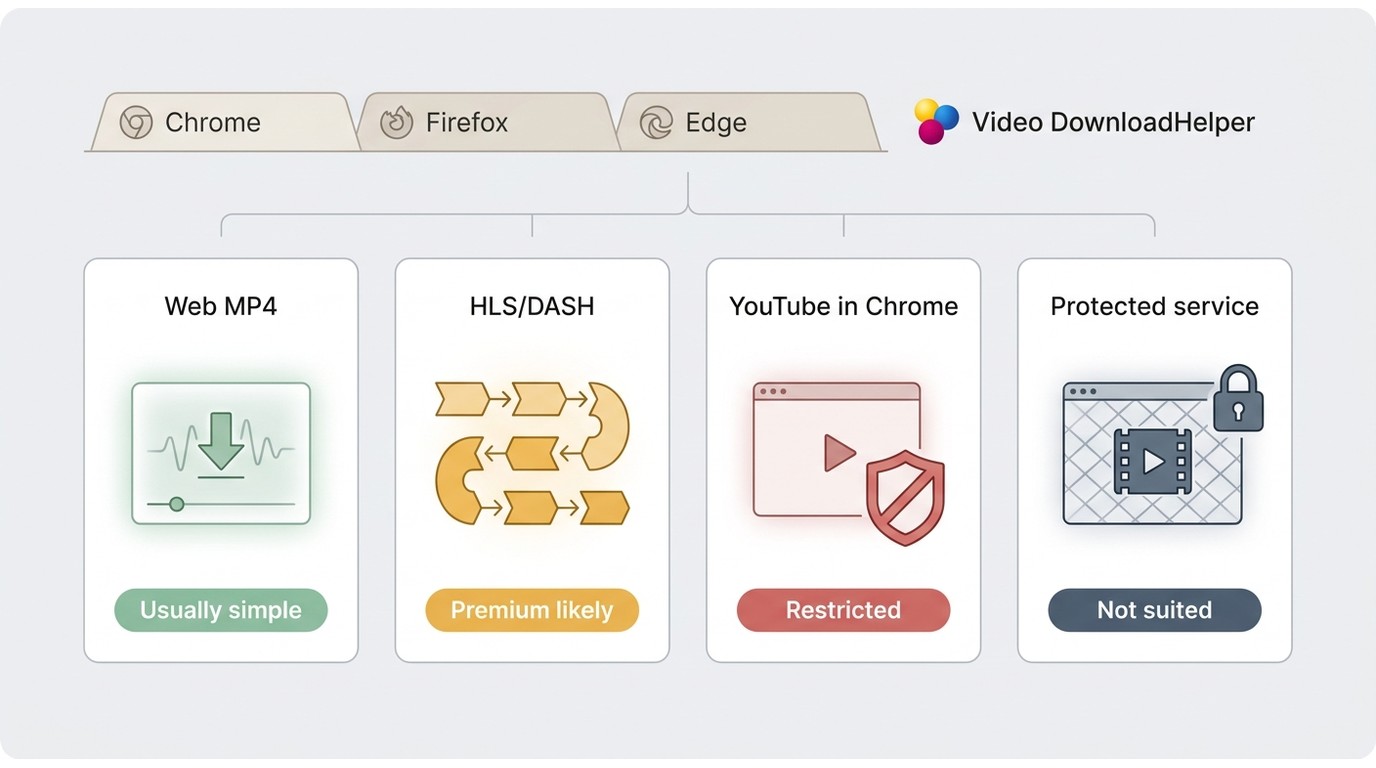
Before starting, confirm your browser, the site’s media type, and whether the task is a direct file or an adaptive stream. Video DownloadHelper behavior is browser-specific, and protected streaming services are outside ordinary browser media detection.
Browser and Site Compatibility
| Chrome | Firefox | Edge | |
|---|---|---|---|
| Direct web video | May work when the site exposes a standard media task. | May work when the site exposes a standard media task. | May work when the site exposes a standard media task. |
| HLS or DASH stream | Task behavior can involve limits, conversion, Premium prompts, or native processing. | Task behavior can involve limits, conversion, Premium prompts, or native processing. | Task behavior can involve limits, conversion, Premium prompts, or native processing. |
| YouTube | Chrome Web Store policy does not allow Video DownloadHelper downloads from YouTube. | Behavior has changed over time and should not be treated as a universal workaround. | Do not assume Chrome policy differences create a supported path. |
| Protected streaming services | Outside ordinary browser media detection. | Outside ordinary browser media detection. | Outside ordinary browser media detection. |
Once the extension is pinned to your toolbar, navigate to the site with the video you want to save. VDH V10 monitors network traffic in the background. As soon as the video starts buffering, the gray icon will turn into the familiar colored "three-ball" logo.
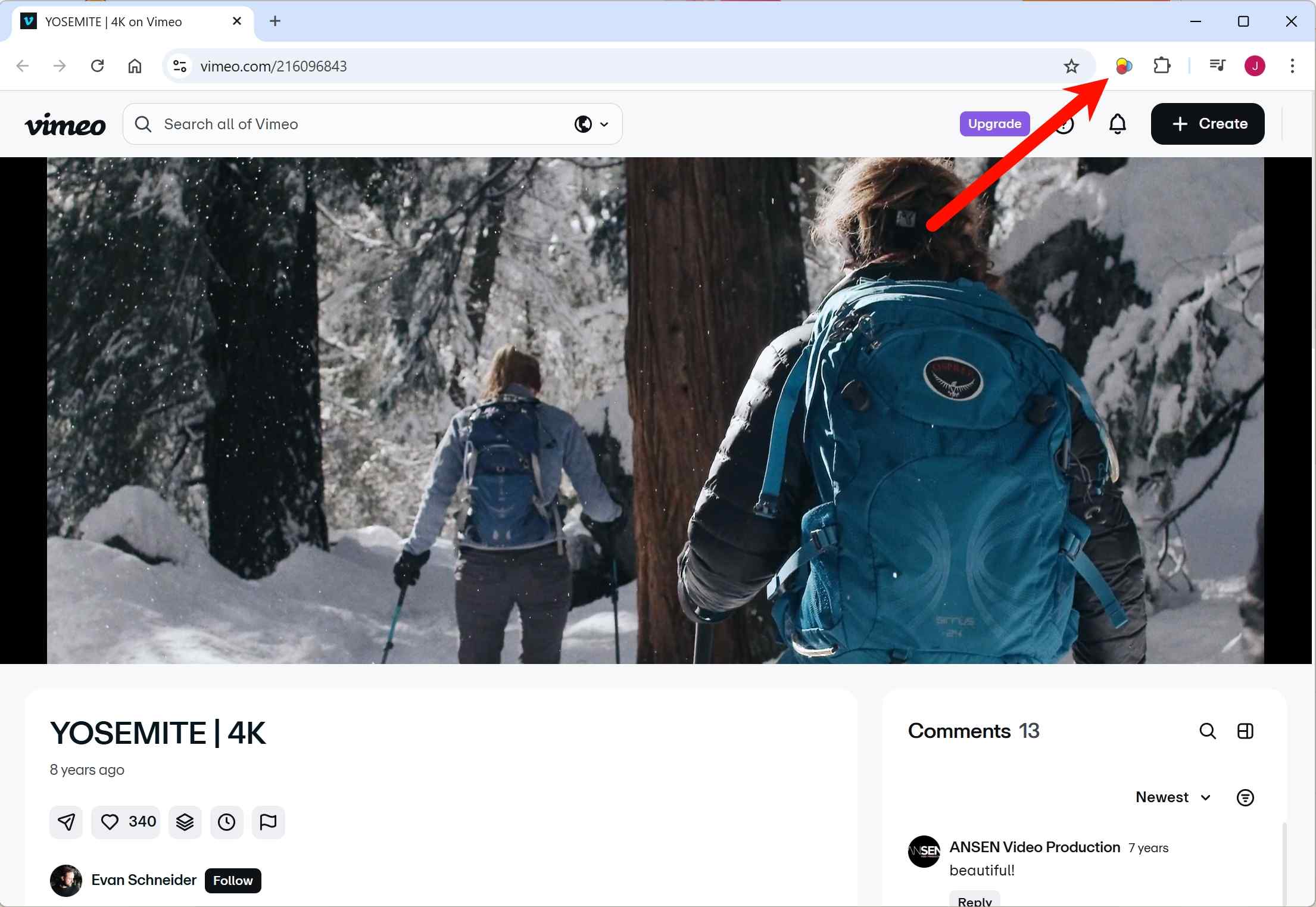
Click the icon to see a list of detected media files. VDH now lists these based on the data chunks it sees in your browser cache. You’ll usually see various resolutions like 720p or 1080p.
Click the download arrow next to your chosen resolution. The file will be processed using your browser's native API and sent directly to your default "Downloads" folder.
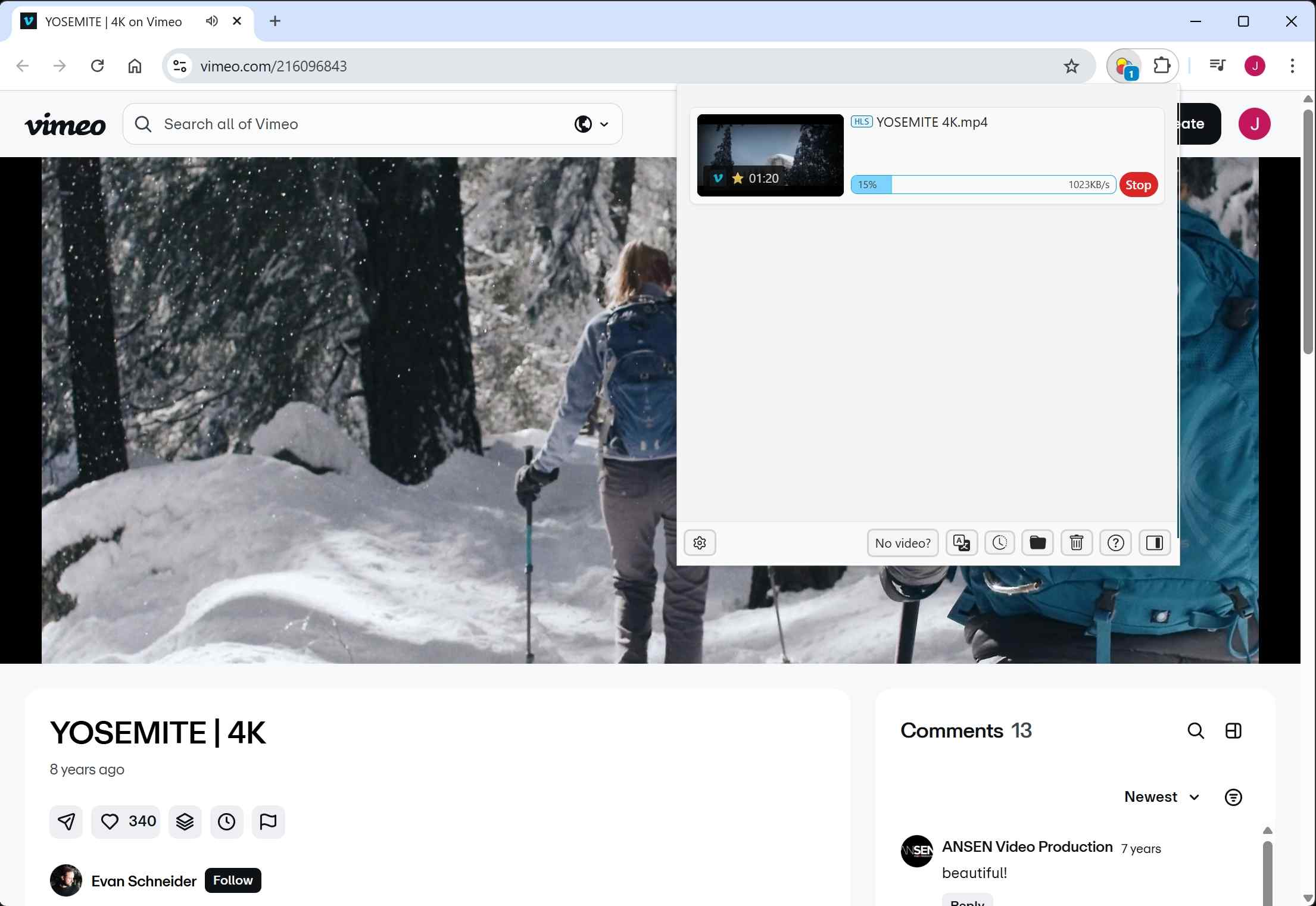
Click the download button
After customization, you can download it right now or add it to the queue.
Where does Video DownloadHelper save files?
Browser-based downloads usually follow the browser’s configured download location. If a task prompts for native processing, save-location behavior can differ.Browser SandboxBrowser security limits what an extension can do directly, which is why conversion and complex streams may follow a different workflow.
Common Failures and Fixes
When Video DownloadHelper is not working, first separate a browser-policy limitation from a site, stream, permission, or setup issue. The same site can behave differently across browser versions and extension releases.
YouTube on Chrome: Chrome does not allow Video DownloadHelper to download YouTube videos under Chrome Web Store policy. Firefox behavior has also changed over time, so do not treat a Firefox result as a universal workaround. If browser choice is your main decision, compare the broader category of video downloader Chrome extensions by their current store policy and supported task.
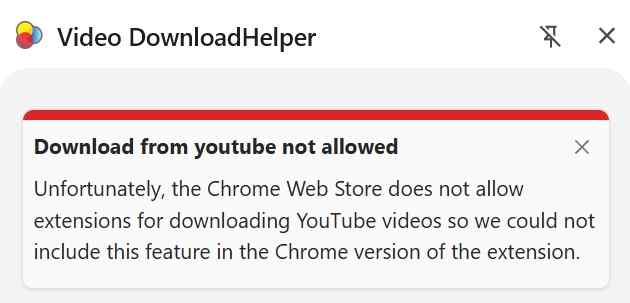
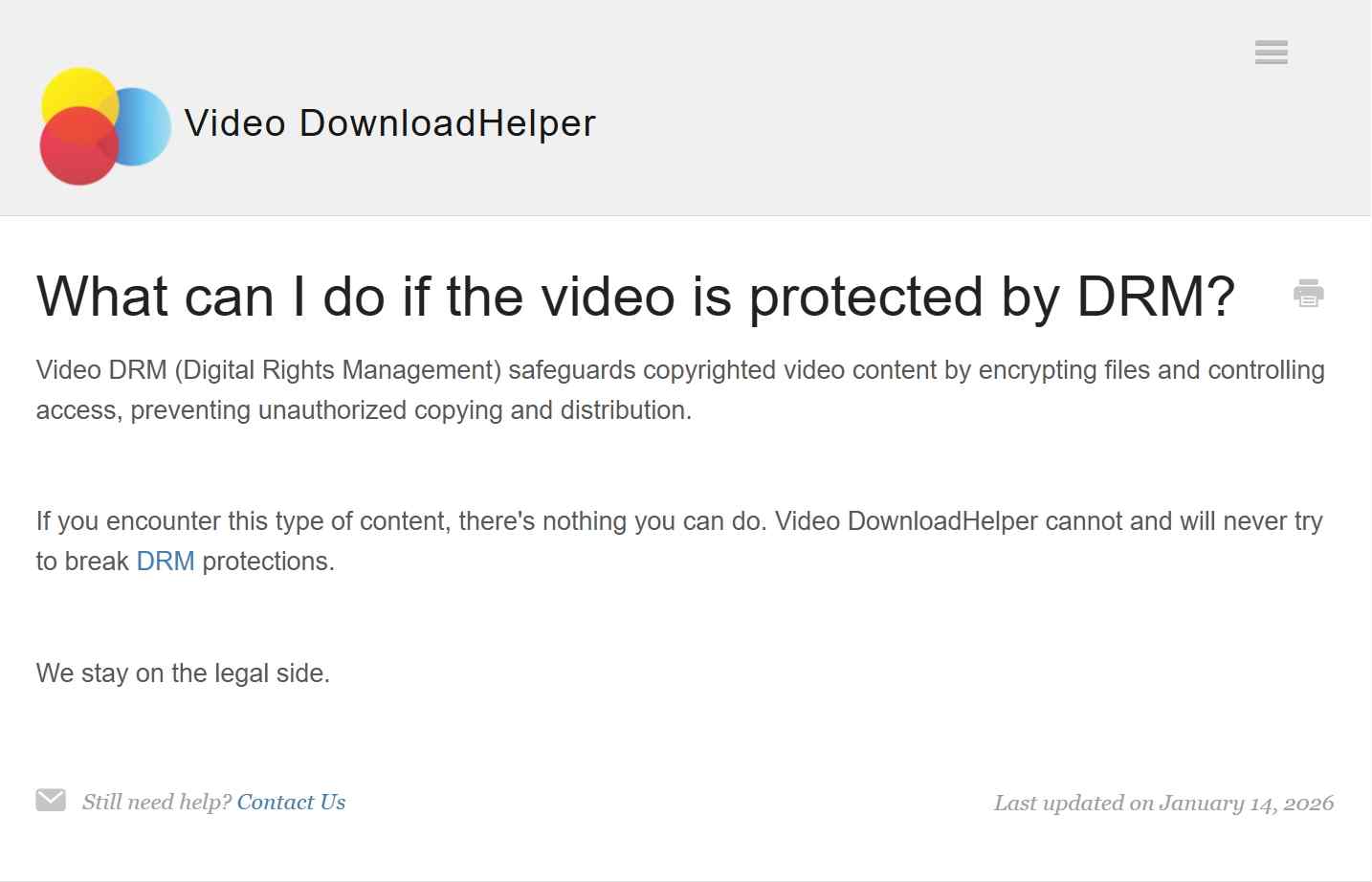
Protected Streaming Services: Ordinary browser media detection is different from a platform’s official offline feature. Do not assume an extension can handle protected streaming content, and use any offline option only where you are authorized to do so under the service terms and applicable law.

If the browser path is the problem, choose the next workflow by task rather than repeatedly retrying the same extension. A command-line tool may suit technical users, a JDownloader review and alternative workflow may suit link-based queues, and a desktop workflow may fit authorized personal offline viewing that needs batch handling and MP4 or MKV output.
Real User Reviews: Strengths and Complaints
Video DownloadHelper reviews across Firefox Add-ons, Reddit discussions, and Trustpilot describe a mixed but recognizable pattern. Users often appreciate quick detection on ordinary sites, while complaints commonly focus on QR watermark reports, late Premium prompts, Companion App discomfort, confusing setup, and interrupted connections.
These reports should not be treated as a single performance score because the same issue can depend on the site, browser, stream type, and task path. The most useful takeaway is practical: users who need occasional direct downloads tend to value the extension’s convenience, while users who need repeatable batches or predictable file handling are more likely to keep another workflow available.
Choosing VDH or an Alternative
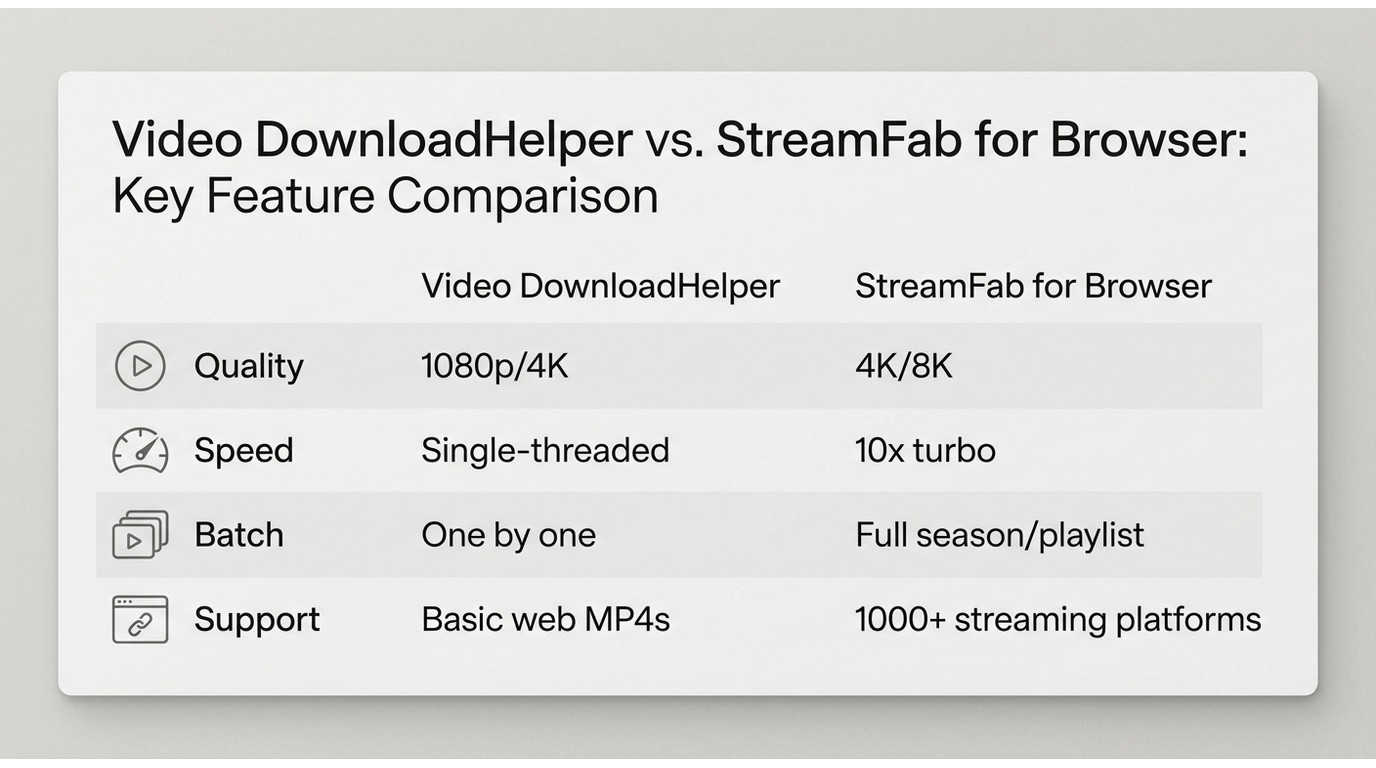
No single workflow fits every site. The useful choice comes down to setup tolerance, browser dependence, the kind of authorized task you need to complete, and how much control you want over the resulting files.

- Effortlessly download videos from OTTs and video-sharing sites directly in your browser. With just one click, save content in up to 8K/4K/1080p while preserving true lossless audiovisual quality.
| Workflow | Setup and Browser Dependence | Best Fit and Trade-Off |
|---|---|---|
| Video DownloadHelper | Low setup; works inside a supported browser | Occasional direct web-video tasks; not ideal when browser policy, Premium prompts, or native-component friction interrupts the task |
| yt-dlp workflow | Higher setup; command-line rather than browser-dependent | Technical users who want scripting and detailed output control; not ideal for readers who want a visual, one-click workflow |
| JDownloader | Desktop setup; browser is mainly used to collect links | Link-based queues and download-manager workflows; not ideal when the site requires a browser-specific media-detection path |
| StreamFab All-In-One | Desktop software for Windows and Mac; not dependent on a browser extension | Authorized personal offline viewing that needs batch handling, subtitles, and MP4 or MKV output; not ideal for a single occasional clip or readers who do not want desktop software |
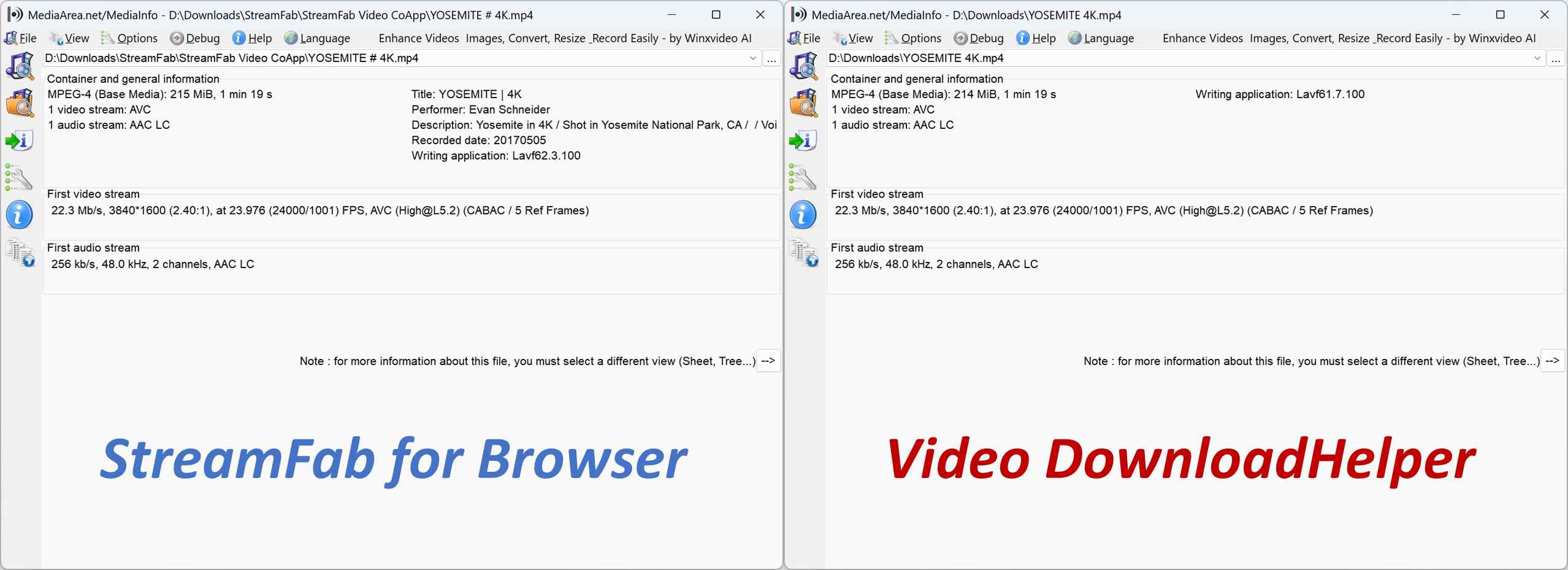
Output details depend on the source, browser path, and task. A full StreamFab review covers the desktop product’s supported workflow and product considerations separately.
Companion App and Desktop Workflow
Video DownloadHelper may invoke its Companion App depending on the task. That is distinct from StreamFab All-In-One, which is desktop software for Windows and Mac rather than a browser extension.
- Video DownloadHelper: A practical fit for an occasional direct web-video task when the browser path works. Conversion and complex streams can introduce native-processing or Premium-related friction.
- StreamFab All-In-One: A desktop workflow for authorized personal offline viewing that supports MP4 and MKV output, batch processing, subtitles, metadata, and selectable audio languages. It is not the lighter option for a single occasional clip.
Best Fit by Downloading Task
No workflow is a universal answer. Browser policies, site changes, stream types, and setup tolerance matter more than a broad claim of reliability.
- Choose Video DownloadHelper: For occasional, authorized direct web-video tasks when the supported browser path is working and manual file management is acceptable.
- Choose yt-dlp or JDownloader: When you are comfortable with technical setup or need scripting and link-based queues.
- Choose StreamFab All-In-One: When authorized personal offline viewing calls for a desktop workflow with batch handling, subtitles, metadata, selectable audio languages, and MP4 or MKV output. Supported services and availability may change.
Video DownloadHelper FAQs
Does Video DownloadHelper still work in Chrome and Firefox?
It can still work for some direct web-video tasks, but results depend on the browser, site, stream type, and extension version. Chrome does not allow Video DownloadHelper downloads from YouTube under Chrome Web Store policy. Firefox behavior has changed over time, so it should not be treated as a universal alternative.
When can Premium limits or a QR watermark appear?
Premium prompts, waiting limits, QR watermark reports, and Companion App involvement are task-dependent. They are more likely to affect conversion or adaptive-stream workflows than a straightforward direct download, but the exact outcome can vary by site and browser path.
Can Video DownloadHelper handle protected streaming services?
Ordinary browser media detection is different from a protected service’s official offline feature. Do not assume an extension can handle protected streaming content. Use offline options only for content you are authorized to access, where permitted by the service terms and applicable law.
Conclusion
Video DownloadHelper remains a practical choice for occasional, authorized direct web-video tasks when its browser path works. Its main limitations are task-dependent: adaptive streams, Premium prompts, QR watermark reports, and Companion App requirements can make the workflow less predictable.
For readers who value a lightweight extension, VDH is the sensible first choice. For scripting, a command-line workflow may fit better; for link queues, a download manager may be more useful; and for authorized personal offline viewing with batch handling and controllable MP4 or MKV output, a desktop workflow may be the better fit.
- Choose VDH if: You need an occasional direct download and are comfortable managing files manually.
- Consider StreamFab All-In-One if: You need a desktop workflow for authorized personal offline viewing with batch handling, subtitles, metadata, selectable audio languages, and MP4 or MKV output. It is not the best fit for every site or for a single quick clip, and saved-file usability depends on authorization, the playback environment, and service rules.



Evaluating the Audials One 2026 free trial? I tested its 720p caps, examined if is audials legal under Fair Use
By Erika Leen - Sep 29, 2026

Are you thinking of purchasing NoteBurner and unsure if it’s worth the investment? In this NoteBurner review, let’s delve into its product lines, particularly the NoteBurner Video Downloader’s pros and cons.
By Marcia Hatcher - Sep 28, 2026

Read our in-depth Audials review for 2026. Is Audials safe and legal for Amazon Prime? Discover actual test results, Widevine DRM fixes, and better alternatives.
By Erika Leen - Sep 28, 2026
TuneFab’s Amazon downloader suits a focused desktop routine, while VideOne covers multiple services. Compare their workflows, license structures, and output checks with StreamFab, then use the numbered setup and maintenance steps for authorized personal offline viewing.
By Erika Leen - Sep 24, 2026