PlayOn Pricing Plans in 2026: Home and Cloud Costs

Summary: PlayOn Home offers monthly, quarterly, and annual billing, while Cloud uses recording credits with optional storage plans. Compare the current prices, 1080p credit costs, download deadlines, and refund terms to choose a Windows or cloud recording workflow. StreamFab offers a separate Windows and Mac option for batch queues and MP4/MKV files.
Your PlayOn cost starts with a choice: keep a Windows PC recording with Home, from $4.99 monthly, or pay for Cloud credits without a mandatory subscription. I favor Home for regular PC recording and Cloud for occasional jobs. The billing options, resolution charges, and storage window decide the fit.
- Cloud Credits Math shows how resolution changes the credits you need.
- PlayOn and StreamFab use different billing models and recording workflows.
- Who Should Pay connects each plan to your recording routine.
- The Bottom Line turns those costs into a practical choice.
Is PlayOn Worth the Money in 2026?
PlayOn pricing plans suit two different routines: Home charges for a Windows recording subscription, while Cloud charges recording credits and offers optional storage plans. Home supports up to 1080p. Cloud also reaches 1080p, but each recording at that resolution consumes three credits.
Home makes sense when you already have a Windows PC available for regular recording. Cloud removes that PC requirement. You control recordings from a phone, then download the completed files. Paying for cloud storage buys a longer locker window, not a prerequisite for using credit packs.
I would choose by workflow before committing to a billing period. An annual Home plan rewards continued use; standalone Cloud credits suit a recording list that changes from month to month. Neither route replaces your streaming subscription.
PlayOn's Pricing History: Lifetime Licenses and Subscriptions
A PlayOn lifetime subscription for the older Desktop product is separate from a current Home plan. Desktop is the prior-generation product and is no longer supported. Home uses its own subscriptions; owning a legacy Desktop license does not make Home a lifetime purchase.
Current Home plans differ from the older Desktop licensing model discussed in the historical PlayOn pricing report. That report's page is no longer available.
A familiar name does not transfer an old license to a new product. If you are returning to PlayOn, treat Home's monthly, quarterly, and annual options as a new purchase decision.
Archived PlayOn plan screenshot from June 2026
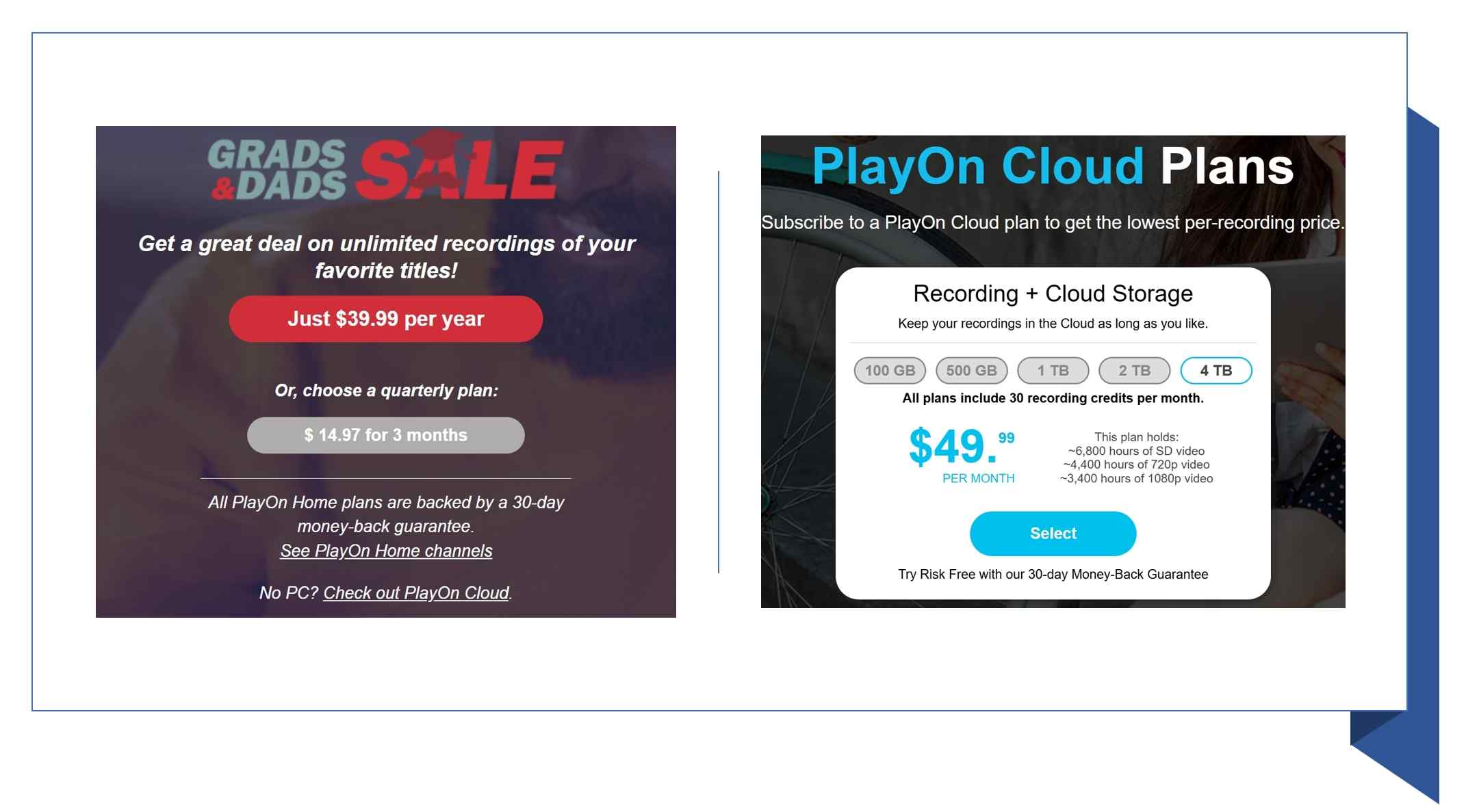
The June 2026 promotion shows the older Home annual offer alongside a Cloud storage option.
PlayOn Home Pricing: Plans and Included Features
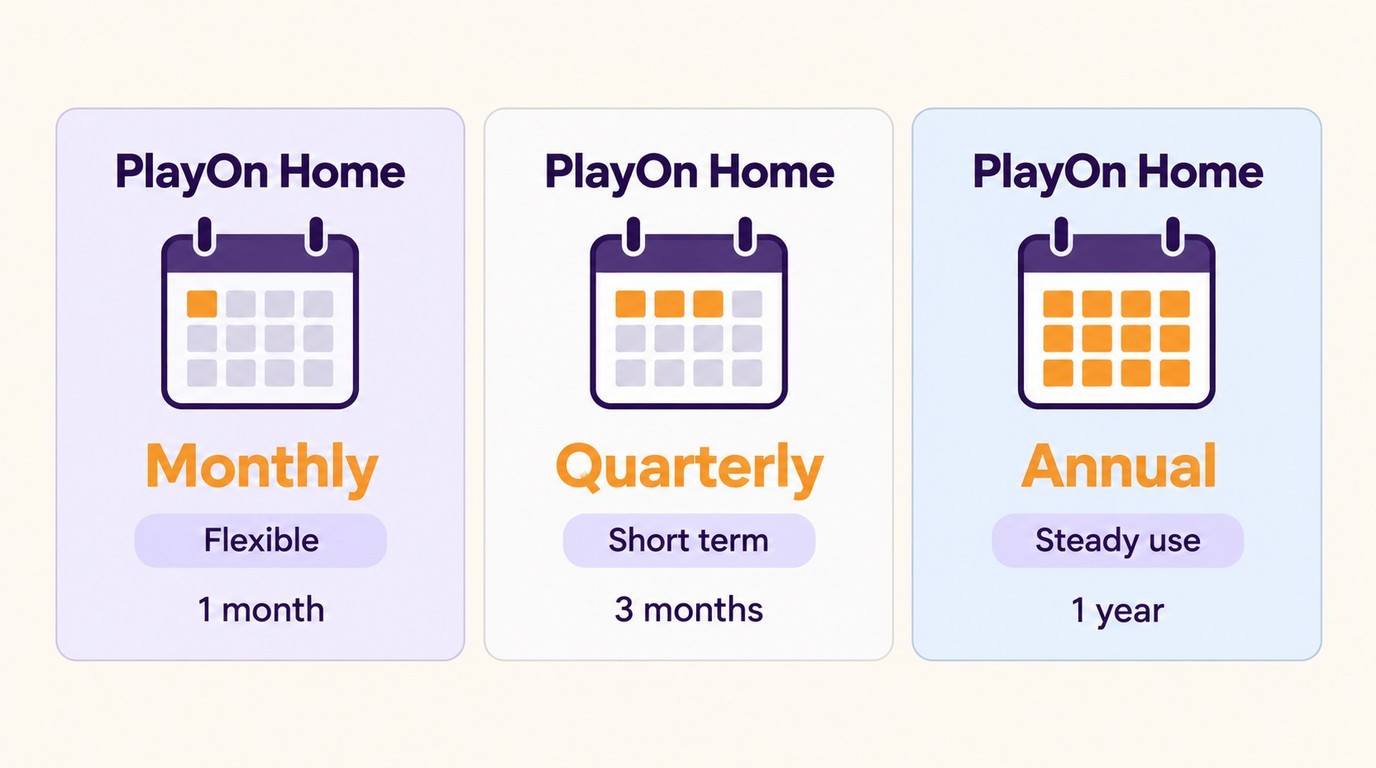
PlayOn Home pricing starts at $4.99 monthly. Quarterly billing costs $14.97 for three months; annual billing costs $34.99 for the first year and $39.99 each year thereafter. Choose the billing period that matches how long you expect to keep recording.
| Billing option | USD charge | Billing period |
|---|---|---|
| Monthly | $4.99 | 1 month |
| Quarterly | $14.97 | 3 months |
| Annual introductory | $34.99 | First year |
| Annual renewal | $39.99 | Each year thereafter |
Annual billing has the lowest listed cost for a full first year. Monthly billing is a shorter commitment. The introductory annual price and the renewal price are different, so use the renewal amount when planning beyond the first year.
Paid Home records on a Windows PC at up to 1080p and adds subtitles, casting, and AdSkip; the PlayOn review explains how those recording features fit together.
- The source video and your PC's CPU performance determine the available recording quality.
- Home saves MP4 files locally rather than using a Cloud locker.
- The PC needs to remain on and connected during recording.
Home Free, Trial, and Money-Back Terms
PlayOn Home Free records ad-supported content in SD. It is distinct from the paid Home subscription, which adds HD/FHD recording and the features above. The refund FAQ below explains Home's 30-day money-back guarantee and the separate Cloud storage-plan offer.
PlayOn Cloud Pricing: Credits and Recording Costs
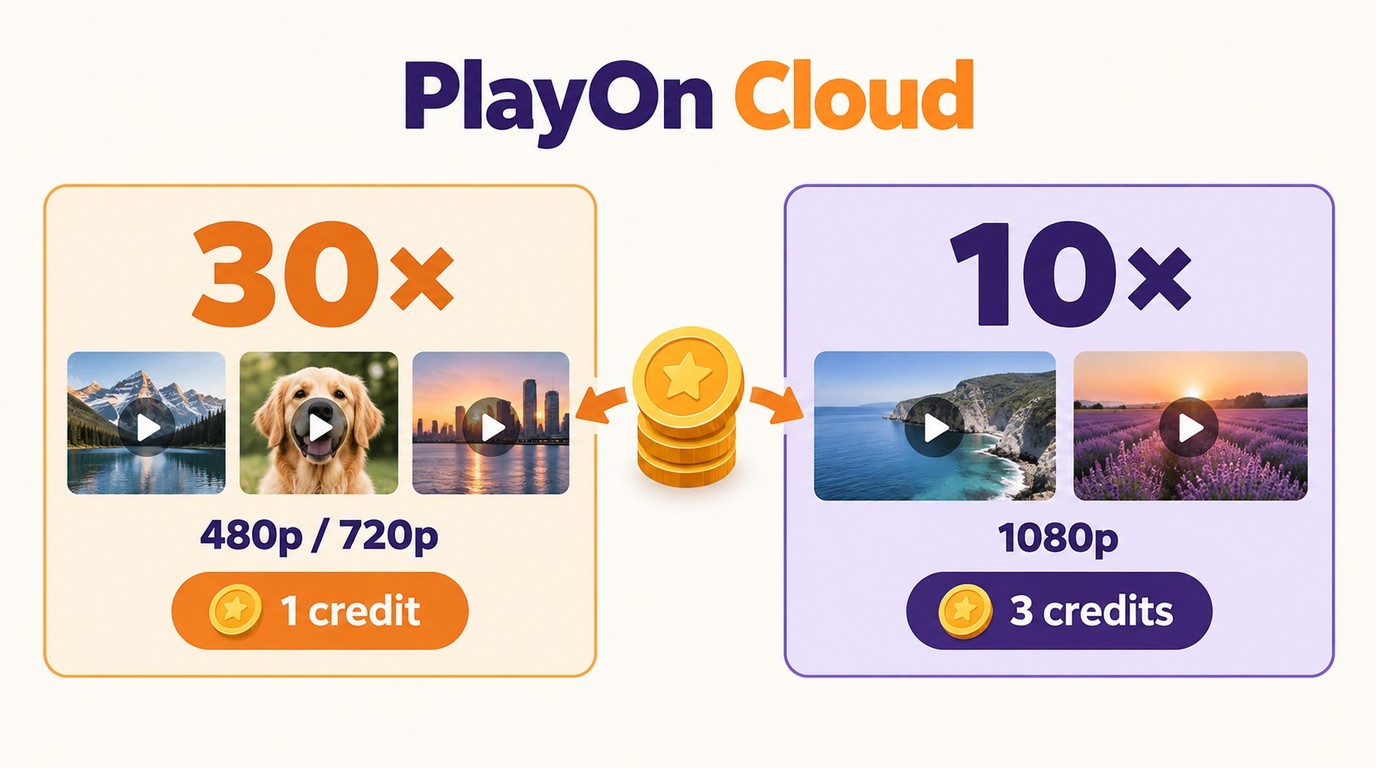
PlayOn Cloud pricing has two purchase paths: standalone anytime credits or a monthly plan bundling storage with 30 recording credits. A storage subscription is optional. PlayOn Cloud credits cost one per 480p or 720p recording and three per 1080p recording.
Monthly credits must be used within the subscription month and are spent before anytime credits. Anytime credits do not expire. Credits and stored recordings have different deadlines: the locker rules appear in the storage subsection below.
| Storage | Monthly USD | Monthly recording credits |
|---|---|---|
| 100 GB | $4.99 | 30 |
| 500 GB | $9.99 | 30 |
| 1 TB | $16.99 | 30 |
| 2 TB | $29.99 | 30 |
| 4 TB | $49.99 | 30 |
Each storage tier includes the same monthly credit allowance. Moving to a larger tier increases locker capacity, not the number of included recording credits. Thirty credits cover 30 SD/HD recordings or 10 FHD recordings.
Standalone packs on PlayOn's credit store provide a pay-as-you-go route without a monthly storage bill.
| Pack | Credits purchased | Upfront USD | Cost per credit |
|---|---|---|---|
| Small | 50 | $7.50 | $0.15 |
| Promotional | 300 | $34.99 | About $0.117 |
| Large | 250 | $35.00 | $0.14 |
| XL | 500 | $65.00 | $0.13 |
PlayOn Home offers, PlayOn Cloud Plans, and PlayOn Cloud credit offers, as of October 2026. Unit costs are calculated from the listed pack prices.
The $34.99 promotional pack covers 100 recordings at 1080p. That is an upfront purchase of 300 credits, not a recurring monthly bill. It does not require adding $4.99 every month.
These three examples separate the recording requirement from the pack payment:
- 10 recordings at 720p: consume 10 credits. Starting with a 50-credit pack for $7.50 leaves 40 anytime credits.
- 20 recordings at 1080p: consume 60 credits. Starting with the 300-credit pack for $34.99 leaves 240 anytime credits.
- 50 recordings at 1080p: consume 150 credits. The same 300-credit purchase leaves 150 anytime credits.
Unused balances remain available for later jobs. For subscription planning, subtract the 30 monthly credits from the month's recording requirement before allocating anytime credits; do not count those monthly credits as an additional purchase.
💰
StreamFab All-In-One is a third-party desktop alternative to PlayOn's official recording workflow for content you are authorized to access, where permitted by platform terms and applicable law. Its software license uses no PlayOn recording credits, and StreamFab plans and pricing covers license options for Windows and Mac.
Home or Cloud: Output and Device Fit
The PlayOn Cloud recording workflow uses iOS or Android controls and delivers completed MP4 files for download to your device, including a Mac, through an email link or PlayOn Cloud Downloader.
Hidden Costs That Quietly Add Up
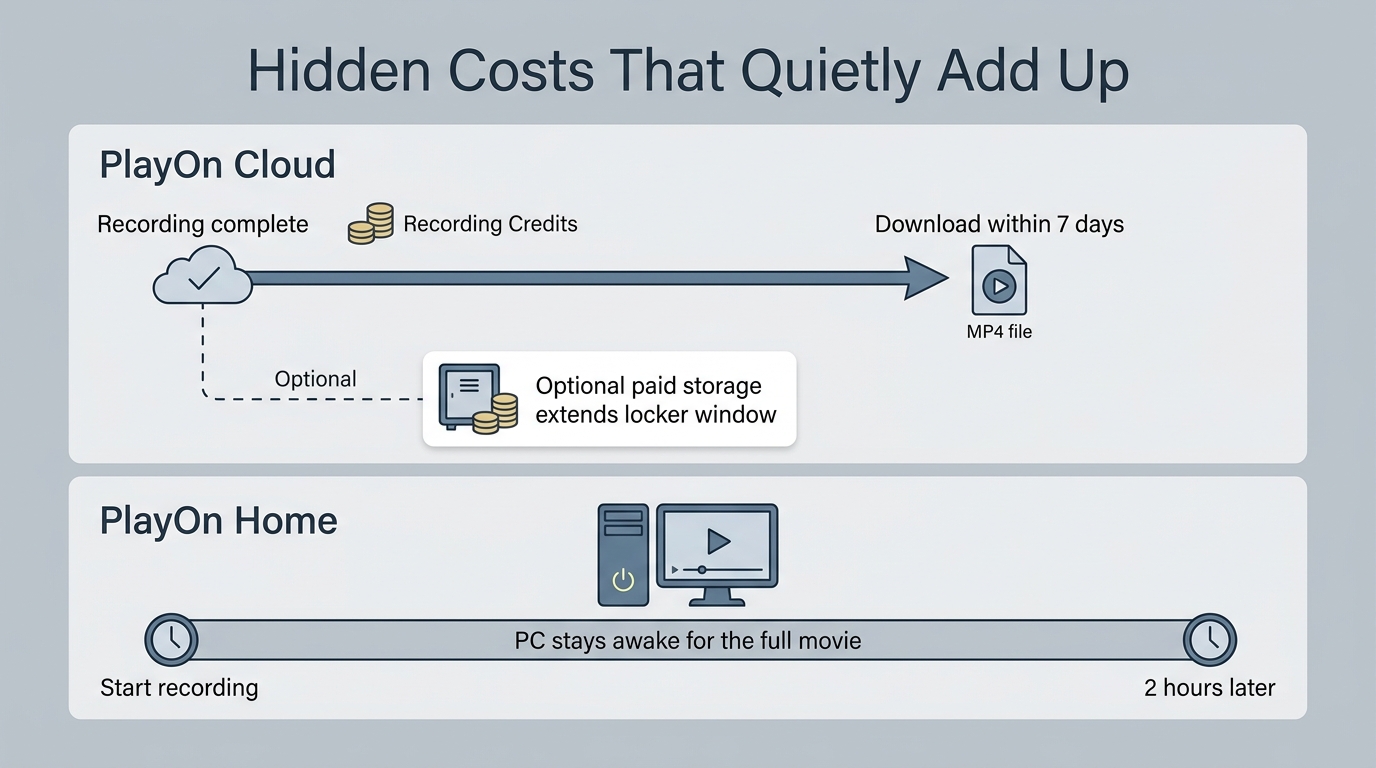
The locker deadline, recording time, and purchase route affect your total cost. Cloud storage expiry is a file-management deadline, not a credit-pack subscription requirement. Keep the two separate when budgeting.
7-Day Storage Expiry (Cloud)
The complimentary Cloud locker holds recordings for seven days. Download the MP4 to your device before that deadline. A paid storage plan holds recordings within its capacity while the plan is active; overflow recordings retain the seven-day download window.
Canceling a storage plan removes recordings older than seven days. Newer recordings remain until they reach seven days old. The listed storage-plan fee already includes its locker capacity and 30 credits; do not add that fee twice.
In-App Markup
The web store advertises the 300-credit, $34.99 offer as “25% off in-app price.” That wording describes this particular offer. It does not establish the same discount for every pack.
CPU and Electricity
Home uses your Windows PC during recording. Keeping it awake adds operating time and electricity use, especially if you otherwise shut it down between sessions. Cloud recording runs remotely, so it does not require keeping your PC on for the recording job.
Failed Recordings and Replacement Credits
PlayOn Cloud automatically issues replacement credits for failed recordings. Deleting a queued recording before it starts also returns its credits. An interrupted job still costs attention, so inspect the result before repeating a large queue.
- Open the completed recording and check that playback reaches the expected ending.
- Check the queue and credit balance for the failed job's replacement.
- Resolve interrupted jobs using PlayOn troubleshooting steps, then retry the affected recording.
Time Cost
Home records in real time. A two-hour movie takes about two hours to record, and ten hour-long episodes require about ten hours of recording time. Include that PC schedule in your plan, rather than comparing subscription prices alone.
PlayOn and StreamFab: Pricing Models Compared
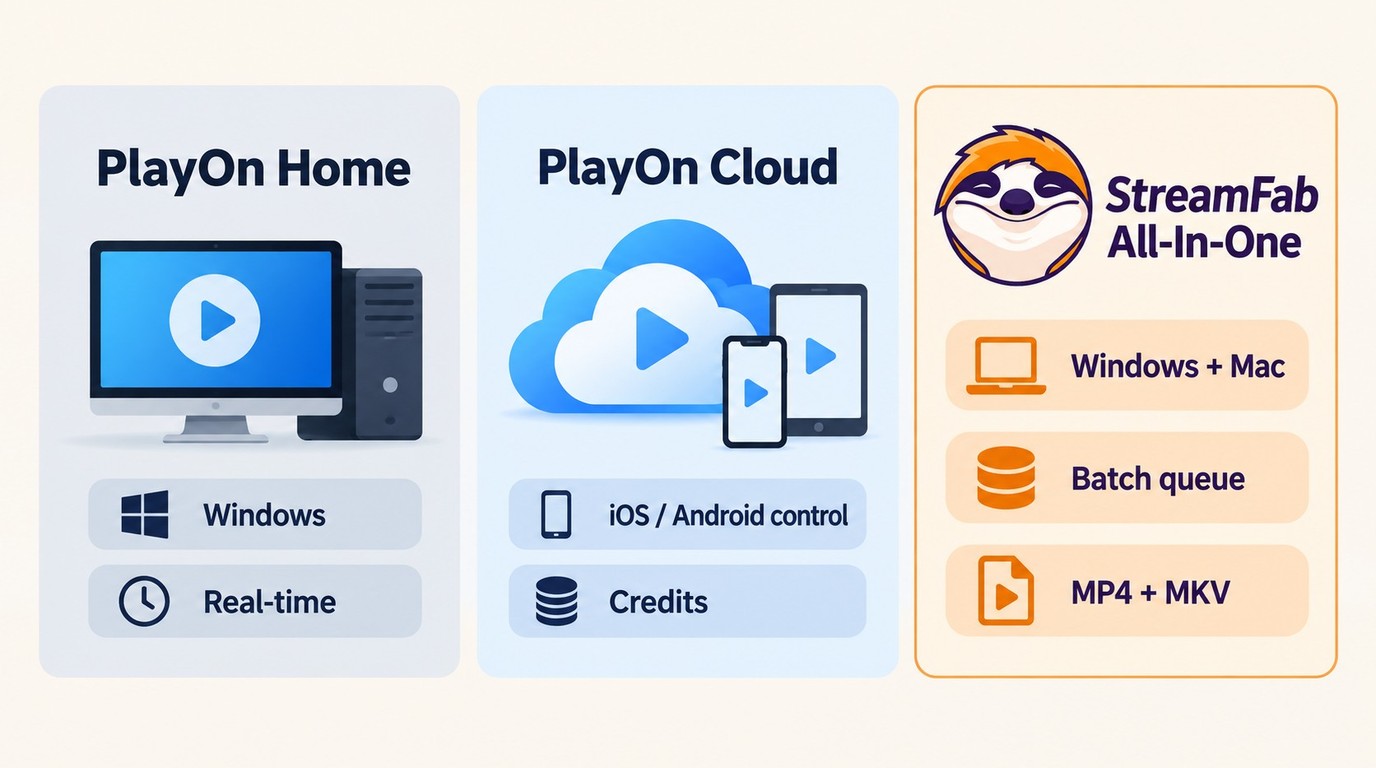
The PlayOn price model differs by product: Home uses a subscription, Cloud consumes recording credits, and StreamFab All-In-One uses a software license. Having no PlayOn credits does not automatically make a license cheaper. Your recording volume and preferred device determine the useful comparison.
| Product | Billing model | Recording location | File formats | Recording credits |
|---|---|---|---|---|
| PlayOn Home | Subscription | Windows PC | MP4 | No Cloud credits |
| PlayOn Cloud | Credits; optional storage plan | Cloud; mobile controls | MP4 | 1 SD/HD; 3 FHD |
| StreamFab All-In-One | Software license | Windows or Mac | MP4, MKV | No PlayOn credits |
I favor Home for regular recording on an available Windows PC, and Cloud for occasional jobs controlled from a phone. For lightweight offline viewing, a streaming app's own download feature is a simple route where offered. StreamFab's strengths are batch queues and MP4/MKV output.
StreamFab All-In-One uses recording technology on Windows and Mac, queues videos in batches, saves MP4 or MKV files, and offers audio-language and subtitle selection. Select the tracks available for the title you want to save.
A licensed account has a quota of 100 downloads per day and 700 per week per supported streaming service. Queue or schedule downloads within those limits. The 30-day trial includes three video downloads per service, counted across the trial period.
You can download StreamFab free from the official installer destination to start the trial.
The StreamFab plans and pricing page covers the software license options separately from your streaming subscriptions.
PlayOn Value Questions in 2026
PlayOn value comes from matching a current plan to the routine you expect to keep. Legacy-license concerns, recording reliability, and support are useful purchase questions, alongside the listed prices. A familiar DVR workflow is a reason to consider Home if it suits your PC setup.
1. Lifetime Licenses and Current Plans
A legacy Desktop purchase is not a current Home subscription. I would choose the shorter Home billing period if my future recording routine were uncertain, and annual billing if I expected steady use. The first-year discount is useful only when that longer commitment fits.
2. Recording Reliability
A useful recording must contain the program you wanted, not just appear in a completed queue. Interrupted jobs need a retry or a fix. The failed-recording subsection above gives the credit treatment and the next actions.
3. Customer Support
A specific error report gives support something to investigate. Include the channel, title, error message, and whether the job ran through Home or Cloud. Keep the purchase receipt available for billing or refund requests.
Archived PlayOn rating snapshot from June 2026

This is a June 2026 rating snapshot, not a current review score.
Who Should (and Shouldn't) Pay for PlayOn
Regular Windows recording favors Home; occasional remote recording favors Cloud anytime credits. Paid Cloud storage suits you when downloading within seven days is inconvenient. Choose for your actual schedule, without an arbitrary episode threshold.
- You already have a Windows PC available: Home offers monthly and quarterly billing, or a lower first-year annual cost for steady recording.
- You record occasionally from a phone: Cloud credit packs avoid a recurring storage subscription. Budget one credit for SD/HD and three for FHD.
- You want more time before downloading: choose a Cloud storage tier large enough for the recordings you keep in the locker.
- You need 4K recording: neither PlayOn product meets that requirement.
The $34.99 Cloud pack and the $34.99 first-year Home offer buy different things. One buys 300 anytime credits; the other buys a year of Home access. I would not choose between them on the matching dollar amount alone.
FAQ
Does PlayOn offer a free trial or free version?
Yes. PlayOn Home Free records ad-supported content in SD; paid Home adds HD/FHD recording, subtitles, casting, and AdSkip. The Cloud app is free to download, but recordings use credits. A Cloud plan offers a free trial.
Can PlayOn record in 4K?
No. PlayOn recording resolution tops out at 1080p for both products. Home's available quality follows the source and PC performance. Cloud charges one credit for 480p or 720p and three for 1080p.
Is PlayOn legal to use?
Use an authorized account to record only content you are permitted to access for personal offline viewing. Do not redistribute recordings, and follow applicable law and the platform's terms. Permission depends on the specific use; a subscription alone does not authorize every recording.
Can I get a refund from PlayOn?
The PlayOn refund policy includes a 30-day money-back guarantee for Home purchases; send requests to support@playon.tv. The Cloud storage-plan page also advertises a 30-day guarantee. These offers do not establish a blanket cash-refund rule for standalone credit packs.
Does PlayOn work on Mac?
Home records on Windows, not natively on Mac. Cloud recording is controlled through iOS or Android; completed recordings reach a Mac through email download links or PlayOn Cloud Downloader. A Mac download destination is different from a native Home recorder.
Conclusion: Choose a Plan That Fits Your Recording Needs
Choose Home if you expect regular recording on a Windows PC, or standalone Cloud credits if occasional jobs fit your routine. Pay for Cloud storage when the longer locker window solves a real scheduling problem. Both PlayOn products support up to 1080p.
Home's annual offer starts at $34.99 and renews at $39.99. Cloud's 300-credit, $34.99 pack covers 100 FHD recordings without a mandatory storage subscription. Those are different commitments, so match the purchase to the jobs you plan to run.
A PlayOn alternative fits when you prefer a different file-saving workflow; StreamFab provides Windows and Mac batch queues with MP4/MKV output.
