
Addoncrop Review 2026: Setup, Safety and 5 Test Results

Summary: Addoncrop promises a seamless YouTube download experience, but our hands-on testing reveals a 144% bitrate gap compared to professional alternatives. While its native UI integration is top-tier, the reliance on bridge extensions and the risk of "ghost" progress resets make it a gamble for large backups. In this review, we break down the exact performance metrics of Addoncrop.
Table of Contents
Addoncrop is best judged by its wrapper-based setup, the output option shown for a specific video, and whether a long download completes.
- Speed: Variable(Browser tabs and video availability can affect the result.)
- Ease of Use: Moderate setup required(The current route uses Foxified and may involve a companion component for some workflows.)
- Privacy & Safety: Review each component(Check the Addoncrop site, Foxified permissions, and any optional companion app separately.)
- Reliability: Depends on the taskLong files should be judged by completion and file integrity, not parsing alone.
✅Who should use it: Occasional desktop users who accept a wrapper-based browser workflow.
❌Who should skip it: Users who need batch jobs, scheduled downloads, or dependable long-task management.
Addoncrop Verdict, Formats, and Current Setup
An Addoncrop download is not a standard Chrome Web Store install: it uses a wrapper-style route, so setup, permissions, and long-download completion matter more than a feature list. This Addoncrop review explains what worked in my browser checks, where results varied, and when a dedicated downloader is more practical.
Addoncrop is a YouTube video downloader extension that places download controls in the YouTube interface. Chrome restrictions on direct downloader listings help explain why installation choices for video downloader Chrome extensions can involve wrappers or companion software.
That does not make Addoncrop unusable. It does mean you should judge the extension by its installation route, the format and audio option actually produced, and whether it can finish the files you need.
I checked more than 10 video links across browser environments to separate installation friction from actual download behavior. The useful conclusion is not that one label guarantees quality: it is that browser-only results and helper-assisted results need to be treated as different workflows.
Format, Audio, and Helper Matrix
| Check | Addoncrop result |
|---|---|
| Officially listed formats | MP4, MP3, MKV, and 3GP are listed. |
| Resolution claims | The downloader page lists options up to 4K or 8K, depending on the video and workflow. |
| Browser-only observation | This review observed a 1080p option in the browser flow. |
| Audio handling | Video and audio can be offered as separate streams, so audio availability may vary by option. |
| Flixmate role | Addoncrop documents Flixmate for some HD video-and-audio merging workflows on Windows. |
As of July 2026, these are product claims and workflow distinctions, not a promise that every video will expose the same choices. In my view, the file label matters less than knowing which component produced the file and whether it includes the audio you need.

Installing Addoncrop Through Foxified
Installing Addoncrop is not as simple as clicking “Add to Chrome.” The current Chrome Web Store route uses Foxified, with the live listing showing version 2.1.5 and a June 25, 2026 update.
Chrome and Edge are the browser routes to confirm first; Firefox support is disputed, Safari support is not established here, and Flixmate documents a Windows installation path for workflows that need it.
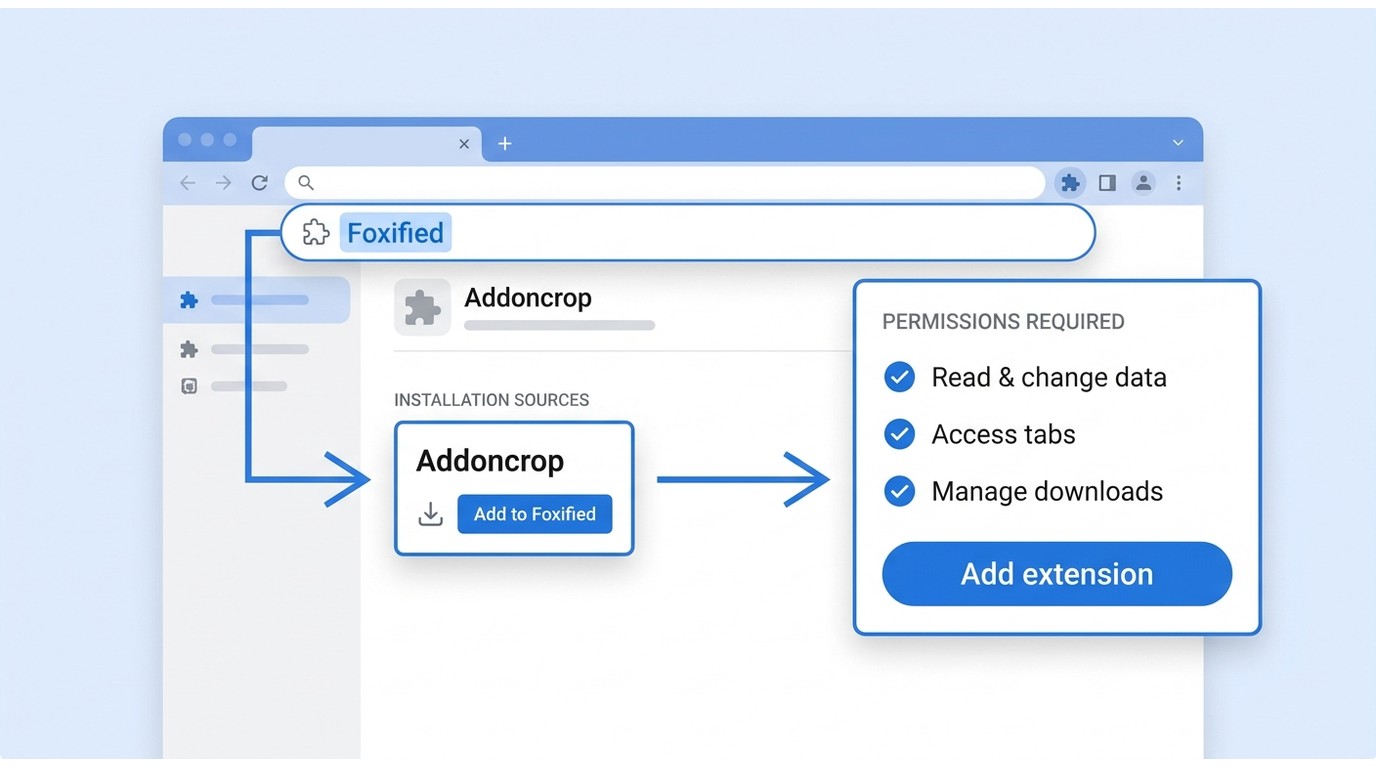
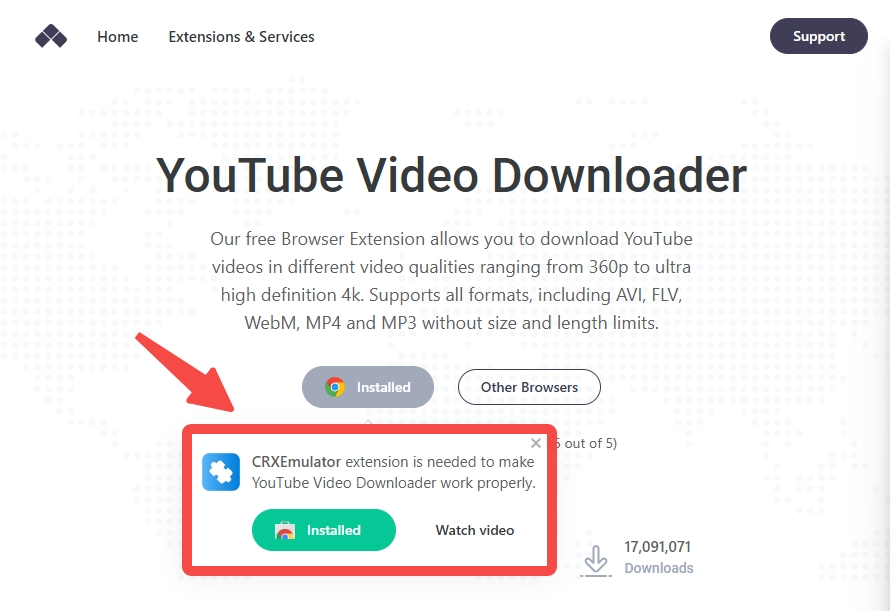
Before starting, use a desktop browser, review the wrapper’s permissions, and download only content you are authorized to access under the platform’s terms and applicable law. The steps below retain the existing tutorial card, but the installed wrapper should be Foxified rather than an older CRX Emulator label.
Addoncrop Performance Test: My Hands-On Stress Results
I don’t care what a product’s landing page says, I care what happens when I actually hit "Download" on a 4GB file. To evaluate Addoncrop, I ran a series of controlled tests focusing on output quality, transfer rates, and the critical "frustration factor" during multi-tasking.
1. The 1080p Quality Trap: Low Bitrate vs. High Fidelity
Even if a YouTube video is available in 4K or 8K, Addoncrop’s browser-only extension caps your local backup at 1080p. To go higher, you are forced to install their desktop companion, which I opted out of to maintain a "clean" test environment.
During my comparative analysis, I uncovered a critical detail that most casual users miss: not all 1080p files are created equal. I ran a side-by-side test using an 8-minute high-motion video to verify Addoncrop’s output against professional-grade standards.
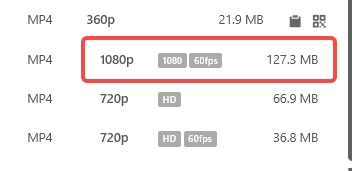
- Addoncrop 1080p Export: 127.3 MB
- Alternative Downloader: Detected two 1080p versions—one at 127.3 MB and another at 311.83 MB
This is the video file detected by Addoncrop: (1080p 60fps, size: 127.3MB)
This is the video file detected by Addoncrop alternative: (1080p, size: 311.83MB at best)
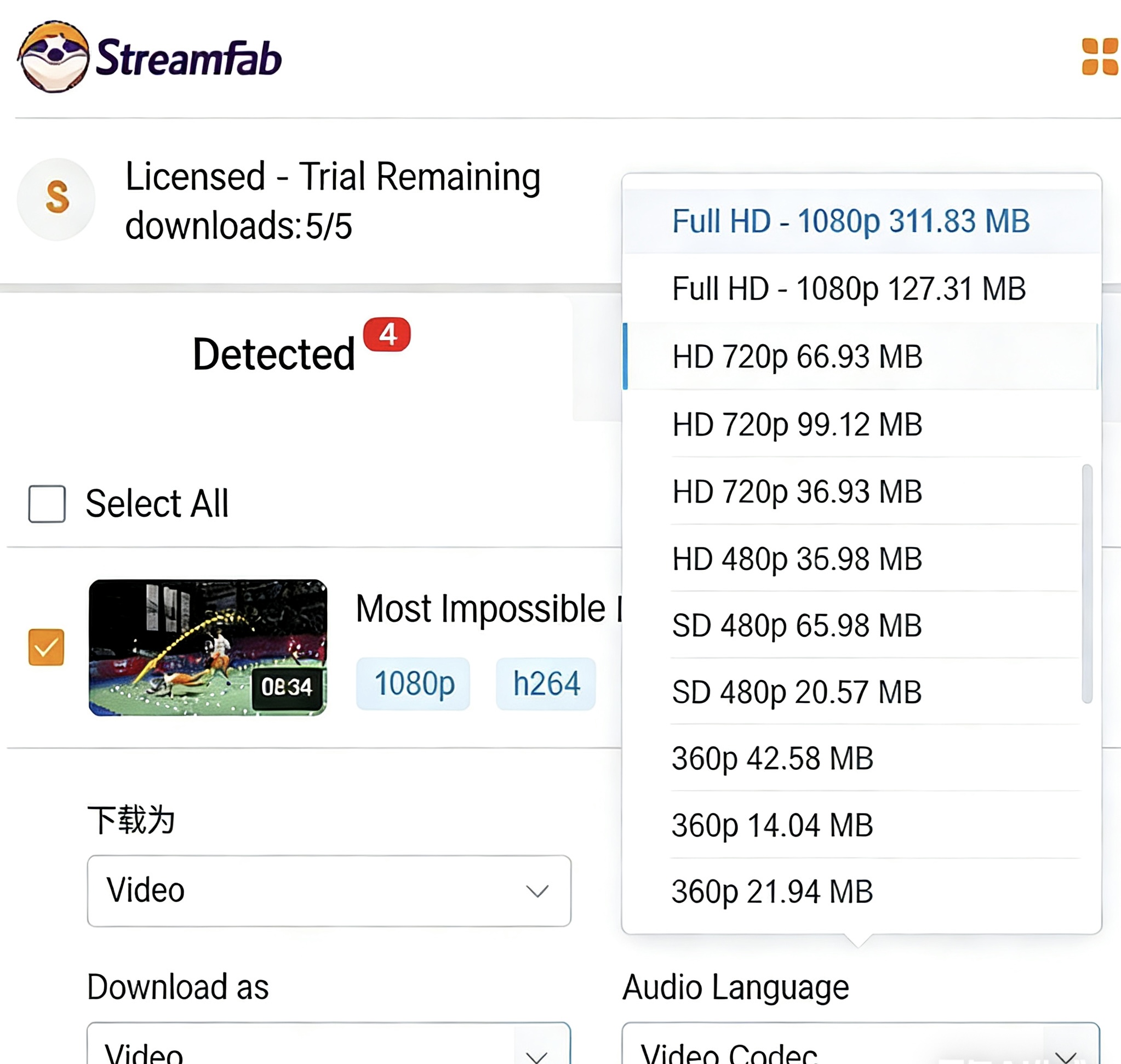

Addoncrop automatically captures the lowest bitrate version of a 1080p stream to save on server processing and ensure "fast" downloads. While the resolution says 1920x1080, the 144% difference in file size (311 MB vs 127 MB) means you are losing a massive amount of visual data and detail.
2. Speed Benchmarks and the "Ghost" Progress Bar Trap
This is where the logic broke down. I monitored a single 1080p file (~4h) download to track the extension’s throughput and session persistence. Here is the timeline:
- 16:45: Download initiated.
- 16:57: Progress reached 50% (12 minutes elapsed).
- 17:00: Progress reached 70% (15 minutes total).
Stability Check: 100% Parsing Success Across 5 Test Samples
To measure the reliability of the link-parsing engine, I selected five videos with varying metadata structures (Live stream archives, VEVO music videos, and 60fps gaming clips).
- Result: 5/5.
The extension successfully generated download links for all five samples within 3 seconds of the page loading. While the download stability is questionable, the initial parsing logic is robust. You won't spend time clicking a button that doesn't react.
Addoncrop Safety and Troubleshooting
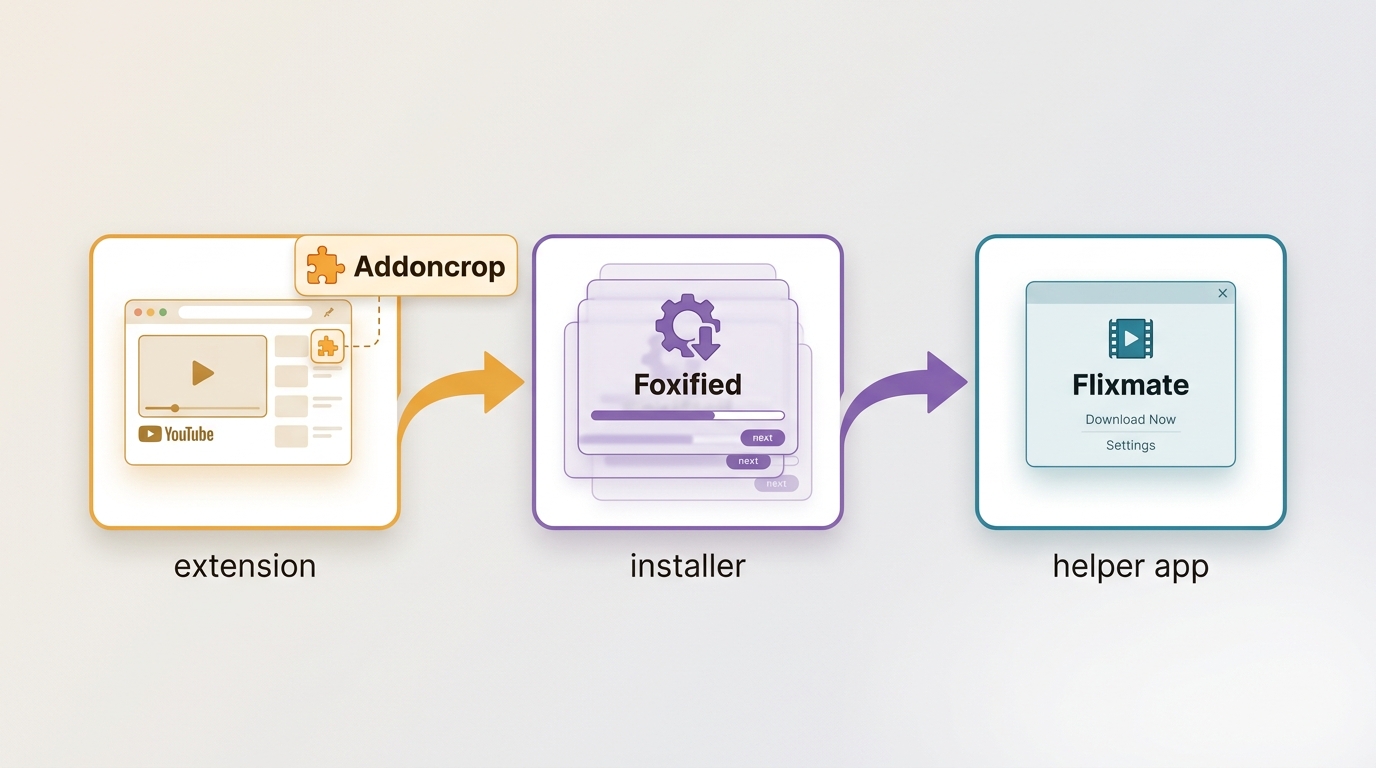
Safety is not one blanket score. Review the Addoncrop website and privacy policy, the Foxified extension’s current permission disclosure and site access, and Flixmate as a separate companion application. That component-by-component check is more useful than treating the whole stack as automatically safe or unsafe.
When the Download Button Disappears
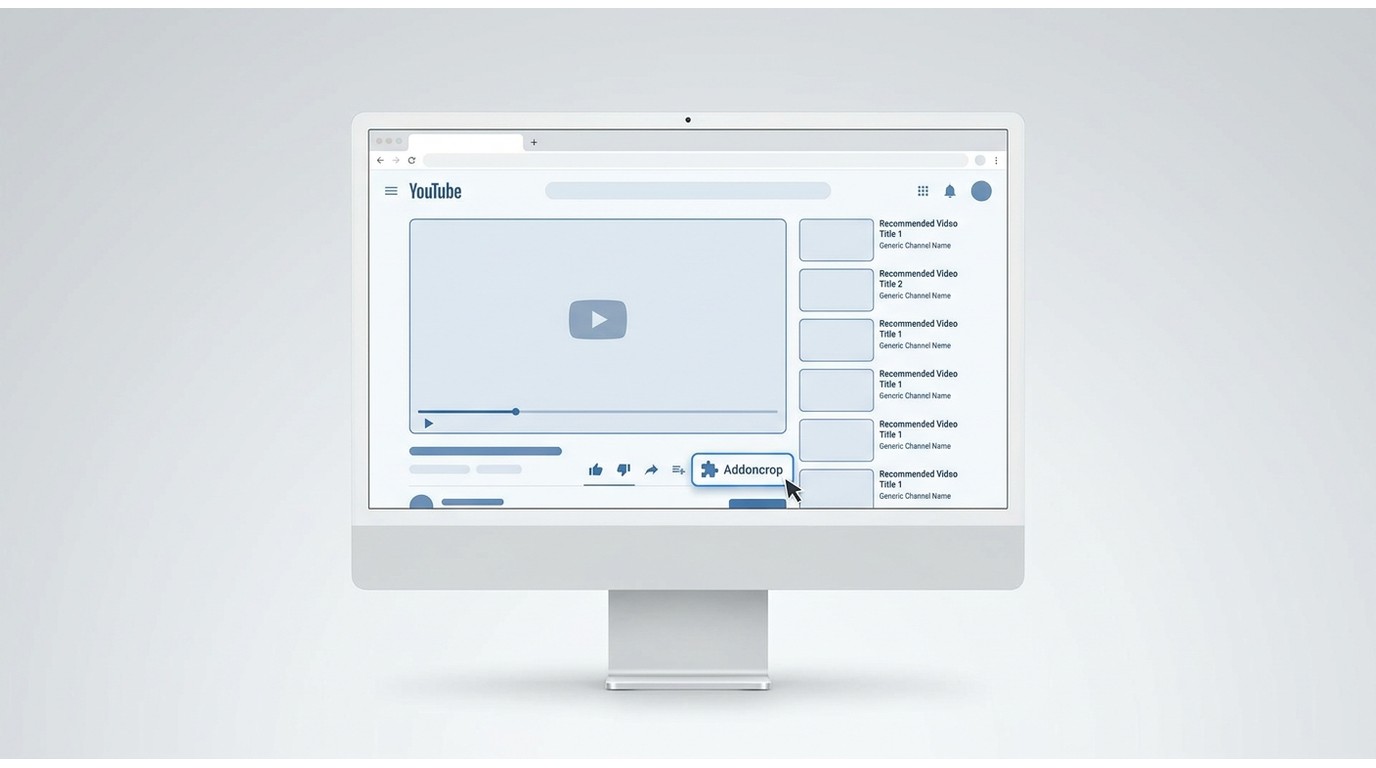
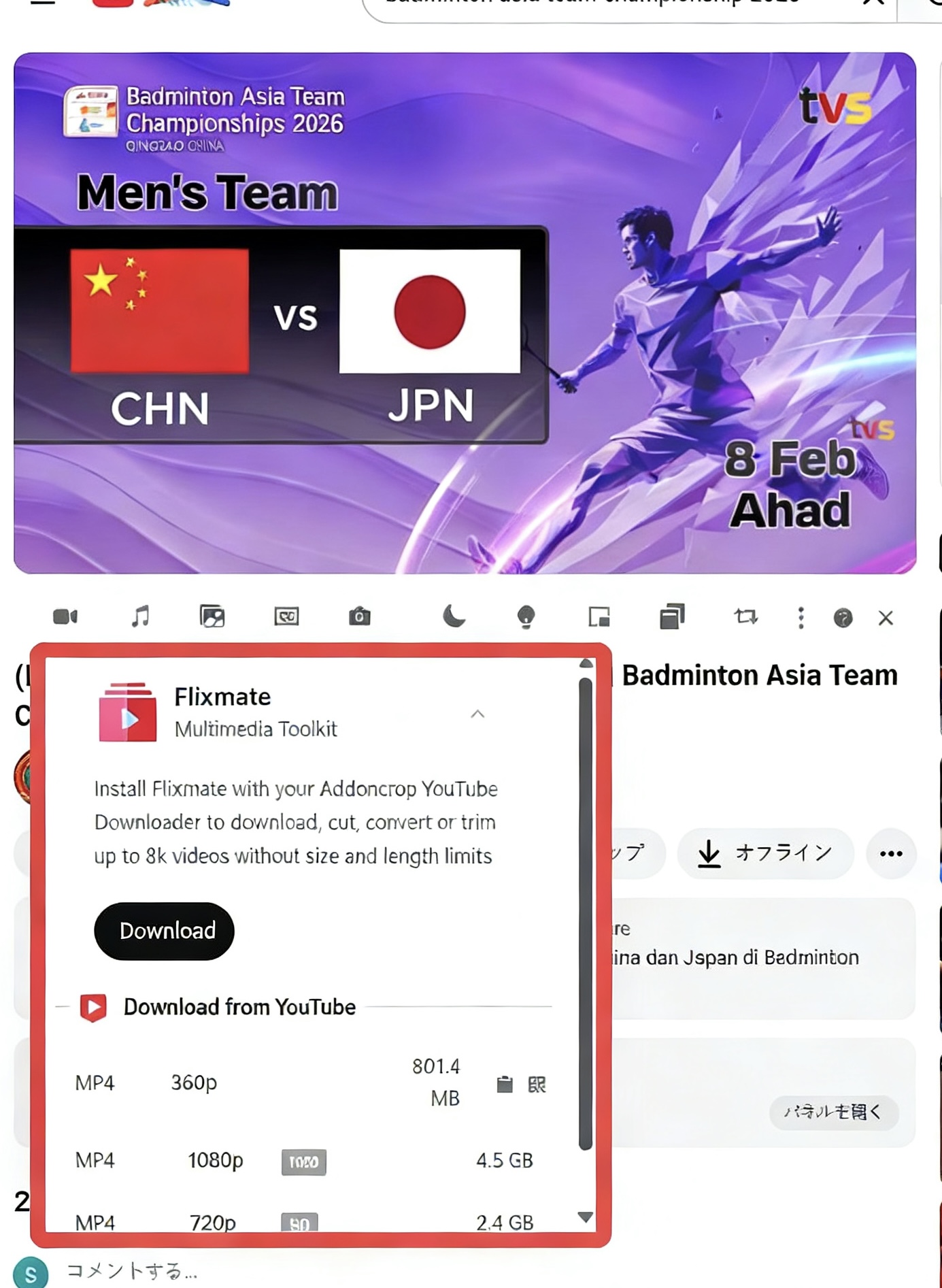
After installation, I spent five minutes refreshing YouTube only to see... nothing. The UI design is a bit of unclear, if you do not pay attention to the interface, you will not notice that the download button is here:

What Flixmate Changes
Addoncrop’s help documentation describes Flixmate as a companion for some HD video-and-audio merging workflows, and Flixmate documents a Windows installation path. It adds another installed component and another permission surface, so it is best for users who specifically need a helper-assisted HD workflow. It is not ideal for someone who wants an occasional browser-only download with the fewest installed parts.
Limit Extension Site Access
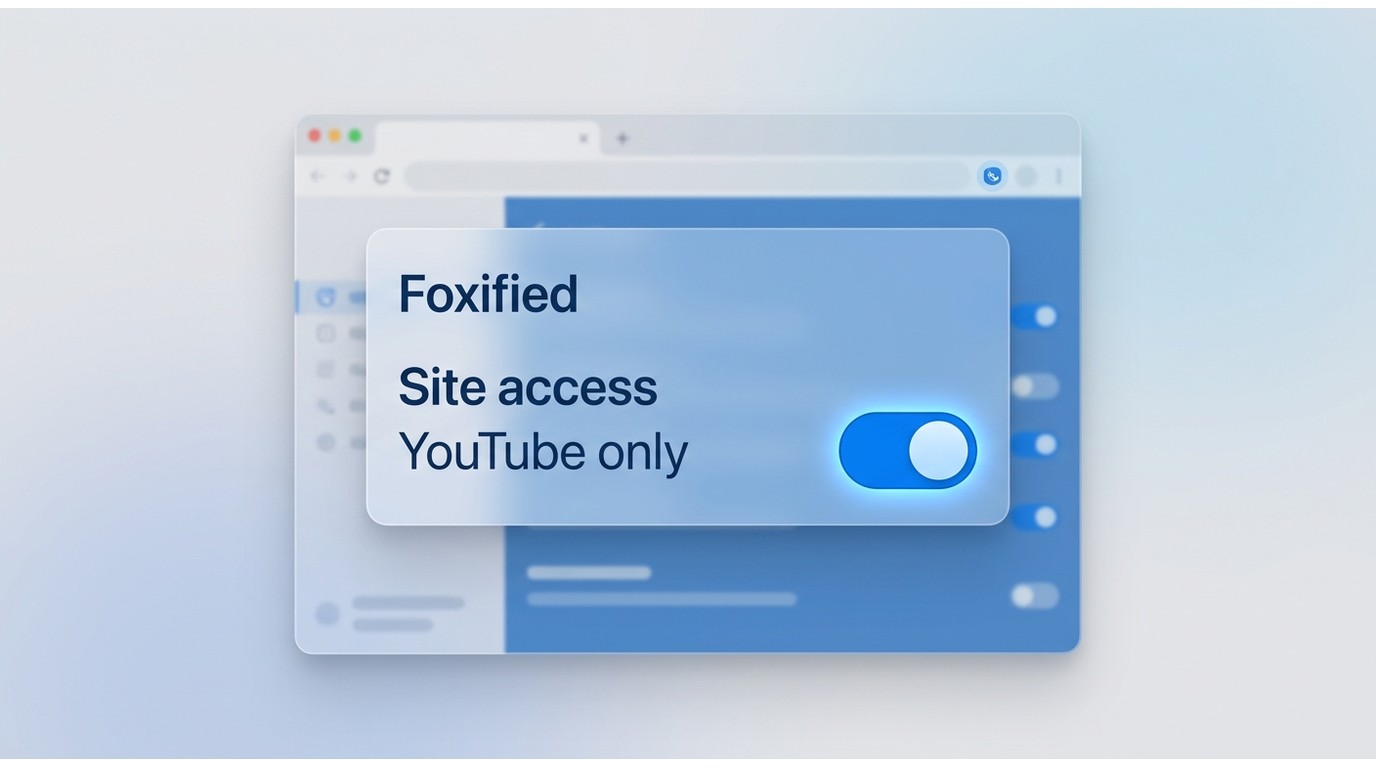
Review Foxified’s current permission disclosure and the site-access setting shown in your installed browser. Effective access can vary by browser and installation state, so avoid assuming that every installation has the same default scope.
Where Chrome or Edge offers site-access controls, limit the wrapper to the sites you intend to use. To remove the YouTube button later, open the browser’s extension manager, disable or remove the Addoncrop module, then remove Foxified as well if it was the wrapper that installed the interface.
Where StreamFab for Browser Fits
When an occasional download turns into repeated long-task management, the browser-extension model starts to show its limits. StreamFab for Browser is an independent desktop option for content you are authorized to access, where permitted by platform terms and applicable law. It is designed for personal offline viewing with a local-file workflow rather than YouTube’s own download feature.
The meaningful difference is workflow control, not a universal quality verdict. StreamFab for Browser supports Windows and Mac, MP4 or MKV output, batch and multi-task jobs, subtitle choices, metadata, and subscription follow-up features. Its maximum resolution is source-dependent, up to 4K.
The 1080p file-size observation below remains one sample, not a rule for every video or browser setting.
- StreamFab for Browser: In this sample, it detected 127.3 MB and 311.83 MB 1080p options.
- Addoncrop 1080p: In this sample, it exposed a 127.3 MB option.
A larger file can indicate a different available encode, but file size alone does not prove visual superiority. In my view, the difference is worth checking on motion-heavy footage or a large display; for a quick reference clip, the added storage may not justify the extra effort.
1. Data Comparison: Addoncrop vs. StreamFab for Browser
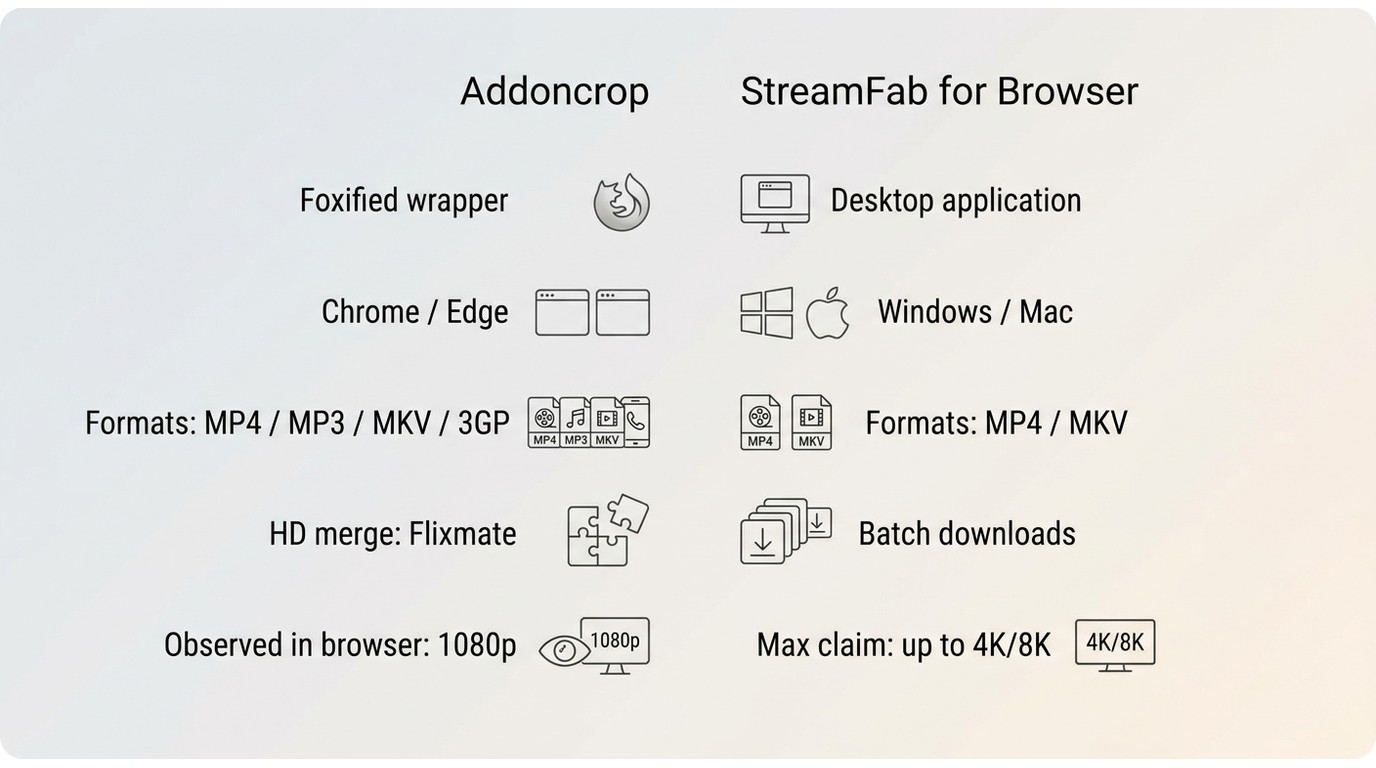
| Addoncrop | StreamFab for Browser | |
|---|---|---|
| Current installation route | Foxified wrapper in a desktop browser | Desktop application |
| Browser and OS fit | Chrome and Edge are the routes to confirm first; Firefox support is disputed | Windows and Mac |
| Resolution and audio | Options vary by video; some HD audio workflows can involve Flixmate | Up to 4K, source-dependent; selectable audio language |
| MP4 and MKV output | Officially lists MP4 and MKV | MP4 and MKV |
| Task management | Browser-tab workflow; completion should be checked on long files | Batch and multi-task downloads, scheduled follow-up support |
| Subtitles | Availability varies by workflow | Subtitle download options |
| Best fit | Occasional desktop browser downloads | Batch, scheduled, or longer managed tasks |
| Not ideal for | Users needing consistent long-task management | Someone who wants the lightest occasional browser-only workflow |
2. My Suggestion: Why Not Compare Both?
A side-by-side check can still be useful: choose a motion-heavy video, compare the options each workflow exposes, and confirm that the finished file includes the expected audio. I would also leave a longer job running before treating a quick parse as proof of reliability.
Addoncrop fits an occasional desktop browser download when you accept a wrapper-based setup and variable results. StreamFab for Browser fits users who need batch jobs, scheduled follow-up, output-format choices, subtitles, or a dedicated manager. The tradeoff is straightforward: it adds a desktop component that a lightweight one-off task may not need.
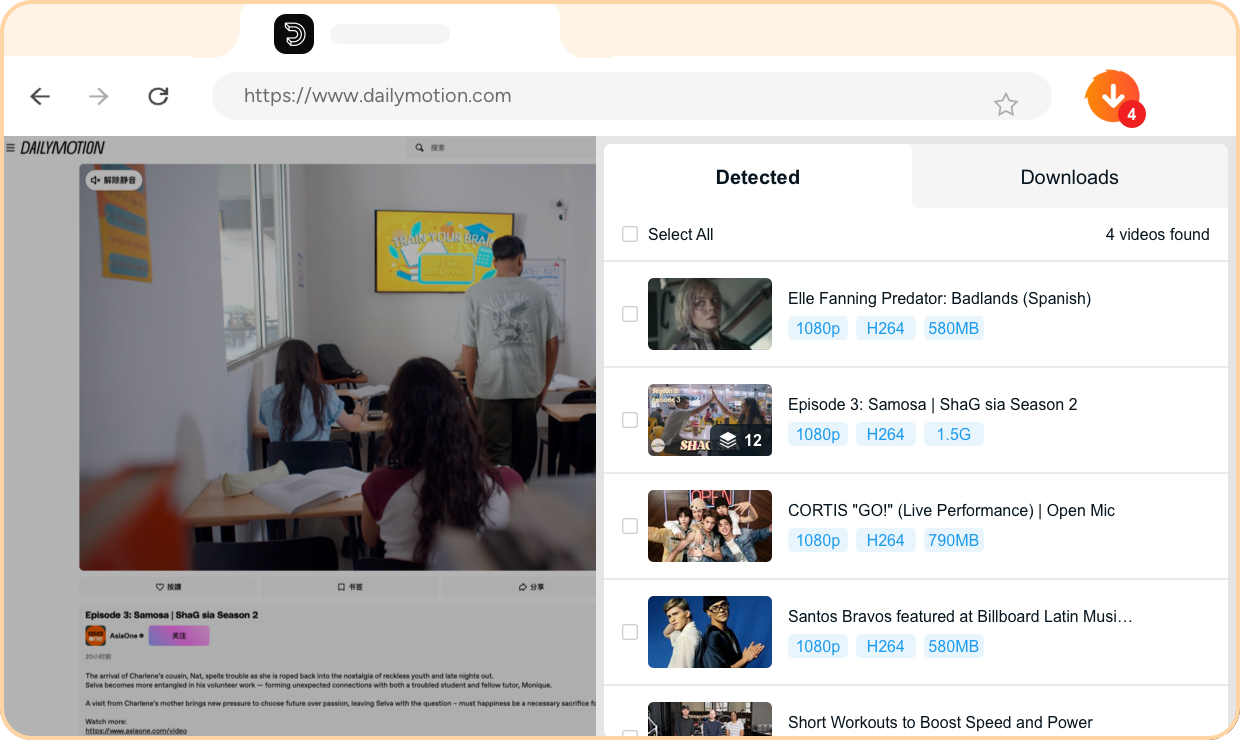
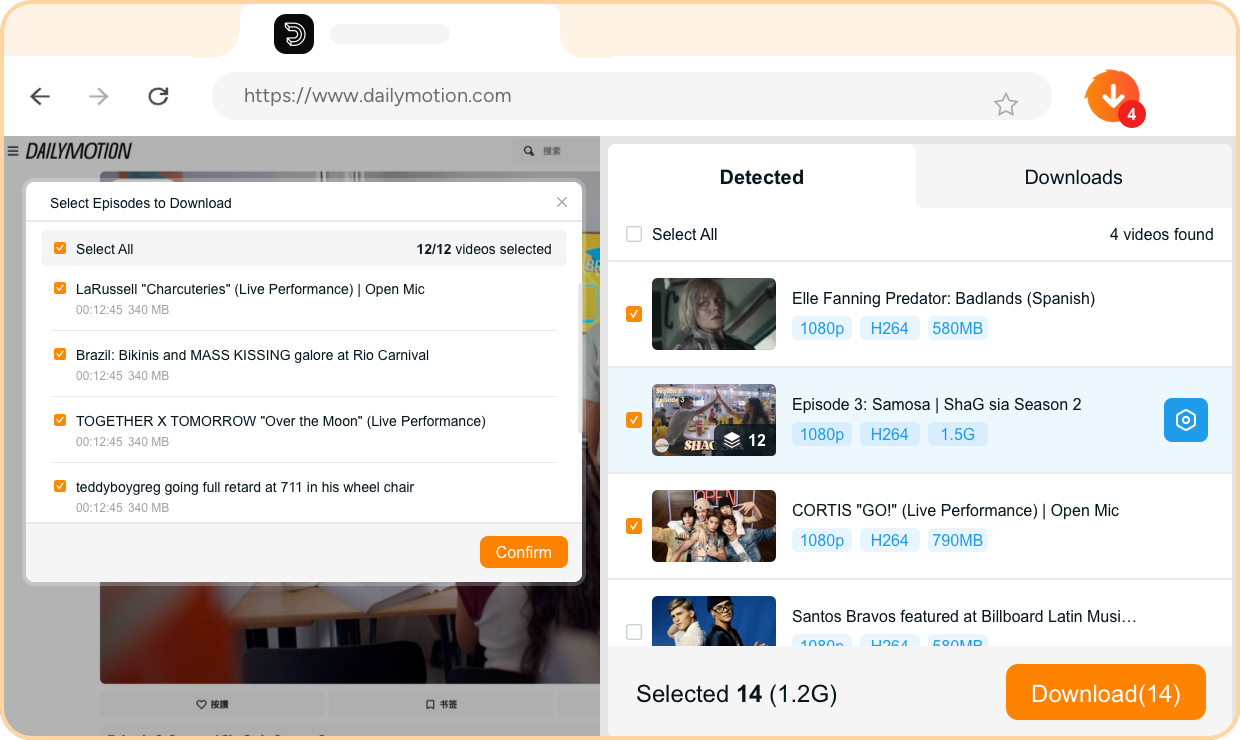
3. How to Use StreamFab for Browser to Download YouTube Videos
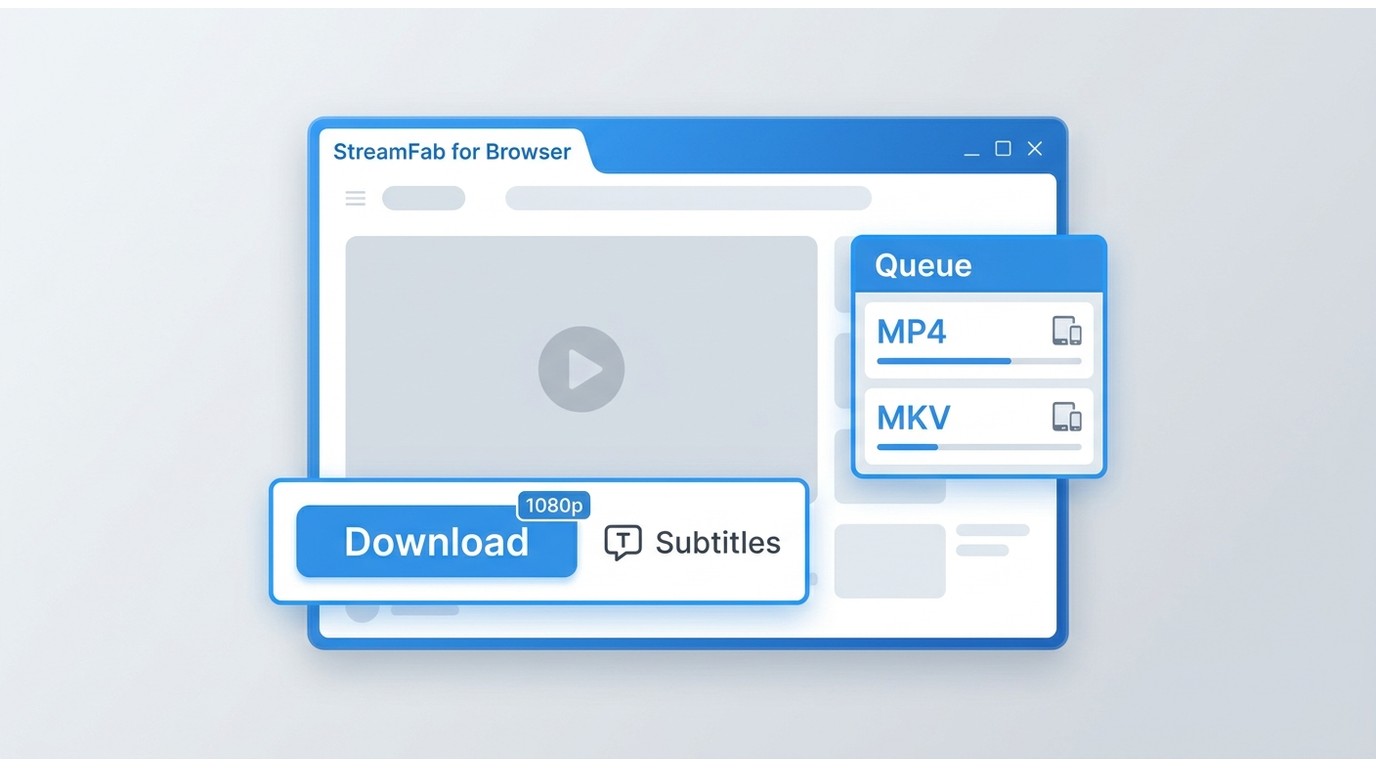
Here is a short workflow snapshot for a managed YouTube download. The detailed StreamFab YouTube downloader guide covers the full workflow without turning this Addoncrop review into a separate tutorial.
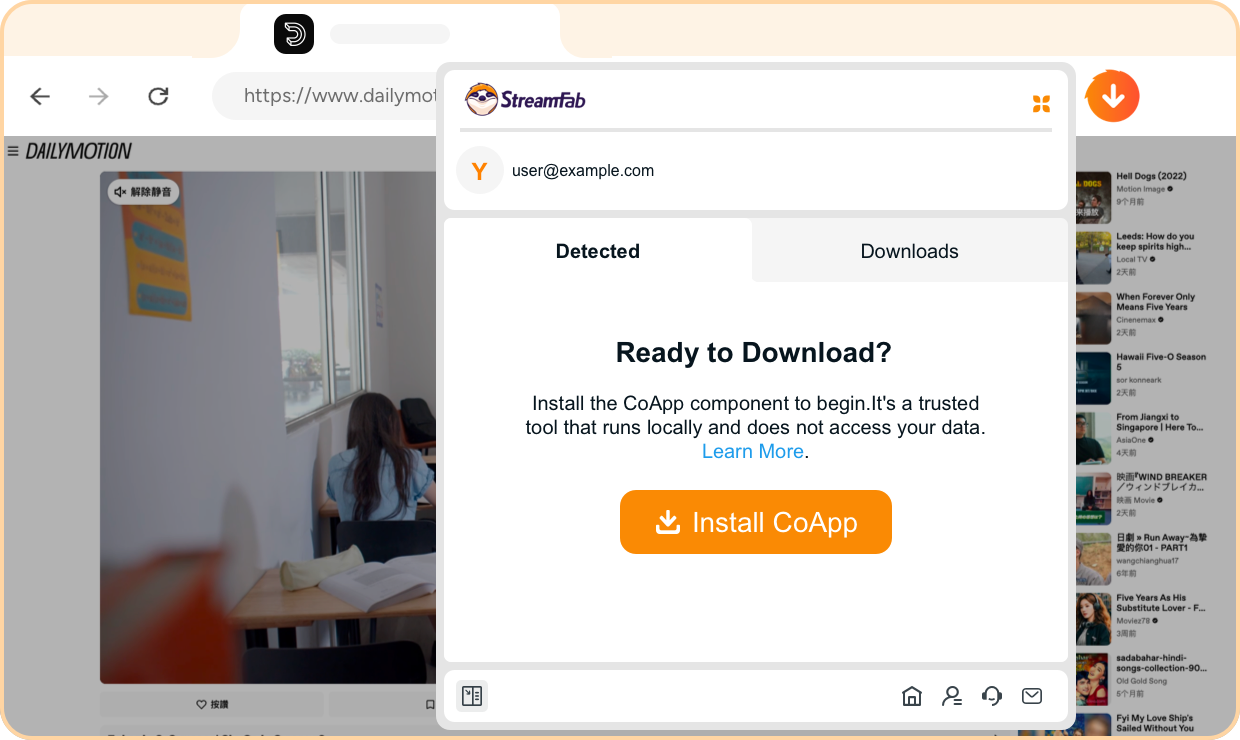
FAQs
Can I install Addoncrop on Android or use an APK?
The verified current route is a desktop browser-extension workflow. This review does not recommend unofficial APK files, because they are outside the documented installation path and make it harder to assess what you are installing.
Why does Addoncrop show 1080p without audio?
Some YouTube options provide video and audio as separate streams. Addoncrop documentation says that some HD video-and-audio merging workflows can involve Flixmate, so a 1080p label alone does not confirm that the final file includes audio.
How do I remove the Addoncrop button from YouTube?
Open your browser’s extension manager and disable or remove the Addoncrop module. If Foxified was used as the wrapper, remove it too after confirming that no other installed extension depends on it.
Does Addoncrop currently work in Firefox or Safari?
Firefox support is disputed: Addoncrop has marketed multi-browser support, while a December 2025 user report said the extension no longer worked in Firefox. This review does not make a definitive Firefox recommendation without a fresh installation check. Safari support is also not established here.
Conclusion
Addoncrop can suit occasional desktop browser users who accept a wrapper-based setup and variable quality or reliability. As workloads grow, long-download completion, audio handling, and update resilience matter more than the resolution label.
Based on the browser checks summarized here, users who need batch work, scheduled jobs, broader output control, or dedicated long-task management may prefer a desktop alternative.

Do you also love watching videos but are not able to download them? Keepvid video downloader assists you with it and a lot more. The Keepvid video downloader lets you download your favorite videos on your devices. Additionally, now all the problems related to this software are solved and you can find solutions to them as well.
By Nicole Lopez - Aug 26, 2026
StreamFork (formerly OnlyFans-DL) is still actively maintained in 2026, with version 3.7.0 released on June 27, 2026, but its sideloaded browser workflow brings real installation friction, mixed reliability reports, and trust tradeoffs worth weighing before you pay.
By Jacob Harrison - Aug 4, 2026
SaveTheVideo still works as a free, no-signup web downloader for public social clips in 2026, but the surrounding ads and redirects are the real risk — not the download itself. It's fine for the occasional grab; heavier or streaming-service use needs a desktop tool.
By Marcia Hatcher - Aug 3, 2026