
SaveTheVideo Review 2026: Is It Safe, and What Actually Works?

Summary: SaveTheVideo still works as a free, no-signup web downloader for public social clips in 2026, but the surrounding ads and redirects are the real risk — not the download itself. It's fine for the occasional grab; heavier or streaming-service use needs a desktop tool.
This review walks through what SaveTheVideo currently claims to do, how its safety signals actually look when you separate the sources, where it falls short in day-to-day use, and when a desktop tool makes more sense than a browser page.
What Is SaveTheVideo.com?
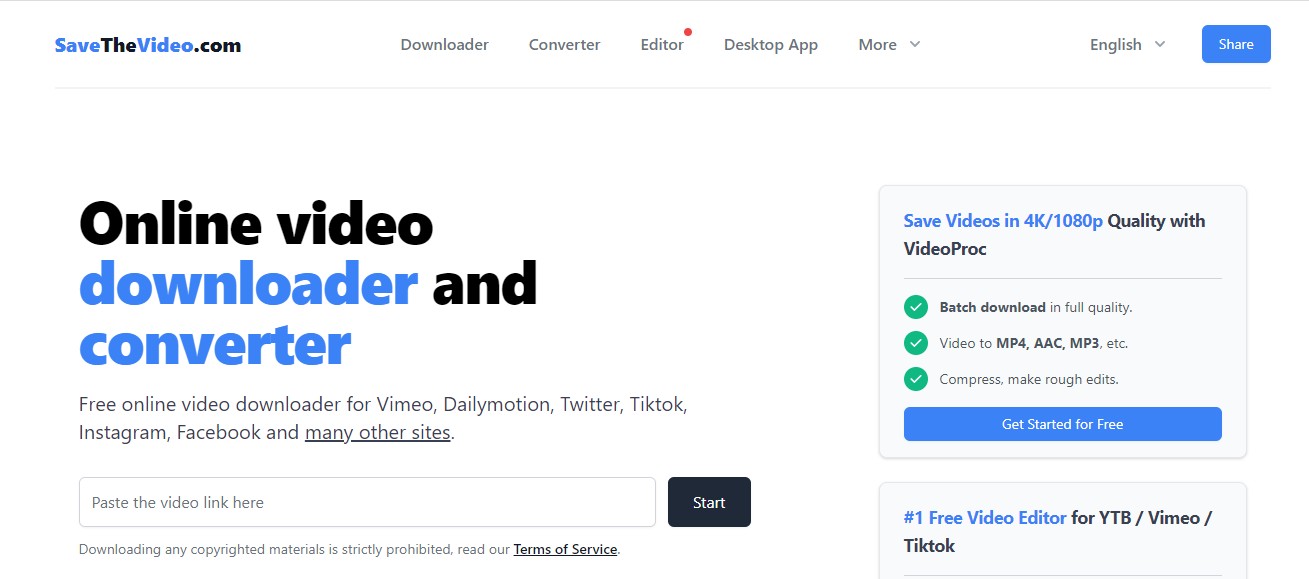
SaveTheVideo is a web-based downloader that lets you paste a link from social platforms — Facebook, Instagram, X (formerly Twitter), TikTok, YouTube and others — and save the file directly. There's a companion browser extension for one-click grabs. No account is required.
Accessible Devices and Platforms
Because it runs in the browser, SaveTheVideo works from Chrome, Safari and Firefox on Windows, macOS and Linux, and it opens on Android and iOS too.
On iPhone the page loads in Safari, but where the downloaded file actually lands is constrained by iOS — expect files to arrive in the Files app or Photos depending on the format rather than a traditional Downloads folder.
What Changed on SaveTheVideo in 2026
As of July 2026 the official SaveTheVideo site advertises HD and 4K output, multiple audio and video formats, AI enhancement, subtitle retrieval, trimming and joining.
These are the site's own marketing claims and were not independently verified for this review — treat the higher-resolution and AI features as advertised rather than tested, and expect real results to depend on the source clip and the platform you're pulling from.
- It is entirely web-based, requiring no software installation.
- Downloads videos seamlessly on macOS and Windows devices.
- It aids in the conversion of videos to multiple formats like MP3, WebM, AAC, etc.
- It allows you to merge audio and video files, saving them in up to 1080p high quality.
- It allows you to download available subtitles and closed captions.
- It's 100% Free: You don't have to pay anything to use it.
- No Installation Needed: It's a website, so you don't need to install any software. Just open your browser and go.
- Very Easy to Use: All you do is copy and paste a video link. It’s perfect for quick, simple downloads.
- Extra Features: You can also convert videos to MP3 audio files or trim a video to download just a specific part.
- Works Everywhere: Use it on your computer, phone, or tablet. Since it's a website, it works on almost any device.
- Shady Ads and Redirects: Be careful where you click. The site can send you to unsafe or malicious websites.
- Annoying Pop-ups: Expect a lot of pop-ups and confusing buttons that might trick you into installing unwanted software.
- Privacy Risks: The site tracks your online activity to sell data to advertisers.
- HD Downloads Often Fail: Don't be surprised if 1080p videos download without any sound, or the download simply doesn't work.
- One Video at a Time: You can't download a whole playlist at once; you have to do each video individually.
- Unpredictable Speeds: The download speed is a gamble—sometimes it's okay, but often it's just painfully slow.
How to Download Videos?
Though it is an online platform, it gives you the benefit of downloading and saving your favorite video titles to your local storage for an offline watch.
Follow these quick steps to save and keep your favorite videos offline:
Is SaveTheVideo a Safe Platform?
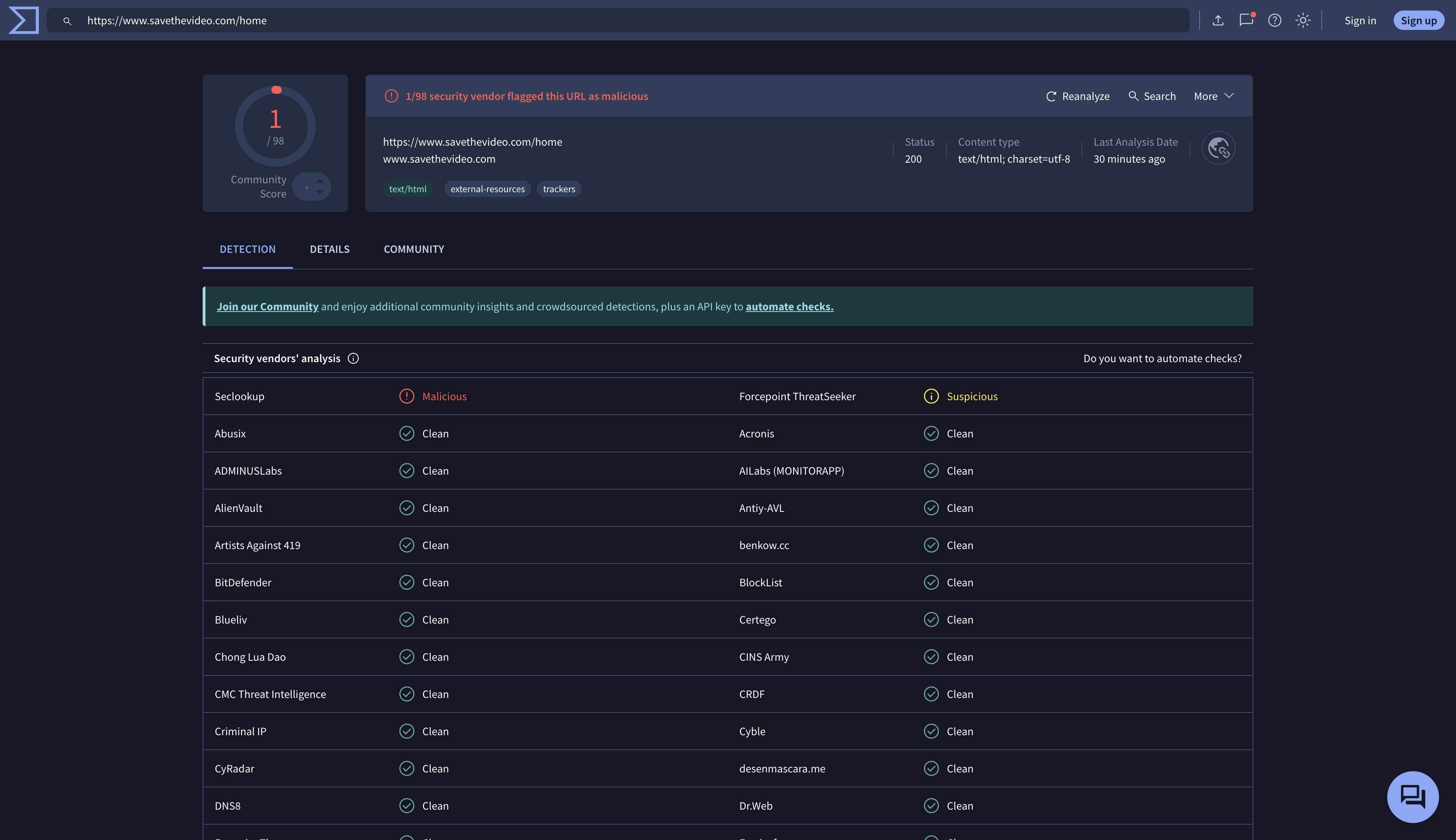
The safety signals conflict, and no single one should be treated as definitive — the basic paste-a-link workflow appears available, but the surrounding ad surface is where the risk actually lives.
Safety Verdict at a Glance
Three kinds of sources are worth separating. First, the site's own claims: SaveTheVideo presents itself as a free, no-installation downloader and doesn't ask for an account. Second, independent security write-ups: technical teardowns flag intrusive pop-ups, deceptive download buttons and redirects that can push visitors toward potentially unwanted software or browser extensions.
Third, automated reputation scores: some domain checkers rate SaveTheVideo as likely safe based on age, traffic and technical signals — that's one automated indicator, not a verdict, and it sits alongside the adware warnings rather than overriding them.
Practically, the risk isn't usually the download itself — it's the surrounding ad surface. Mis-clicking a fake download button or a redirected banner is the realistic failure mode to watch for.
Downloading Videos: What US Law Actually Allows
In the US, whether you may download a given video depends on the platform's terms of service, who owns the content, and how you use it.
Download only content you own, have permission to use, or that is lawfully offered for download; personal viewing does not by itself make copying lawful, and platform terms often prohibit off-platform saving even for non-commercial use. Redistribution, re-uploading and any commercial use raise separate copyright issues. This is general information, not legal advice.
Drawbacks and Limitations
Beyond the ad experience, a few limits shape day-to-day use. SaveTheVideo does not pull from premium streaming services like Netflix, Prime Video, Hulu or Disney+, and it isn't a workable OnlyFans downloader.
High-resolution grabs from public sites can also arrive without audio or fail outright, and you generally handle one URL at a time rather than a whole playlist.
Note: To prevent such malignant instances, you should opt for a safe alternative. For this purpose, we suggest you use StreamFab All-in-One Downloader.
What Independent Reviews Say About SaveTheVideo
Third-party signals about SaveTheVideo don't line up neatly, and it's worth reading them as a set rather than picking the one you like.
On user-review platforms the sample is thin: Trustpilot and similar directories carry only a handful of ratings, which is too small a base to treat as a verdict either way. Automated trust checkers such as ScamAdviser rate the domain as likely safe based on age, traffic and technical signals — useful as one input, but these scores don't inspect the ad and redirect layer that readers actually encounter on the page. Independent security write-ups (for example PCrisk) go the other direction and describe SaveTheVideo's ad environment as pushy, with deceptive download buttons and redirects that can lead to potentially unwanted software or browser extensions.
My reading: the basic paste-a-link workflow appears available, while feature reliability varies. The reputation picture is mixed because an automated "likely safe" score and adware warnings measure different things — see the safety section above for the full breakdown.
StreamFab: A Safer Desktop Alternative
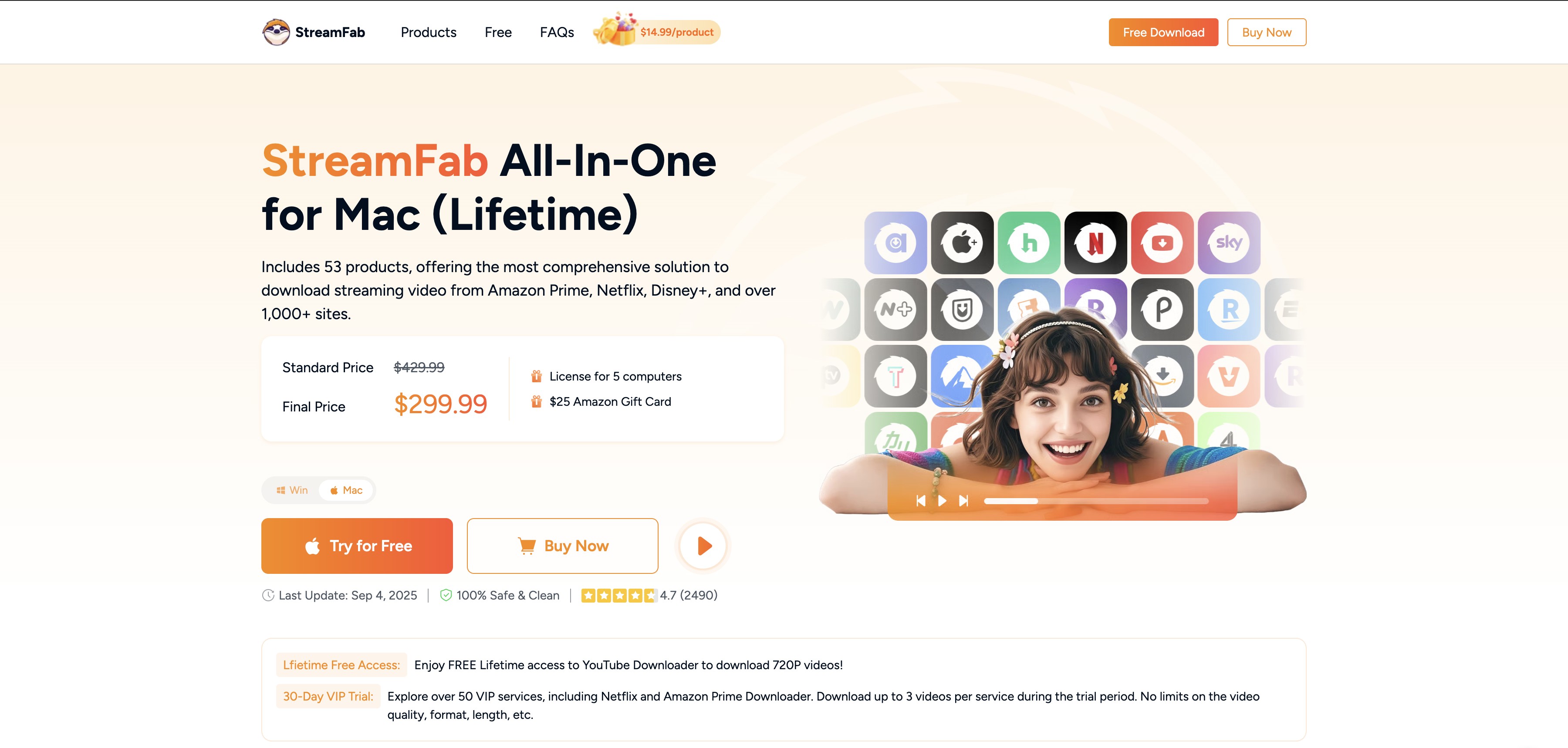
If the ads, redirects and brittle downloads are what push you away from SaveTheVideo — not the price tag — a desktop tool is a different shape of solution. StreamFab Video Downloader is a paid Windows and Mac application that replaces the browser-page workflow with a native app and a built-in browser.
For content you're authorized to access, where permitted by the platform's terms and applicable law, it saves a local copy in MP4 or MKV for personal offline viewing on your own devices. Best for readers who regularly save from many sources or streaming services and want an ad-free workflow; overkill for someone who only occasionally grabs a public social clip. For the broader category comparison, see the best streaming video downloader roundup.
Compare: SaveTheVideo vs StreamFab at a Glance
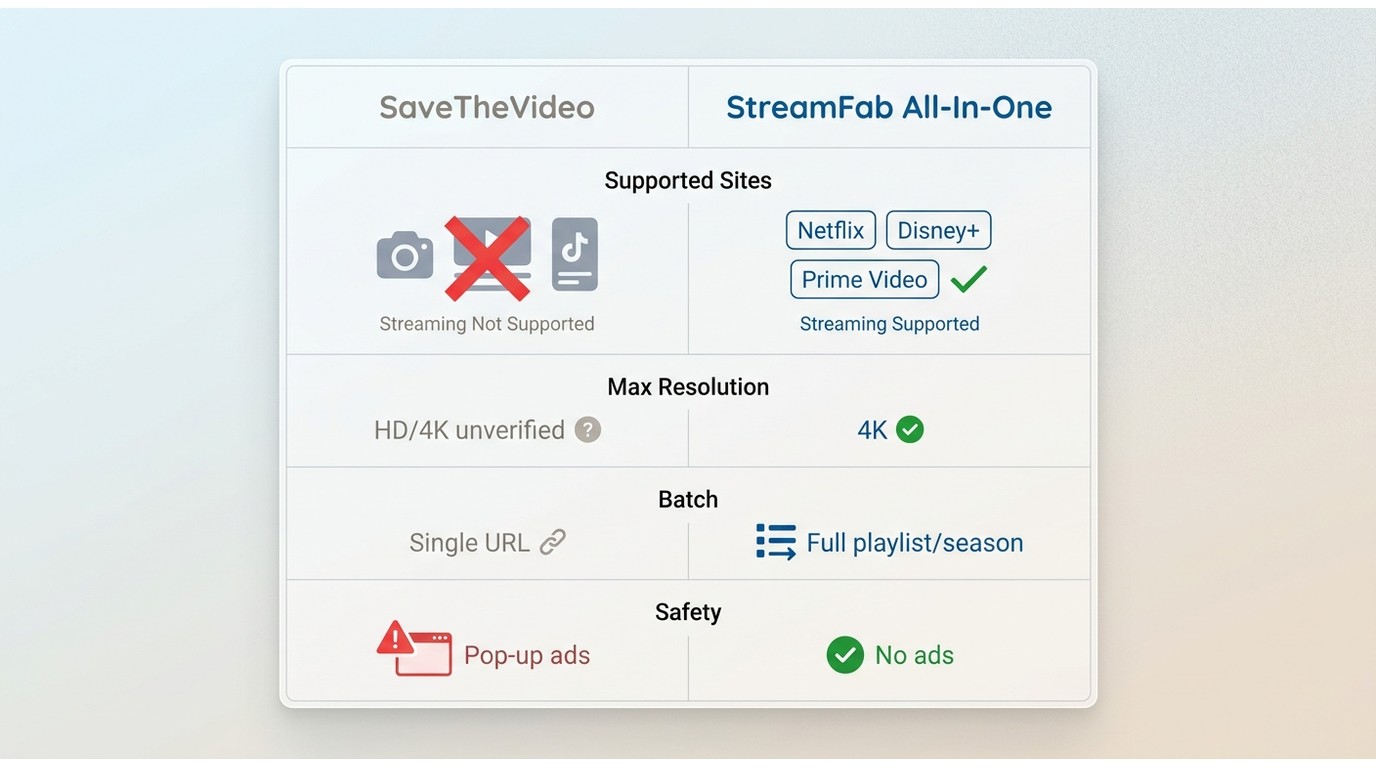
| Criteria | SaveTheVideo | StreamFab All-In-One |
|---|---|---|
| Safety & ads | Free web page with intrusive pop-ups, deceptive download buttons and third-party redirects flagged by independent security write-ups | Native desktop app with no ad surface; downloads run inside the app rather than through banner-heavy web pages |
| Supported content | Public social clips: Facebook, Instagram, X, TikTok, YouTube and similar sites; does not pull from premium streaming services | Over 1,000 sites, including Netflix, Amazon Prime Video, Disney+, Hulu and Max, for content you're authorized to access |
| Max resolution | Advertises HD and 4K on its site (not independently verified for this review) | Up to 4K, subject to each platform and subscription tier |
| Batch downloads | One URL at a time; no playlist or season queue | Batch queue for whole playlists or entire TV seasons |
| Subtitles | Subtitle retrieval advertised on the site (advertised, not independently verified) | Multi-language subtitles saved as external SRT files or muxed into the video |
| Output format | MP4 video and MP3/AAC audio extraction | MP4 and MKV, playable in any standard player |
| Cost | Free, ad-supported | Paid license; current pricing on the StreamFab site (as of July 2026) |
| Reliability | Browser-based; can break when a source platform updates its player or blocks scraping | Native app updated by the vendor to track platform changes on its supported list |
- Save a local copy of content you're authorized to access for personal offline viewing.
- Supports over 1,000 sites, including major streaming services like Netflix, Amazon Prime, Hulu, Disney+ and Max.
- Save multi-language audio and subtitles according to your preferences (can be saved as SRT files or remuxed directly).
- Retains rich audio options, supporting EAC3 5.1, AC3 5.1, and AAC 2.0 sound channels.
- Offers high-quality output, up to 4K depending on the platform and subscription tier.
- Outputs videos in universally compatible MP4 or MKV formats.
- Batch-download feature for grabbing entire TV seasons or multiple videos in one queue.
- Downloaded files transfer to smartphones, smart TVs, game consoles, and media servers like Plex.
- Skips ads embedded in ad-supported streaming tiers during download.
- Includes a built-in browser with an aggregated search interface.
Steps to Use:
Step 1: Install and launch
Download and install StreamFab All-In-One on your Mac or Windows PC, then open the app.
Step 2: Paste the link or pick a service
From the Home page, paste the video URL into the search bar, or select a supported service from the menu and sign in with your own account.
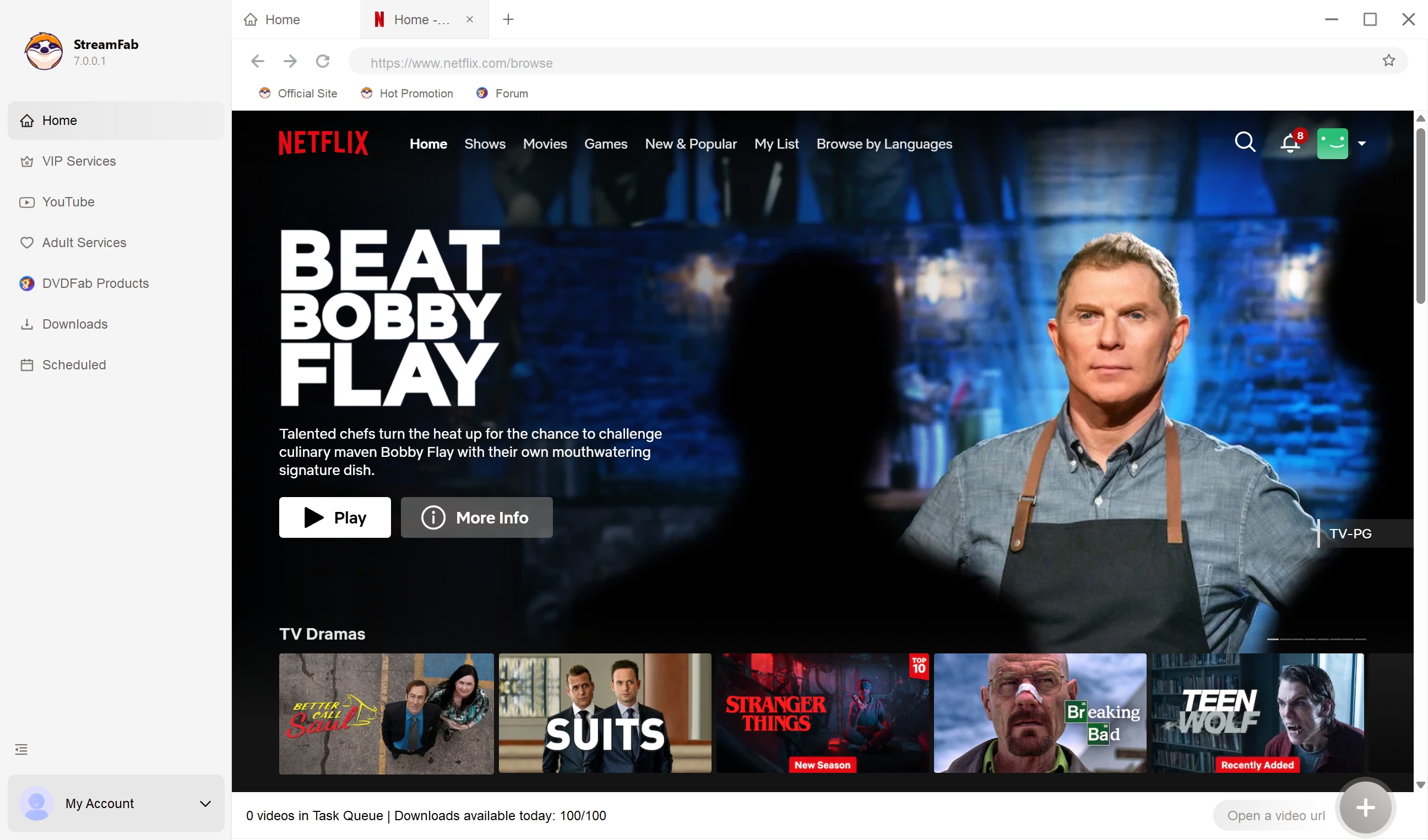
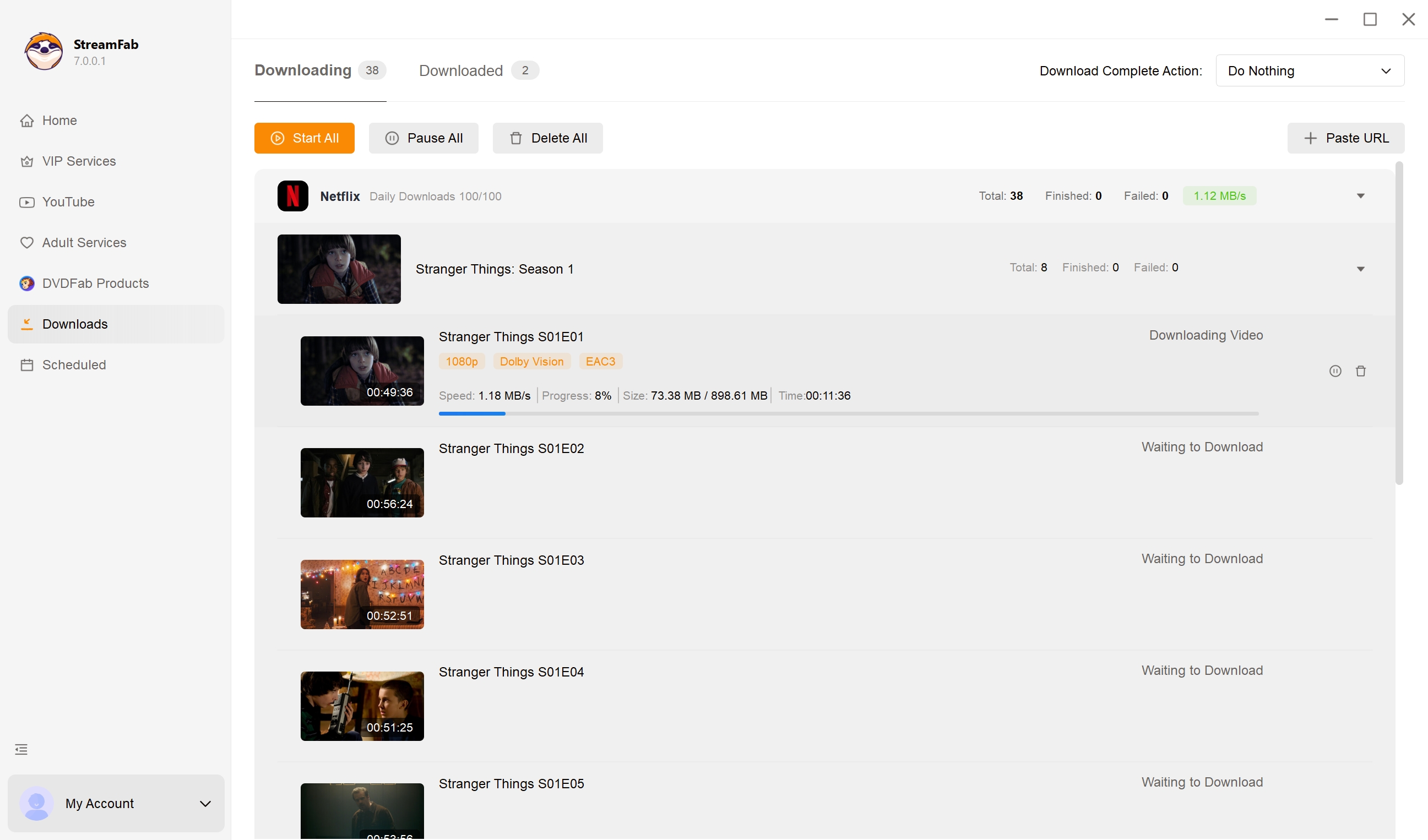
Step 3: Pick resolution and start
Choose your preferred resolution, audio track and subtitle language in the pop-up, then click Download Now — or Add to Queue for batch jobs.
FAQs
Does SaveTheVideo require an account or registration?
No. You can paste a link and start a download without signing up. The trade-off isn't an account gate — it's the ads and third-party tracking that fund the free service.
Does SaveTheVideo still work in 2026?
The site is live and updated for 2026, but results vary. Browser-based downloaders can break whenever a source platform updates its player or actively blocks scraping, so a given site may work today and fail next week.
What is a good alternative to SaveTheVideo for reliable offline saving?
For content you're authorized to access, a desktop tool such as StreamFab All-In-One on Windows or Mac replaces the browser workflow with a native app — fewer pop-ups, batch queues and support for more sources — at the cost of a paid license.
Can I save MP3 audio from SaveTheVideo without losing quality?
SaveTheVideo can extract MP3 or AAC, but output quality is capped by the source stream and the site's own encoding — it isn't a lossless pipeline. Check the bitrate of the saved file rather than assuming it matches the original.
Conclusion
SaveTheVideo is fine for what it is: a free, no-signup web page that will occasionally grab a public social clip if you're willing to tolerate the ad surface and accept that the download may or may not succeed on any given day. If that's the whole use case, it does the job.
If you find yourself saving videos often, want to cover more sources without dodging redirect banners, or care about batch queues and consistent output, a desktop application like StreamFab All-In-One is a better fit — with the caveats that it's paid and only applies to content you're authorized to access. Readers weighing other free options can also look at the 9xbuddy downloader for a different point of comparison.

Do you also love watching videos but are not able to download them? Keepvid video downloader assists you with it and a lot more. The Keepvid video downloader lets you download your favorite videos on your devices. Additionally, now all the problems related to this software are solved and you can find solutions to them as well.
By Nicole Lopez - Aug 26, 2026
StreamFork (formerly OnlyFans-DL) is still actively maintained in 2026, with version 3.7.0 released on June 27, 2026, but its sideloaded browser workflow brings real installation friction, mixed reliability reports, and trust tradeoffs worth weighing before you pay.
By Jacob Harrison - Aug 4, 2026
Addoncrop promises a seamless YouTube download experience, but our hands-on testing reveals a 144% bitrate gap compared to professional alternatives. While its native UI integration is top-tier, the reliance on bridge extensions and the risk of "ghost" progress resets make it a gamble for large backups. In this review, we break down the exact performance metrics of Addoncrop.
By Erika Leen - Jul 27, 2026