
Does Pluto TV Have Commercials? Here Is How to Watch Ad-Free in 2026

Summary: Find out how many commercials Pluto TV shows, why conventional ad blockers often fail, and whether the service offers an official ad-free plan. This guide also compares Pluto TV’s ad load with other free streaming platforms and explores practical options for watching content with fewer interruptions.
Table of Contents
If you have ever settled in for an episode on Pluto TV only to sit through a mid-roll every few minutes and the same three commercials on loop, you already know the pain: does Pluto TV have commercials, and is there any realistic way to watch Pluto TV without ads that does not break Pluto TV playback? Short answer up top, then the honest method menu: what actually reduces the ad load, what the official Walmart+ and T-Mobile perks really cover, and when saving a local copy is the cleanest route.
Does Pluto TV Have Commercials? The Short Answer
Yes. Pluto TV runs ads on both live channels and on-demand titles, at roughly 15–18 minutes per hour as of 2026, with breaks at the start, middle, and end of almost every program. There is no official paid tier that removes ads platform-wide. In my own viewing, that ad load feels heavier than any other free streamer I use regularly.
Why Pluto TV Runs Ads and Has No Ad-Free Tier
Pluto TV is completely free because it is entirely ad-supported: a FAST (Free Ad-supported Streaming TV) service where commercials, not subscriptions, pay for the catalog. That is also why there is no Premium or ad-free plan you can buy to turn ads off across the whole platform, the way you can on Hulu or Peacock. The trade-off is real, free but heavy, versus paid but clean elsewhere, and it is worth naming before we get into workarounds.
How Pluto TV Ads Work on Live and On-Demand
Live channels: ads run like traditional cable, on the channel's own schedule, and you cannot fast-forward past them. Expect roughly 15–18 minutes per hour, with the same handful of spots repeating across a session, sometimes the identical ad 8–10 times in an evening on popular channels.
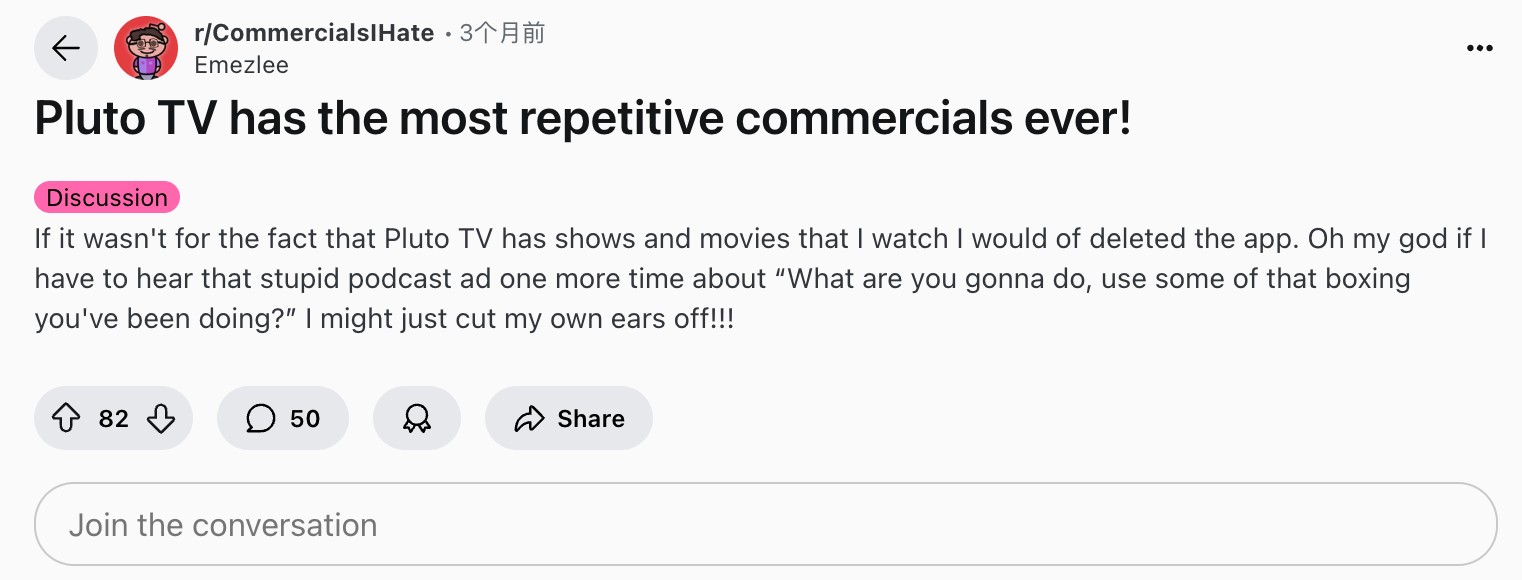
On-demand titles: ads are stitched into the stream at the start, in the middle, and at the end. Testing shows like NCIS on Apple TV, I saw mid-roll breaks every 5 to 8 minutes, each running about 2 to 3 minutes. The player generally will not let you scrub past an ad break. Community threads echo the same complaint I ran into: rising ad load and heavy repetition, especially on the more popular FAST channels.
Realistic Ways to Reduce Pluto TV Ads
There is no single switch that turns Pluto TV ads off, but there is a menu of levers that reduce how relevant, how repetitive, or how frequent the ads feel. I have tried each of these; here is what actually helps and what does not.
Reset Your Advertising ID to Cut Ad Repetition
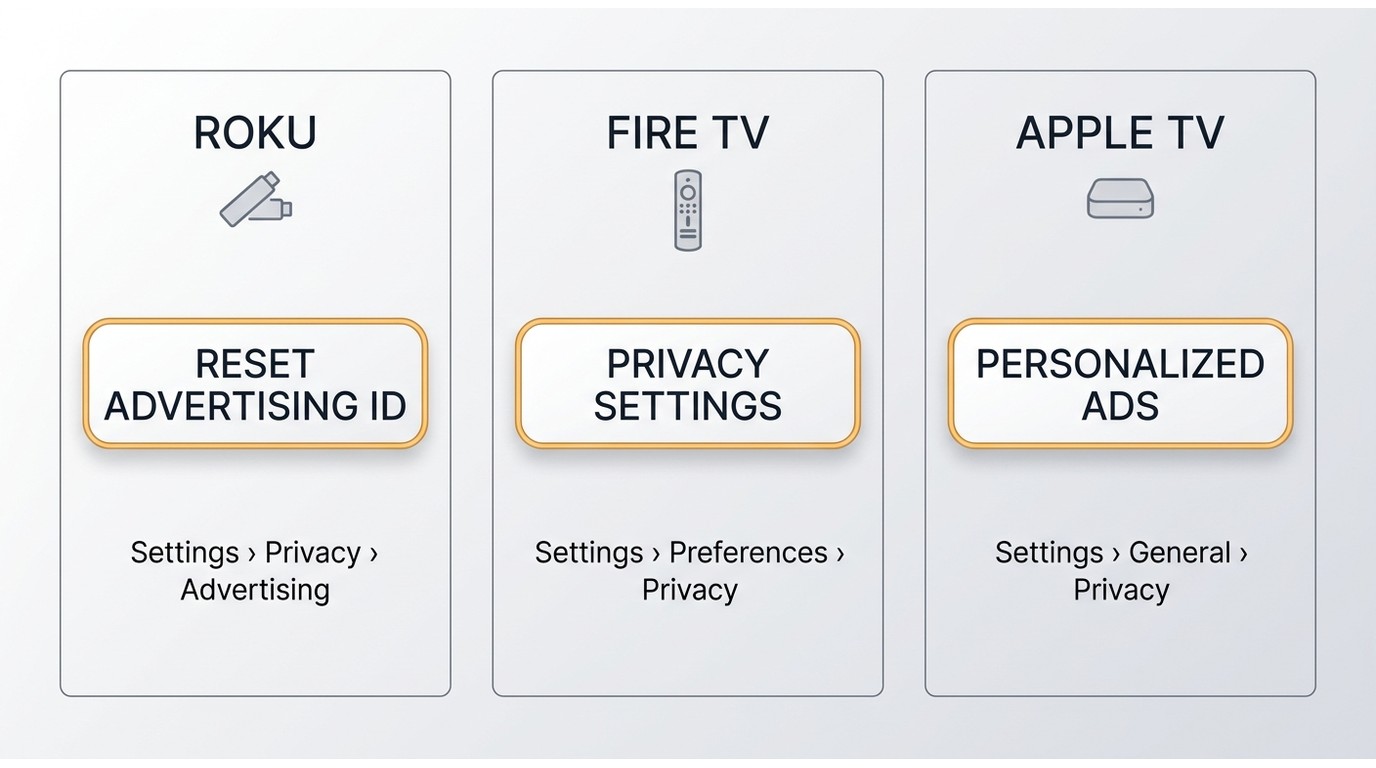
The safest lever is at the device level. On Roku, Fire TV, and Apple TV, you can reset the advertising identifier and tighten ad-personalization or privacy settings; on Roku it lives under Settings > Privacy > Advertising, on Fire TV under Settings > Preferences > Privacy Settings, and on Apple TV under Settings > General > Privacy. On mobile, iOS calls it Personalized Ads and Android calls it Ads. This will not remove commercials, but it does break up the "same ad on repeat" loop and stops the platform from re-serving spots tied to your recent activity. Of the free options, this is the one worth trying first.
Browser Extensions, Pi-hole, and Router DNS Limits
Generic browser blockers like uBlock Origin were built for classic pre-roll ads inserted by the browser. Pluto TV uses Server-Side Ad Insertion, meaning commercials are stitched into the video stream itself before it reaches your device, so uBlock on Chrome would block the outer request but leave the player stuck on a black screen or bouncing back to the menu. Pi-hole and router-level DNS filtering follow the same pattern: they can strip some tracking calls, but they cannot cleanly cut ads out of the video segments themselves, and aggressive rules often kill playback entirely.
Purpose-built "Ad Skipper for Pluto TV" browser extensions and patched Android TV builds do exist and some users report a cleaner watch, but these are unofficial: they break with every player update, can violate the platform's terms, and patched apps have documented account-ban and security risks. That risk is exactly why, further down, I prefer a stable route: keeping a personal offline copy of the specific titles you actually want to watch clean.
Can You Fast-Forward or Skip Pluto TV Ads?
Generally, no. On live channels the stream plays in real time, so there is nothing to scrub. On on-demand titles I tried dragging past a mid-roll on the web player, and the timeline snapped straight back to the ad start. The dedicated "Ad Skipper for Pluto TV" Chrome extension is the option people ask about, and it can help on some titles, but it is unofficial, breaks with player updates, and is not something I would rely on for a full watch session.
All of the above reduce ads; they do not eliminate them. If you want a genuinely uninterrupted watch of a specific title, the next section covers the two routes that actually deliver that.
Official Ad-Free Perks: Walmart+ and T-Mobile
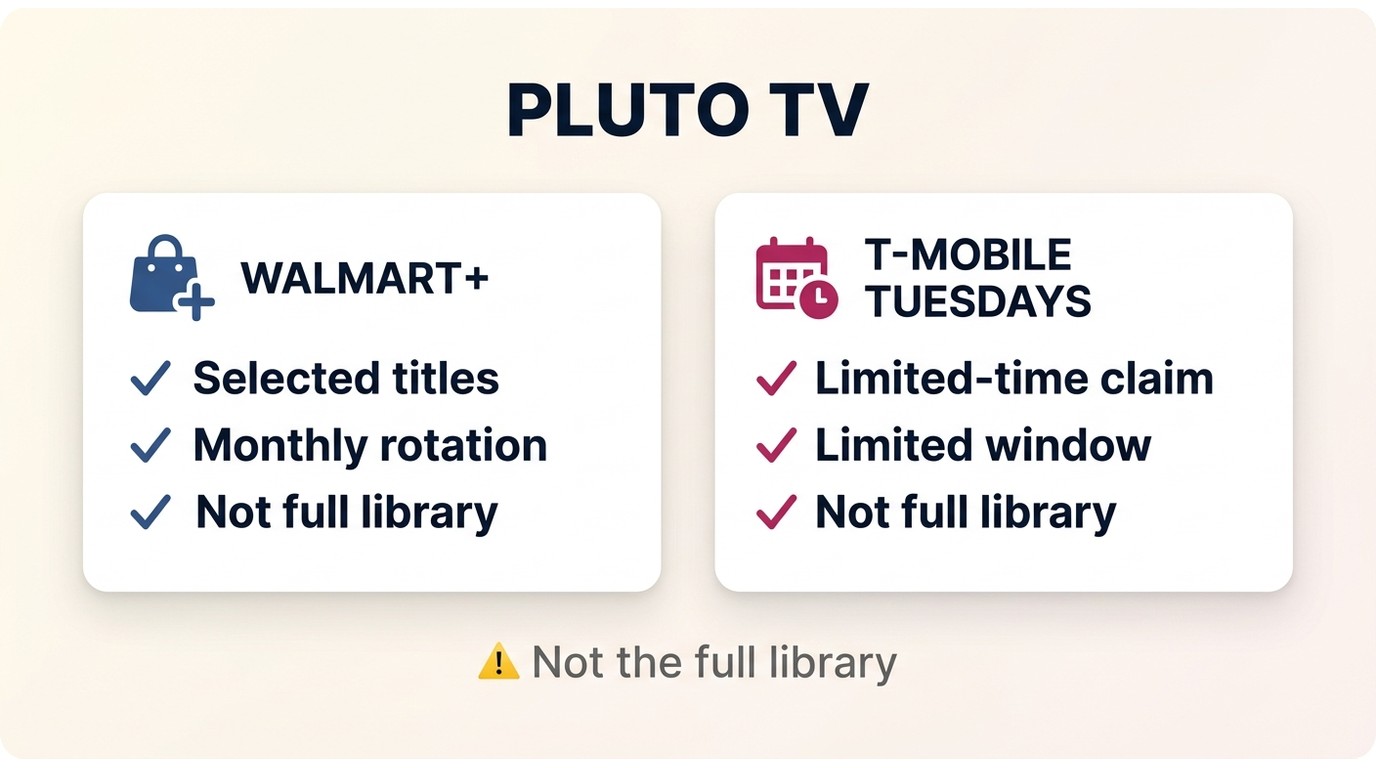
Pluto TV does not sell a Premium tier the way Netflix or Hulu do, so there is no $10 button that clears ads platform-wide. What does exist is a small set of partnership perks that unlock ad-free access to rotating, selected titles, not the full library.
Rotating Ad-Free Titles With Walmart+
Walmart+ members can access a curated selection of ad-free series through their membership center. Classic hits like Matlock and Mission Impossible have appeared in the lineup, but the roster rotates monthly, so what is ad-free this month may not be next.
Monthly Passes via T-Mobile Tuesdays
T-Mobile and Metro customers can claim monthly ad-free passes for selected Pluto TV series through the T-Mobile Tuesdays app. Same shape as the Walmart perk: specific titles for a limited window, not the whole library.
- Free and easy to use
- No need to download any videos
- It’s incredibly unstable and often leads to player crashes or infinite buffering loops.
Save Ad-Free Copies With StreamFab Pluto TV Downloader
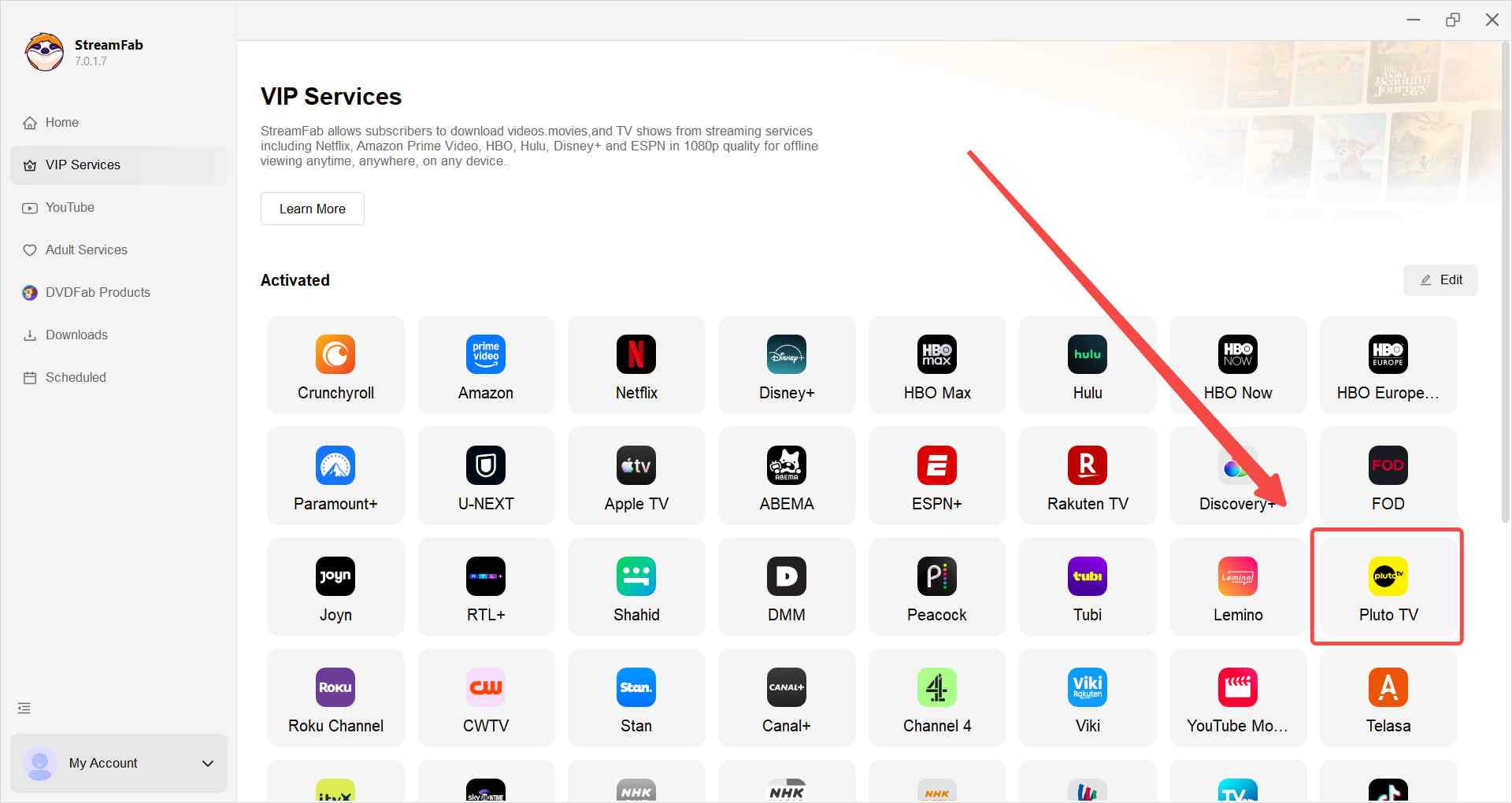
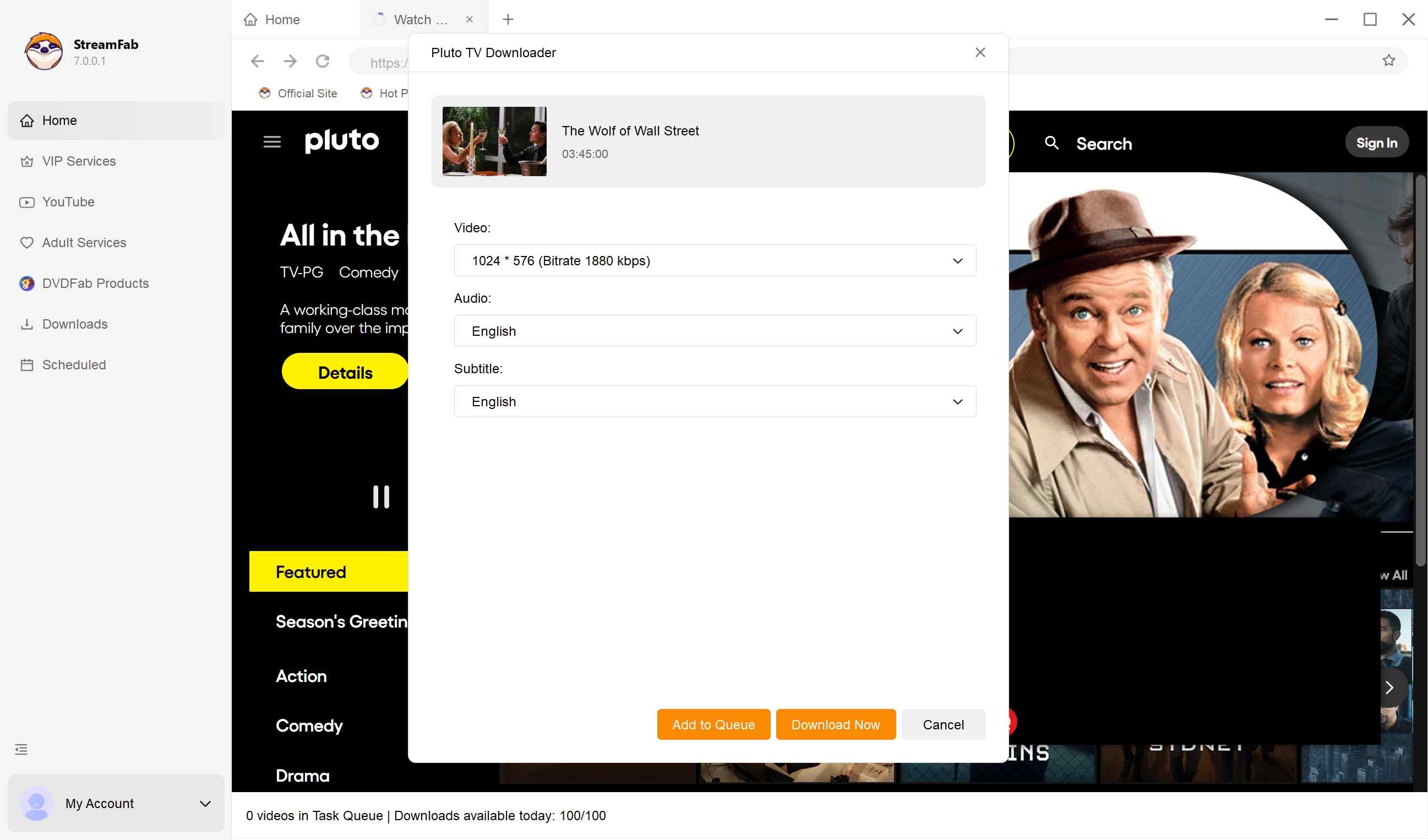
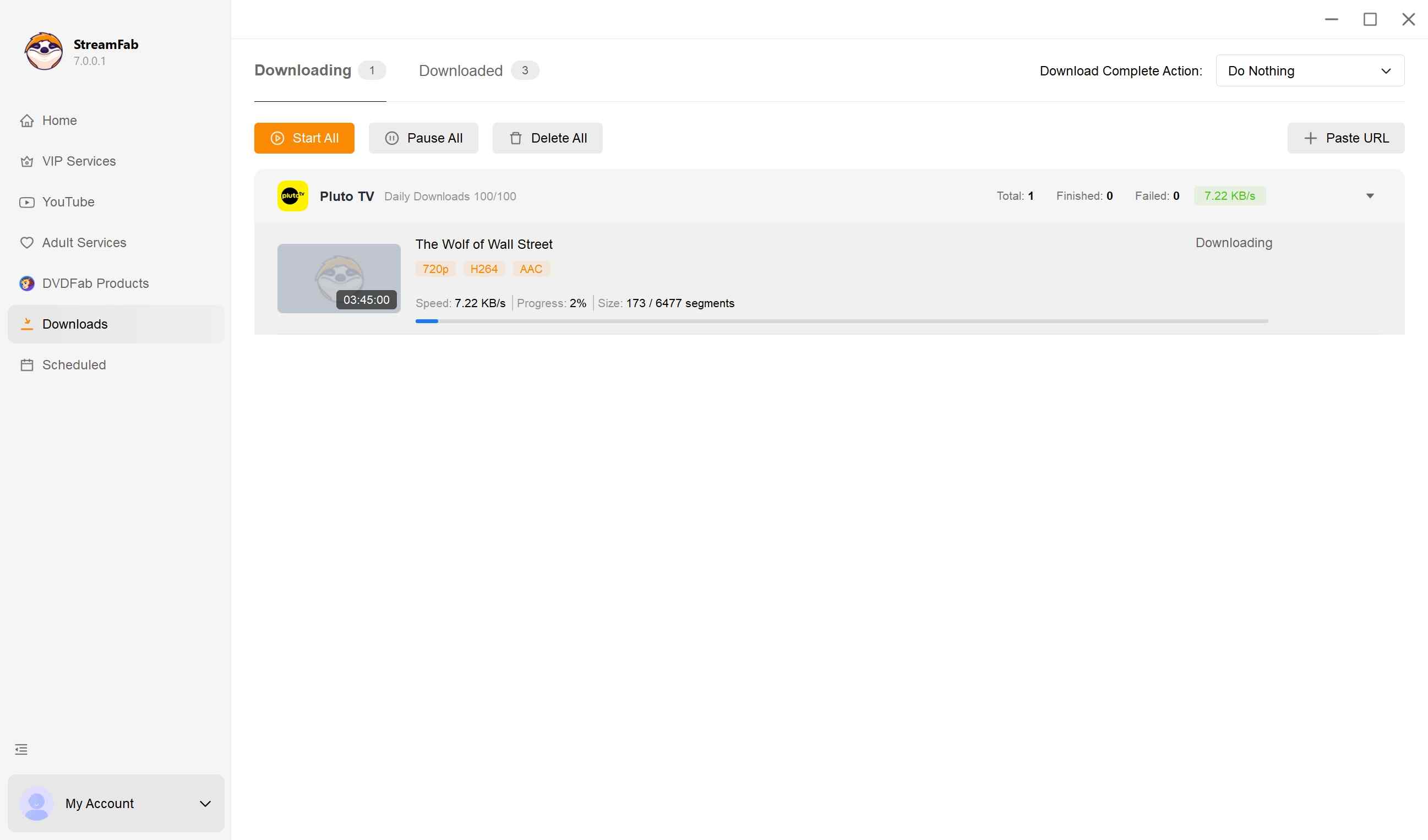
If you want a clean, ad-free local copy of the specific titles you want to watch without crashes or rotating perk limits, a personal backup is a practical route. StreamFab Pluto TV Downloader is designed specifically to handle these modern streaming protocols. It doesn't just "hide" the ads; it allows you to download Pluto TV videos in a clean version of the video directly to your device.

Download and watch Pluto TV offline without ads from Pluto TV, no matter which country you’re in. No VPN or region hacks needed.
- Saves Pluto TV movies and shows, keeps the original audio and video quality up to 720p
- Skips the in-stream advertisements during playback, saves subtitles as external SRT files
- Lets you choose the subtitle and audio language for the download
- Download Pluto TV to MP4 format for broad player compatibility and easy transfer
- Select multipletitles and download them together in batch mode, schedule overnight jobs, organize & manage your local library effortlessly
Pluto TV Ads vs Other Free Streaming Services
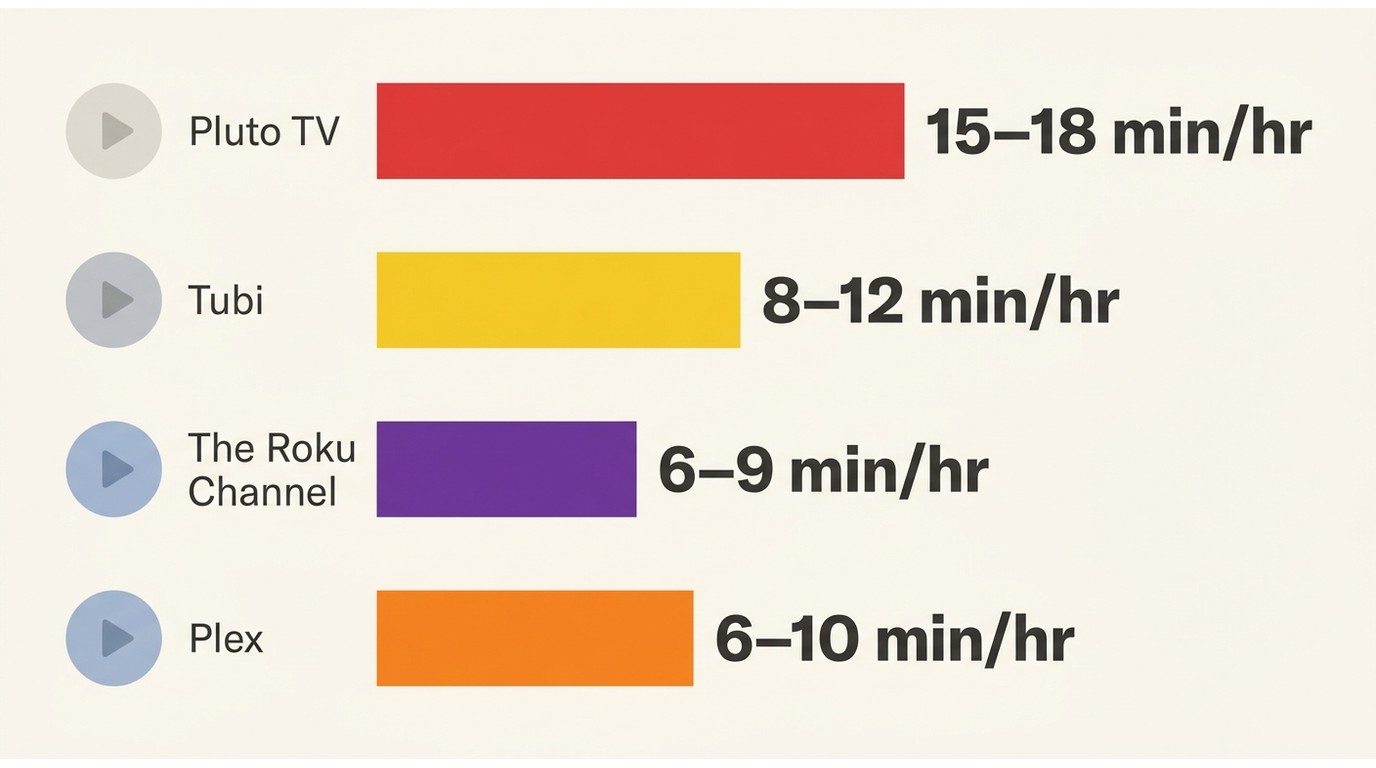
| Platform | Avg. ad time per hour | Ad breaks per hour | Official ad-free option |
|---|---|---|---|
| Pluto TV | 15–18 minutes | 5–7 | No (rotating Walmart+ / T-Mobile titles only) |
| Tubi | 8–12 minutes | 3–4 | No |
| The Roku Channel | 6–9 minutes | 3–4 | No |
| Plex (free channels) | 6–10 minutes | 3–5 | No (Plex Pass covers other features, not FAST ads) |
Note: Amazon retired the Freevee app in August 2025 and folded its titles into Prime Video's "Watch for Free," which is why it no longer appears in this comparison.
Frequently Asked Questions
Conclusion
Pluto TV's free-but-heavy ad load, roughly 15-18 minutes an hour with no platform-wide ad-free tier, is a fair trade for casual live channel-surfing. For favorite titles you want to watch straight through, resetting your device advertising ID cuts the repetition, and the Walmart+ and T-Mobile perks help on a rotating slice of the catalog. If you'd rather not depend on those, saving a personal offline copy on Windows or Mac with StreamFab Pluto TV Downloader is a more reliable route for a clean watch.

Pluto TV has no official offline video-download mode. Compare three ways to save Pluto TV shows as MP4/MKV for personal offline viewing — a desktop downloader
By Nicole Lopez - Aug 6, 2026
As a digital archive expert, I reveal the 2026 technical realities of FAST platforms like Pluto TV. Discover why official offline fail and how to use advanced 1:1 bitstream tools to watch Pluto TV without internet, strip SSAI ads, and build your offline media library seamlessly.
By Jacob Harrison - Aug 5, 2026

Can you download movies on Pluto to watch offline? No official offline mode exists, but this 2026 technical guide explains how to handle SSAI and DRM to extract Pluto TV to MP4 using reliable third-party downloaders.
By Erika Leen - Aug 3, 2026
Fixing Pluto TV "we have trouble playing this title" error and black screens on Roku/Firestick in 2026. A digital archiver's deep dive into DRM, CDN routing, and offline viewing.
By Marcia Hatcher - Jul 28, 2026