
Pluto TV to MP4: 3 Download Routes Compared in 2026

Summary: Can you download movies on Pluto to watch offline? No official offline mode exists, but this 2026 technical guide explains how to handle SSAI and DRM to extract Pluto TV to MP4 using reliable third-party downloaders.
Table of Contents
You typed "Pluto TV to MP4" into search because the show you queued up last night might not be there next month. Pluto TV has no download button, so the practical question is which MP4 route actually holds up in 2026: an online paste-URL tool, a screen recorder, or a desktop app. I've run all three against real Pluto TV pages this year, and the trade-offs are sharper than most listicles admit. Before you commit to a method, it's worth knowing what people mean when they say they want to watch Pluto TV offline, and where an MP4 file actually fits within Pluto TV's terms and your local copyright rules.

What Pluto TV to MP4 Really Means
Pluto TV runs as a live-linear and on-demand streaming service, so the app itself has no general-purpose download button and no built-in DVR. That's the premise every "Pluto TV to MP4" workflow starts from: you're taking something the app streams and saving it as a standard MP4 file on your own machine, for personal offline viewing of content you're already authorized to watch.
Why Pluto TV Has No Download Button
A free, ad-supported service is built around live playback, not local caching, so "can you watch Pluto TV offline" runs into a dead end in the official help docs. That's a product decision, not a bug — and it's why the rest of this article is about routes that live outside the app.
Three MP4 Routes and Their Trade-Offs
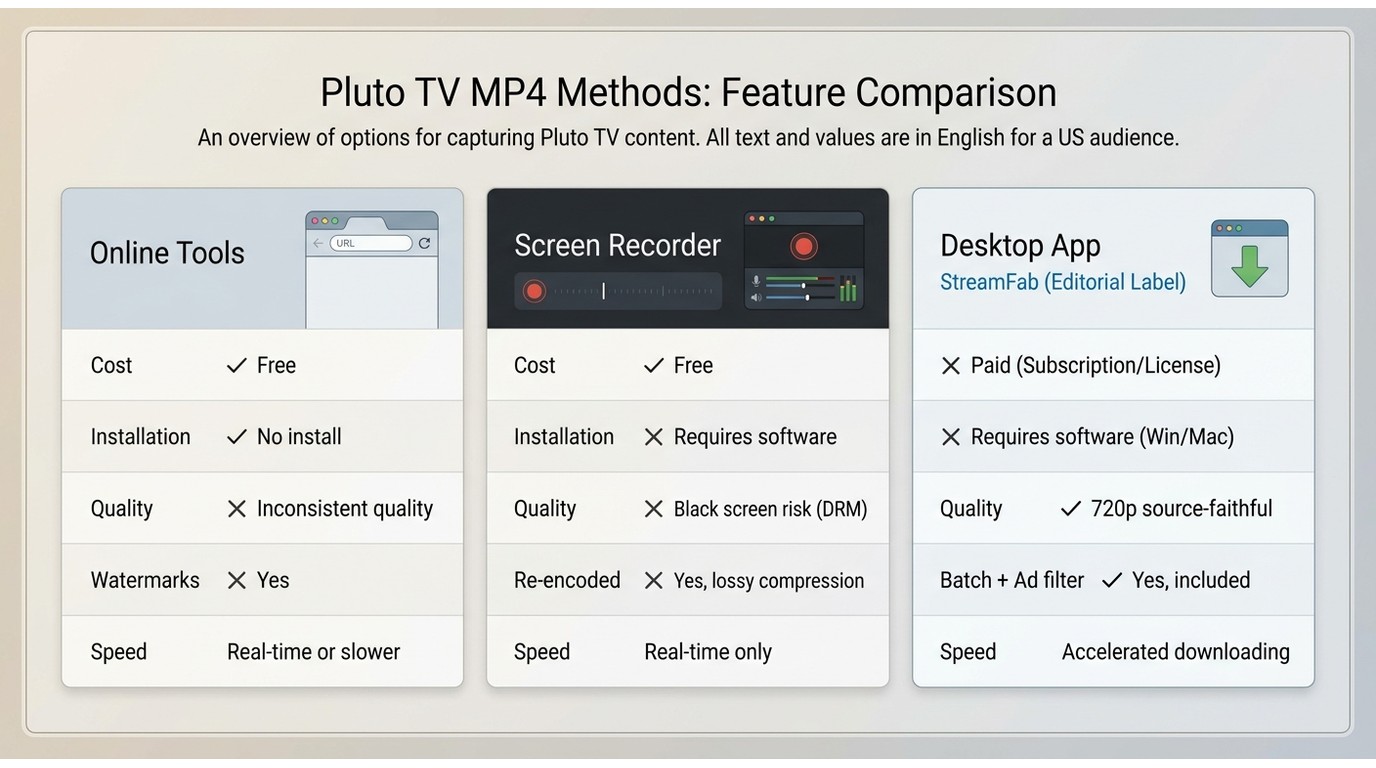
Once you accept that Pluto TV won't hand you a file, there are three routes people actually use to end up with an MP4: an online paste-URL tool, a screen recorder, or a desktop app that saves a local file. Each one solves a different problem, and none of them is a magic wand. Below I walk through what each is genuinely good at — and where it falls apart.
Online Downloaders and Free Tools
The paste-URL sites are the first thing most readers try, and I don't blame them: no install, no account. Results are inconsistent though. Some pages return a low-resolution file with a watermark, some fail silently, and a few load ad-heavy redirects before delivering anything. Manual routes — grabbing m3u8 URLs by hand, or leaning on yt-dlp — have their own catch: community reports through 2026 describe yt-dlp's Pluto TV support as broken or unmaintained, so treat it as a curiosity, not a dependable workflow. My honest read: this route is fine for a one-off browser experiment, not for building a library.
Screen Recording and Black Screens
OBS and other screen recorders look tempting because they capture whatever's on your screen. In practice, protected playback plus hardware acceleration often produces a black frame where the video should be, and turning acceleration off can trade the black screen for dropped frames and audio drift. Even when it works, you're paying the full runtime — a 90-minute movie takes 90 minutes to record — and the file gets re-encoded rather than saved at source quality. Fine for short clips or a free experiment. Not fine if you want a batch queue.
Desktop Local-File Workflows
A desktop app dedicated to streaming saves is the option that most reliably produces a clean MP4 for repeat use. You install it once, sign in to your Pluto TV account inside the app, and queue titles you're authorized to watch. It costs money and it only runs on Windows or Mac, but for anyone doing this more than occasionally it's the only route where the file quality, the ad handling, and the batch behavior are all in one place. After trying the first two routes on the same episodes, that's where I ended up.
What a Reliable Downloader Should Offer
Before I name the tool I settled on, here's the checklist I actually use — the same one that ruled out most of the free options above.
Ads, Formats, Audio, and Subtitles
Ad handling is where the routes diverge sharpest. Online tools rarely touch ads, screen recorders make you skip manually, and a good desktop app can filter ad segments during the save so you don't rewatch the same insurance spot every episode. On format, MP4 is universal for phones and TVs; MKV is worth having when you want to keep multiple audio tracks or subtitle streams. Audio should stay at whatever the source delivers (no forced downmix to stereo if the source has more), and subtitles should be available either burned in or as a separate SRT — the SRT route is friendlier for Plex and Jellyfin libraries.
Device Support and Workflow Stability
Pluto TV downloaders worth using run on Windows or Mac desktops — there's no legitimate iOS or Android app that does this well, and I'd be skeptical of any that claim to. If you want the file on your phone, you save on the desktop and transfer. Stability matters more than a marketing spec sheet: does the tool survive a Pluto TV player update? Community threads through mid-2026 show that even mature tools occasionally break for a few days after a Pluto TV interface change, so pick a vendor that ships patches quickly rather than one advertising a resolution number the source doesn't actually carry.
StreamFab Output and Best Fit
Running through that checklist against the three routes, the desktop app I kept coming back to is StreamFab Pluto TV Downloader. It's a Windows and Mac app for personal offline viewing of content you're authorized to access on Pluto TV, subject to Pluto TV's terms and applicable law. Below is what it actually produces — and, just as importantly, who it isn't for.
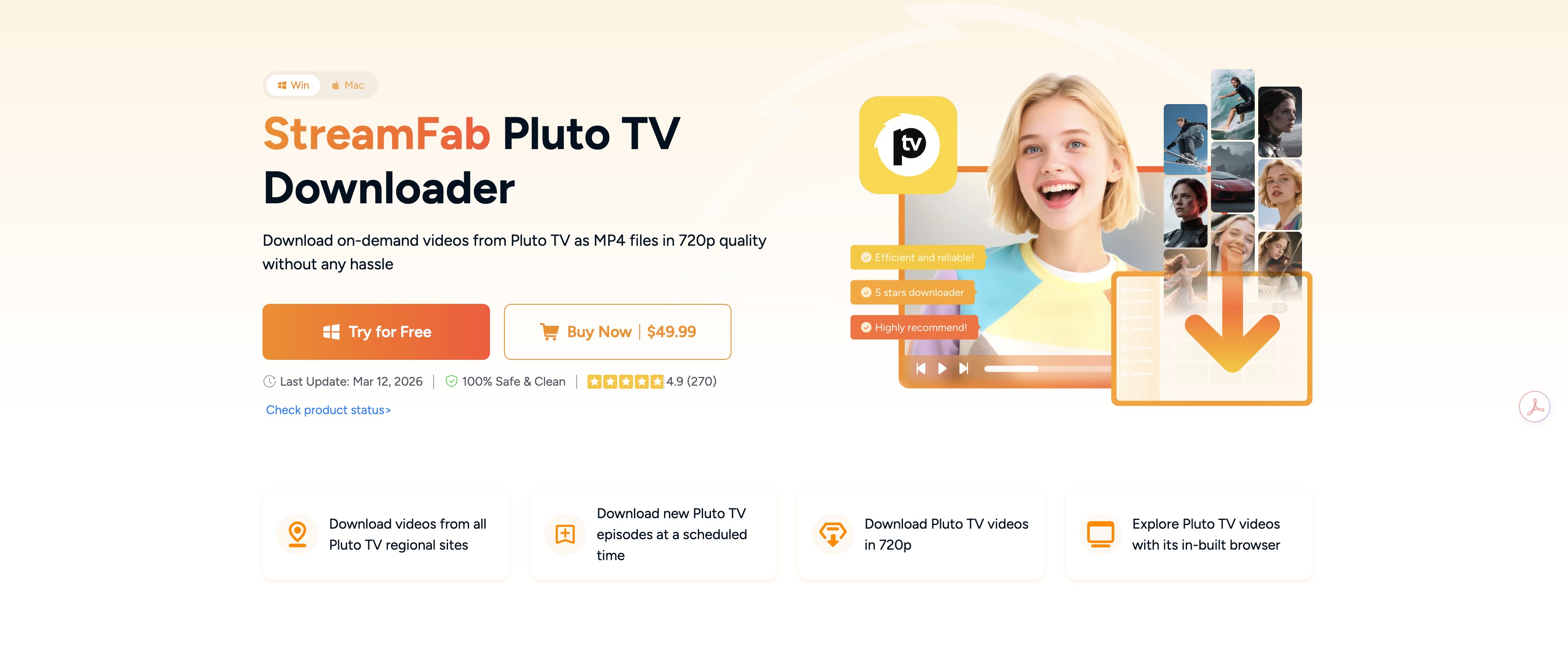
- Save available Pluto TV content you’re authorized to watch (for personal offline viewing)
- Output videos in 720p HD quality with an AAC audio track
- Save Pluto videos in MP4 format with a streamlined workflow
- Save subtitles as Remux directly within your video or extend the SRT file format
- Save Pluto videos, shows, or episodes in batches at the same time
- Helps organize offline playback for personal use (experience may vary by stream availability and platform rules)
- Preserve metadata information of downloaded videos
| Method | Typical cost | Ad handling | Output format | Main limitation (as of August 2026) |
|---|---|---|---|---|
| StreamFab desktop app | Paid, with 30-day free trial | Automatic filtering where the stream allows | MP4 / MKV, source-faithful up to 720p | Windows or Mac only |
| Screen recorder (OBS etc.) | Free | Manual skipping during recording | Re-encoded MP4 at capture resolution | Runs in real time; protected playback may black-frame |
| Online paste-URL tool | Free or freemium | Rarely handled; ads may appear in file | MP4, variable quality | Inconsistent parsing; results vary widely |
720p MP4 and MKV Output
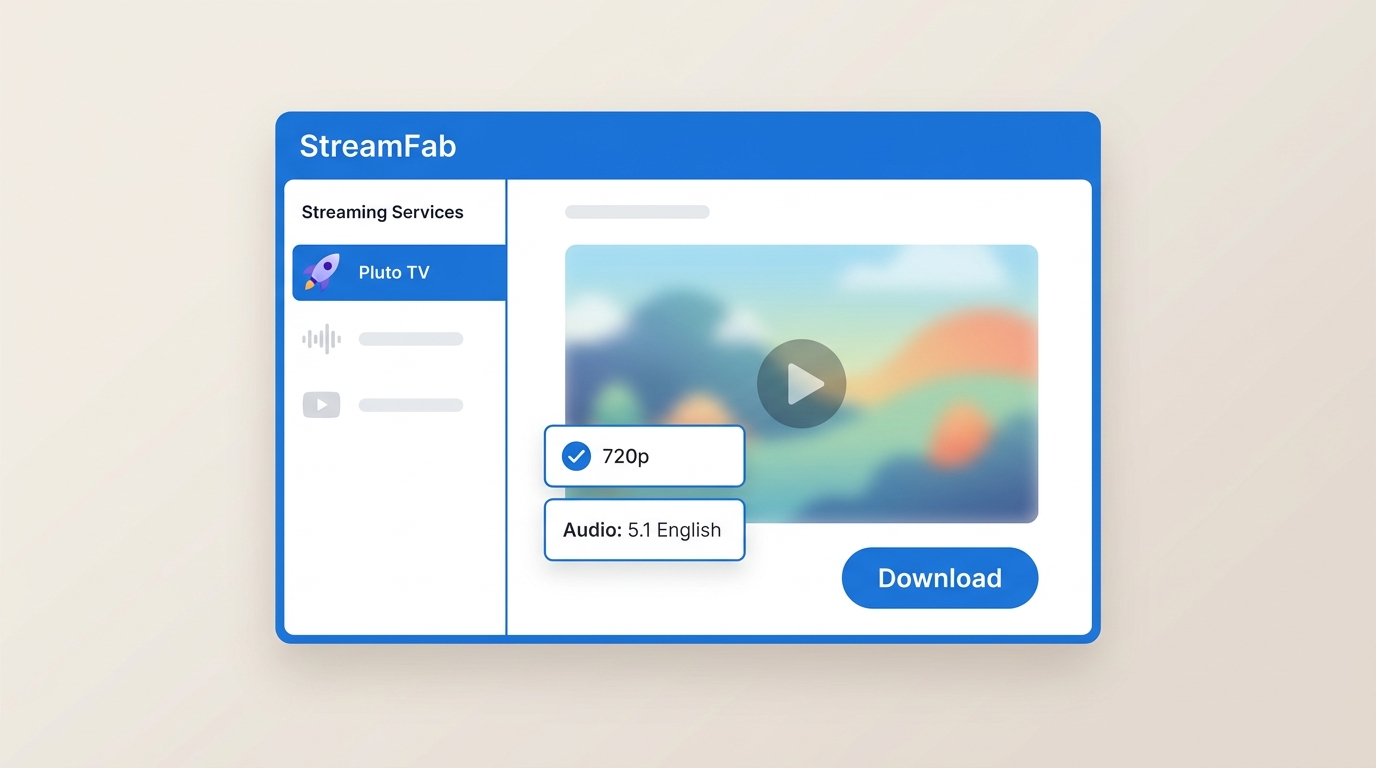
Output is MP4 or MKV, up to 720p in H.264 with AAC 2.0 audio — matching what Pluto TV typically delivers on the pages I've tested. If an online tool advertises a 1080p Pluto TV file, that's a warning sign, not a feature: the output number doesn't prove the source was ever delivered at that resolution. StreamFab saves the source-faithful stream and keeps metadata (poster, episode title) intact for Plex or Jellyfin libraries.
Batch Saves and Ad Handling
The features that actually matter on a FAST platform are batch queues and automatic ad handling. You can line up an entire series overnight and, where the current stream allows it, the app filters ad segments during the save so the final MP4 plays without the manual skip dance. That's the difference that shows up on a long movie or a batch — not so much on a single clip.
Who It Suits and Who It Does Not
Honest fit: StreamFab is worth it if you're saving from Pluto TV (and typically a couple of other services) on a repeating basis, want MP4/MKV files with the ads handled, and are on Windows or Mac. It's not the right pick if you only need a one-off browser download, want a phone-only workflow, or refuse to pay for software — for those cases, go back to the online-tool route above and accept its ceiling.
Save an Authorized Pluto TV Video
This walkthrough is for content you're already authorized to watch on Pluto TV, kept for personal offline use and consistent with Pluto TV's terms and applicable copyright law. The 30-day free trial is the easiest way to see whether the workflow fits before paying. For a broader tour of everything the app can save from Pluto TV, the companion guide covers the full menu. As of August 2026, the sequence below matches the current interface; a July 2026 Pluto TV player change briefly broke analyze-and-queue for some users, so if a step behaves differently, jump to the troubleshooting section below.
Step 1: Install StreamFab Pluto TV Downloader on your Windows or Mac machine.
Step 2: Open up StreamFab, click over to Streaming Services on the left side, and pick the Pluto TV icon to get to the playback page right inside the software.
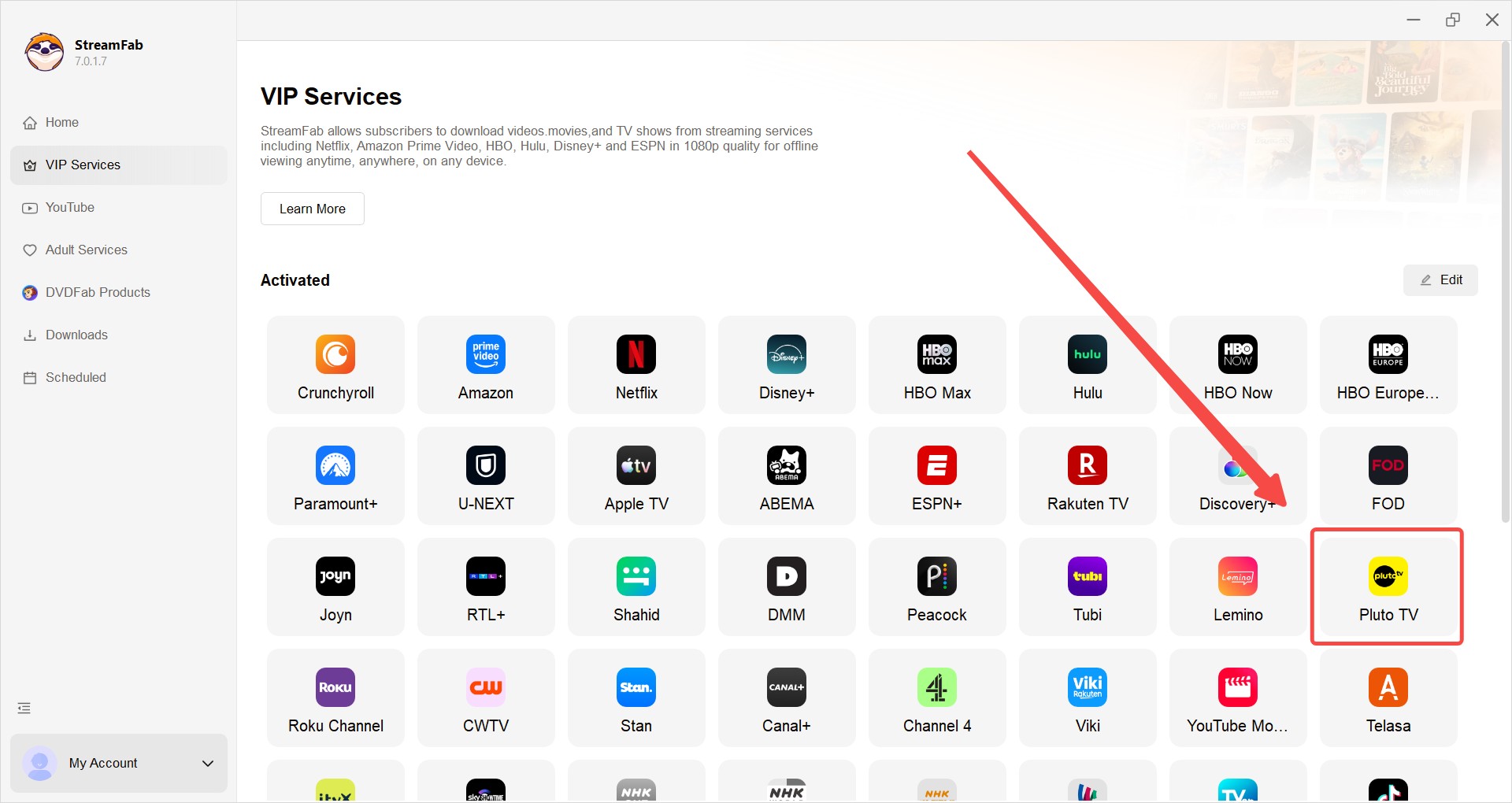
Step 3: Head into Pluto TV and find that show or movie you've been wanting to see. Hit play and just let it run for a second. The app basically just needs to verify what you’re allowed to stream.
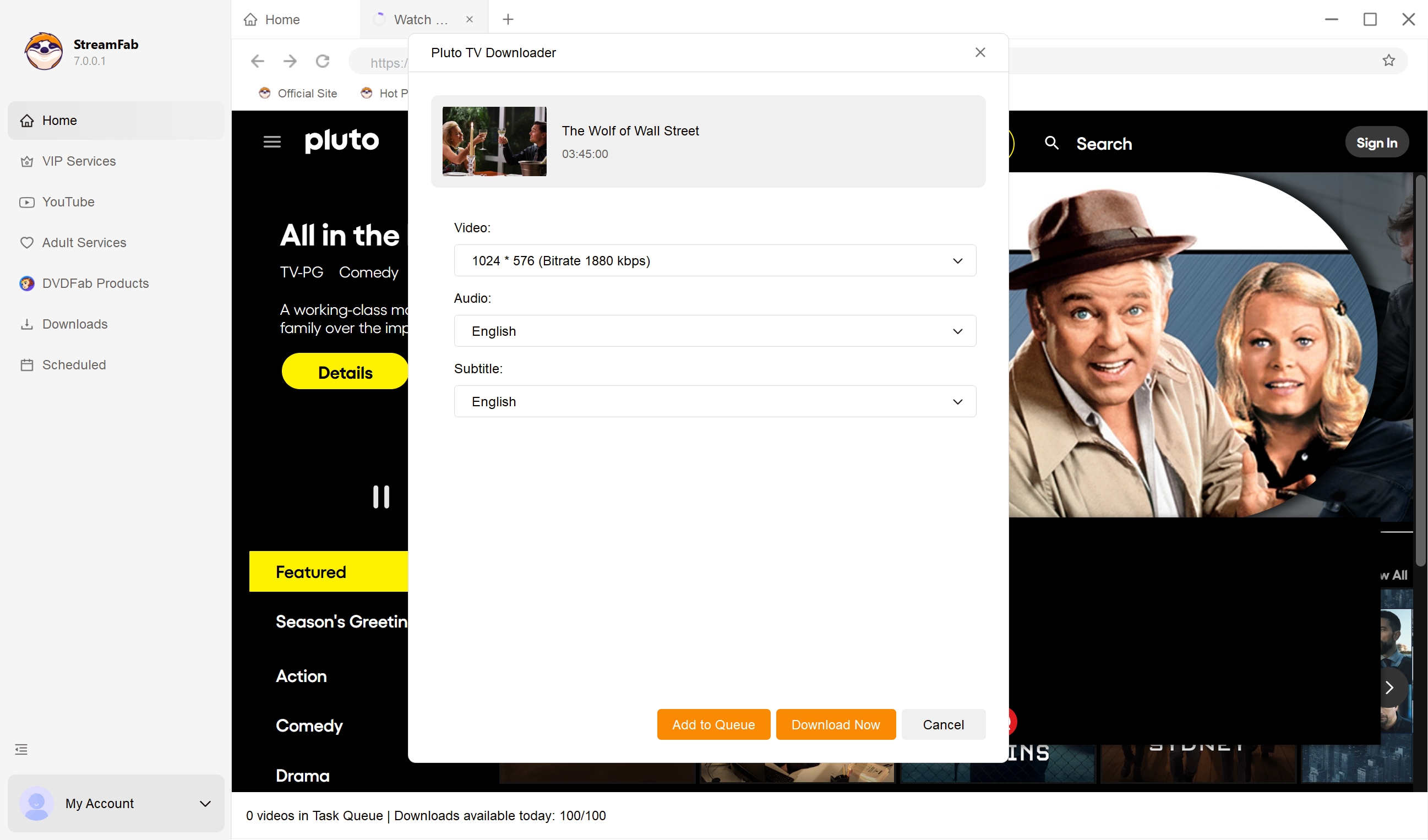
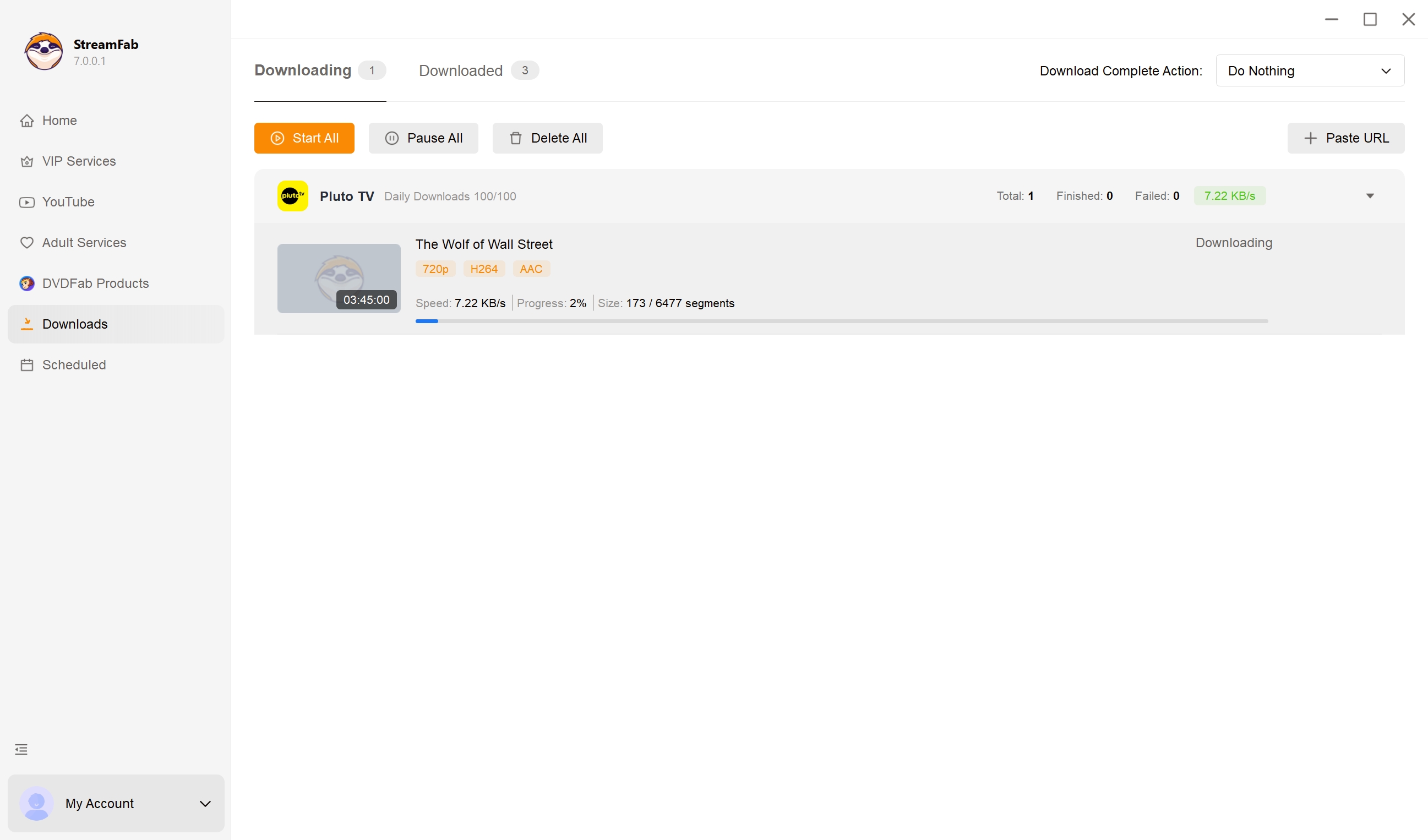
Step 4: Once the video starts playing, pick your settings (like resolution) depending on what Pluto TV has available. After that, just follow the prompts on the screen to kick off an offline save task for your personal collection. You can easily keep track of finished downloads over in the Library tab on the left.
Troubleshooting Current Pluto TV Changes
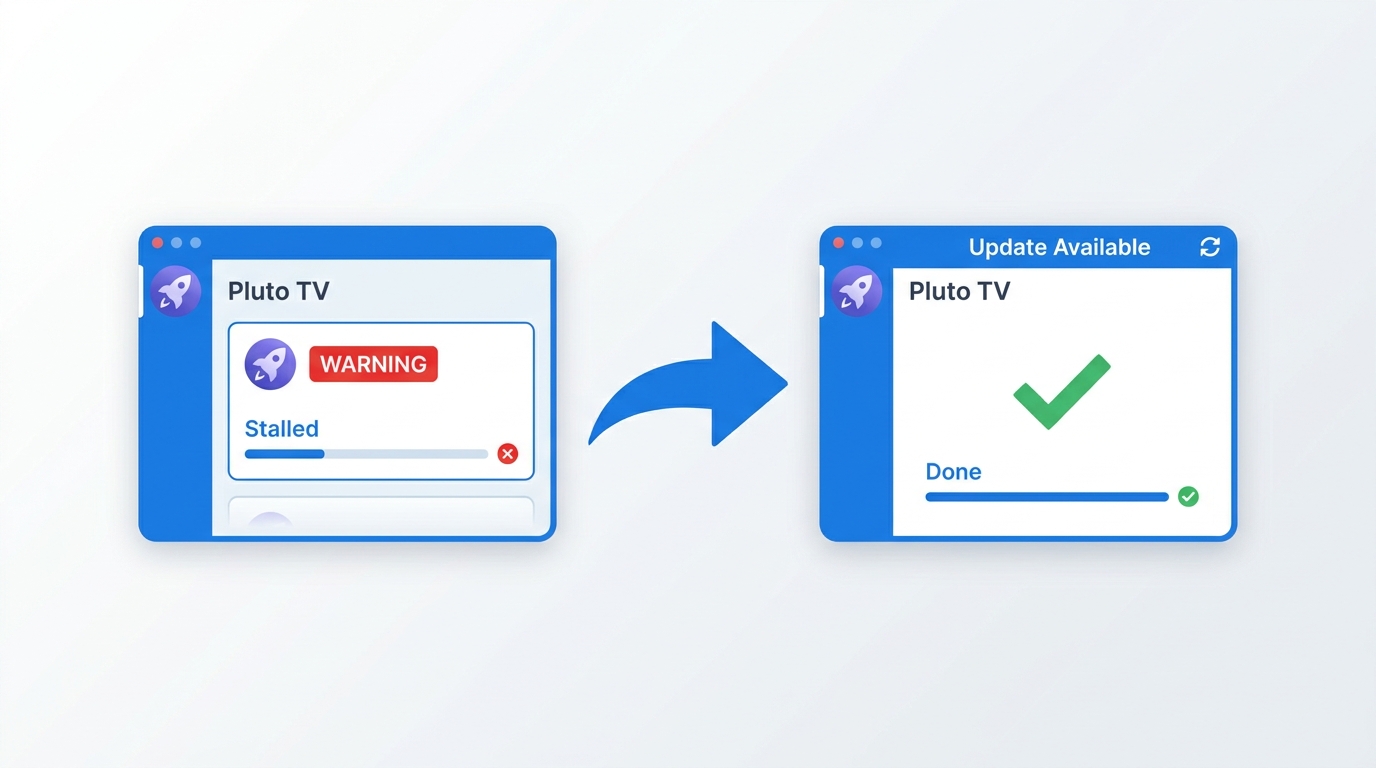
Pluto TV updates its web player and app on its own schedule, and each update can briefly disturb third-party workflows. The most common symptoms I've seen this year: a title analyzes but the queue never starts, a page throws a "lost" error, or the app hangs on the sign-in step. First try refreshing the Pluto TV page inside StreamFab and re-selecting the title; if that fails, close the app, update to the latest build, and re-run the flow. If the issue persists across restarts, it's likely a service-side change rather than your setup — checking the vendor's support forum or waiting a few days for a patch usually resolves it.
FAQs
Conclusion
None of the three routes is universally right — the honest answer depends on how much you're actually saving. If you just want to grab one clip in a browser and never think about it again, an online paste-URL tool is enough and probably free. If you need a short recording of something happening on screen and don't mind sitting through it in real time, a screen recorder works. If you're saving from Pluto TV on a repeating basis and want MP4/MKV files with the ads handled, a desktop app like StreamFab is the route that scales. Whichever you pick, stay within Pluto TV's Terms of Service and your local copyright law, and keep the files for personal use.

StreamFab is intended for personal backup and offline viewing of streaming content you can legally access during a valid subscription. Always follow Pluto TV’s Terms of Service and applicable copyright laws.

Pluto TV has no official offline video-download mode. Compare three ways to save Pluto TV shows as MP4/MKV for personal offline viewing — a desktop downloader
By Nicole Lopez - Aug 6, 2026
Find out how many commercials Pluto TV shows, why conventional ad blockers often fail, and whether the service offers an official ad-free plan. This guide also compares Pluto TV’s ad load with other free streaming platforms and explores practical options for watching content with fewer interruptions.
By Jacob Harrison - Aug 6, 2026
As a digital archive expert, I reveal the 2026 technical realities of FAST platforms like Pluto TV. Discover why official offline fail and how to use advanced 1:1 bitstream tools to watch Pluto TV without internet, strip SSAI ads, and build your offline media library seamlessly.
By Jacob Harrison - Aug 5, 2026
Fixing Pluto TV "we have trouble playing this title" error and black screens on Roku/Firestick in 2026. A digital archiver's deep dive into DRM, CDN routing, and offline viewing.
By Marcia Hatcher - Jul 28, 2026