ARD Mediathek Downloader: Encryption & Ads-Free Video Downloads

Summary: If you want to save Germany's most remarkable news, documentaries, or regional programming, the ARD Mediathek downloader is the smartest option. It allows you to save the entire ARD library for your relaxing offline watch.
Table of Contents
Can You Download from ARD Mediathek?
Short answer: yes. ARD Mediathek is Germany's free, Rundfunkbeitrag-funded public broadcaster library, and you have three realistic routes to download movies from ARD — the official ARD app (temporary, in-app), free open-source tools like MediathekView, or a desktop downloader for a permanent MP4/MKV.
The rest of this article maps the trade-offs — how long files last, where they're saved, and what actually works from outside Germany — so you can pick honestly for your situation.
Official App and Free Tools: What They Do and Don't
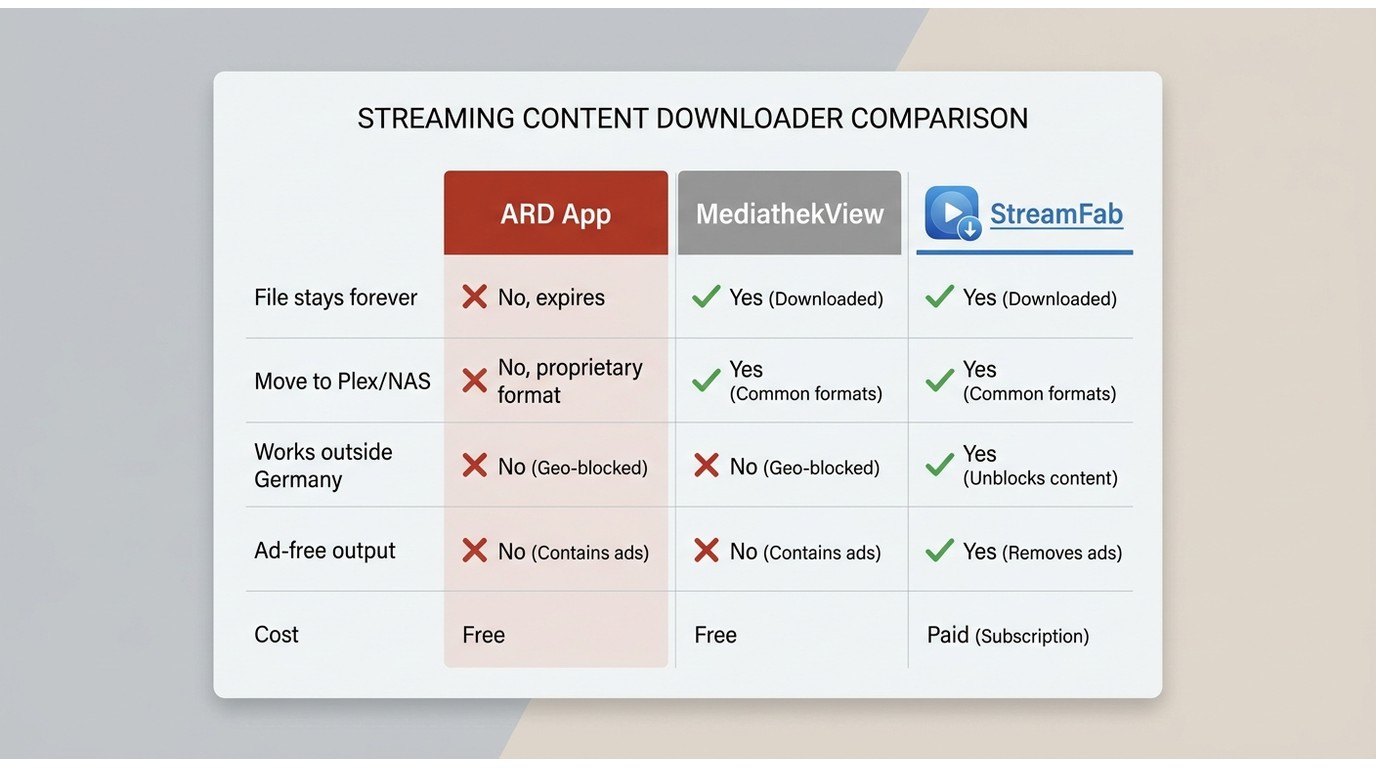
Let's correct a myth I keep seeing repeated: the official ARD app can't download. It can. The ARD Hilfe page on "Videos herunterladen" documents in-app downloads on iOS and Android, and free open-source tools have offered direct MP4 saves for years. The honest question isn't whether you can download — it's whether the free route covers your specific case.
Official ARD App Download Limits
The official app does let you save videos for offline viewing, but three constraints matter. Downloads expire within days (typically 7 to 30 depending on the title's rights window). Files live inside the app sandbox, so you can't move them to a NAS, Plex library, or a bigger screen. And the download function generally requires you to be in Germany — the app's the wrong tool the moment you leave the country. For a quick weekend watch at home, it's genuinely enough. For anything you want to keep or take abroad, it isn't.
MediathekView and MediathekViewWeb (Free, Open-Source)
If your target is an open, non-protected catalogue entry, start here. MediathekView (desktop) and MediathekViewWeb (browser) index the public ARD and ZDF catalogues and expose direct MP4 links in HD or SD. It's free, community-maintained, and it's what the r/selfhosted crowd builds their MediathekArr pipelines around for permanent MKV home libraries. My honest take: if the title you want is in the open catalogue, don't read further — grab MediathekViewWeb and you're done.
Where it falls short is the reason the rest of this article exists. The free route doesn't cover protected or geo-locked titles, doesn't strip in-video ads from the saved file, and leaves organizing and metadata entirely to you. That's the gap a desktop downloader fills, and it's the only reason to keep reading.
| Comparison Dimension | Official ARD App | StreamFab Desktop Downloader |
|---|---|---|
| Platform | iOS / Android only | Windows / macOS |
| File retention | Temporary (typically 7 – 30 days) | Local file, no expiry timer |
| Output format | In-app sandbox (not a browsable file) | Standard MP4 or MKV |
| Works outside Germany | Generally no | Yes, once saved locally |
Download ARD Mediathek Videos with StreamFab
To download an ARD Mediathek video with a desktop tool, you need three things:
- Authorized access to the content you want to save
- A Windows or Mac PC with a stable connection
- A desktop downloader that outputs a standard MP4 or MKV
Why Choose StreamFab
If the free tools cover your title, don't bother with this section — MediathekViewWeb is the right answer and I'd rather you save the money. StreamFab earns its place in a narrower slot: content you're authorized to access but the free route can't reach, or a workflow where the file has to be portable and ad-free. For content you're authorized to access, where permitted by platform terms and applicable law, it's a desktop alternative that saves a standard MP4 or MKV for personal offline viewing.
Three differentiators actually matter for ARD:
- Permanent, portable files. The saved MP4/MKV lives on your disk, not inside an app sandbox — move it to a NAS, Plex, or a second laptop without re-downloading.
- Ad-free saved file. Pre-roll and mid-roll segments aren't baked into the output, so the file plays clean.
- Works when you're not at home. Once you have a local copy, playback isn't tied to Germany the way the official app is.
Best for: building a permanent, portable ARD archive on a Windows or Mac machine — Plex libraries, long flights, expat setups where the official app quits working.
Not ideal for: a quick temporary watch at home in Germany, where the official app is already enough.

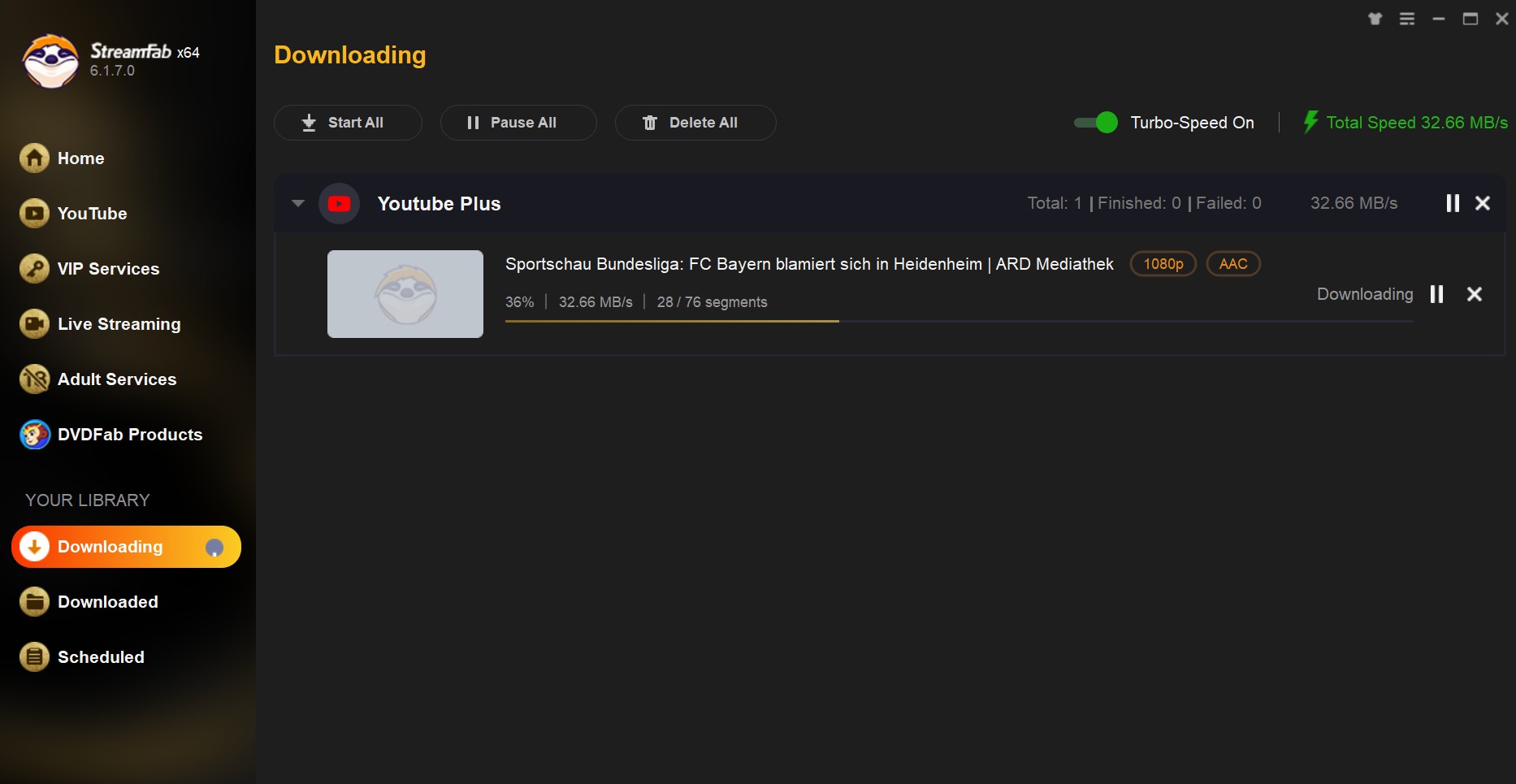
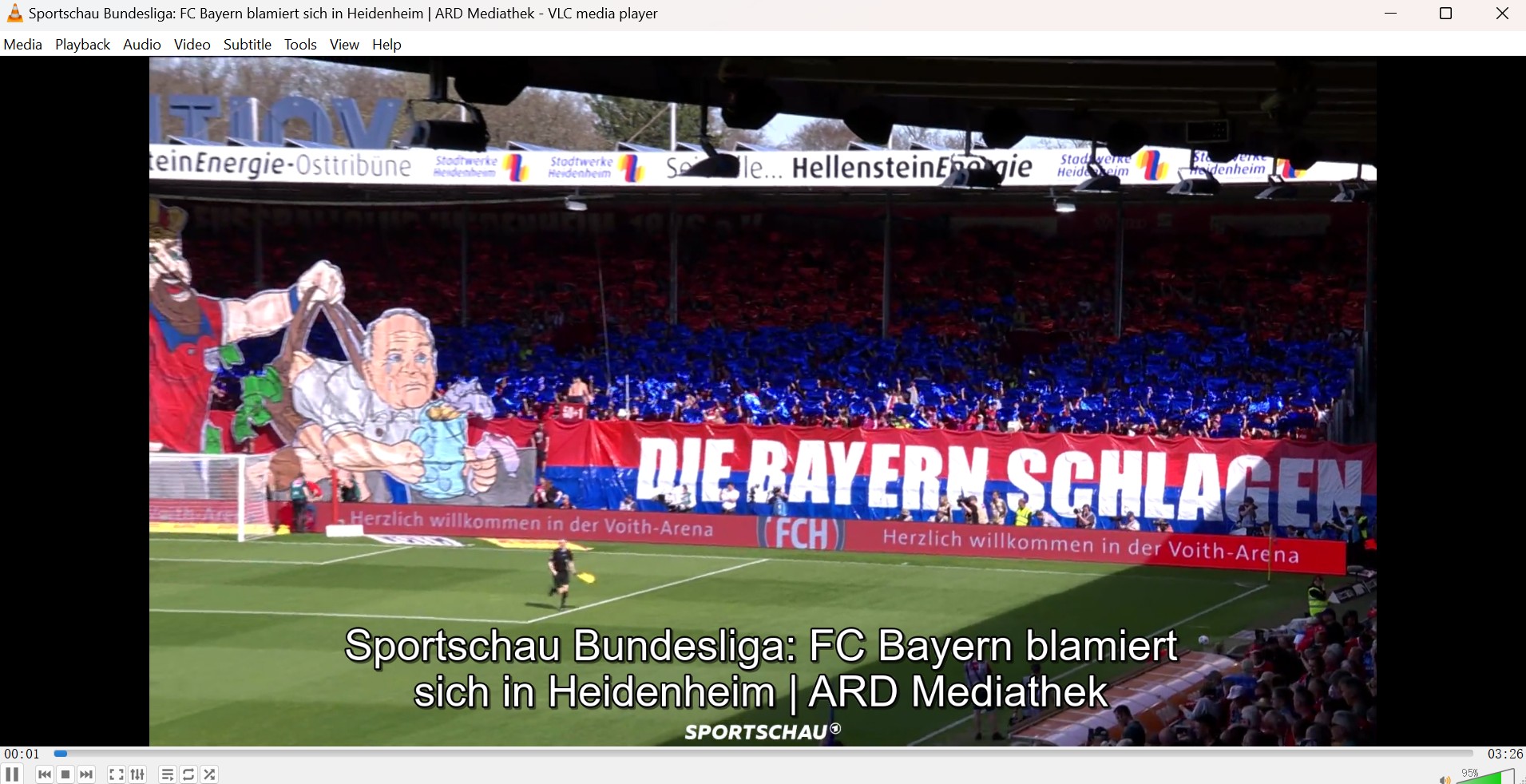
From audio-video quality selection to removing copy-protection, you will get an ARD video download with 1080P native lossless resolution and save it in MP4/MKV format permanently for offline watching even if you are outside Germany.
- Save a personal MP4 or MKV copy of ARD Mediathek content you're authorized to access
- Output the saved file ad-free, ready for offline playback on any device
- Choose MP4 or MKV for wide device and player compatibility
- Keep up to 1080p native lossless picture without re-encoding
- Preserve the original AAC 2.0 audio track for a natural listening experience
Output Quality and Format
Here's what the saved file actually looks like on disk, so you know what you're getting before you start:
- Container: MP4 or MKV files (pick MKV if you want subtitles and multiple audio tracks in one container)
- Resolution: up to 1080p native lossless — no upscaling claims, no synthetic 4K
- Video codec: native H.264 / H.265, not re-encoded
- Audio: AAC 2.0, original German soundtrack preserved
Once you've picked the format, the steps below walk through the actual download.
Steps to Download ARD Mediathek Videos in 1080p
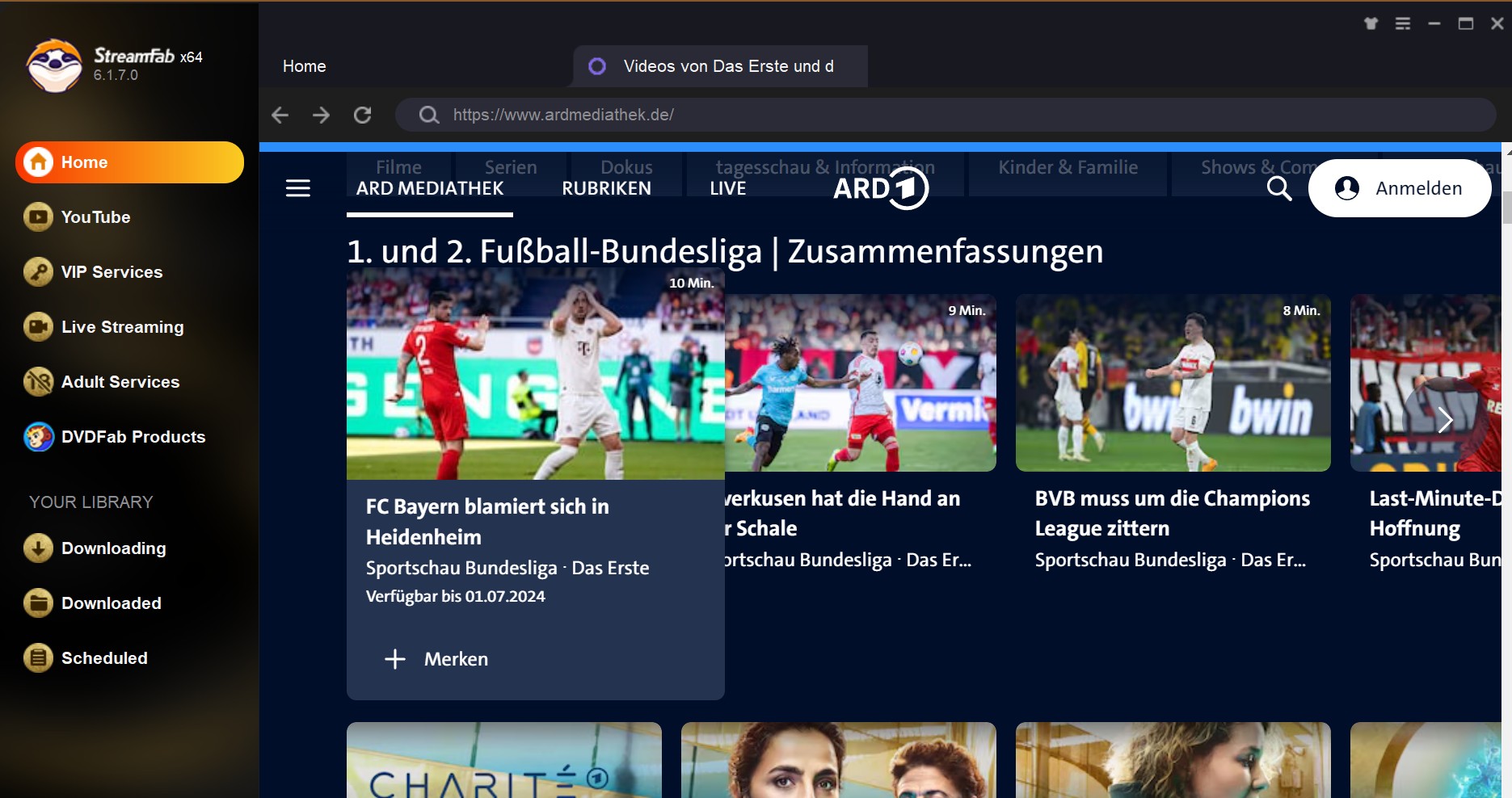
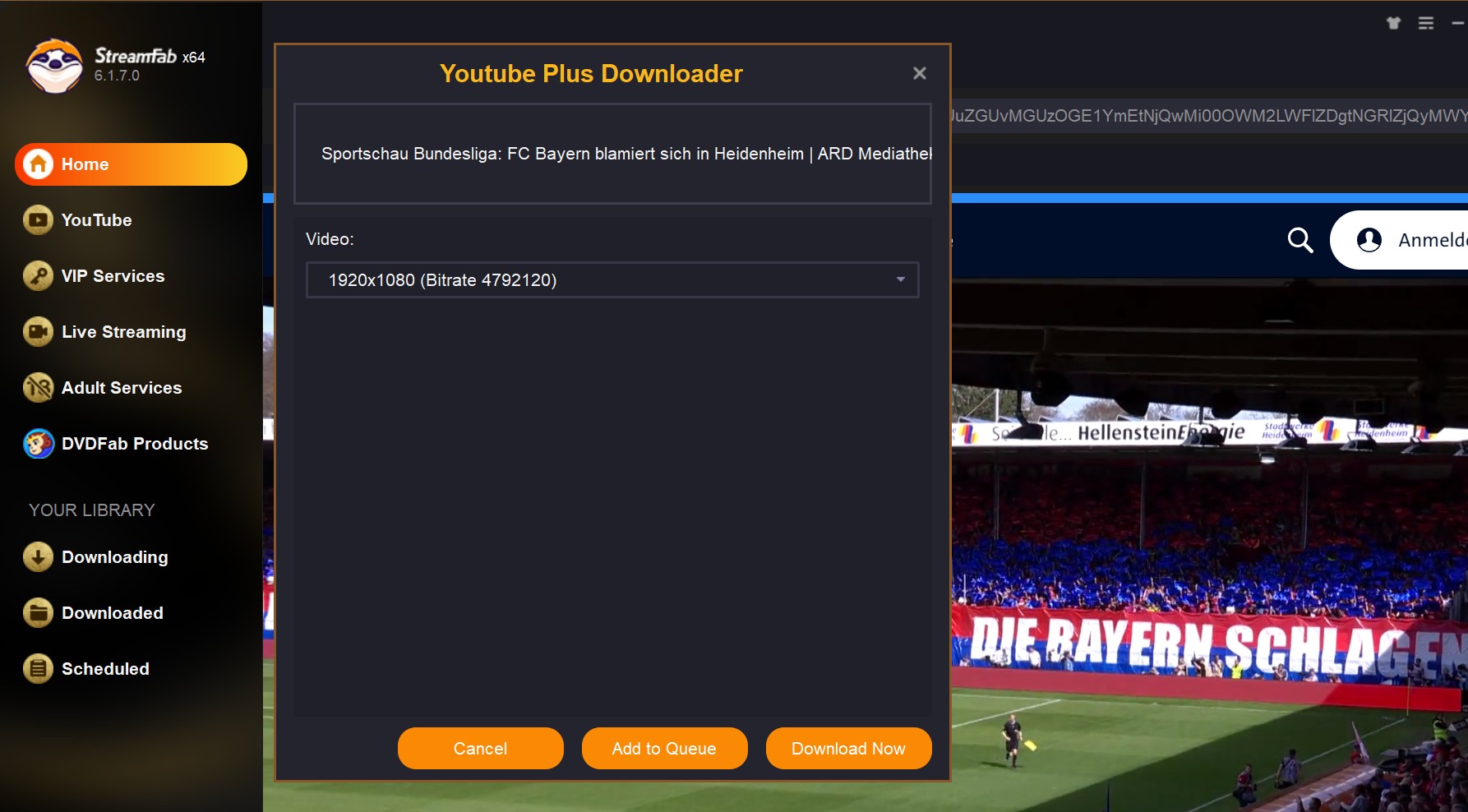
Download and Watch ARD Mediathek Outside Germany
The geo-block is the number one pain point for ARD viewers abroad. ARD Mediathek is licensed for Germany, so a large share of the catalogue is unavailable the moment your IP sits abroad — and both the official app and the free tools generally fail there, since they check region at the point of streaming. The workable pattern for someone with authorized access is downloading rather than recording: save a local file while you have valid access, and playback is no longer tied to your current location. A desktop downloader is the piece that makes that pattern practical, because the saved MP4 or MKV plays anywhere the file goes.
Where Your ARD Downloads Are Saved
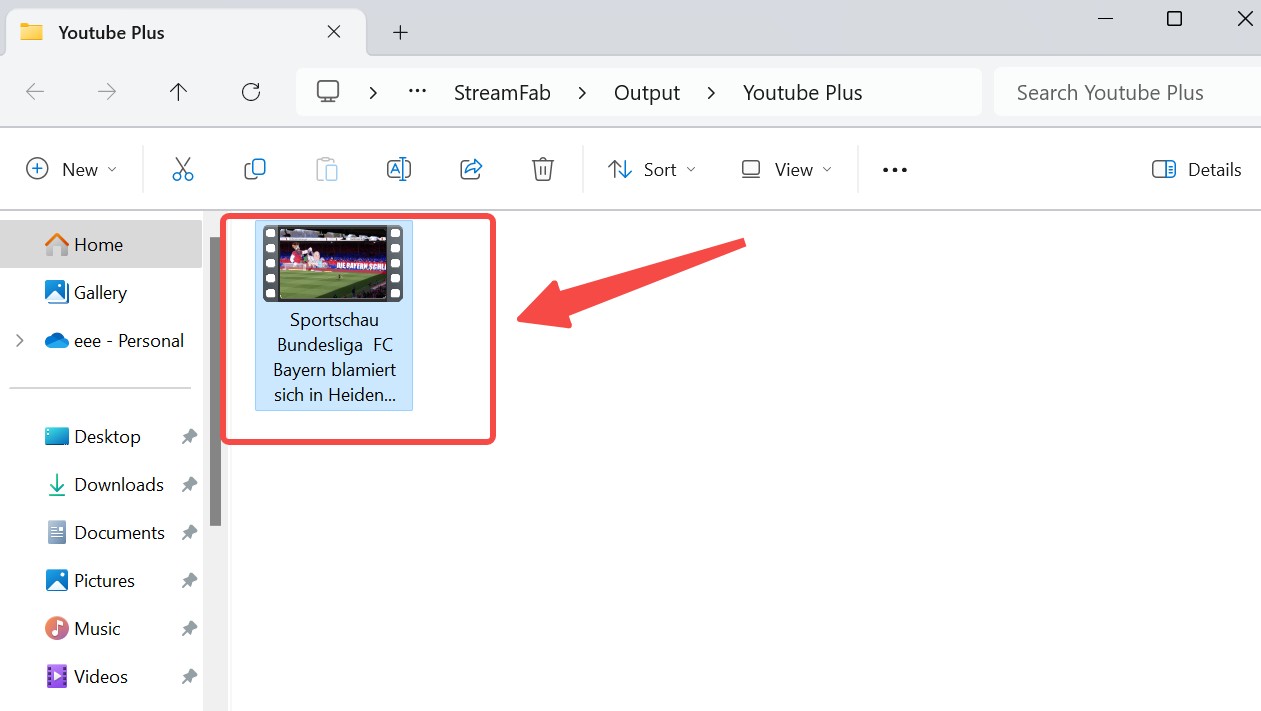
The short answer: it depends on which tool you used, and only two of the three give you a normal file. The official app keeps its downloads inside the app sandbox — you can watch them, but you won't find a browsable video file in your file manager, and you can't move them to another device. MediathekView and MediathekViewWeb save to whatever folder you pick when you start the download, so the file is a standard MP4 you can move anywhere. A desktop tool like StreamFab writes to an output folder you set in its preferences, and the resulting MP4 or MKV drops straight into a Plex or NAS library without extra steps. If you need portability, choose one of the latter two from the start.
FAQs
Conclusion
The honest decision tree is short. For open ARD Mediathek Filme herunterladen jobs on non-protected catalogue entries, MediathekView or MediathekViewWeb first — free, direct, done. For a quick temporary watch at home in Germany, the official app is already enough; don't over-engineer it. If you searched for an ARD Mediathek downloader online because you need a permanent, portable, ad-free MP4 or MKV — or you're outside Germany and the official app quits at the border — a desktop downloader like StreamFab is the setup that survives contact with real life. Pick the smallest tool that clears your specific case, then stop shopping.

Identify protected and unprotected M4V files, use authorized Apple TV playback, convert compatible files, or choose a separate supported-streaming workflow.
By Erika Leen - Sep 8, 2026
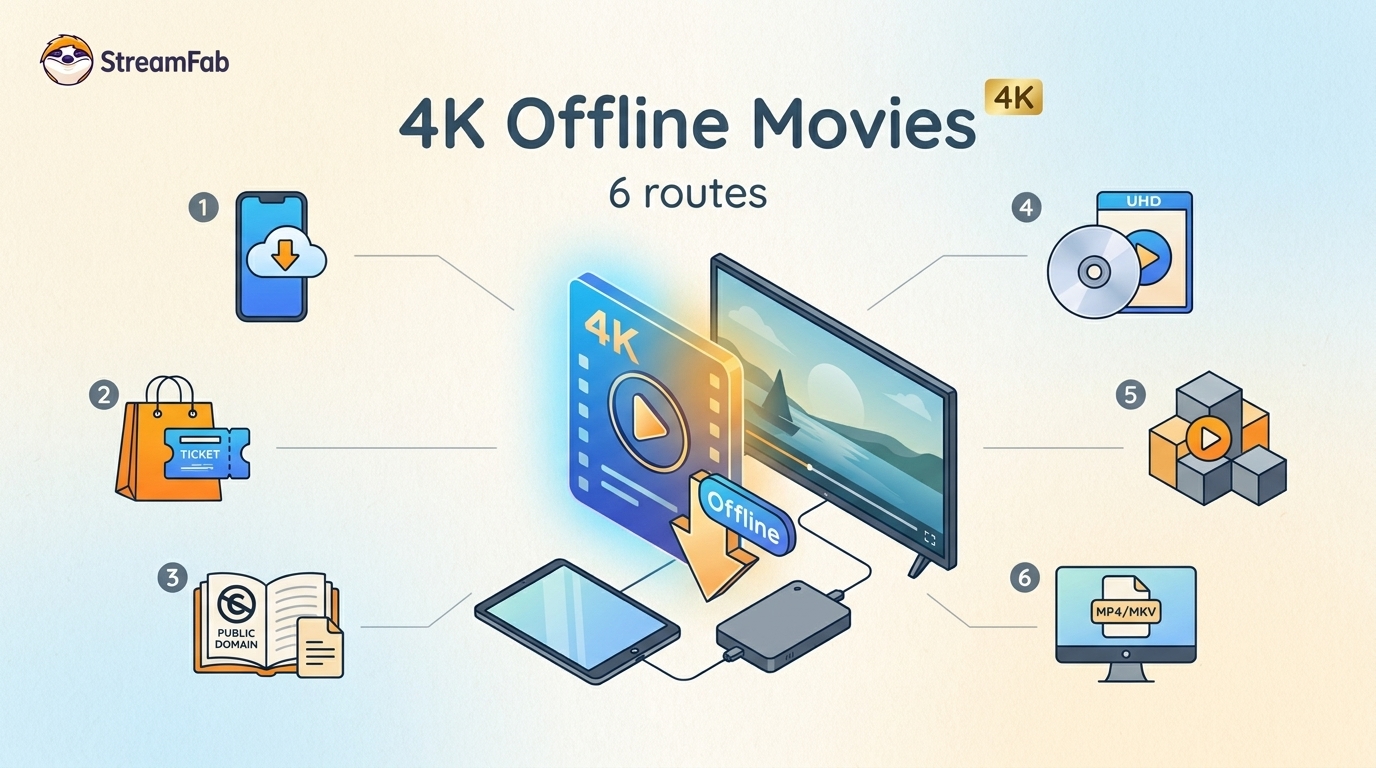
Legal 4K movie downloads do not all provide the same kind of offline access. Most mainstream services offer app-locked downloads, while portable movie files, UHD Blu-ray, public-domain media, and authorized desktop workflows involve different quality, cost, device, and licensing limits.
By Jacob Harrison - Aug 12, 2026
To get straight to the point, you can download a BitChute video as MP4 through its download icon: open the video, then use Save As. For authorized content where permitted, this guide explains when desktop, Android, or browser alternatives make sense.
By Marcia Hatcher - Aug 11, 2026
Looking to convert a link to MP4 in 2026? I've systematically tested top desktop and online converters to bypass Widevine DRM, dynamic tokens, and geoblocking for seamless PC and Android extraction.
By Jacob Harrison - Aug 7, 2026