
Download SBS On Demand Videos: 4 Methods Compared

Summary: Can you watch SBS On Demand offline? Currently, the platform lacks a native download function. To save SBS movies and shows permanently, you need a reliable SBS video downloader. This guide shows you how to download SBS On Demand videos in 1080p, ensuring your favorite content stays accessible on your device even after it expires from the streaming service.
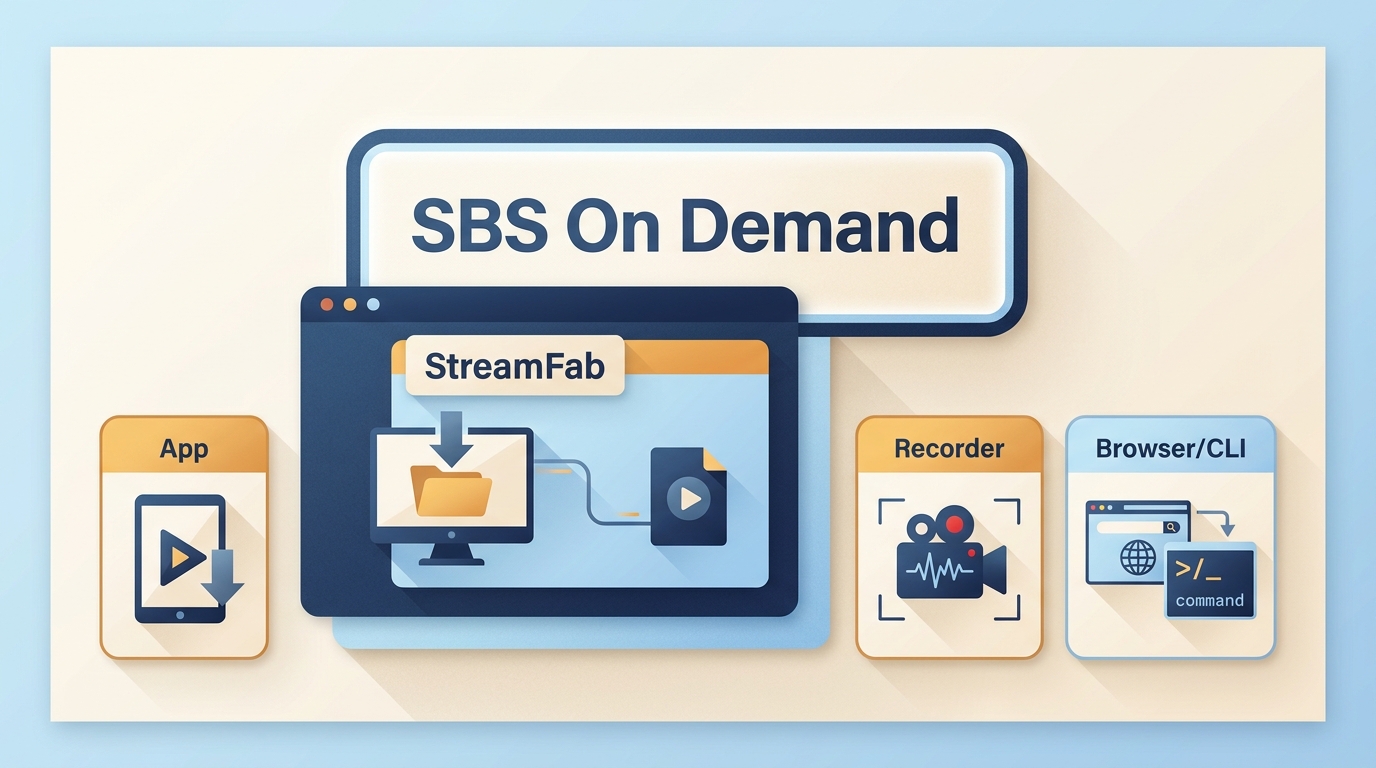
Table of Contents
Can SBS On Demand Videos Be Downloaded?
If you want to download SBS On Demand videos for personal offline viewing, first decide whether you need simple streaming access, a recording, or a local file such as MP4. This guide compares the practical options, explains device limits, and shows what to check when an SBS video download fails.
| Method | Official app and watchlist | Screen recording | Browser or command-line tools | Dedicated desktop software |
|---|---|---|---|---|
| Practical trade-off | Streams content and manages watchlists; it does not create a portable video file | Flexible for a one-off capture, but requires manual playback and monitoring | Can be quick to try, but title support and output reliability can change | Creates a local file on Windows or Mac, but requires installation and authorized access |
The useful question is not whether one method promises a result, but which method fits your device, file needs, and the specific SBS title you want to watch offline.
Availability, output quality, and reliability can vary by title, source, device, network conditions, and current platform behavior.
Choose the Right SBS Download Method
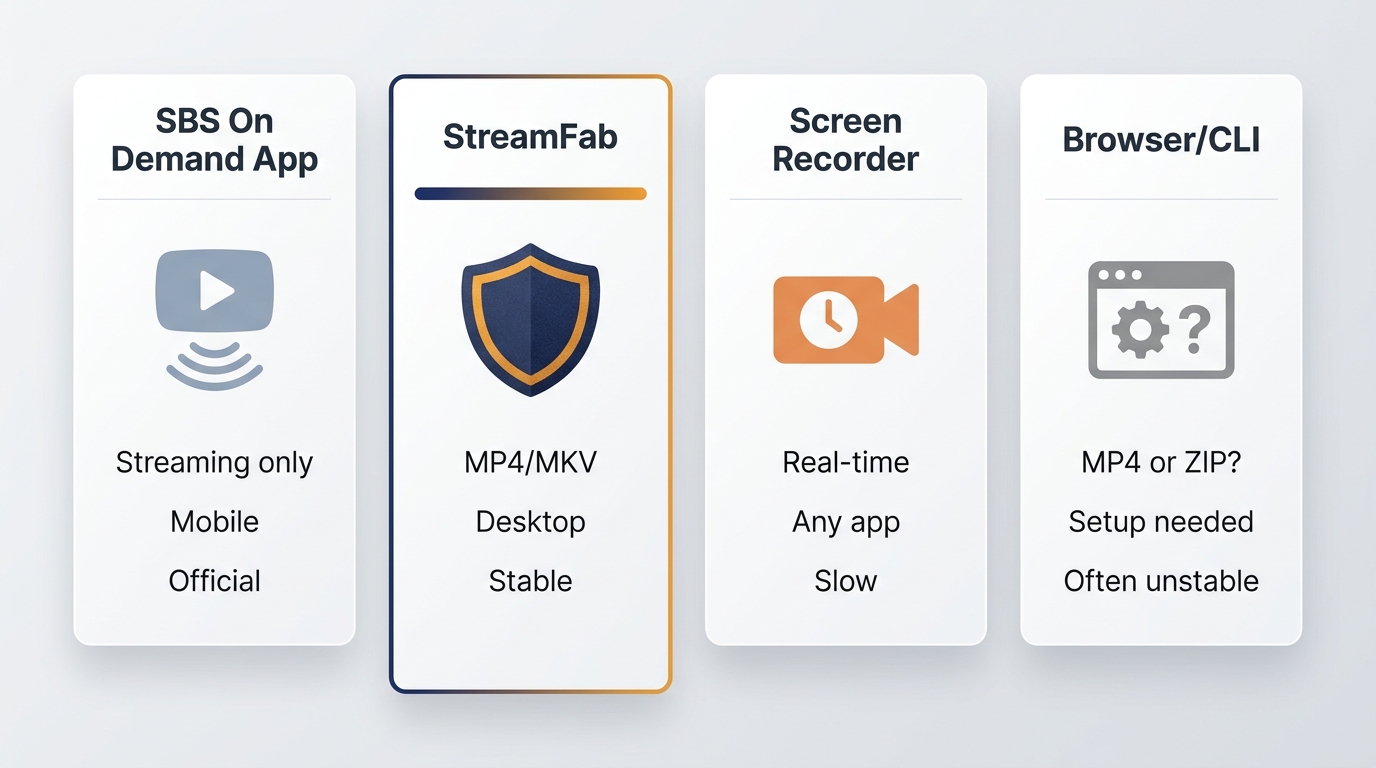
Official App vs Offline Video Files
The SBS app is the straightforward choice for streaming and maintaining a watchlist. It does not provide a portable program file for offline playback. A local-file workflow is different because it creates a file you can open with a compatible player, subject to the service terms and applicable law.
Desktop, Recording, Browser, and CLI Options
Screen recording can suit a one-time capture when you can monitor playback, while browser tools and command-line tools can be convenient but may stop working for particular titles after platform changes.
The distinction between downloading versus recording matters: recording follows playback in real time, whereas a local-file workflow focuses on the saved output. Dedicated desktop software adds setup overhead, but it can be more practical for readers who need repeatable file settings.
Windows, Mac, Android, and iPhone Support
Desktop local-file workflows are intended for Windows and macOS. Android and iPhone users can install the SBS app for streaming and watchlists, but that does not create a portable offline video file.
Browser links or extracted links can also fail on mobile devices; readers who need device-specific options can compare Android video downloaders separately. SBS availability may change by region and device, so consult SBS’s official support information for current access status.
Download SBS Videos on Windows or Mac
For readers who need a local SBS movie download on a computer, a desktop workflow is worth considering after the app, recording, and browser options above. StreamFab is a Windows and macOS option separate from SBS’s official app, for content you are authorized to access and where permitted by platform terms and applicable law.
StreamFab Fit, Limits, and Specifications
StreamFab suits Windows and Mac users who want a local SBS On Demand video file with selectable audio and subtitles, library metadata, and MP4 or MKV output. Available quality depends on the source.
It is less suitable for mobile-only viewers or anyone who needs a no-install option. In my view, those limits are more useful than an unsupported success-rate claim because they help you choose the right category before spending time on a title that may not work.

StreamFab can save supported content as MP4 or MKV with selectable audio, subtitles, and metadata for a more organized local library. Results vary by title and source.
- Use the built-in browser to open supported streaming services on a Windows or Mac computer.
- Choose available video quality, audio tracks, and subtitle languages according to the source.
- Processing time depends on the title, source, device, and network conditions.
- Batch detection can help organize multiple episodes when the selected titles are supported.
- Save local copies as MP4 or MKV for playback with compatible devices and media players.
Save an SBS Video in 3 Steps
Before you begin, use a Windows or Mac computer, sign in to the SBS account that is authorized to access the title, and confirm that you have enough local storage. This workflow is for saving a local copy for personal offline viewing where permitted by platform terms and applicable law.
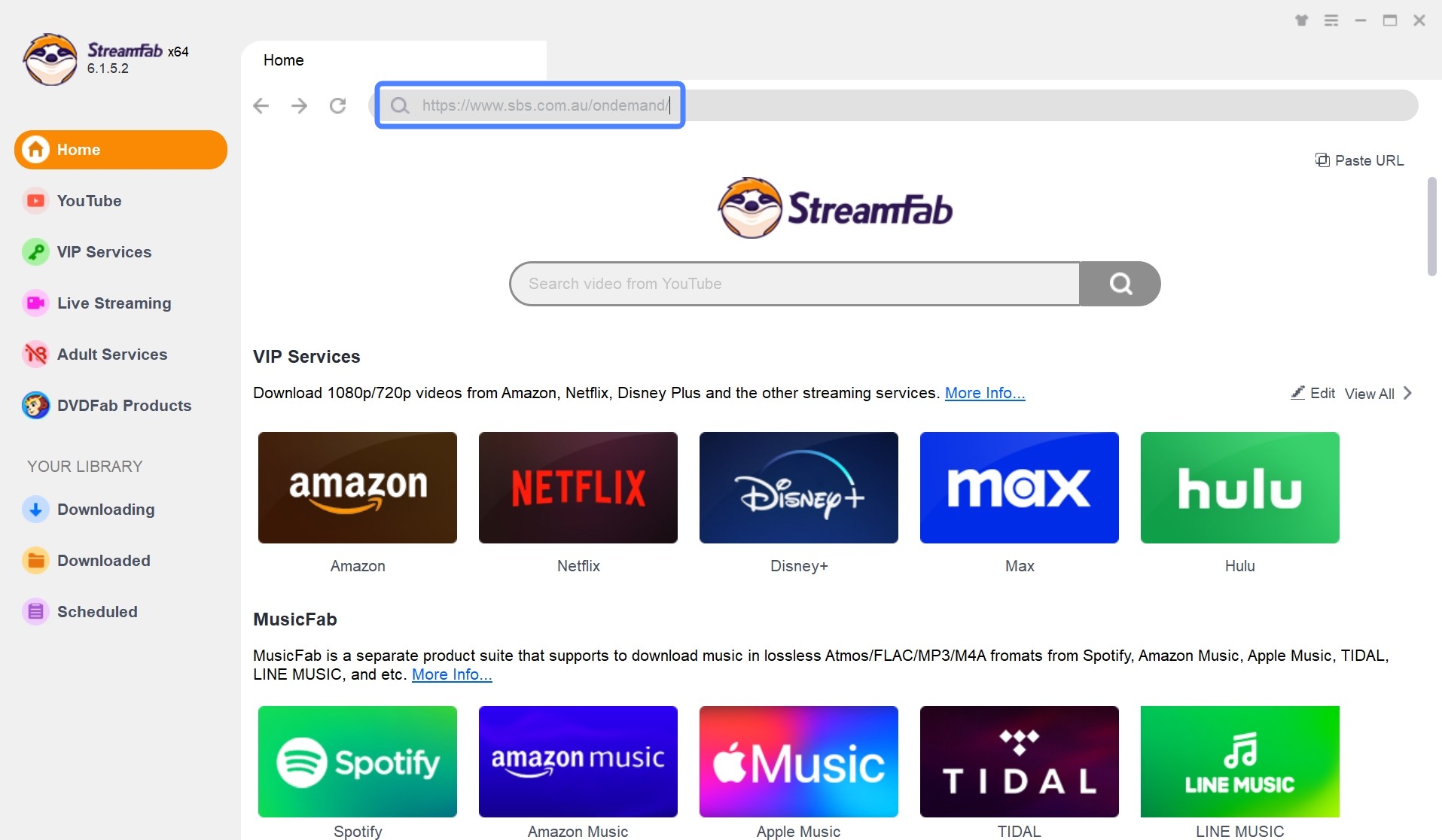
Step 1: Launch the software and use the internal browser to visit the SBS On Demand site. Sign in to your account and open the title you are authorized to access.
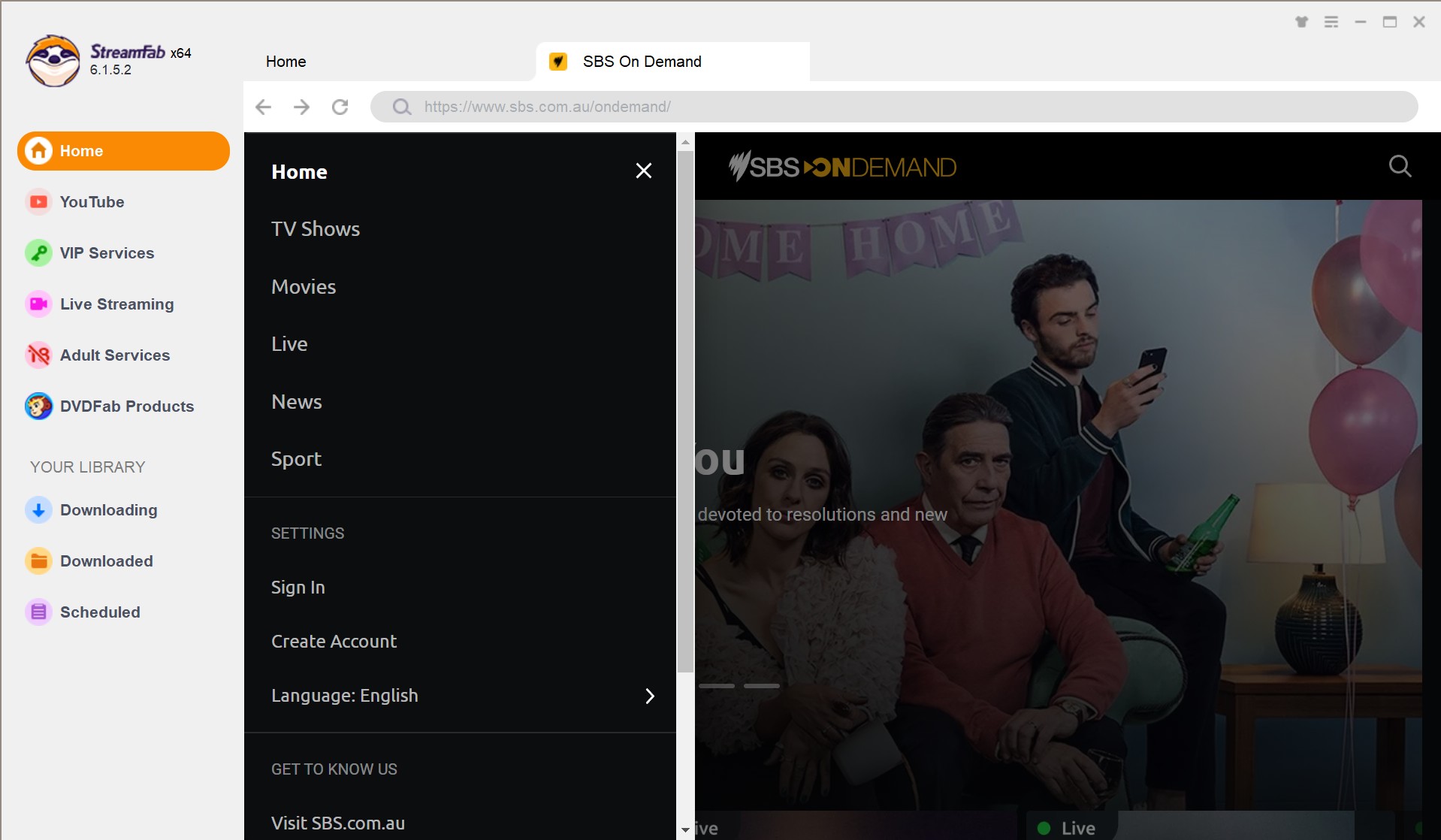
Step 2: Navigate to the movie or show you want to save. Once you press play, the software automatically scans the video metadata and opens a configuration window.
Step 3: Select the available quality, audio track, and subtitle language. Click Download Now to save the selected local copy to your drive.
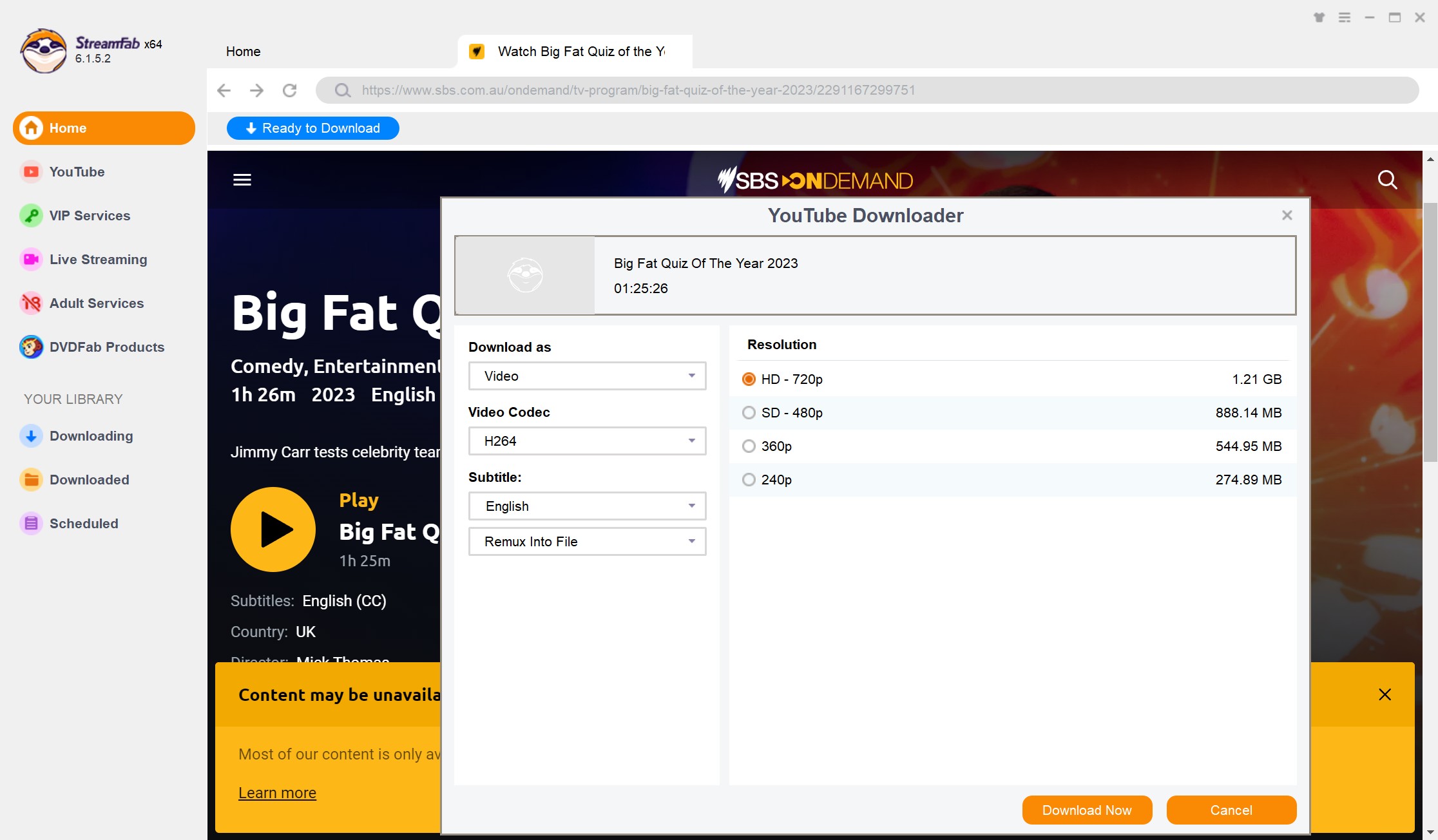
Before starting more episodes, open the saved file and check its duration, playback, selected audio track, and subtitles. If the result is incomplete or will not play, use the troubleshooting steps below rather than assuming the same method will work for every title.

Use software obtained from its official website. A saved local file is intended for personal offline viewing of content you are authorized to access, subject to the platform terms and applicable law. Do not share or use saved copies commercially.
Fix Failed SBS Downloads
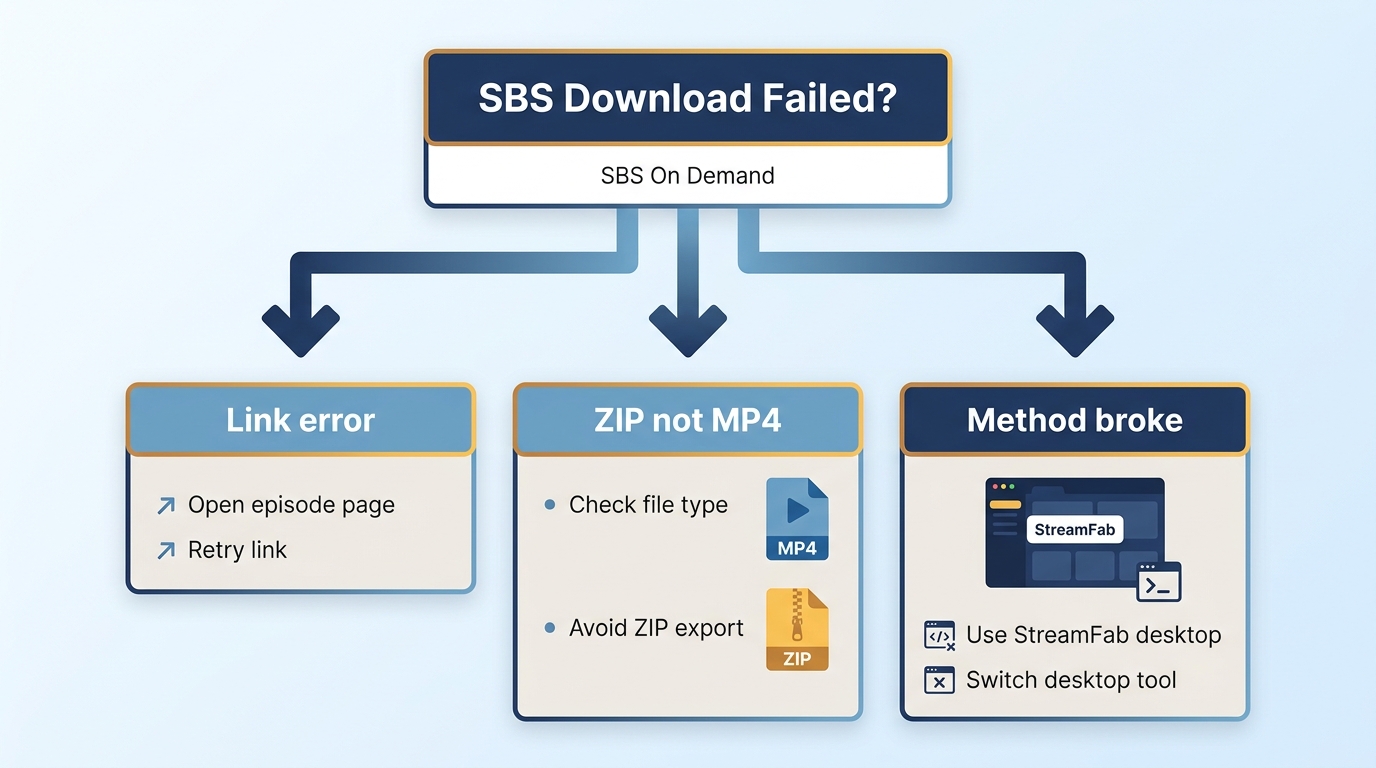
Link or Episode Errors
An SBS downloader can work for one title and fail for another. Start by reloading the current title page and account session, then test a different SBS program. If playback reports missing media or an unavailable source, review the common “No Valid Sources are Available for this Video” error before trying another method category.
ZIP or Tiny Files Instead of MP4
A tiny ZIP file or unexpected container is usually a failed result, not a completed SBS On Demand MP4. Check the file size and container, try another title, and confirm whether the current method still supports the page. Do not rely on the file until it opens and plays for the expected duration.
When a Method Stops Working
Browser tools and command-line workflows can stop working after platform changes. Update the tool, retry the current page, and test another title before concluding that your device is the problem. If the symptom persists, switch to a different method category rather than repeatedly attempting the same failed link.
FAQs
Why can’t I download SBS On Demand videos directly?
The official SBS apps are designed for streaming and watchlists, not for creating portable offline program files. If you need a local file, compare the desktop, recording, browser, and command-line options above.
Can I download SBS videos on Android or iPhone?
You can use the SBS app on mobile devices for streaming and watchlists, but that is not a portable offline-file workflow. Browser or extracted links may also fail on phones, so a desktop option is generally more practical when a local file is needed.
Why did I get a ZIP file instead of MP4?
Treat a tiny ZIP file or a file that will not play as a failed result. Check its size and container, retry the title with a current account session, and test another program before changing methods.
Can I use SBS On Demand outside Australia?
SBS On Demand access is geographically restricted. Any local-copy workflow should be limited to content you are authorized to access and used where permitted by platform terms and applicable law.
Conclusion
Choose the method that fits your device, output needs, and authorization. Use the SBS app when streaming and watchlists are enough, choose a desktop local-file workflow when you need a compatible file for personal offline viewing, and use the troubleshooting steps when a specific title fails. The practical choice is the one you can verify before relying on it for SBS movies offline.
- The SBS app supports streaming and watchlists; it does not create a portable offline program file.
- For a local copy, use only content you are authorized to access and follow platform terms and applicable law.

Identify protected and unprotected M4V files, use authorized Apple TV playback, convert compatible files, or choose a separate supported-streaming workflow.
By Erika Leen - Sep 8, 2026
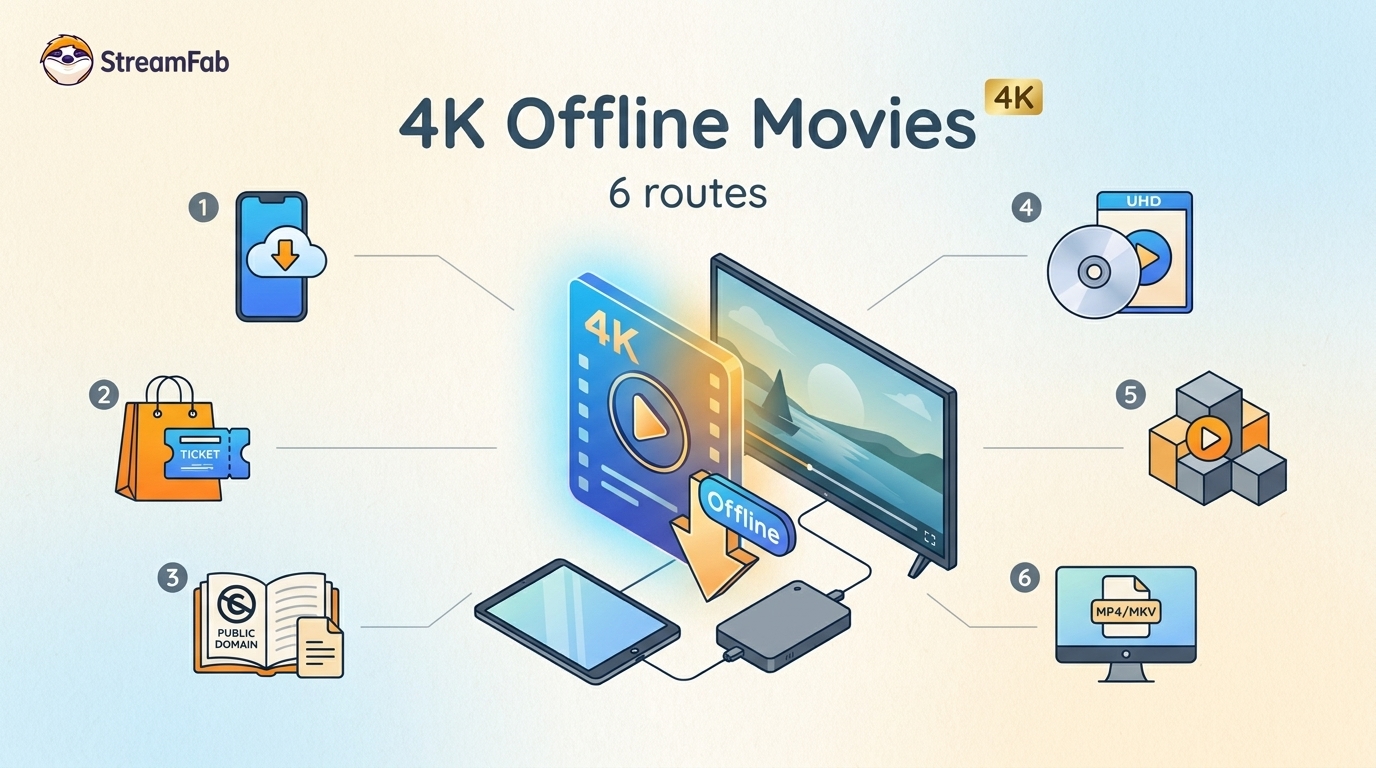
Legal 4K movie downloads do not all provide the same kind of offline access. Most mainstream services offer app-locked downloads, while portable movie files, UHD Blu-ray, public-domain media, and authorized desktop workflows involve different quality, cost, device, and licensing limits.
By Jacob Harrison - Aug 12, 2026
To get straight to the point, you can download a BitChute video as MP4 through its download icon: open the video, then use Save As. For authorized content where permitted, this guide explains when desktop, Android, or browser alternatives make sense.
By Marcia Hatcher - Aug 11, 2026
Looking to convert a link to MP4 in 2026? I've systematically tested top desktop and online converters to bypass Widevine DRM, dynamic tokens, and geoblocking for seamless PC and Android extraction.
By Jacob Harrison - Aug 7, 2026