Download from Paramount Plus: Plans, Device Limits, and a Desktop Option (2026)

Summary: Paramount+ allows SHOWTIME subscribers to download content on mobile devices, but with limitations like no PC support. StreamFab Paramount Plus Downloader removes these restrictions, enabling permanent 1080P downloads in MP4/MKV format for both Essential and SHOWTIME users.
Here is the short answer: to download movies on Paramount Plus officially, you need a Paramount+ with SHOWTIME (Premium) plan on an iOS or Android phone or tablet. There is no official laptop or desktop download, and titles expire in 30 days unplayed or 48 hours after playback starts.
I ran into this the hard way. I opened the Paramount+ app on my phone, tapped download on 1923 Season 2, and assumed I could finish the episode on my laptop later. The file was locked to my phone, could not be transferred, and the 48-hour countdown started the moment I hit play at lunch. If you are trying to watch Paramount Plus offline on a laptop, on a flight, or across more than one device, this guide covers what the official app allows, where its limits sit, and one desktop workaround worth knowing.

- Official Paramount+ downloads require a Paramount+ with SHOWTIME (Premium) subscription and work only on iOS and Android phones and tablets. Your plan tier, region, and title-level licensing determine which titles show a download button.
- Downloaded content stays locked inside the Paramount+ app. Files expire after 30 days unplayed or 48 hours after you start watching. You cannot transfer downloads between devices, and you can store roughly 25 titles at a time.
- For a copy on a Windows or Mac computer, the official options are streaming or renting/buying elsewhere; a desktop tool is a workaround within your plan and applicable rules.
- This guide covers the official mobile method, the laptop question, and one desktop workflow worth knowing.
Can You Download from Paramount Plus? Plans, Devices, Limits
| Device/Plan | Essential Plan | SHOWTIME Plan |
|---|---|---|
| iOS / Android Phones & Tablets | Not supported | Supported |
| Windows / Mac Computers | Not supported | Not supported |
| Fire Tablet | Not supported | Not supported |
| Firestick / Smart TV | Not supported | Not supported |
| Retention Period | - | Valid for 30 days if not played; expires 48 hours after playback starts |
| File Format | - | Encrypted files, playable only within the official app |
| Download Limit | - | Up to about 25 downloaded titles stored at once, plus device storage |
Official Paramount+ download rules as of August 2026.
The table above tells a clear story. Only Paramount+ with SHOWTIME subscribers can use official downloads, and even then, the restrictions are real:
- You cannot download on computers or laptops.
- If a title leaves the service or your access changes, it may no longer be available for offline viewing, even if you previously saved it in the app.
- After downloading, you can only watch inside the app. The retention window is 30 days. Once you start playback, even for one minute, the content expires after 48 hours.
- Official offline items are app-managed. You cannot save the file as an MP4 or move it to another device.
- If the app never shows a download button on a title you expect to be offline-eligible, it is usually a plan or title-licensing issue rather than an app bug — see our guide on Paramount Plus downloads not working if the button is missing across the board, and the write-up on the in-app download cap if you have hit the stored-title limit.

Download Paramount Plus Shows on Mobile: Official Steps
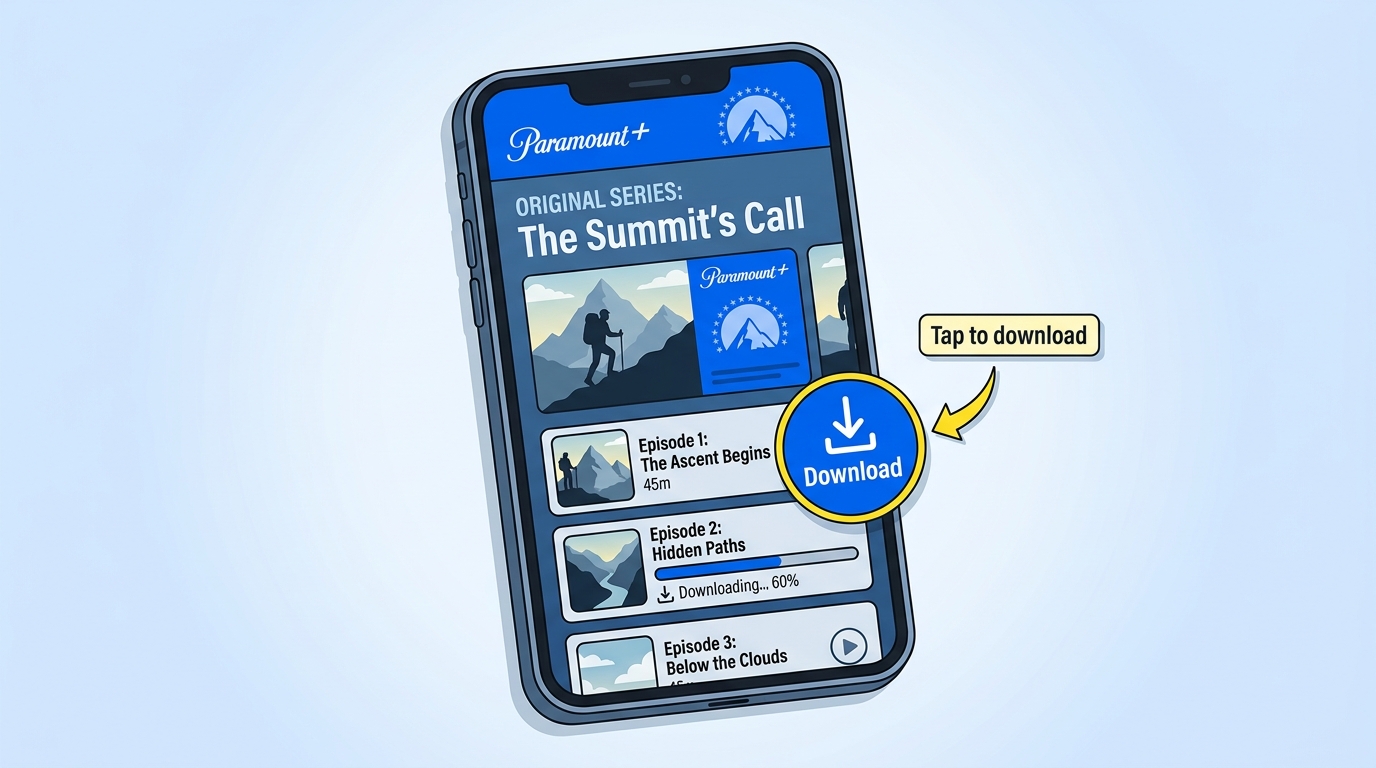
Follow these exact steps to download videos using the official Paramount+ app.
Step 1: Open the Paramount+ app on your Android/iOS device and sign in to your valid subscribed account.
Step 2: Search for the movie or the dramas you want to download, and check if there is a download button, if there is one, it means you can download these programs.
Step 3: Tap the download button to start the download.
Step 4: You'll see the progress icon. When the download finishes, find the completed file in the Downloaded section; playback availability depends on the environment, title, and service specifications.
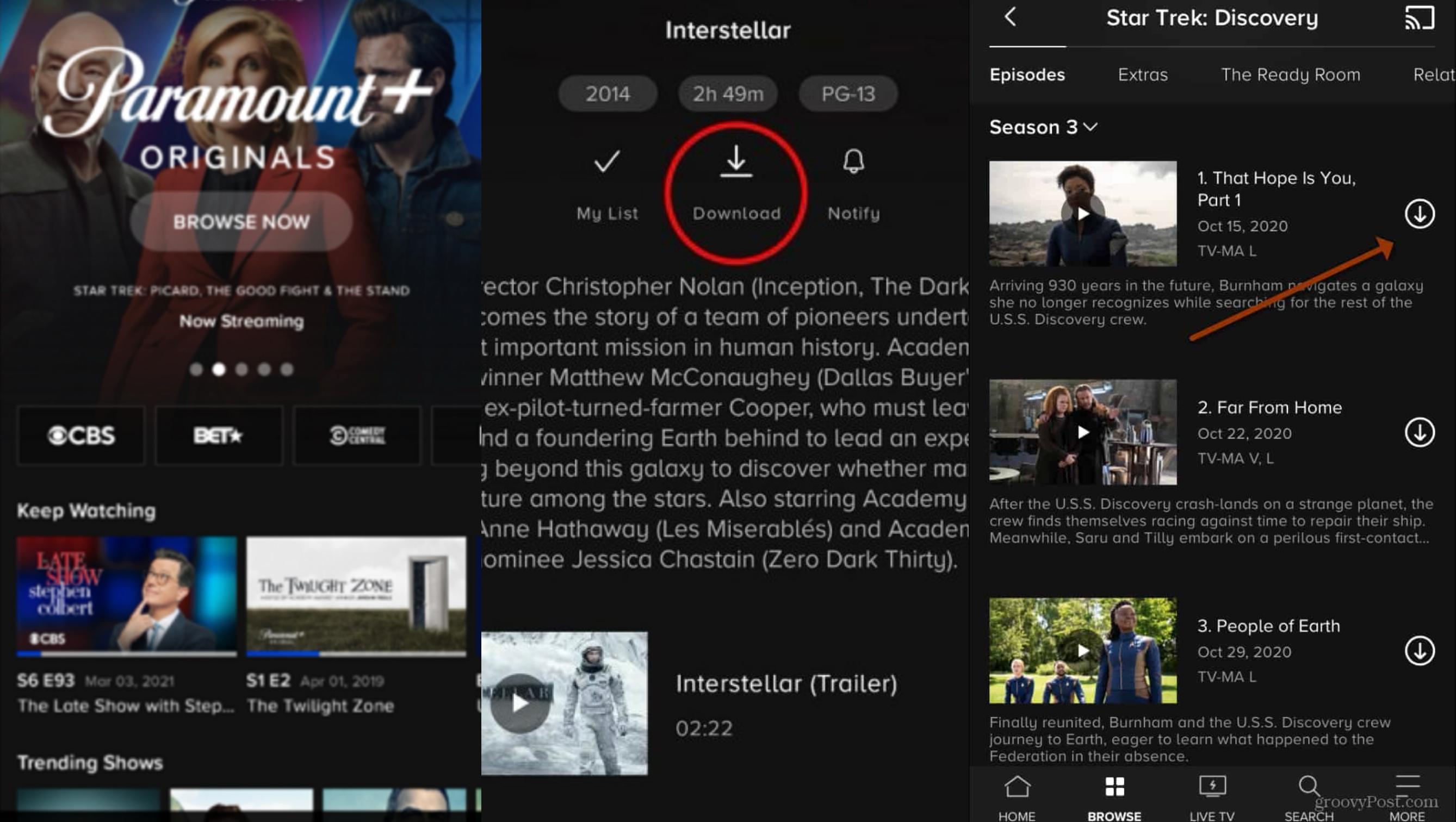
Where to Find Your Downloads in the App
Saved titles do not live in your phone's general video library. Open the Paramount+ app, tap your profile or menu icon, and go to the Downloads area — every title you have saved appears there while your entitlement remains valid. If a title suddenly disappears from that list before its 30-day window is up, it is almost always because the title left the platform or your plan lost the SHOWTIME entitlement, not because the file was deleted.
The official app is strict. Downloads stay on the phone or tablet that saved them, expire on a countdown timer, and never make it onto a computer.
Can You Download Paramount Plus on a Laptop or PC
Short answer: no, not officially. You can install the Paramount+ app on Windows from the Microsoft Store, but the desktop app is a streaming client — it plays titles over the internet and does not add a download button next to episodes the way the mobile app does. There is no official Mac app that changes this either. Whether you use the Windows app, the web player at paramountplus.com, or a browser on macOS, the offline download feature is reserved for iOS and Android.
So the honest split is: for a laptop or desktop, the official options are streaming while online or renting/buying the title from another storefront to watch elsewhere. If you specifically need a file on your computer for personal offline viewing — a long flight, spotty hotel Wi-Fi, a commute without signal — you are looking at a third-party desktop workflow, subject to Paramount+'s terms and your local rules.
Saving a Local Copy on Windows or Mac: A Desktop Workflow
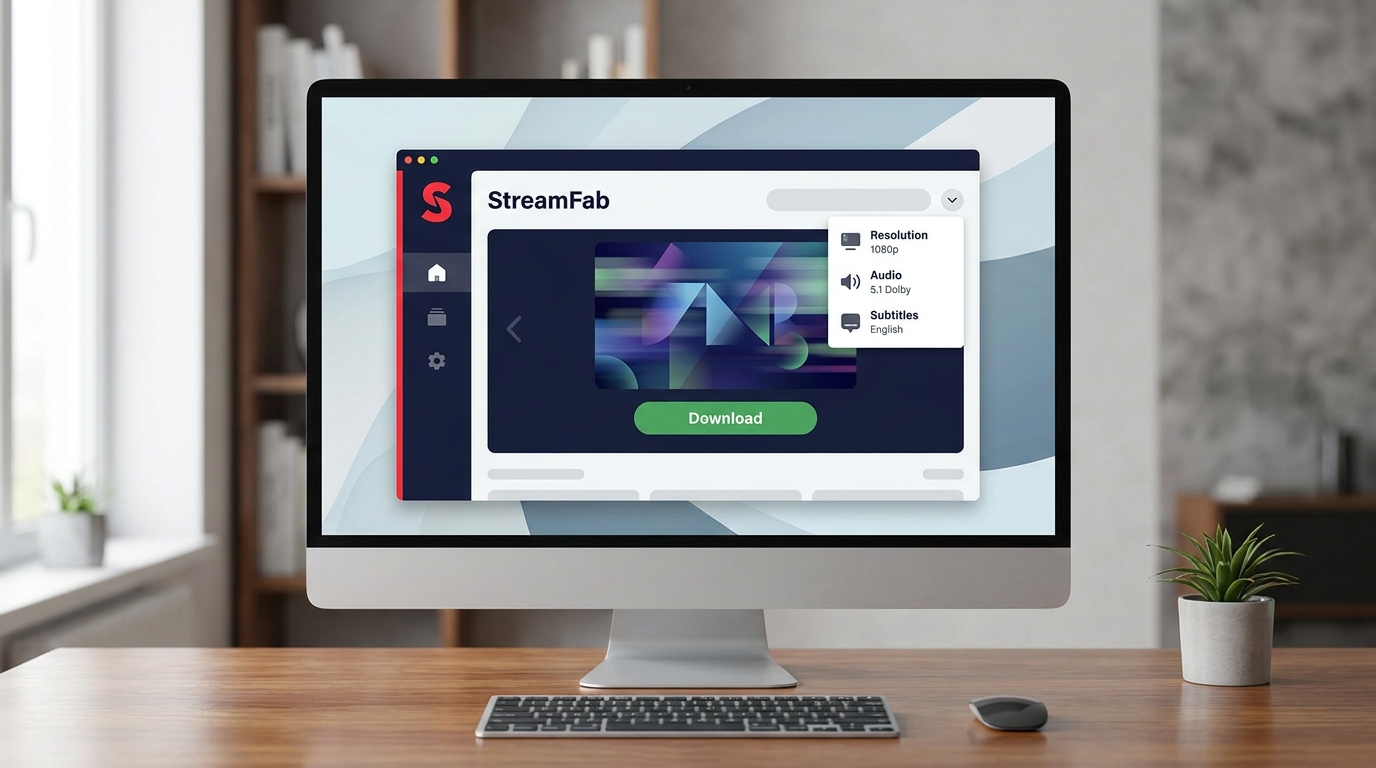
One desktop workflow I have tested for this specific gap is StreamFab Paramount Plus Downloader — a Windows and Mac app that saves a local MP4 or MKV copy of titles your account can already access on Paramount+, for personal offline viewing. It is not a way around a plan you do not hold and not a bypass of Paramount+'s terms; it is simply a way to end up with a file on your computer instead of a countdown-locked item inside the mobile app. Results depend on the specific title and your account access, so I would test a single episode before batching a whole season.
Best for: viewers who want a durable local copy on Windows or Mac for personal offline viewing — long flights, unreliable Wi-Fi, or watching on a device that is not a phone.
Not ideal for: anyone hoping to unlock titles their plan does not include, or expecting guaranteed results on every catalog title regardless of licensing.

- Download Dolby Atmos/EAC3 5.1 audios and subtitles of your preferred language
- Enable Batch-Download mode and GPU Hardware Acceleration for faster speed
- The only one to download the latest videos from 720p to 4K resolution with HDR10/Dolby Vision
Step-by-Step Guide
Step 1: Open the StreamFab Paramount Plus Downloader official website and download the software; remember to select the version according to your device system.
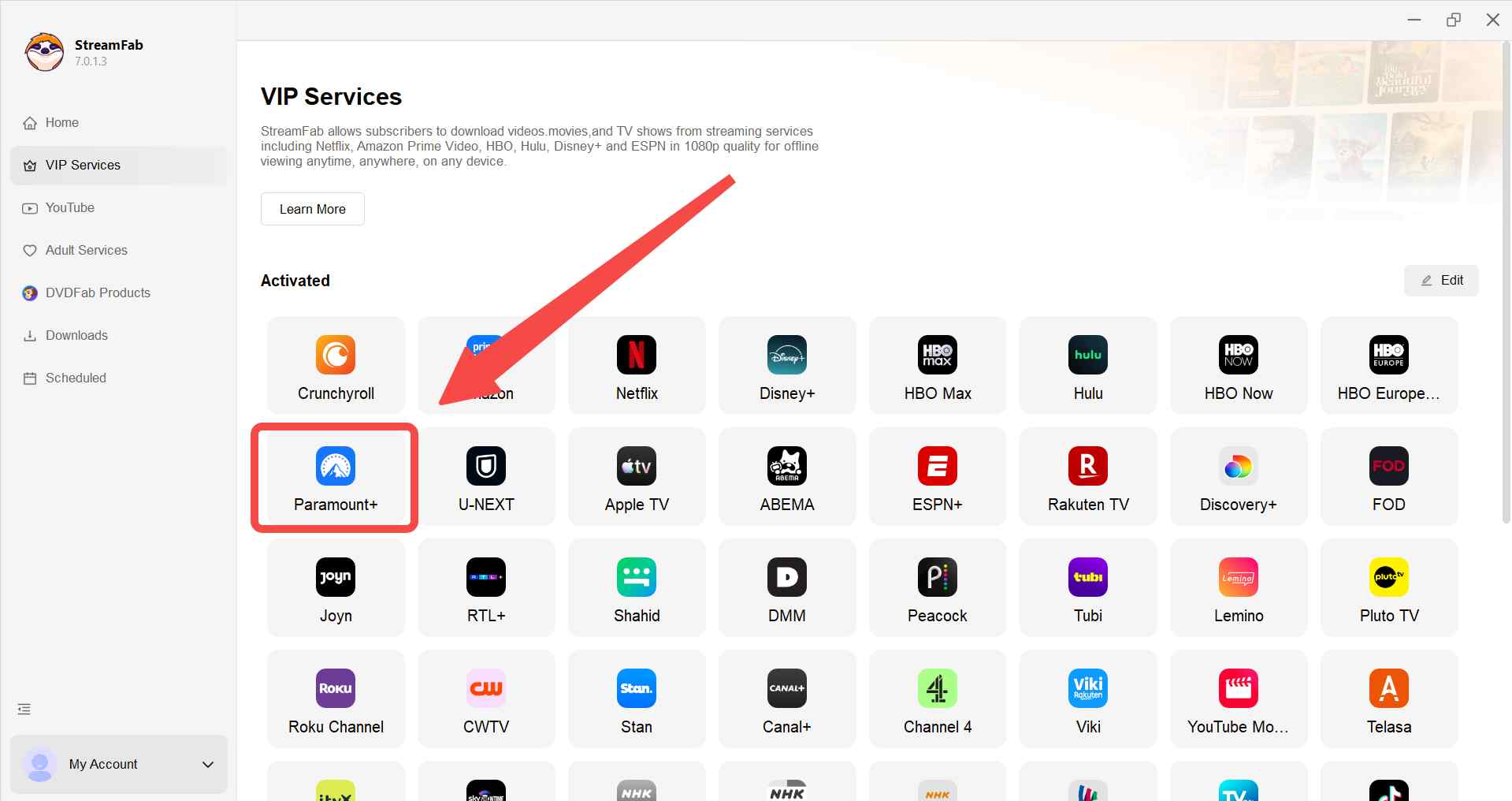
Step 2: After following the instructions to install, open the app and click VIP Services, then click Paramount+.
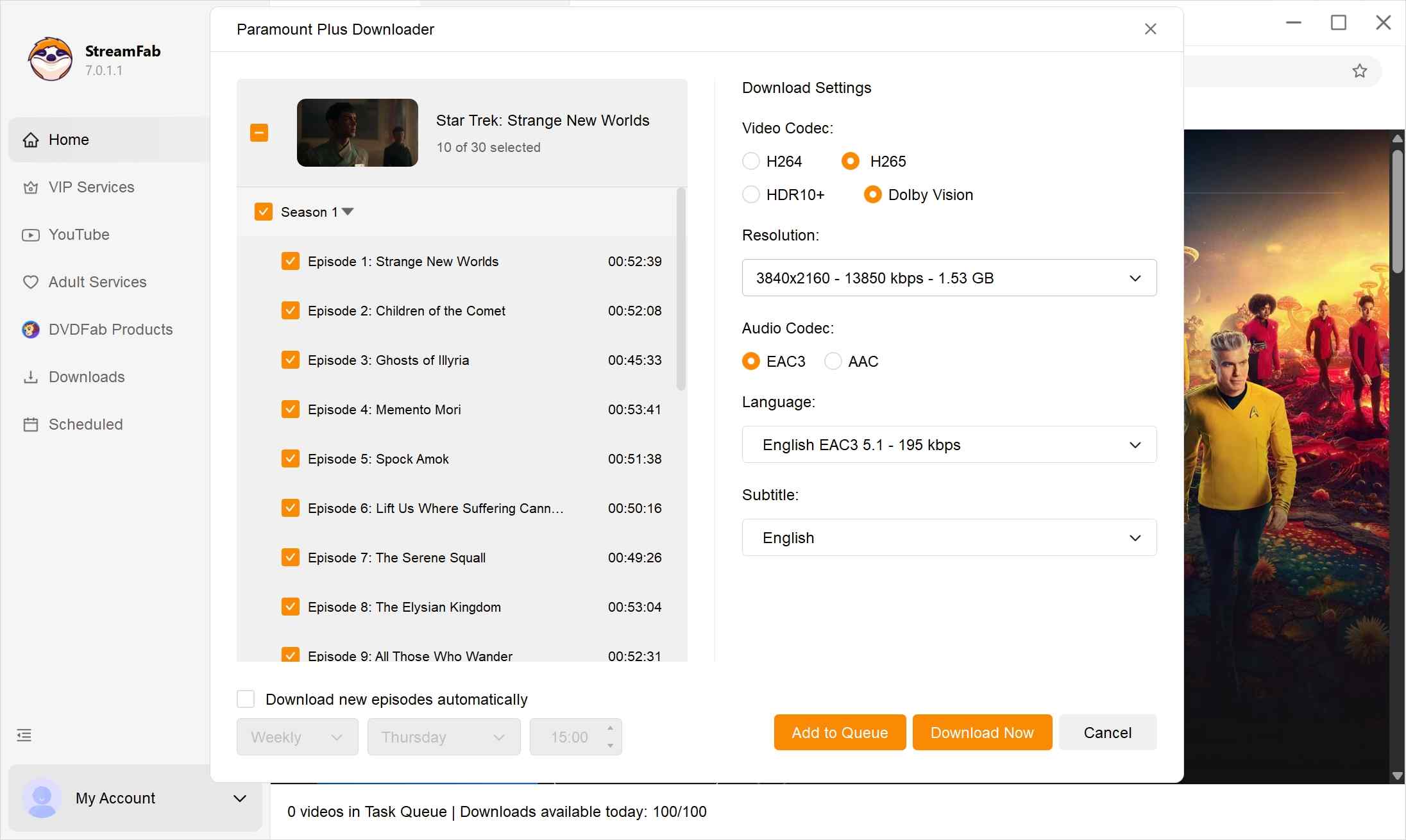
Step 3: Navigate to a title your account can access, then review the offline options — resolution (up to 4K where the title provides it), audio track, subtitle language and format (including SRT sidecar when you want an editable subtitle file), and output container (MP4 or MKV).
Quality, Audio, and Subtitle Options at a Glance
The desktop workflow gives you a compact set of choices before the file lands on disk, all qualified by what the title itself provides:
- Resolution: up to 4K where the title supports it, with 1080p as a common fallback.
- HDR: HDR10+ or Dolby Vision where the title provides it.
- Audio: Dolby Atmos or EAC3 5.1 preserved without transcoding where available; AAC 2.0 otherwise.
- Subtitles: pick the language and choose between an embedded track or an external SRT sidecar you can edit separately.
- Batch and scheduled runs: queue a full season and let it finish overnight instead of babysitting one episode at a time.
- Container: MP4 for broadest player compatibility, MKV when you want to keep multiple audio or subtitle tracks in one file.
None of these are guarantees — if a title only ships in 1080p with stereo audio on Paramount+, that is what you get.
Step 4: Wait for the download to complete, then find the file under "Downloaded" and play the saved file on compatible devices, subject to file integrity, device environment, service specifications, and applicable rules.
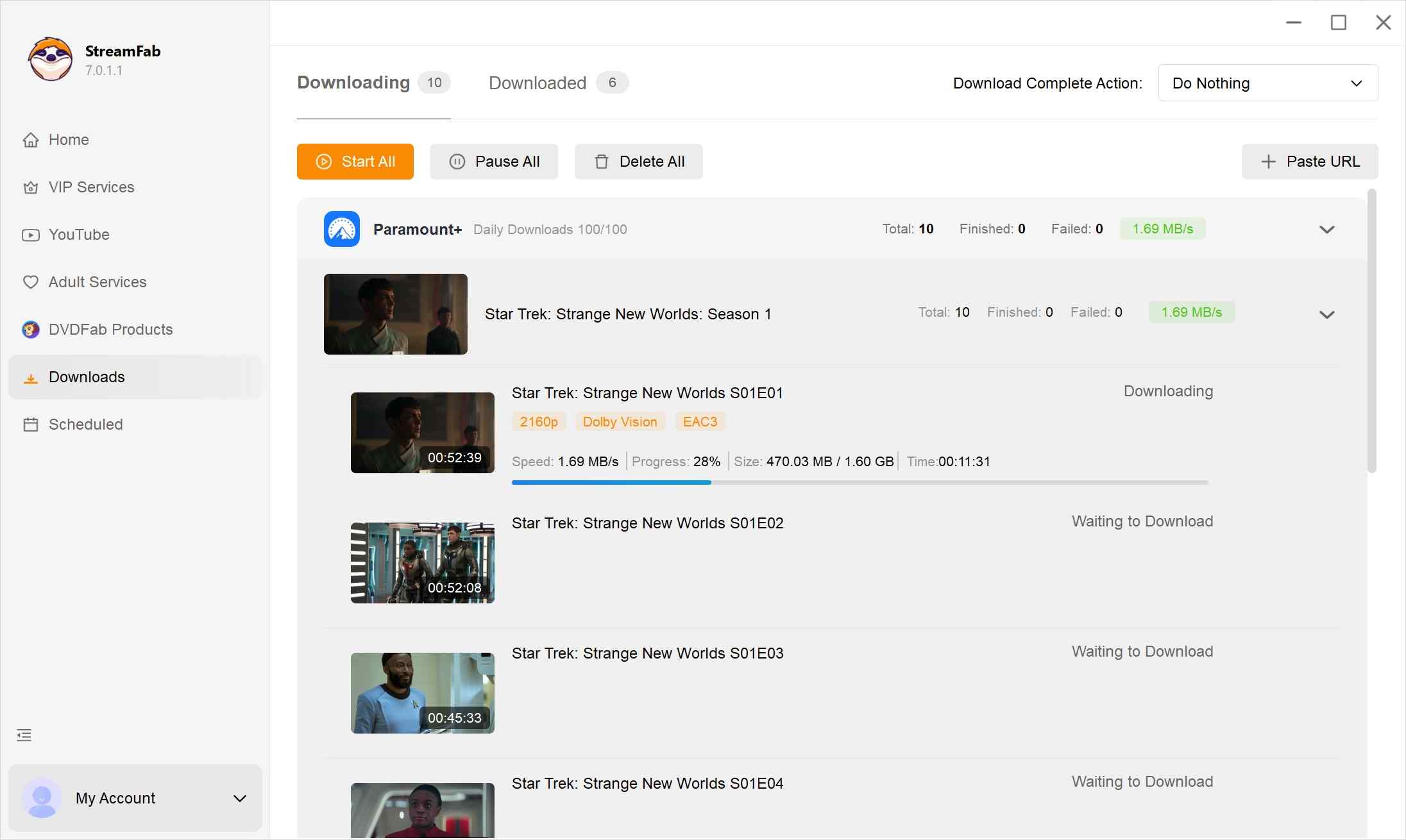

Afterward, focus on organizing your offline library on the device you use, and keep your viewing personal and private. Availability and playback behavior can vary depending on the title and your account access

What if you only want to save snippets of content from a movie or TV show? Yes, screen record Paramount Plus is the best solution.
Downloading Before a Flight or Trip: What to Check
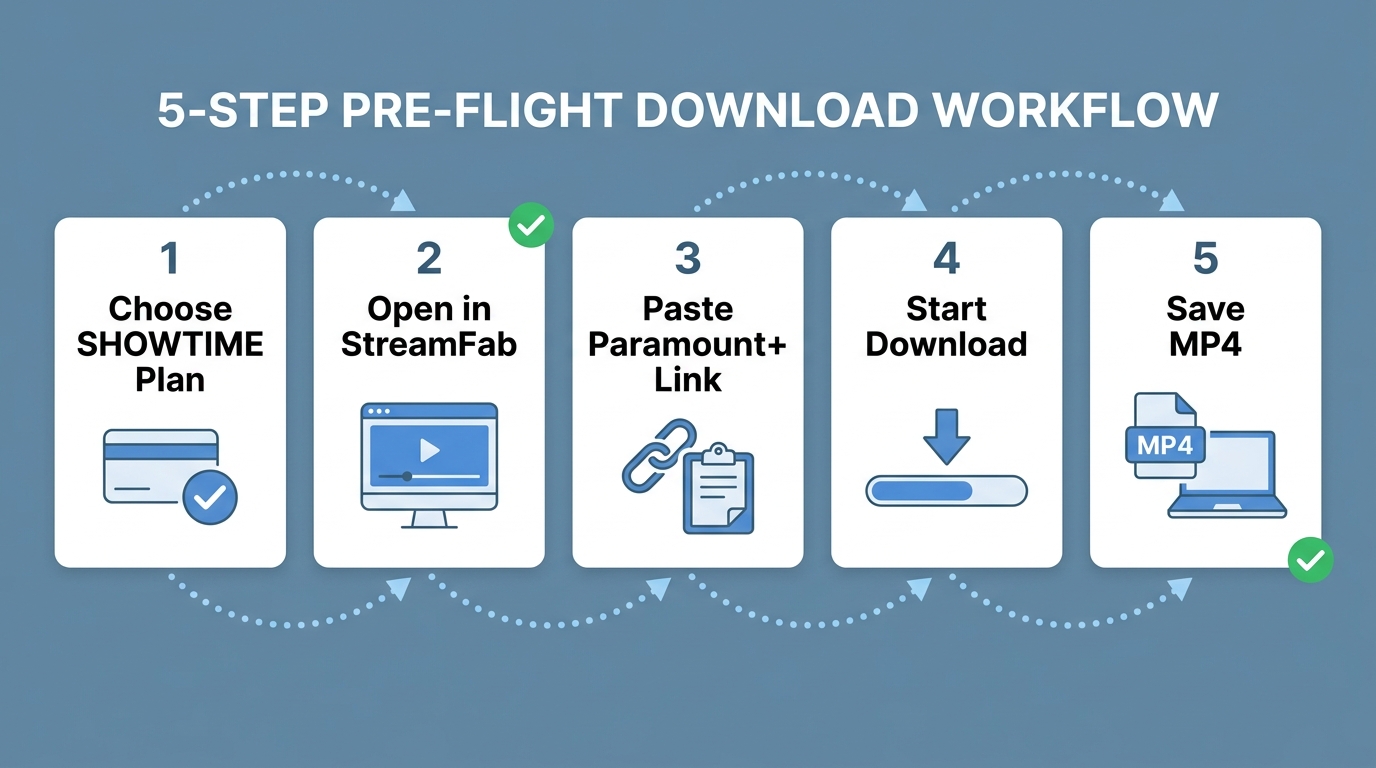
Offline is only offline if you tested it while you still had signal. A few habits that have saved me at the gate:
- Confirm plan and device before you rely on it. If you are traveling on a Paramount+ Essential plan or plan to watch on a laptop, you do not have an official download path — decide that on the couch, not at the airport.
- Save while the connection is strong. Hotel and airport Wi-Fi are the worst places to start a fresh download; queue the episodes at home the night before.
- Open one download before you go offline. Some titles ask the app to make a brief online check the first time you play them, even when the file is already on the device. Starting playback once while you still have data confirms the license and gets past that check.
- Watch the 48-hour clock. Once you start an episode, the countdown begins — do not tap play at the terminal on a 12-hour flight and expect the file to still be there on the return leg.
- Consider a desktop-saved MP4 for long trips. Local playback is not governed by the official app's 30-day/48-hour timer, though availability still depends on the environment and service specifications.
FAQs
Conclusion
Two honest paths, depending on where you want to watch. If a phone or tablet is enough, an official Paramount+ with SHOWTIME subscription plus the mobile app is the cleanest route — just live with the 30-day and 48-hour Windows and the mobile-only lock. If you specifically need a copy on a Windows or Mac computer for personal offline viewing, a desktop tool like StreamFab is a practical workaround within your plan and applicable rules; the trade-off is that it is third-party software, not an official feature. Pick the path that matches how you actually watch, not the one that sounds most convenient in a headline.
StreamFab offers a free trial with feature parity to the paid version, limited by a small download quota per service; see the current trial terms on the official site before deciding whether to subscribe.
Mandatory Disclaimer
This article is for informational purposes only. Use offline tools only for personal, non-commercial viewing of content you lawfully have access to. Follow Paramount+ terms and applicable laws. Do not share, upload, or redistribute any saved videos.
This article is regularly updated to reflect changes in Paramount+ features and policies. Last verified: August 2026.

In this guide, I'll show you how to easily watch and download your favorite shows from Paramount Plus to MP4 format.
By Marcia Hatcher - Aug 25, 2026

Paramount Plus limits its download library to 25 titles, with 30-day and 48-hour viewing windows on supported mobile devices. This guide explains the official rules, a seven-step fix for ghost limit errors, and when Windows or Mac local-copy tools make sense for authorized offline viewing.
By Marcia Hatcher - Aug 7, 2026
Whether your internet connection is not strong, or you don't have enough space in your device, there are many other reasons why you might not be able to download shows and films from Paramount Plus. Hence, we hope you can resolve these issues with the help of this article.
By Marcia Hatcher - Aug 5, 2026
Paramount+ supports selected downloads in eligible mobile apps, but Windows and Mac laptops do not offer the same official workflow. For Paramount Plus offline viewing on a flight, compare desktop methods carefully and verify that the finished local file plays correctly.
By Marcia Hatcher - Jul 28, 2026