
Can You Record Paramount Plus? Recording vs. Downloads (2026)

Summary: I break down the most effective strategies to screen record Paramoubnt+ videos with my test data and help you choose the most efficient path for your time. These methods ensure relatively high-definition quality, and won't be bothered by the common compatibility issues.
Table of Contents
Can You Record on Paramount Plus?
Here’s the short answer: Paramount+ does not provide a native DVR or an export feature for recording shows. Official in-app downloads, screen recording, and authorized local-file workflows are different options. If you want to screen record Paramount Plus, expect protected playback to affect the result, especially on mobile devices.
For live events or a short authorized clip, a real-time recording path may fit. For on-demand movies and series, official downloads or a desktop local-file workflow are generally a better fit. The key is choosing the route before committing to a full-length Paramount Plus recording.
- RecordFab: RecordFab is suited to authorized live sports and other real-time content on Windows when an in-app download is not available.
- Bandicam: Bandicam remains a capable general-purpose recorder, but its compatibility with protected Paramount+ playback is uncertain. Treat browser hardware settings as a short diagnostic, not a fix.
- StreamFab Paramount+ Downloader: StreamFab Paramount Plus Downloader is intended for authorized on-demand local-file workflows, with title-specific format and quality options. 

Before you begin, review the StreamFab copyright and usage guidelines. Use any recording or local-file workflow only for content you are authorized to access, in line with platform terms and applicable law.
Why Paramount Plus Recordings Turn Black
A Paramount Plus black screen usually means protected playback is preventing the recorder from capturing video, although an app or playback problem can produce similar symptoms. Start with a brief test, then confirm that both video and audio are present. You can try changing browser hardware acceleration as a low-confidence diagnostic, but it may not resolve the issue. If the short sample remains black, switch methods rather than repeating full-length tests. For eligible on-demand titles, you may also download Paramount Plus videos through a better-fit workflow.
How to Record Videos on Paramount Plus? Verified Methods
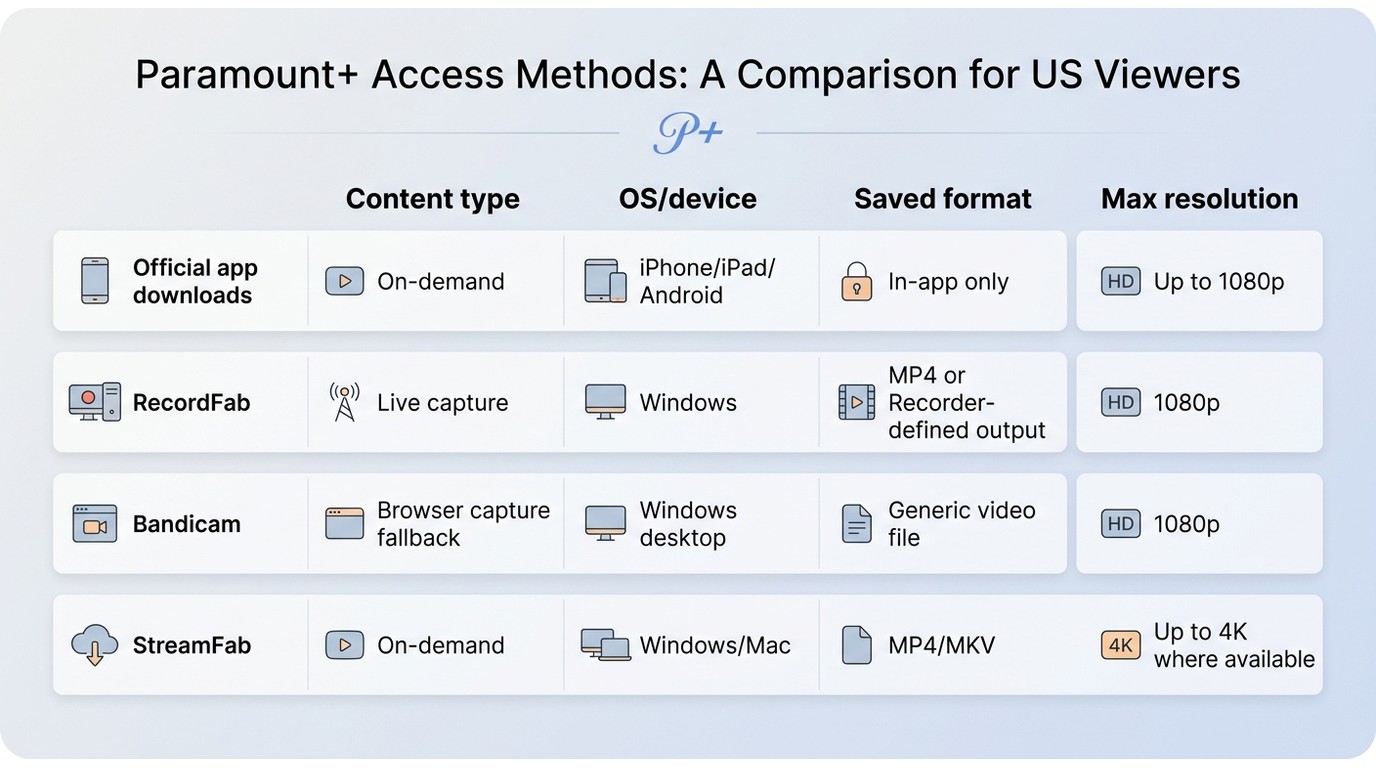
Choose by content type: use a recording path for a live event or a short authorized clip; use official downloads or a local-file workflow for an on-demand movie or series. These routes solve different problems and should not be treated as interchangeable.
| Device or viewing setup | Likely outcome | Best fit | Not ideal for |
|---|---|---|---|
| Windows PC | Desktop recording and local-file workflows are available, subject to the selected tool and title. | Live capture or on-demand files | Assuming built-in capture will reliably record protected playback |
| Mac | Protected playback can still produce black video or audio-only results with ordinary screen capture. | Authorized on-demand local-file workflows | Repeated full-length screen-recording attempts |
| iPhone, iPad, Android, or Samsung phone | Mobile screen recording can save audio without usable video. | Official in-app downloads where eligible | Creating a general local video file through screen capture |
| TV-oriented viewing | TV apps are designed for playback rather than DVR-style recording or file export. | Watching supported official downloads on a compatible device | Using the TV as a recording source |
1. RecordFab for Live Sports and Real-Time Content
If you want to record live sports or another real-time Paramount+ program, an on-demand file may not yet be available. RecordFab is a Windows recording option for authorized content when a real-time capture path is appropriate. It is not a universal replacement for official downloads or on-demand local-file workflows.
Best for: authorized live events and short real-time captures on Windows.
Not ideal for: unattended full-length playback or titles that are already available through an eligible official download option.
Uses a built-in browser environment for real-time recording. Results can vary with the title, playback environment, and service behavior, so confirm the result with a short audio-and-video sample first.
- Output: RecordFab supports MP4 output and up to 1080p where available.
- Speed: Windows users can select 1x, 1.5x, 2x, 3x, 4x, or 5x recording speeds.
- Fit: Review the completed file before relying on it, especially for live sports and other protected playback.
Get RecordFab downloaded and installed on your PC to get things rolling.
Open up the app. You can head to the Paramount+ site using the built-in browser or just paste the video link directly.
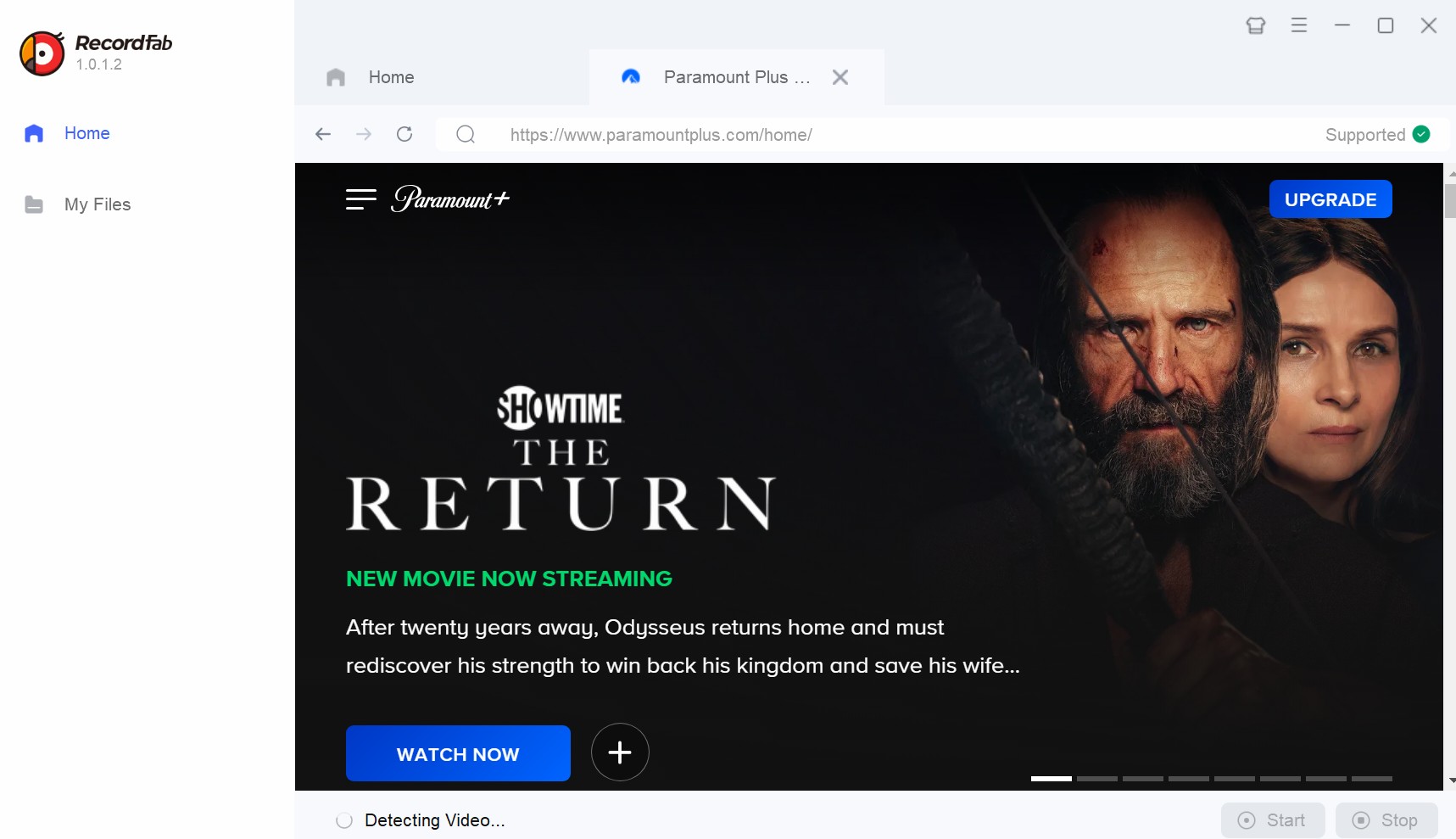
Sign in to your account and hit play on the stuff you want to back up; the tool analyzes the stream automatically. Pick your preferred settings in the popup window—stuff like resolution and speed.
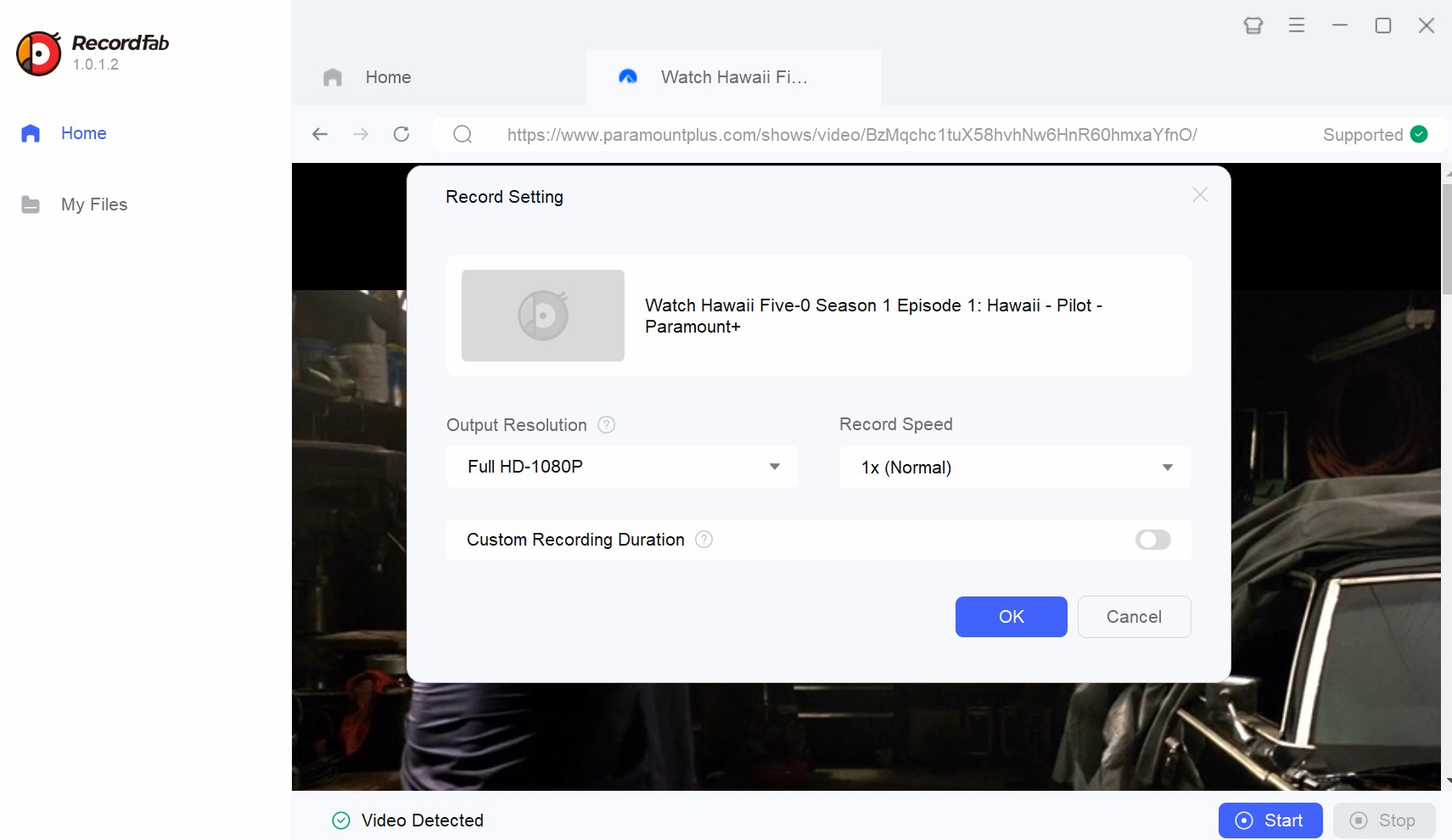
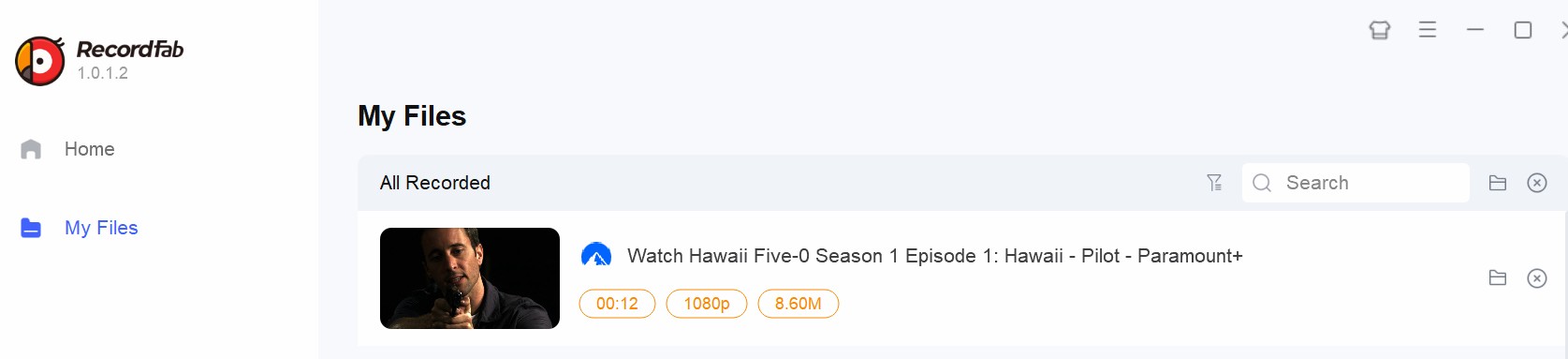
Kick off the process and hang tight until it's done. Your file gets saved locally so you can watch offline later.
2. Bandicam as a Browser-Capture Backup
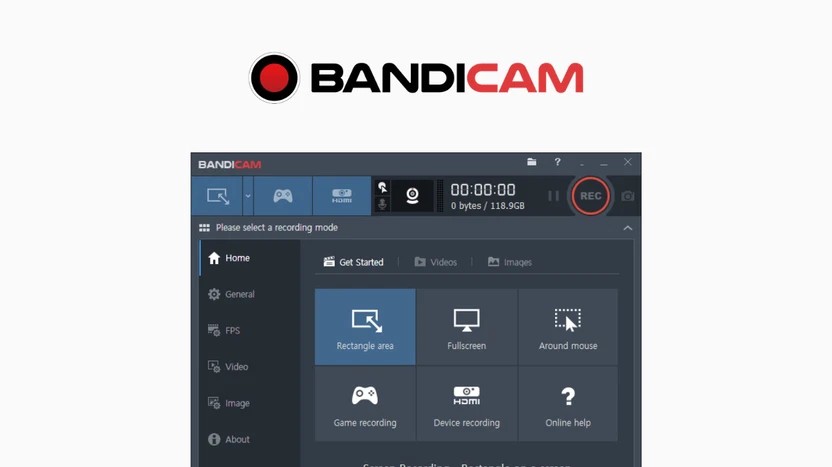
Bandicam is the "old guard" of screen recording. While it wasn't specifically built for streaming platforms, some users still gravitate toward it because they already own a license.
Bandicam is a general-purpose screen recorder rather than a Paramount+-specific workflow. Its compatibility with protected Paramount+ playback is uncertain, so use a brief verification sample before attempting a long recording. Changing browser hardware acceleration can be tried as a diagnostic, but it is not a reliable remedy for a black screen.
- Real-Time Capture: A screen recorder follows playback, so longer programs generally require more monitoring.
- Foreground Risks: Notifications, buffering, and system activity can affect a desktop capture.
- Uncertain Compatibility: Confirm both audio and video in a short sample before committing to protected, full-length playback.
Go to the official site to download Bandicam and install it following the prompts.
Visit the official website to download Bandicam software and install it according to the prompts.
Open Paramount Plus and log in. Adjust the screen region or window you want to capture.
Hit “REC” in Bandicam to start rolling, and click “REC” once more when you want to stop.
Bandicam can make sense for readers who already use it for ordinary desktop capture and need a short fallback test. For protected, full-length Paramount+ playback, the uncertainty and monitoring burden make it a less practical first choice.
3. Recording and Downloading Paths Compared
The table below compares the available paths by content type, device, output, and practical limitations. Official downloads remain managed inside the Paramount+ app, while recording and desktop local-file workflows serve different needs. Specifications and availability may change (as of July 2026).
| Paramount+ Recording and Download Options | ||||
|---|---|---|---|---|
| Path type | Official Paramount+ downloads | RecordFab | Bandicam | StreamFab Paramount Plus Downloader |
| Best fit | Eligible in-app offline viewing | Authorized live or real-time capture on Windows | Short desktop-capture fallback tests | Authorized on-demand local files on Windows or Mac |
| Not ideal for | Exporting a general local file | On-demand seasons already suited to a local-file workflow | Unattended protected full-length playback | Live events that are not yet available on demand |
| Supported OS or device | Eligible mobile devices in the Paramount+ app | Windows | Windows desktop capture | Windows and Mac |
| Saved format | Managed in-app download | MP4 | Recorder-defined output | MP4 or MKV |
| Maximum advertised resolution | Service-controlled | Up to 1080p where available | Depends on capture settings and playback | Up to 4K where available |
| Audio and subtitles | Managed by the app | Depends on the recording setup | Depends on the recording setup | Dolby Atmos or EAC3 5.1 where available; subtitle extraction or remuxing |
| Speed and batch support | App-managed | Selectable 1x to 5x recording speeds | Follows real-time playback | Batch downloads supported |
The practical distinction is content type. Real-time capture can suit a live program, while on-demand movies and series generally fit official downloads or a local-file workflow better. Bandicam remains a general desktop-capture option, but it requires a short verification sample before a longer attempt.
StreamFab for On-Demand Local Copies
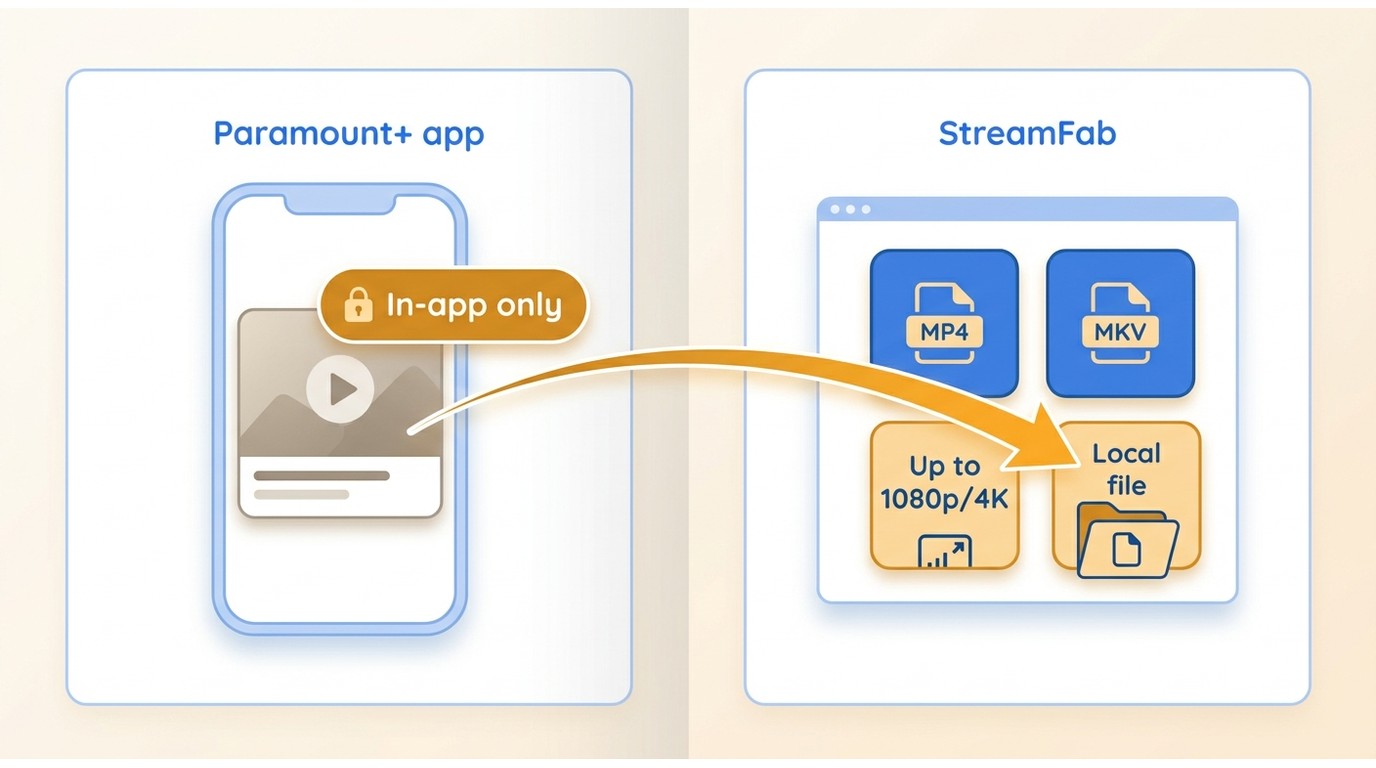
Official Paramount+ downloads are the simplest offline option for eligible content and devices, but they remain managed within the app. StreamFab Paramount Plus Downloader is a desktop alternative for authorized on-demand content, subject to Paramount+ terms and applicable law. It supports local MP4 or MKV output, with up to 4K availability depending on the title and service options.
Recording vs. Downloading: Choose by Content Type
Best for: authorized on-demand movies and full series when you want local MP4 files rather than managed in-app playback.
Not ideal for: a live event that has not yet become on-demand content. Local files and official in-app downloads are different outcomes; readers comparing Paramount Plus downloader options should keep that distinction in mind.

For eligible on-demand content, StreamFab offers a local-file workflow rather than a real-time screen-recording workflow. Download time varies with the title, selected quality, device, and network conditions.
- Output: Choose MP4 or MKV, with up to 4K availability where the title and service support it.
- Audio and subtitles: Dolby Atmos or EAC3 5.1 may be available, alongside subtitle extraction or remuxing options.
- Batch support: Queue supported episodes or seasons, then review the title-specific options before starting.
My StreamFab Workflow
Install the correct version of StreamFab for your OS. Fire up the app and pick Paramount+ from the VIP Services menu.
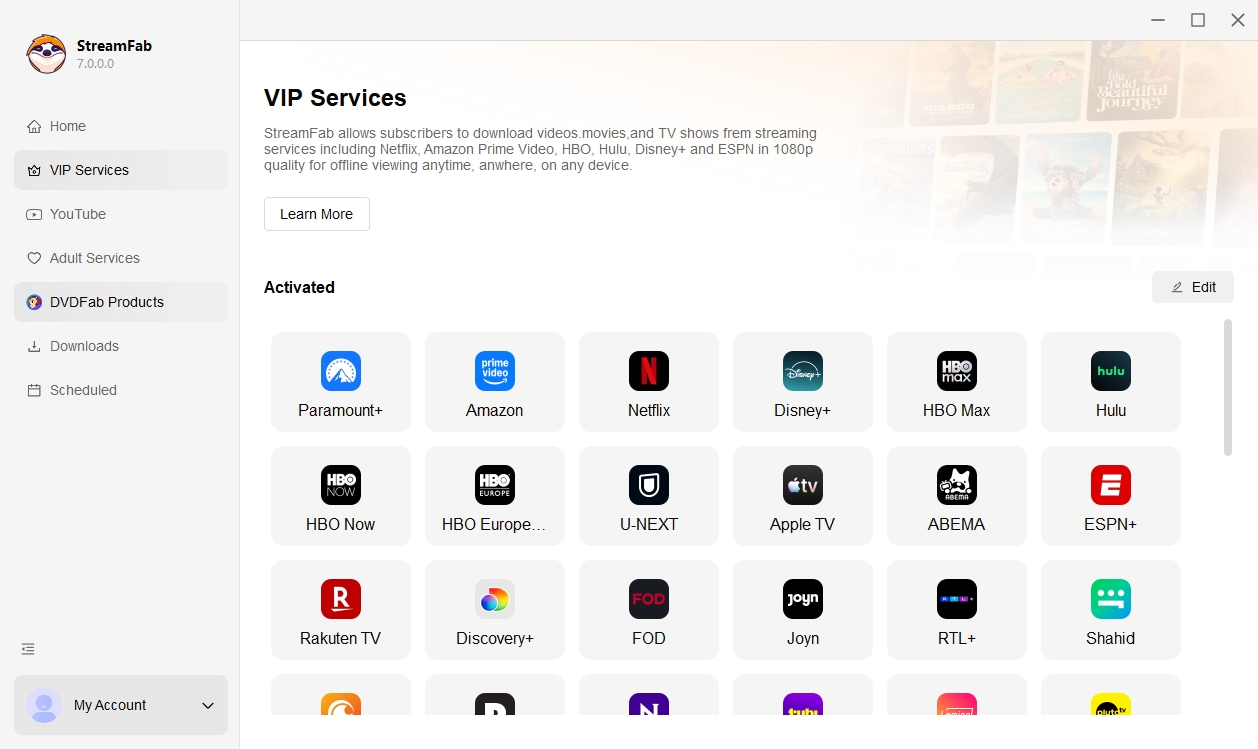
Sign in to your account and play the video you want. The software detects the stream and brings up download options.
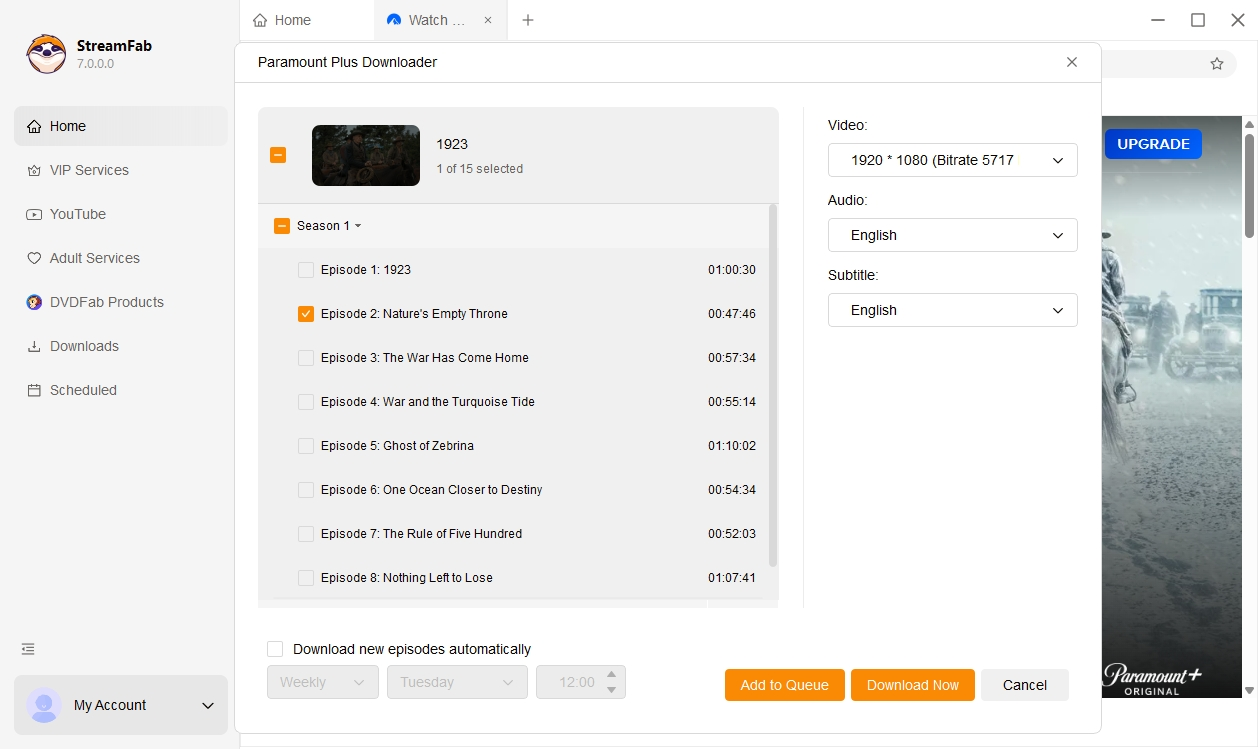
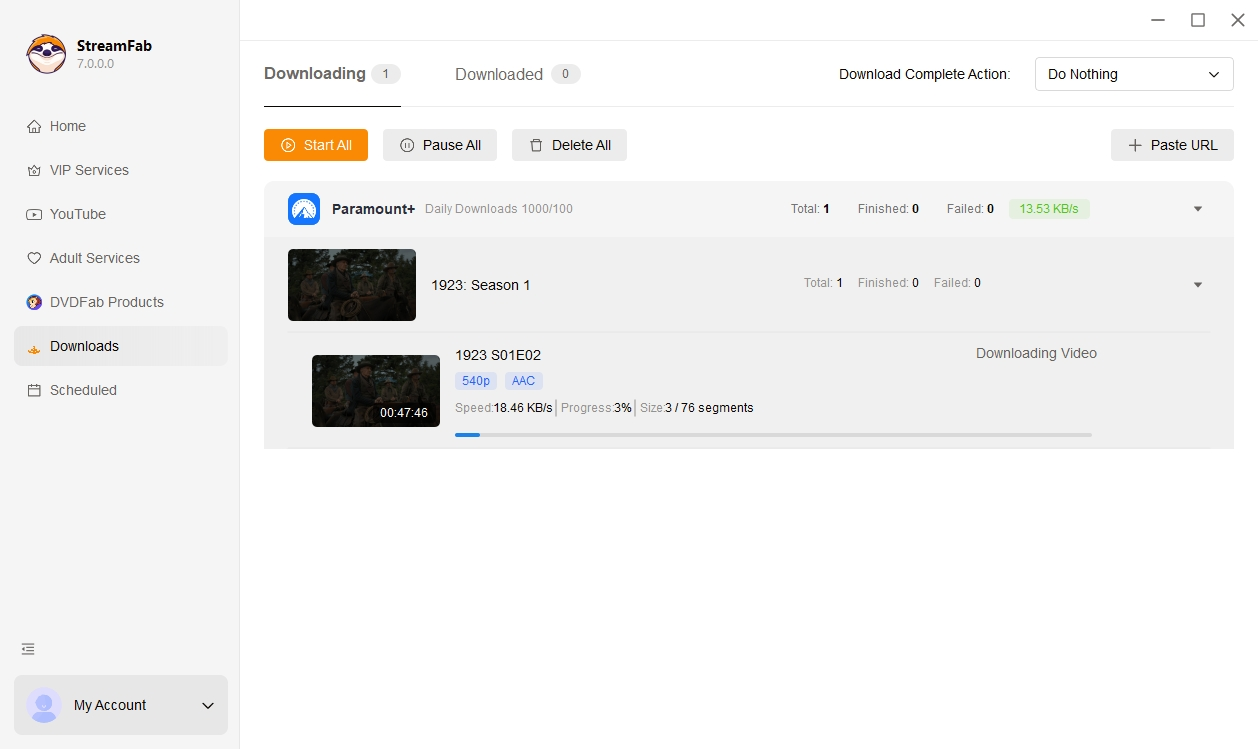
Confirm your format settings to start downloading. You can find your content in the "Downloaded" tab once it's done.
FAQs
Can Paramount Plus detect screen recording activity?
Paramount+ does not publicly disclose every signal it may use to identify recording activity. A black screen or audio-only result shows that protected playback is active, not necessarily how a particular recording attempt was evaluated. Follow the platform terms, applicable law, and personal-use limits.
What if a mobile recording saves audio but no video?
Protected playback can produce audio-only files or black video on iPhone, iPad, Android, and Samsung devices. Repeating mobile capture attempts is unlikely to change that result. For eligible on-demand content, use official in-app downloads where available, or move an authorized local-file workflow to a compatible computer.
Can I record a short Paramount Plus clip for commentary?
Commentary does not automatically grant permission to record or reuse a clip. The purpose, amount used, platform terms, copyright law, and local regulations all matter. Keep any use narrow and avoid treating a technical recording option as a rights determination.
Why does audio drift out of sync during a long recording?
Audio drift can come from buffering, dropped frames, foreground capture interruptions, or high system load during a long recording. First make a short verification sample and reduce competing activity on the device. If real-time capture remains unstable, an official download or an authorized local-file workflow may be a better fit for on-demand content.
Conclusion
For eligible official offline playback, the Paramount+ app is the simplest starting point. For an authorized live event or short real-time capture on Windows, RecordFab may fit. Bandicam is a general desktop-capture fallback, but protected playback makes its result uncertain. If your goal is a local on-demand movie or series file on Windows or Mac, StreamFab is the more relevant path.
Choose by content type, device, and the result you need: managed in-app viewing, a real-time recording, or a local file. No single route fits every Paramount Plus recording or offline-viewing need. For eligible titles, official Paramount Plus offline playback remains distinct from a local MP4 or MKV workflow.
- This article reflects the current distinction between native DVR availability, official downloads, screen recording, and local-file workflows.
- Updated RecordFab recording speeds and removed unsupported success-rate claims.
- Reworked the comparison around device, content type, saved format, and practical limitations.
- The guidance in this article is designed to help readers choose a workflow based on authorized access, device compatibility, and the type of content they want to view offline.
Use recording and local-file workflows only for content you are authorized to access. Commercial use, sharing, and distribution may violate platform terms or copyright law.

In this guide, I'll show you how to easily watch and download your favorite shows from Paramount Plus to MP4 format.
By Marcia Hatcher - Aug 25, 2026

Paramount Plus limits its download library to 25 titles, with 30-day and 48-hour viewing windows on supported mobile devices. This guide explains the official rules, a seven-step fix for ghost limit errors, and when Windows or Mac local-copy tools make sense for authorized offline viewing.
By Marcia Hatcher - Aug 7, 2026

Paramount+ allows SHOWTIME subscribers to download content on mobile devices, but with limitations like no PC support. StreamFab Paramount Plus Downloader removes these restrictions, enabling permanent 1080P downloads in MP4/MKV format for both Essential and SHOWTIME users.
By Jacob Harrison - Aug 7, 2026
Whether your internet connection is not strong, or you don't have enough space in your device, there are many other reasons why you might not be able to download shows and films from Paramount Plus. Hence, we hope you can resolve these issues with the help of this article.
By Marcia Hatcher - Aug 5, 2026