
Freemake Video Downloader Review: How to Use and Best Alternative!

Summary: Today, we will review the "Freemake Video Downloader", a complimentary tool that enables you to download videos from various sources such as YouTube, Vimeo, Dailymotion, etc.
Table of Contents
Freemake Verdict at a Glance
If you're searching for a current Freemake Video Downloader review, here's the short answer up front: Freemake remains an active project (its official changelog lists version 5.0.0.17 dated October 17, 2025), but it is best understood as a Windows desktop tool with real free-tier trade-offs.
Before committing to it, weigh four things: platform fit, free-version limits, safety of the installer, and how reliably it downloads what you actually need.
- Current status: Active, still updated on Windows.
- Desktop OS: Cited official Freemake material describes the desktop software as Windows-only; a native macOS build is not confirmed.
- Free-tier limits: Three-minute cap and branded intro/outro on downloaded clips, per current review evidence.
- Pricing signal: A $0.95 seven-day trial appears in-app; the public Freemake page does not publish one stable US price.
- Reliability: Mixed in our Windows tests; some links stalled or triggered an in-app warning.
- Best for: Windows users doing occasional short clips who accept branded output on the free tier.
- Not ideal for: Mac-only users, anyone needing consistently full-length downloads, or readers who want transparent published pricing before paying.
My editorial take: Freemake is easy to understand, but current platform support and reliability matter more than an old feature count.
What Freemake Video Downloader Does
Freemake is a long-running Windows desktop downloader with a one-click workflow. Based on cited official Freemake material, it is described as Windows-only, and its changelog shows the project is still active (version 5.0.0.17, October 17, 2025).
Historically it has advertised support for a wide range of video sites, including YouTube, Vimeo, and Dailymotion, and common output formats such as MP4, MP3, MKV, and AVI. Treat any specific site or format claim as something to verify against your own test URLs, since third-party site changes affect individual links over time.
In our Windows tests, some downloads completed while others surfaced an in-app warning that a site fix was pending—a recurring pain point users describe as “Freemake Video Downloader is not working.”
- This review of Freemake is grounded in authoritative sources and our rigorous testing, guaranteeing the integrity and reliability of the information concerning Feemake. We aim to provide an authentic and worthwhile assessment of this product.
Is Freemake Really Free?
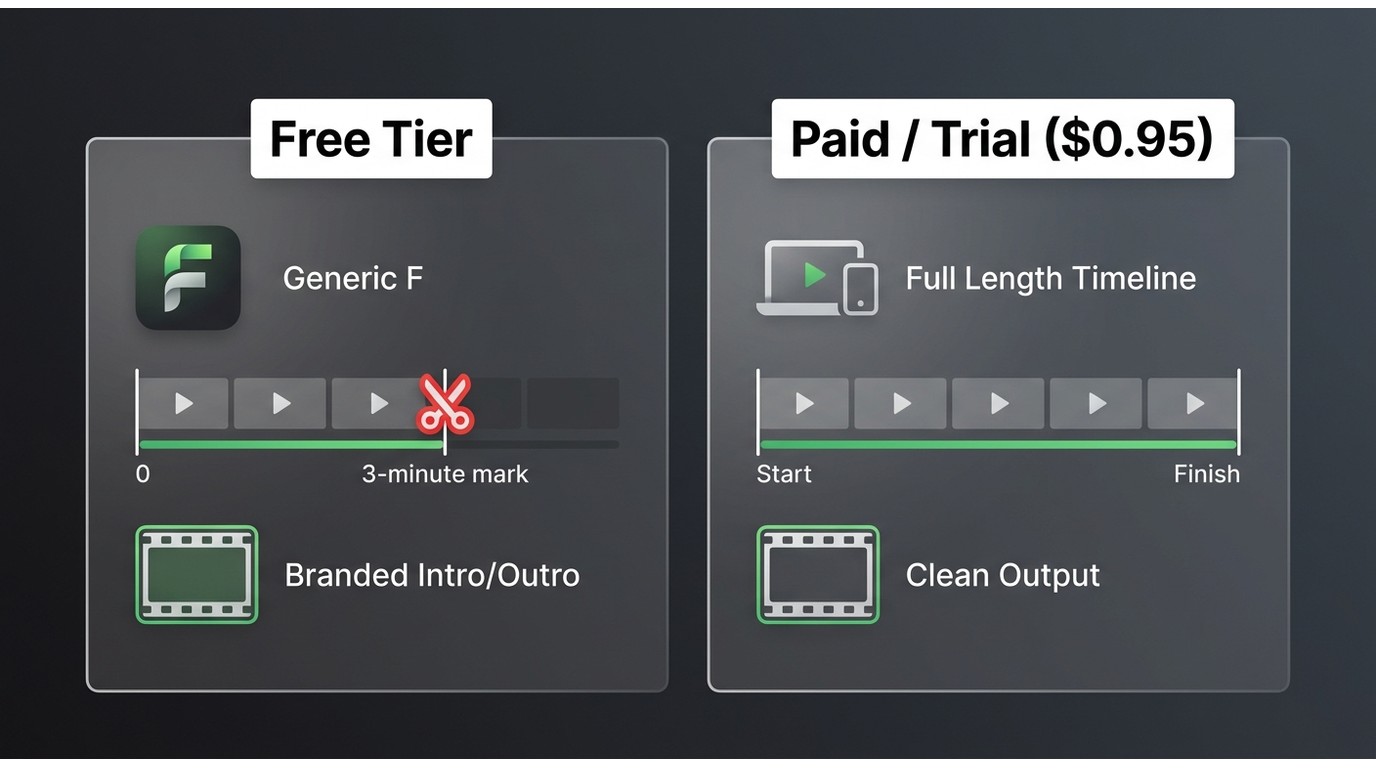
Freemake is best described as freemium rather than fully free. As of July 2026, the picture looks like this:
- Free-tier length limit: Current review evidence reports a three-minute cap per download.
- Branding on output: Free-tier clips carry an intro/outro brand mark; older reviews that describe no watermark reflect earlier behavior and should not be treated as current.
- Trial snapshot: A $0.95 seven-day trial has been reported in-app.
- Renewal terms: Users on Trustpilot have flagged auto-renewal and cancellation friction; confirm the terms on the checkout screen and keep receipts.
- Public price: The public Freemake page does not publish one stable US price; treat the trial figure and any other paid amounts as dated in-app or review snapshots.
Because prices and terms in this category shift, verify current numbers inside the app before you pay. Older reviews that reported a watermark-free free tier predate the current restrictions, so weight recent evidence more heavily.
Is Freemake Safe to Install?
“Safe” is not a single yes/no answer. Break it into three separate questions:
- Where did the installer come from? Download only from the official Freemake domain. Third-party mirrors are a common source of tampered installers and deceptive download buttons.
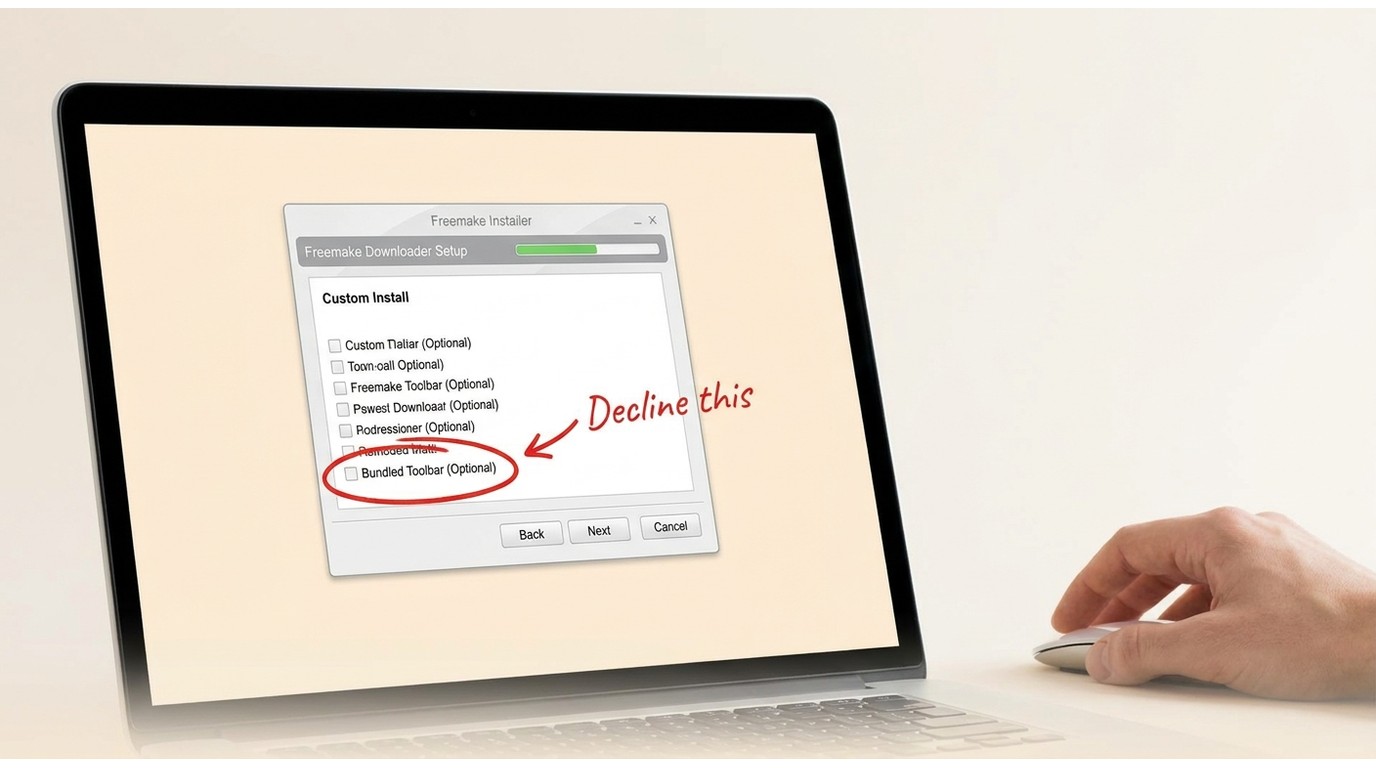
- What does the installer offer during setup? Community reports have historically flagged optional bundled offers during installation. Use the installer's custom or advanced path, read each screen, and decline anything you did not come to install.
- Are you allowed to download the source content? Safety also depends on the platform's terms of service and applicable law. Use the tool only for content you're authorized to save.
The cited official material does not confirm a native macOS build, so this review does not recommend running a Freemake .pkg installer on Mac. My editorial judgment: choosing custom installation and reviewing each screen matters more than any blanket “safe” label.
Pros & Cons: Actual Test Experience
To keep this section reproducible, here is the test environment before the pros and cons list:
- OS: Windows 11 (24H2)
- Freemake version tested: 5.0.0.17 (per official changelog, Oct 17, 2025)
- Test date: July 2026
- Sample URLs: Public YouTube clips (short and long), Vimeo, Dailymotion
- Requested output: MP4 at the highest available quality; MP3 audio-only for one sample
- Outcomes: Short YouTube clips completed within expected times on the free tier; a longer clip hit the three-minute cap; one Vimeo link surfaced the in-app “working on a fix” warning. We did not test on macOS because a native macOS build is not confirmed by the cited official material.
Reliability—not feature count—drives real-world value. Best for: Windows users with short, straightforward download needs. Not ideal for: Mac users, batch or long-form workflows, or anyone who needs published pricing before paying.
- Downloads and saves videos in standard file types
- Supports major video platforms
- Compatible with widely used media formats
- Easy to use; even a novice can quickly master the download process
- Active project on Windows, with a changelog entry for version 5.0.0.17 dated October 17, 2025
- The free version has a strict three-minute per-download cap
- Adds a branded intro/outro to free-tier downloads
- Cited official material does not confirm a native macOS build; no dedicated Android or iOS apps
- Mixed reliability in our Windows tests; some links surfaced an in-app "working on a fix" warning
- Public page does not publish one stable US price; paid terms only surface inside the app
How to Use Freemake Video Downloader
Now that you have a clear overview of the tool, here is the standard Windows workflow. Use the official Windows installer only; the cited official material does not confirm a macOS package.
If a specific link fails, that is a symptom of the broader pattern documented in our review of Freemake download failures, and it may point you to a more reliable tool.
Step 1: Begin by downloading Freemake Video Downloader from the official site (choosing the appropriate Windows `.exe` or Mac `.pkg` installer) and install the tool on your device.
Step 2: Turn on the "One-Click Mode" located in the upper right-hand corner of the main window.
Step 3: Set up batch settings for your preferred video quality (best quality, optimal parameters, or minimal size).
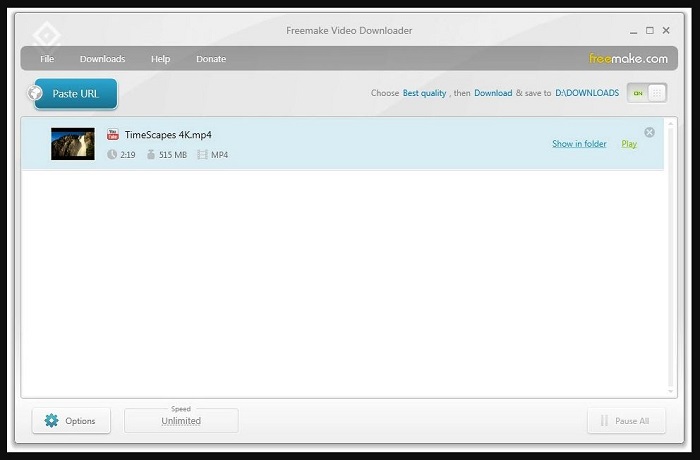
Step 4: Now, copy the link of the video you wish to download and click on the "Paste URL" option. Wait for the process to finish until the videos are saved locally to your device.
I’ve experienced frequent Freemake download failures and parsing errors on both tested platforms. Most notably, during my latest 2026 tests, the software repeatedly threw this exact prompt:
"Warning: We found an issue with this video download and are already working 24/7 to fix it asap. We will release a fix soon."
Freemake's team says they address capture issues as quickly as possible and prompt updates in-app. If a link fails, a restart, reinstall, or reboot sometimes helps. Because the free tier is capped at three minutes and reliability is uneven, full-length downloads may require a paid upgrade.
If problems persist, confirm your upgrade status, check whether the source content is protected, and then contact support or evaluate a more reliable alternative.
StreamFab as a Freemake Alternative
For content you're authorized to access, where permitted by platform terms and applicable law, StreamFab is a desktop alternative worth considering when Freemake's free-tier cap, branded output, or Windows-only positioning does not fit your needs. This is a measured fit assessment, not a promise that any tool works universally.
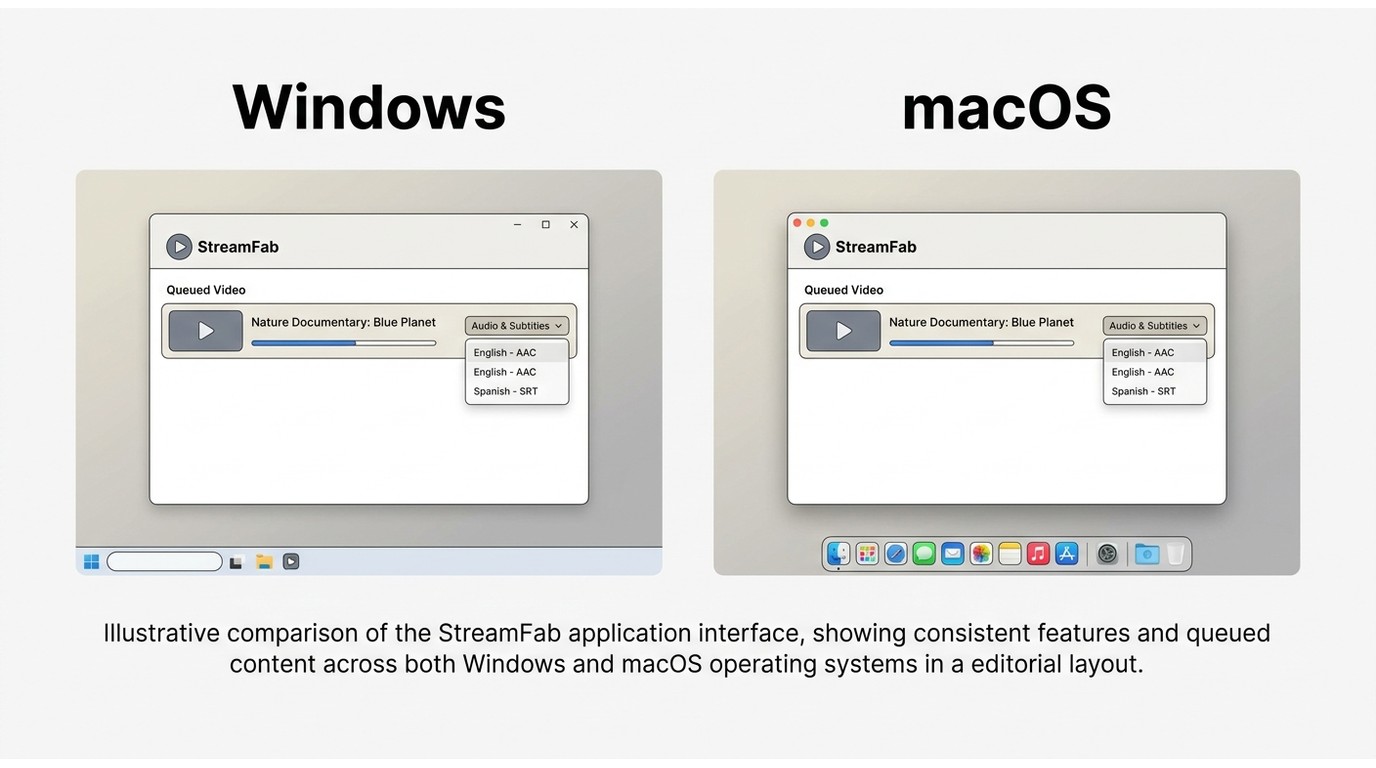
StreamFab covers the two gaps most Freemake users cite: it publishes both Windows and macOS desktop apps, and it supports a local MP4/MKV workflow with selectable audio and subtitle tracks and batch queueing. Available quality depends on the source service and your plan, so verify with a trial before you commit. For a broader look at the product, see our StreamFab review.
Downloads videos in lossless 1080p/4K/8K resolution and guarantees a 100% watermark-free experience. Moreover, the tool downloads whole videos, regardless of the video length, completely bypassing Freemake's restrictions and stability issues while offering native, high-performance apps for both Windows and macOS.
- Detects videos via a built-in browser across a wide range of supported sites, subject to each site's terms.
- Saves downloads locally in MKV or MP4 for offline use.
- Supports selectable audio tracks, including multichannel options where the source provides them.
- Available output quality depends on the source service and your plan.
- Skips promotional segments when the source stream exposes them.
- Lets you choose subtitle tracks that the source stream makes available.
Operation Steps
Step 1: Install the software on your device and launch the interface.
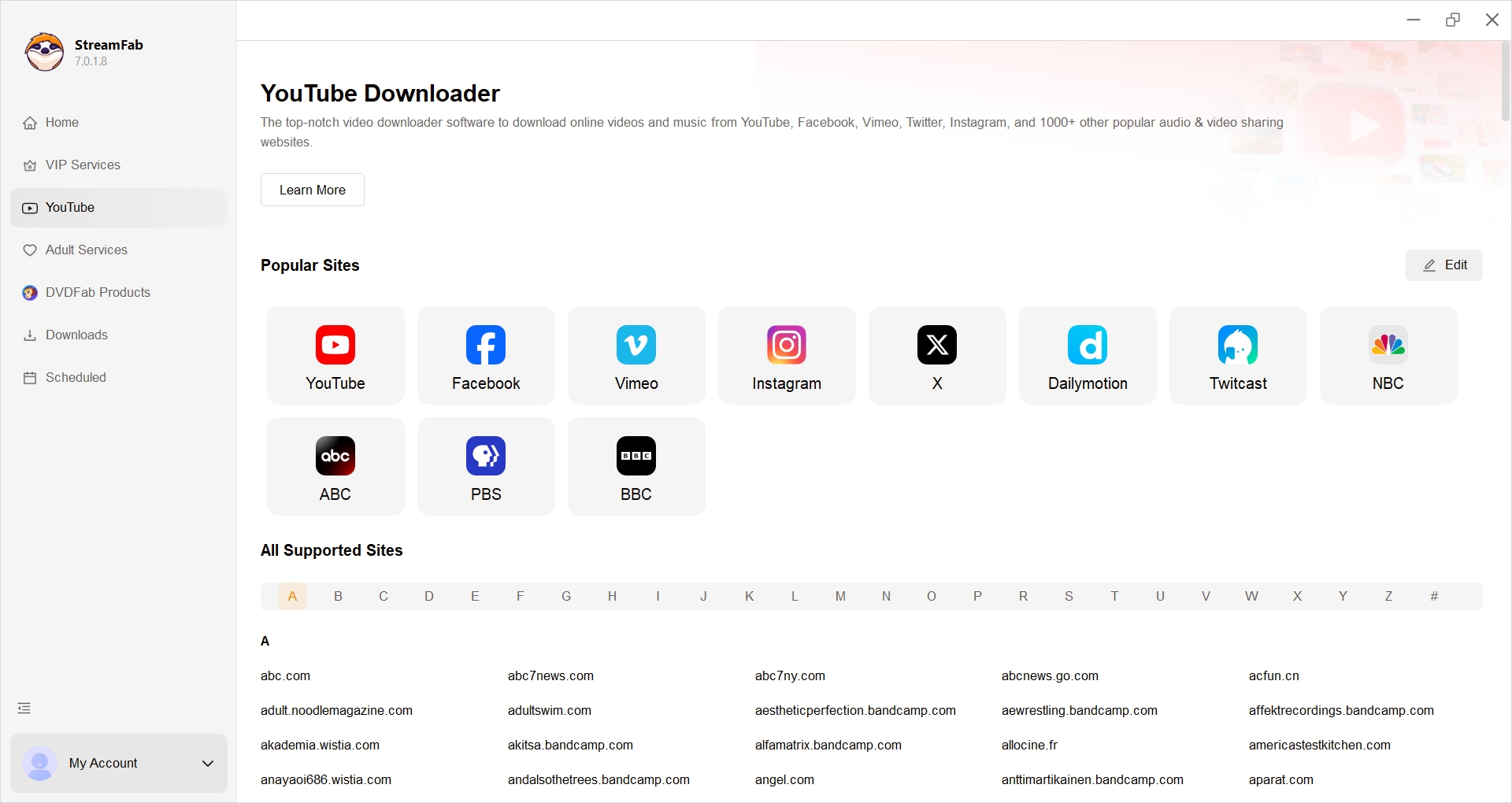
Step 2: Tap the VIP Services or the YouTube icon on the left panel to find the streaming website you want. You can also copy and paste your video URL directly into the address bar on the homepage.
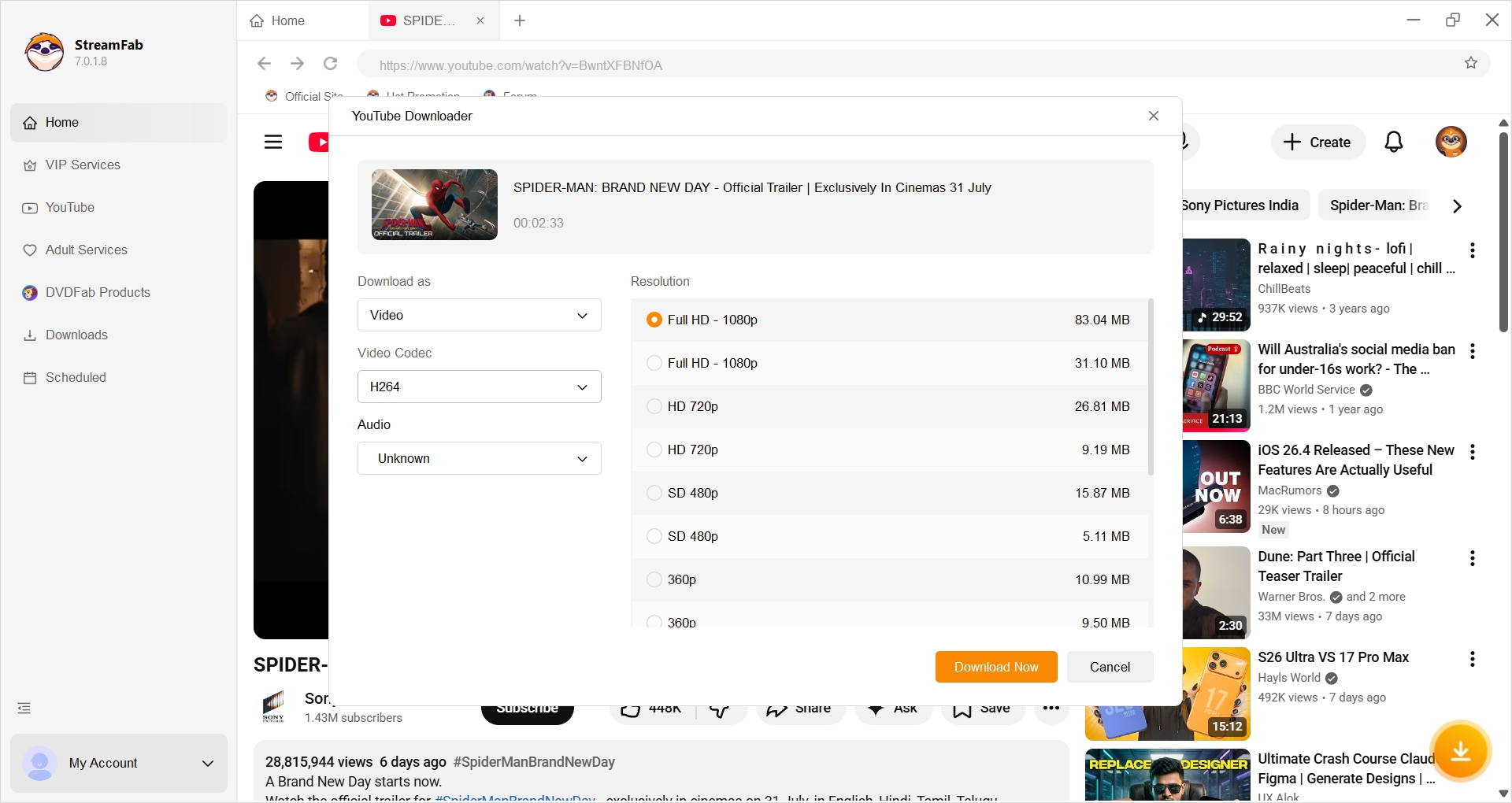
Step 3: Search for the video and play it; a pop-up window will then ask for your video options. You can choose the audio and subtitle language.
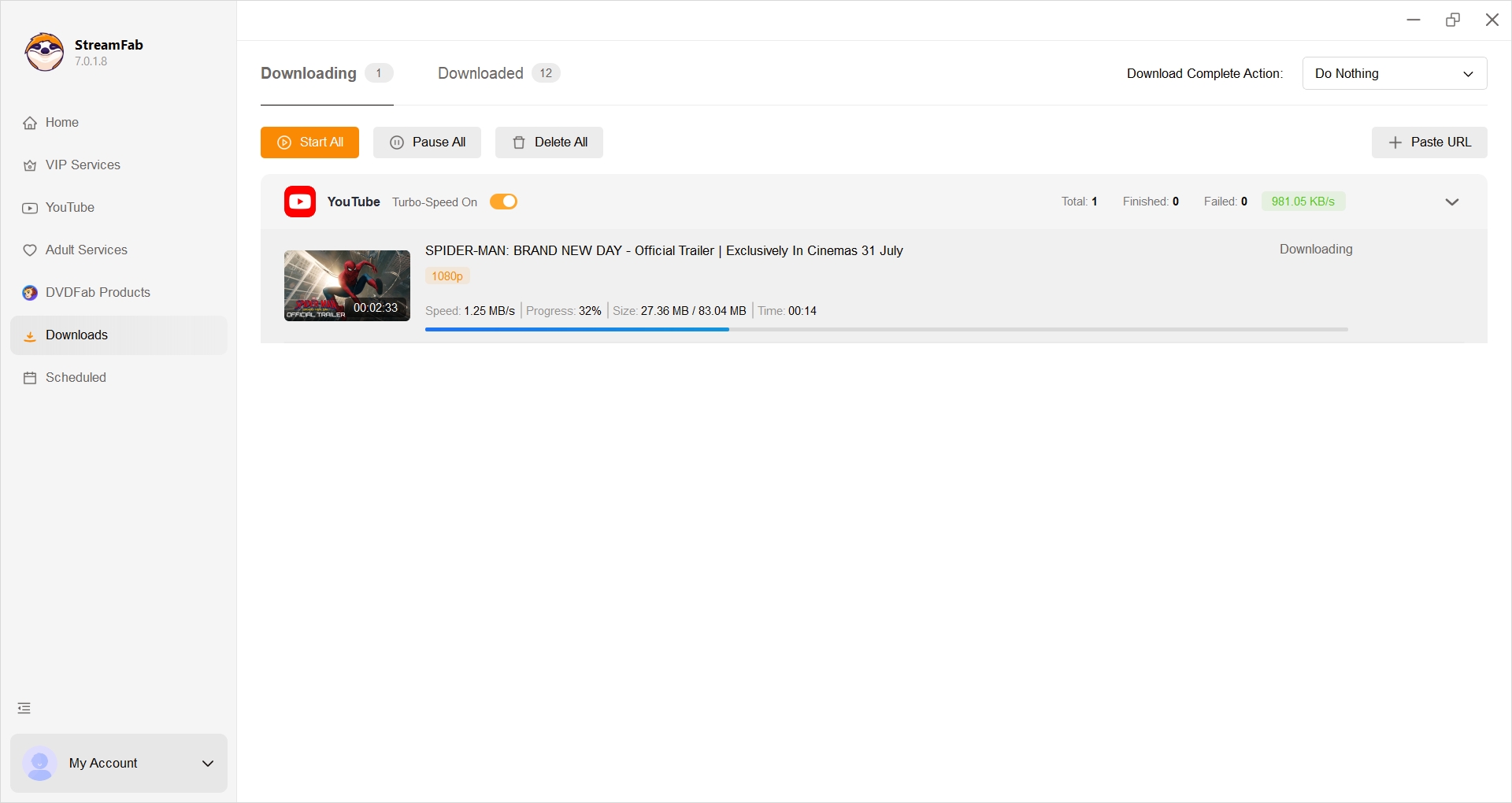
Step 4: After customization, you can download it right away or add it to the queue.
Freemake vs. StreamFab Comparison
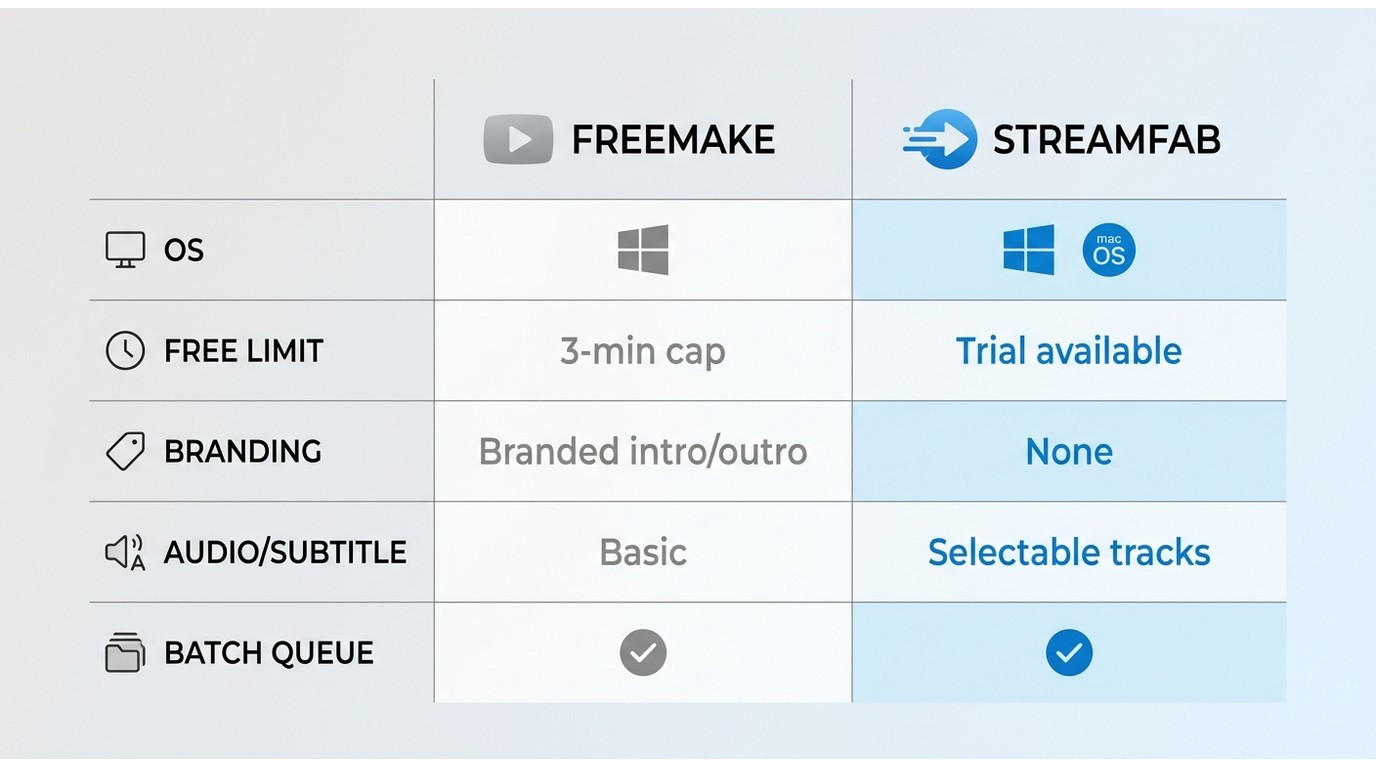
Editorial fit: pick Freemake if your only need is short Windows clips and you accept branded output; pick StreamFab if you need cross-platform desktop support with finer track control.
| Dimension | Freemake Video Downloader | StreamFab Video Downloader |
|---|---|---|
| Current status | Active; changelog entry for 5.0.0.17 dated Oct 17, 2025 | Active; current product page publishes desktop builds |
| Desktop OS | Windows (cited official material describes it as Windows-only) | Windows and macOS |
| Free-tier restriction | Three-minute per-download cap on the free tier | Trial available; scope and limits vary by service |
| Watermark / branding | Branded intro/outro on free-tier output | No intro/outro branding on saved files |
| Workflow | Paste URL into desktop app | Built-in browser plus paste URL |
| Output formats | MP4, MP3, MKV, AVI and others | MP4 or MKV |
| Quality ceiling | Depends on source; free tier capped by length, not resolution | Depends on source service and plan |
| Audio / subtitle control | Basic format selection | Selectable audio tracks and subtitles where source provides them |
| Batch queue | Supported | Supported |
| Installer / ad concern | Community reports of optional bundled offers; use custom install | Standard desktop installer |
| Pricing-source status (as of July 2026) | $0.95 seven-day trial reported in-app; no single stable public US price | Trial published on product page; paid tiers vary—verify at checkout |
FAQs
Can Freemake Video Downloader run on macOS?
The cited official Freemake material does not confirm a native macOS version and describes the desktop software as Windows-only. This review does not recommend installing a Freemake .pkg package on Mac. If you're on macOS, look at a downloader that publishes a current macOS build.
Does Freemake still download YouTube videos?
In our Windows tests on version 5.0.0.17, short public YouTube clips completed on the free tier within the three-minute cap. Site changes can affect individual links, so verify with your own test URL before you rely on it for a full workflow.
Why do older Freemake reviews disagree about watermarks?
Older reviews often describe earlier free-tier behavior without branded intros or outros. Current review evidence reports branded intro/outro segments on free-tier output, so treat pre-restriction reviews as historical context rather than current guidance.
What should I compare before choosing a Freemake alternative?
Prioritize supported operating systems, measured success rate on your actual URLs, installer experience, full-video length limits, output formats, audio and subtitle controls, batch workflow, and transparent pricing you can see before checkout.
Conclusion
Freemake remains active and easy to understand, but its verified Windows-only positioning, in-app-only pricing signals, three-minute free-tier cap, installer concerns, and mixed reliability results in our tests determine whether it fits you.
If you're on Windows and only need short clips, it's a reasonable option; if you need cross-platform desktop support or finer control over output tracks, StreamFab is worth trialing before you commit. Verify the current terms inside each app before you pay.


Evaluating the Audials One 2026 free trial? I tested its 720p caps, examined if is audials legal under Fair Use
By Erika Leen - Sep 29, 2026

Are you thinking of purchasing NoteBurner and unsure if it’s worth the investment? In this NoteBurner review, let’s delve into its product lines, particularly the NoteBurner Video Downloader’s pros and cons.
By Marcia Hatcher - Sep 28, 2026

Read our in-depth Audials review for 2026. Is Audials safe and legal for Amazon Prime? Discover actual test results, Widevine DRM fixes, and better alternatives.
By Erika Leen - Sep 28, 2026
TuneFab’s Amazon downloader suits a focused desktop routine, while VideOne covers multiple services. Compare their workflows, license structures, and output checks with StreamFab, then use the numbered setup and maintenance steps for authorized personal offline viewing.
By Erika Leen - Sep 24, 2026