
Vidicable Review 2026: Is It a Real Downloader or Just a Recorder?

Summary: Vidicable Video Downloaders have become increasingly popular among online video enthusiasts, offering a convenient way to save and enjoy their favorite videos offline. In this honest review, we will explore the pros and cons of Vidicable Video Downloaders, helping you decide whether it is the right choice for you.
Table of Contents
Vidicable acts like a real downloader on YouTube (up to 8K files), but behaves more like a recorder-with-re-encode on Netflix, Prime Video, Max, Apple TV+, and Disney+. So file quality, size, and audio depth vary by service; a single label won't fit.
You pay for Netflix, Prime Video, and a couple of other services, and you just want a dependable local copy for the flight, the commute, or the season binge that keeps rotating off the catalog. Vidicable keeps showing up as an answer, but the question underneath every review is the same: is Vidicable Video Downloader actually pulling a file, or is it recording playback in disguise? This review settles that service by service on the current Windows/Mac build, lines up the 2026 pricing and trial terms against what you actually get, and points to a safer path when Vidicable falls short.
Vidicable Reviews: Does It Work?
The rest of this review walks that verdict service by service on Windows/Mac v3.0.2 (July 2026), lines up 2026 pricing and the 5-minute trial against what you actually get, and flags where a different tool is the more reliable path.

*The following content about Vidicable Video Downloader is based on the in-person test and review by our team. Any unauthorized copy is prohibited. If you want to recite our experience as a reference, please contact the editor to get authorization.
- System: Win/Mac
- Latest build: Windows/Mac v3.0.2 (July 2026)
- Free trial: first 5 minutes of each video (see the pricing and license section below for the current annual and lifetime terms)
Is Vidicable Safe to Install and Sign In With?
The installer from Vidicable's official site checked out without obvious red flags in our testing, though a clean installer alone isn't a full safety endorsement. The real question is what happens once you sign your streaming account into a third-party app. My take: treat that as a decision to weigh against each platform's terms, not a footnote. Stick to the official build (no shady mirrors, no keygens), keep your login details private, and only save titles you're personally entitled to watch. Testing turned up the usual friction, too: subtitles occasionally dropped, some saved files were unexpectedly heavy, and playback sharpness didn't always match the label on the export.
When a platform's own offline mode caps you at expiring rentals, missing subtitles, or mobile-only playback, a desktop tool becomes the pragmatic answer — for content you're personally entitled to access, kept within each platform's terms and applicable law.
My personal advice is:
✅ Use tools like this only for personal study or research. Don’t repost or share publicly.
✅ Avoid commercial use; you don’t want a legal headache.
✅ If a soundtrack or a film really matters to you, grab the official OST or a legit album for your shelf.
✅ And please, please use genuine software. No shady cracks, no mystery installers from sketchy corners of the internet.
How to use Vidicable Video Downloader
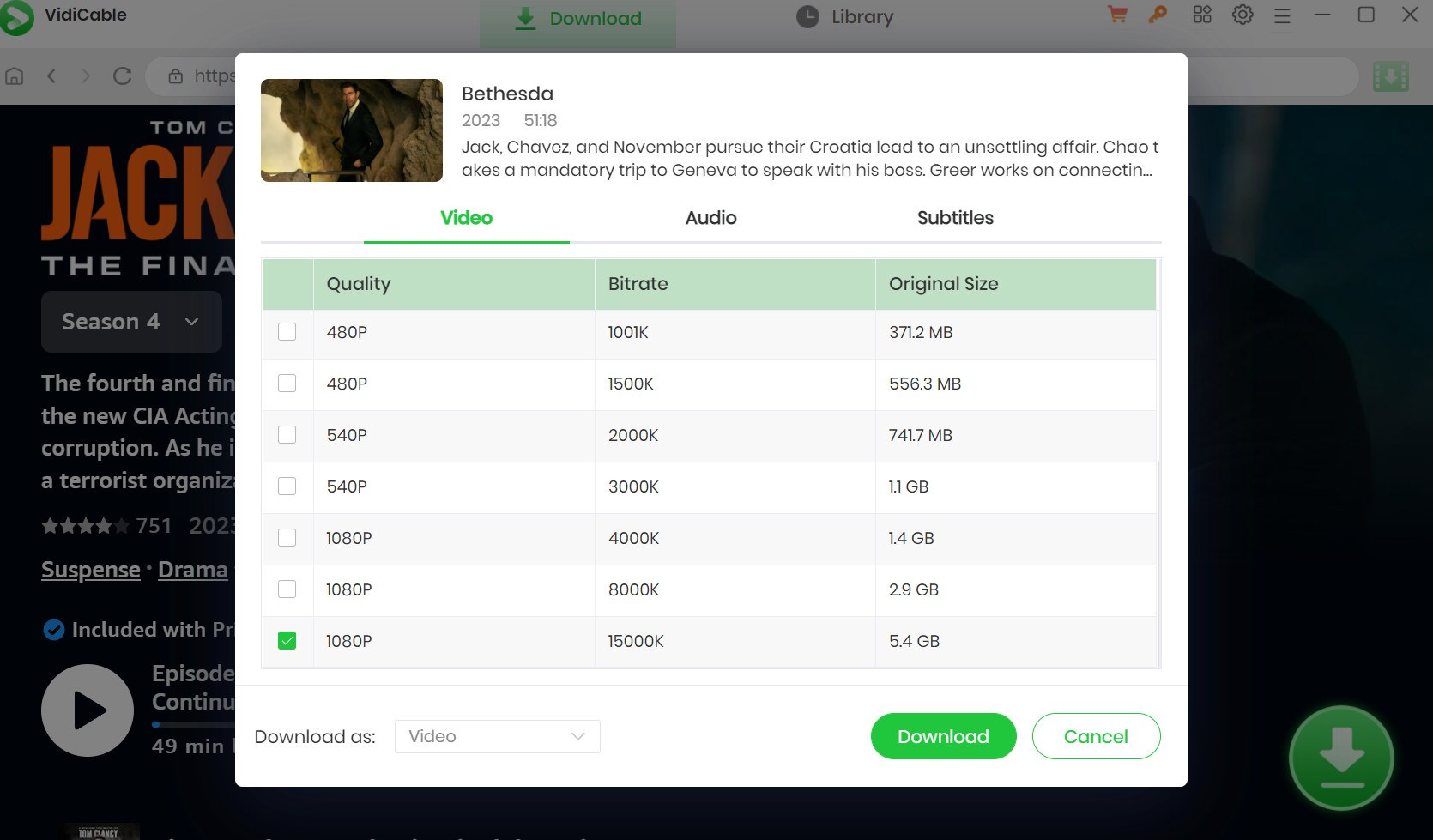
Before you start, confirm three prerequisites: an active subscription to the streaming service you plan to save from; the latest Vidicable installer downloaded from the official site (avoid third-party mirrors); and enough local disk space, since a five-minute 1080p export in our tests ran around 200MB and full-length titles scale from there. With those in place, follow the steps below:
Features and Disadvantages: Official Claims vs Our Tests
The trial caps every export at the first five minutes, so building a full opinion from it alone is tough. What I did instead: put the official spec sheet next to the actual export logs and let the two disagree in public. Below, the left column is what Vidicable advertises on its site; the right column is what held up when we ran real titles through the current build.
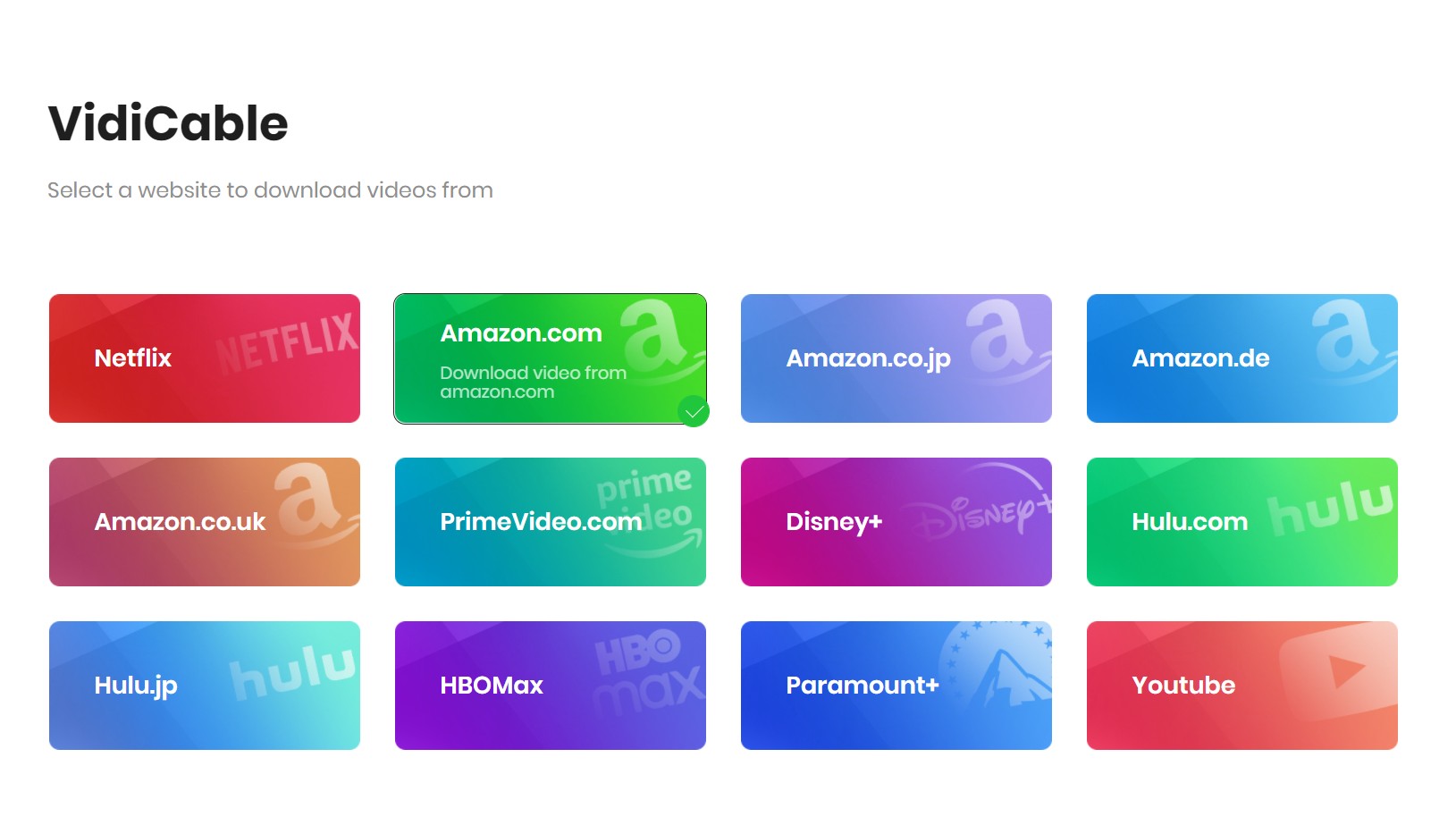
- Broad site coverage: Vidicable's site now advertises support for 1,000+ sites, including YouTube, TikTok, Vimeo, Netflix, Disney+, and Hulu.
- Advertised quality ceiling: up to 8K on YouTube and up to 1080p on major streaming services, with MP4/MKV/MP3 outputs.
- Advertised audio: Dolby Atmos and 5.1 support alongside standard stereo tracks, plus multilingual subtitles as SRT or embedded.
- Cross-platform: Windows and Mac builds, hybrid download/record engine per the vendor.
- Coverage in practice varies by service; treat the 1,000+ figure as a vendor claim and judge each title on the tested result, not the badge count.
- Stalls at 99.6% and long freezes reappeared during the trial on longer titles — sometimes for hours before the file finalized.
- Titles behind stricter M3U8/MPD protections often fell back to captured playback rather than a clean file pull.
- Switching sites mid-session still tends to want a restart; batch queues across services aren't seamless.
- The trial cap remains the first 5 minutes per video, which limits real quality judgment.
- On Max, no 4K option surfaced; on Netflix, HDR wasn't preserved on our samples.
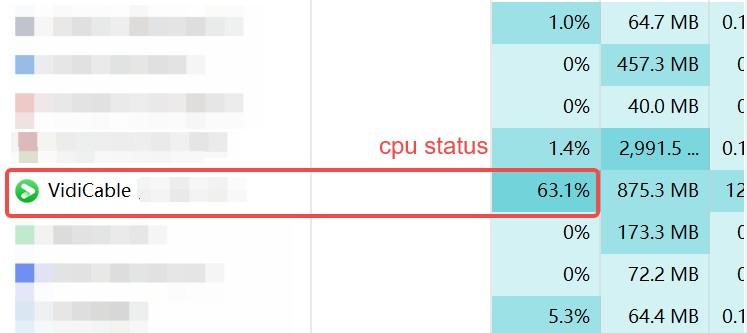
- CPU sat above 30% during longer captures, and a five-minute 1080p sample ballooned to roughly 200MB — heavier than a direct pull would produce.
Downloader or Recorder: Service-by-Service Results
A single label doesn't fit the current build. On the current build, Vidicable's behavior shifts by service — sometimes it pulls a file, sometimes it records the player. The matrix below summarizes the picture platform by platform.
| Service | Download or record | Tested max quality | Audio | Subtitles | Notes |
|---|---|---|---|---|---|
| Netflix | Captured playback | 1080p, no HDR preserved | Stereo on our samples | Multilingual, occasionally dropped | Stalls near 99% on longer titles |
| Amazon Prime Video | Captured playback | 1080p | Stereo | SRT or embedded | Re-encoding cost in file size and CPU |
| Max | Captured playback | 1080p (no 4K option surfaced) | Stereo | Embedded | Long titles vulnerable to freezes |
| Apple TV+ | Captured playback | 1080p claimed; sample sharpness inconsistent | Stereo | Embedded | Version-dependent; retest with each build |
| Disney+ | Captured playback | 1080p | Stereo | SRT or embedded | Atmos claim not preserved on our samples |
| YouTube | Direct file pull | Up to 8K on eligible titles | Original track preserved | Auto and manual captions | The one clearly ‘downloader’ path here |

Two patterns to note. First, CPU usage above 30% during longer captures is not an accident — it is what real-time re-encoding costs, and it explains the oversized files. Second, results are service- and version-dependent. If you have ever watched a progress bar sit at 99.6% for hours, that stall is a symptom, not a fluke; this fix VidiCable errors walkthrough covers the specific error codes and restart steps that unblock it.
Vidicable Pricing and License Terms in 2026
As of July 2026, Vidicable lists its Windows and Mac builds as an annual license around $99.90–$119 and a lifetime license around $149.90–$259.90, with the exact figure depending on the plan tier and platform.
The free trial is the same on either OS: it saves only the first 5 minutes of each video, which is enough to check whether a specific service works for you but not enough to judge full-length quality, subtitle behavior, or a batch queue. If a service already falls back to captured playback in that 5-minute window, buying a longer license will not change the behavior — treat the trial as a go/no-go gate for the platforms you actually care about.
Source: Vidicable's official pricing page, as of July 2026.
StreamFab as a Vidicable Alternative: Features, Limits, and Fit
If you're tired of hit-or-miss captures, StreamFab Video Downloader is the desktop path I reach for when official offline downloads aren't available for content I'm authorized to watch. It uses screen-recording technology (not DRM decryption) to save titles across Netflix, Prime Video, Disney+, Hulu, Max, Apple TV+, YouTube, and Paramount+ on Windows and Mac; output is MP4 or MKV with subtitles as SRT or embedded, and original multichannel audio — including EAC3 5.1 and Dolby Atmos where the platform allows — is preserved rather than downmixed to stereo. Whole-season batches with a scheduler mean you queue a series overnight instead of babysitting one title at a time. Best for people who back up multiple services regularly and care about audio and subtitle fidelity; not ideal if you just want to grab one YouTube clip a month — a free browser tool is enough for that.

StreamFab is the first video downloader that allows you to download the latest episodes and movies from OTT in 1080p MKV/MP4 format without ads interruption.
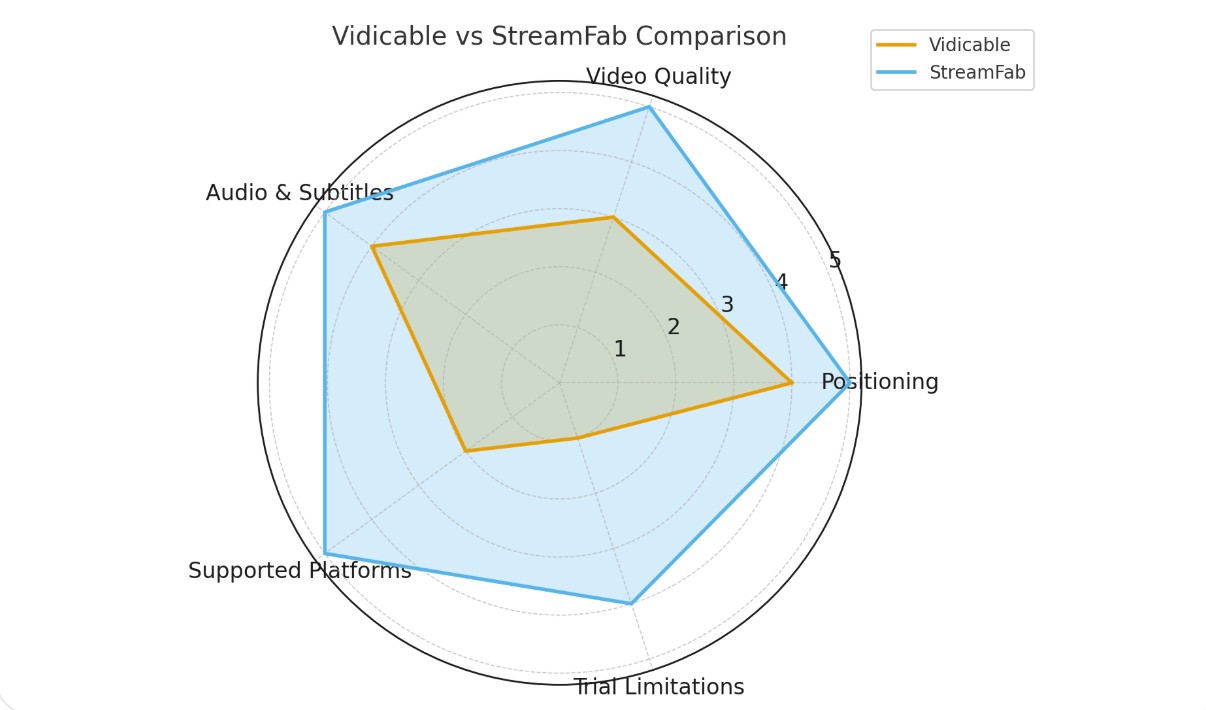
Compare: StreamFab vs Vidicable
Side by side, the two tools split along predictable lines — service coverage, audio fidelity, and batch behavior:
| Feature | StreamFab | Vidicable |
|---|---|---|
| OS | Win & Mac | Win & Mac |
| Supported Services | Netflix, Prime Video, Disney+, Hulu, Max, Apple TV+, YouTube, Paramount+ and more (tested) | 1,000+ sites claimed by the vendor; results vary by service (tested) |
| Schedule Downloads | Whole-season batch with scheduler | Not available; one-title-at-a-time |
| Quality (tested) | Up to 1080p on Netflix/Amazon; up to 4K on Disney+/Hulu/Max/Apple TV+/Paramount+; HDR10 and Dolby Vision preserved where the platform allows | Up to 8K on YouTube (claimed); 1080p captured on major streaming services in our tests, HDR not preserved |
| Audio (tested) | Preserves multichannel audio (EAC3 5.1 / Dolby Atmos) where the platform allows, rather than downmixing to stereo | Stereo on our samples across Netflix, Prime, Max, Disney+ (Atmos/5.1 claimed by vendor) |
If you only need an occasional single-service save, Vidicable can cover it. If multi-service backups, preserved multichannel audio, and reliable subtitles matter, StreamFab is the more consistent choice among the current VidiCable alternatives — with the caveat that any desktop tool is only for content you're authorized to access under each platform's terms.
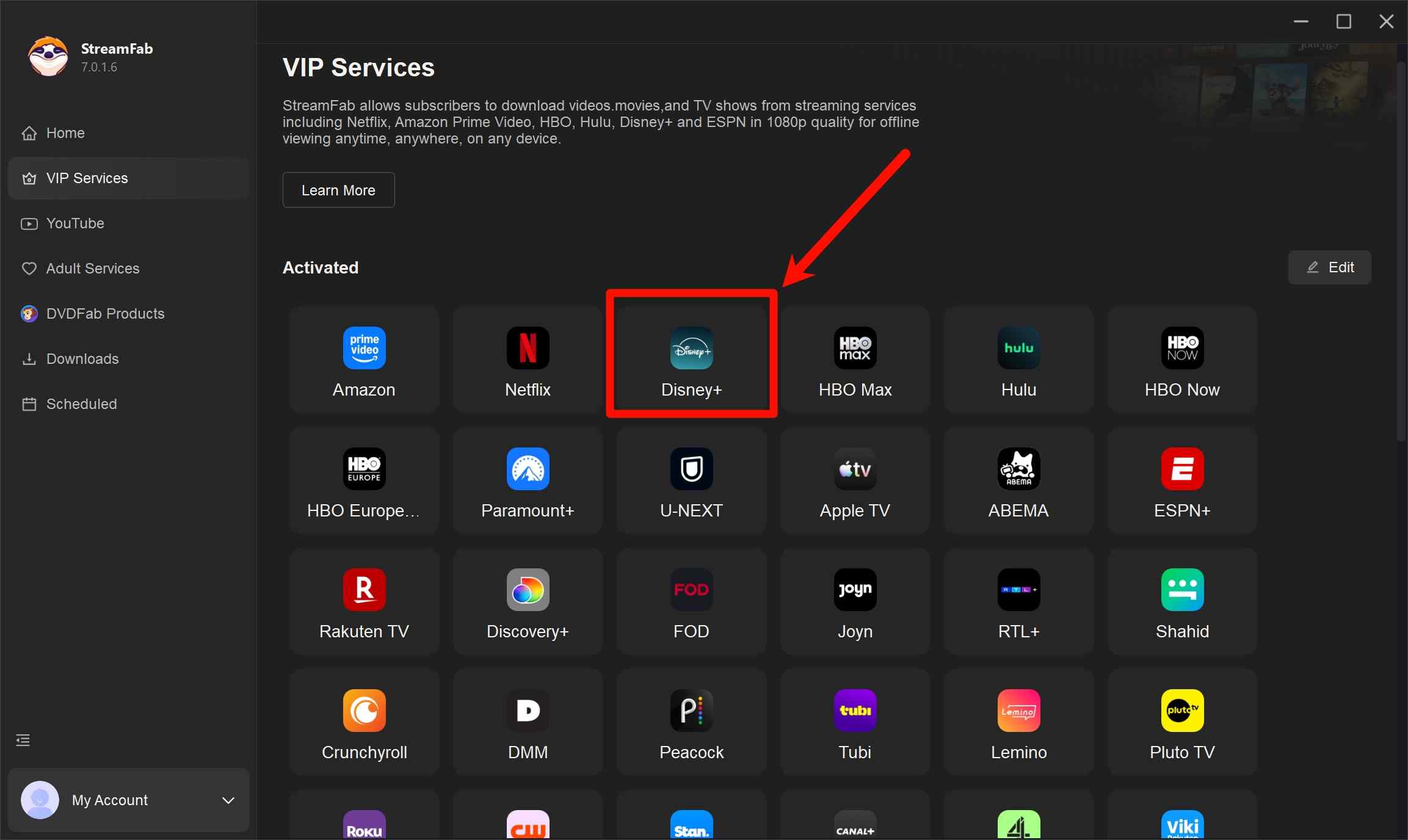
Operation Steps
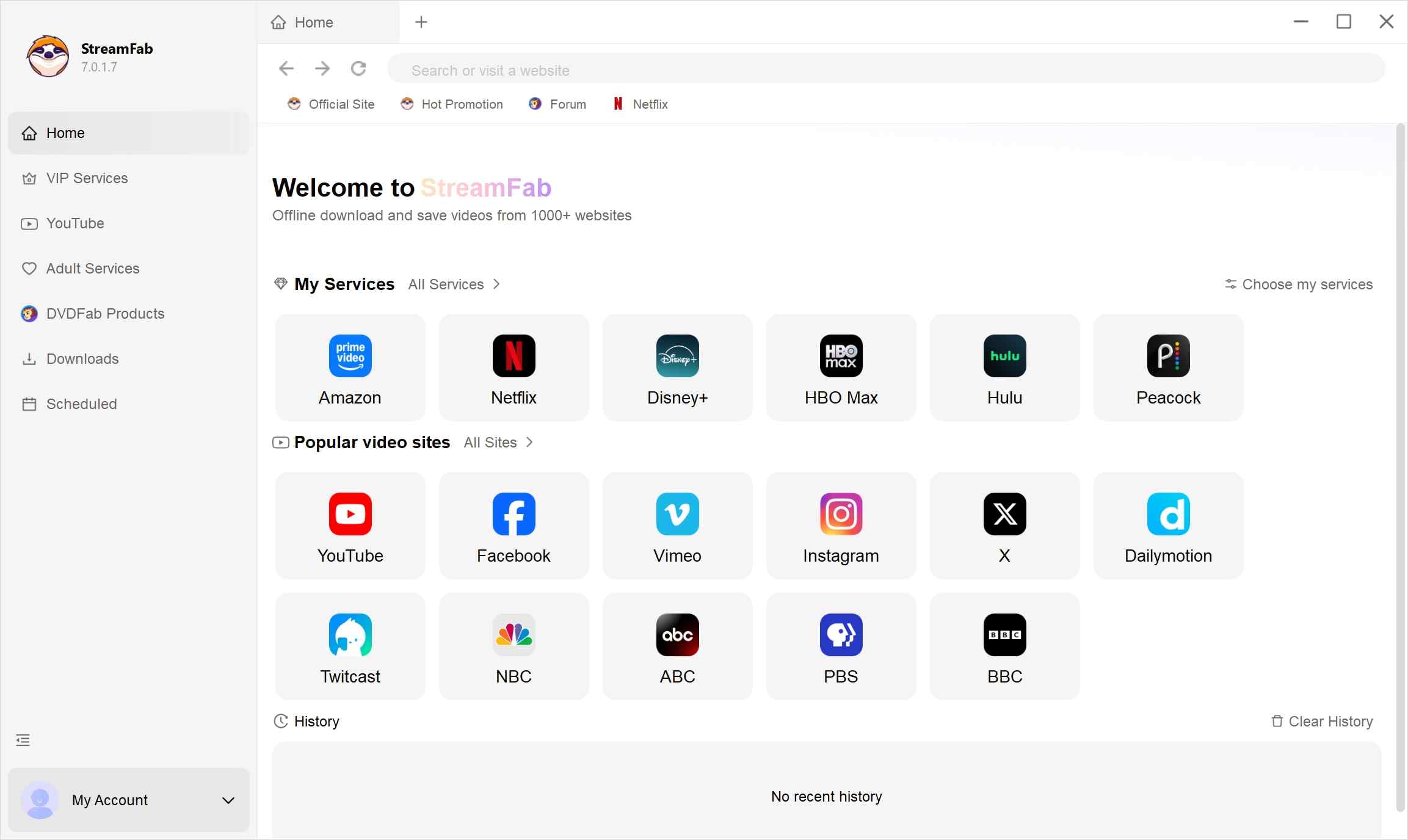
Choose the streaming service
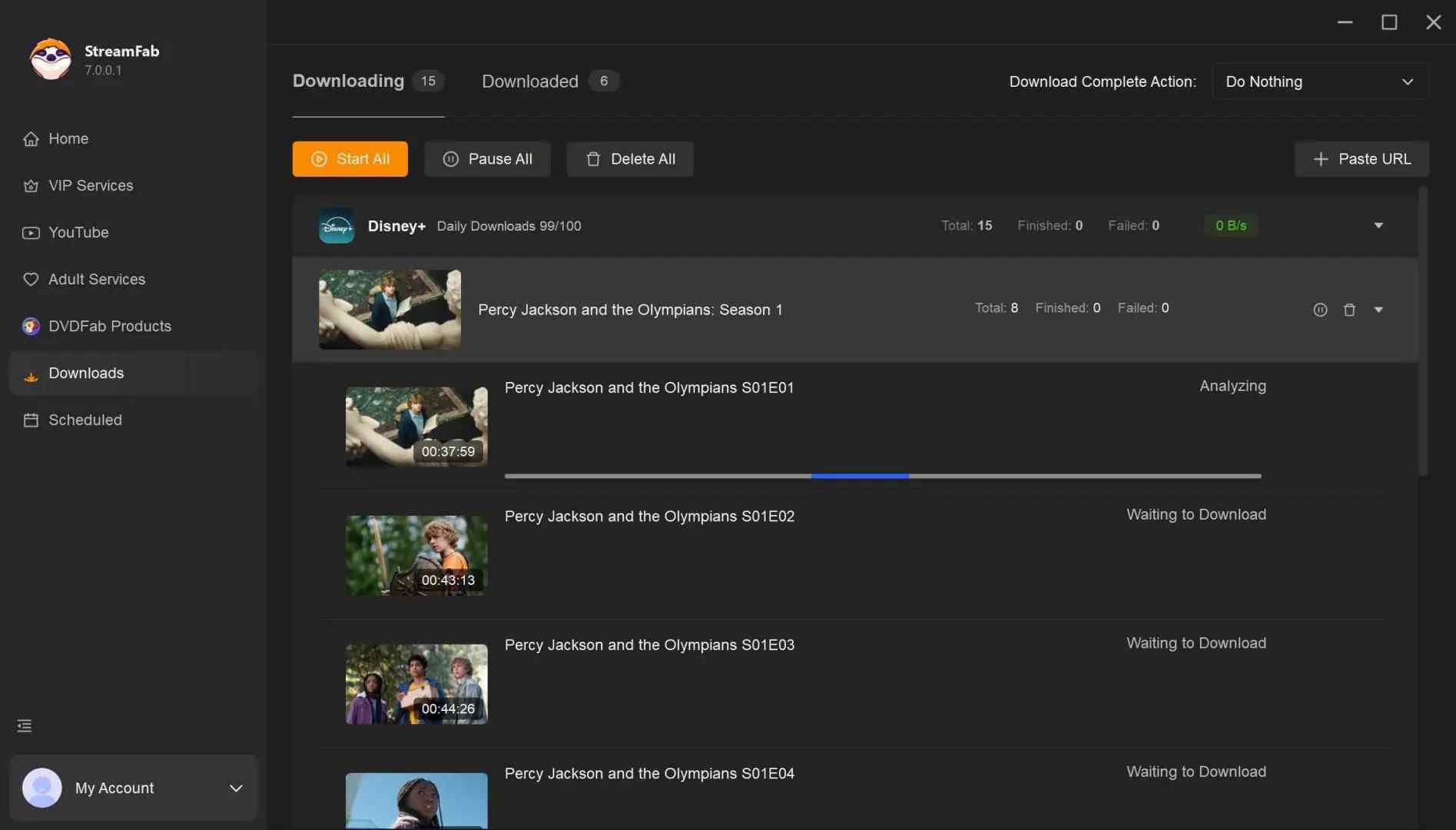
Find the streaming website you want. You can also copy and paste your video URL directly into the address bar on the Homepage. Here we take Netflix as an example.
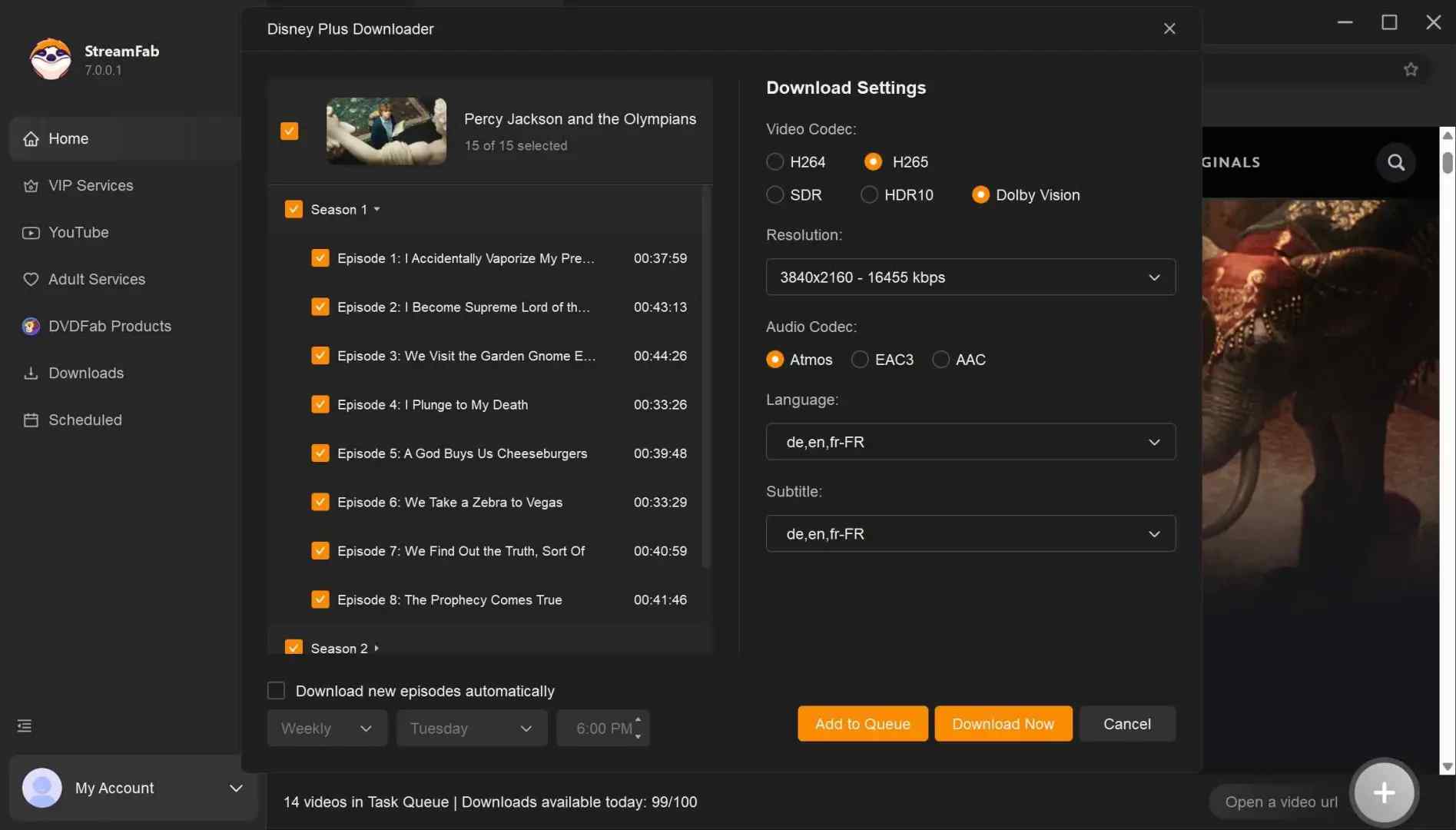
Customize the file
Please search for the video, for example, Squid Game, and play it, then a pop-up window will ask for your customization. You can choose the audio, subtitle language, format, resolution, etc.
Click the download button
After customization, you can download it right now or add it to the queue.
FAQs
Conclusion
Vidicable is easy to install, easy to point at a title, and easy to underestimate. On the current build the interface is genuinely low-friction, and for a single YouTube save it works the way the marketing suggests. The gap between that first impression and the second-hour experience is where most complaints live — captured playback on the streaming services, oversized files, and the occasional stall near the finish line.
Best for: light, occasional saves from a single service where you value simplicity over quality ceilings.
Look elsewhere if: you back up multiple services, need HDR or multichannel audio preserved, or want scheduled batch downloads. Whatever you land on, run the free trial against your actual titles first — the five-minute cap is enough to spot the deal-breakers before you commit.

CleverGet offers separate downloading and recording workflows for Windows and Mac, with different file options. Compare MPD limits, annual and lifetime licenses, and trial use before choosing a workflow. The review also covers StreamFab for recurring episode downloads and explains the personal-use boundaries for local copies.
By Erika Leen - Oct 14, 2026
AnyStream (RedFox AnyStream) shut down in June 2024 and remains gone in 2026. I tested every major replacement — here are the 5 best anystream alternatives, including free options, ranked by real-world performance.
By Erika Leen - Oct 12, 2026

Evaluating the Audials One 2026 free trial? I tested its 720p caps, examined if is audials legal under Fair Use
By Erika Leen - Sep 29, 2026

Are you thinking of purchasing NoteBurner and unsure if it’s worth the investment? In this NoteBurner review, let’s delve into its product lines, particularly the NoteBurner Video Downloader’s pros and cons.
By Marcia Hatcher - Sep 28, 2026