
[Official] 3 Methods to Get StreamFab Discount and Buy Cheaply!

Summary: This guide covers three legitimate ways to lower your upfront cost: choosing All-In-One for multiple computers or services, building MyCombo for a smaller set of services, and applying an eligible official promotion. It also separates free access, the trial, and paid licenses so you do not mistake a headline deal for the lowest total cost.
![[Official] 3 Methods to Get StreamFab Discount and Buy Cheaply!](https://images.dvdfab.cn/artifact/2026/07/27/f5a8RCysLdx-lqfY5lpB0gZmE8W0dNCJ/feature_cover.jpg)
Table of Contents
The lowest StreamFab cost usually comes from matching your needs to a single service, MyCombo, All-In-One, or an eligible official promotion. Use the official US checkout, confirm the product, region, currency, and eligibility, then compare the final cart total before you buy.
Official US price snapshot: StreamFab All-In-One is listed at $299.99 for five computers, including 60+ modules and a $25 Amazon gift card. The official page lists version 7.0.4.1 dated July 23, 2026; no promotion end date is published.

All-In-One Savings for Multiple Devices
Current US Price and License Value
StreamFab supports services including Netflix, Disney+, Amazon Prime Video, and Hulu. All-In-One is listed at $299.99 for five computers, or about $60 per licensed computer before an additional official promotion. Its 60+ modules suit people who regularly use several supported services; for supported YouTube use, the YouTube Downloader also has a lifetime-free option.
Choose this plan when your service count and computer count justify the upfront cost, not simply because it has the lowest per-computer figure. For authorized content and personal offline viewing where permitted by platform terms and applicable law, its batch downloads and metadata support can make a local-file workflow easier to manage. See the StreamFab Review for the broader feature evaluation, and review StreamFab safety and legal considerations before saving content.

All-In-One makes sense when you need several supported services or computers. Compare the final checkout total with the services and devices you actually need before choosing it.
| Decision factor | What to compare | Why it matters | Money Back Guarantee | |
|---|---|---|---|---|
| Service needs | Number of services you use | MyCombo can suit a limited set | All-In-One fits broader use | Computer needs |
| Authorized computers needed | A single module suits one-service use | All-In-One includes five computersCheckout totalFinal US cart total and eligibility | A displayed promotion may change the result |
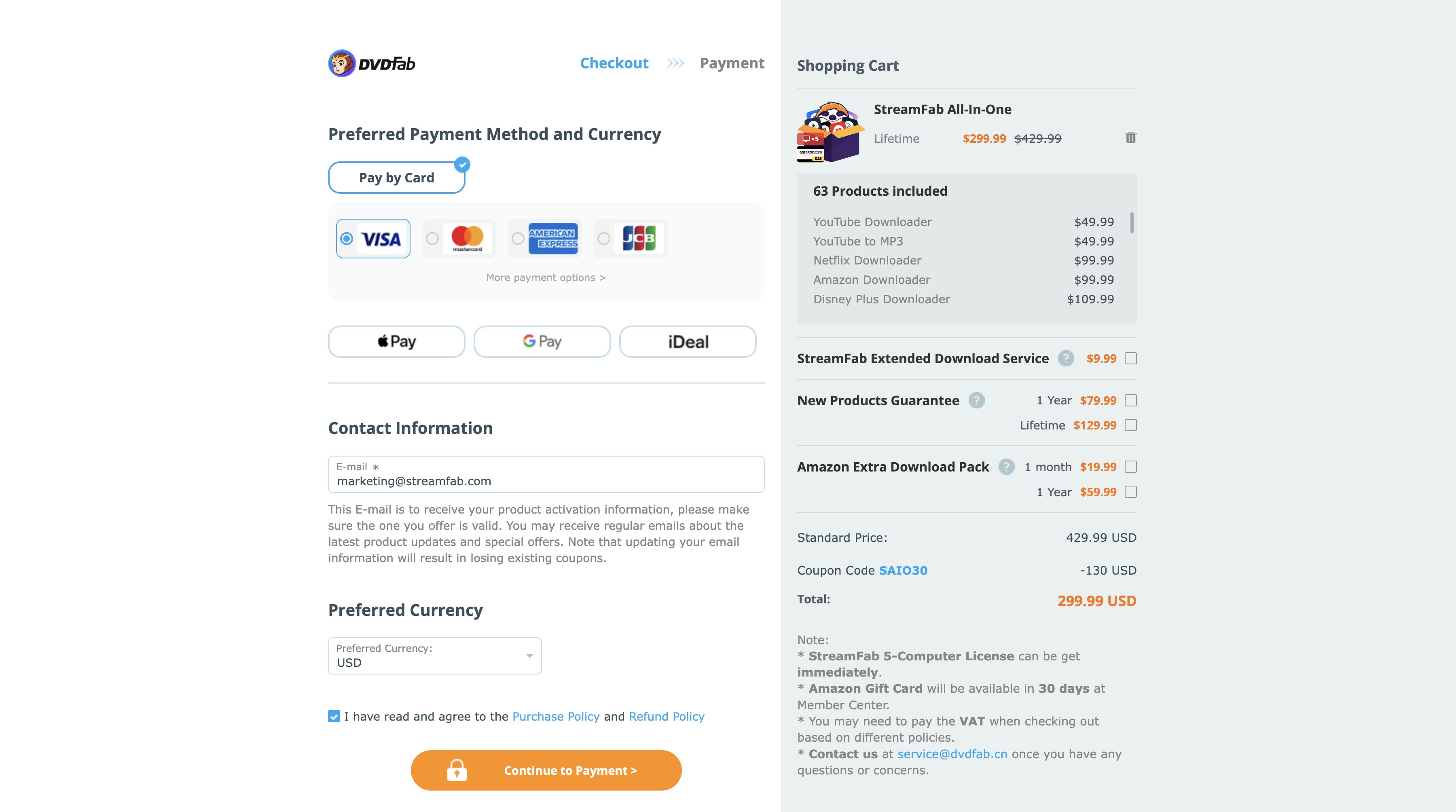
The All-In-One package includes five computer licenses, which works out to about $60 per licensed computer at the listed $299.99 price. It is best suited to users who need several supported services or computers, not someone buying for one service. For content you are authorized to access, where permitted by platform terms and applicable law, saved files remain usable subject to the service, playback environment, and applicable rules. The listed offer also includes a $25 Amazon gift card.
StreamFab runs on Windows and macOS and includes 60+ modules in the All-In-One package. For authorized personal offline viewing, relevant benefits include batch downloads, metadata support, and one client for supported services. Separate from the streaming services themselves, StreamFab is subject to each service’s terms and applicable law.
MyCombo Savings for Fewer Services
Current Two-Module Starting Point
MyCombo is designed for buyers who consistently use a limited set of services. On the StreamFab official site, select the modules you need and compare the displayed MyCombo total in the US checkout before paying.
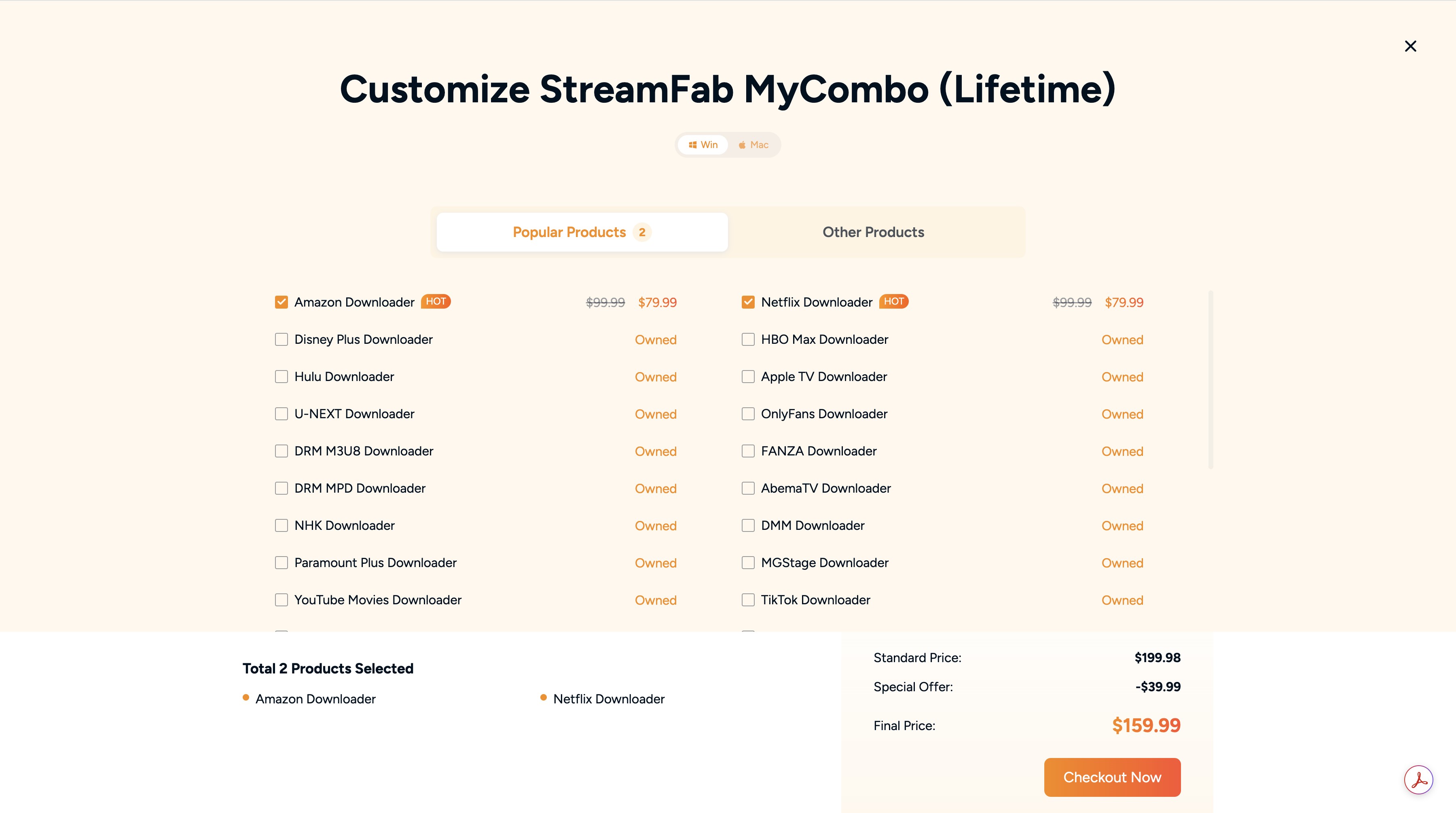
The official US MyCombo guide lists a starting point of about $139.99 for two modules and positions MyCombo mainly for two to six services. As you add modules, compare the live cart total against All-In-One rather than relying on a fixed break-even number.
| Access option | Current US price | Best fit | |
|---|---|---|---|
| Main trade-off | YouTube Downloader | Free lifetime option | Supported YouTube use |
| Does not cover VIP services | VIP trial | 30-day limited trial | |
| Test a VIP service | Three downloads per VIP service | Monthly access | |
| Varies by product | Short-term use | Ongoing payment | |
| Single lifetime module | Varies by module | One service | |
| Limited service coverage | MyCombo | About $139.99 from two modules | |
| Two to six services | Compare the cart total with All-In-One | All-In-One | |
| $299.99 | Multiple services or computers | Five-computer license | Official US checkout, July 2026 |
MyCombo is usually the clearer fit for a focused two-to-six-service setup. When the selected modules approach the current All-In-One total, compare both carts before deciding.
Use MyCombo when you repeatedly need a limited set of supported services. If you need broader coverage or several computers, All-In-One may offer a better fit despite the higher upfront cost.
Use a Verified StreamFab Coupon
A StreamFab coupon code is useful only when the eligible official US checkout applies it to the product you selected and changes the final total. Third-party coupon listings can be expired, regional, or limited to specific products.
Apply and Troubleshoot a Coupon
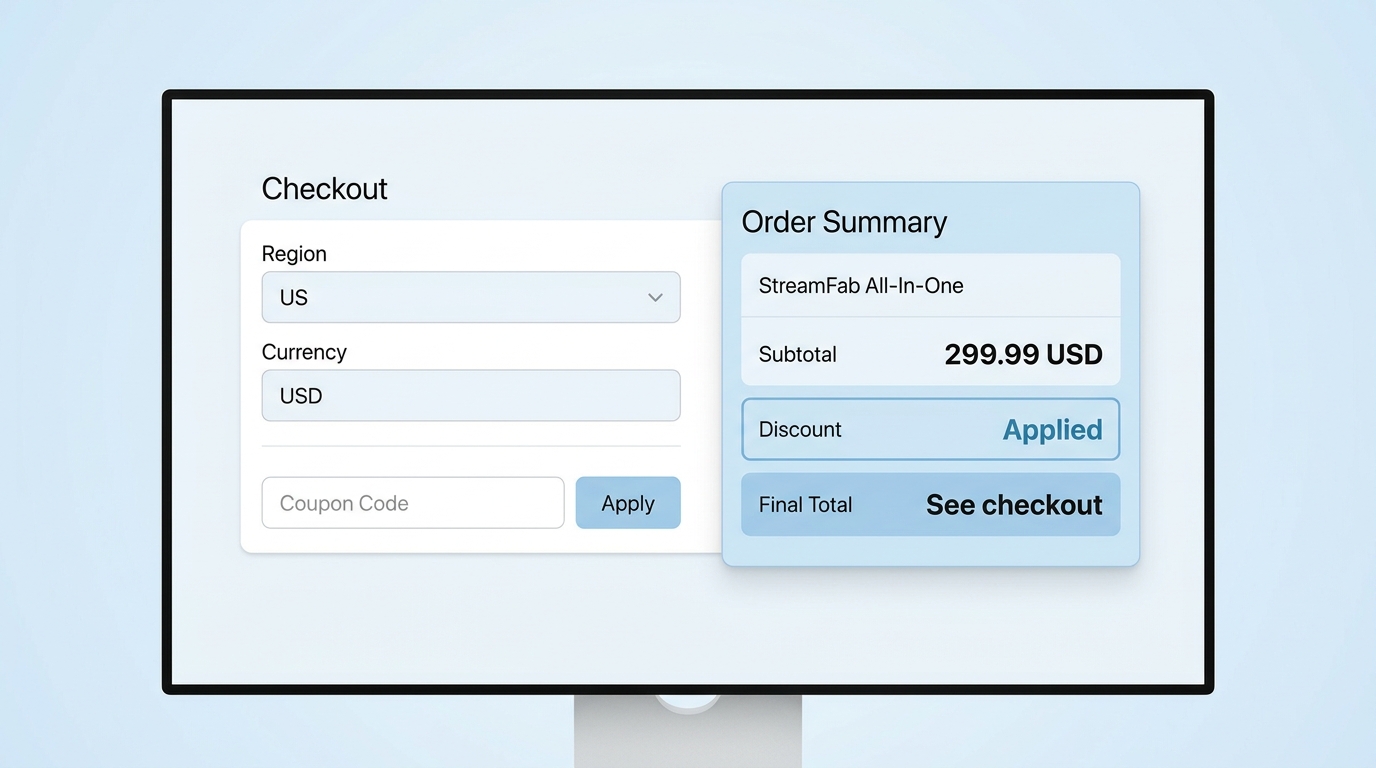
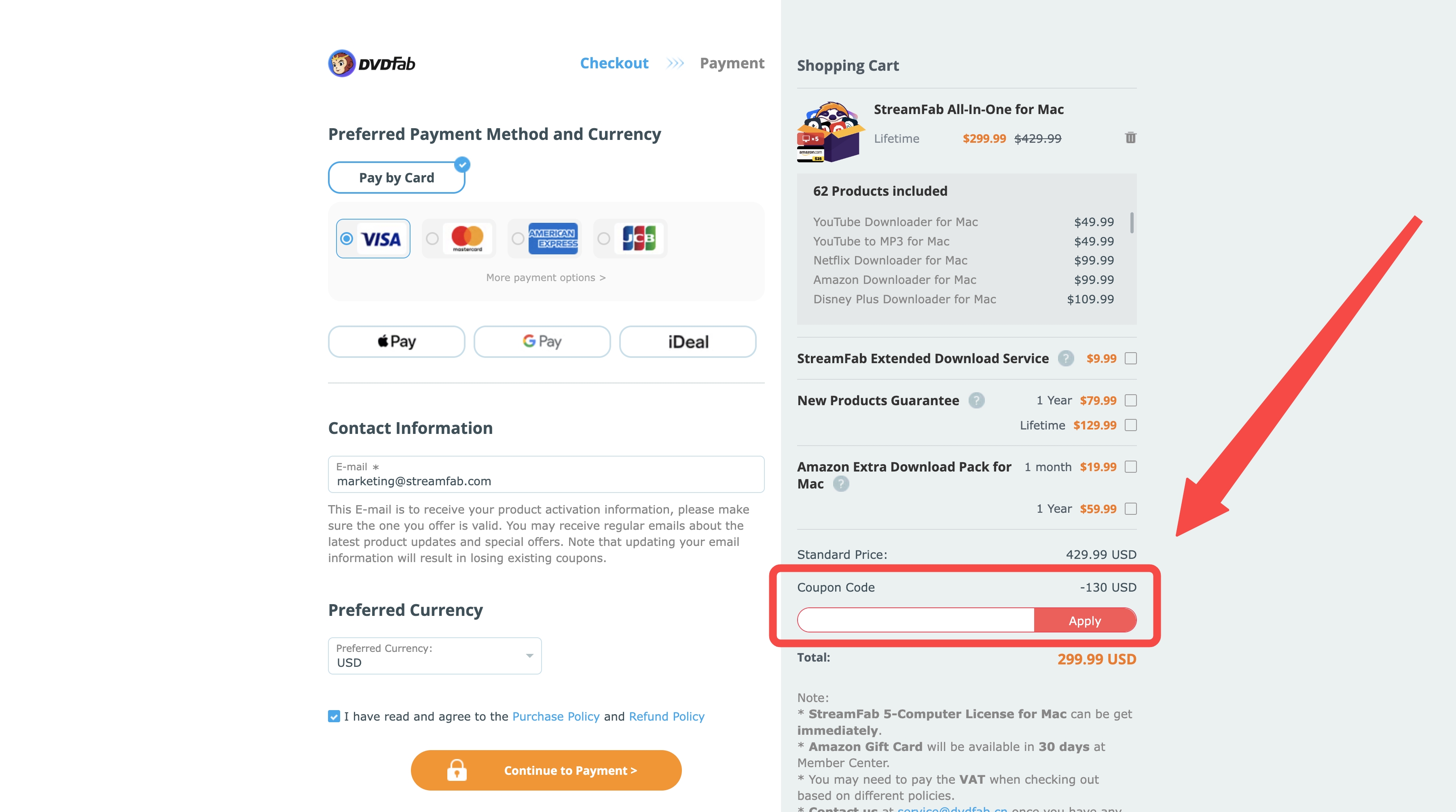
Use a StreamFab coupon code through the official US checkout, then check the final cart total before you pay.
- Open the official US checkout and add the exact product or SKU you want.
- Confirm that the checkout region and currency match the promotion’s terms.
- Enter the StreamFab coupon code and select “Apply.”
- If the total does not change, check the code’s expiry, product exclusions, eligibility requirements, and whether another promotion is already applied.
- Use the final cart total, not a coupon site’s headline percentage, to decide whether the offer is worthwhile.
Can You Use StreamFab for Free?
Yes, but the free option, trial, and paid licenses serve different needs. The lifetime-free YouTube Downloader suits supported YouTube use, while the trial is for evaluating a VIP service before purchase rather than replacing ongoing paid access.
Free, Trial, and Paid Access
StreamFab offers a lifetime-free YouTube Downloader and a 30-day VIP trial with three downloads per VIP service. Paid licenses are the appropriate option when you need continued access to a selected module, MyCombo, or All-In-One features. The plan matrix above is the quickest way to compare the available routes.
StreamFab Discount FAQs
Can I use StreamFab with cheaper ad-supported subscriptions?
Support for ad-supported tiers can vary by service and may change. If your selected service and plan are supported, compare the lower subscription price with your actual viewing needs, but do not assume the same result applies to every platform or promotion.
Can I upgrade to All-In-One later without paying full price?
A later bundle-upgrade offer and New Products Guarantee eligibility are separate purchase terms. If you already own a module, review the current offer shown in your Member Center before upgrading; the displayed terms determine whether prior purchases affect the price.
Can I move my license when I replace my PC?
License management is handled through the StreamFab client or Member Center. Before replacing a computer, review the current deauthorization and reauthorization options for your license so you can account for device allowance in your purchase decision.
Does the StreamFab trial require a credit card?
No. The official StreamFab free page states that the VIP trial does not require a credit card or an account. See the free-versus-paid section above for the trial duration and download allowance.
Conclusion
The three legitimate ways to lower your StreamFab cost are to choose the plan that matches your services and computers, build MyCombo for a focused set of services, and apply an eligible official promotion. Compare the final official checkout total, the services you need, and your computer allowance before choosing. The lowest headline price is not automatically the best value.
- Last Checked: July 24, 2026
This update aligns the article with the current US checkout information and purchase-path guidance.
Updates in this version:
- Price snapshot: Updated the All-In-One and MyCombo guidance and removed outdated fixed module-price increments.
- Plan selection: Added a buyer matrix for free access, trial access, individual modules, MyCombo, and All-In-One.
- Coupon guidance: Added checks for eligibility, exclusions, currency, expiry, and unchanged cart totals.
- Editorial scope: StreamFab pricing guide This update records the purchase details reviewed for this article.

Staring at an error code and wondering what StreamFab is actually telling you? In July 2026, I mapped every code against the real failure it represents — here's the reference guide that skips the corporate jargon and tells you exactly what to do in under 2 minutes.
By Erika Leen - Oct 12, 2026
StreamFab 7 marks the first major update in nearly three years. This review looks beyond surface-level changes and examines what actually matters in everyday use based on real testing, community feedback
By Erika Leen - Sep 28, 2026
Choose between StreamFab’s local file workflow, Audials’ Windows recording and editing, and PlayOn’s local or cloud recording. Compare queue behavior, picture quality, audio and subtitles, and recurring costs, with a repeatable way to check one authorized title before building an offline library.
By Marcia Hatcher - Sep 28, 2026
This article is an official response to users asking regarding the safety and legality of StreamFab. Written by StreamFab team, it moves beyond simple assurances to provide a transparent technical and legal analysis.
By Nicole Lopez - Sep 24, 2026