
Is StreamFab Safe & Legal? 2026 Answers

Summary: This article is an official response to users asking regarding the safety and legality of StreamFab. Written by StreamFab team, it moves beyond simple assurances to provide a transparent technical and legal analysis.
Is StreamFab safe and trustworthy to install and use with a streaming login? Yes, when you use the official StreamFab installer, access only accounts and content you are authorized to use, and follow the streaming service’s terms and applicable law for personal offline viewing.
The practical answer involves three separate issues: where the installer comes from, what the streaming service permits for your account, and whether the software remains compatible after a service update. Use the official download controls on this page and limit saved content to authorized personal use.
Note: Start with the official StreamFab installer, then distinguish software installation, streaming-account permissions, and service compatibility when considering safety. StreamFab review
2026 StreamFab Safety & Legal Audit
StreamFab is suitable for authorized personal offline viewing when you install it through the official route, use only accounts and content you are authorized to access, and follow platform terms and applicable law. Software installation, streaming-account permissions, and service compatibility are separate considerations.
StreamFab Supports Personal Offline Viewing
StreamFab supports saving a local copy for personal offline viewing of content you are authorized to access, where permitted by platform terms and applicable law. Its built-in browser provides access to supported streaming services within the desktop application.
The resulting local video file can be managed for an authorized personal offline workflow without relying on real-time screen playback.
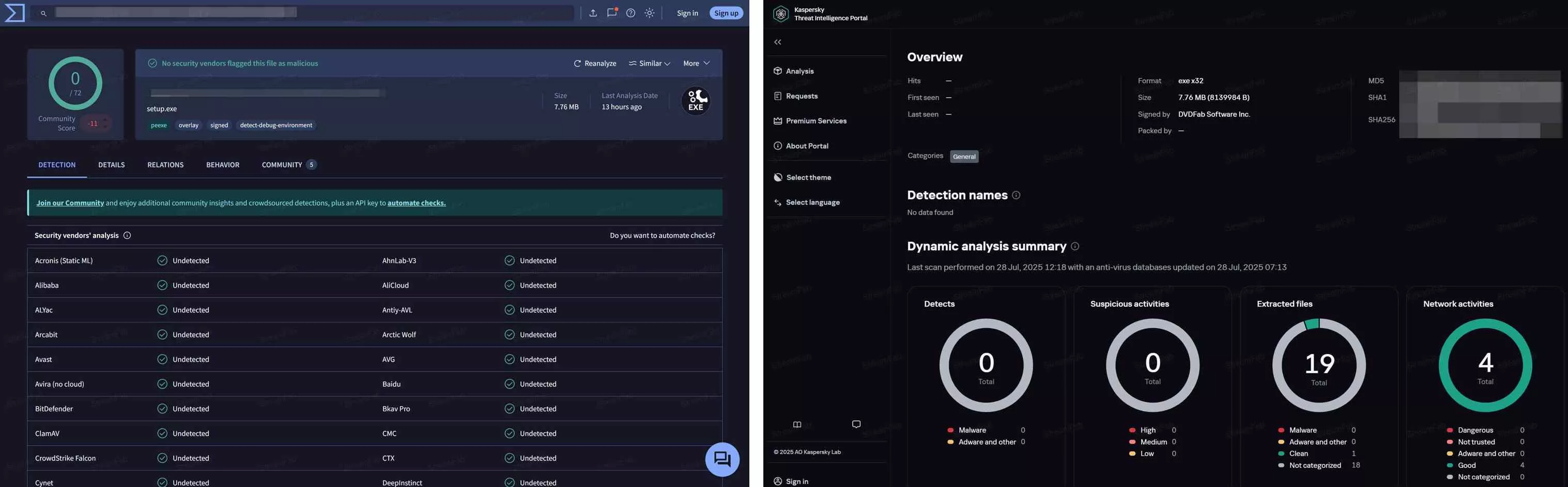
Streaming Account Safety Basics
Streaming-service terms govern account use, while a software download limit controls volume rather than permission. Staying under a download limit does not guarantee that a streaming service will not issue an account notice.
If you receive a notice, pause the affected activity, review Understanding Amazon Prime Video Risk Warning Emails and How StreamFab Security Upgrades, and resolve the notice through the streaming service’s account support.
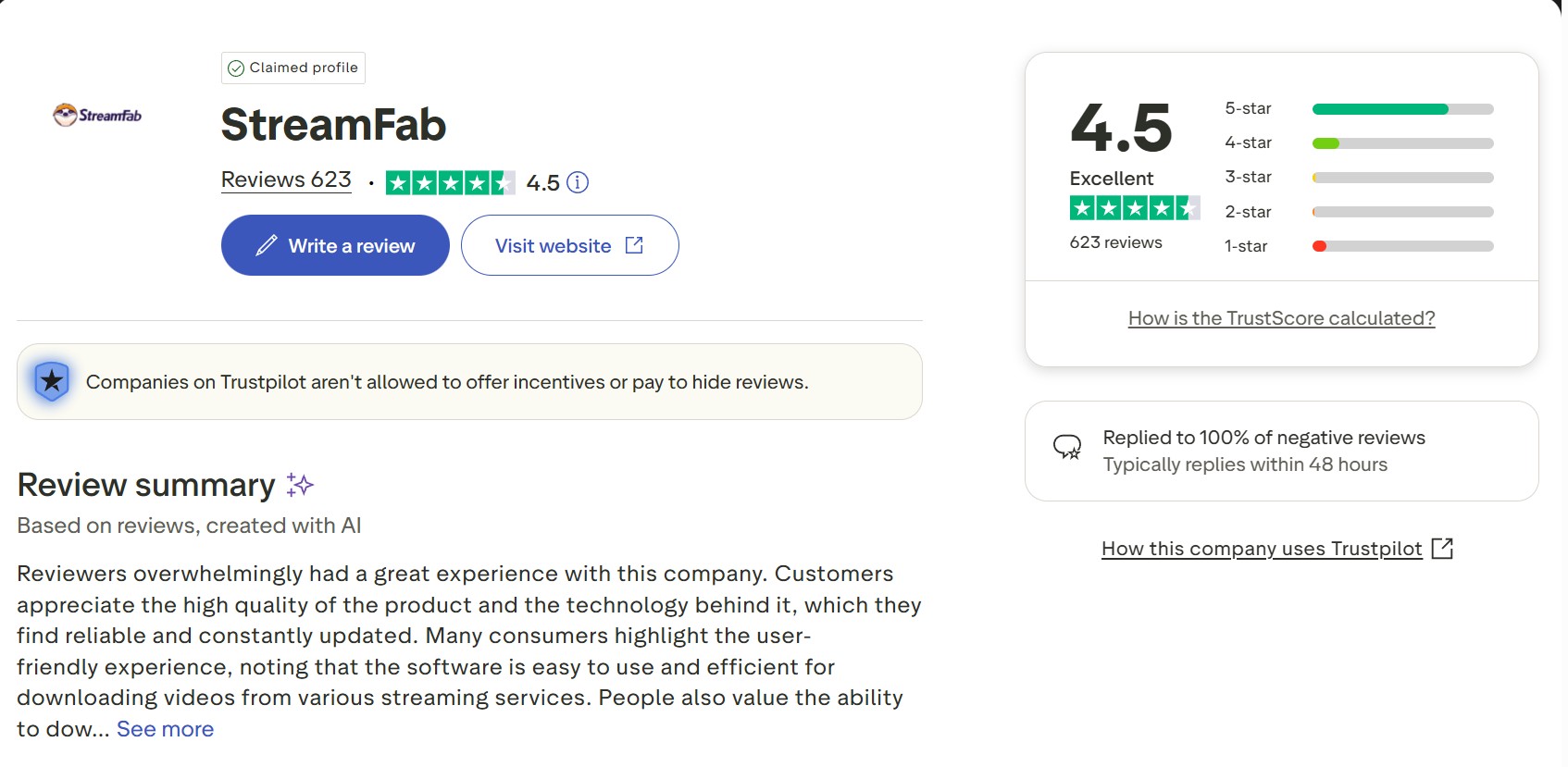
You can read community experiences in the discussion on Reddit and customer feedback on StreamFab’s Trustpilot page.
StreamFab Free Trial and Official Installation
The StreamFab free trial lets you check compatibility before purchase. StreamFab is desktop software for personal offline viewing. Download the installer only through StreamFab’s official download route, and use the trial with content you are authorized to access, where permitted by platform terms and applicable law. On a shared computer, sign out of both StreamFab and the streaming service when you finish.

Use the Free Trial to Check Compatibility
Download the installer through StreamFab’s official site, and keep your device security protection enabled during installation.
Is StreamFab Legal? Personal Use and Permissions
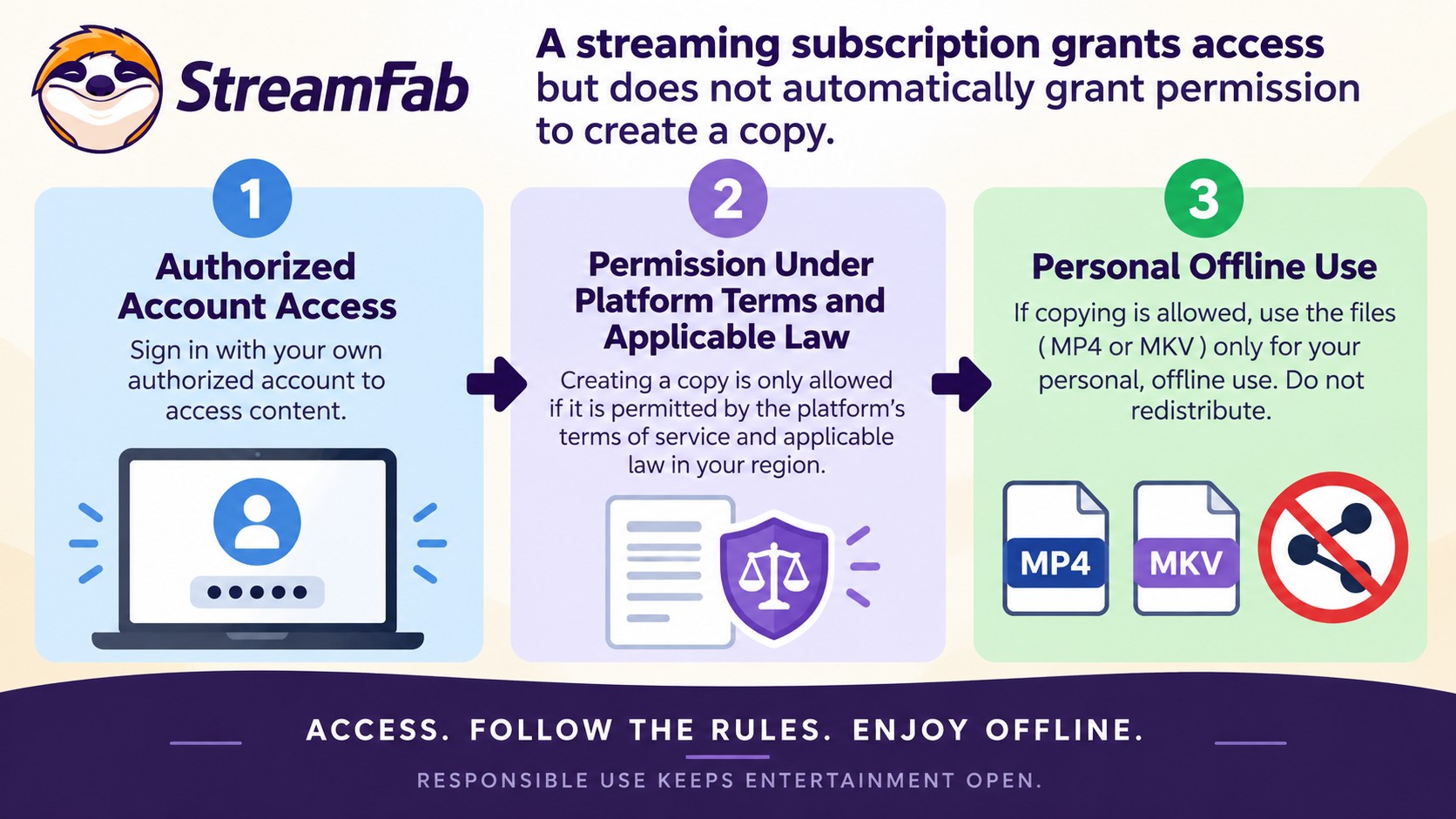
Is StreamFab legal? The answer depends on how it is used and what permissions apply. A valid streaming subscription is a prerequisite for access, not blanket permission to make a copy.
- Use only an account you are authorized to access.
- Save only content you are authorized to view and copy.
- Keep saved content for personal use and do not redistribute it.
- Follow applicable law and the streaming service’s terms.
- Confirm that the specific content and intended use are permitted.
StreamFab uses screen-recording and stream-recording technology to support authorized personal offline viewing within these boundaries.
Authorized Access and Personal Use
A subscription authorizes access under the service’s terms. Permission to save a personal copy depends on the content, intended use, applicable law, and those terms; downloaded copies must not be redistributed.
The StreamFab copyright and personal-use guidelines explain these boundaries in more detail.
StreamFab and Other Offline Viewing Methods
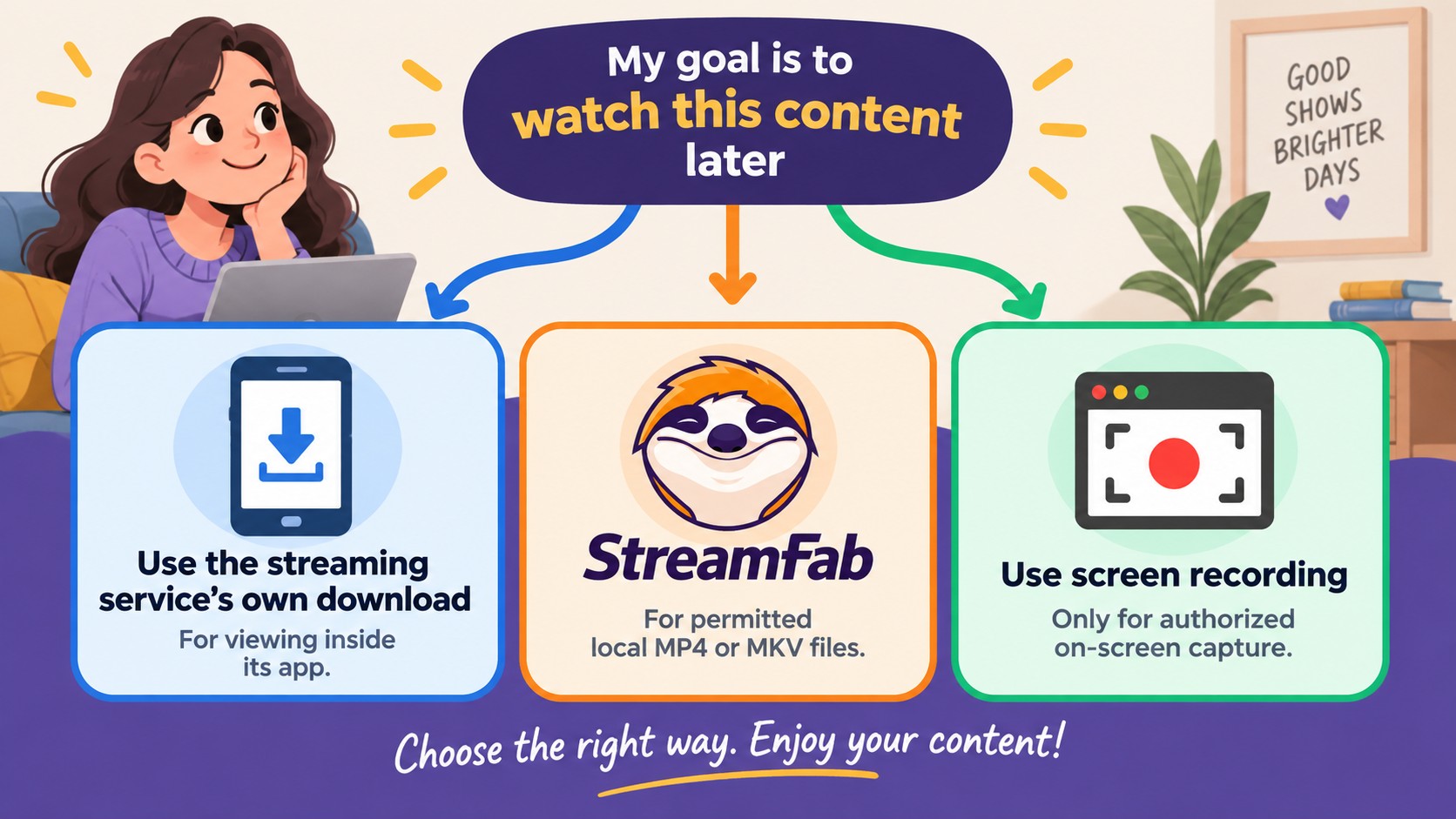
Offline viewing methods serve different purposes and should not be ranked by unsupported safety labels. A streaming service’s own download feature keeps viewing inside its app, while desktop local-file and screen-recording workflows require separate permission and usage considerations.
Choosing a Personal Offline Workflow
These three workflows differ in where the software comes from, how the saved video is used, and what action the user should take:
| Workflow | Source | Main Use | Next Step |
|---|---|---|---|
| StreamFab | Official desktop installer | Permitted personal local copies | Use the official download route |
| Streaming-service offline feature | The service’s own app | Offline viewing inside the app | Use the app’s download controls |
| Screen recording | Recording application | Authorized on-screen recording | Confirm recording permission |
The service’s own offline feature suits simple app-based viewing. StreamFab supports a desktop local-file workflow for content you are authorized to access, where platform terms and applicable law permit it. Editing or deleting a local video does not sign you out of a streaming account.
FAQ
Use these quick answers for account notices, service changes, shared-account access, and installer alerts.
Will streaming platforms revoke my subscription?
If you receive an account notice, pause the affected activity, follow the account-warning guidance above, and contact the streaming service’s account support.
What happens when streaming CDM updates?
Streaming-service changes can interrupt downloader compatibility. StreamFab provides software updates and support for affected services. Use the current StreamFab release and follow StreamFab troubleshooting for the affected service.
Can I use a shared streaming account in StreamFab?
Use only an account and content you are authorized to access, and follow the service’s account-sharing rules. On a shared computer, sign out of StreamFab and the streaming service when finished. Deleting a local video does not end the account session.
What should I do if my antivirus flags the installer?
Keep the file quarantined and leave your security protection enabled. Download a fresh installer through StreamFab’s official route, then send the detection name and installer version to StreamFab support. A temporary-folder name alone does not establish that a file is malicious.
Conclusion
StreamFab is a trustworthy option when it is installed through the official download route and used to save a local copy for personal offline viewing, for content you are authorized to access, where permitted by platform terms and applicable law. Installation source, account permissions, and service compatibility are separate questions: an official installer does not determine how a streaming service applies its account rules, and a software download limit controls volume rather than permission.
For simple viewing inside a streaming app, the service’s own offline feature is the more direct fit. StreamFab supports an authorized desktop local-file workflow when you need locally saved MP4 or MKV files. Saved files remain subject to the authorization, platform-term, and non-redistribution boundaries described above. My recommendation is to use the official StreamFab installer, keep your streaming subscription active, and limit saved copies to authorized personal use without redistribution.
Download StreamFab from the Official Installer
Use StreamFab for authorized personal offline viewing where permitted by platform terms and applicable law.

Choosing between CleverGet Amazon Downloader and StreamFab comes down less to their 1080p labels than to whether they complete the Amazon titles, queues, and audio/subtitle options you need. This comparison separates verified specifications from claims that need a current matched test.
By Erika Leen - Oct 27, 2026
Staring at an error code and wondering what StreamFab is actually telling you? In July 2026, I mapped every code against the real failure it represents — here's the reference guide that skips the corporate jargon and tells you exactly what to do in under 2 minutes.
By Erika Leen - Oct 12, 2026
StreamFab 7 marks the first major update in nearly three years. This review looks beyond surface-level changes and examines what actually matters in everyday use based on real testing, community feedback
By Erika Leen - Sep 28, 2026
Choose between StreamFab’s local file workflow, Audials’ Windows recording and editing, and PlayOn’s local or cloud recording. Compare queue behavior, picture quality, audio and subtitles, and recurring costs, with a repeatable way to check one authorized title before building an offline library.
By Marcia Hatcher - Sep 28, 2026