
JioHotstar Video Downloader: Save JioCinema Videos to PC in 1080p MP4 (2026)

Summary: Looking for a way to watch JioHotstar content offline? While the official mobile app offers a basic download feature, it is plagued by 48-hour expiration timers and device restrictions. This 2026 guide reveals how to download high-quality Jiocinema movies and TV shows directly to your PC.
Introduction: From JioCinema to JioHotstar
Here's the short version: JioCinema merged into JioHotstar after the Viacom18 and Disney Star deal, so JioHotstar is now the platform you download from. The official JioHotstar app treats offline titles like borrowed library books: mobile-only playback, downloads that expire once you press play, and many premium titles blocked from offline access entirely.
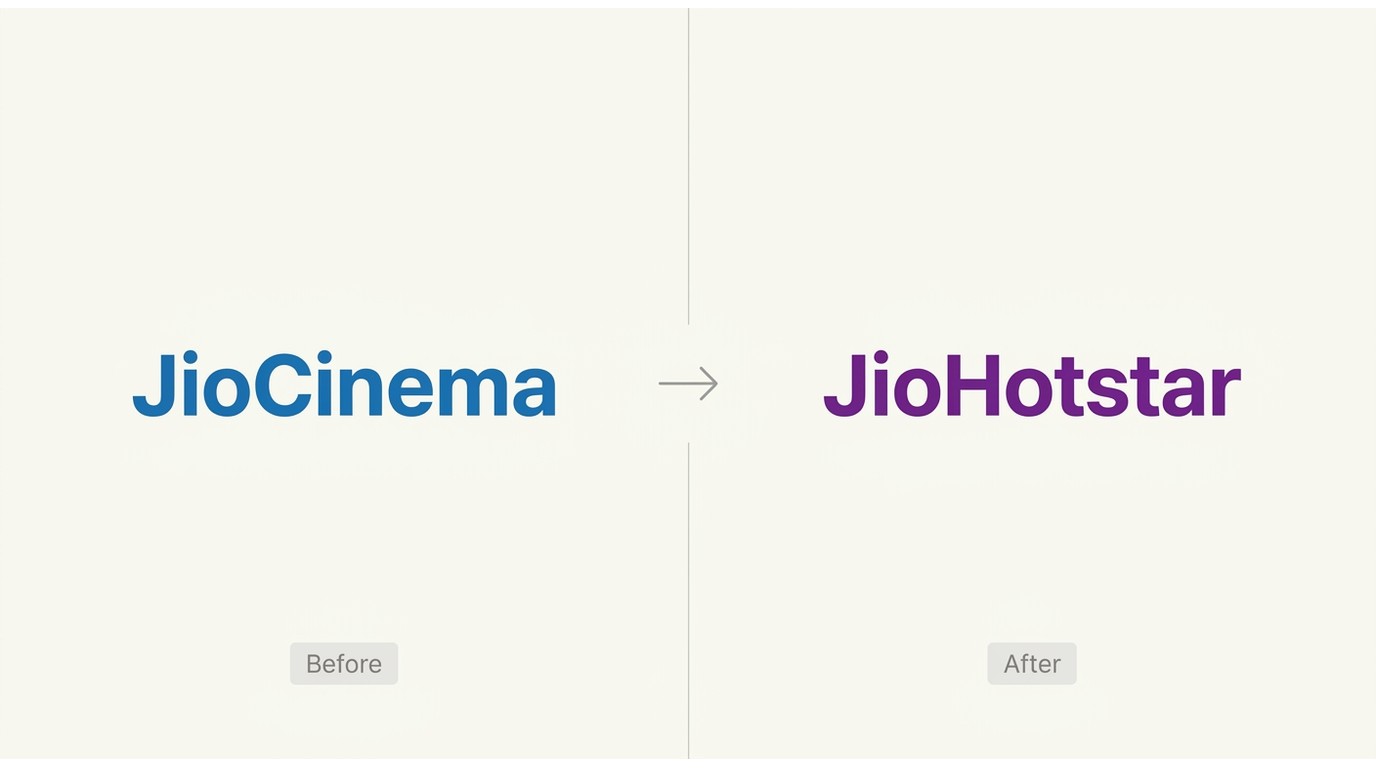
I've spent enough time inside the new JioHotstar app to say the borrow model frustrates real fans. You can't move a saved file to a laptop, and the download you "own" stops working the moment your plan lapses. If you want to save a local 1080p copy of your favorite shows on your PC for personal offline viewing, you need a different approach: pair the official app for quick mobile grabs with a desktop tool for a copy you store on your computer.

Method 1: Download JioHotstar Movies on Mobile
JioHotstar, the merged Viacom18 and Disney Star service, is one of India's largest streaming platforms, and its mobile app includes a built-in offline download feature on eligible titles. JioHotstar is offered through subscription plans; the current tier structure reflects the post-Disney+ Hotstar lineup as of July 2026. If you're on a plan that allows offline viewing, the app lets you save select movies and shows to your phone, which is genuinely handy for a commute or a flight with patchy Wi-Fi.
Operation Steps
The flow is quick once you know where to tap: open the JioHotstar app, browse to a title marked for offline download, and tap the Download icon to save it inside the app.
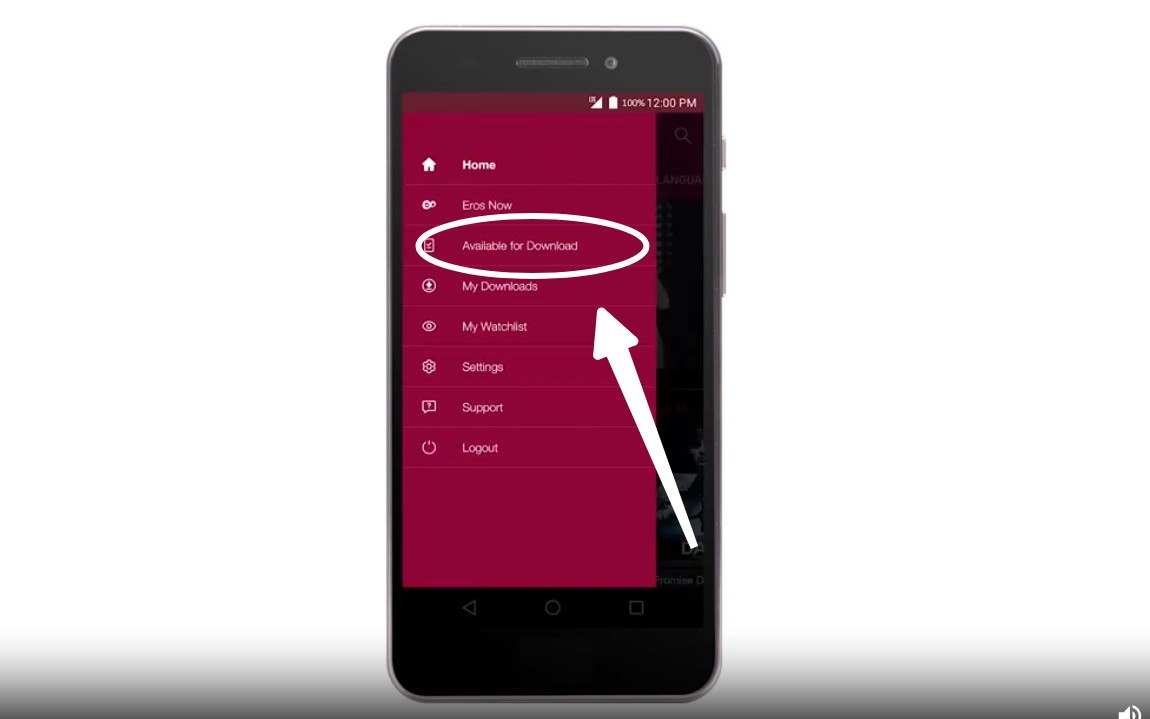
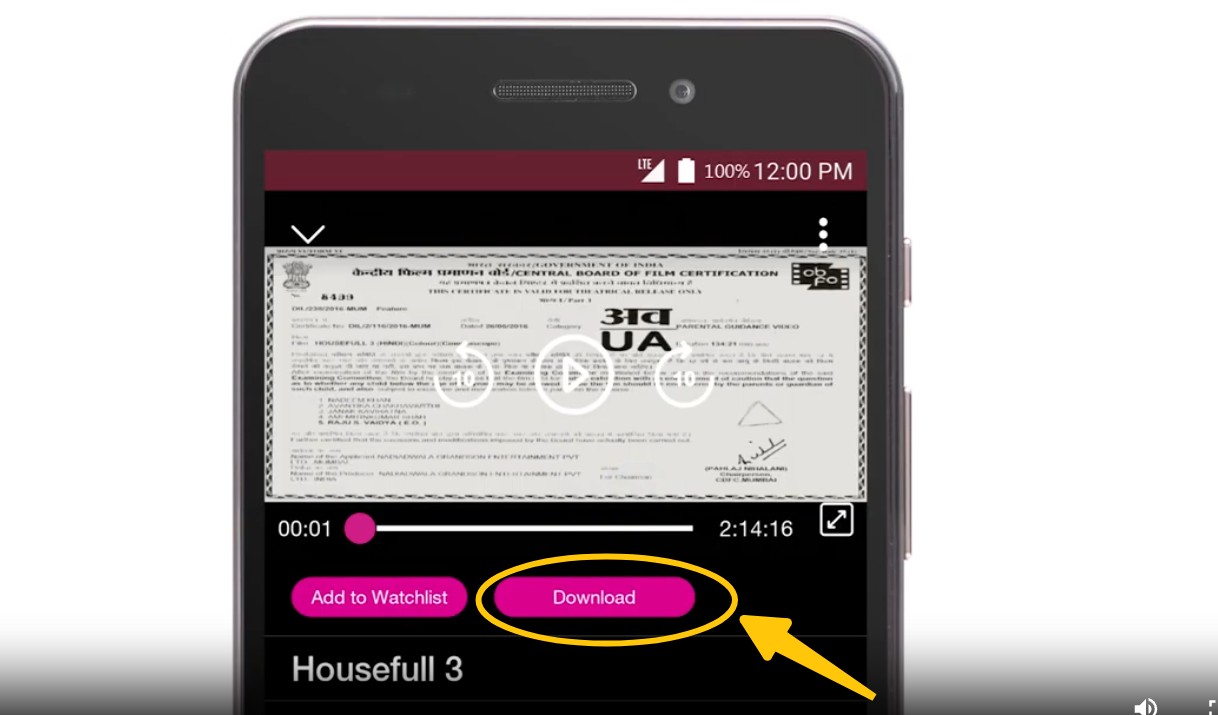
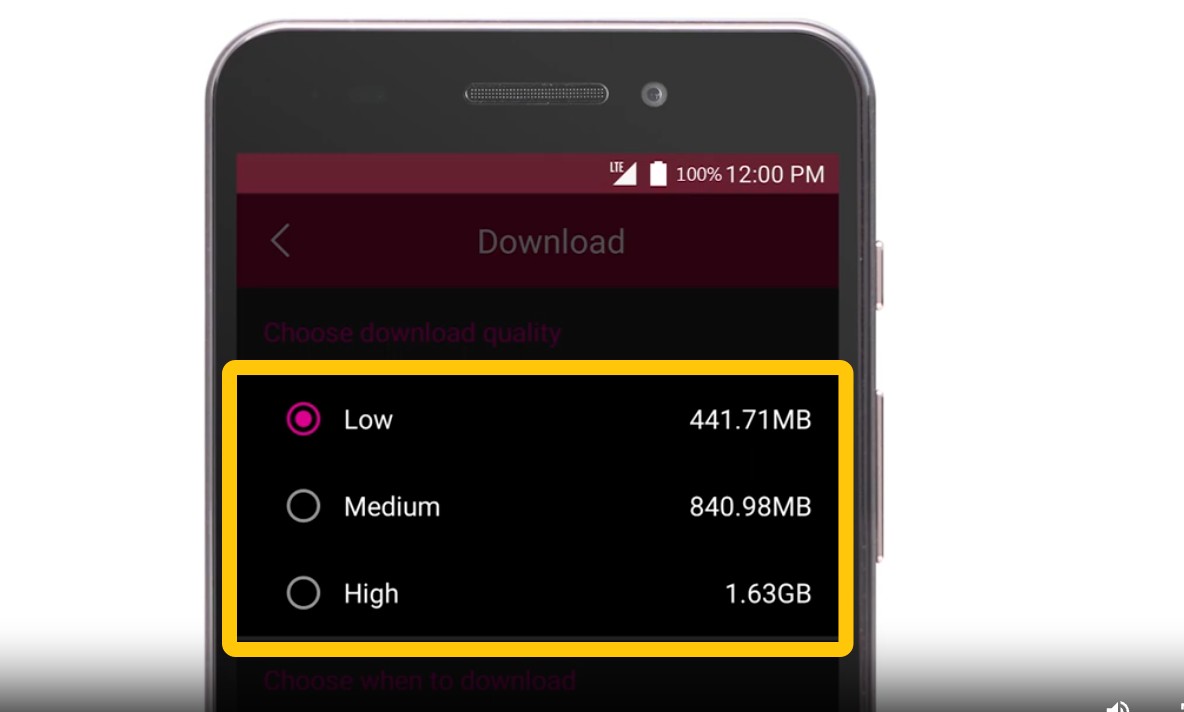
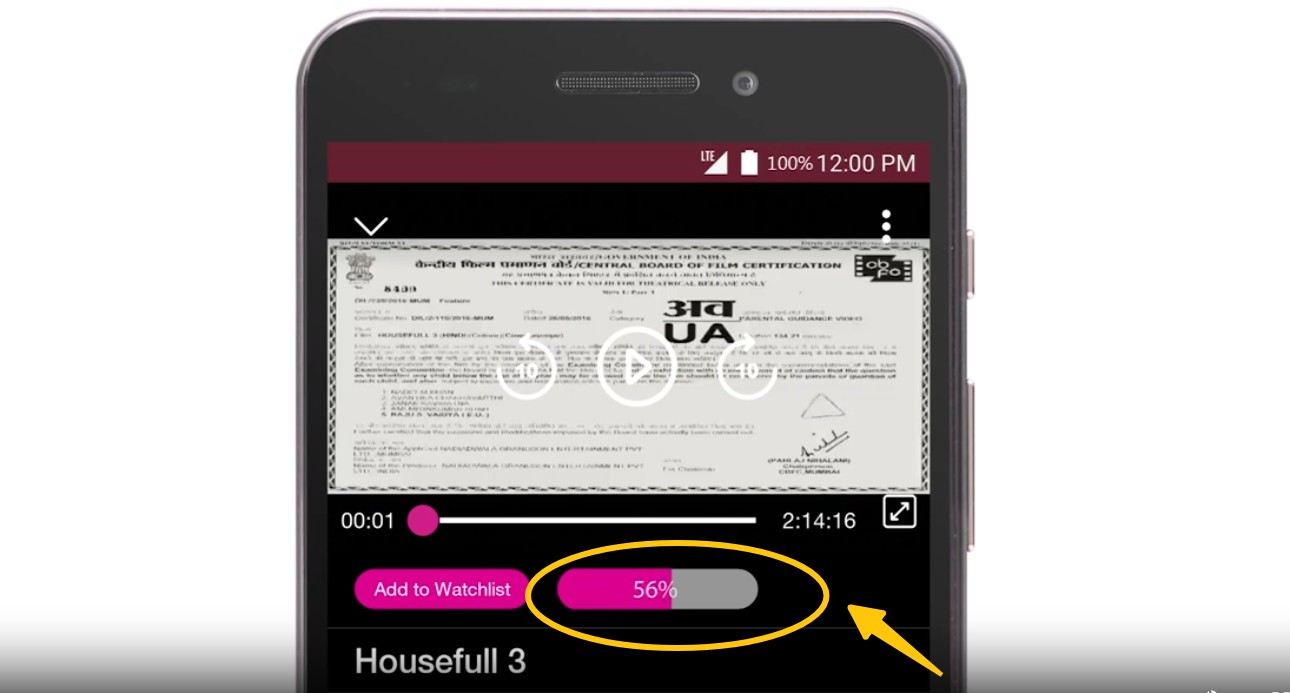
Downloading Limitations of JioHotstar
The built-in feature is the simplest route, but it's a borrow model with real ceilings that shape how long you actually keep a title.
- Ad-free downloading isn't available even on paid plans; ad handling depends on your plan tier.
- Downloads are offered on mobile (Android and iOS) only, with no native PC or laptop option.
- A capped download library (the app has historically limited saves to around 15 movie titles and 5 TV shows).
- Simultaneous streaming is limited by your plan, commonly up to 4 devices.
- Each saved title allows a limited number of plays, including paused sessions.
- Downloads auto-expire after the officially documented window, and a shorter playback clock starts once you press play. Competing guides cite expiry Windows in the 7 to 30 day range, so confirm the figure shown in your own app.
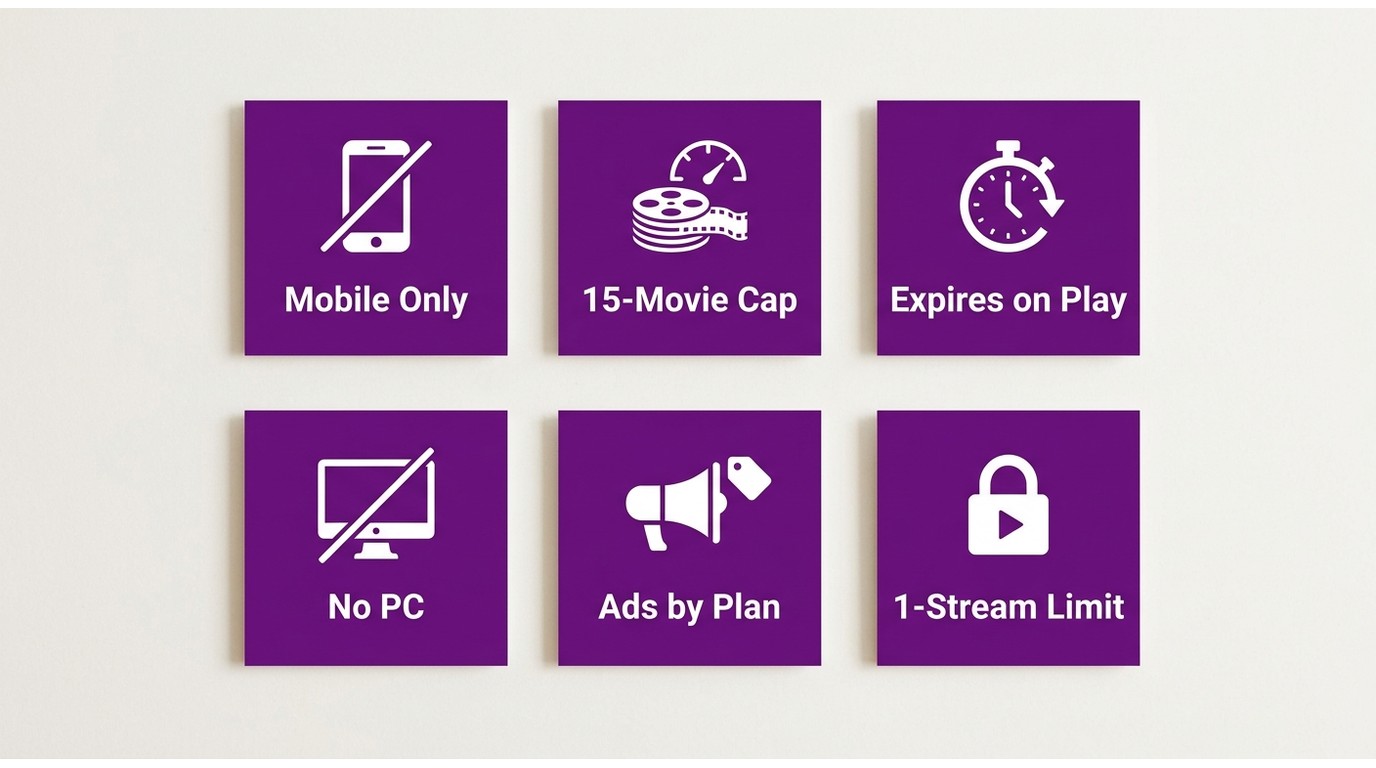
These ceilings make the official app a short-term convenience rather than a lasting personal library.
Can You Download JioHotstar on a Windows PC or Laptop?
Short answer: not through the official app. JioHotstar has no native Windows or Mac download feature; its offline mode lives only inside the mobile app, and the files it creates are encrypted and locked to that app, so you can't copy them to a laptop. This is the single most common complaint I hear from PC users.
The next instinct is a browser-based "online free" JioHotstar downloader. In practice, those extractors can't reliably capture DRM-protected JioHotstar streams, which is why the free online tools that rank for this search rarely produce a working file on this platform. For content you're authorized to access, where permitted by platform terms and applicable law, a desktop app is one practical workaround for Windows and Mac users who want a real local file. That's the route I'll walk through next.
Method 2: Download JioHotstar Movies on PC
Tool Required: StreamFab DRM MPD Downloader
The official app limits you to a borrow model, so a desktop tool is how you produce a standalone file on your PC. For content you're authorized to access, where permitted by platform terms and applicable law, StreamFab DRM MPD Downloader saves an ad-free local copy for personal offline viewing. I tried several "free" screen recorders first, and they consistently stumbled on JioHotstar's encrypted streams, either freezing mid-capture or producing an unusable file. A downloader built for DRM-protected MPD sites handles those streams far more reliably.
Here's the capability in one line: StreamFab DRM MPD Downloader is a desktop app for Windows and Mac that saves JioHotstar titles as MP4 or MKV at up to 1080p, with selectable AAC 2.0, AC3 5.1, or EAC3 5.1 audio tracks, subtitle capture, and batch processing for a full watchlist.
- Output format: standard MP4 or MKV you can play in any media player.
- Resolution: up to 1080p, matching the app's own offline ceiling (not 4K).
- Audio tracks: pick AAC 2.0, AC3 5.1, or EAC3 5.1 for home-theater sound.
- Subtitles: capture and save subtitle tracks alongside the video.
- Batch processing: queue a series or a watchlist instead of saving one title at a time.
It also works with 1,000+ other MPD-based streaming sites (see our guide on how to download MPD video). Best for home-theater viewers who want 5.1 audio and a batch library on a computer; not needed if the official app's mobile-only borrow model already fits how you watch.

Download JioCinema videos in pristine 720P/1080P HD quality, saving them in universally compatible MP4/MKV formats, ensuring they never expire and can be played flexibly on any device.
- Download any Jio Cinema content without ads and DRM protections.
- Download JioCinema movies and TV shows with 720p/1080p resolution.
- Audio quality selection from AAC 2.0, AC3 5.1, or EAC3 5.1.
- Share download to any device or platform with MP4 or MKV format.
- Save subtitles with batch processing of multiple videos in one go.
- It works with over 1,000 other MPD-based streaming sites, not just JioCinema.
Operation Steps
The desktop flow mirrors the app but ends with a file that lives on your computer.
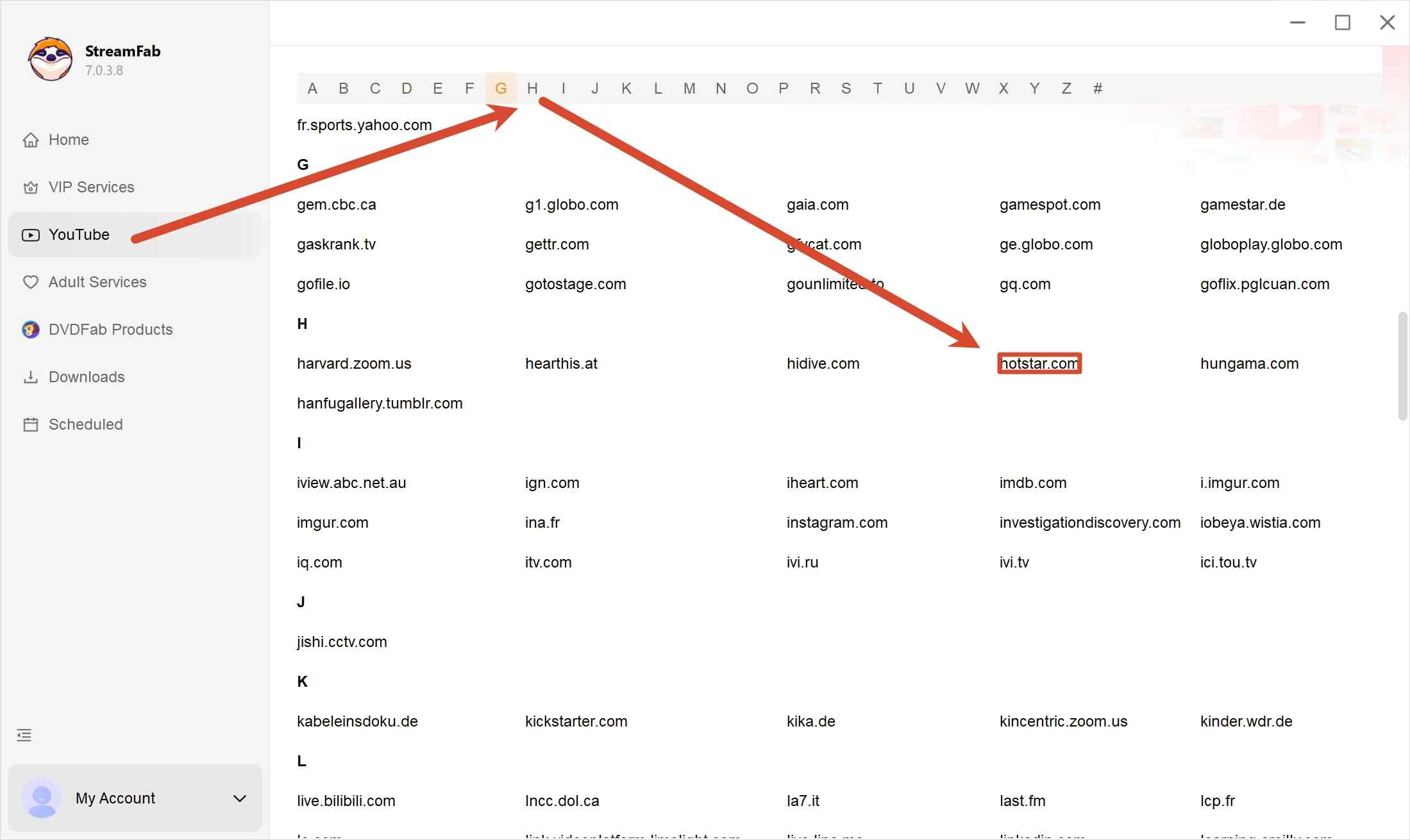
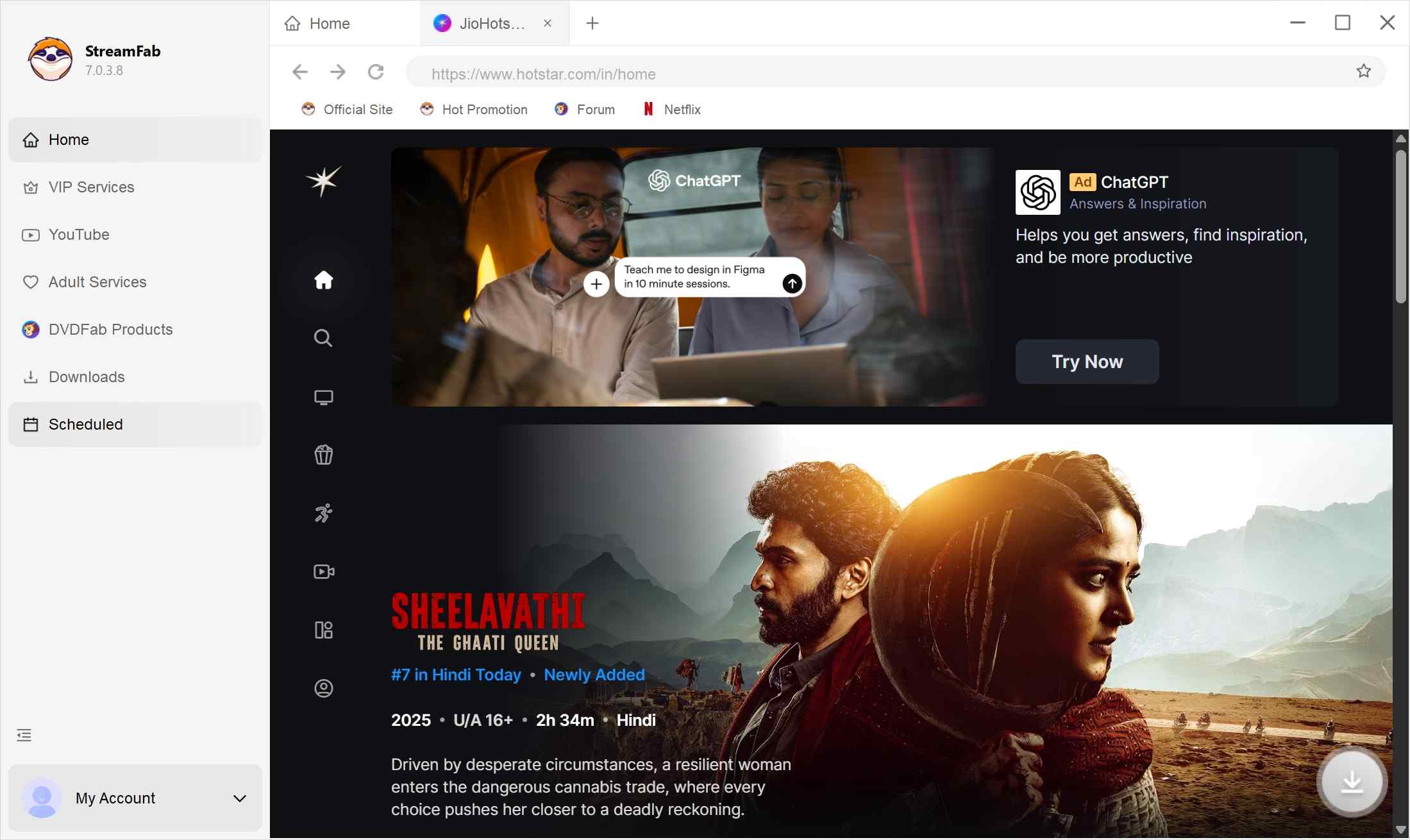
The official offline feature is fine for a quick trip, but its capped library and expiry clock get in the way if you rewatch a lot. A desktop tool sidesteps those limits with a standard file you store on your own drive. If you also follow regional catalogs abroad, similar methods let you stream and download Zee5 USA content.
Official JioHotstar App vs StreamFab: Side-by-Side
If you only remember one section, make it this one. The two routes solve different problems: the app is a quick mobile loan, and the desktop tool is a lasting file. Here's how they line up.
| Feature | Official JioHotstar app | StreamFab DRM MPD Downloader |
|---|---|---|
| Output format | Encrypted, app-only file | Standard MP4 or MKV |
| Max resolution | 720p / 1080p | 720p / 1080p |
| Download expiry | Expires and locks when your plan lapses | A local file you keep for personal offline viewing |
| Device support | Mobile only (Android / iOS) | Windows and Mac |
| Ads | Depends on your plan tier | Ad-free local copy |
| Download limit | Capped, around 15 titles | Batch processing |
| Audio tracks | Standard stereo | AAC 2.0 / AC3 5.1 / EAC3 5.1 |
The practical upshot: pick the app when you just need one title for one trip, and pick the desktop tool when you want a library that doesn't reset every time a license clock runs out.
FAQs
The JioCinema-to-JioHotstar switch left a lot of small confusions in its wake. Here are the questions I get asked most about downloading on the new platform.
Will my old JioCinema downloads still work in the new JioHotstar app?
No. After the merger the app's technical architecture changed, so local files you saved in the legacy JioCinema app are no longer recognized by JioHotstar. You'll need to re-download that content inside the new app.
Why do some JioHotstar Premium movies not show a download button?
Not every title is eligible for offline viewing because of licensing agreements with studios such as HBO, Disney, and Warner Bros. Even on a Premium plan, some high-value titles are stream-only. A missing download icon is a restriction set by the content owner, not a bug in your app.
Does JioHotstar support 4K downloads for offline viewing?
No. The official app caps offline downloads at 720p or 1080p on select devices to save data and storage. Even with a 4K Premium plan you can stream in 4K, but you cannot download at that resolution through the official app.
What happens to my downloads if my JioHotstar subscription expires?
Once your subscription ends, the app revokes your license to view offline content. The files stay in your phone's storage but sit locked and unplayable until you renew. That dependency on an active account is exactly why many viewers prefer a standalone local copy on a PC.
Is there a free online JioHotstar video downloader?
In my testing, browser-based and "online free" extractors can't reliably grab DRM-protected JioHotstar streams, which is why those tools rarely produce a working file for this platform. A desktop app is the dependable way to save a local MP4 for personal offline viewing of content you're authorized to access.
Where are my JioHotstar downloads saved, and can I move them to my gallery?
Official app downloads are encrypted and app-only, so they don't appear in your file manager or gallery and can't be moved to another device. A desktop tool instead produces a standard MP4 or MKV that you can store, back up, and play anywhere.
Conclusions
The clearest lesson from the JioCinema-to-JioHotstar migration is that the official "offline" mode is built for short-term convenience. It's mobile-only, capped at a handful of titles, and the clock starts the moment you press play, so it fits a single flight, not a standing library.
If you want a reliable, 1080p local copy on your PC, the official app's borrow model simply isn't built for a lasting personal library. A desktop tool like StreamFab DRM MPD Downloader fills that gap for personal offline viewing. To be honest about fit: if you only need a title for one trip, the official app is enough, so save the desktop route for when you actually want to keep and organize what you watch.
- This guide is part of our commitment to providing accurate, real-time technical solutions. We continuously monitor streaming platform updates and software compatibility to ensure our recommendations remain effective. Recently, we updated:
- • References from JioCinema to JioHotstar following the official brand merger and technical migration.
- • Revised the JioCinema (JioHotstar) download restrictions section to reflect current policies, including the 48-hour playback window and 15-movie cap.
- • Confirmed that StreamFab DRM MPD Downloader is fully compatible with the JioCinema (JioHotstar) for 1080p local backups.
- • Added a new FAQ section based on user discussions on Reddit and tech forums.
- As the author of this update, I have personally verified these steps and the performance of the recommended tools. I take full responsibility for the accuracy of this information.

The Criterion Channel is full of classic movies, and there is no official way to get them. This article introduced several third-party tools to help you dealing with this problem. And the downloader is the best one with advanced functions and outstanding quality.
By Nicole Lopez - Sep 16, 2026
Looking to download ctv video content for unrestricted offline viewing? Based on my 2026 technical tests, here is the ultimate guide to permanently archive CTV videos in crisp 1080p MP4 formats.
By Erika Leen - Aug 19, 2026
Can you watch Udemy offline? How to watch Udemy courses offline on PC? This guide covers everything you want to know about Udemy offline viewing on different devices.
By Jacob Harrison - Aug 19, 2026
Can you save Udemy DRM videos as a local personal backup? Why do you only get a black screen file? This guide addresses the technical hurdles of creating a personal backup, specifically explaining the latest methods in 2026.
By Jacob Harrison - Aug 18, 2026