How to Download Hotstar Movies on PC/Mobile Devices? (2026)

The Short Answer for US Readers
US viewers have two realistic paths for a Hotstar movies download: the official JioHotstar mobile app for eligible viewers on a supported phone or tablet, or a desktop local-file workflow that depends on current, title-specific support verification.
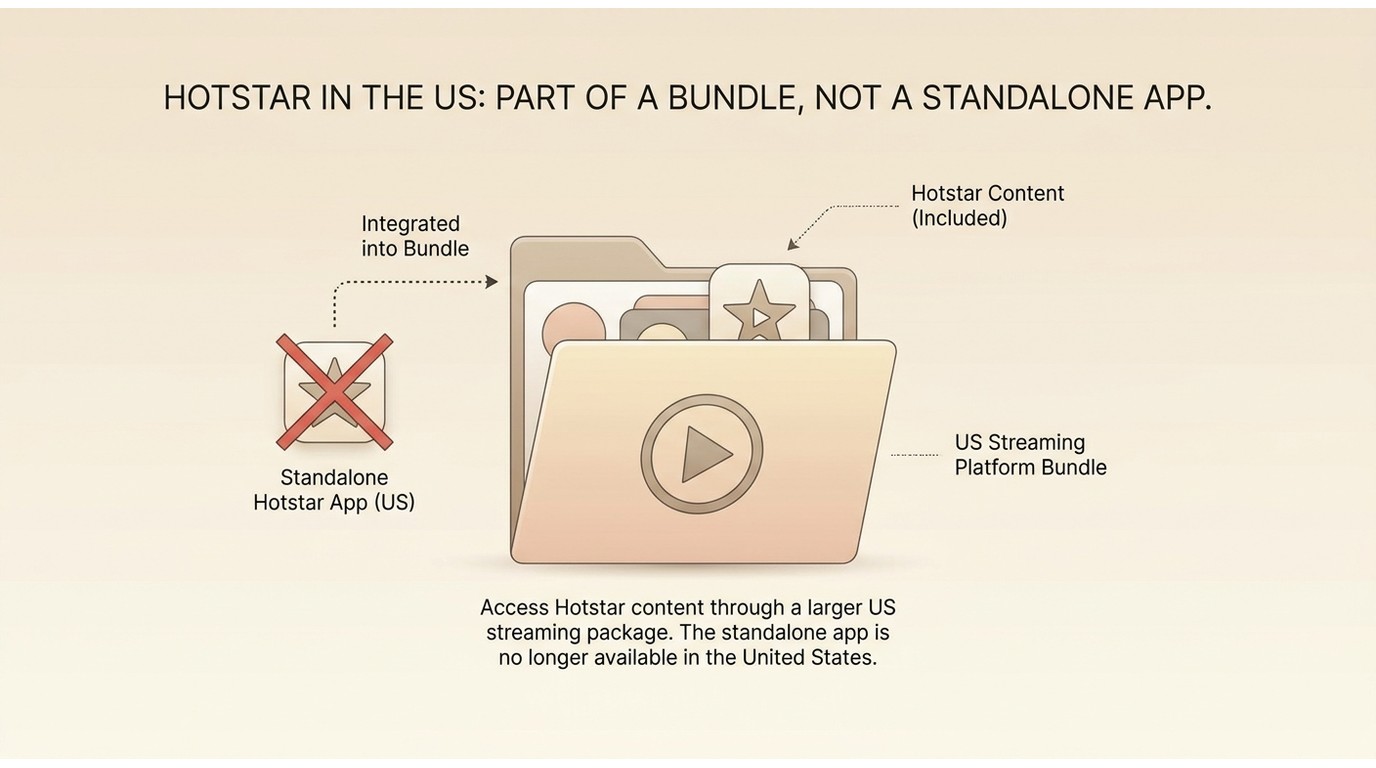
Hotstar is no longer a standalone US streaming service. Former Hotstar titles now sit unevenly inside the US Disney+ and Hulu catalogs, while JioHotstar in India runs as a separate, region-locked service, so before choosing a download method, confirm where the title actually lives for your account.

Hotstar Is Not a Standalone US Service
Where US Viewers Find Former Hotstar Titles
The legacy US Hotstar destination no longer runs as a separate streaming service. Former Hotstar programming has been folded into Disney+ and Hulu, but catalog coverage is uneven — some titles arrive later than in India, some seasons are incomplete, and a few never surface at all. In my editorial view, that makes the first useful question not "how do I download this?" but "is this title actually available on my US account today?" — a licensing problem, not a downloader problem.
Why US and JioHotstar Accounts Differ
JioHotstar is the active service in India, and a US Disney+ or Hulu login does not sign you into it. Region and payment method are tied to the account you created, so borrowing an Indian account from abroad or using regional workarounds may lead to playback errors or account-level restrictions. Treat US and JioHotstar as two separate ecosystems even when a movie shares a name across both.
Official Downloads Work on Supported Mobile Devices
Eligibility Depends on Region and Plan
Official offline downloads are a feature of the JioHotstar mobile app, and they are gated by three things: your region, your subscription plan, and whether the specific title is licensed for offline use. Free tiers, ad-supported tiers, and premium plans do not all get the same offline rights, and title-level restrictions can override plan-level ones. There is no current standalone US Hotstar plan to price against, so I would not import an India tier number as a US expectation.
Download Inside the JioHotstar App
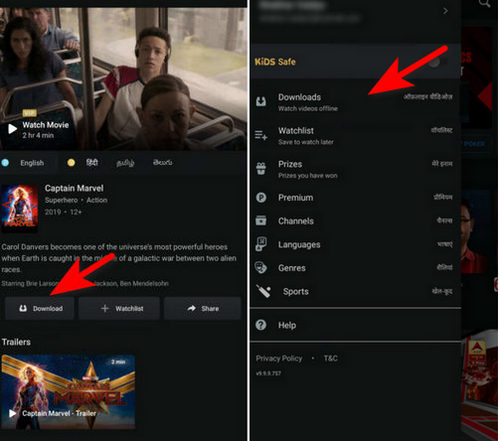
Start inside the JioHotstar app on a supported phone or tablet, not on a website. The core sequence is short:
- Sign in to your JioHotstar account on a supported phone or tablet.
- Open the movie or episode details page for the title you want.
- Tap the download control shown on that page.
- Pick a video quality when prompted — higher quality means a larger file.
- Find the finished title in the app's downloads library for offline playback in the same app.
This route is best for eligible viewers who want temporary offline access on the device they already watch on; it is not the way to produce a transferable file.
Storage, Revalidation, and Expiry Rules
Hotstar downloads are saved inside JioHotstar's own app container, not in your phone gallery, and they are not the same as a portable MP4. According to the current official help pages, downloaded titles remain available while your subscription is active and while the device reconnects to the internet at least once every 30 days for revalidation; title-, plan-, and region-level changes can still remove a file. If you would like the underlying distinction between an app-managed offline copy and a true local file created by downloading versus recording, that sibling explainer covers it in depth.
PC Downloads Have a Platform Boundary
Official Files Stay Inside the App
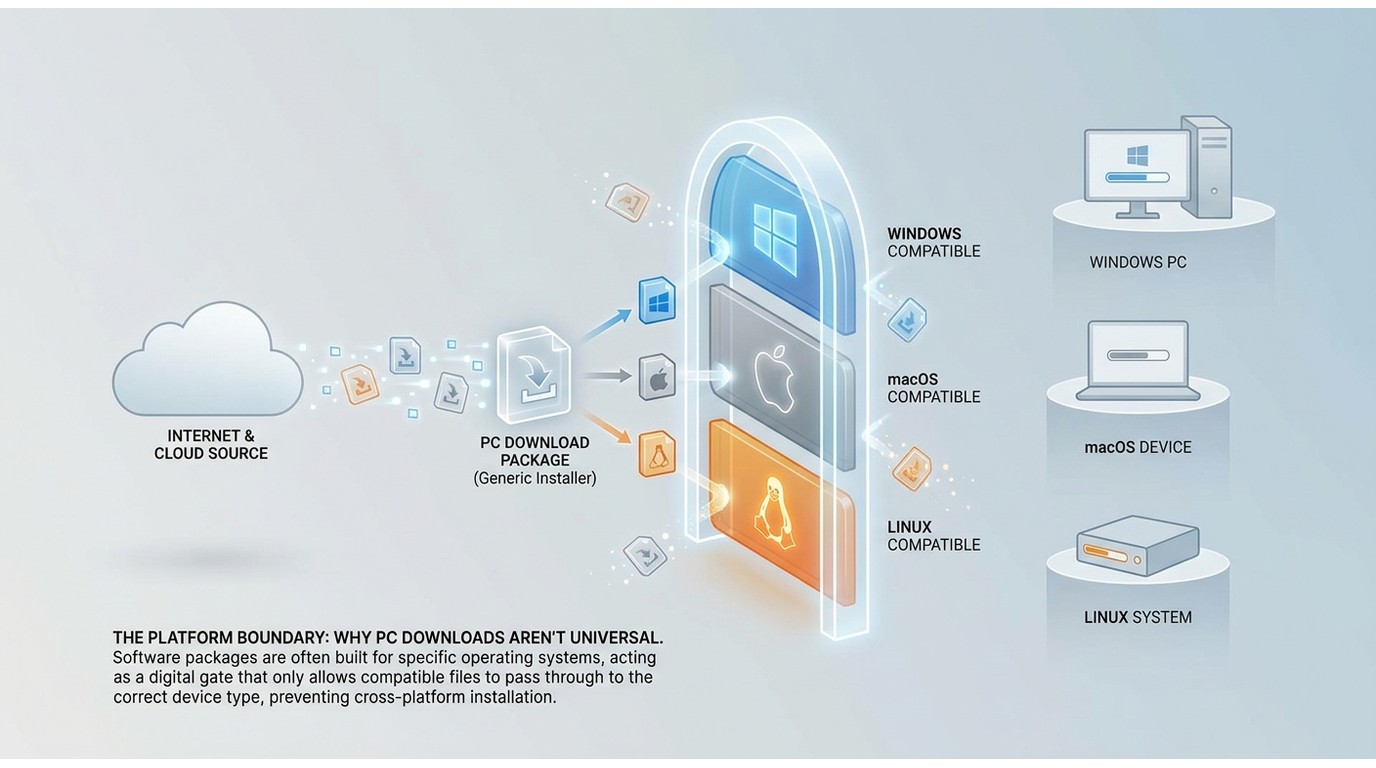
There is no official JioHotstar desktop app that produces a standalone file. Even on mobile, the download is a protected in-app object — not a transferable MP4 file you can move between devices like an ordinary movie download. So the popular search phrase "Hotstar app for PC" tends to end at browser streaming, not offline files.
Desktop Support Must Be Verified First
A desktop route only becomes realistic through a third-party tool that currently supports the platform, for content you are authorized to access under your own subscription, and where the platform's terms and applicable US law permit personal offline use. "Currently supports" is doing a lot of work in that sentence — support status shifts as platforms change delivery, so any desktop workflow needs a live, title-specific check before you invest time in it.
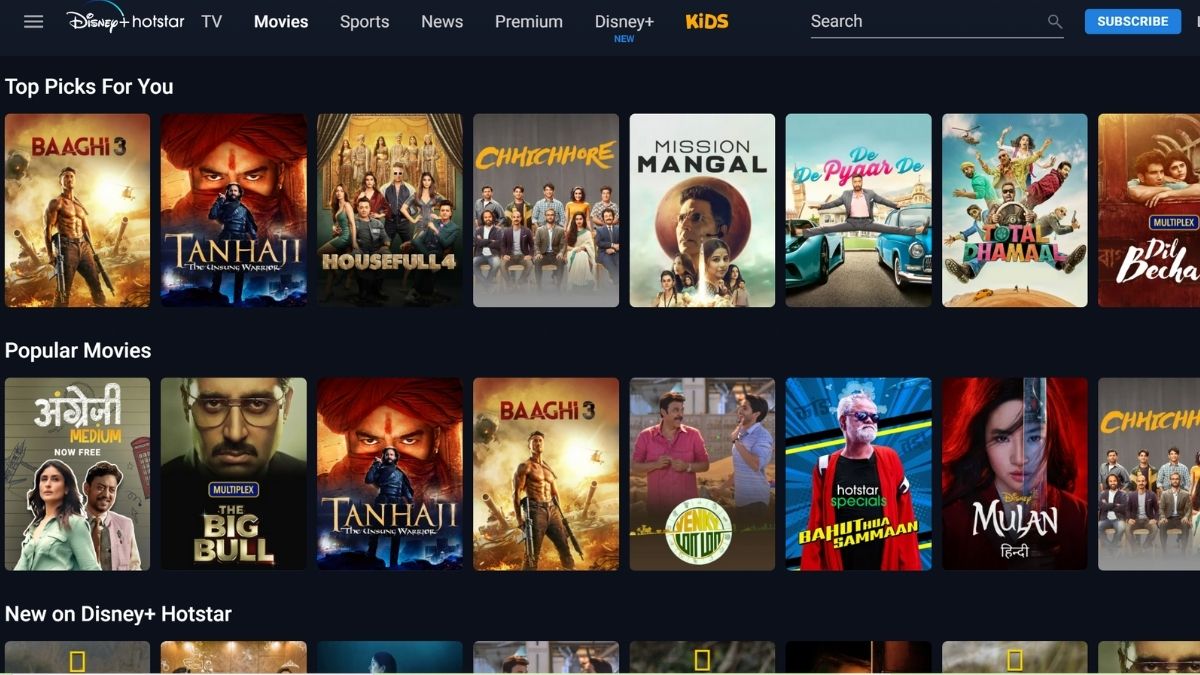
StreamFab Support Needs Verification
What the Product Page Actually Verifies
StreamFab YouTube Downloader Pro is a desktop app for Windows and macOS that outputs MP4, MKV, or FLV files with batch downloads and support for up to 8K on the sites it lists on its product page. Those are general product capabilities — they do not, by themselves, establish current JioHotstar compatibility. I would rather state that plainly than borrow a YouTube spec and re-badge it as a Hotstar promise.

Download Hotstar movies permanently in 1080p with ad-free playback, subtitle preservation, and batch processing capabilities.
- Permanent downloads with no expiration dates
- 1080p resolution with EAC3 5.1 or AAC 2.0 audio
- MP4/MKV output for universal device compatibility
- Batch download entire seasons overnight
- 1000+ supported sites including Netflix, Prime Video, YouTube
Current JioHotstar Reliability Risks
As of August 2026, current JioHotstar support in StreamFab is not something I can confirm from the official product page. Publicly posted user reports describe MPD-only detection, wrong audio or video tracks, playback errors, and account-level restrictions when JioHotstar is loaded inside a desktop downloader; treat that as an unconfirmed pain signal, not an official finding, and reason enough to test on a single, low-stakes title before committing a batch.
Best Fit and Reasons to Wait
A desktop local-file workflow is a fit only for readers who are authorized to access the content under their own subscription, where the platform's terms and applicable law permit personal offline use, and only after a live check confirms the specific title downloads cleanly today. If you need predictable JioHotstar downloads right now, the safer call is to stay on the official mobile app and revisit the desktop route once support is verified.
Fix Common JioHotstar Download Problems
Below are the symptoms US readers most commonly report with JioHotstar downloads, along with the likely cause and a next step. Official-app issues and desktop-tool issues are separated on purpose, because the fix is rarely the same.
| Symptom | Likely cause | Next step |
|---|---|---|
| Slow, failed, or missing download in the app | Ineligible plan or region, title not licensed for offline use, low device storage, unsupported device or outdated app build, or a lapsed subscription | Check plan eligibility and title availability first for US-based accounts, then free up storage and update the app before retrying |
| Black screen on a previously working offline title | The app failed to revalidate the download | Reconnect the device to the internet and open the app while online; official help notes downloads remain available while the device reconnects at least once every 30 days |
| Wrong audio language or a missing track in the offline copy | The offline package is prepared per title and per plan, so only the selected language may attach | Switch the language on the details page before downloading, or adjust the app's language settings; see how to preserve multiple audio tracks when downloading movies for the broader picture |
| Errors when a desktop tool is pointed at JioHotstar | Current JioHotstar support in a third-party desktop tool may not be verified, and detection or track issues have been reported | Test one low-stakes title first and confirm output before running a batch; if problems persist, stay with the official mobile app |
For US readers, the first check is almost always account or region eligibility — once that is settled, the rest of the table narrows down quickly.
Choose the streaming service
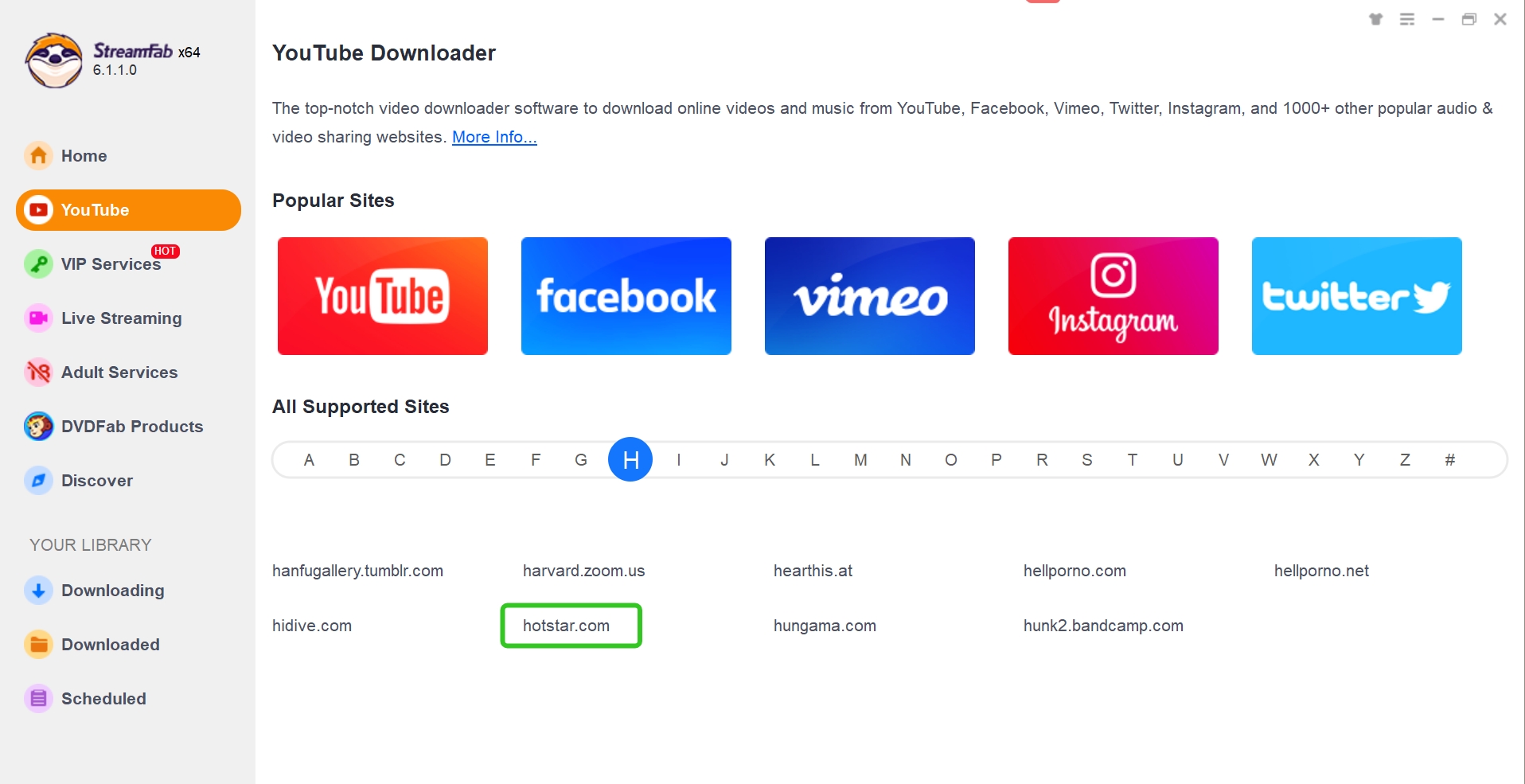
Click the VIP Services tab on the left panel. Select Hotstar from the streaming service list, or paste your Hotstar movie URL directly into the address bar.
Customize the file
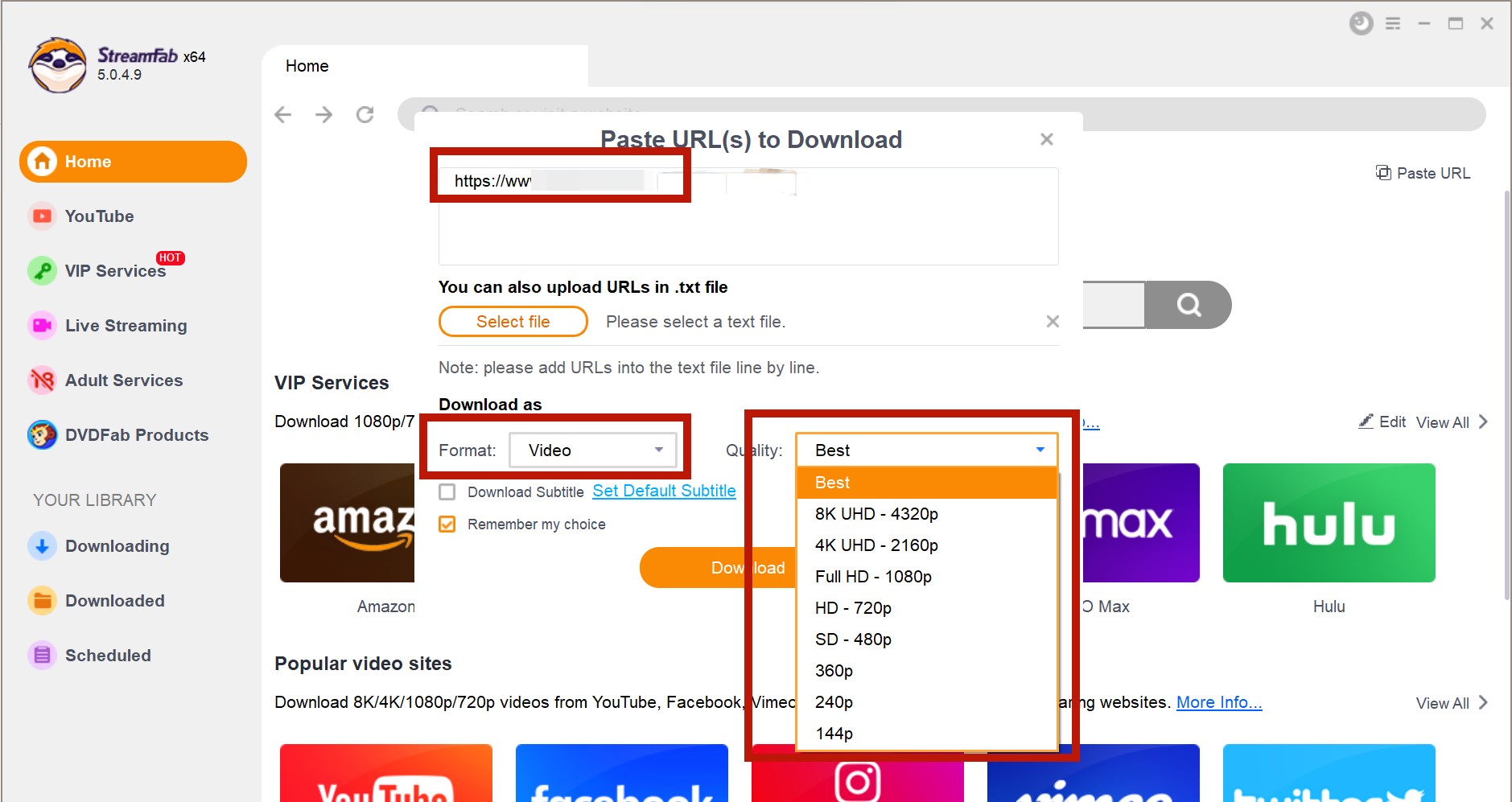
Play the movie or episode. StreamFab detects the content automatically and displays a download popup. Select your preferred quality (up to 1080p), audio language, and subtitle options.
Click the download button
Click "Download Now" for immediate processing or "Add to Queue" for batch downloading multiple titles. Monitor progress in the Downloads tab.
*Note: The supported function might change due to the evolution of DRM protection technology. It is better to check if this method is feasible when you use it. Feel free to contact us when you meet any problems.
Choose the Right Offline Path
A US-First Decision Checklist
Use this decision matrix as an audit of the two realistic paths, side by side. The goal is to make the uncertainty useful, not to hide it behind a promise-heavy comparison.
| Decision factor | Official JioHotstar mobile app | StreamFab desktop (Hotstar support unverified) |
|---|---|---|
| US availability | JioHotstar is India-region; former Hotstar US titles live in Disney+/Hulu | Desktop app runs on Windows/macOS; platform coverage is title-specific |
| Account and region | Requires an active JioHotstar account in a supported region and plan | Requires your own authorized subscription to the source platform |
| Supported devices | Supported phones and tablets running the JioHotstar app | Windows and macOS |
| Where files are stored | Inside the JioHotstar app container, not the phone gallery | As a local MP4/MKV/FLV file on your computer |
| Transferable local file | No — offline copy stays in-app | Yes for supported sites; JioHotstar output not verified |
| Expiry / revalidation | Available while subscription is active and device reconnects at least once every 30 days | Local file has no in-app timer, but access rights follow platform terms |
| Current Hotstar support confidence | Established, documented on official help pages | Not verified as of August 2026 — requires a live title test first |
| Best fit | Eligible viewers who want temporary in-app offline access on mobile | Desktop users who need a portable file, once support is confirmed for their titles |
For most US readers who just want to watch a specific film offline, the honest sequence is: confirm the title is on your Disney+ or Hulu (or JioHotstar) account, use the official mobile app if it is, and only consider a desktop tool when you have verified today that it handles the exact title you care about.
FAQs
Conclusion
For a Hotstar movies download from the United States, the useful order is availability first, method second. Check whether the title is actually on your Disney+ or Hulu account, or whether it sits on JioHotstar for a viewer with an eligible Indian account. If you land inside JioHotstar on a supported phone or tablet with a plan that permits offline access, the official app is the dependable route and will hold up as long as the subscription stays active and the device reconnects on schedule.
A desktop local-file workflow is worth considering only after you have confirmed, on a live test today, that a specific title downloads cleanly with your tool of choice. My recommendation for readers who want predictability right now is to stay with the official mobile path and revisit the desktop option once support is verified.

Are you looking for the best media converter Mac software to address iTunes playback restrictions? Having a reliable video tool at hand will enable you to enjoy your iTunes movies and music for offline play flexibly. You have come to the right page. This post lists the top 5 best converters for Mac used to back up iTunes videos, audiobooks, and Apple Music on Mac easily.
By Nicole Lopez - Sep 29, 2026
Streaming video content is often protected by DRM (Digital Rights Management) technology to prevent users from downloading and recording. This article explains what DRM-protected content is and how to save videos for personal offline viewing.
By Nicole Lopez - Sep 28, 2026
This guide separates modern Apple TV video, Apple Music audio, and legacy iTunes libraries so readers can choose a realistic playback or export path. It covers MP4, M4V, and MKV compatibility, official redownload and iTunes Match eligibility, StreamFab and MusicFab workflows, hardware limits, and the boundaries for authorized personal use in the United States.
By Nicole Lopez - Sep 20, 2026
Identify protected and unprotected M4V files, use authorized Apple TV playback, convert compatible files, or choose a separate supported-streaming workflow.
By Erika Leen - Sep 8, 2026