
Download NBC Videos in 2026: 4 Methods Compared

Summary: To download NBC videos, first identify the source: public NBC News clips may work with a URL saver, official apps keep viewing inside the app, and supported NBC or Peacock pages may require a Windows or Mac local-file workflow. Screen recording is a conditional fallback.
This guide helps you choose an NBC video downloader by comparing official viewing, public-clip tools, desktop options to download streaming videos, and recording. It also covers file compatibility, four quick steps, and common Peacock download failures.
Before using any method, make sure you are authorized to access the content. Save videos only for personal offline viewing where permitted by the platform terms and applicable law, and do not redistribute copyrighted material.
NBC and Peacock Download Options in 2026
Official app access and exportable local files are different workflows. Availability and offline eligibility depend on the service, title, device, account, and plan. My editorial rule is to identify the source type before choosing a tool.
| Method | Best fit | Result | Cost model | Main limitation |
|---|---|---|---|---|
| Official NBC or Peacock app | Simple mobile or connected-device viewing | Playback stays inside the app | Depends on account and plan | Does not export an ordinary MP4 file |
| Eligible official offline viewing | Titles and devices that offer an offline option | Managed in-app access | Included with eligible access | Availability varies by title, device, and plan |
| Public NBC News URL saver | Publicly accessible news clips | A local file when the page is supported | Often free or ad-supported | Usually unsuitable for account-gated episodes |
| StreamFab desktop workflow | Authorized local-file saving from supported sources | MP4 or MKV on Windows or Mac | Paid desktop software | Support and available quality depend on the source and version |
| Camtasia or OBS | Permitted clips that play normally and need editing | A recorded local file | Free or paid, depending on the recorder | Real-time capture may reduce quality or show black frames |
Before you download: Use these methods only for content you are authorized to access, for personal offline viewing, where permitted by platform terms and applicable law.
StreamFab for NBC and Peacock Downloads
Unlike official in-app viewing, StreamFab YouTube Downloader Pro is a separate desktop workflow for Windows and Mac that can save a local copy from supported sources. Use it only with content you are authorized to access, for personal offline viewing where platform terms and applicable law permit. It is best suited to readers who need a local file, not iPhone-only users or someone saving a single public NBC News clip.
NBC Download Quality and File Specs
As of July 2026, StreamFab release notes document Peacock support for H.265, up to 4K or 1080p with HDR10 or Dolby Vision, and Atmos 5.1. These Peacock specifications should not be assumed for every NBC page or title because availability depends on the source, account, and service conditions.
| Specification | Documented position | Practical limit |
|---|---|---|
| Source | Supported NBC or Peacock pages | Public clips and account-gated titles follow different workflows |
| Resolution and HDR | Peacock support includes up to 4K or 1080p, HDR10, and Dolby Vision | Depends on the title and service conditions |
| Video codec | H.265 is documented for Peacock | Available codecs vary by source |
| Audio | Atmos 5.1 is documented for Peacock | Track availability depends on the title |
| Container and subtitles | MP4 or MKV with available subtitle options | Options depend on the analyzed source |
| Operating system | Windows and Mac | This is not an iPhone downloader workflow |
The useful specification is the one your actual source supports, so compatibility matters more than selecting the largest headline resolution.
Ads, Audio, and Subtitles
Ad handling is service- and version-dependent. Where supported, StreamFab can process inserted ad segments while preserving available audio tracks and either embedded or separate subtitles, but the result depends on the source and current service behavior. For broader subtitle setup and troubleshooting, see how to download subtitles with StreamFab.
Official July 2026 release notes included Peacock fixes related to manual analysis, sports completion, HDR or Dolby Vision processing, and download failures. Reliability is therefore better evaluated by the current version and specific source than by a universal success percentage.
Download NBC Videos in 4 Steps
Prerequisites: Use a supported Windows or Mac computer, confirm that the video plays with your authorized account, update StreamFab, and make sure you have enough local storage.
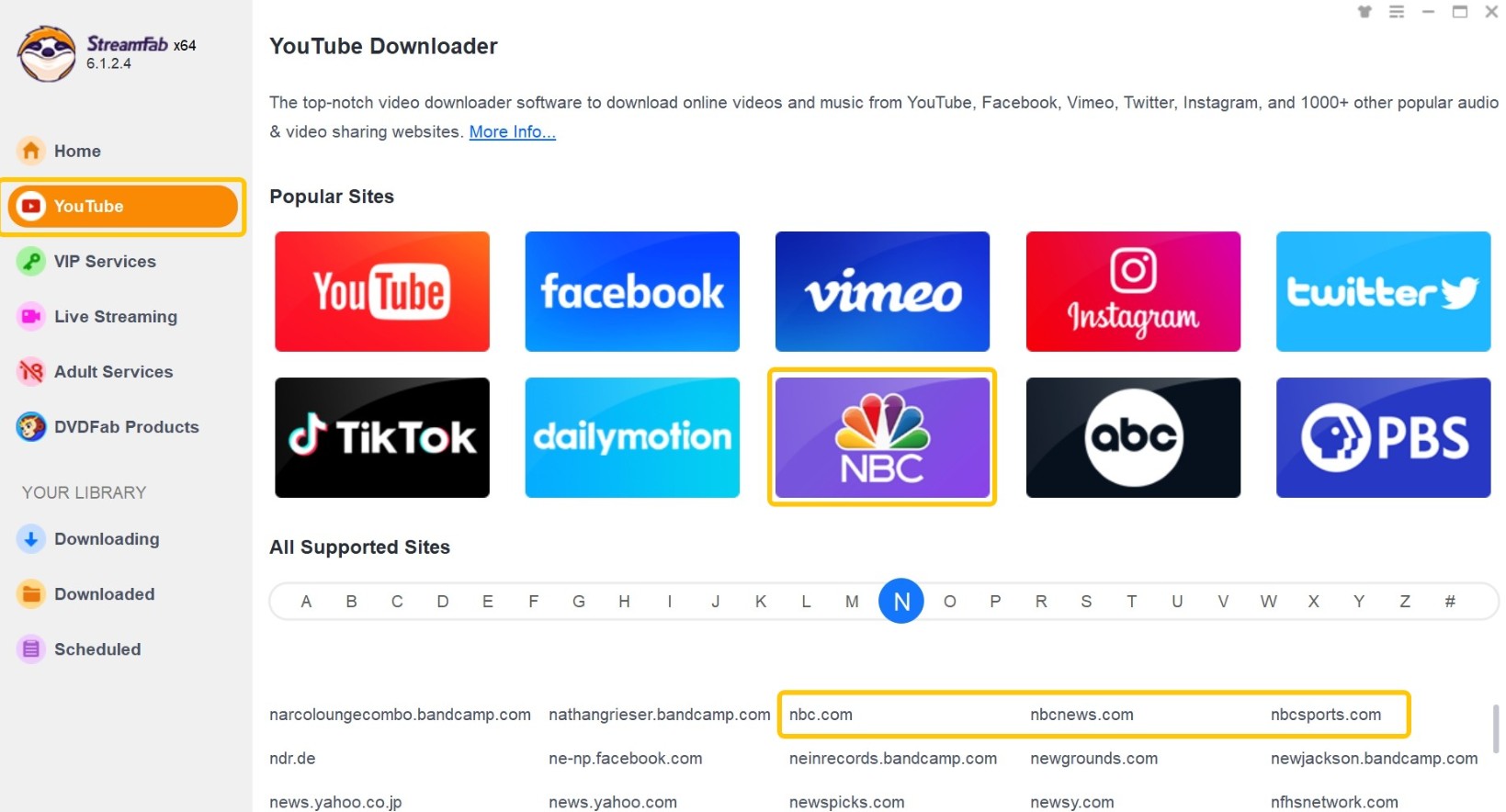
Choose the streaming service
Tab the "YouTube" column to find "NBC" website icon, or you can simple copy and paste the NBC video URL to StreamFab.
Customize the file
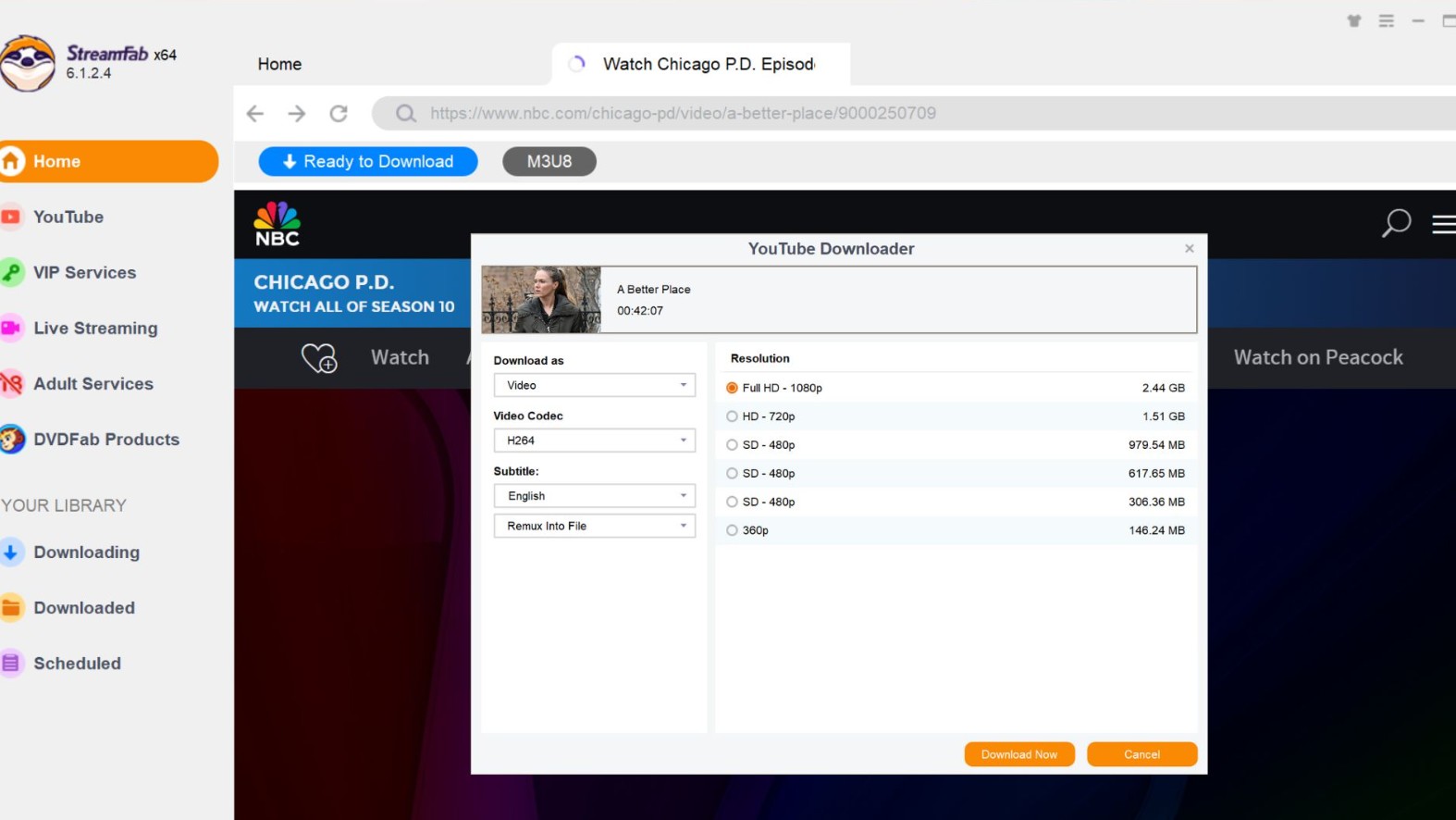
When you play the NBC video, you will see a pop-up window to customize the video quality.
Click the download button
If you choose to download the NBC video immediately, then click the Download Now button and the video shall start to download right away under the Task Queue>Downloading tab.
The quick path is: 1) open or paste the NBC, NBC News, or Peacock URL; 2) sign in when the page requires authorized account access; 3) choose the available MP4 or MKV format and quality; and 4) add the task to the download queue. Public NBC News clips may not require sign-in, while full episodes often do. For general link conversion guidance, see how to convert a URL to MP4.
Author tip: If analysis fails, confirm the source type, account playback, and current app version before changing advanced settings.
When NBC Screen Recording Falls Short
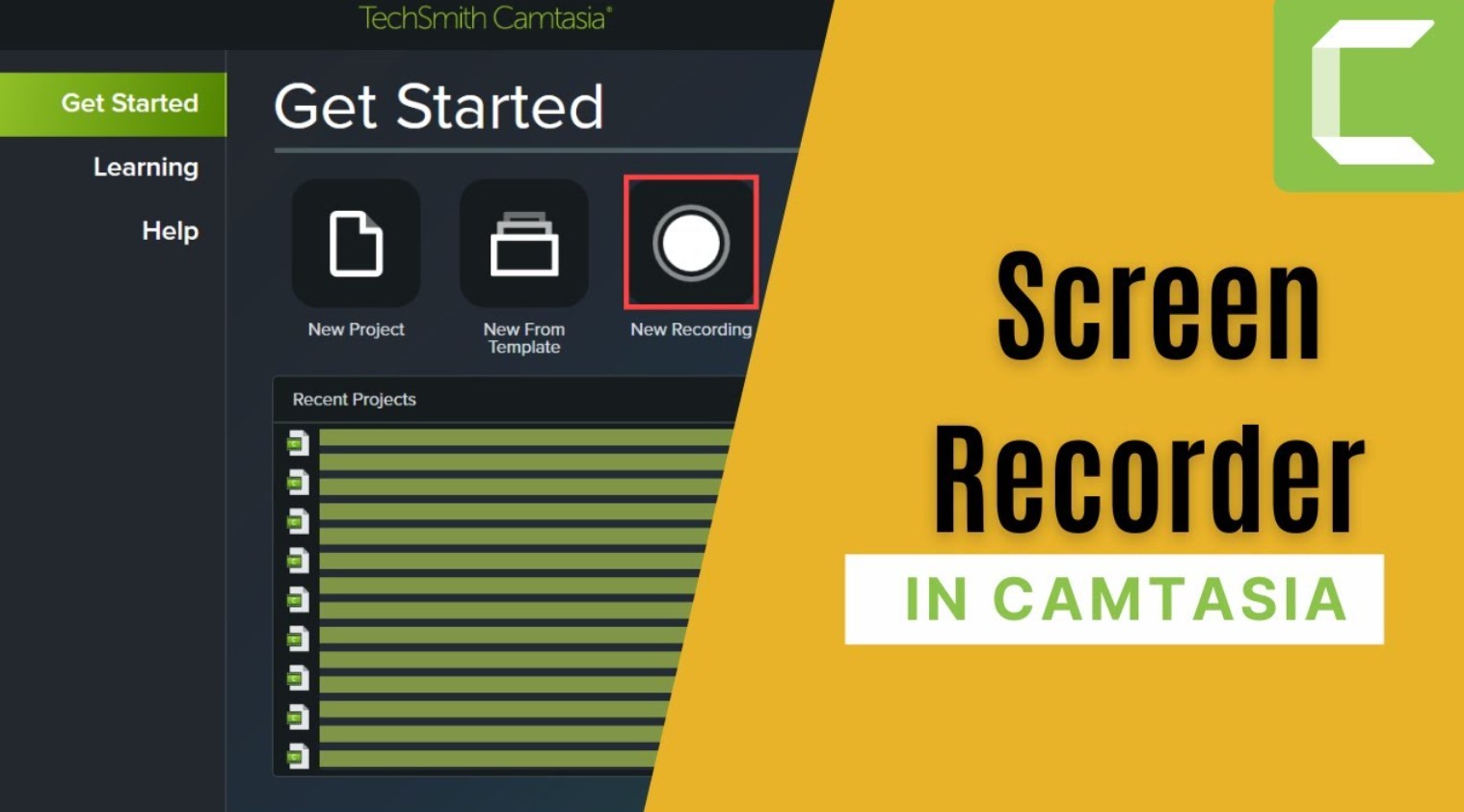
Screen recording may work when an authorized NBC clip plays normally, especially if you also need to edit the result. It is less suitable for long episodes because recording takes place in real time, output quality may be reduced, and protected playback can produce black frames or audio-only captures. Recording captures what is displayed; it does not grant additional content rights or alter platform restrictions. For a broader comparison, see the difference between downloading and recording.
| Official NBC or Peacock app | Public NBC News URL saver | StreamFab desktop workflow | Camtasia or OBS recording |
|---|---|---|---|
| Best for in-app viewing | Best for eligible public news clips | Best for supported sources on Windows or Mac | Best for permitted clips that also need editing |
| Playback remains inside the app | Creates a local file when the page is supported | Saves MP4 or MKV when supported | Creates a recorded local file |
| Does not export an ordinary MP4 file | Usually unsuitable for account-gated or protected episodes | Requires authorized access; support varies by source and version | Requires real-time playback and may reduce quality or show black frames |
Recording NBC Clips with Camtasia
Use Camtasia only for an authorized clip that plays normally during capture. Expect real-time recording, keep notifications and other Windows out of view, and review the result for black frames, missing audio, or reduced quality before editing or exporting it.
Click the Record button at the top of the Tools panel to open the Camtasia recorder. Choose to record the full screen, or select the arrow and choose a selected area to record.
Click Start Recording to begin the recording process. Now open your browser and visit the NBC website to play the video you want to download.
Wait until the video playback finishes. Click the Camtasia recorder icon in the taskbar, then the Stop button to finish the recording. Or you can also use the hotkey F10 to achieve the same purpose.
When the recorded video is imported to the timeline, you can then cut off the beginning and finishing parts of the recordings using the trim feature so that you can only keep the video itself.
When you’re ready to export your video, click the Export button in the upper right corner of the editor, then select a destination.
FAQs
Can the NBC app save episodes as MP4 files?
The official NBC app is designed for streaming inside the app and should not be described as exporting episodes as ordinary MP4 files. Any official offline option depends on the service, title, device, account, and plan. A separate desktop local-file workflow may offer MP4 or MKV for supported sources.
Can I download NBC videos on an iPhone?
On an iPhone, use the official NBC or Peacock app features available to your account, title, plan, and region. Official viewing remains inside the app. The local-file workflow described in this article is intended for supported Windows and Mac computers rather than direct downloading on an iPhone.
Why does a Peacock download fail or stop at 100%?
First update StreamFab, confirm that the title still plays in your authorized Peacock account, and make sure the source remains available. If analysis does not open, restart the task rather than changing advanced settings immediately. If a task reaches 100% but does not finish, allow time for queue finalization, then retry the specific episode or sports replay. Supported sources and availability may change, so confirm current status on the official product page.
Is there a safe free way to download NBC videos?
A free URL tool may work for a publicly accessible NBC News clip, but it should not be assumed to support every NBC or Peacock page, account-gated episode, or protected source. Use only content you are authorized to save, review the platform terms, avoid deceptive installers and browser notifications, and scan downloaded software or files with current security tools.
Conclusion
The most suitable method depends on the NBC source and the result you need. Use the official app when in-app viewing is enough, a public-clip saver for an eligible NBC News video, a supported desktop workflow when an authorized local file is necessary, or recording when a permitted clip plays normally and needs editing.
My recommendation is to choose the least complex method that meets your actual file requirement. StreamFab is a practical option for Windows and Mac users who need an authorized local-file workflow from a supported source, but it is not the right fit for iPhone-only viewing or a single public news clip. Confirm the source and account access, use the current version, choose the available format, and keep saved material for personal use.

Identify protected and unprotected M4V files, use authorized Apple TV playback, convert compatible files, or choose a separate supported-streaming workflow.
By Erika Leen - Sep 8, 2026
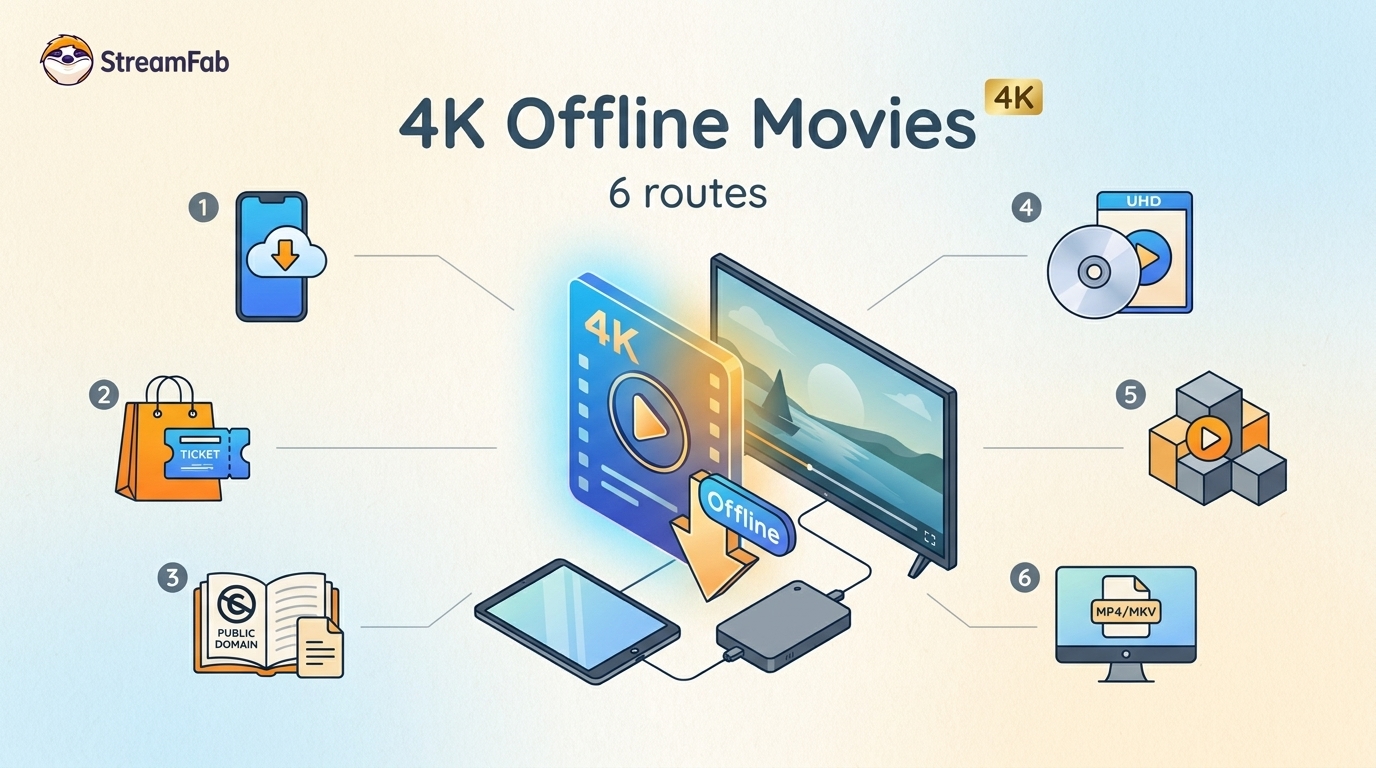
Legal 4K movie downloads do not all provide the same kind of offline access. Most mainstream services offer app-locked downloads, while portable movie files, UHD Blu-ray, public-domain media, and authorized desktop workflows involve different quality, cost, device, and licensing limits.
By Jacob Harrison - Aug 12, 2026
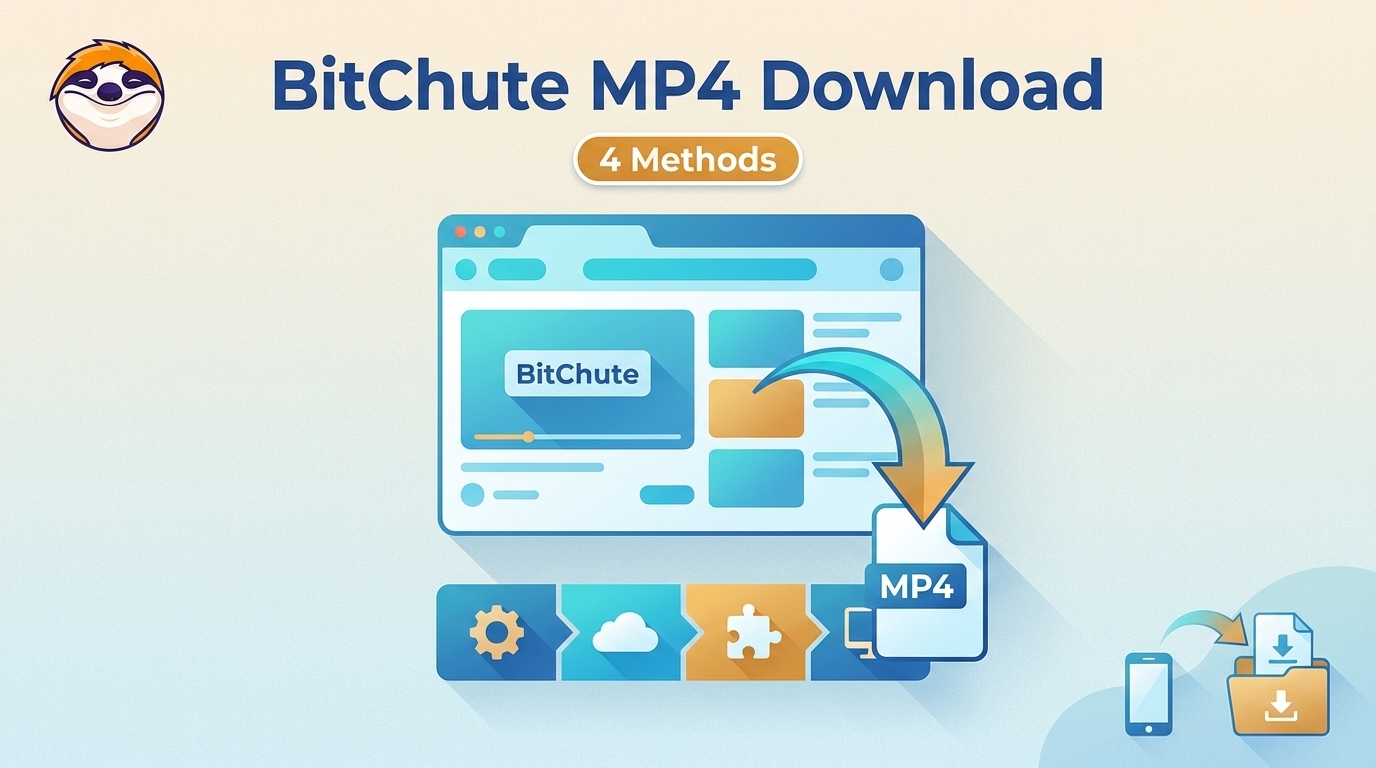
To get straight to the point, you can download a BitChute video as MP4 through its download icon: open the video, then use Save As. For authorized content where permitted, this guide explains when desktop, Android, or browser alternatives make sense.
By Marcia Hatcher - Aug 11, 2026
Looking to convert a link to MP4 in 2026? I've systematically tested top desktop and online converters to bypass Widevine DRM, dynamic tokens, and geoblocking for seamless PC and Android extraction.
By Jacob Harrison - Aug 7, 2026