
(2026) How to Download Movies from YouTube to Your PC Quickly & Easily

Here's the short answer: YouTube's own app only saves movies you purchased or rented, and only on mobile; free ad-supported titles have no official offline button at all; free online converters are the fallback for free films, and a desktop tool like StreamFab is the route for saving a local copy of movies you're authorized to access on Windows or Mac.
Below, I'll lay out what YouTube's own app actually lets you save in 2026, how those three practical routes really compare, and where each one holds up or falls apart. For a title you purchased or rented, a desktop tool is generally the more reliable route; for free ad-supported catalog films, expectations need adjusting before tools do.
- • Simple, intuitive interface
- • Fast, stable download performance
- • Original quality preservation (up to 8K)
- • Multiple format options (MP4, MKV, MP3) without separate converter software
What You Can and Can't Download from YouTube in 2026
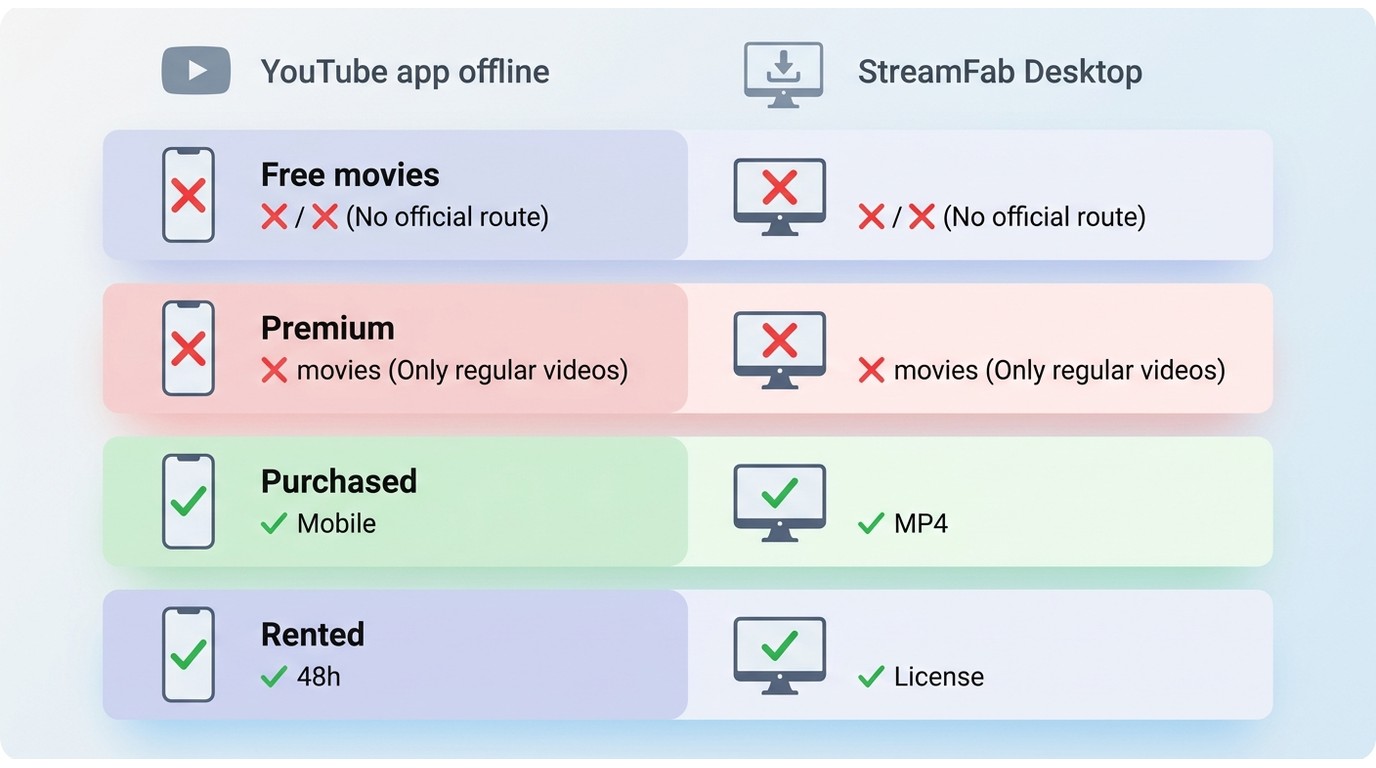
Before picking a tool, it helps to know what YouTube's own app actually saves for you. As of 2026, free ad-supported movies in YouTube's catalog can't be saved through the official app at all — there's simply no offline button on them. YouTube's built-in offline download only covers titles you've purchased or rented, and even that route is mobile-app only, does not offer UHD, and rentals stop playing about 30 days after purchase or 48 hours after you press play.
YouTube TV is a separate service with its own rules: its offline behavior is limited to certain on-demand and DVR recordings in the YouTube TV app, not the YouTube Movies library. And YouTube Premium, despite its name, doesn't unlock free movie downloads either — Premium's offline feature applies to regular videos, not the paid-movie catalog.
The practical read: if you want a movie you can play on a laptop, on a plane, or on a TV that isn't tied to the YouTube app, the official route only takes you so far. For a fuller free-tool roundup I keep free YouTube movie downloaders for PC as a companion piece; here we stay focused on the three-route decision.
Three Ways to Save YouTube Movies, Compared
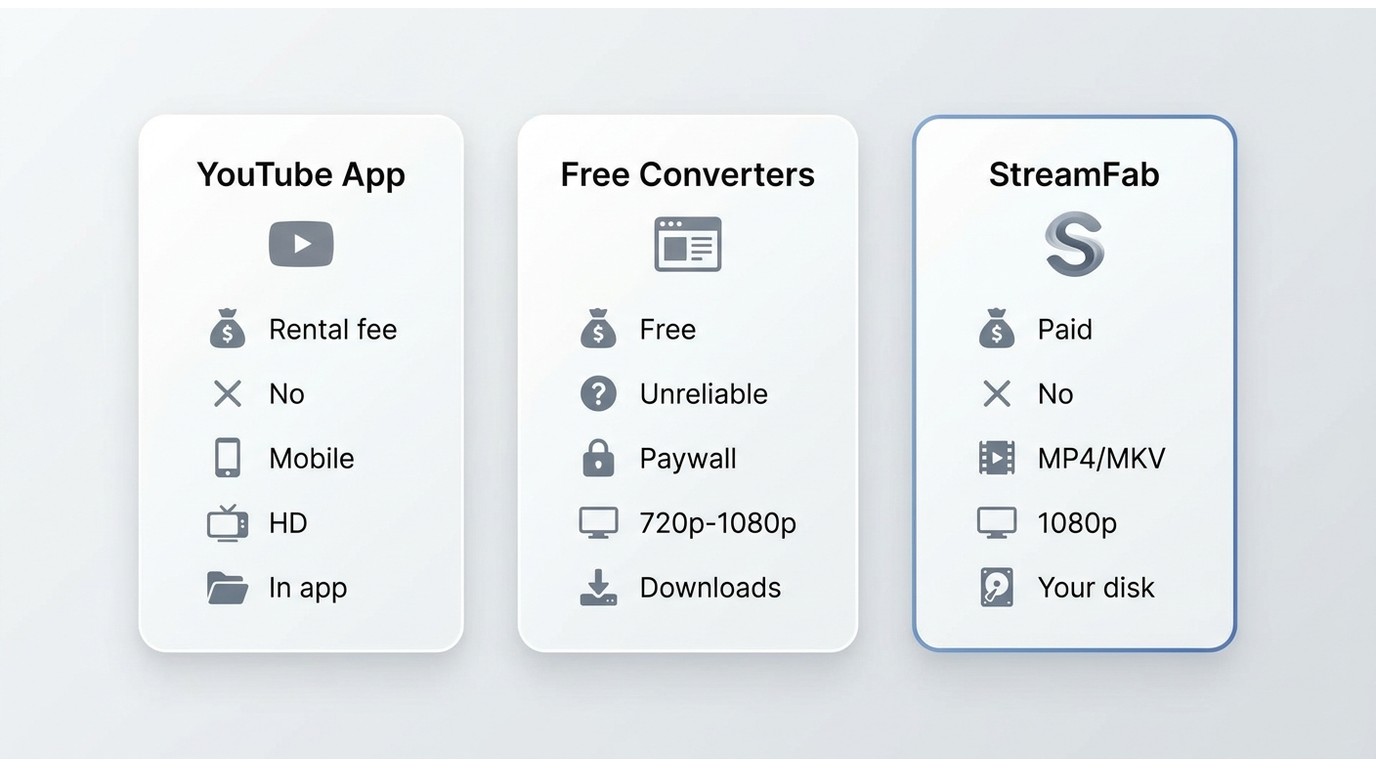
| Method | Cost | Free ad-supported movies | Purchased / rented movies | Max quality | Where files live |
|---|---|---|---|---|---|
| YouTube app (official / Premium) | Purchase / rental fee per title | Not downloadable | Yes (mobile app only) | Up to HD (no UHD) | Inside the YouTube app, rentals expire ~30 days / 48h |
| Free online converters | Free (ad-heavy) | Sometimes, unreliable | No — paywall blocks parsing | Typically 720p / 1080p | MP4 in your Downloads folder |
| StreamFab desktop | Paid (trial available) | Not a supported use case — requires an active subscription/purchase | Yes, via in-app YouTube sign-in | Up to 1080p (source-dependent) | MP4 or MKV file on your own disk |
My read on this table: for a casual, one-off watch on your phone, the official app is fine. For free ad-supported catalog films, free online converters are the practical fallback — treat them as a rough copy, not an archive. For titles you actually paid for and want on a real device, a desktop tool is generally the more reliable route.
Save Purchased and Rented Movies with StreamFab
For content you're authorized to access, where platform terms and applicable law allow, StreamFab YouTube Downloader Ultimate is a practical desktop option on Windows and Mac. The wedge is the in-app browser: you sign into your own YouTube account, open the movie you purchased or rented, and StreamFab saves it as a standard MP4 or MKV file at up to 1080p (source-dependent) — the exact case where yt-dlp, JDownloader, and screen recorders quietly give up. Batch playlist downloads and MKV with the audio tracks preserved round out the picture, but the authenticated-download path is what actually earns the section.
StreamFab YouTube Downloader Ultimate at a Glance

- • Download from YouTube plus 1000+ M3U8 streaming sites
- • Save videos in the source's available quality, up to 1080p
- • Extract audio as MP3 (up to 320kbps) for music and podcasts
- • Batch download entire playlists or channels in one operation
- • Auto-download new videos from subscribed channels
- • Save a local copy of purchased or rented YouTube Movies for personal offline viewing
- • Android app available for mobile downloads
- • Built-in browser handles sign-in for content you're authorized to access
Download a YouTube Movie in Three Steps (for content you're authorized to access)
Download and install StreamFab YouTube Downloader Ultimate. The installer sets up all three components (YouTube Downloader, YouTube to MP3, and YouTube Movies Downloader). Launch the software and select "YouTube Movies Downloader" from the main interface.
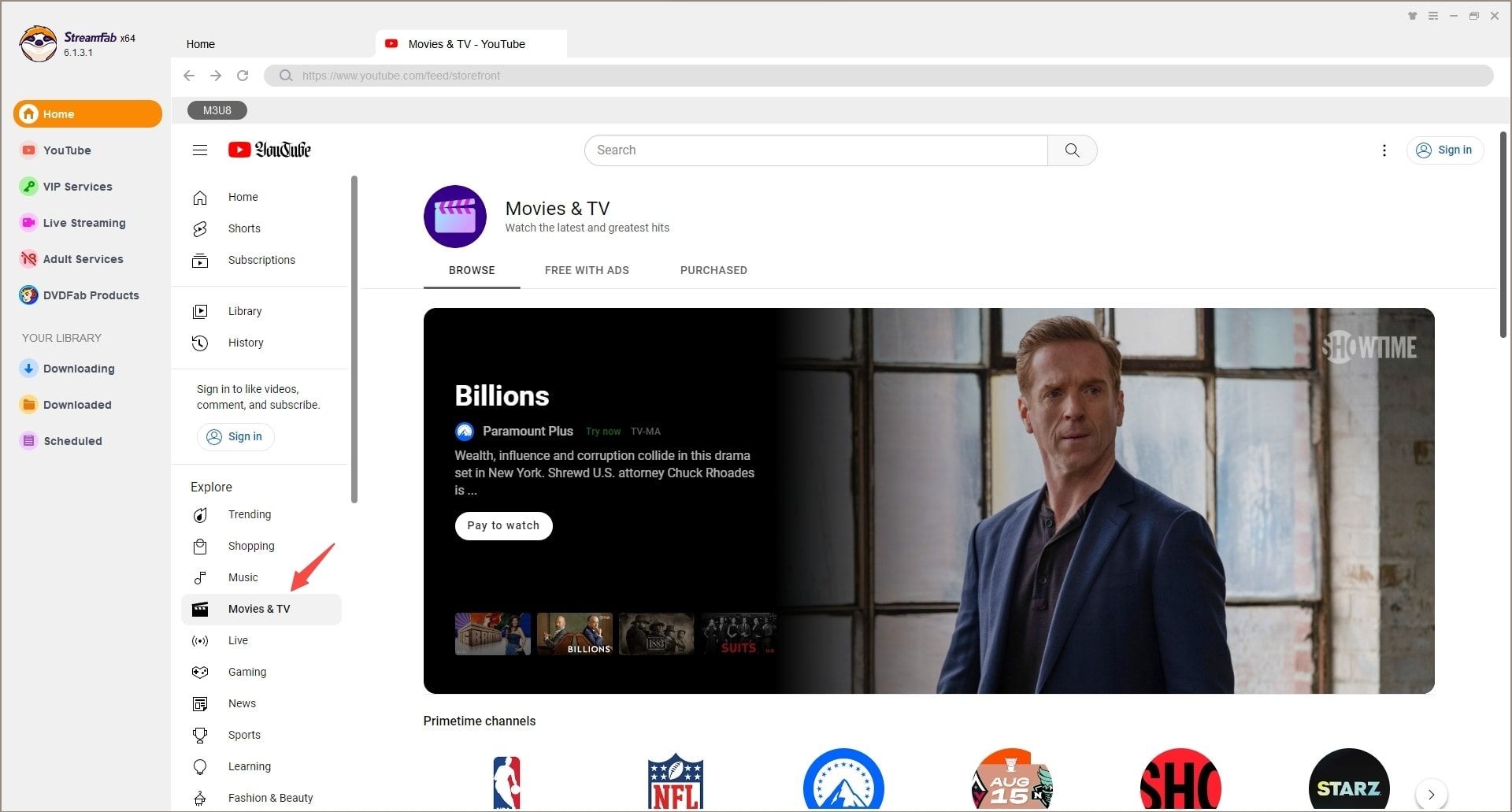

Use the built-in browser to navigate to YouTube Movies. Find the movie you want to download and start playback. StreamFab automatically detects the video stream and begins analyzing available quality options. This usually takes 5-10 seconds.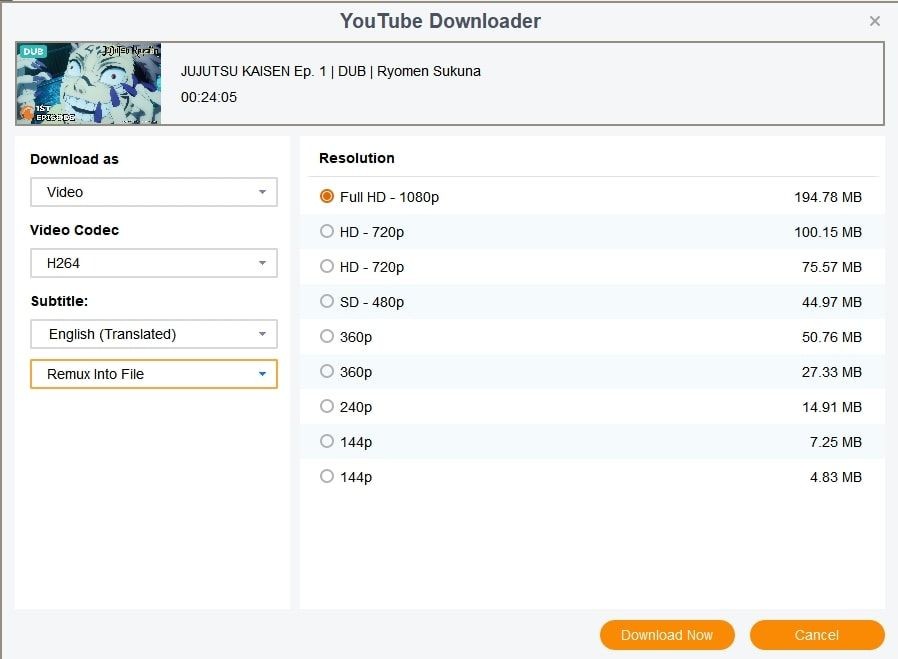
Note: For purchased or rented content, you'll need to log into your YouTube account within StreamFab's browser first.
Once analysis completes, select your preferred quality and format. Click "Download Now" for immediate downloading, or "Add to Queue" if you're building a batch list. The queue system lets you line up multiple movies for overnight downloading.
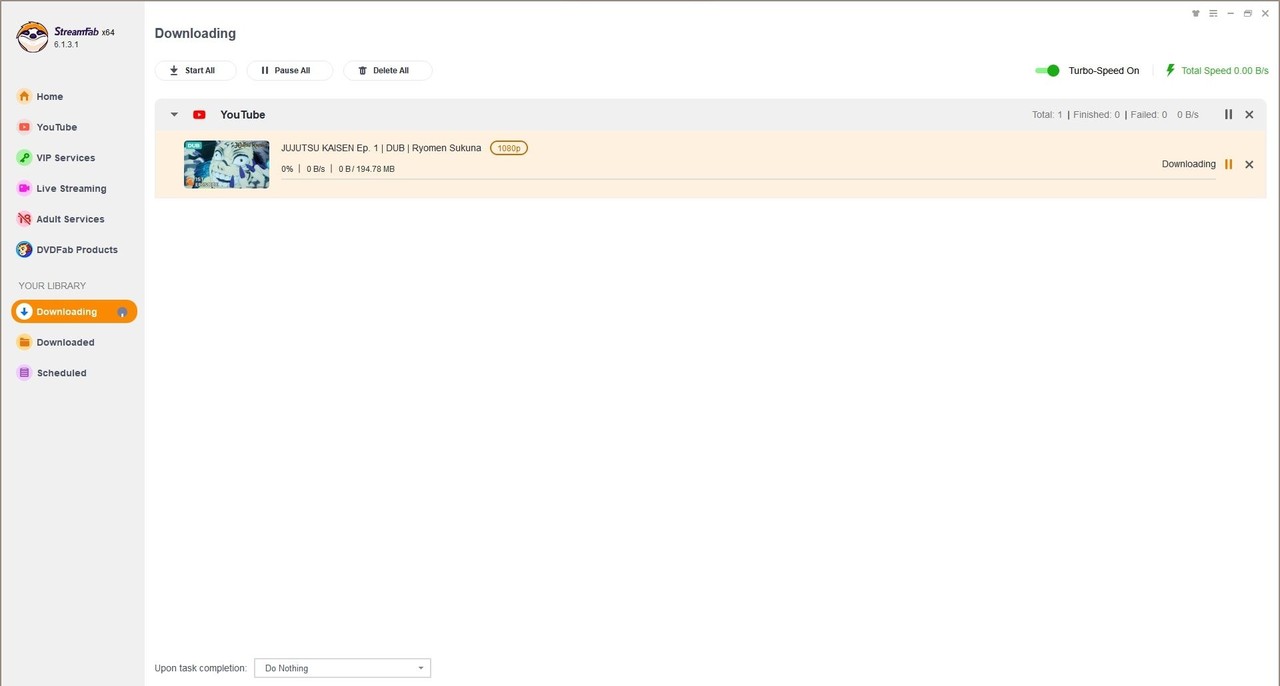
Format options: MP4 (universal compatibility), MKV (preserves all audio tracks), or MP3 (audio-only). For most users, MP4 at original quality provides the best balance of quality and file size.
Picking the Right Quality and Format
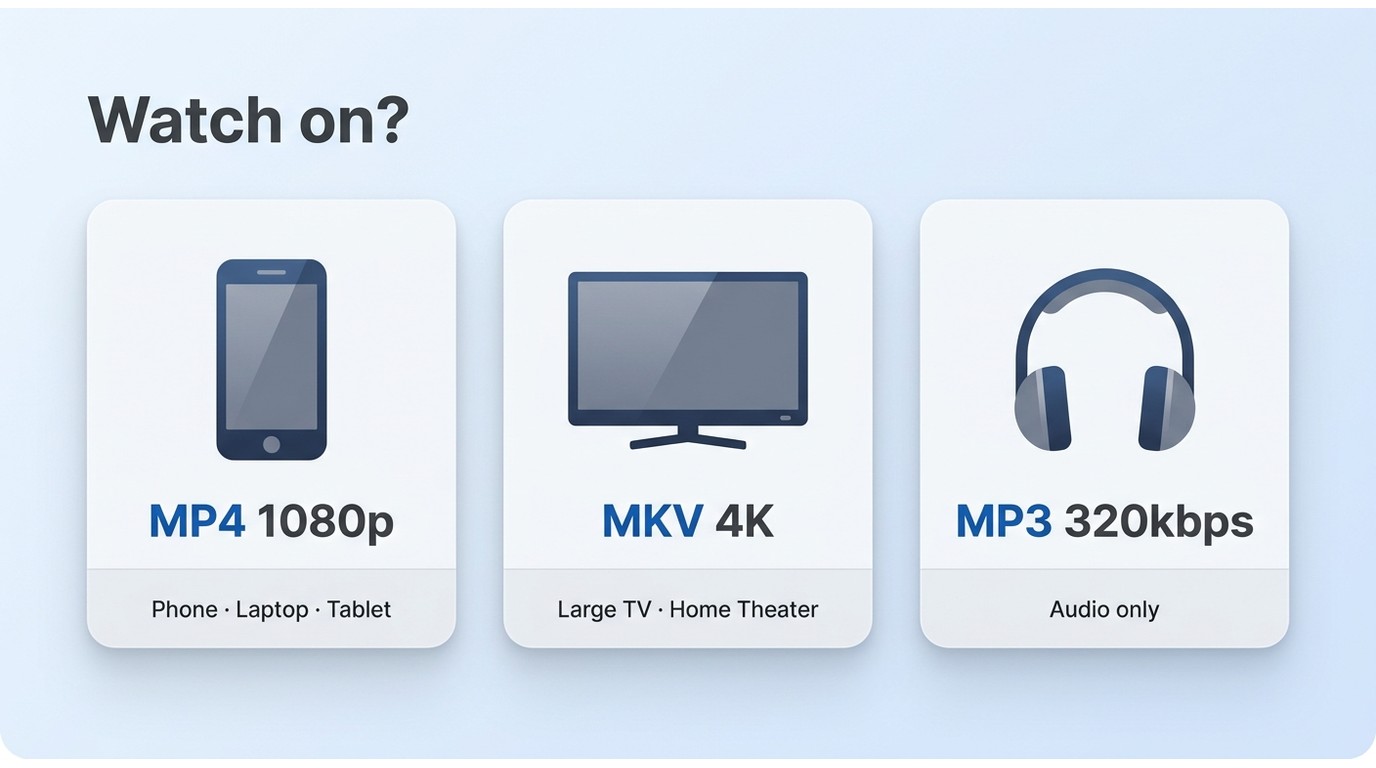
Choosing the wrong container before you download is more annoying than choosing the wrong tool, because you'll only notice on the plane. A quick decision map:
- Resolution. 1080p is the sweet spot for phones, tablets, and 13-inch laptops, and it's the ceiling StreamFab currently outputs for YouTube Movies. Where a source and pipeline offer higher, 4K is worth it on a large TV; anything beyond that mainly costs disk space for pixels most screens can't show.
- Container. MP4 for maximum compatibility (any phone, any player, any smart TV). MKV when a movie has multiple audio tracks or forced subtitles and you want to keep all of them in one file. MP3 (up to 320 kbps) if it's really the audio you're after — soundtracks, standup, interviews.
Match the choice to how you'll actually watch: MP4/1080p for travel, MKV/4K for archival on a home theater NAS, MP3 for anything you plan to listen to instead of watch.
FAQs
Is It Legal to Download YouTube Movies?
The short answer: it depends on the content and where you live. Making a personal backup of a movie you're authorized to access — most commonly a title you purchased — may be permitted where the platform's terms and your local copyright law allow it. Saving copyrighted content you have no rights to (say, someone else's uploaded film, or a rental you no longer have a license for) is not. YouTube's Terms of Service also restrict downloading outside of official features, so the platform-terms angle is separate from the copyright-law angle and both matter.
My reading, as an editor who writes about this every week: treat downloading as an extension of your existing license, not a workaround for one. If you didn't pay for it and it isn't Creative Commons or public domain, don't save it. If you did pay for it, keeping a personal offline copy is the reasonable case — but the responsibility to stay within your license sits with you, not the tool.
Can you download free movies from YouTube without Premium?
Not through the official app — free ad-supported movies in YouTube's catalog don't offer an offline button, and Premium's download feature is for regular videos, not the paid-movie catalog. Free online converters can sometimes grab them, though reliability has dropped sharply after 2026 platform changes. For titles you're authorized to access, a desktop tool remains the more consistent route.
Can you download movies from YouTube TV to watch offline?
YouTube TV is a separate service from YouTube Movies. Its offline behavior is limited to certain on-demand and DVR recordings inside the YouTube TV app, and those files stay inside the app rather than becoming standard files on your device. If your movie was purchased on YouTube Movies rather than watched via YouTube TV, that's a different pipeline entirely.
Can I move downloaded YouTube movies to another device or player?
For files saved as standard MP4 or MKV through a desktop tool, yes — they behave like any other video file and play in VLC, IINA, on smart TVs via USB, or on a home NAS. Official YouTube downloads work differently: they stay inside the YouTube app on the device you downloaded them to, so moving them to a laptop or an external drive isn't possible from that pipeline.
Why Free and Extension Downloaders Fail on Movies?
The reliability picture for free YouTube downloaders has narrowed sharply. After YouTube's 2026 code changes, independent testing in March 2026 found that only 6 of 15 free downloaders still worked at all, and even those tend to stall specifically on movie pages. Free online converters typically get stuck on "analyzing," browser extensions break within days of a YouTube update, and command-line tools like yt-dlp along with download managers like JDownloader run straight into the movie paywall — parsing works for regular videos, then returns an empty stream on a purchased title. OBS and other screen recorders sidestep parsing but hit a different wall: the movie playback page refuses to render in Firefox and often in Chrome, so there's nothing on screen to capture.
None of that is a moral failing of the free ecosystem; it's simply that movies sit behind a different technical layer than regular uploads. If you want the extension route explained separately, I've broken it down in the Firefox and Chrome YouTube downloader extension guide.
Conclusion
Downloading a YouTube movie in 2026 is really three separate problems wearing the same name. Free catalog films sit outside YouTube's own offline feature, so expectations have to adjust before tools do. Titles you already paid for are the case where a desktop tool earns its keep — an authenticated download to a standard MP4 or MKV file, playable on whatever device the flight, the road trip, or the home theater calls for. And rentals stay rentals, license window and all, no matter where the bytes end up.
StreamFab YouTube Downloader Ultimate is the option I'd point a reader to for that middle case, saving a local copy of authorized content for personal offline viewing, including formats like MKV with all audio tracks preserved.
Related guides: Learn how to download videos from other platforms with our Shahid video download guide.
Update Log
Last updated: August 2026. Changes in this revision:
- Added a section on what YouTube's own app can and can't save (free vs. purchased/rented, mobile-only, no UHD, rental Windows)
- Added a three-route comparison table (official app / free online tools / StreamFab desktop)
- Promoted the reliability, quality-and-format, and legal discussions from FAQ into standalone sections
- Rebuilt the FAQ around free-catalog, YouTube TV, rental-window, and cross-device questions

If you are watching your favorite YouTube content & want to save it instantly for your later offline watch, try the best alternative to YouTube downloader.
By Jacob Harrison - Aug 11, 2026
This article introduces three practical ways to download YouTube videos on Android devices: using the YouTube app, online download tools, and StreamFab YouTube Downloader for Android. It compares each method in terms of resolution, limitations, and features, helping users choose the best option for smooth offline viewing.
By Erika Leen - Aug 6, 2026
Compare three ways to download YouTube movies as MP4 files on PC. This guide reviews StreamFab, CleverGet, and RecordFab based on video quality, subtitle support, download speed, and their ability to handle common errors such as throttling, missing audio, and black screens.
By Nicole Lopez - Aug 6, 2026
If you want any song, music, instrument, dialogue, poem, or anything else as your phone's ringtone, YouTube to Mp3 ringtone downloader is the one-stop shop.
By Jacob Harrison - Aug 3, 2026