Vudu to MP4 in 2026: Fandango at Home Offline Options

Summary: This guide demonstrates methods to convert VUDU to MP4 format for permanent offline access, detailing two conversion tools and their respective features.
Vudu to MP4 is not a direct export from Fandango at Home. Eligible official downloads stay inside the app, while a portable MP4 or MKV requires a separate local-file workflow for content you are authorized to access. Choose between app viewing, batch files, and recording.
Vudu to MP4: What Works in 2026
Official Downloads Stay Inside the App
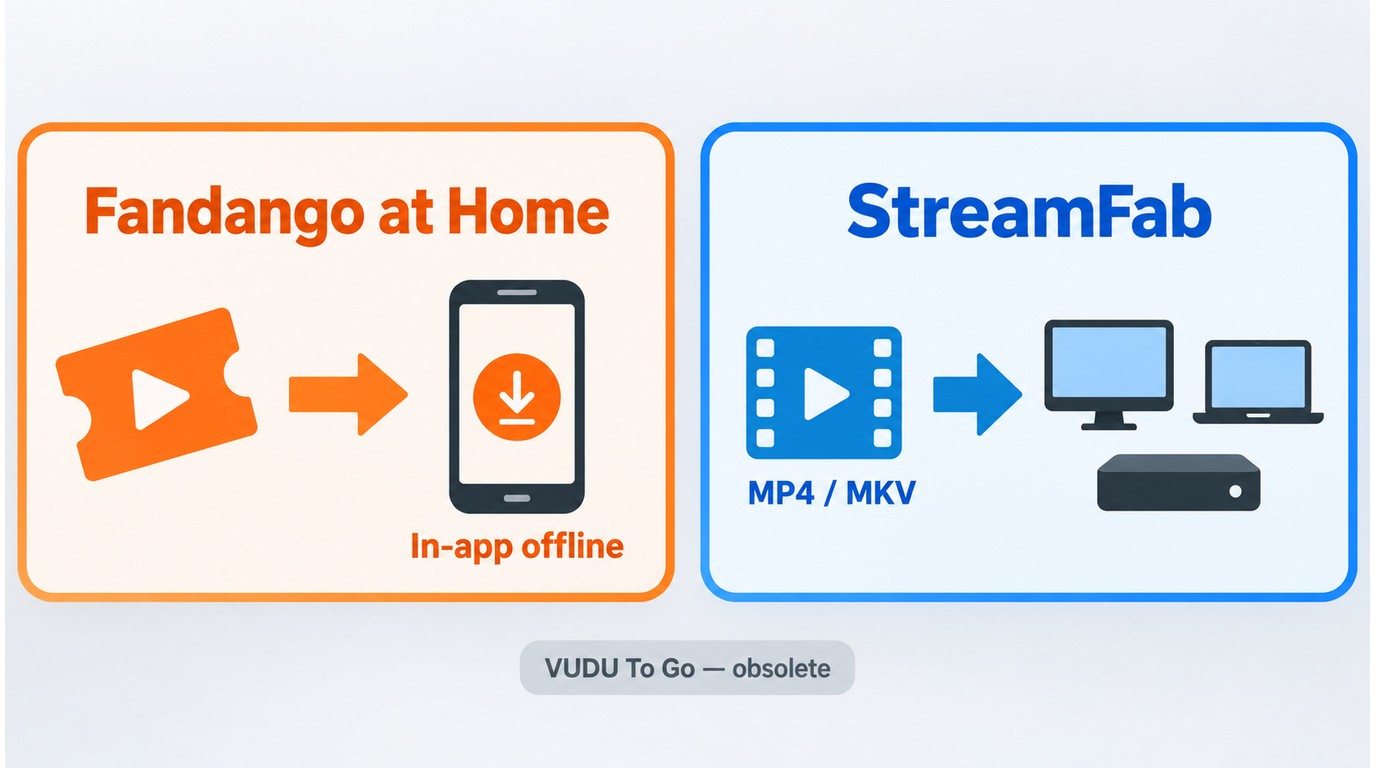
Fandango at Home provides offline access for eligible purchases and rentals through its app, but the downloaded content remains managed inside that app rather than appearing as a portable MP4 file. That official option works well when in-app offline viewing is all you need.
A separate local-file workflow is relevant when you need an MP4 or MKV for playback on a PC, Mac, compatible media player, or personal media server. The practical differences involved in downloading Fandango movies on a PC or Mac matter because official app downloads are not ordinary source files.
VUDU To Go and F4F Are Obsolete
Instructions built around VUDU To Go or F4F files are obsolete and should not be treated as current Fandango at Home workflows.
Choose the Right Offline Method
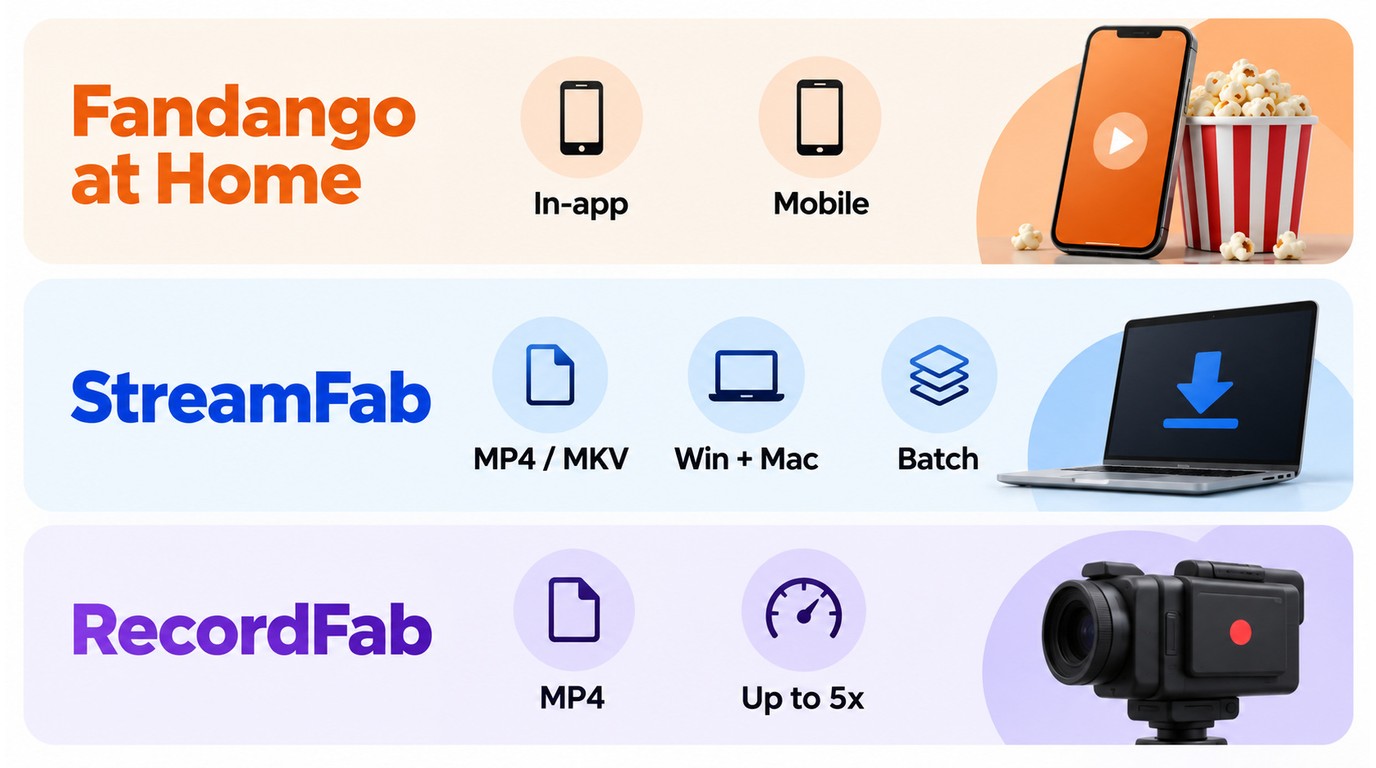
Use the official Fandango at Home app when eligible mobile offline viewing meets your needs. Choose StreamFab when you are authorized to access the content and need an MP4 or MKV local-file workflow with batch handling. RecordFab, a related DVDFab Software recording product, remains an active recorder fallback for situations better suited to capture.
- Official Fandango at Home app: App-managed offline viewing on supported mobile devices.
- StreamFab: Local MP4 or MKV files on Windows or Mac, with batch support.
- RecordFab: Recording-based MP4 output, with speed determined by site support.
Use StreamFab or RecordFab only with valid account access or other authorization, for content you are permitted to view, and for personal use under the platform terms and applicable law. Saved copies must not be redistributed.
Create an MP4 with StreamFab
StreamFab Fandango at Home Downloader is a Windows and Mac workflow for saving content you can legally view as local MP4 or MKV files and queuing multiple authorized movies or episodes for personal offline viewing.

Save authorized Fandango at Home titles as MP4 or MKV while retaining available EAC3 5.1 audio and metadata for personal offline viewing.
- Save authorized Fandango at Home movies and episodes to a Windows or Mac computer for personal offline viewing
- Select resolutions up to 4K with EAC3 5.1 audio when available for the chosen title
- Save Fandango at Home movies in compatible MP4 or MKV format
- Choose H.264 or H.265 video when the selected title provides those options
- Save subtitles as separate SRT files or include them in the video container
- Select SDR, HDR10, or Dolby Vision when detected for the chosen title
- Use supported ad handling when available for the selected content
- Queue multiple authorized movies or episodes for batch processing
Resolution, HDR, codec, audio, and subtitle choices can differ by title and current service compatibility. The 30-day trial allows three downloads per supported service for checking the detected options.
Step 1: Select the container and available quality settings. Install StreamFab, choose MP4 or MKV, select the available video, audio, and subtitle options, then open Fandango at Home from the VIP Services area and sign in with your valid account.
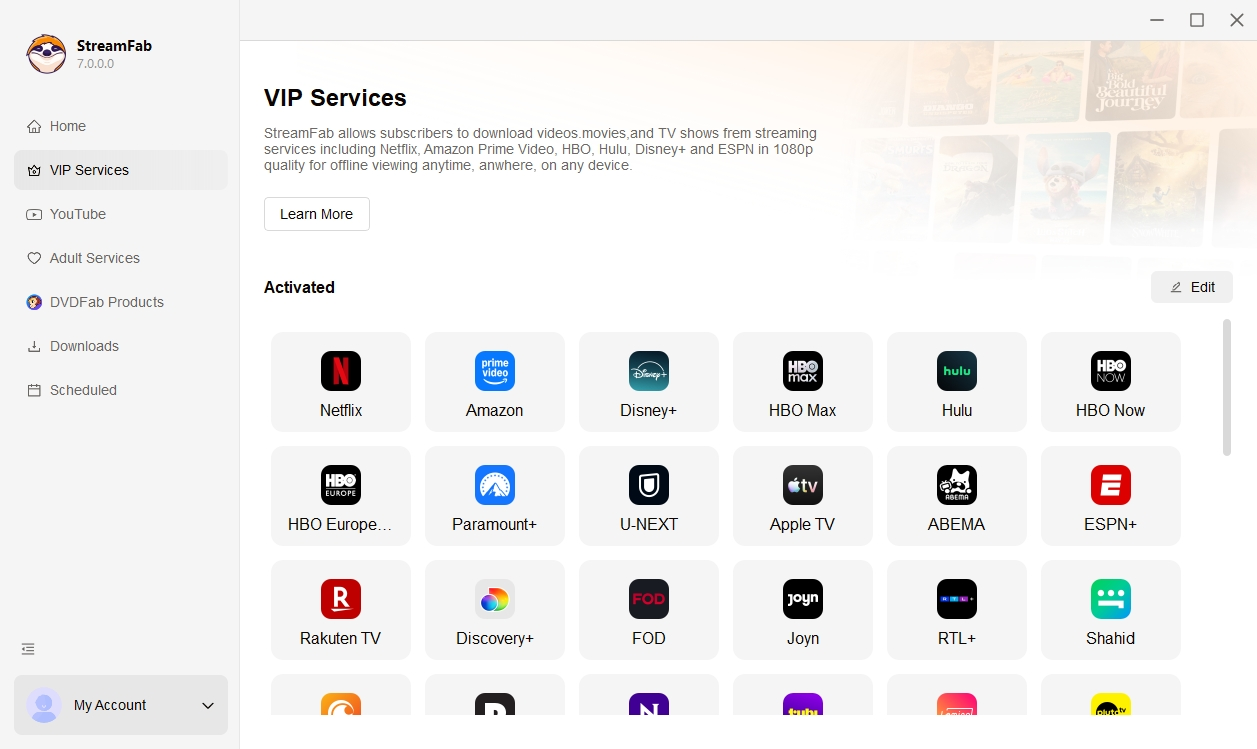
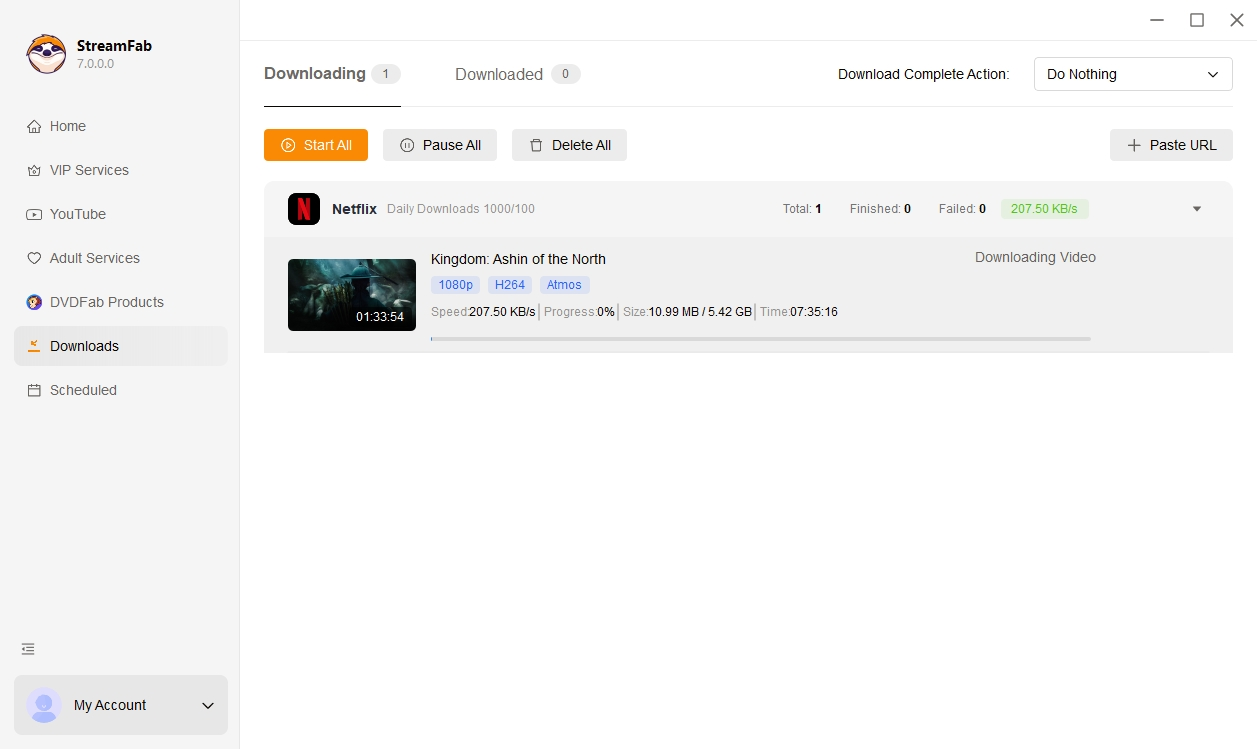
Step 2: Queue authorized movies or episodes. Open a title you are authorized to view, review the detected options, and select Download Now. Additional titles can be added to the queue for batch processing.
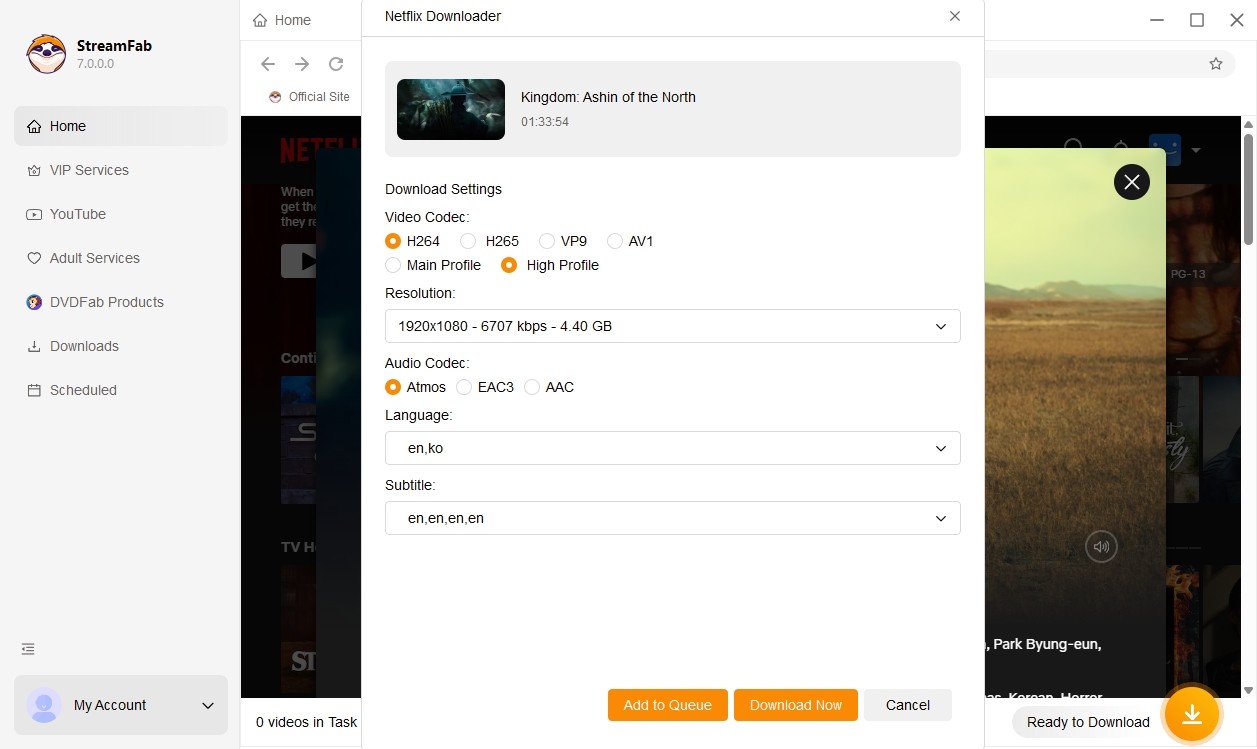
Step 3: Verify the finished local file. Open the saved file in a compatible player and confirm its video, audio, subtitle, and metadata tracks before processing the rest of a series.
Output Quality and Compatibility
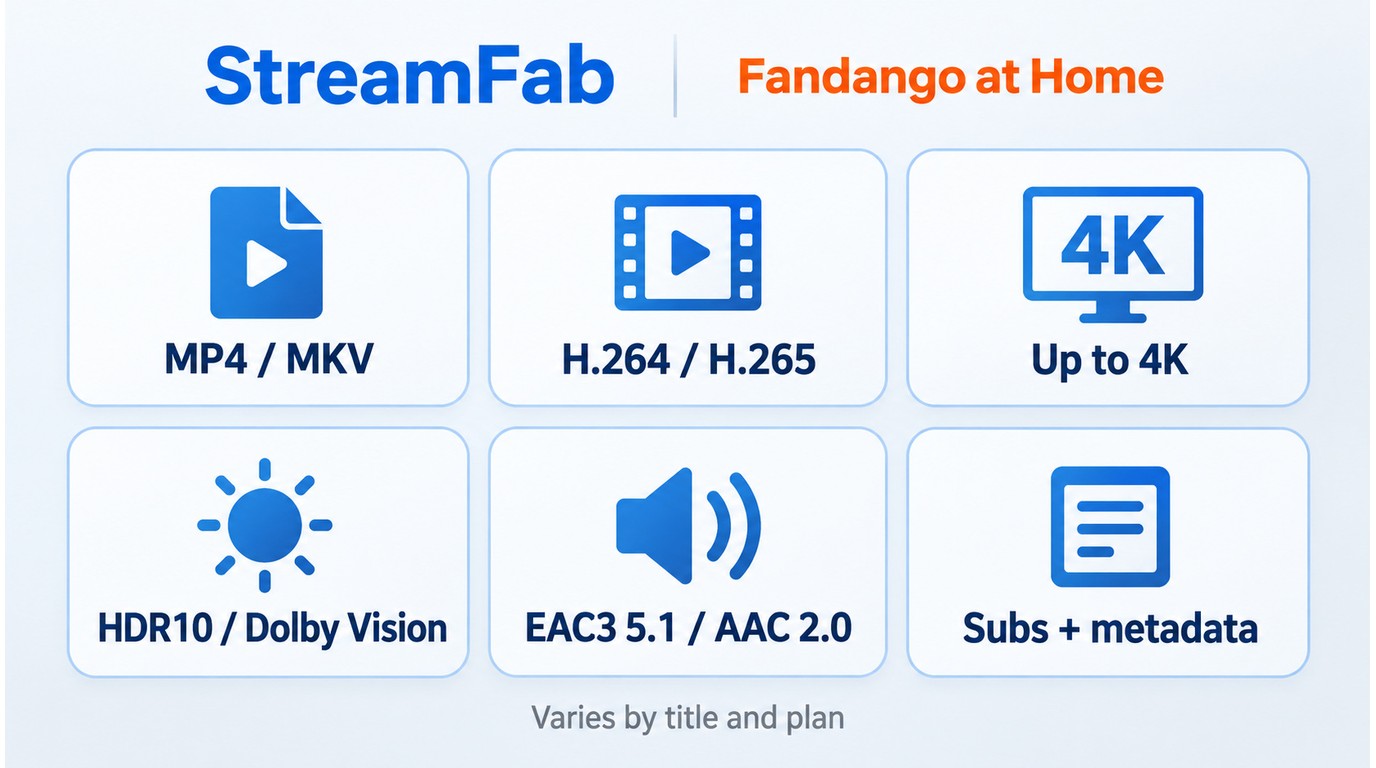
StreamFab supports the following output specifications, but the options detected for an individual Fandango at Home title depend on that title and current service compatibility.
| Specification | Supported options |
|---|---|
| Container | MP4 or MKV |
| Video codec | H.264 or H.265 |
| Resolution | Up to 4K |
| HDR | HDR10 or Dolby Vision |
| Audio | EAC3 5.1 or AAC 2.0 |
| Additional tracks | Subtitles and metadata |
My recommendation is to check one authorized title before queuing a season or collection. If an expected resolution, codec, HDR, or audio option is missing, install the current StreamFab update and follow the product troubleshooting guidance before continuing.
Prepare Files for a Media Server
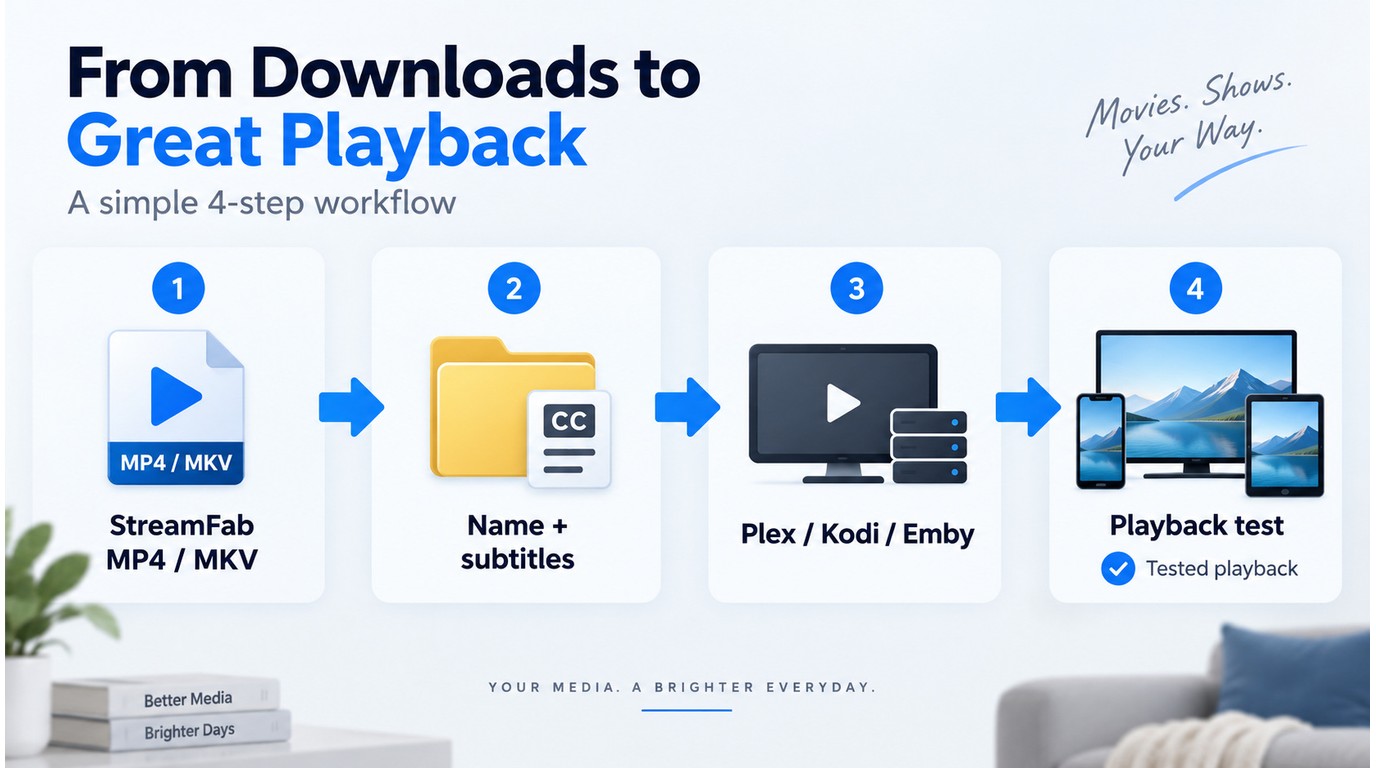
Choose MP4 when broad compatibility across TVs, phones, tablets, and media players is the priority. Choose MKV when you want to keep multiple audio or subtitle tracks together in one container.
Use consistent filenames and folders, save external subtitles beside the matching video, and confirm that language and metadata tags are correct. A structured approach to organizing local Vudu movie files also makes matching titles in Plex, Kodi, or Emby more reliable.
Before importing a full collection, add one file to the media server and check the title match, poster, playback, audio track, and subtitles on the devices you plan to use.
Use RecordFab as a Recorder Fallback
If you prefer a lightweight approach or need to capture dynamic content, RecordFab is a solid alternative. RecordFab offers selectable recording speeds up to 5× on supported sites, while some sites remain limited to 1×. Recording behavior depends on site support, and a black screen can occur on some playback paths. Let's look at one setting that may help.
A black screen during recording can be related to browser hardware acceleration and the playback path used by the GPU. If hardware acceleration is the cause, disabling it in the browser settings may allow RecordFab to capture the video; follow RecordFab's current product guidance if the setting does not resolve the issue.
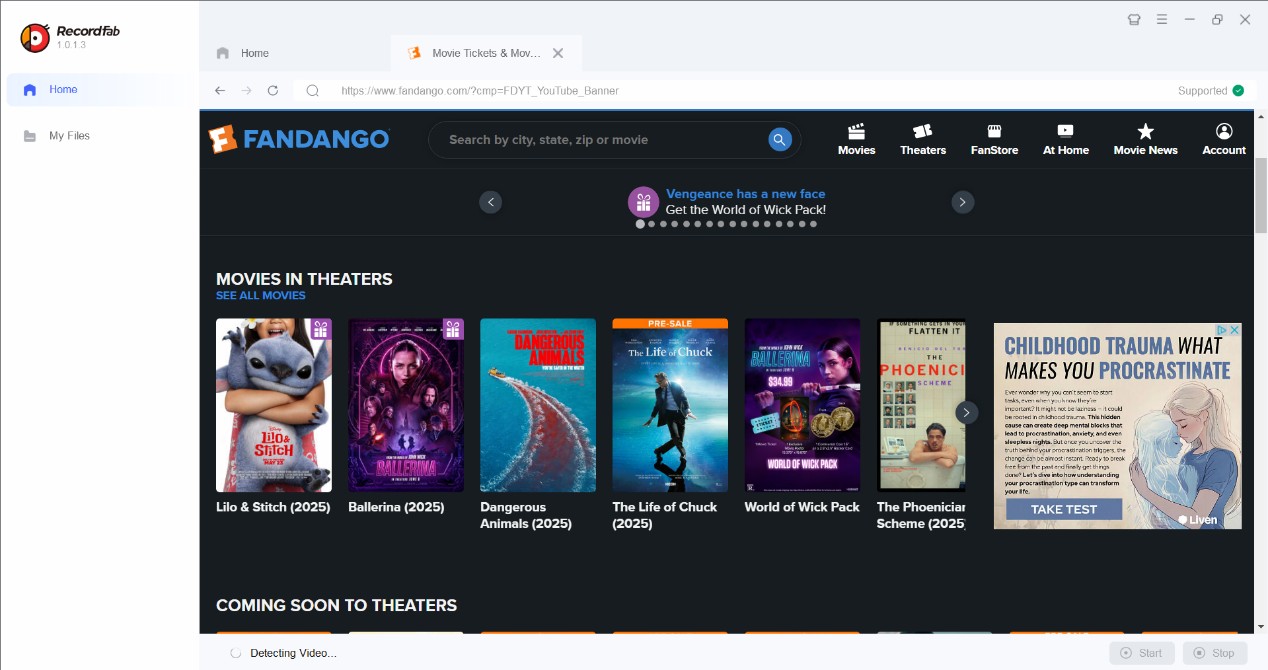
Step 1: Launch RecordFab and access your Fandango at Home library.
Step 2: Start playing the video. Once the playback is stable, click the record button.
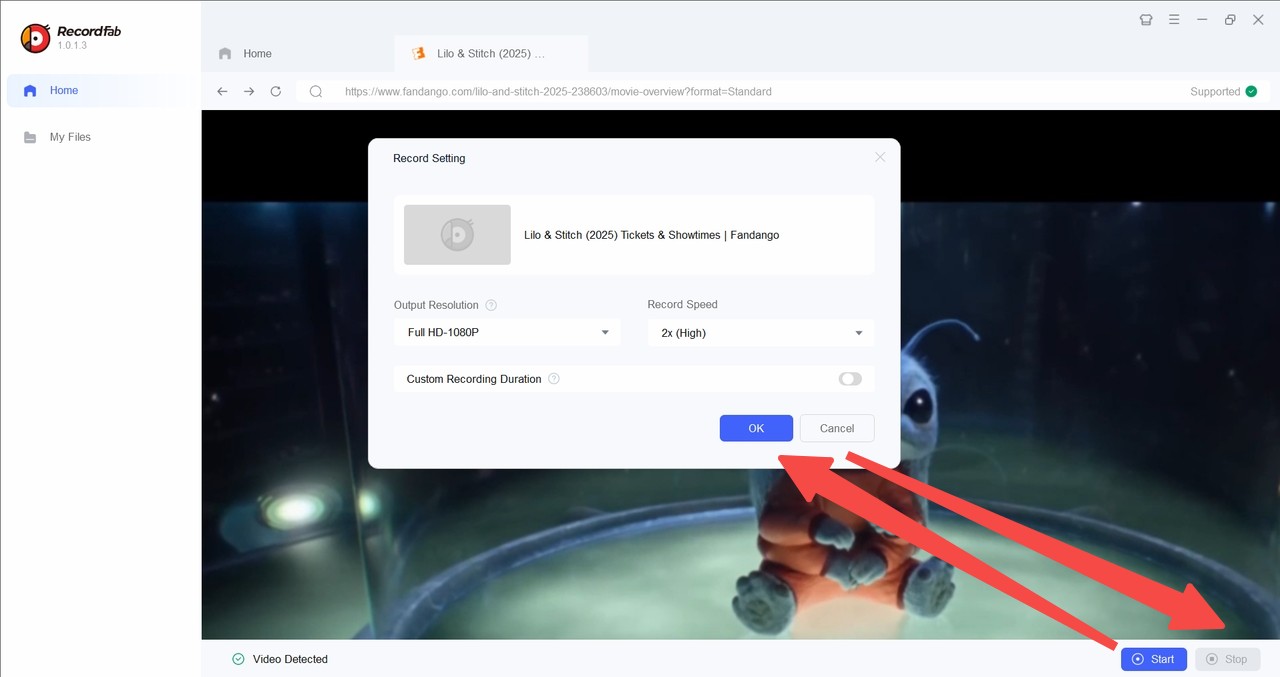
Step 3: Stop the recording when finished to save the MP4.
Downloader vs Recorder: 2026 Verdict
StreamFab creates local files through a downloader workflow, while RecordFab records supported playback. The better fit depends on whether you need batch file handling or a recording fallback.
| Feature | StreamFab Downloader | RecordFab Recorder |
|---|---|---|
| Output | MP4 or MKV | MP4 |
| Workflow | Local-file processing | Playback recording |
| Maximum quality | Up to 4K when available | 720p or 1080p |
| Speed approach | Batch queue | Up to 5× on supported sites |
| Best fit | Batch local-file library | Recorder fallback |
Vudu to MP4 FAQ
Can a free converter turn a Fandango movie into MP4?
A free video converter can re-encode a readable video file, but a download stored inside the Fandango at Home app is not an ordinary MP4 input file. A separate authorized local-file workflow is required before a general converter can process the video.
Is Disc to Digital the same as saving an MP4?
No. Disc to Digital adds an eligible disc title to your digital library. It does not create a portable MP4 file on your computer or media server.
Can I watch purchased titles offline on my phone?
Yes. Eligible purchases and rentals can be downloaded through the Fandango at Home mobile app for offline viewing inside the app. These official downloads are not exported as standard MP4 files.
Does Movies Anywhere create local MP4 files?
No. Movies Anywhere connects eligible purchases across participating digital services, but it does not export those movies as local MP4 files.
Can HandBrake open a Fandango at Home app download?
HandBrake can process readable media files, but an app-bound Fandango at Home download is not presented as a standard source file that HandBrake can import.
Final Conclusion
Choose the official Fandango at Home app when eligible mobile downloads and in-app offline viewing meet your needs. Choose StreamFab when you need an authorized MP4 or MKV local-file workflow with batch handling, and use RecordFab as an active recorder fallback when recording better fits a particular title or playback setup.
If local files are the right fit for your library, you can use the official StreamFab Fandango at Home Downloader trial to check an authorized title and its available output options.

Find the cause of a Fandango at Home playback error by comparing titles, devices, and networks. Follow five troubleshooting steps, use checks for TVs, consoles, browsers, and phones, and repair failed mobile downloads. Learn how authorized desktop MP4 and MKV viewing differs from official app downloads.
By Nicole Lopez - Sep 28, 2026
Vudu (now Fandango at Home) playback errors, app crashes, and download failures are frustratingly common across TVs, browsers, and mobile devices. This guide diagnoses the four most frequent Vudu problem categories — DRM key failures, app version mismatches, geo-blocking, and download slot limits — then provides step-by-step fixes for each. From clearing app cache and switching DNS to resolving Error 3328:898, every solution is tested and verified. For users tired of fighting Vudu's unreliable app ecosystem, the guide also covers a desktop-based offline workflow that sidesteps these issues entirely.
By Nicole Lopez - Sep 24, 2026
Vudu (rebranded as Fandango at Home in 2023) no longer supports native PC downloads, leaving Windows and Mac users without an official offline option. After hands-on testing of three leading Fandango at Home downloaders in June 2026, we compare StreamFab, KeepStreams, and BBFly across speed, output quality, DRM update speed, and price.
By Nicole Lopez - Sep 24, 2026
Fandango mobile downloads stay inside the app, while a PC or Mac library needs portable media files. Compare the two routes, review desktop and recording options, and set up compatible files for Plex. The FAQ covers account access, external drives, Movies Anywhere, and missing audio tracks.
By Marcia Hatcher - Sep 24, 2026