
How to Get Disney+ for Free or Pay Less in 2026

Summary: Disney+ does not currently offer a direct standalone free trial in the United States. A free Disney+ subscription may be available through an eligible provider benefit, while other legitimate Disney+ deals 2026 are discounts rather than free access. The comparison below separates included benefits from discounts, then covers eight legitimate US routes and the renewal details that can change their real value.
Compare Current US Disney+ Deals
How to Get Disney+ for Free or Pay Less in 2026. Disney+ does not currently offer a standalone US free trial. If you are searching for free Disney+, start with benefits included in services you already pay for; paid discounts can reduce the cost, but they are not a Disney+ free trial. Start by checking benefits attached to services your household already pays for, then calculate the full cost of any new plan before subscribing. For example, a household already on a qualifying wireless plan should confirm activation before buying standalone Disney+, while a household considering a new plan should judge that plan on its own merits. A desktop offline workflow is a separate post-subscription choice. As of October 26, 2026, US standalone Disney+ costs $12.49 per month with ads. Disney+ Premium costs $21.49 per month or $214.99 per year. Bundle pricing can lower the effective cost for households that already want Hulu or ESPN+, but a provider inclusion is not automatically the cheapest choice if it requires a plan you would not otherwise buy.
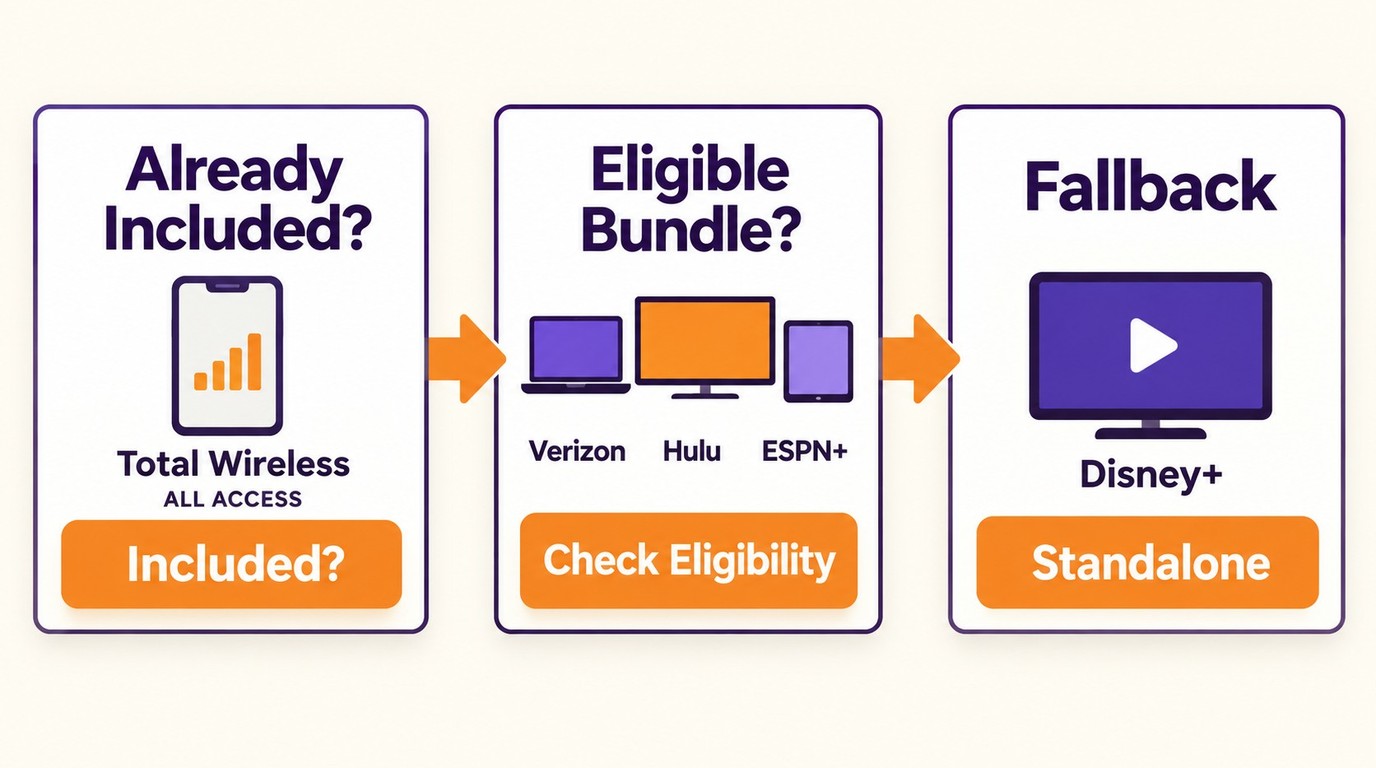
| Route | Access basis | Services included |
|---|---|---|
| Total ALL ACCESS | Paid wireless plan | Disney+ Premium |
| Verizon Disney Bundle perk | Qualifying Verizon plan | Disney+, Hulu, and ESPN+ with ads |
| Student Bundle | US students, age 18+ | Disney+ and Hulu with ads |
| Six-month bundle | Paid promotional term | Disney+ and Hulu with ads |
Legit Ways to Pay Less

1. Extra Member Access Costs Less
An Extra Member is a paid add-on, not a free Disney+ subscription. Before inviting anyone, review the added fee, included tier, renewal terms, and current eligibility rules. It is worth considering only for an arrangement that already meets those rules; otherwise, compare the cost of a separate account.

2. Total Wireless Offers Disney+ on Eligible Plans
Total ALL ACCESS includes Disney+ Premium without a separate Disney+ charge. The qualifying wireless service plan remains paid. Log in to Total Wireless, open Manage Lines or My Extras, select Activate Disney+, and redeem the activation email. The inclusion is useful when the qualifying phone plan already meets your needs; switching plans solely for Disney+ can add costs that outweigh the benefit.

3. Verizon’s $12 Disney Bundle Perk
The current Verizon Disney Bundle perk costs $12 per month plus a qualifying Verizon plan and includes Disney+, Hulu, and ESPN+ with ads. Enrollment in Verizon’s six-month Disney+ Premium promotion ended on May 31, 2026; existing enrollees remain subject to that legacy offer’s terms. Add the current perk through myPlan, then review the first bill and the stated renewal amount.

4. Match a Paid Bundle to Your Household
Open your DIRECTV account’s streaming benefits and use a Disney+ activation option only if it appears in your package. This route makes sense only when the underlying DIRECTV package already fits your household budget and viewing needs.
5. Check Which Streaming Benefit Your Membership Includes
Review the streaming selection shown in your Kroger Boost membership before redeeming it. Confirm whether the benefit lets you select one service rather than a multi-service bundle, then check the benefit period and renewal terms. It is most useful for households that already value the membership’s core benefits.
6. Check Spectrum TV Select Account Benefits
Open your Spectrum TV Select account benefits and activate Disney+ only if that option appears in your account. Treat it as an added benefit to a package you already need, not a reason to add or upgrade a TV plan.

7. Compare Annual and Monthly Disney+ Plans
Eligible service members should use the official Disney+ military eligibility and enrollment process to see whether an offer is available for their account. Compare the displayed terms with standalone Disney+ before enrolling, without assuming a fixed discount or current entitlement.
8. Disney+ and Hulu Promotions May Reduce Monthly Cost
The ad-supported Disney+ and Hulu bundle costs $11.99 per month for six months ($71.94 total), then $12.99 per month. The ad-supported Student Bundle costs $6.49 per month for eligible US students age 18 or older, with SheerID verification and annual re-verification; after eligibility ends, the regular price is $12.99 per month or the then-current regular price. These are paid savings rather than free trials. I recommend choosing either offer only when you meet its eligibility rules and expect to use Hulu regularly.

My rule of thumb is to separate benefits a household already has from plans added only for a discount. Choose by household: existing wireless benefits, student bundles, or monthly billing for short viewing. In each case, total household cost matters more than the headline Disney+ saving.
Avoid Fake Free Disney+ Offers

Skip unofficial account swaps, generated logins, stolen credentials, and marketplace listings with unclear account ownership. These arrangements can create billing, security, and household-policy problems. Use offers with confirmed eligibility from Disney+ or an eligible provider or membership, access them only through authorized account channels, and follow the applicable service terms. A paid benefit with clear ownership and billing terms is more dependable than a supposedly free login with no clear owner.

A Warning on "Account Generators":
You may see sites claiming to provide free Disney+ logins through automated generators. Do not use them. Never enter payment details, reuse a password, or install software to obtain generated credentials. Use confirmed Disney+ or provider activation channels instead.
Reducing a subscription’s cost and managing offline viewing are separate decisions: StreamFab does not lower Disney+ pricing and is relevant only to subscribers who need a desktop offline-viewing option.
Keep Authorized Titles Available Offline
Once subscription cost and billing are settled, desktop offline viewing is a separate need. StreamFab Disney Plus Downloader is separate from Disney+’s official managed-download feature and does not provide a Disney+ subscription or reduce its price. An active Disney+ subscription is required. Save authorized Disney+ titles locally for personal offline viewing, subject to service terms and applicable law. Choose MP4 or MKV output, subtitles, and supported audio-language options for Windows or Mac offline workflows. Available video quality can reach 4K, with source-dependent Dolby Atmos, EAC3 5.1, or AAC 2.0 audio options. For the desktop workflow, see how to download movies on Disney+, and for managed-download constraints, see Disney+ download limits and restrictions.

StreamFab Disney Plus Downloader
Choose the streaming service
Tap the VIP Services on the left channel to find the Disney+ icon. You can also copy and paste your video URL directly into the address bar on the Homepage.

Customize the file
Search for the video and play it, then a pop-up window will ask for your video options. You can choose the audio and subtitle language.

Click the download button
After customization, you can download it right now or add it to the queue.

FAQs about Disney+ Deals
Can I still get a free month or three months of Disney+?
Disney+ does not offer a direct standalone US free trial. Verizon’s six-month Disney+ Premium promotion closed to new enrollment after May 31, 2026; current provider benefits are separate paid-plan inclusions with their own eligibility and activation terms.
Is Disney+ included with Amazon Prime?
No. Amazon Prime does not generally include Disney+ as a standard Prime benefit. A device, membership, or partner promotion may occasionally provide separate access, but that is different from Disney+ being included with every Prime membership.
Can I subscribe to Disney+ without Hulu?
Yes. Standalone Disney+ plans remain available for viewers who do not want Hulu. Disney+ with ads costs $12.49 per month, while Disney+ Premium costs $21.49 per month or $214.99 per year. A bundle can be a better value only when both services fit your household; otherwise, compare the standalone Disney+ price with the promotional bundle cost and renewal price.
What should I check before activating a provider offer?
Confirm the qualifying plan, included Disney+ tier, activation deadline, promotional length, auto-renewal price, and billing owner. Redeem the benefit through the provider, link the intended Disney account email, and confirm which company will bill you; Verizon’s documented migration path may require separately canceling a third-party subscription, and the next bill should confirm the perk without duplicate charges.
Can I get a free Disney+ account without a subscription?
A Disney account login alone does not include a Disney+ subscription. An eligible paid-provider benefit, such as Disney+ Premium with Total ALL ACCESS, can include access without a separate Disney+ charge; Extra Member access is a paid add-on, and generated logins or credential swaps are not legitimate access routes.
How can I get free Disney+ with a plan I already have?
Start with the streaming benefits in the provider account you already pay for. Total ALL ACCESS includes Disney+ Premium without a separate Disney+ charge; open Manage Lines or My Extras, select Activate Disney+, and redeem the email offer. Verizon’s current Disney Bundle perk is a separate $12 monthly charge rather than a free trial.
Conclusion
First decide Disney+ access by total household cost, not the advertised value of a perk: start with benefits attached to services your household already uses, and add a provider plan only when its core service fits your budget; otherwise, compare the current discount with standalone Disney+. Then, for an active subscriber with a recurring Windows or Mac offline-viewing need, StreamFab can be considered as a separate desktop local-file workflow. It does not change the subscription decision or Disney+ price.

If you have no idea how to download movies from Disney Plus on your Mac, here are 3 tested solutions that can help you. All 3 methods' availability has been tested. Extra comparison sheet on their functions and user experience, and specific guide on operating them include. The StreamFab Disney Plus Downloader shows the best compatibility with DRM, thus it is the most recommend method.
By Marcia Hatcher - Nov 3, 2026
Disney Plus has a massive content library. Sadly, the videos are not available for download on computers. I share a safe method to rip movies from Disney Plus in this article.
By Erika Leen - Nov 2, 2026
Disney Plus video download limits disappointed us a lot. Read this post to get what to do when Disney+ download limit reached.
By Erika Leen - Nov 2, 2026
Frustrated because Disney Plus isn’t working? Whether you’re experiencing endless buffering, login issues, or error codes, this guide will help you troubleshoot and fix your streaming problems quickly!
By Marcia Hatcher - Oct 28, 2026