
How to Rip Disney+ Movies to MP4 on PC: 4K Workflow for 2026

Summary: Disney Plus has a massive content library. Sadly, the videos are not available for download on computers. I share a safe method to rip movies from Disney Plus in this article.

Here's the short answer: if you're searching for a Disney+ PC download, the immediate obstacle is that official offline viewing stays inside supported mobile apps, not a normal MP4 file on your laptop. That's by design, not a bug, and understanding why is the fastest path to a working setup on Windows or Mac.
I pay for Premium and expected to watch anywhere. On a 500 Mbps fiber line with a new Lenovo laptop, I still couldn't get a Disney+ movie to play offline on the PC itself. The official download function is mobile-only, and it's bounded by Disney+ download limits and restrictions like storage Windows and device caps.
This guide walks the same route I took: why PC downloads are limited (including a plain-English Widevine note), how to pick MP4 vs MKV and H.264 vs H.265, an authorized Windows/Mac workflow, and what the output file actually contains — with 4K, HDR10, and Dolby Atmos framed as availability-dependent outputs, not guarantees.
Why Disney+ PC Downloads Are Limited
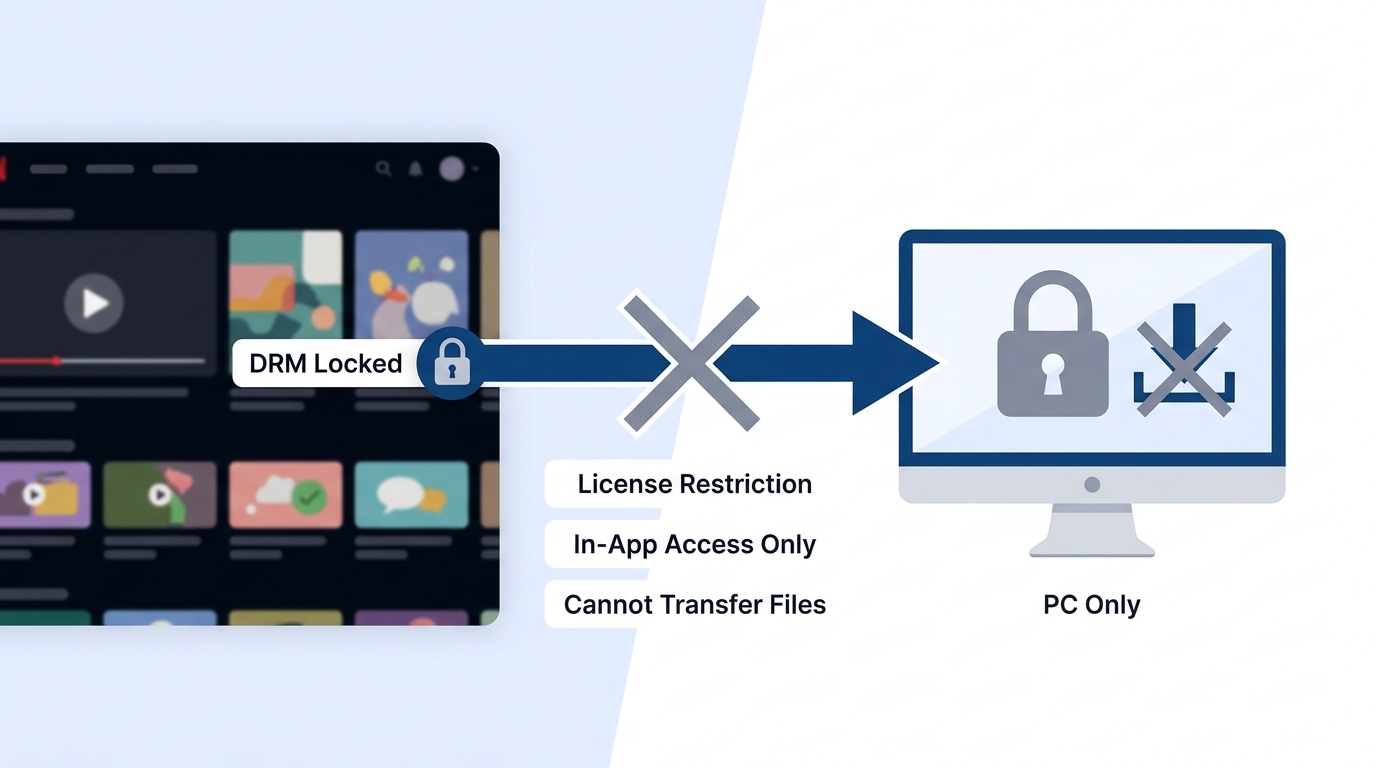
Disney+ offline viewing was built for phones and tablets. That's the first thing to accept before shopping for tools: the platform decides where a downloaded title can be played, what quality it ships with, and how long the license stays valid. Understanding those constraints is more useful than blaming your internet speed.
Before I found a workflow that actually produced a file I could play on my laptop, I tried the usual suspects:
- Browser extensions — most stop at Disney+'s content protection and quietly fail.
- Screen recording — quality loss, audio sync drift, very large files, no batch queue.
- Free online tools — inconsistent output, ad-heavy sites, real security risk.
- Other downloaders — mixed results on resolution, audio tracks, and stability.
A dedicated desktop downloader such as StreamFab Disney+ Downloader is one practical option on Windows and Mac when you have an active subscription. It's not the only path — screen recording and the official app still have valid use cases — but it's the one that treats a Disney+ movie the way you'd expect any local video file to behave.
How the Official Download Actually Works
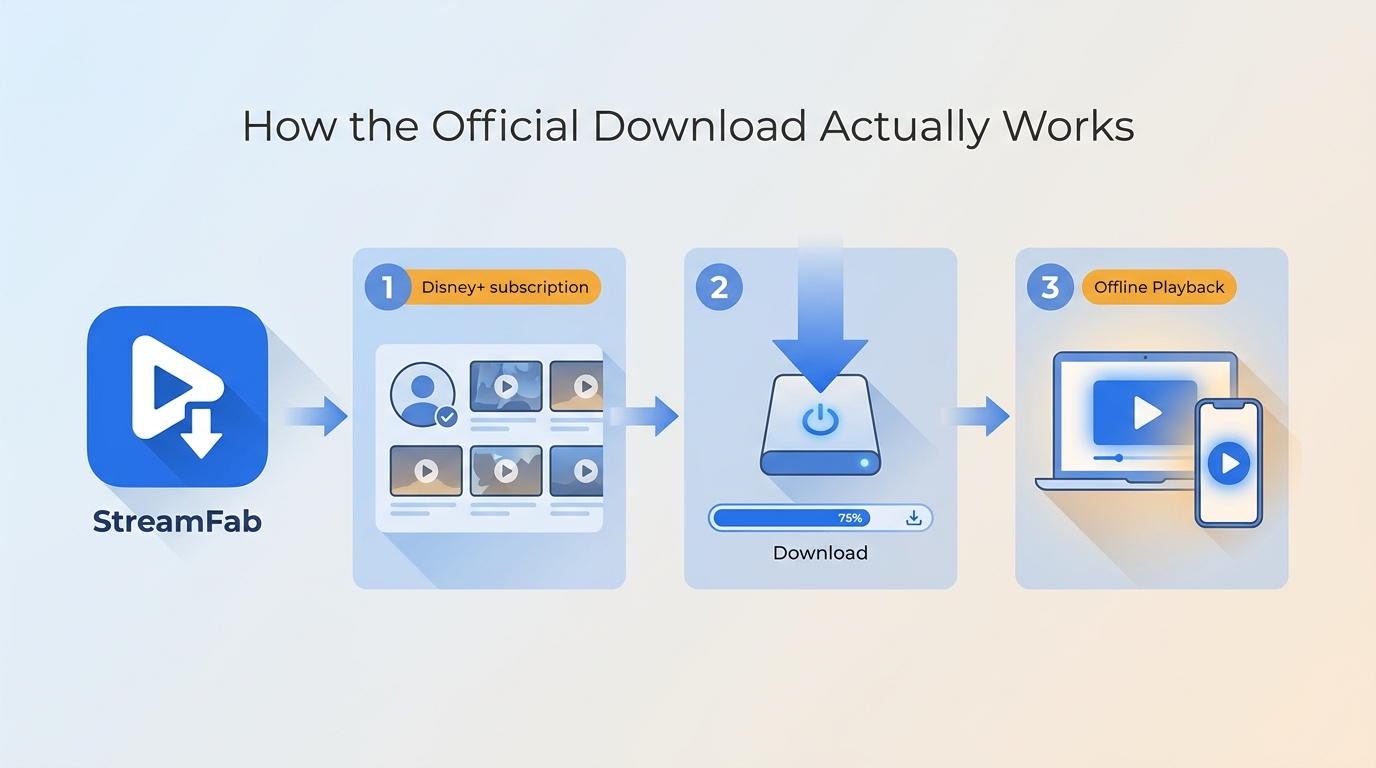
Three things about the official Disney+ download shape every decision that follows: where it plays, how good it looks, and how long it lasts.
Official Downloads Stay Inside the App
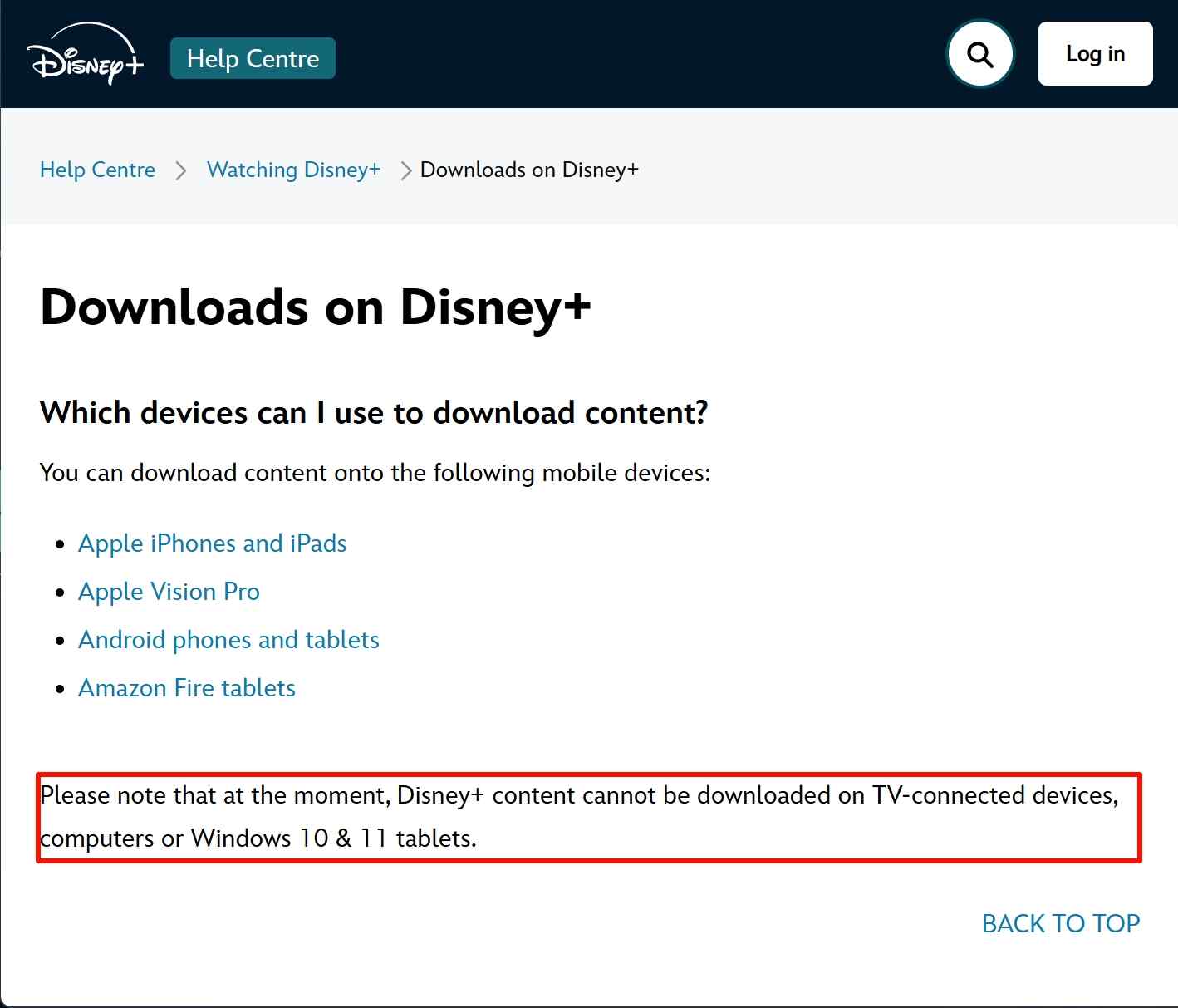
The offline function lives inside the Disney+ mobile app. You can save titles on supported phones and tablets, but not to a normal file on Windows or Mac — even on a Windows 11 tablet, the desktop client no longer provides an offline mode. If you're on Mac specifically, we cover platform-specific setup in the guide to download Disney+ movies on a Mac.
Widevine Helps Explain the Quality Caps
Before we look at the file itself, one piece of context makes the rest of the article easier to read. Streaming platforms use a content-protection system called Widevine, and Google certifies devices at three security levels — L1, L2, and L3. In broad strokes, L1 devices can decode premium video paths (up to 4K/HDR on many services), while L3 devices (or non-certified paths) are typically capped at lower resolutions and SDR. Your plan, the specific title, the region, the app version, and device certification all interact to decide what a given "High Quality" download ends up looking like.
That's why the same subscription can deliver Ultra HD on one device and 720p SDR on another. It's not usually your bandwidth — it's how the pipeline was licensed for your setup. Once I stopped assuming a Premium plan guaranteed 4K everywhere, the app's behavior below made a lot more sense.
What the Mobile "High" Setting Actually Delivers
With PC out of the picture, I pulled out my phone to see what the "High Quality" setting really produces. I tested a 37-minute episode of Secret Invasion, and the numbers were underwhelming:
| Quality Option (In-App) | Download Time (Est.) | File Size (Actual) | My Findings (The Kicker) |
|---|---|---|---|
| Standard | ≈ 2 mins | 282.5 MB | Blurry, only good for small screens |
| Medium | ≈ 4 mins | 435.2 MB | Barely acceptable |
| High | ≈ 14 mins | 1.4 GB | SDR / 2.0 Stereo ONLY |
Selecting "High" took about 14 minutes on a 500 Mbps connection and ate 1.4 GB of phone storage. When I checked the file, it was SDR video with 2.0 stereo audio — not the Ultra HD tier the Premium plan advertises for streaming. This is one device and one title, so treat it as a data point, not a universal rule; the Widevine and certification context above explains why results vary so much between devices.
Dolby Vision Availability Changed in 2026
One more shift worth flagging: as of June 2026, community reports indicate Disney+ removed Dolby Vision playback for many users, and availability may now vary by title, device, and region. If you specifically chose Premium for Dolby Vision, that expectation may no longer hold on every setup. HDR10 and Dolby Atmos are still reported on many titles, so the practical value proposition today is "true 4K where available, HDR10, and Atmos" rather than a universal Dolby Vision promise.
Beyond quality, the official download also comes with plan and time-based conditions — the ad-supported tier does not support downloads, saved titles need periodic online revalidation, and Hulu-on-Disney+ integration adds title-by-title inconsistencies. Those specifics change often; the sibling guide on Disney+ download limits and restrictions tracks them in more detail.
Choose the Right Local File Settings
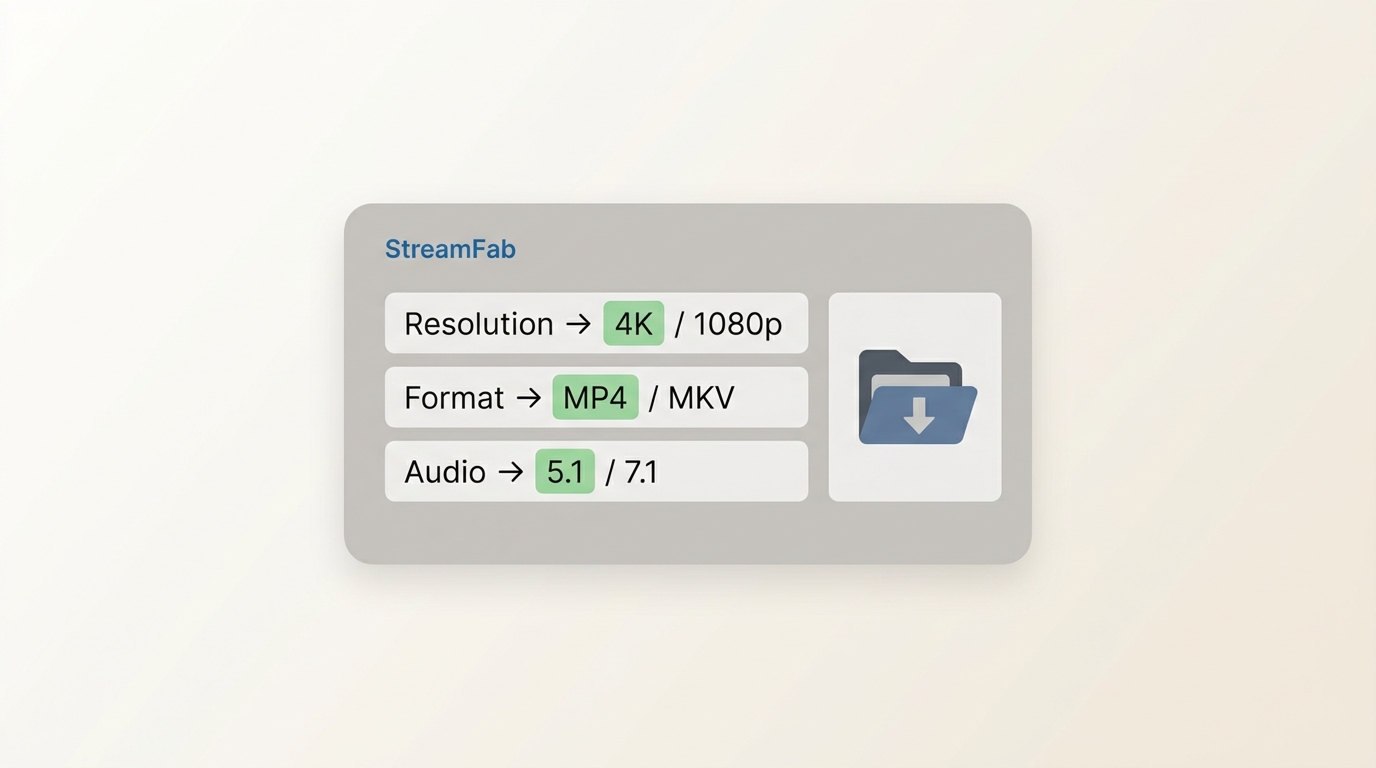
Once you're set on a desktop workflow, three format decisions shape the file you end up with. None of them are universally "best" — they trade off compatibility, size, and flexibility.
MP4 or MKV
MP4 is the compatibility default. Every phone, TV, browser, Plex client, and rental car headrest plays MP4 without complaint. MKV is more of a container for enthusiasts: it holds multiple audio tracks and subtitle streams cleanly, which matters if you want the original English 5.1 plus a dubbed language and forced subtitles in one file. My take: pick MP4 unless you already know why you want MKV. Switching later is a remux, not a re-download.
H.264 or H.265
H.264 (AVC) is the safest codec — anything with a screen can decode it. H.265 (HEVC) is roughly 30–50% smaller at similar quality, which is a real win for 4K files, but older TVs and some browsers still struggle with it. My take: pick H.264 if you plan to move files across a lot of devices; pick H.265 if your target players (recent Apple TV, current smart TVs, modern PCs) all support it and you care about disk space.
Audio Tracks and Subtitles
For audio, EAC3 5.1 and Dolby Atmos preserve the theatrical mix when the source offers them; stereo AAC is the fallback. For subtitles, external SRT files stay editable and can be turned off cleanly; remuxed (soft-embedded) subtitles travel inside the file itself. If you tweak subtitle timing or fonts often, external SRT is easier — the Disney+ subtitle settings guide covers the finer controls.
My take across all three: MP4 + H.264 + external SRT is the boring but bulletproof default for most Windows users; step up to MKV + H.265 only when you actually need multi-track or 4K disk savings.
A Practical Windows and Mac Workflow
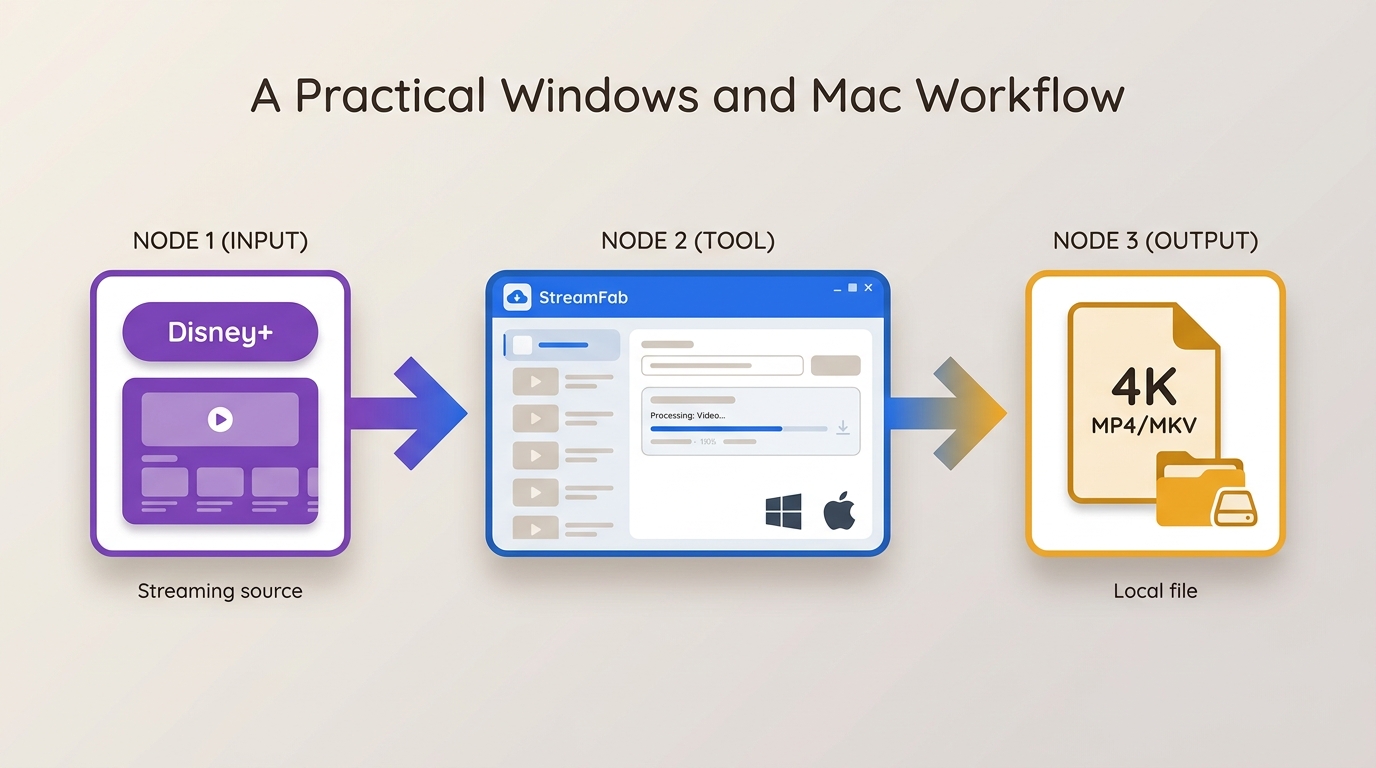
Before the walkthrough, a quick reset on ground rules: this workflow only applies to content you're authorized to access with an active Disney+ subscription, for personal offline viewing, where permitted by the platform's terms and your local law. Detailed safety and boundary notes come later in the article.
The methods people actually consider for local Disney+ playback fall into three buckets. Comparing them by method type — rather than lining them up as interchangeable "downloaders" — makes the trade-offs easier to see.
| Dimension | Disney+ Official App | StreamFab Disney+ Downloader | MovPilot Disney+ Downloader | EaseUS RecExperts (Screen Recording) |
|---|---|---|---|---|
| Method type | Platform-native offline | Desktop downloader | Desktop downloader | Screen recorder |
| Device support | iOS / Android only | Windows, Mac | Windows, Mac | Windows, Mac |
| Playback location | Disney+ app only | Any player | Any player | Any player |
| Quality ceiling | Up to 1080p SDR in my test | Up to 4K where available | Per vendor's official site | Bounded by screen output |
| Container | Proprietary, app-bound | MP4 / MKV | MP4 / MKV | MP4 / MOV |
| Audio & subtitles | Fixed by app | Multi-track, SRT / remux | Per vendor's official site | System audio, no soft subs |
| Best fit | Short mobile trips | PC/Mac local files, batch | Alternative desktop option | One-off clips |
| Key limitation | App-bound, revalidation | Paid desktop app | Details vary — see vendor | Real-time, sync risk |
My reading of the table: the official app is fine for short mobile trips, screen recording is a decent fallback for a single clip, and desktop downloaders exist because none of the above produces a normal MP4 you can move around freely. Which desktop tool you pick is a fit question, not a leaderboard.
To follow the desktop workflow below, you'll need three things:
- An active subscription to the Disney Plus account
- Windows PC or Mac device with an active internet connection
- Trusted and robust Disney Plus downloader
These three things will help you rip your Disney Plus titles and watch Disney+ offline on computers or transfer them to USB and play on any device without hassle.
Who StreamFab Fits — and Who It Doesn't
StreamFab Disney+ Downloader is a desktop app for Windows 11/10 and Mac that saves authorized Disney+ titles as MP4 or MKV, with selectable resolution up to 4K where available, HDR10, EAC3 5.1, and Dolby Atmos when the source offers them. Batch queues and scheduled episode downloads are the parts I use most. Pricing runs on monthly, yearly, and lifetime plans (current figures on the product page), with a free trial of 3 full videos per service so you can verify quality on your own titles before paying.
It's a good fit if you need PC or Mac playback, want selectable containers and audio tracks, or download whole seasons overnight. It's not the right tool if the mobile app already covers your offline needs, if you only want a single clip (a screen recorder is simpler), or if you're looking for a way to watch Disney+ without a subscription — this workflow still requires an active, authorized account. Disclosure: this article is published by StreamFab; where relevant I compare it against the alternatives listed above rather than presenting it as the only option.

Key Features
- Access and manage Disney+ videos available in the highest quality your subscription and device support—such as 4K and 1080p
- Automatically rip new TV shows and episodes at scheduled time from Disney+
- Get Disney Plus content in commonly supported MKV/MP4 format on your device
- Rip subtitles of multiple languages and save them in videos as SRT files or remux into videos
- Add multiple Disney+ videos to the task queue for ripping and save your time
The core distinction between the two paths is what you end up holding. The official offline download is a bundle of encrypted, fragmented data that only the Disney+ app can play, and it needs periodic revalidation. A desktop-workflow output is a normal MP4 or MKV file that behaves like every other video on your computer — copy it to a USB drive, drop it in Plex, or open it in VLC. Playback of those saved files still depends on your player, format support, and applicable service terms; they are not a substitute for an active subscription.
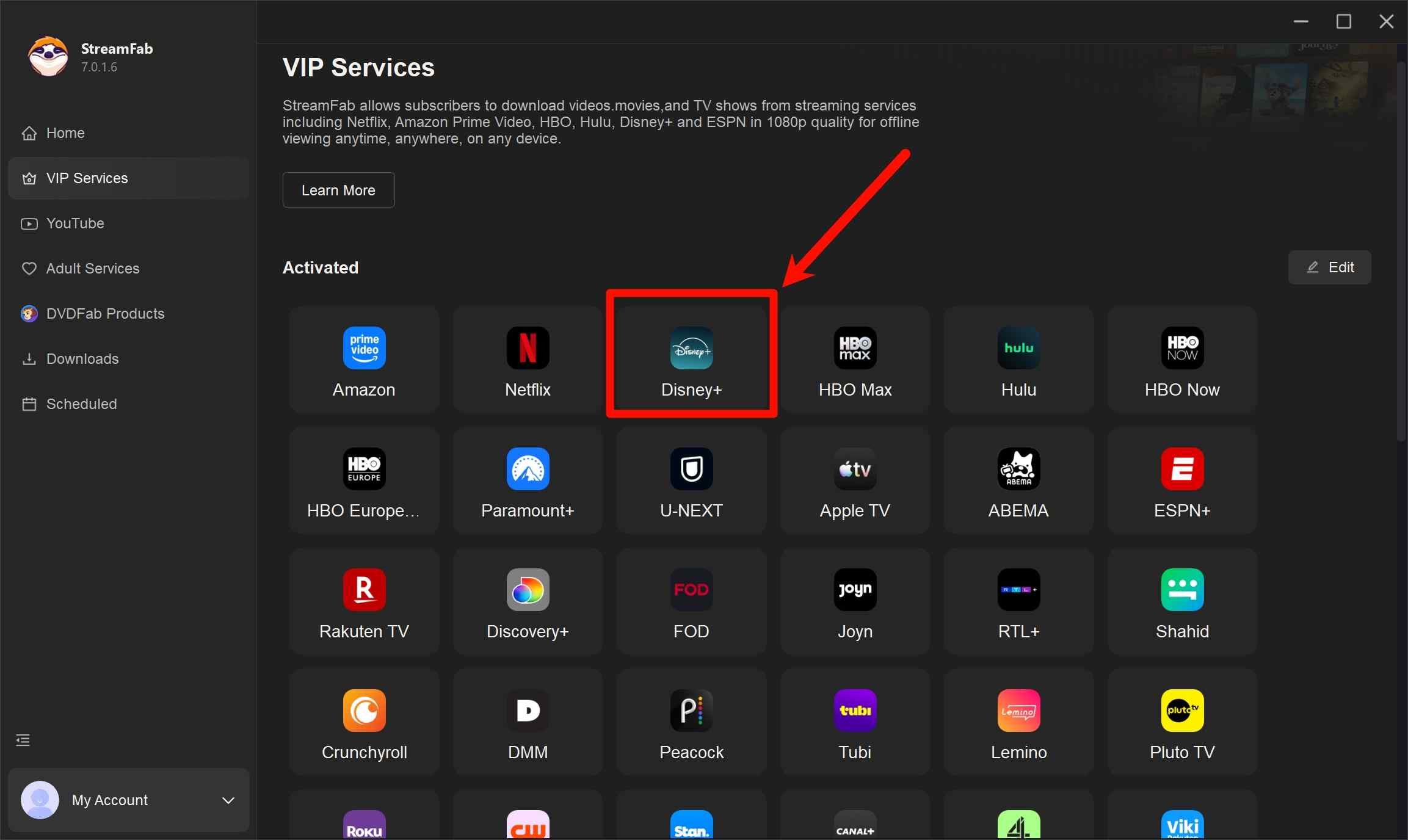
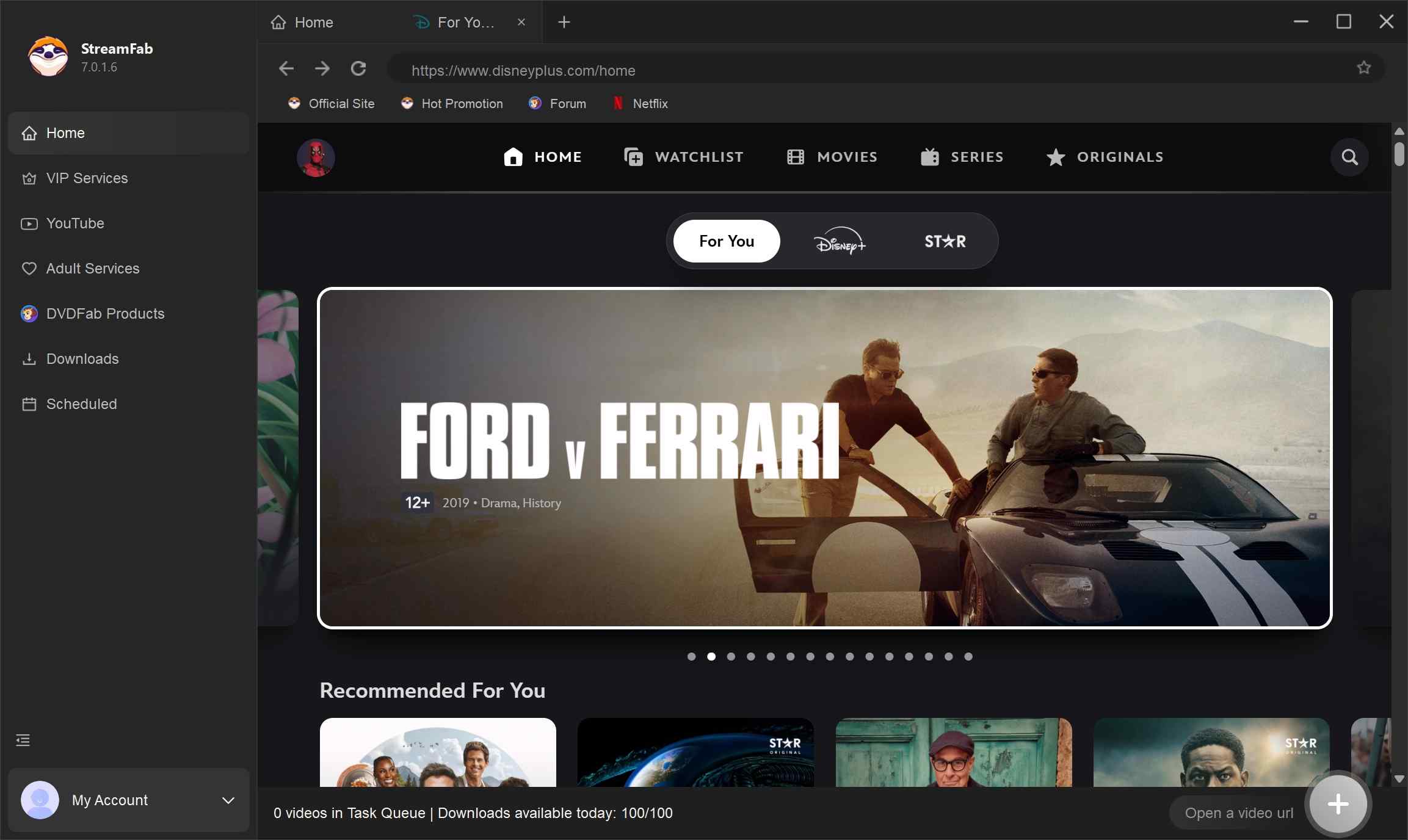
Save an Authorized Disney+ Title with StreamFab

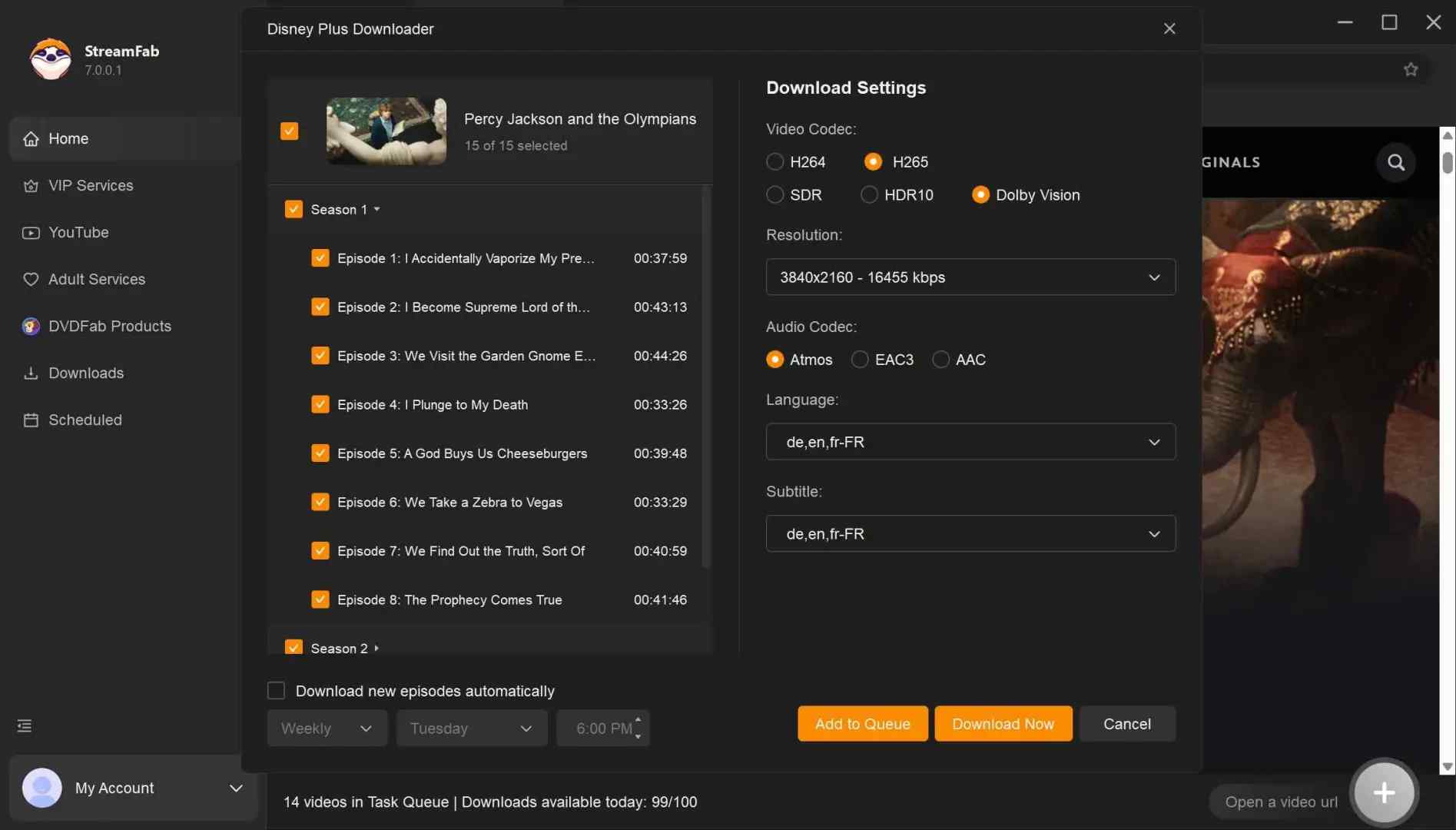
When I went to download Percy Jackson and the Olympians (37 minutes), I could freely select the 4K, Dolby Vision version, check the box for the Dolby Atmos audio track, and save it all as a .mp4 file. You probably will never see the same options on that Disney+ app. Go on and check how I achieve this.
What the Output Actually Contains
Here's what one test file looked like. Treat the numbers as a single data point on one title, not a guaranteed profile — resolution, HDR flavor, and audio all depend on the specific title, region, plan, and source availability at the time.
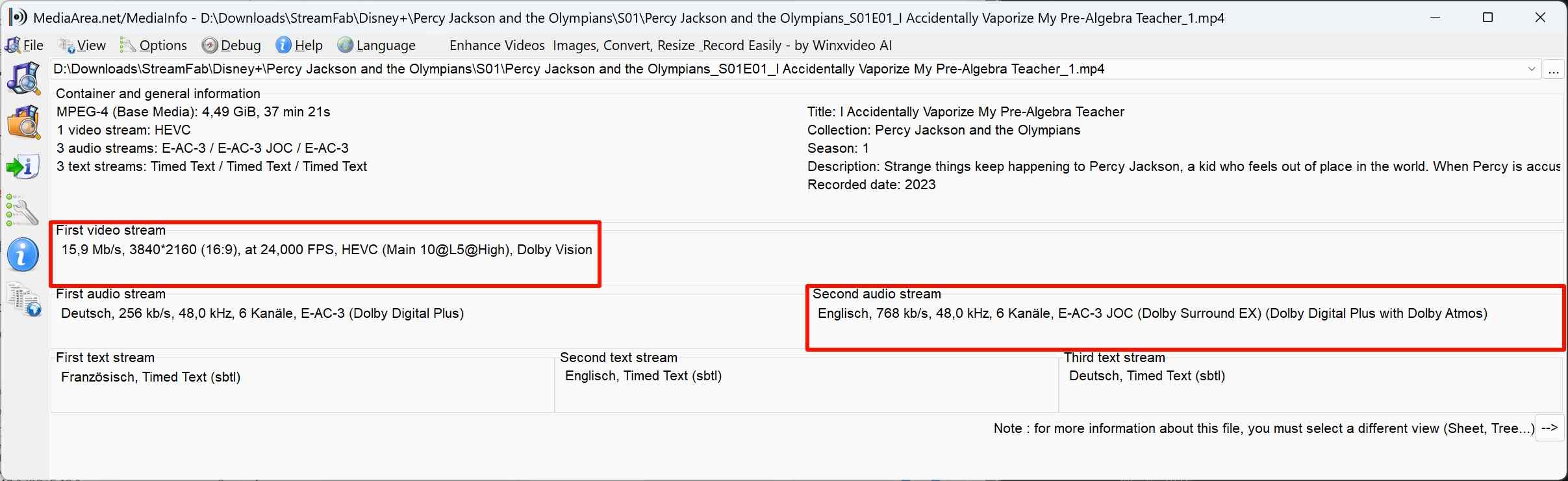
| Spec | Value in this test file |
|---|---|
| Container | MP4 (MKV also selectable) |
| Codec | H.265 (HEVC) |
| Resolution | 3840 × 2160 (4K) |
| HDR | HDR metadata present (varies by title) |
| Audio | Dolby Digital Plus with Atmos |
| Subtitle mode | External SRT (remux also supported) |
| Playback destination | VLC, Plex, TV via USB, NAS |
Since MP4 is the container of choice here, the sibling walkthrough on how to save Disney+ videos as MP4 covers title-picking and settings in more depth than I want to repeat on this page.
Playback and Transfer Options
Because the output is a standard file, you can move it the way you'd move any other MP4: copy to USB or an external SSD, drop into a Plex library, or leave it on a NAS for AirPlay or DLNA. That's the practical value of a real container — no companion app, no revalidation timer, no "this device isn't authorized" popup when you want to watch on a different TV.

Safety, Access, and Personal-Use Boundaries
Before we get to the FAQs, one consolidated pass on boundaries. This workflow is only appropriate for content you're authorized to access — an active Disney+ subscription and titles you can normally play in your account — for personal offline viewing, where permitted by the platform's terms and your local law. Redistribution, uploading, public screening, sharing outside the household, and commercial use are not covered by this workflow.
On the safety side, I uploaded StreamFab's installer to a multi-engine scanner (VirusTotal) and saw no high-risk flags on the version I tested; installation and normal operation didn't produce unusual network activity or popups. That's a time-bound check on a specific installer, not a permanent security certification — the version you download later may differ, so rescan if you're unsure. Keep saved files private, and if you want a long-term collection consider buying digital copies or physical discs instead.
My Recommendation: The annual plan offers the best value at just $4.17/month—less than a single Disney+ subscription payment. If you download more than 10 movies per year, it pays for itself compared to buying digital copies.
FAQs
Why does a Disney+ download show only 720p or SDR?
Quality is decided by a mix of factors: your plan, the specific title, region, app version, and — crucially — device certification under Widevine (L1 vs L3). Even a Premium subscription can serve 720p SDR on a non-L1 device or a title without a higher-tier source. It's usually not your internet speed.
Can I move a saved Disney+ video to a USB drive?
Not the official app download — those files are app-bound and can't be copied out. A desktop-workflow output (an MP4 or MKV file) can be moved like any other video, so USB and external drives work normally. Keep the files for personal use only.
What should I do if a site asks for a "Disney+ downloader code"?
Treat that as a red flag. Don't paste unknown scripts, browser tokens, cookies, or so-called activation codes from random forums — that's how account theft and malware happen. Use a documented desktop application and sign in through its normal Disney+ login screen; there's no legitimate "code" you need to fetch from a third-party site.
Is a desktop Disney+ downloader suitable for everyone?
Honestly, no. It's useful if you need authorized Windows or Mac local-file playback, multi-track audio, or batch/scheduled episode saves. If the mobile app already handles your offline viewing, or you're looking for a way around a subscription, it's not the right tool — an active Disney+ account is still required.
Conclusion
Coming back to where we started: official Disney+ downloads are designed for mobile, app-bound, temporary use — and that's genuinely the right tool if your offline needs stop at a phone or tablet on a plane. If you want PC or Mac playback, selectable formats, multi-track audio, or batch and scheduled episode saves, a desktop workflow is what actually solves the problem.
StreamFab Disney+ Downloader is the desktop option I use for that second scenario, on content I'm authorized to access with an active subscription. It's not a way around a subscription and it's not the only path — pick it because the fit is right for your setup, not because someone called it the only tool that works.

Officially, you cannot download Disney Plus movies on a laptop natively. This post explores solutions to batch download Disney Plus series and movies in 4K HDR10 for personal offline viewing without black screen errors.
By Erika Leen - Sep 16, 2026
No online converters work due to recent DRM CDM updates. Discover the definitive technical method to bypass hardware acceleration black screens and securely archive Disney Plus to MP4 in true lossless 4K for your Plex library or USB storage.
By Erika Leen - Sep 15, 2026
This article will explain to you what the protected content license error of Disney Plus is, and then teach you eight ways to resolve this problem.
By Jacob Harrison - Aug 26, 2026
You may encounter balck screen when recording Disney+ movies. Here, we will tell how to screen record Disney Plus on iPhone, Android, PC, and Mac. without errors
By Nicole Lopez - Aug 25, 2026