
NCH Debut Video Capture Review 2026: Free Limitations & Alternatives

Summary: NCH Software Debut Video Capture is a practical choice for screen, webcam, and device capture, but it is not designed for advanced live-production controls or a streaming-service local-file download workflow. This Debut software review explains its licenses, current releases, audio setup, and MP4 export.
NCH Debut Overview and Current Versions
As of Aug 2026, NCH lists Debut 13.01 for Windows, released April 16, 2026, and Debut 13.03 for macOS, released July 1, 2026. For everyday use, capture source selection, system-audio routing, and a repeatable MP4 save process matter more than an unverified headline performance comparison.
Features and Capture Sources
Debut is a general-purpose Debut video recorder rather than a streaming-specific utility. NCH documents capture from the full screen, a window or region, webcams, network cameras, and connected capture devices, with scheduling, multi-monitor use, audio-source selection, overlays or effects, and several output formats.
| Capability | What Debut is designed to capture |
|---|---|
| Screen capture | Full screen, selected window, or region |
| Video inputs | Webcam, network camera, or connected capture device |
| Recording controls | Multi-monitor selection, scheduling, audio choices, and overlays or effects |
| Output | Multiple file formats, including an MP4 workflow |
For simple tutorials, webcam recordings, and capture-device projects such as digitizing personal footage, that focused workflow is Debut's clearest strength.
Setup Checklist
The checklist below identifies the build, source, audio route, output choice, and outcome to record when configuring Debut. It is a setup framework, not a benchmark report. Outcomes can vary with the connected device, operating-system permissions, and encoder settings.
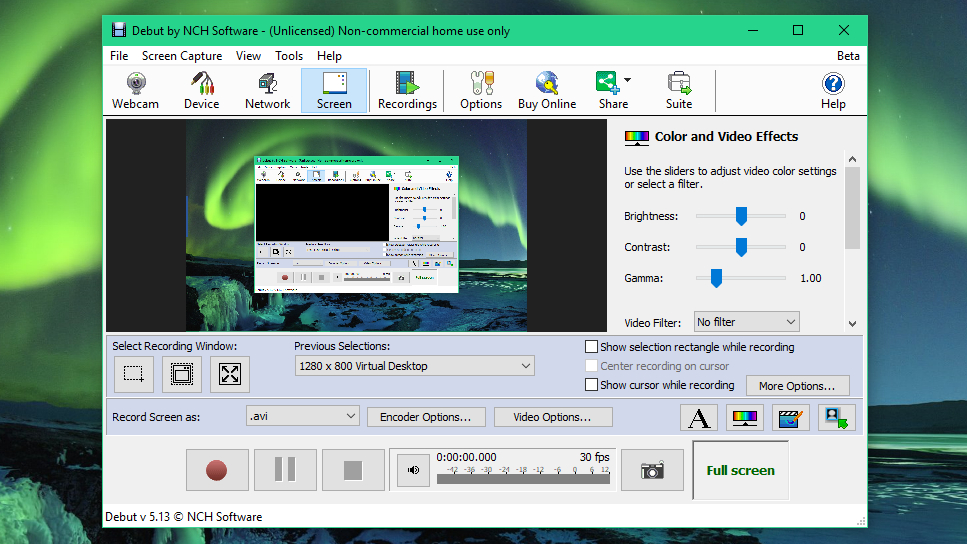
- Windows configuration:Debut 13.01 on Windows 11; note the source, resolution, frame rate, audio route, output format, and result.
- macOS configuration:Debut 13.03 on macOS; note the source, audio permissions and route, output format, and result.
- What to confirm:Audio synchronization, output-file playback, file size, capture stability, and setup friction.
Free Use and License Limits
Debut has a free edition for non-commercial home use. The important limitation is the permitted use case, not a blanket assumption that every installation has the same feature cap or prompt behavior.
NCH's product page describes the free edition as non-commercial home-use software, while an official knowledge-base answer uses broader wording about restrictions. Because those descriptions do not fully match, treat any prompt or feature difference as build- and license-specific rather than universal. A paid license is the clearer route when the recording is part of commercial work.
Home vs Professional Licenses
The practical distinction is licensing: Home is a perpetual non-business license, while Debut Professional is intended for commercial use and is offered through perpetual and quarterly options.
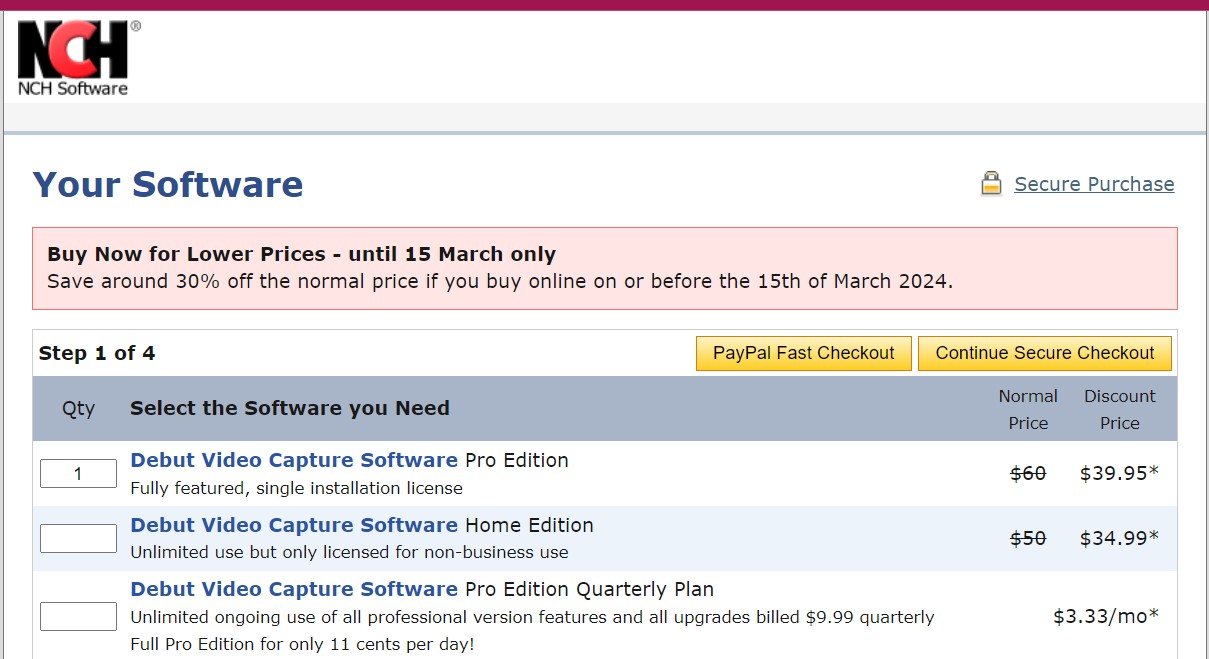
| License | Payment model | Appropriate use |
|---|---|---|
| Free | Free edition | Non-commercial home use |
| Debut Home Edition | Perpetual license | Non-business use |
| Debut Professional | Perpetual or quarterly option | Commercial use |
For most readers, the decision is straightforward: choose Home for non-business recording or Professional when commercial rights are required.
Windows and Mac Setup and Workflow
Debut recording software can handle the same basic capture jobs on Windows and Mac, but the operating systems differ most in audio permissions and device routing. Use the same source, resolution, frame rate, audio route, and output format when comparing your own recordings across platforms.
On Windows, start by selecting the screen, window, region, webcam, or device input, then confirm that the intended system and microphone sources are selected. A short recording is more useful than a headline CPU figure: play back the result before committing to a longer session.
System Audio Differences
On macOS, system-audio capture can require additional permissions or an audio-routing setup, depending on the current Debut build and the source being recorded. Community discussions describe configuration friction when recording game audio and a microphone together, but that is a setup concern rather than a universal outcome. Confirm the selected audio route with a short test and keep the route unchanged for the final recording.
MP4 Output and Save Workflow
- Select the capture source and the audio route you intend to use.
- Choose MP4 in the output settings, then select the available encoder and quality options that fit the project.
- Set a recognizable filename and destination folder before recording.
- Make a short test recording, open the saved file in a standard player, and confirm video, audio, duration, and file location.
The workflow is similar on both platforms, but Mac users may need to complete audio permissions or routing before the test file contains the expected sound.

What Debut Users Report
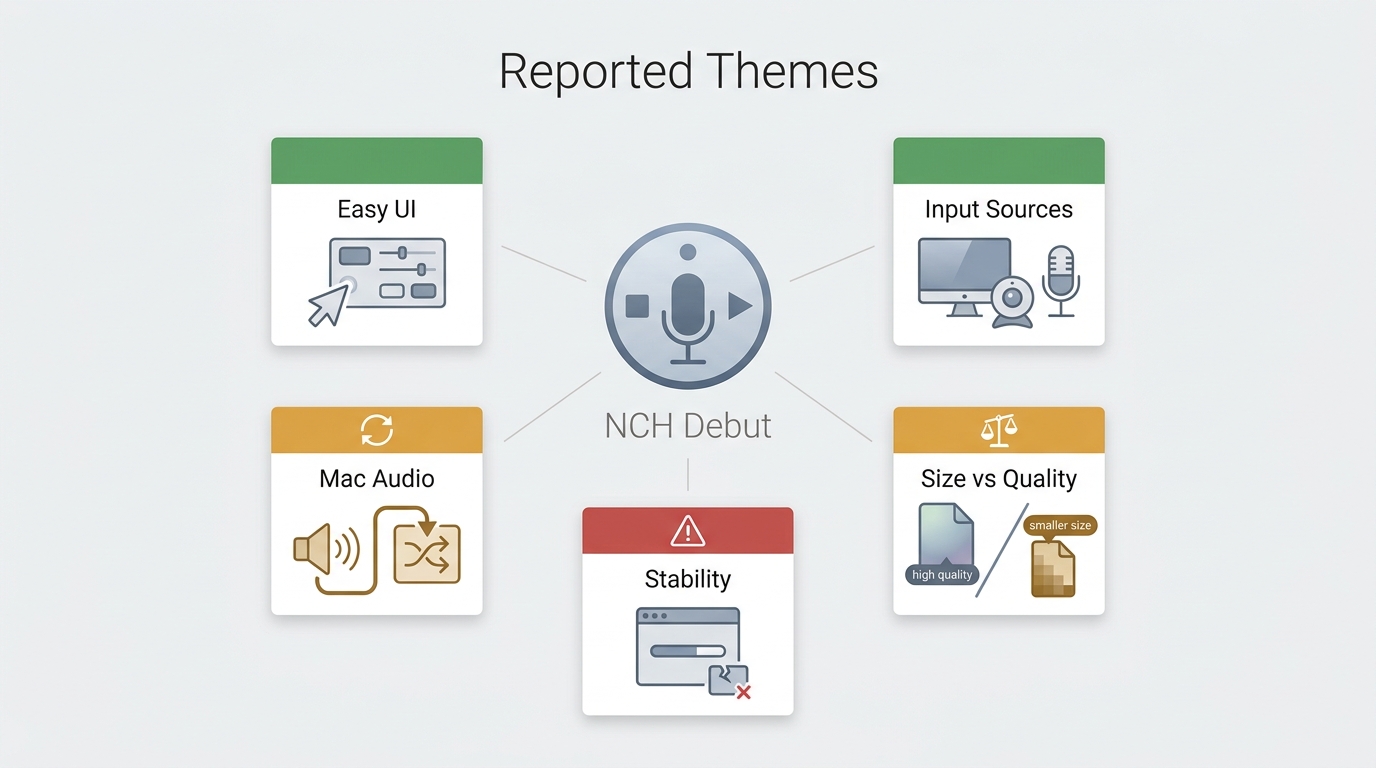
Recurring Praise and Complaints
Software Advice review listings and individual Reddit discussions, reviewed in Aug 2026, show a mixed but recognizable pattern: users value a straightforward capture workflow, webcam and device-input options, while reported concerns include audio routing, large files or quality settings, crashes, and uninstall friction. Individual reports are anecdotal and do not establish that Debut caused a specific system problem.
That feedback supports a practical trust judgment: download Debut from an official distribution channel, test it with a short project first, and use the output workflow above to catch audio or file-setting issues early.
Black Screens and Better-Fit Alternatives
Protected Streaming Limitations
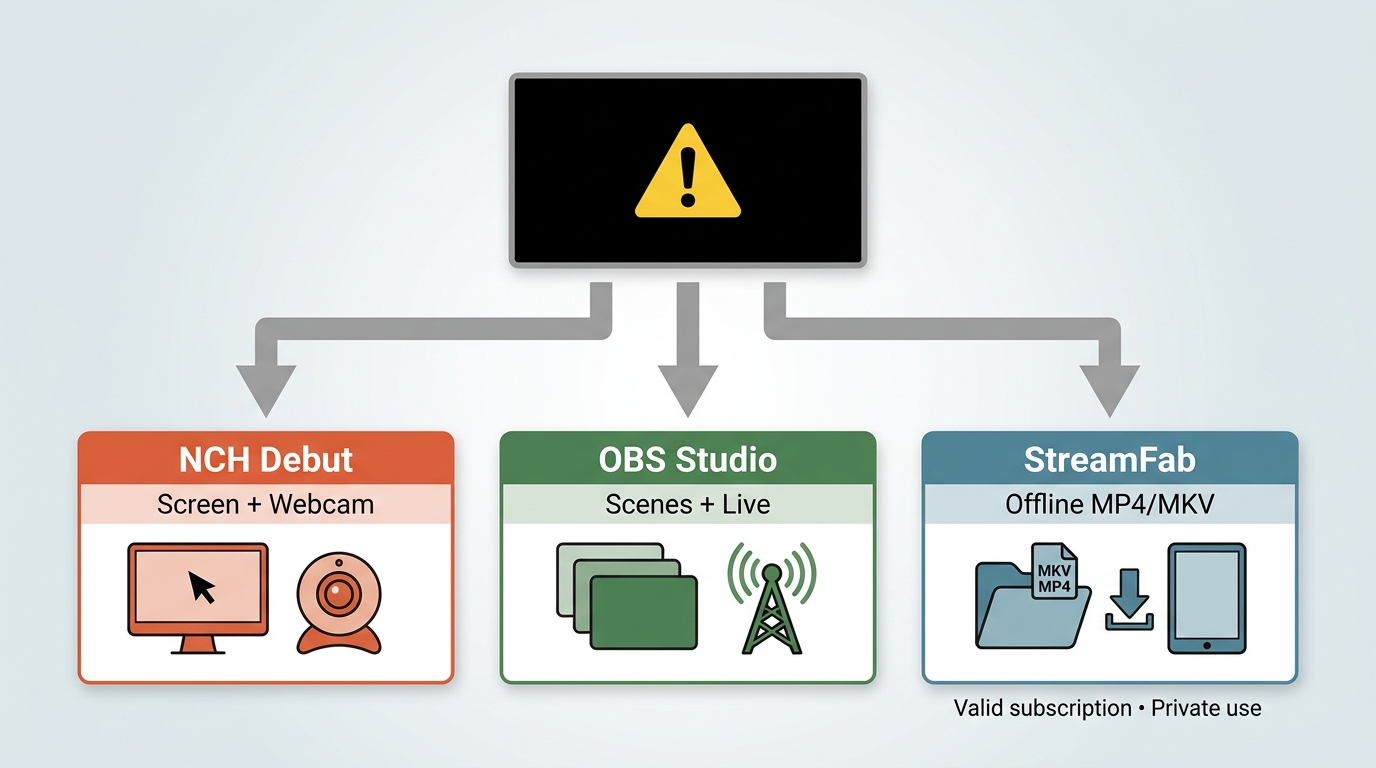
Protected streaming is one limitation scenario, not Debut's main purpose. A standard screen recorder may show a black screen, incomplete video, or another capture issue when a service, browser, operating system, or content-protection setting restricts recording. Results vary, so this is not a reliable use case to judge Debut's general screen, webcam, or device-capture capabilities.
Which Recorder Fits Each Use Case
Choose Debut when you want a simpler local or device-capture workflow. Choose OBS Studio when you need a free, open-source recorder with deeper scene, audio, and streaming configuration. A desktop local-file workflow may fit a separate authorized offline-viewing need, but it is not a substitute for a general-purpose screen recorder.
When a Downloader Fits Better
For content you are authorized to access, where platform terms and applicable law permit local-file use, StreamFab is a desktop alternative to a platform's own download feature. It fits viewers who need MP4 or MKV files with available audio and subtitle choices, rather than screen recording or live production controls. For broader usage considerations, see the StreamFab copyright and usage guidelines.

StreamFab supports MP4 or MKV output, available audio and subtitle choices, batch downloads, and service-dependent quality for authorized personal offline viewing where permitted.
| Use-Case Decision Matrix | NCH Debut | OBS Studio | StreamFab |
|---|---|---|---|
| Primary job | Simple screen, webcam, and device capture | Configurable recording, scene building, and live streaming | Authorized personal local-file workflow |
| License and cost model | Free home use; paid non-business and commercial options | Free and open source | Paid desktop product; pricing varies by offer |
| Platforms, audio setup, and output workflow | Windows and macOS; select sources and audio, then save recordings in a chosen format | Windows, macOS, and Linux; flexible audio routing and recording or streaming outputs | Windows and macOS; available audio and subtitles with MP4 or MKV output |
| Best fit, limitations, and protected-streaming fit | Straightforward recording and capture-device projects; not ideal for complex scenes or protected-streaming capture | Advanced scenes, audio routing, and streaming control; not ideal for users who want the simplest setup | Available audio, subtitles, MP4 or MKV, and batch local-file needs; not ideal for webcam capture, live narration, or scene composition |
StreamFab is not ideal for webcam capture, live narration, or detailed scene composition, which are recording jobs better suited to Debut or OBS. It supports batch downloads for eligible content; readers comparing broader tools can use this best streaming video downloader review for comparison, while the StreamFab review covers the product in more detail.
NCH Debut FAQs
Is NCH Software Debut safe to download and use?
Use NCH's official download channel or its Microsoft Store listing. Modified installers are not equivalent to official distribution and can introduce security or stability risks.
What can I use the free version of Debut for?
The free edition is intended for non-commercial home use. For non-business or commercial work, choose the license that matches the permitted use described in the license section.
Can Debut save a screen recording as an MP4?
Yes. Select MP4 in the output settings, choose a filename and destination folder, then make a short recording and play the saved file to confirm the video and audio before recording a longer project.
Should I use Debut or OBS Studio for free recording?
Debut is a better fit for a simpler capture workflow and connected video devices. OBS Studio is a stronger fit when you want open-source software with more control over scenes, audio routing, and streaming.
Conclusion
NCH Software Debut Video Capture suits people who want a direct way to record tutorials, webcam footage, selected screen areas, or connected video devices. Its licensing and audio setup deserve attention, especially on Mac, but it remains an actively maintained general-purpose capture tool.
Choose OBS Studio if flexible scenes, live streaming, and deeper configuration matter more than a simple workflow. Choose a desktop downloader when a local-file workflow, rather than recording, is the actual need. The deciding trade-off is simple: Debut prioritizes approachable capture, while the alternatives prioritize either control or a different kind of offline workflow.

CleverGet offers separate downloading and recording workflows for Windows and Mac, with different file options. Compare MPD limits, annual and lifetime licenses, and trial use before choosing a workflow. The review also covers StreamFab for recurring episode downloads and explains the personal-use boundaries for local copies.
By Erika Leen - Oct 14, 2026
AnyStream (RedFox AnyStream) shut down in June 2024 and remains gone in 2026. I tested every major replacement — here are the 5 best anystream alternatives, including free options, ranked by real-world performance.
By Erika Leen - Oct 12, 2026

Evaluating the Audials One 2026 free trial? I tested its 720p caps, examined if is audials legal under Fair Use
By Erika Leen - Sep 29, 2026

Are you thinking of purchasing NoteBurner and unsure if it’s worth the investment? In this NoteBurner review, let’s delve into its product lines, particularly the NoteBurner Video Downloader’s pros and cons.
By Marcia Hatcher - Sep 28, 2026