
AceThinker Video Downloader Review (2026): Is Aqua Clip Worth It?

Summary: AceThinker's free online downloader handles occasional public-link saves at low resolution, while the paid Aqua Clip desktop app adds 1080p/4K/8K, playlists, and subtitles. Neither supports Netflix or Disney+. In 2026, AceThinker is a broader AI, multimedia, and PDF toolbox on acethinker.ai, with video downloading one part of that suite.
Table of Contents
AceThinker in 2026: What the Toolbox Offers
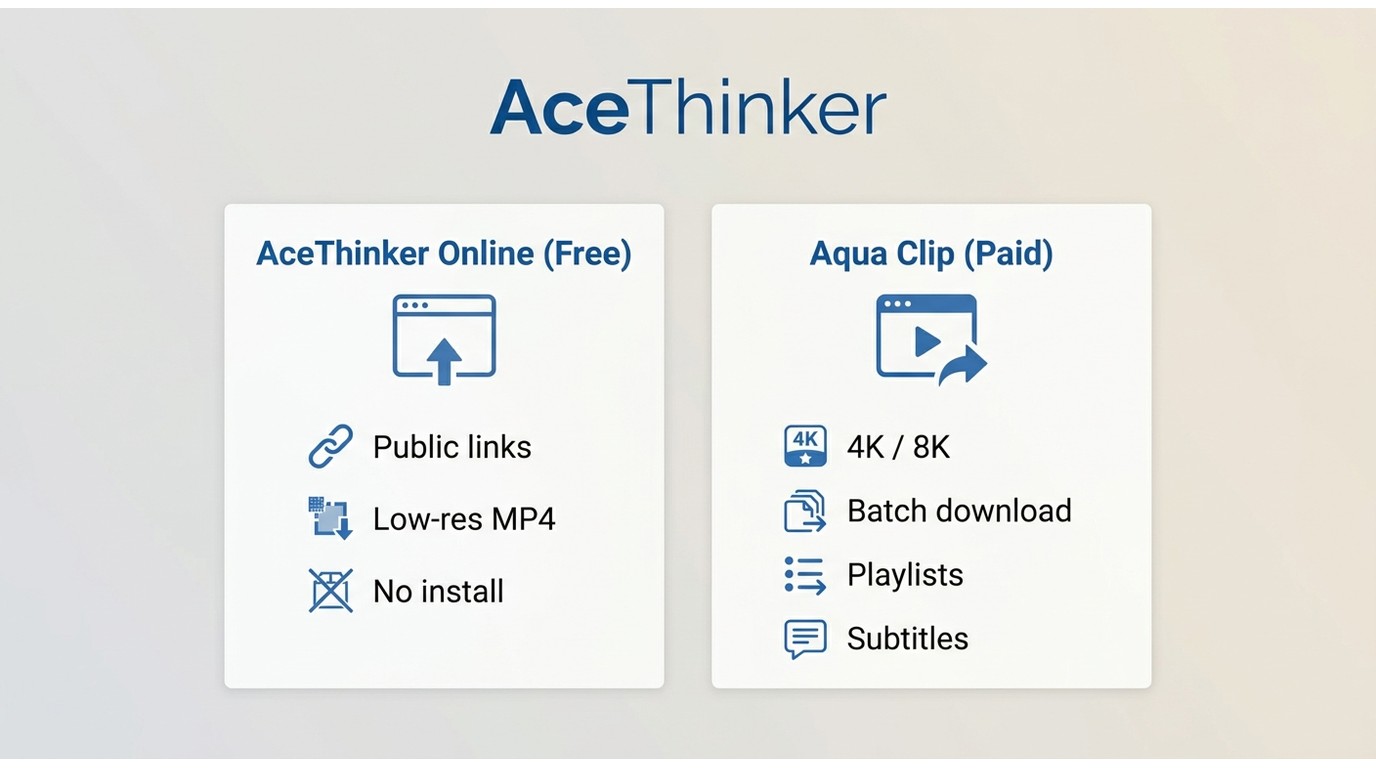
For downloads, AceThinker offers two options:
- Free Online Video Downloader: Browser-based tool for quick, single video saves from public links.
- Aqua Clip: Desktop app (Windows/Mac) for power users who need 4K/8K quality, batch downloads, playlist/channel support, and subtitle extraction.
Note: AceThinker now operates through acethinker.ai as a broader AI, multimedia, and PDF toolbox. Its desktop downloader is branded as Aqua Clip; and was previously called Video Keeper.
AceThinker Video Downloader Review
Free Online Video Downloader: What You Get

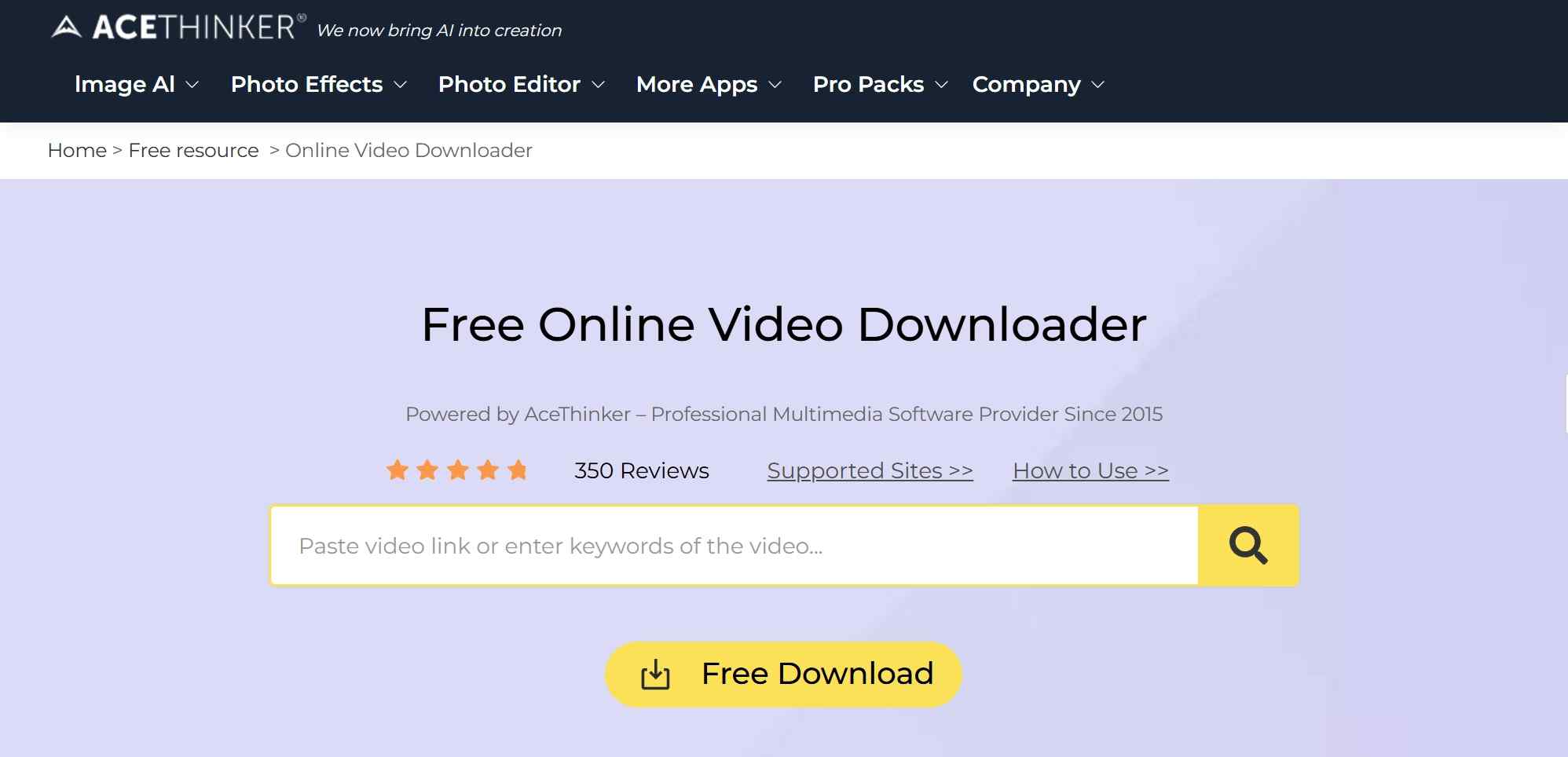
- No installation needed: Visit acethinker.ai, paste your URL, and download. It works immediately.
- Limited site support: The online tool covers about 20 major sites directly. The broader "apps hub" mentions 50+ tools total, but the video downloader itself focuses on popular platforms like YouTube, Vimeo, and Dailymotion.
- Quality limits: The free tier is limited to low-resolution MP4 output. You'll also hit daily limits (typically 5 attempts) and session caps (around 50 items). For 1080p and above, Aqua Clip is the desktop option.

My rule of thumb: For one-off, public links, I stick to the online tool. The moment I need batch, playlists/channels, higher resolutions, or subtitles, I move to desktop.
AceThinker Pros and Cons: Editorial Verdict
AceThinker is straightforward for public links, but its free option is intentionally limited. These are the practical trade-offs to weigh before choosing a plan:
- Works well for one-off public video links
- User-friendly browser-based workflow
- No software installation for the online tool
- Desktop upgrades add higher-resolution and playlist options
The main limitations are just as important:
- The online workflow can feel slower than a desktop app
- Aqua Clip is required for 1080p and higher-resolution downloads
- Daily limits make the free tool a poor fit for heavy use
Aqua Clip Desktop App and Pricing
My take: If you care about 4K/8K, subtitles, batch, and playlists/channels, $39.95 Lifetime for 2 PCs is the sweet spot. For a team or multiple machines, $79.90 Family Lifetime for 5 PCs is hard to beat. Aqua Clip's listed promotional pricing is reflected in the table above.
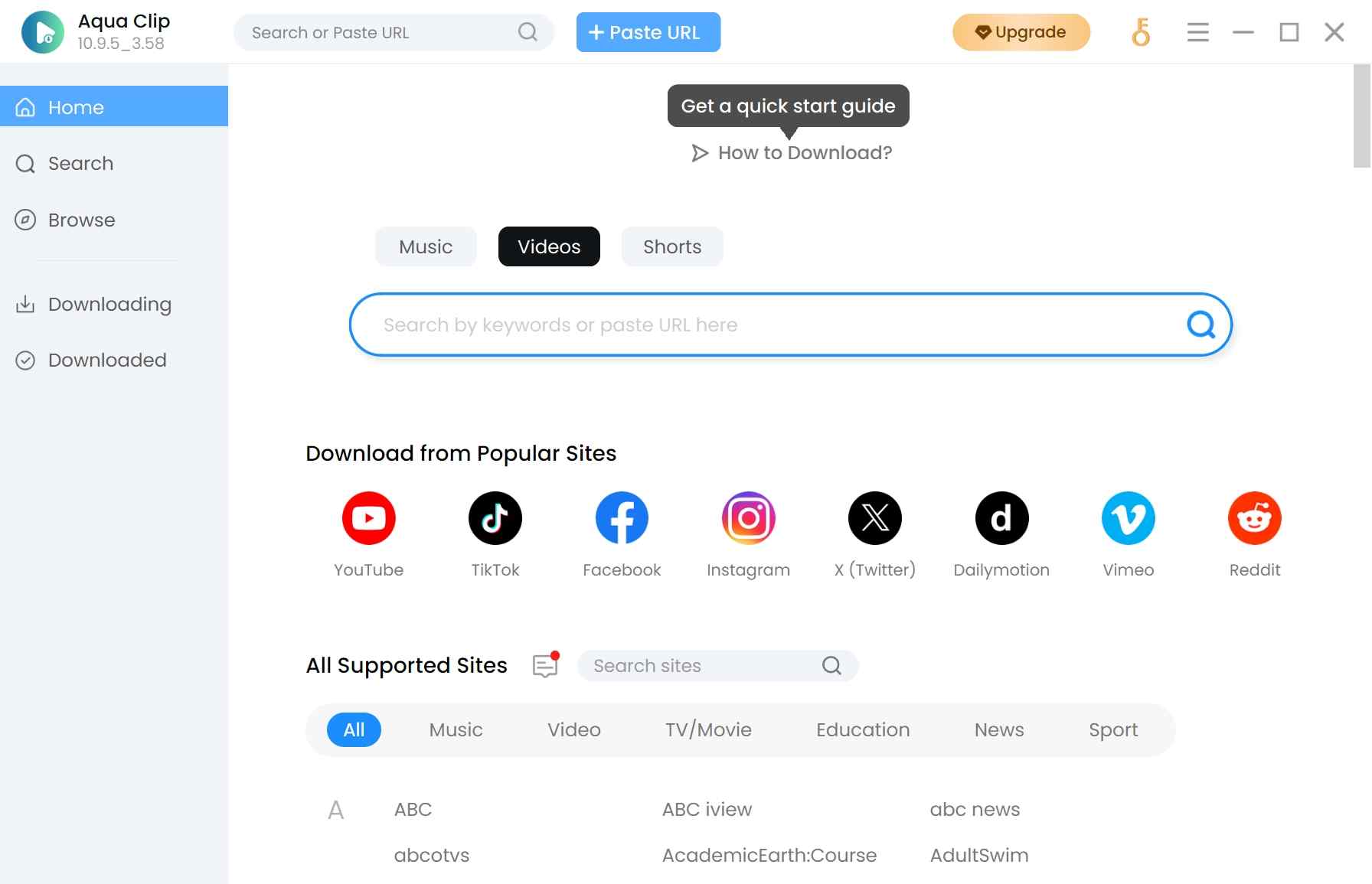
- Broader coverage: Supports 1000+ websites, including YouTube, Vimeo, Facebook, Instagram, and major streaming platforms.
- Higher quality: Download up to 4K/8K resolution when the source supports it.
- Batch processing: Download entire playlists or channels in one click with parallel processing.
- Subtitle control: Extract subtitles in multiple languages or embed them directly into videos.
- Better speed: 5x download acceleration with a built-in browser for direct video capture.
- Flexible trial:
- Free trial: 10 videos total, 5 HD downloads (720p/1080p), and 5 high-quality audio extractions. No playlist support or acceleration.
- Full version: Unlimited downloads, playlist/channel support, 5x speed boost, complete subtitle features.
| Plan (prices as of July 2026) | Personal – 1 Month | Personal – 1 Year | Personal – Lifetime | Family – Lifetime |
|---|---|---|---|---|
| Devices | 1 PC | 1 PC | 2 PCs | 5 PCs |
| Price (USD) | $9.95 | $19.95 | $39.95 | $79.90 |
| Includes | Full features during term | Support & updates during term | Lifetime updates & support | Lifetime updates & support |
| Notes | Promo price | Promo price; sometimes includes a bonus utility for 1 year | Promo price | Promo price |
| Refund window | 30 days for most plans; 7 days for monthly licenses | |||
Is AceThinker Safe and Legit in 2026?
AceThinker is generally a reasonable choice when you download its installer from acethinker.ai and use it only for material you have the right to save. Its official installer has been reported as clean in VirusTotal scans, and its third-party ratings are broadly positive, but avoiding unofficial installers remains the practical safety rule.
What Real Users Say: Trustpilot and G2
Third-party feedback is generally positive for ease of use and customer support, while recurring complaints focus on free-tier limits and upgrade prompts.
Public ratings on Trustpilot and G2 skew favorable at the time of writing, though scores drift over time. Those signals support a measured conclusion: the product is approachable, but the free tier is not built for high-volume downloading.
StreamFab: When You Need 4K and Streaming Downloads
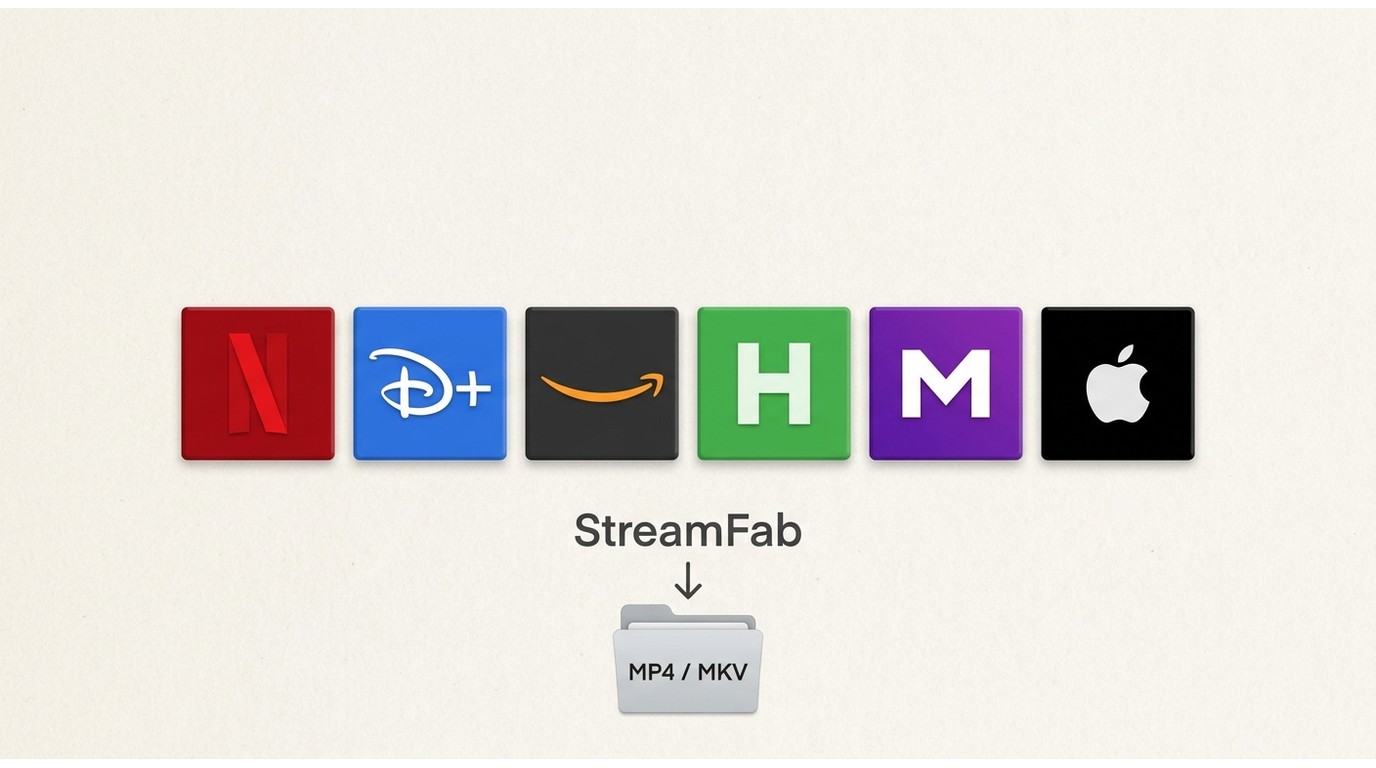
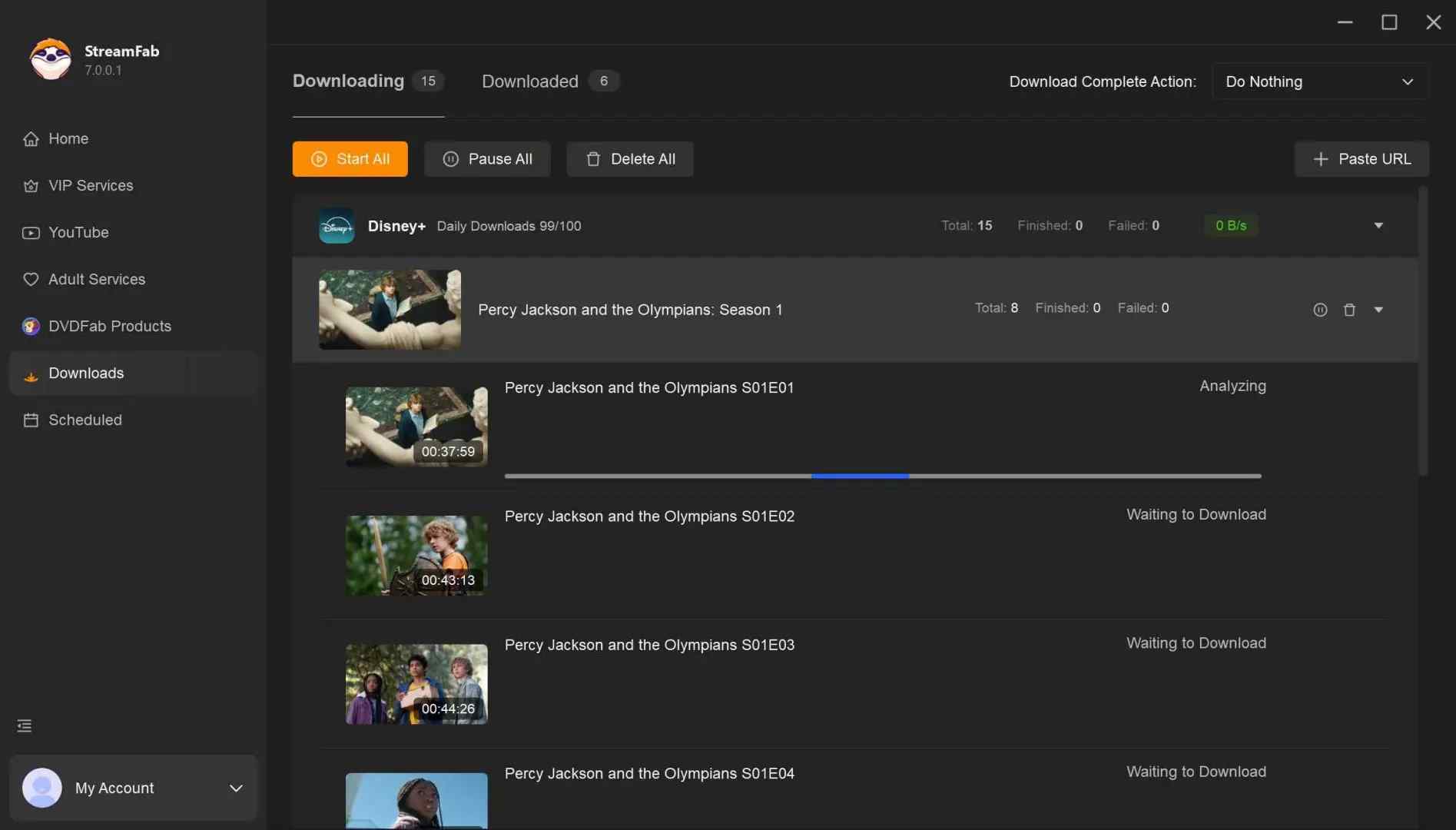
StreamFab Video Downloader, a product from our publisher, is a desktop option for Windows and Mac users who need more than public-link downloads. It can save local MP4 or MKV copies from supported subscription streaming services, including Netflix, Disney+, Prime Video, Hulu, Max, and Apple TV+, for personal offline viewing of content you are authorized to access, where permitted by platform terms and applicable law. For a broader product assessment, see our full StreamFab review.

StreamFab specializes in streaming platform downloads with features like scheduled downloads and series batching that AceThinker doesn't offer.
When my use case leans toward streaming-service, long-form content; with scheduled tasks, bulk season/series pulls, and nuanced subtitle workflows; StreamFab is the heavyweight alternative.
- Saves supported streaming videos at up to 4K when the service and subscription support it
- Outputs MP4 or MKV files for playback on compatible devices
- Supports Dolby Atmos, EAC3 5.1, AC3 5.1, and AAC 2.0 when available
- Supports HDR10 and Dolby Vision on selected platforms
- Lets you choose available audio and subtitle languages
- Saves subtitles as SRT files or embeds them in the video
- Can schedule newly released episodes and movies
- Supports batch saves for seasons and episode lists
- Offers a built-in browser to select supported videos
How to Download Videos with StreamFab
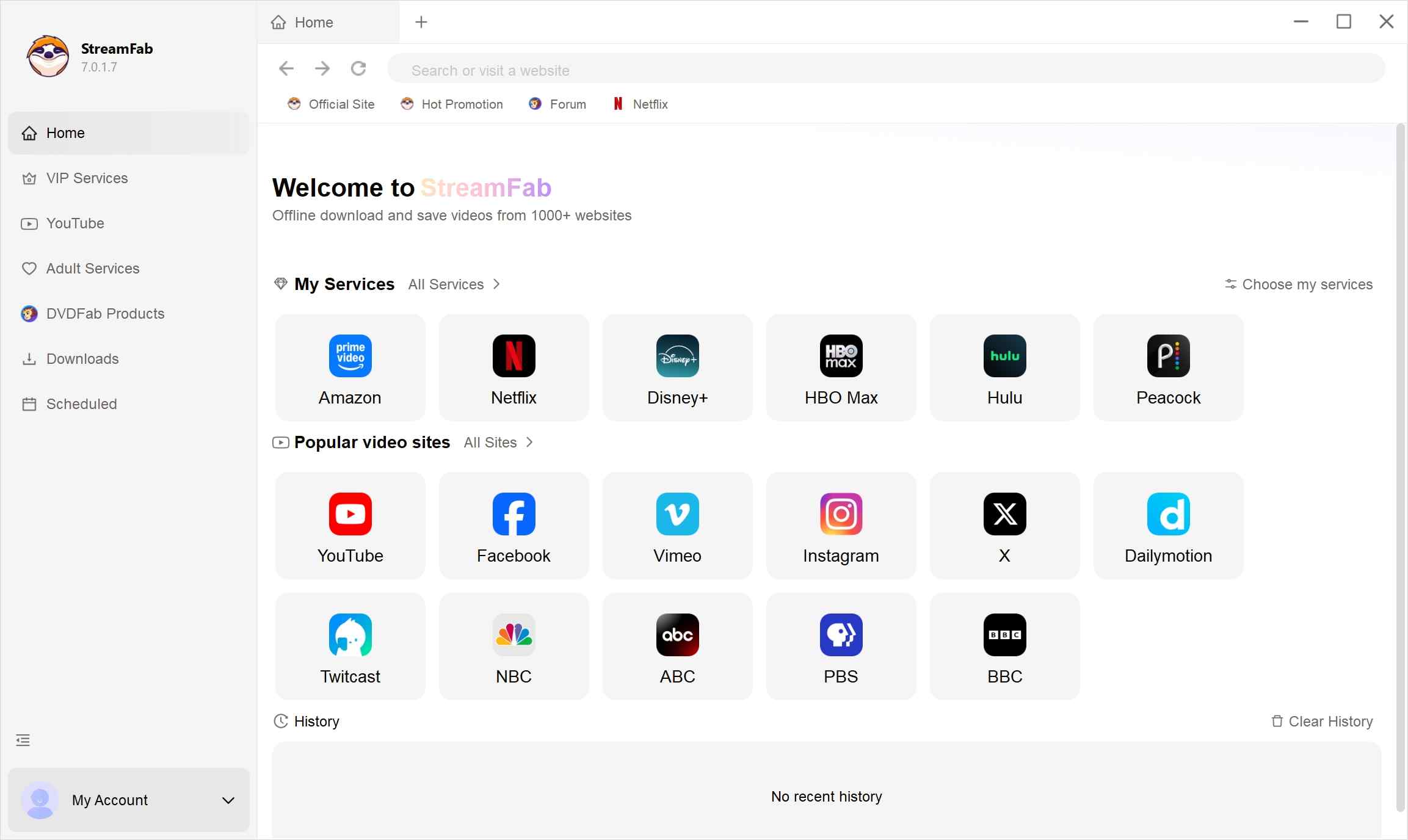
Choose the streaming service
you can go to the Explore section or the Streaming Services section to choose a website first. Then select and play a video you like.
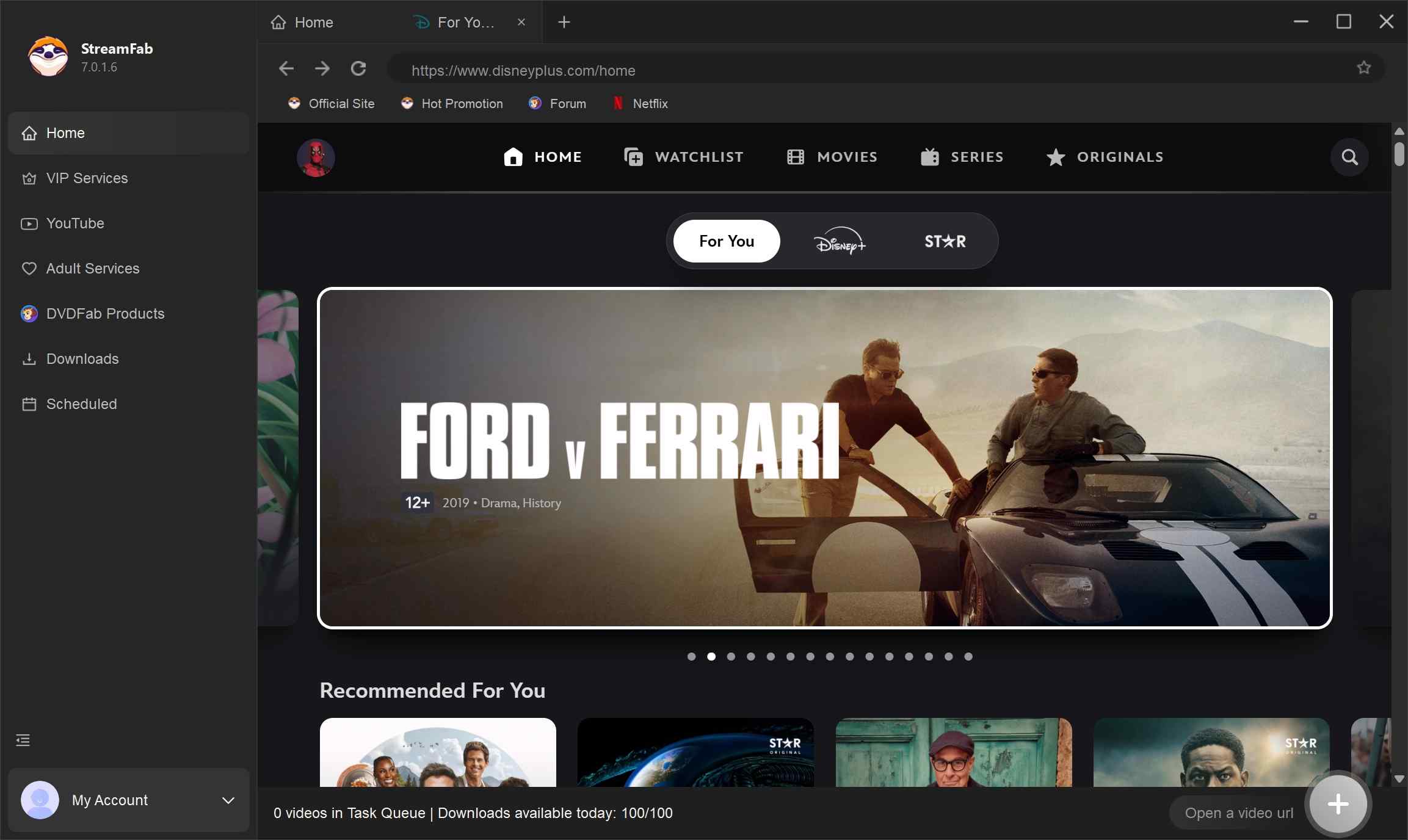
Customize the file
Search for the video and play it, then a pop-up window will ask for your video options. You can choose the audio and subtitle language.
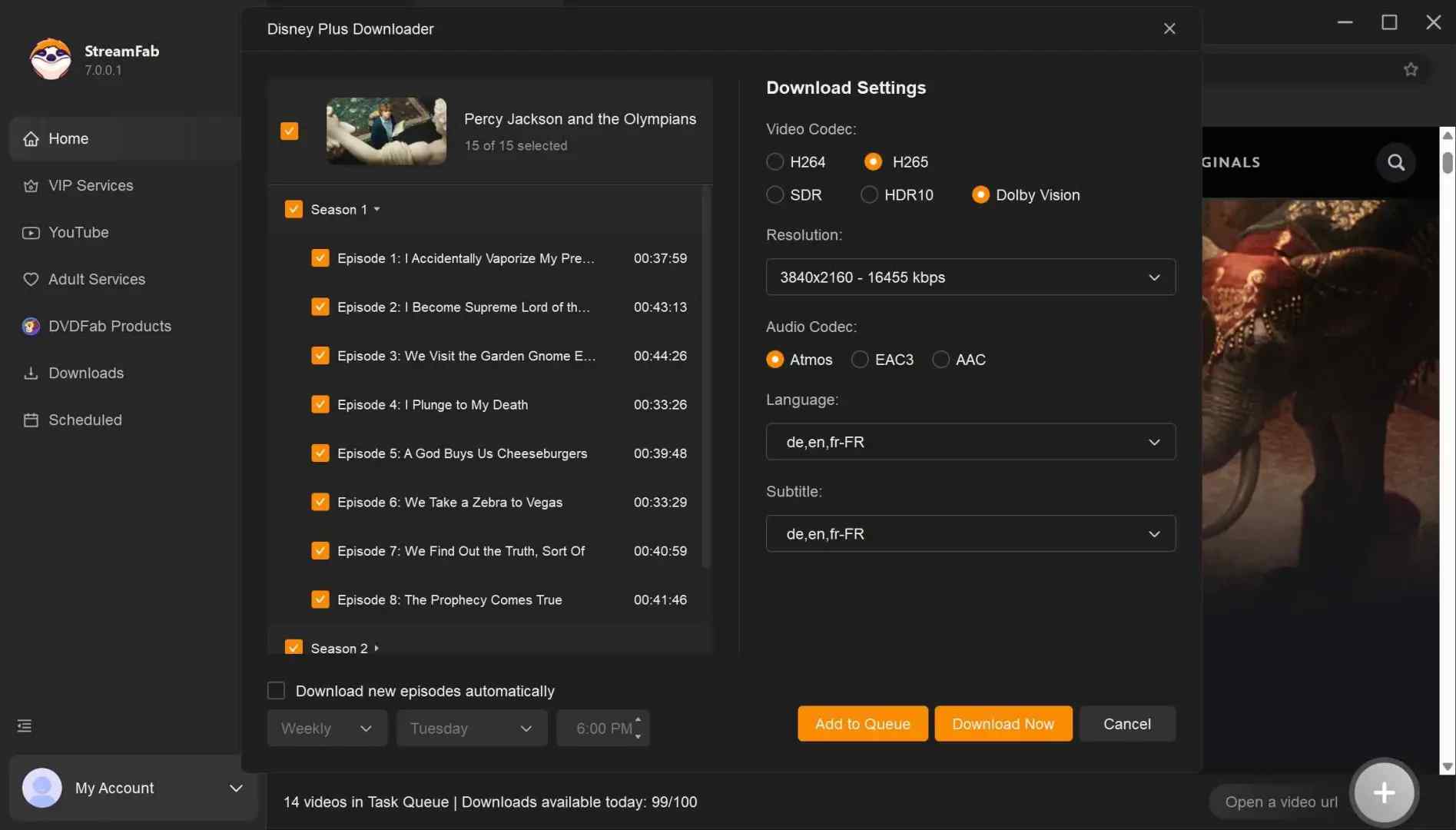
Click the download button
After customization, you can download it right now or add it to the queue.
AceThinker Online vs Aqua Clip vs StreamFab
This comparison separates public-link downloads from desktop tools designed for higher-resolution video, batches, and supported subscription streaming.
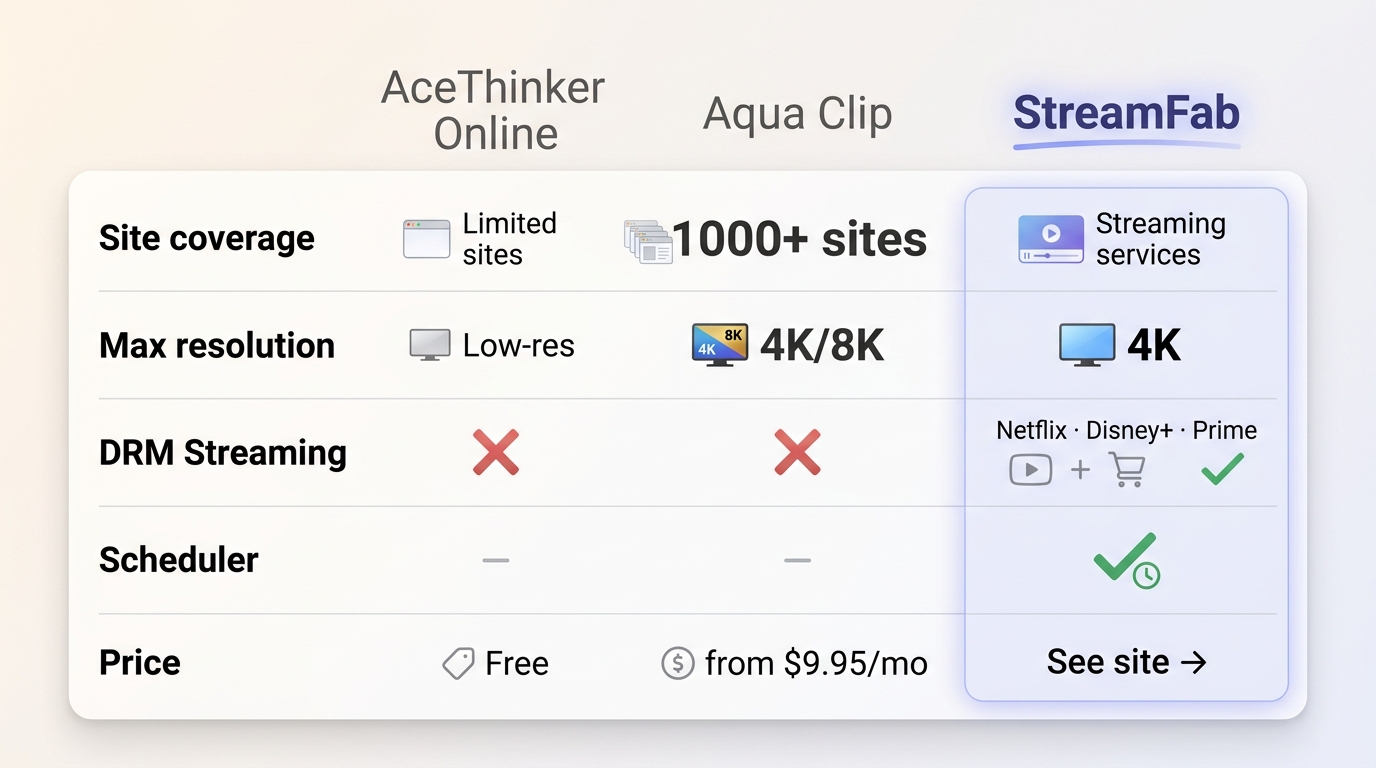
| Dimension | AceThinker Online | Aqua Clip | StreamFab |
|---|---|---|---|
| Product type | Free, browser-based tool | Desktop app (Win/Mac) | Desktop suite (Win/Mac) |
| Site coverage | Public video links through a browser-based tool | 1000+ websites | Supported subscription streaming services plus regular video sites |
| Max resolution* | Low-resolution MP4 output on the free tier | 1080p/4K/8K (source-dependent) | Up to 4K (service and subscription dependent) |
| Playlists/Channels | N/A | Yes (one-click full list/channel) | Yes (incl. seasons/episodes) |
| Batch downloads | N/A | Yes (parallel batch) | Yes (parallel batch) |
| Scheduler (auto jobs) | N/A | N/A | Yes (scheduled/auto downloads) |
| DRM streaming (Netflix / Disney+ / Prime) | No | No | Supported services, for authorized personal offline use |
| Output formats | MP4 | Video and audio formats available by source | MP4 / MKV, with available audio and subtitle choices |
| Price | Free tier | $9.95 monthly, $19.95 yearly, $39.95 lifetime, or $79.90 family lifetime | See the StreamFab product page for current plan options |
| Best for | Occasional, one-off public links | Frequent web/social downloads; need 4K/8K, subtitles, batch, playlists/channels | Power users across streaming platforms; need scheduler and long-form series management |
FAQs
Is AceThinker safe to use in 2026?
Use the official acethinker.ai domain, keep normal device security protections active during installation, and save only content you have the right to download. Avoid unofficial modified installers, which can introduce security risks.
Can AceThinker download 4K videos, and how do I get 1080p or higher?
The free online downloader is intended for low-resolution MP4 saves. For 1080p, 4K, or 8K where the source supports it, use the Aqua Clip desktop app rather than expecting the browser tool to provide the same output.
Can AceThinker save audio as MP3 from a video?
AceThinker's desktop app offers more format flexibility than the free browser tool, including audio extraction where the source makes it available. If your priority is preserving a selected audio track alongside video, StreamFab supports available audio-language choices in MP4 or MKV output.
Can I download Netflix or Disney+ videos with AceThinker?
No. AceThinker's online tool and Aqua Clip are not designed for Netflix, Disney+, Max, or Prime Video. StreamFab is a practical desktop option for supported services when you need a local copy for personal offline viewing of content you are authorized to access, where permitted by platform terms and applicable law.
Conclusion
Use this decision framework to choose based on the kind of video you need to save:
- Choose AceThinker Online (Free) if you download 1-2 videos per week from YouTube or other public sites, and low-resolution MP4 output is sufficient.
- Choose Aqua Clip if you regularly download public web or social video, need 1080p, 4K, or 8K when available, or want playlist and channel support. Best for frequent general-purpose downloads; not ideal for Netflix or Disney+.
- Choose StreamFab if you use supported subscription streaming services and need local MP4 or MKV copies, season batches, or scheduled episode saves for authorized personal offline viewing. Best for desktop users managing supported streaming libraries; not ideal if you only need occasional public YouTube links.
For alternative options, see our TuneBoto review.
This article is regularly updated to ensure accuracy and timeliness. Last verified: Aug 2026.
- Product naming: Removed outdated "Video Keeper" references; unified all mentions to "Aqua Clip"
- Comparison table: Updated StreamFab vs AceThinker comparison with current feature sets
- Conclusion rewrite: Replaced promotional summary with clear decision framework


This revised TunePat Netflix Video Downloader review separates Netflix’s official, expiring device downloads from desktop files, then checks TunePat’s Windows/macOS workflow, output, batch behavior, ad-supported plans, limits, pricing, and trial value. A compact TunePat vs StreamFab matrix closes with scenario-based fit guidance.
By Marcia Hatcher - Sep 7, 2026
Videoder now refers to multiple packages, so identity comes before any safety verdict. This guide checks the publisher, package ID, version, permissions, source, and update signals, then explains current feature limits and compares desktop, browser, Android, and authorized paid-streaming alternatives. It also clarifies why older YouTube instructions should not be treated as current.
By Nicole Lopez - Sep 4, 2026
Audials One does not offer a native macOS desktop release. This guide separates the Intel Windows-VM route from Apple Silicon limits, explains why Audials Play is for radio and podcasts, and maps native Mac choices for streaming video, ordinary screen capture, and MP4/MKV offline files. It also gives a restrained StreamFab fit judgment for authorized personal viewing.
By Erika Leen - Sep 3, 2026
As a Mac user with a need to download online videos, I explored Videoduke, and shared my reviews and opinions about this software in this article.
By Nicole Lopez - Sep 3, 2026