
Pazu StreamGet Review 2026: All-In-One Downloader Tested (Specs, Limits & Best

Summary: In-depth pazu streamget review for June 2026 — testing DRM handshake stability, 4K limits, and whether StreamFab is the stronger all-in-one alternative.
Introduction
Disclaimer: This review discusses saving a local copy of content you are authorized to access, where permitted by platform terms and applicable law. Distribution, resale, or commercial use of copyrighted material is strictly prohibited.
Here's the short answer up top: Pazu StreamGet is a competent, entry-level pick if you archive from one or two of the big streaming services and don't need 4K or HDR. Once you push into 4K batch work, multi-platform libraries, or want to keep working after the 2026 Netflix Windows app switches to a PWA (which dropped the built-in offline download option on PC), I found StreamFab to be the more reliable fit. Below is what I actually ran, how Pazu held up, and where it starts to hurt.
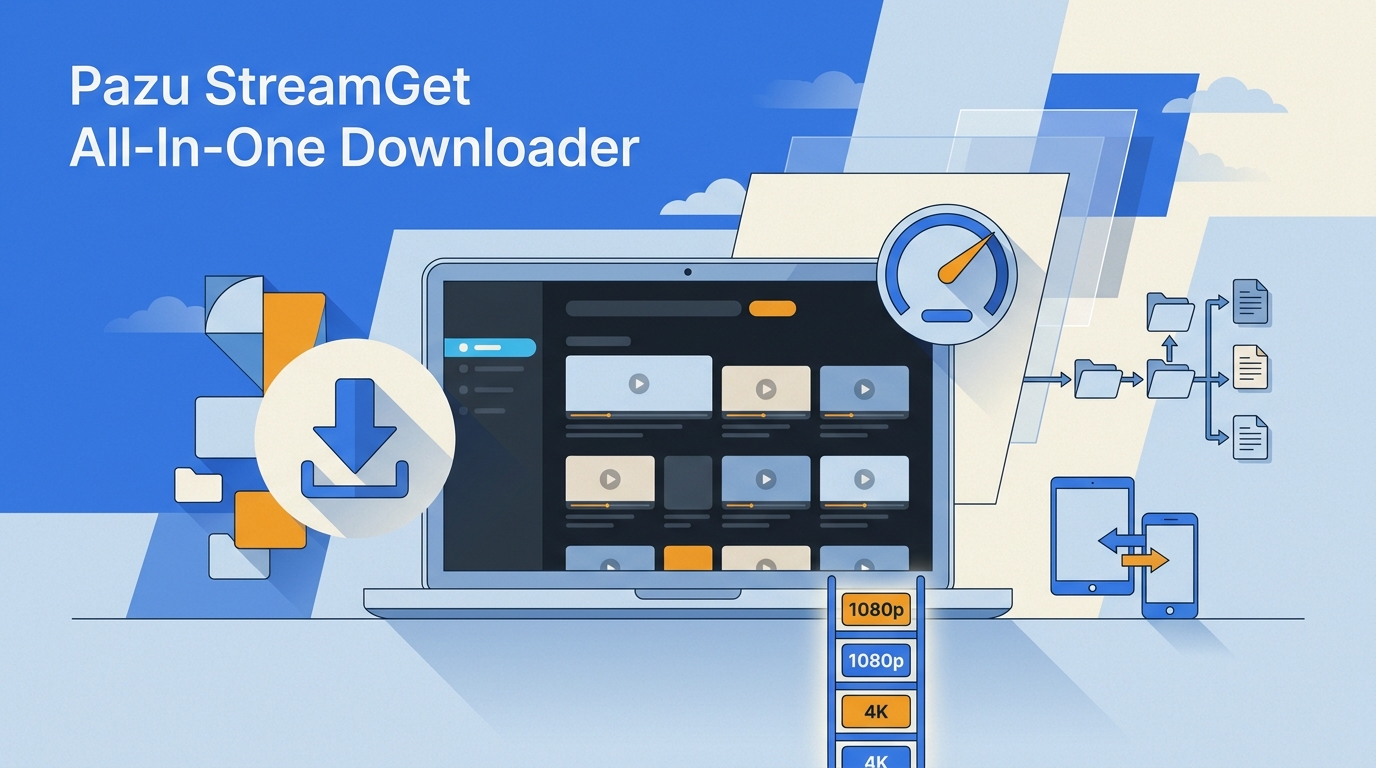
I ran the tests through June 2026 on my usual archiving rig—I keep a local Plex library and care about matching the source, not just "a file that plays." My focus: how Pazu's playback session held up under the latest browser and Widevine changes, how it behaved with concurrent tasks, and whether the output was a real capture or just a re-encoded screen recording.
- Test rig: Windows 11 23H2, mid-range desktop, wired 500 Mbps line.
- Browser environment: Chrome 140+ with hardware acceleration on (the config that broke a lot of older tools in 2026).
- What I measured: playback-session stability through the 2026 Widevine CDM certificate rotations, CPU/GPU load under concurrent tasks, and whether the saved file was a real capture rather than a re-encoded screen recording.

- OS: Windows & Mac
- Services covered: Netflix, Disney+, Amazon Prime Video, Hulu, Max, Apple TV+, Paramount+
Pazu StreamGet focuses on the core streaming platforms and keeps its workflow simple. The trade-offs, mainly the 1080p ceiling, no HDR, and per-service licensing, show up fast the moment you push into serious batch work. I'll walk through each next.
What is Pazu StreamGet?
Pazu StreamGet is a Windows/macOS desktop app that saves a local copy of titles you're authorized to watch on the major streaming services for personal offline viewing. Inside its built-in browser you sign into your own account and export the title as an MP4 or MKV file. Its official product page now lists 12+ supported services (up from 7 earlier in the product's life), including Netflix, Disney+, Prime Video, Hulu, Max, Apple TV+, and Paramount+, plus newer additions like Twitter/X, Facebook, TikTok, and Instagram.
Here is the workflow I actually used during testing:
- Open Pazu's built-in browser and sign into your streaming account.
- Search inside the app and open the title (or paste its URL).
- Pick the available quality (up to 1080p when the title allows), audio tracks, and subtitle languages.
- Hit download for a single title, or queue a whole season for a batch run.
- What it feels like: a compact, download-first browser, with zero need for extra plugins.
- Who it fits: people focused on the mainstream streaming services who want a repeatable, minimal workflow.
- Pazu at a glance: max resolution up to 1080p, output MP4/MKV, multi-language audio and subtitle handling, and HDR not supported.
- Quick glossary: OTT = subscription streaming platforms you access via web or TV apps.
Is Pazu Streamget Legal & Safe to Use?

Pazu StreamGet requires you to sign into your own paid streaming account — it does not give you access to anything you haven't already paid to watch. Keep it to personal use; sharing, reselling, or public redistribution is off-limits.
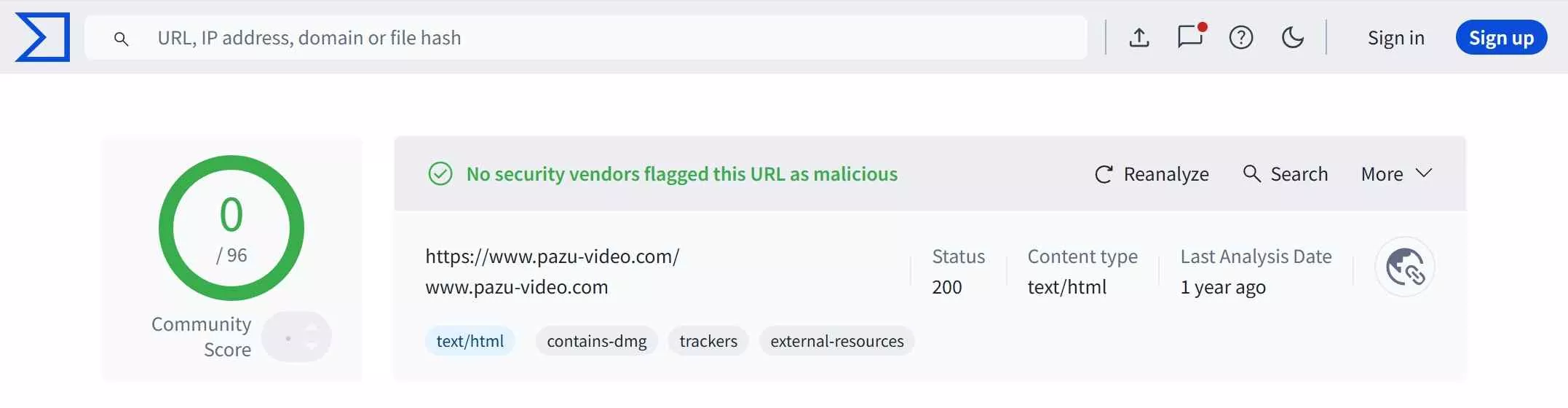
Safety-wise, Pazu's installer tested clean on VirusTotal in my check, and the app plays back inside a normal authorized session rather than through anything sketchy. This matters more in 2026 than it used to. A lot of the free browser extensions people used to reach for either stopped working after this year's Widevine and Chrome changes or, worse, started shipping with adware and session-cookie harvesters. A vetted paid desktop app is genuinely the safer path today, and that is one of the few points where Pazu still lands well.
Pazu Streamget Pricing Plans
Pazu Streamget basically gives you 2 main pricing routes: a single module or an all-in-one version. If you go for the single module, you can pick between a monthly, annual, or lifetime plan. For the all-in-one package, they only offer the annual and lifetime options.
| Single Module | All-In-One | |
|---|---|---|
| Supported Services | 1 service | 12+ services |
| Price | ~$59.99/year ~$89.90/lifetime | ~$99.90/year ~$199.90/lifetime |
| License | 1 license (1 PC) | |
Pricing as of July 2026 — Pazu adjusts its plans from time to time. The All-In-One is the sensible pick once you regularly save from three or more services; below that, a single module is cheaper.
What made me pause is the licensing: even the lifetime AIO is tied to a single PC, and you still need to be paying each streaming service you download from. That is worth weighing against alternatives that cover more devices per license.
Widevine DRM in 2026: Why Old Downloaders Break
Before I get to Pazu's individual pros and cons, one piece of context matters because it explains half of what I saw in testing. 2026 has been a rough year for streaming downloaders. Google rotated Widevine CDM certificates again; Chrome 140+ shifted how it handles hardware-accelerated video, and Netflix migrated its Windows app to a Progressive Web App, which quietly removed the built-in offline-download feature on PC. A lot of older tools and free browser extensions stopped working overnight. Screen recorders often hit a black frame because HDCP kicks in the moment protected content plays.
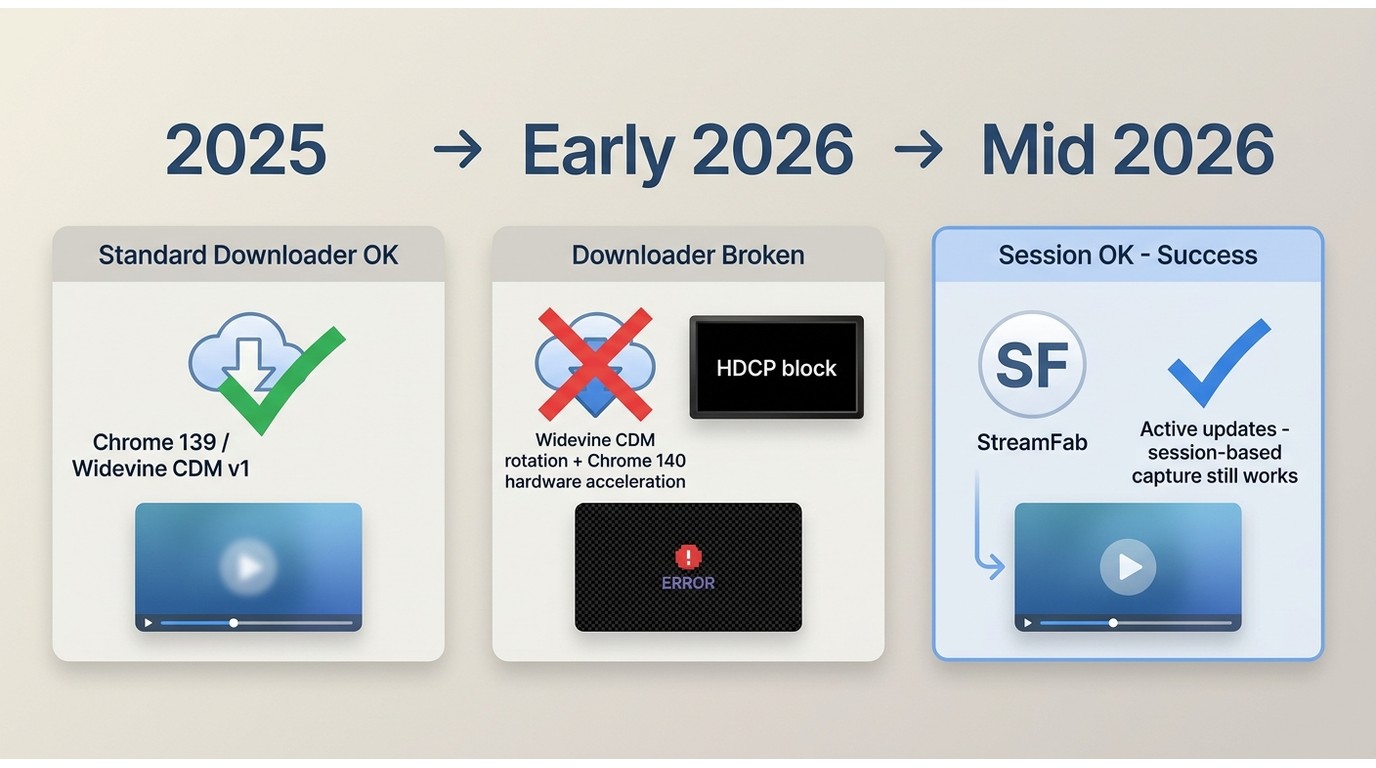
Tools that still work today share one thing: they play the content in a normal, signed-in browser session and save a local copy from there, and their developers are actively shipping updates every time the platforms move. That is the lens I judged Pazu through, and it is also why I set the bar as high as I did for the alternative. A downloader that hasn't been updated in six months is, in 2026, effectively a dead tool.
Function Reviews: Pazu Streamget Pros & Cons
Note: All the details below are based on my own in-person testing of Pazu Streamget in June 2026. I mainly zeroed in on functionality, video quality, and software limitations. If you're looking to quote this content, please reach out to us for authorization first.
Feature 1. Fast Downloads: I managed to pull down a 1.5GB file in barely 5 minutes. That's pretty fast compared to what other tools are doing right now. Once your connection gets steady, it breezes right through.
Feature 2. Quality Retention: It keeps things looking nice in 1080p full HD. Unlike a few other grabbers I've tested, there's no ugly dip in visual quality.

Feature 3. Multilingual: It does a really nice job handling different languages for both audio & subtitles. It makes it easy for folks from all over to watch content in whatever language they're most comfortable with.
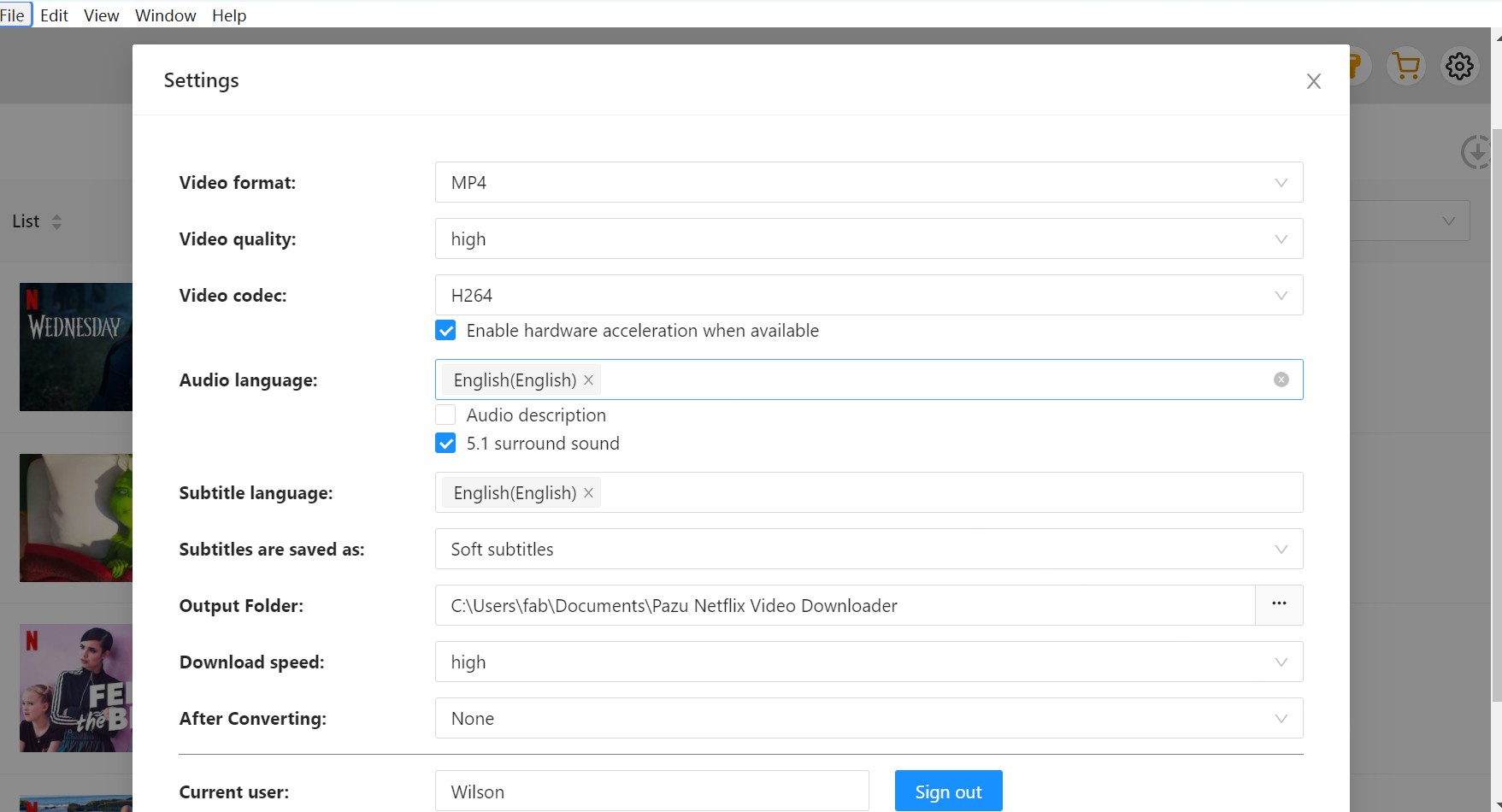
Feature 4. Easy Setup: Getting the thing installed was honestly a total breeze. No weird hidden settings or menus that need a computer science degree to figure out.
Limits 1. 1080p ceiling, no HDR: Pazu tops out at 1080p and does not save HDR10 or Dolby Vision. For a 4K/HDR-native library, that is a hard ceiling, and it is where I personally hit the wall.
Limits 2. Coarse quality controls and per-service licensing: quality picker is high/medium/low rather than exact 480p/720p/1080p, and each streaming service is licensed separately—the all-in-one at ~$199.90 lifetime (July 2026) is fair only if you actually save from three or more services regularly.
Limits 3. Long-term reliability depends on how fast Pazu patches. Pazu now advertises multiple concurrent downloads ("8x fast"), so the old "queue only" complaint no longer holds. The real question is what happens the next time Widevine rotates or Chrome shifts hardware acceleration—how quickly Pazu ships a fix. In my testing window it kept up, but this is worth watching before committing to a lifetime plan.
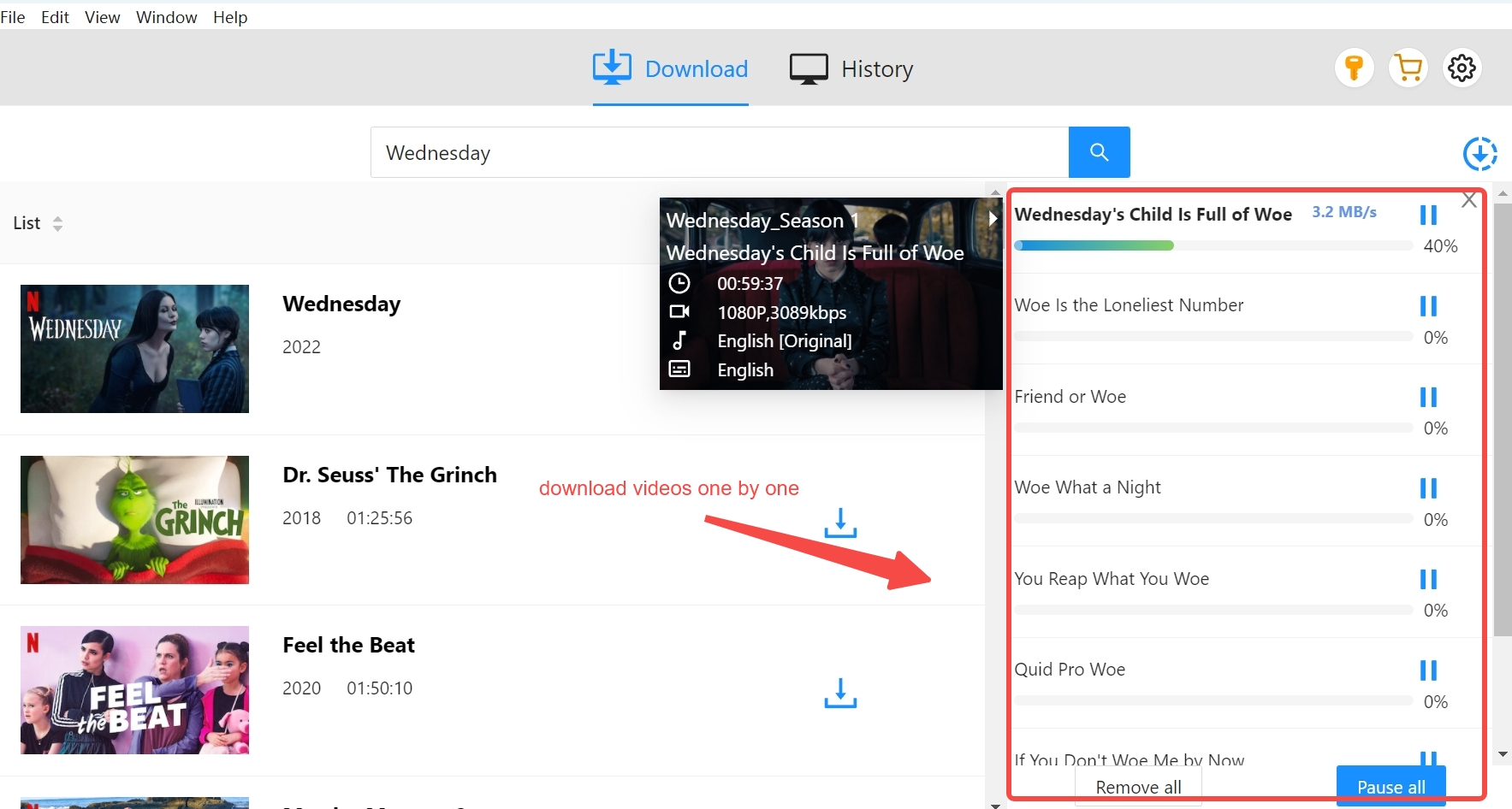

Wrapping up my own take: Pazu StreamGet does the fundamentals well—clean 1080p output, solid multi-track audio and subtitle handling, and easy setup. In my testing it held up through the 2026 Widevine and Chrome shifts, which by itself puts it ahead of most free options. Where it hurt me was the 1080p/no-HDR ceiling for 4K library work and the per-service licensing that pushes the AIO past $199 lifetime for a single PC. If you match Pazu's sweet spot, it is fine. If you don't, keep reading.
Pazu StreamGet Alternative: What to Try If You Hit Its Limits
If Pazu's 1080p ceiling, single-PC licensing, or the per-service pricing math doesn't fit your setup, the alternative I ended up standing by through the same 2026 test rig is StreamFab. It covers 60+ streaming services plus 1,000+ standard video sites, saves to MP4/MKV in a normal authorized session, and is actively maintained through platform changes—which, as the DRM section above made clear, is what actually matters in 2026.

- Unlimited offline saving with up to 8K/4K/1080p resolution & EAC3 5.1 or AAC 2.0 audio.
- Lets you choose between H.264 or H.265 codecs to help save a ton of hard drive space.
- Saves directly to MP4 so you can easily move your files to literally any device.
- Pulls down the video perfectly matched with your preferred subtitles & metadata.
Pazu StreamGet vs StreamFab: Feature Comparison
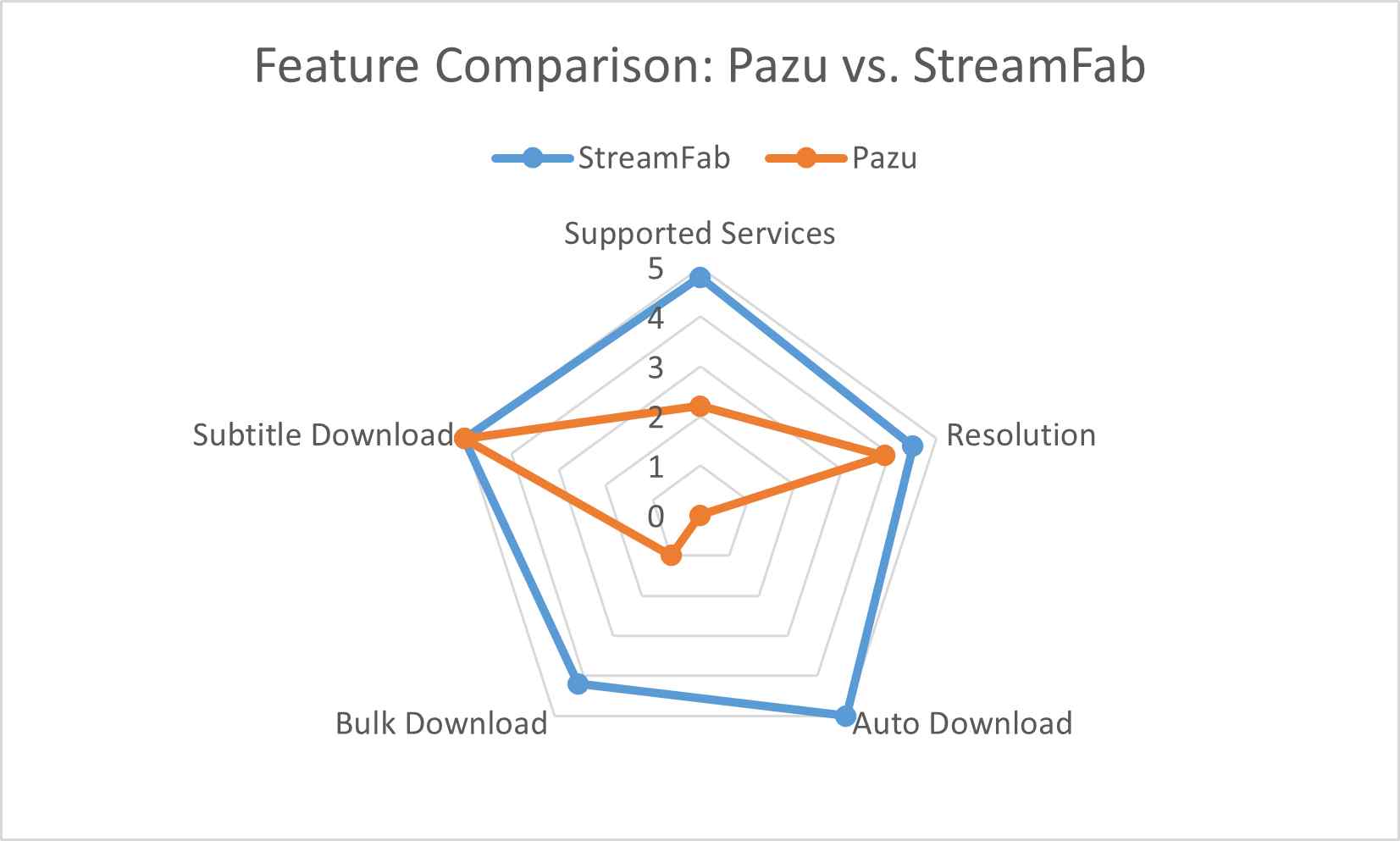
If you already know you only save from one or two services in 1080p, Pazu is probably enough. The table below is for people weighing a longer commitment—more platforms, higher resolution, or a serious batch workflow.
| StreamFab Video Downloader | Pazu StreamGet | |
|---|---|---|
| Supported sites | 60+ streaming services & 1000+ online sites | 12+ services |
| Max resolution & HDR | Up to 4K (8K on select titles); HDR10 / Dolby Vision on supported platforms | Up to 1080p; no HDR |
| Audio & output | Original multi-channel audio (e.g., EAC3 5.1) preserved in MP4 / MKV | Multi-language audio & subtitles; MP4 / MKV |
| Concurrent / batch downloads | Hardware-accelerated batch downloading | Concurrent downloads supported ("8x fast") |
| Schedule mode | Yes—overnight scheduled downloads | Not available |
| Free trial | 3 full-length downloads per service | Unlimited count, first 6 minutes only |
| Price & license (AIO) | $299.99 for 5 PCs | ~$199.90 lifetime for 1 PC (July 2026) |
| Update cadence | Server-side updates; no manual reinstall needed | Client-side updates; depends on release cadence |
"Switched from Pazu StreamGet to StreamFab after the pricing changed. StreamFab handles Netflix, Prime, and Disney+ in one app—much better value for power users."
"StreamFab downloads 4K HDR without the 1080p cap I hit with Pazu. Batch season downloads work flawlessly—saved hours on my anime archive project."
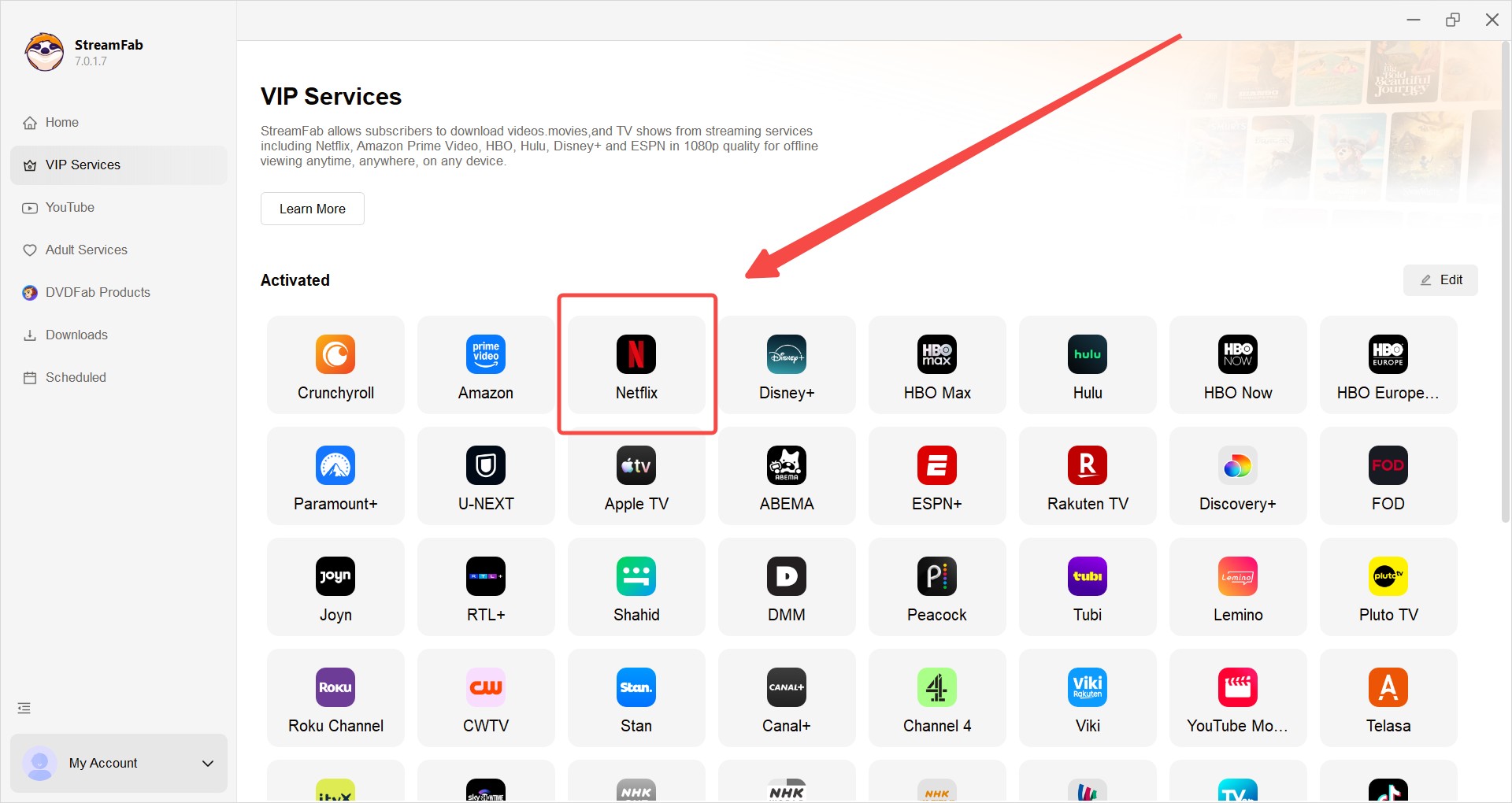
Choose the streaming service
Click on the VIP Services tab or hit the YouTube icon on the left menu to find the site you want. Or, just copy and paste the direct video URL right into the top address bar on the homepage.
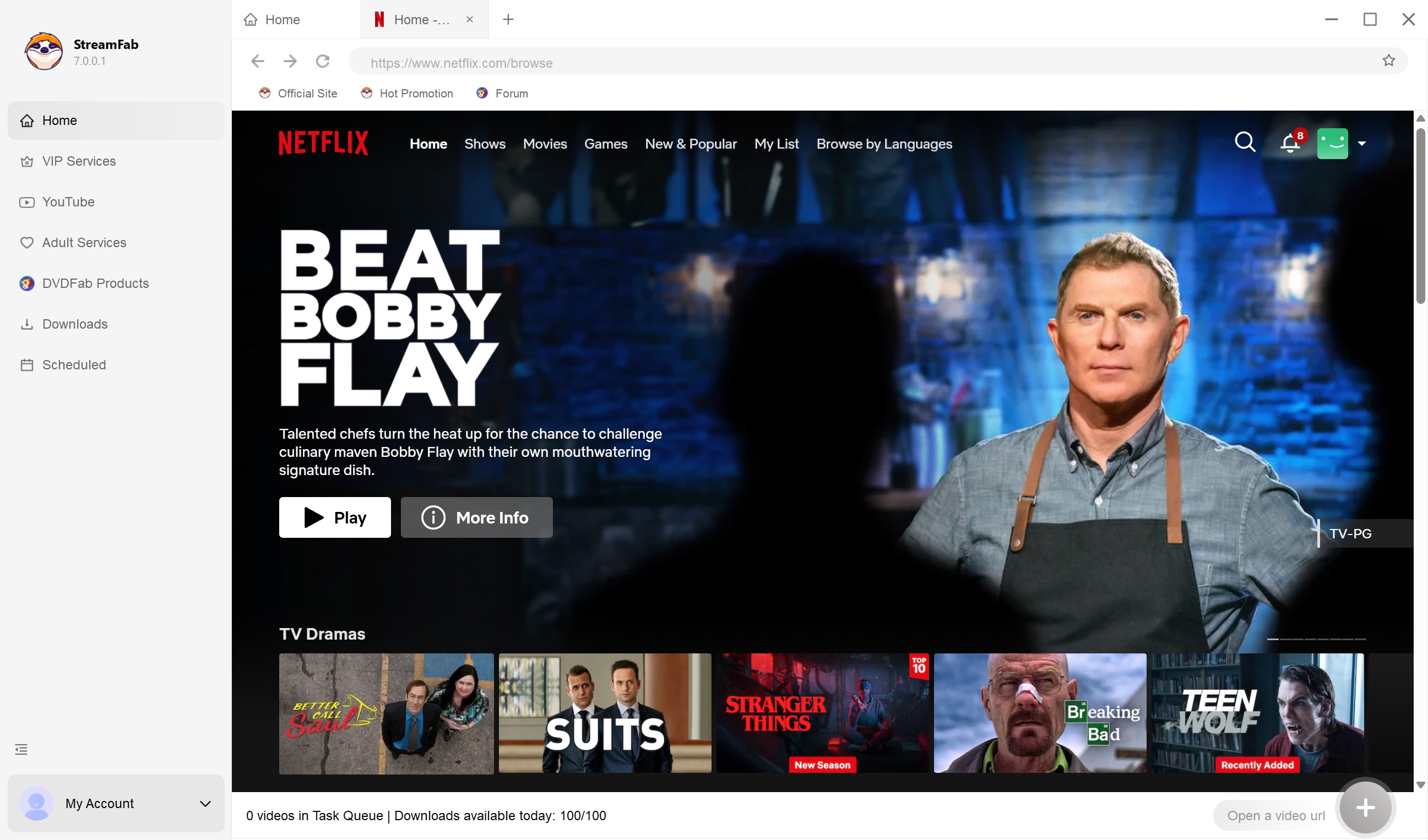
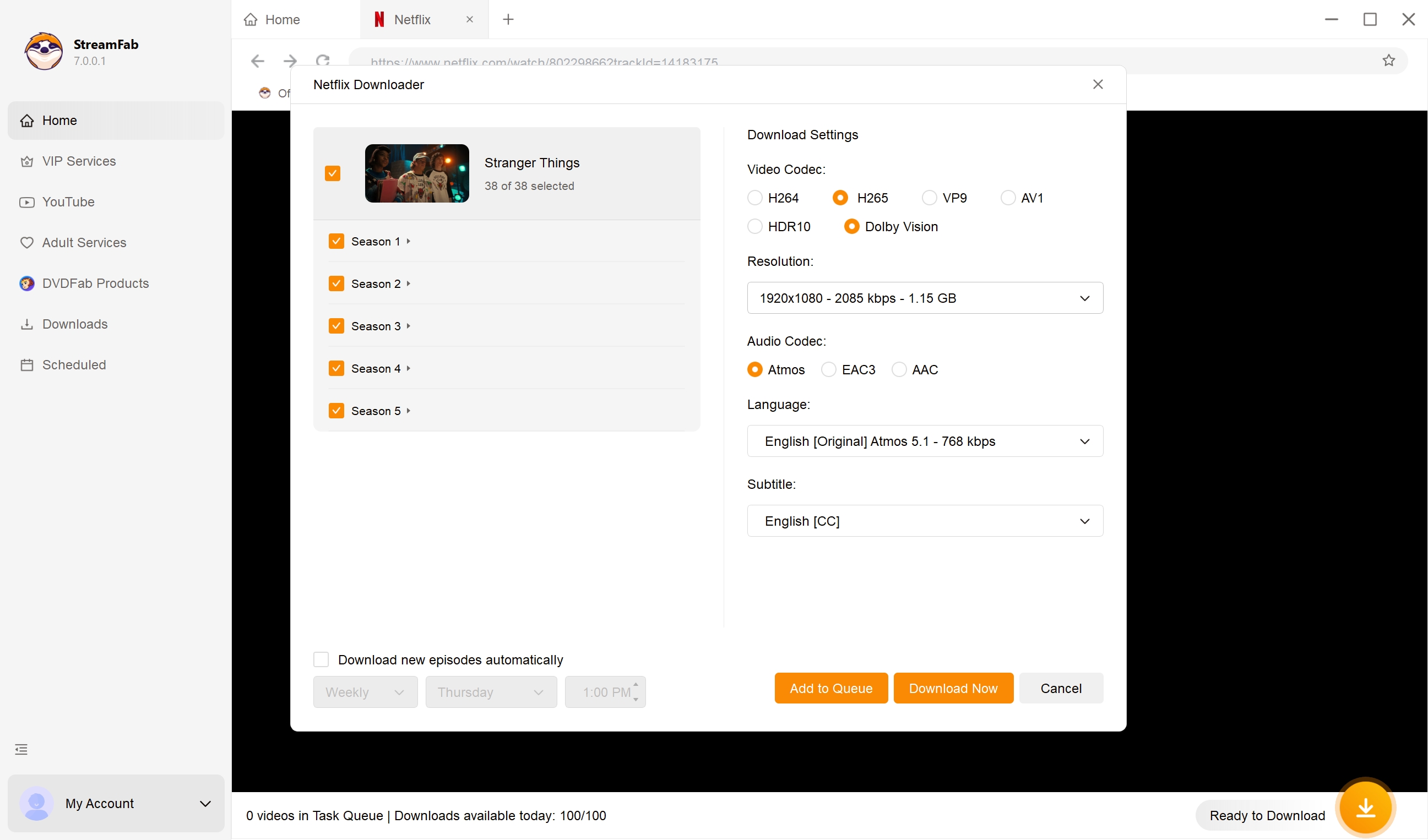
Customize the file
Right as you start playing the video, a pop-up window will appear asking how you want to format things. This is where you tell it which audio track and subtitle language to grab.
Click the download button
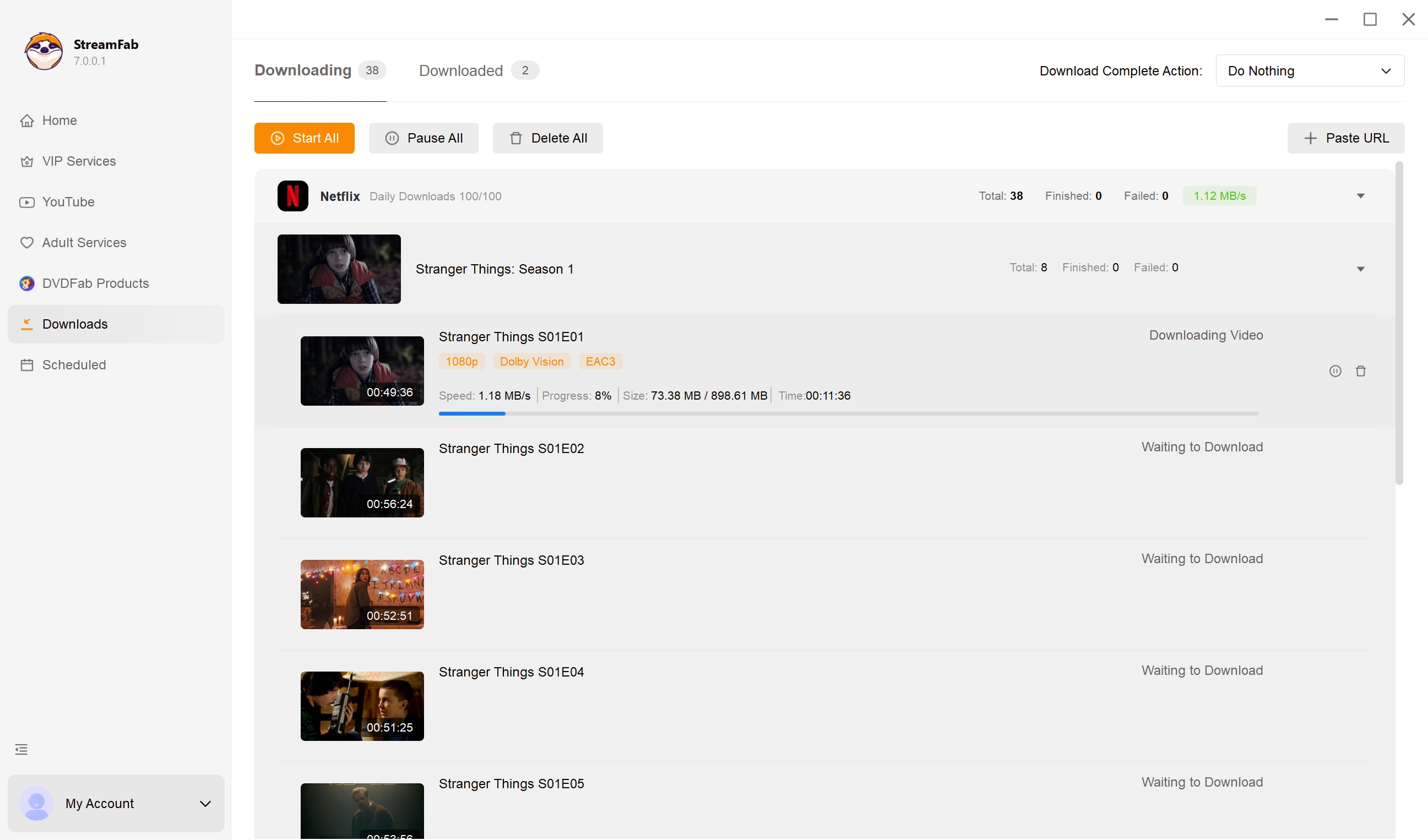
Once you've got your settings dialed in, just hit download to start it right away, or add it to your queue to run later.
FAQs: What Readers Ask Before Buying
Can Pazu Streamget Crack Netflix DRM Permanently?
Not a chance. No tool out there can permanently "crack" DRM for good. The major streaming services are always rotating their cryptographic keys and pushing updates to their Content Decryption Modules (CDM). Programs like Pazu Streamget basically just extract a temporary session key so they can decrypt the video stream in real-time. It's an endless cat-and-mouse game between developers and the platforms.
Is a Pazu Streamget Portable Version Safe to Use?
In 2026, grabbing random portable versions floating around Reddit or sketchy third-party boards is a massive risk. A lot of these cracked builds are basically trojan horses for malware or background crypto-miners. On top of that, those old portable files don't carry the newest CDM certificates, which means they'll fail the DRM handshake and give you nothing but the Black Screen of Death.
What to Do if Pazu Streamget Downloads Fail After a CDM Update?
If you suddenly notice your downloads getting stuck at 480p or flat out refusing to start, there's a very good chance the streaming site revoked whatever Widevine L1 certificate the downloader was relying on. Your only real move is to wait for the dev team to drop an OTA update with a fresh cert. Or, you could jump ship to the best streamget alternative — StreamFab. Historically, they tend to patch CDM blackouts in 24 hours or less.
Does Using a VPN Cause Signature Verification Errors with Pazu Streamget?
Yeah, it actually does. If you start a DRM handshake on your normal home IP but the actual download chunk requests get routed through an obvious datacenter VPN address, the server API is going to spot that session mismatch right away and kill your download. You've always got to make sure your proxy rules are completely covering the entire application network stack.
Conclusion
My takeaway after running Pazu Stream Get through the 2026 test rig: it is a functional, honest 1080p tool if you save the occasional movie or episode from the big streaming services and don't need HDR. Through the Widevine and Chrome 140+ shifts this year, it kept working, and that already puts it ahead of the free extensions that quietly died.
Where it stopped fitting me was the ceiling. Once I wanted 4K with HDR, wider platform coverage, and scheduled overnight batches for library-scale work, the single-PC license and 1080p cap became the deciding factors, and StreamFab is the tool I kept coming back to. Pick Pazu for casual, single-platform offline viewing; pick StreamFab if you want a high-quality local copy for a serious personal library.


Downloading your favorite Netflix library permanently for your flexible offline watch is not a big deal anymore. Try the Pazu Netflix video downloader to enjoy Netflix streaming with ultimate customizations.
By Erika Leen - Sep 18, 2026
This review exposes the gap between Video Downloader Plus's marketing and its actual performance. Technical tests confirm the extension cannot process encrypted HLS streams found on major sites. Furthermore, the review critiques the lack of a free trial, forcing users to pay blindly for functionality that may not work on complex websites.
By Jacob Harrison - Sep 15, 2026

Explore a comprehensive list of alternative software to MovPilot. Learn about their features, pricing, and user reviews to make an informed decision based on 2026 DRM standards.
By Erika Leen - Sep 15, 2026

How to cancel PlayOn subscription? Will you get a refund after cancelling? This guide tells you everything you need to know about cancelling PlayOn subscriptions.
By Nicole Lopez - Sep 15, 2026