
Amazon Prime Video Warning Email: Verify It and Assess StreamFab Risk

Summary: An Amazon Prime Video warning email may be genuine, fraudulent, or tied to account security or usage enforcement. This guide shows how to verify the notice, review official limits, respond to a warning or suspension, and separate StreamFab compatibility claims from account-risk evidence.
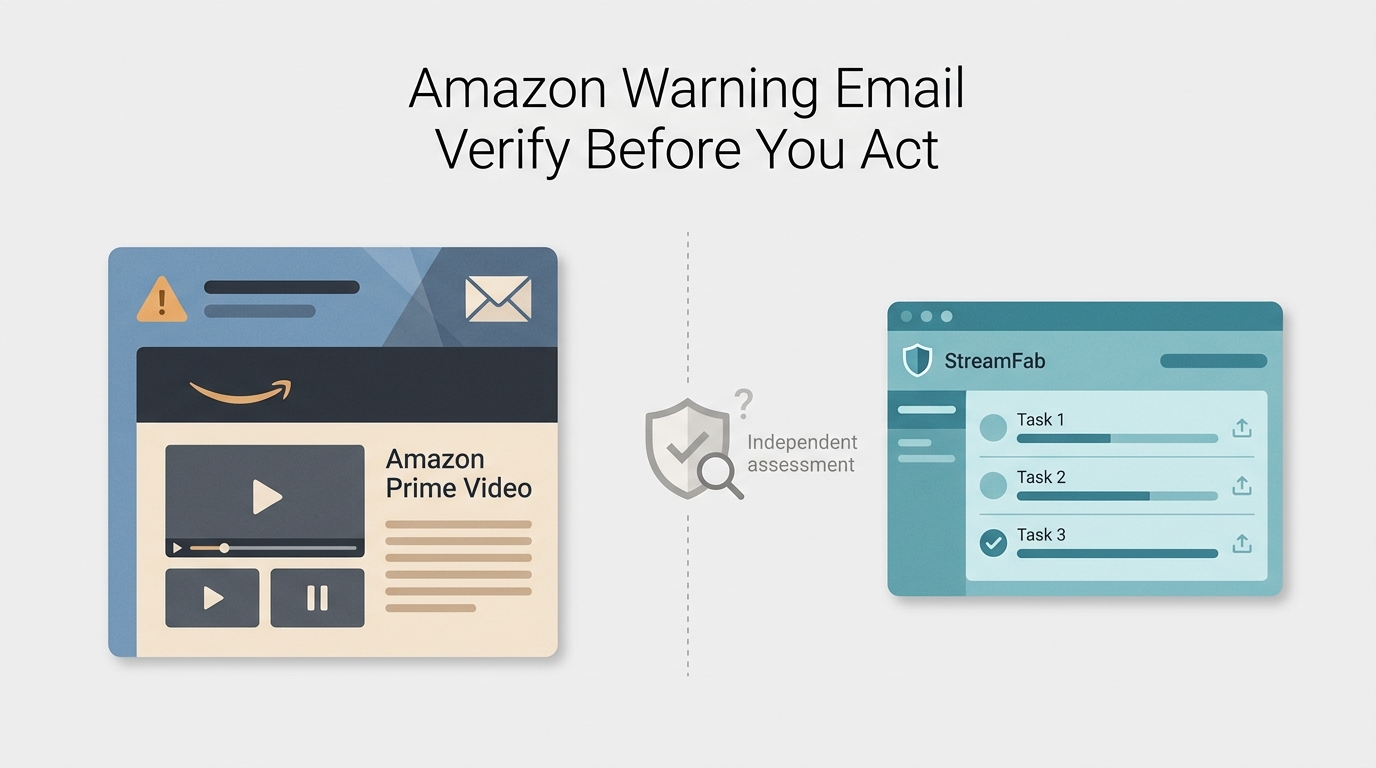
Amazon Prime Video warning discussions include phishing concerns, account-security alerts, Terms-of-Use questions, and reports connected to downloading activity. These categories should be checked separately rather than reduced to one cause.Start with Amazon's own account records. A compatibility update may improve software behavior, but it cannot determine whether Amazon will warn, restrict, suspend, or close an account.
Latest StreamFab Update and Current Evidence
The latest StreamFab Amazon builds focus on compatibility and user-visible stability. An Amazon warning update may explain why software changes are needed, but an update is not proof that an account will avoid enforcement.
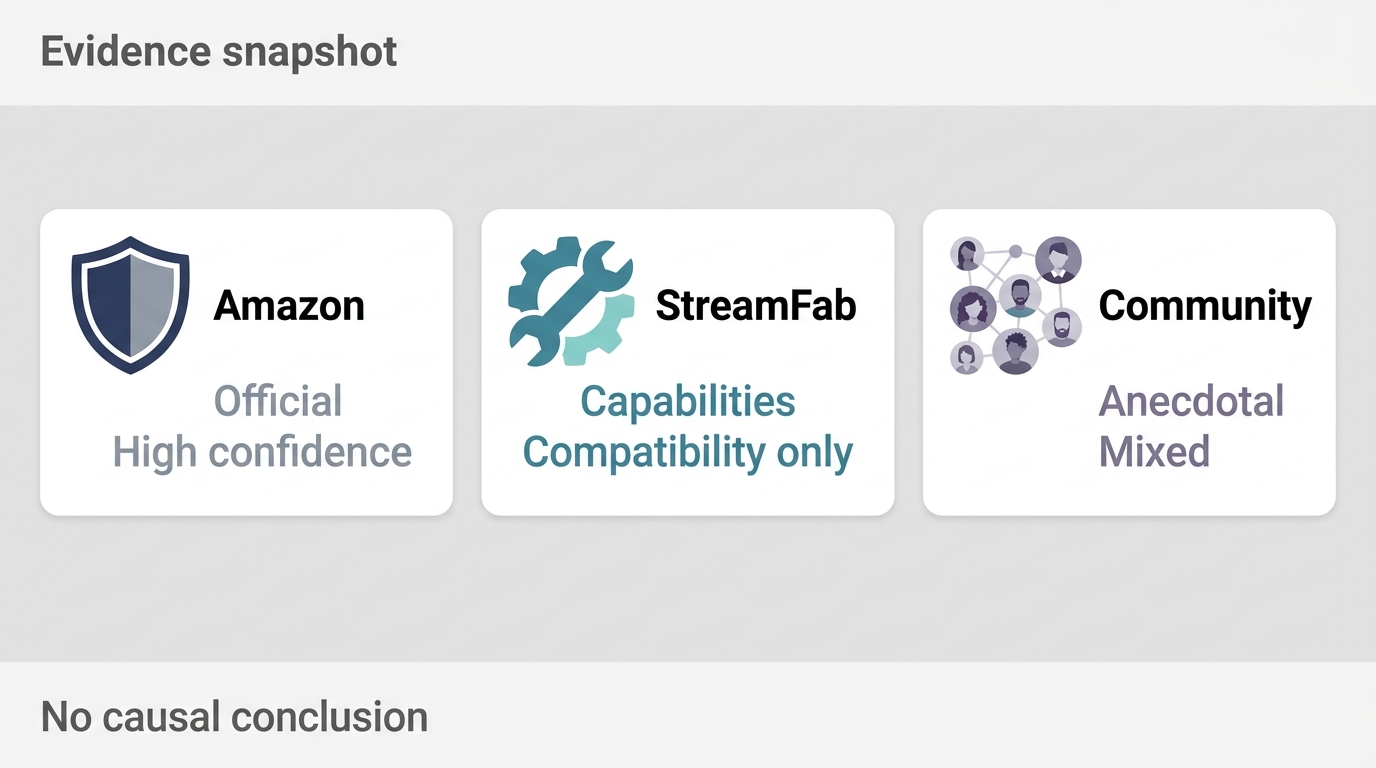
Current evidence falls into three layers: Amazon's published rules and security guidance, StreamFab's published product capabilities, and dated community reports. The more reliable reading is to keep those layers separate because a single technical theory cannot explain phishing, unusual activity, usage enforcement, and mixed user outcomes at once.
Evidence note: Product compatibility, Amazon account status, and community incident reports answer different questions and should not be treated as interchangeable proof. Amazon Warnings? The Official Fix from StreamFab is Here
What the Update Can and Cannot Establish
A StreamFab security update can address product-side compatibility, error handling, and output behavior.
Recent builds can be assessed through visible behavior such as successful sign-in, task creation, file output, and log generation. Those checks support a compatibility claim, not a promise about Amazon account safety.
| Evidence source | Claim | Evidence type | Confidence | Date or status | What readers can verify | Practical implication |
|---|---|---|---|---|---|---|
| Amazon official rules and security guidance | Amazon defines account-security steps, access conditions, device rules, viewing Windows, and enforcement authority. | Published platform policy | High for the stated rules | Current guidance; terms may be revised | Message Center, account alerts, Terms of Use, and Prime Video Usage Rules | Use Amazon as the authority for notice validity, account status, and recovery. |
| StreamFab published product capabilities | Current desktop builds support a local-file workflow with specified formats, resolution, audio, subtitles, and queues. | Product capability statement | Moderate to high for visible features | Current product positioning | Installed version, task behavior, output container, tracks, subtitles, and logs | Useful for judging compatibility, but separate from account-risk evidence. |
| Dated community incident reports | Some users report warnings or restrictions under different activity patterns, while others report no incident. | Anecdotal outcomes | Low for universal causes; useful as a pain signal | Mixed and time-sensitive | Date, account context, software version, notice wording, and reproducible details | Do not infer a safe quota or one trigger from isolated reports. |
Verify the Warning Before You Act
Do not click a link in the warning email. Open Amazon directly, sign in through the site or app, and check whether the same notice appears in Message Center, account alerts, or an official support flow.
- Open Amazon by typing the address yourself or using the official app.
- Check Message Center, Prime Video notifications, and account alerts for matching wording and timestamps.
- Inspect the sender address and domain carefully, but do not rely on the display name alone.
- Report a suspicious message through Amazon's phishing-reporting process.
- If Amazon shows a real account notice, follow the instructions displayed inside the account rather than the email link.
This workflow answers the first practical question: whether the message is an Amazon account notice, a general security alert, or a phishing attempt. It does not yet establish why the notice appeared.
Check Amazon Without Using Email Links
A genuine-looking logo, order reference, or urgent deadline does not make a message authentic. A legitimate Amazon email should align with information available after you sign in independently.
Compare the notice's date, affected service, requested action, and case details with Amazon's records. If the email asks for credentials, payment data, remote access, or an attachment outside the normal account flow, treat it as suspicious.
Secure the Account if Activity Looks Unfamiliar
Amazon unusual activity may indicate a compromised password, an unfamiliar sign-in, a payment issue, or a security review. Secure the account before investigating software behavior.
- Change the Amazon password using the official account page.
- Review recent sign-ins, devices, payment methods, orders, and Prime Video activity.
- Sign out unfamiliar sessions and enable available sign-in protections.
- Contact Amazon through official help if the account status or activity remains unclear.
A reproducible check is simple: compare the email timestamp with the account alert and recent sign-in history. Matching records support authenticity; missing or contradictory records justify extra caution.
Why Amazon May Send a Warning
A warning may relate to phishing prevention, account security, payment review, unusual account activity, or enforcement of Prime Video terms. Available evidence does not identify one universal trigger for every warning.
Why warnings require evidence separation
Amazon publishes account-security and usage rules, while StreamFab publishes compatibility and product information. Community reports add context but do not reveal Amazon's internal decision model.The notice wording, account records, and official support response are more useful than an invented single-cause explanation.
The Prime Video Terms of Use give Amazon authority to restrict access or take account action when it believes its terms have been violated. Amazon also sends security messages that may have nothing to do with downloading software, and scammers imitate those messages to obtain credentials.
Confirmed Rules Versus Unconfirmed Triggers
Confirmed rules describe what Amazon permits, restricts, or may enforce. Unconfirmed triggers are theories about the exact activity pattern that caused a specific notice.
- Confirmed: Amazon publishes access, device, stream, download, rental, purchase, and enforcement rules.
- Product statement: StreamFab publishes supported systems, output options, and compatibility changes.
- Community report: A dated user's experience may reveal a problem pattern, but it cannot prove the same cause applies to everyone.
This distinction is more trustworthy than claiming that a particular request pattern, location change, or transaction always produces a warning. Amazon does not publish a universal threshold for that conclusion.
Common Risk Factors and Official Limits
Official rules define access and playback boundaries, while risk factors describe activity that may look unusual. Staying within published playback limits does not turn an unsupported workflow into an approved one or eliminate account review.
As of July 2026, Amazon's Prime Video Usage Rules distinguish subscription, purchased, rented, and add-on content and describe device, stream, download, and viewing-window conditions. Readers focused on watching Amazon Prime Video offline should treat those rules as the baseline.
- Request pattern:Heavy or unusual activity may attract scrutiny, but no published evidence establishes a protected daily quota.
- Account security:New devices, unfamiliar sign-ins, payment changes, or abrupt location shifts can prompt review without proving one warning cause.
- Content and transaction rules:Subscription, purchased, rented, and add-on titles have different access conditions, and Amazon retains enforcement authority.
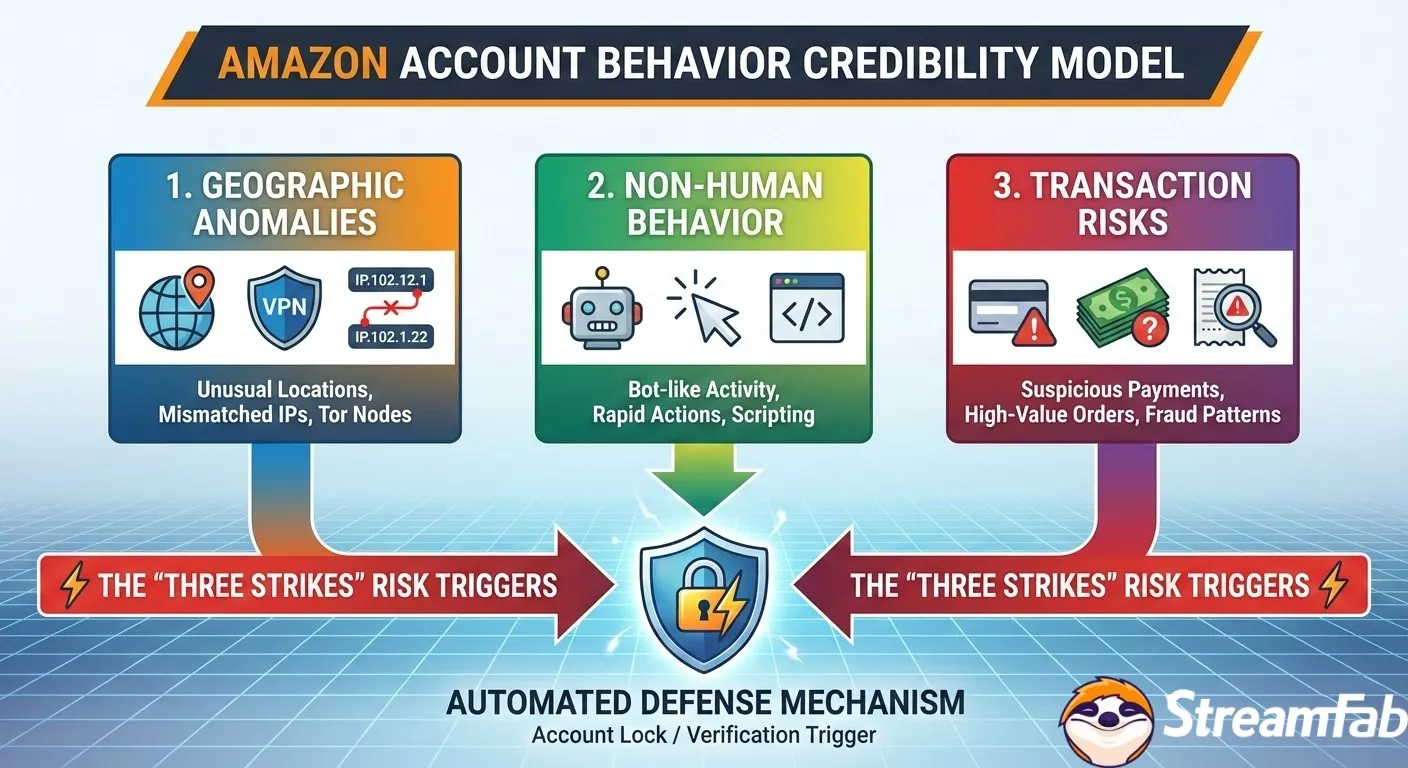
High Request Volume Without a Safe Quota
Heavier or unusual activity may increase scrutiny, but there is no verified safe daily number. Community reports describe different outcomes at different volumes, so moderation is prudent but cannot be presented as protection.

The same restraint applies to batch operation. For setup details, the existing guidance on how to download Amazon Prime Video explains the workflow, while this page remains focused on warning verification and incident response.
Purchased and Rented Titles
Purchased and rented titles can still be involved in a warning. Amazon applies different access and viewing conditions to purchases and rentals, but available reports do not prove that one transaction pattern explains every incident.
IP and Location Changes
IP or location changes can prompt a general security review, especially when they conflict with recent sign-in history. They are not a proven cause of every Prime Video warning.
Separate Accounts Do Not Eliminate Risk
A secondary streaming account may separate some shopping history, but it does not remove Amazon's rules, identity checks, payment checks, or enforcement authority.
For readers with an irreplaceable shopping history or digital library, separation may limit what is tied to one profile, but it should not be described as complete protection. Amazon account safety still depends on the account's own security and compliance status.
Device, Stream, and Download Rules
Prime Video download limits and playback limits vary by access type. Amazon's Usage Rules describe concurrent streams, permitted devices, downloaded-title conditions, and time Windows for starting or completing rentals and offline viewing.
The commonly cited rules include up to three simultaneous streams for different titles, up to two devices for the same title, and time limits that can include a 30-day start window and a 48-hour completion window for eligible downloads. The exact condition depends on the content and access type.
Third-Party Components and Authorized Use
For content you're authorized to access, where permitted by platform terms and applicable law, use current software from its official distribution channel and avoid modified components from untrusted sources.
This is a software-integrity recommendation, not evidence that Amazon has approved a particular local-file workflow. Authorization, account status, and platform permission remain separate questions.
Compatibility and Version Notes
Compatibility notes should describe visible behavior, not hidden theories about Amazon's detection systems. Current StreamFab updates may improve sign-in, task stability, media handling, and support diagnostics.
Supported behavior may change as Prime Video changes. Record the installed StreamFab version and the task timestamp before troubleshooting so that product-side evidence can be compared with the account notice.
Steps After a Warning or Suspension
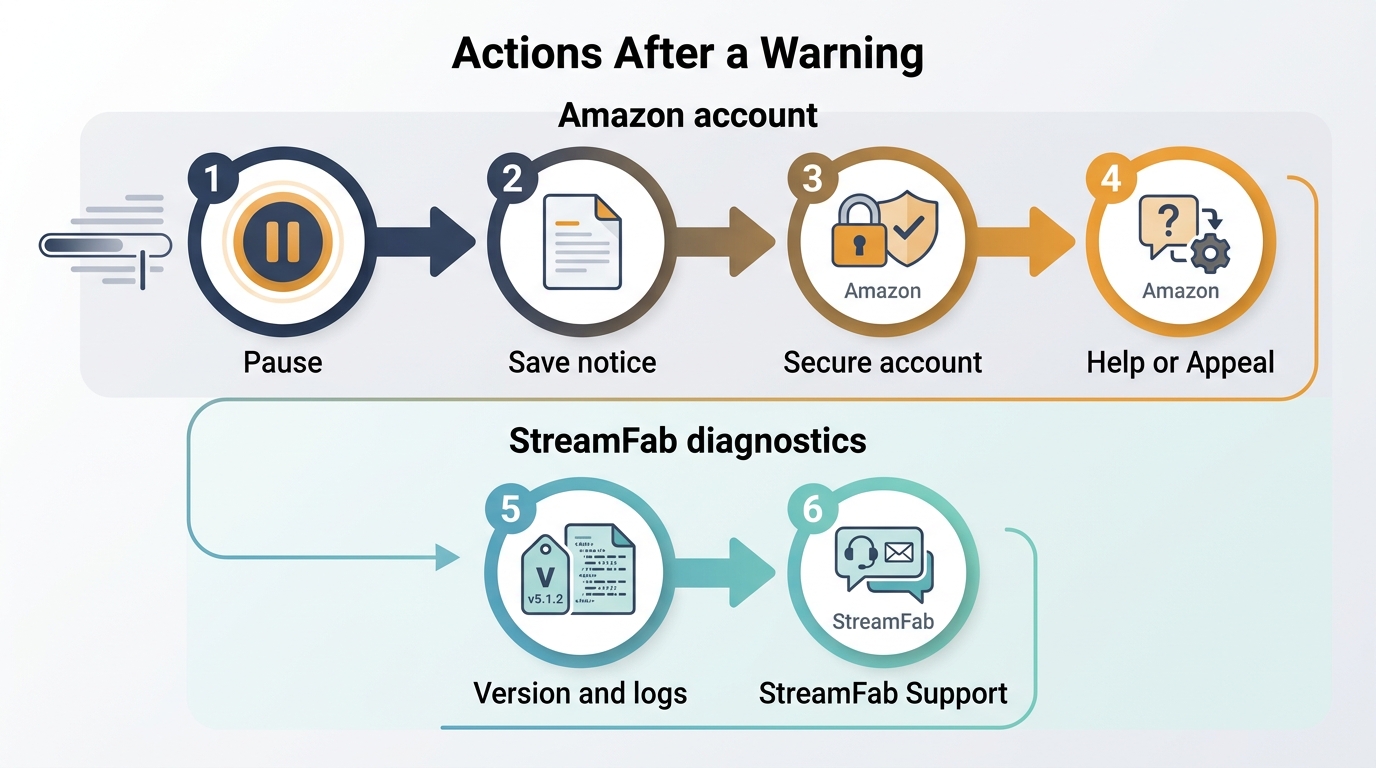
If an Amazon account is suspended or receives a genuine warning, stop the related activity, preserve the notice, secure the account, and use Amazon's official recovery or appeal path. An Amazon account suspended notice should be handled inside Amazon, not through an email link. StreamFab Support cannot decide the account outcome.
- Pause the related StreamFab task and avoid repeated sign-in or download attempts.
- Save the full notice, timestamp, sender details, screenshots, and any case or reference number.
- Review account sign-ins, payment methods, orders, devices, and unfamiliar activity.
- Follow the instructions shown inside Amazon and contact Amazon through official help.
- Provide requested identity, billing, or ownership evidence accurately.
- Separately collect the StreamFab version, task details, and relevant logs for product-side investigation.
Preserve the Notice and Stop Related Activity
Preserving the original notice prevents important wording and timestamps from being lost. Repeated retries can make later diagnosis harder because they add new events after the first incident.
Redact passwords, full payment numbers, and sensitive identifiers before sharing screenshots outside Amazon. Keep an unredacted copy for Amazon if its official process requests it.
Contact Amazon Through Official Channels
Amazon controls account recovery, access restoration, and enforcement decisions. An Amazon account appeal should address the notice directly and provide the evidence Amazon requests without speculation about hidden triggers.
If the notice is unclear, ask Amazon to identify the affected service and required action. Do not promise yourself that a warning will expire or that an appeal will succeed without a response from Amazon.
Send Relevant Logs to StreamFab Support
StreamFab support logs can help investigate product errors, compatibility behavior, and the timing of a task. They cannot prove why Amazon made an account decision.
- StreamFab version and operating system
- Date, time, affected title, and task type
- Relevant application logs and error messages
- A redacted description of the Amazon notice
- Steps that occurred immediately before the incident
The useful support question is whether a product-side error or compatibility issue can be reproduced. Account recovery remains with Amazon.
Platform Changes and Compatibility Notes
Prime Video platform changes can affect sign-in, playback context, media availability, and task stability. StreamFab compatibility work should be judged by visible results and diagnostics rather than claims about imitating a person or avoiding detection.
User-Visible Changes in Recent Builds
Recent builds are positioned around current Windows and Mac compatibility, task handling, and local-file output. The relevant signals are whether the app signs in correctly, creates a task, completes authorized processing, and records useful diagnostics when it fails.
For content you're authorized to access, where permitted by platform terms and applicable law, keep the application current and use the official installer. This reduces product-side uncertainty but does not alter Amazon's enforcement authority.
What Users Can Verify Themselves
Users can verify the installed version, operating system, task timestamp, selected output, generated file, audio track, subtitle option, and log bundle. These checks make a support report reproducible.
- Record the app version and operating system before starting.
- After Amazon account status is clear, use one authorized title and note the task time.
- Inspect whether the output is MP4 or MKV and whether the selected audio and subtitle options are present.
- If the task fails, save the error text and logs before retrying.
A successful file check supports the product-capability statement for that task. It does not establish that future account action is impossible.
Is StreamFab Safe With an Amazon Account?
The calibrated answer is that updates may improve compatibility and stability, but no software vendor can promise that an Amazon account will avoid a warning, suspension, or closure. Current community evidence is mixed.
Evidence Status as of July 2026
StreamFab warnings 2026 reports do not point to one consistent trigger. Some accounts report incidents under different usage patterns, while other users report no warning; neither outcome establishes a universal rule.
Amazon publishes the rules and controls enforcement. StreamFab can publish compatibility changes and investigate logs. Community reports can identify pain points, but they need dates, versions, notice wording, and account context to be useful.
Who This Workflow May Not Suit
This workflow is not ideal for users who cannot accept any account or terms-related uncertainty. If a shopping history, digital library, or connected service is too important to expose to uncertainty, use Prime Video's official offline features.
That recommendation is not a claim that an incident is inevitable. It is a fit judgment based on the cost of a possible account action, not a prediction of what Amazon will do.
Portable Files Are a Separate Product Claim
Portable output describes what StreamFab Amazon Downloader can create; it is not evidence about account safety. Keep the capability claim and the risk assessment separate.
- Windows and Mac desktop support
- MP4 or MKV output at up to 1080p
- H.264 or H.265 video
- EAC3 5.1 or AAC 2.0 audio
- Embedded or SRT subtitles
- Season batch queues
Useful for: authorized desktop local-file workflows that need selectable formats, audio, subtitles, or queued episodes. Not ideal for: anyone who requires certainty about Amazon account treatment or prefers the managed official download experience.
StreamFab Support and User-Visible Protections
StreamFab Support can investigate application behavior, logs, version details, task failures, and output issues. It cannot validate an Amazon email, reverse an Amazon decision, or guarantee an account appeal.
Support Scope and Evidence Needed
A focused support report should connect one event to one set of facts: version, system, title, timestamp, error, and logs. Avoid broad claims about all accounts or all warnings.
Compatibility work, maintained official installers, local logs, and visible output checks are useful protections against product-side uncertainty. They do not replace Amazon's account-security process or Prime Video Terms of Use.
If the issue is a general StreamFab error, collect the same evidence before troubleshooting so the original failure remains traceable. If the issue is an Amazon notice, contact Amazon first and use StreamFab Support for the separate product investigation.
Frequently Asked Questions
These answers address the quickest decisions readers face after a warning without inventing a safe quota, a guaranteed appeal result, or a universal cause.
Do Amazon Prime Video warnings expire if I do nothing?
Do not assume they will. Verify the notice inside Amazon, follow any official instructions, and secure the account if the activity is unfamiliar. If Amazon shows a hold or restriction, use its official support or recovery process.
Can purchased or rented videos still be involved in a warning?
Yes. Reports include users of purchased or rented content, while Amazon publishes different rules for each access type. That does not prove one content type or transaction pattern caused the warning.
Does using a separate Amazon account remove the risk?
No. It may separate some shopping history, but it does not remove Amazon's rules, identity and payment checks, security review, or enforcement authority.
What should I send StreamFab Support after an incident?
Send the StreamFab version, operating system, timestamps, affected title or task, relevant logs, error text, and a redacted description of the Amazon notice. Handle the Amazon account appeal directly with Amazon.
Conclusion
Use a three-step decision: verify the message through Amazon, follow official account and usage guidance, then evaluate StreamFab compatibility claims separately from account-risk evidence.
- Confirm the notice in Amazon without using email links.
- Secure the account and follow Amazon's warning, recovery, or appeal instructions.
- Pause related tasks, preserve evidence, and send product logs to StreamFab Support if a separate compatibility investigation is needed.
Use StreamFab for personal offline viewing of content you are authorized to access, where platform terms and applicable law permit. For product-side help, provide the version, timestamp, task details, and logs so Support can investigate the specific incident.

Tested in 2026: the best amazon prime video downloader picks for offline viewing on Windows and Mac — with real bitrate data, pros/cons, and a free trial on every tool.
By Nicole Lopez - Oct 12, 2026
Learn how to fix Amazon Prime Video offline playback errors in 2026. Discover official download rules, device limits, DRM handshake issues for a stable offline experience.
By Jacob Harrison - Sep 28, 2026

Choose among ten Prime Video movie picks, from documentaries and courtroom drama to action comedy and science fiction. Compare access labels and named rating signals, then match a film to your mood. The guide also explains membership offers, catalog changes, and personal offline-viewing options.
By Nicole Lopez - Sep 24, 2026
Running into Error Code 0.6 on Prime Video can ruin movie night, but it’s usually fixable. This guide walks through quick checks, explains the cause, and shares device-specific fixes.
By Nicole Lopez - Sep 23, 2026