
How to Download Amazon Prime Videos in 2026: A Tested Guide

Summary: You can download Amazon Prime Video titles through supported Prime Video apps, but eligibility varies by title, region, subscription, provider, device, and account rules. As of July 2026, the practical choice is between managed in-app downloads and a desktop local-file workflow for authorized personal viewing.
Table of Contents
For travel, the real concern is not simply how to download Amazon Prime Video, but whether a completed Prime Video download will play on the device and display you plan to use. This guide explains the official route first, then distinguishes the desktop option for readers who need more control over local files.
Can You Download Prime Video Titles?
Eligible Prime Video movies, series, purchases, rentals, and channel titles can be downloaded through supported apps, but not every title is available offline. Licensing, region, subscription, channel, device, and account rules all affect availability.
According to Prime Video's official help guidance, the current Prime Video download limit is up to 50 downloads for standard Prime Video and up to 100 for Prime Video Ultra, although title, device, provider, and account sub-limits can still apply. Readers comparing broader software categories can use this Amazon downloader review.
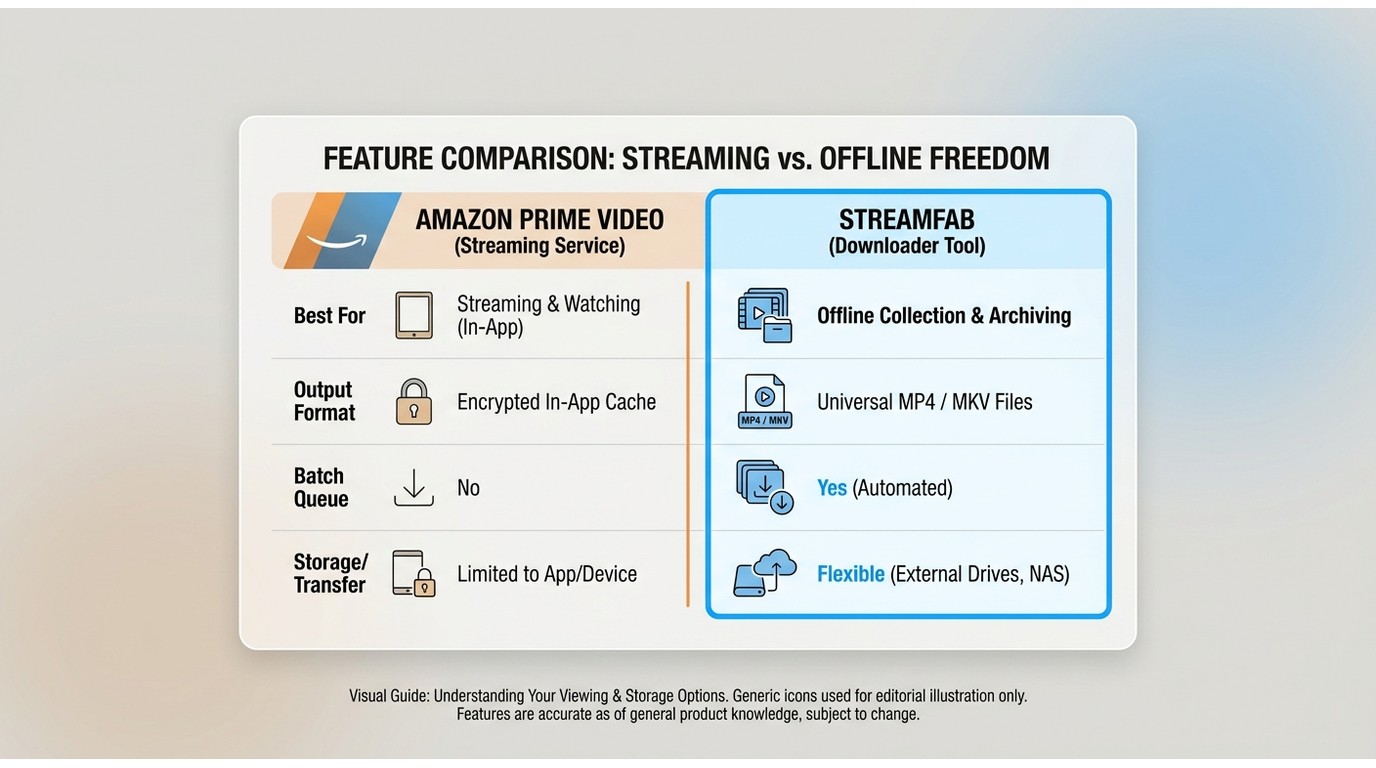
The matrix below separates official in-app downloads from a desktop workflow. The key difference is whether you need occasional viewing within Prime Video or visible local files with format and queue controls.
| Feature | Prime Video App | StreamFab Amazon Downloader |
|---|---|---|
| Best for | Occasional offline viewing on supported Prime Video apps | Windows or Mac users who need local-file formats, batch queues, or scheduling |
| Supported devices | Fire tablets, iPhone and iPad, Android, macOS, and Windows 10/11 | Windows and Mac desktop software |
| Playback environment | Managed download item played in the Prime Video app, subject to account and license checks | Local copy for personal offline viewing where permitted by platform terms and applicable law |
| Storage and transfer | Stored for in-app use; USB-connected drives and downloaded-title playback through Chromecast or AirPlay are not supported | Visible MP4 or MKV output, with local playback options that differ from the Prime Video app |
| Format and queue controls | App-managed download controls | MP4/MKV options, batch queues, and scheduled downloads |
Personal-Use and Platform Boundaries
Amazon Prime Video protects all of its movies and shows with DRM (Digital Rights Management) technologies such as Widevine, PlayReady, and HDCP. These systems control how content can be downloaded, played, or transferred, and are designed to prevent unauthorized copying or redistribution. As a result, official downloads from the Prime Video app are always stored in encrypted form and can only be played inside the app, often requiring periodic online verification.
This article covers the official app and a desktop alternative for content you are authorized to access, where permitted by platform terms and applicable law. Keep any saved copies for personal, non-commercial viewing. Do not redistribute, upload, share, or use Amazon content commercially.
The practical takeaway is simple: the official app is usually sufficient for occasional offline viewing, while a desktop workflow is relevant only when authorized personal-use needs include local formats or queue controls.
With that said, let’s dig into each method and see how they really hold up in day-to-day use, starting with the official Amazon Prime Video app.
Official Prime Video App Workflow
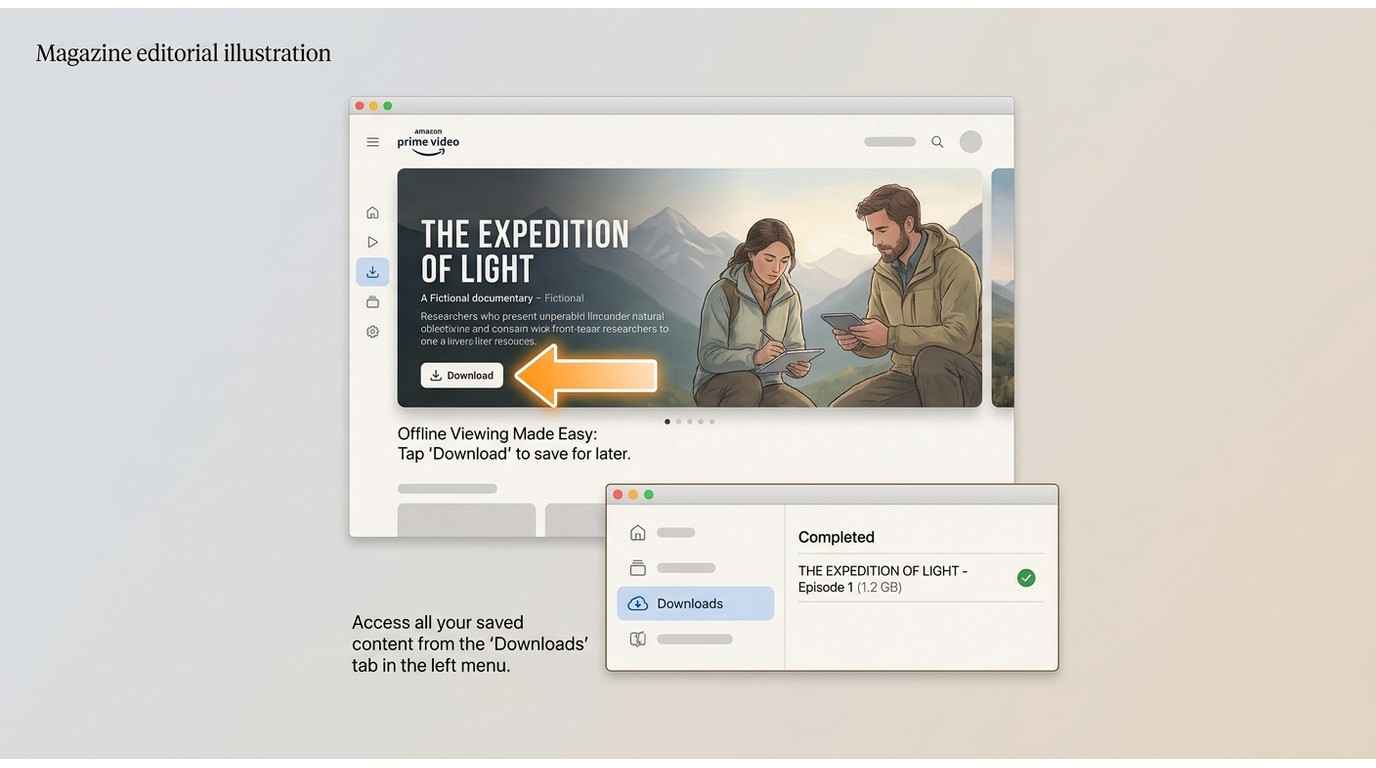
The Prime Video app is the straightforward choice for eligible titles when you want occasional offline viewing on a supported device. It is not ideal when you need a visible file, external-drive use, or downloaded-title casting through Chromecast or AirPlay.
Official Download Steps by Device
Use the current Prime Video app, sign in to the account with access to the title, open the title page, select Download, and find completed items in the app’s Downloads area.
| Device | Where downloads are managed | Storage note |
|---|---|---|
| Windows 10/11 | Prime Video app Downloads area | You can choose a storage location in supported app settings; USB-connected drives are not supported. |
| macOS | Prime Video app Downloads area | Downloads remain app-managed. Readers who need to download Amazon Prime Video on Mac with a desktop workflow can compare the options below. |
| iPhone/iPad | Prime Video app Downloads area | Downloads use managed app storage. |
| Android | Prime Video app Downloads area | Supported app settings can offer a storage-location choice; USB-connected drives are not supported. |
| Fire tablet | Prime Video app Downloads area | Downloads use managed device storage. |
Downloaded titles cannot be played through Chromecast or AirPlay. Before travel, confirm that the selected device and display match how you plan to watch.
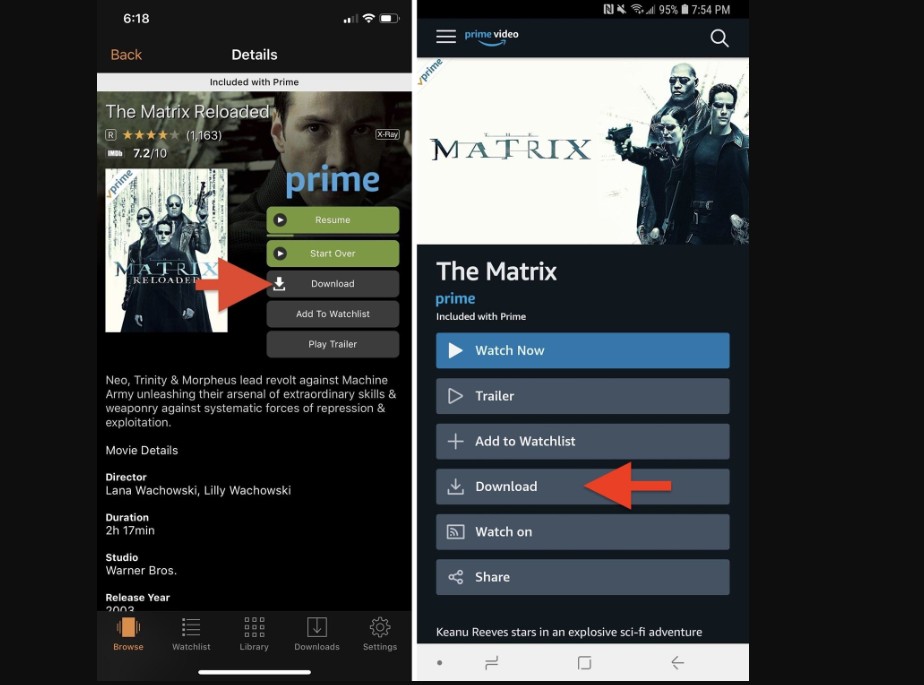
Amazon Prime Video officially supports downloading a selection of movies and shows for offline viewing via mobile apps. These downloads include purchased titles, rentals, and included Prime Originals.
Amazon Prime video download limits in terms of content availability, maximum number of titles, playback time limits, and device restrictions are built into how this official method works and can’t be adjusted from the user side. Many popular titles remain non-downloadable through the official app.
In my test (iPhone 14 / Wi-Fi 500 Mbps), a 50-minute episode took about 3 minutes to download in ‘Best’ quality (≈220 MB), but playback stopped on airplane mode until I went online to refresh the license — a common issue reported by many users.
- Official app support on compatible devices.
- A simple option for occasional in-app offline viewing.
- Download quantities vary by plan and remain subject to title, device, provider, and account restrictions.
- Ad-supported and ad-free viewing options exist, but offline ad behavior can vary and should not be assumed for every title.
- Prime Video Ultra includes 4K/UHD streaming; this does not establish a 4K official offline-download specification.
- Offline playback can depend on completed downloads, license status, device setup, and the display you plan to use.
- Download availability and playback conditions can vary by title and account.
Travel and Offline Playback Checks
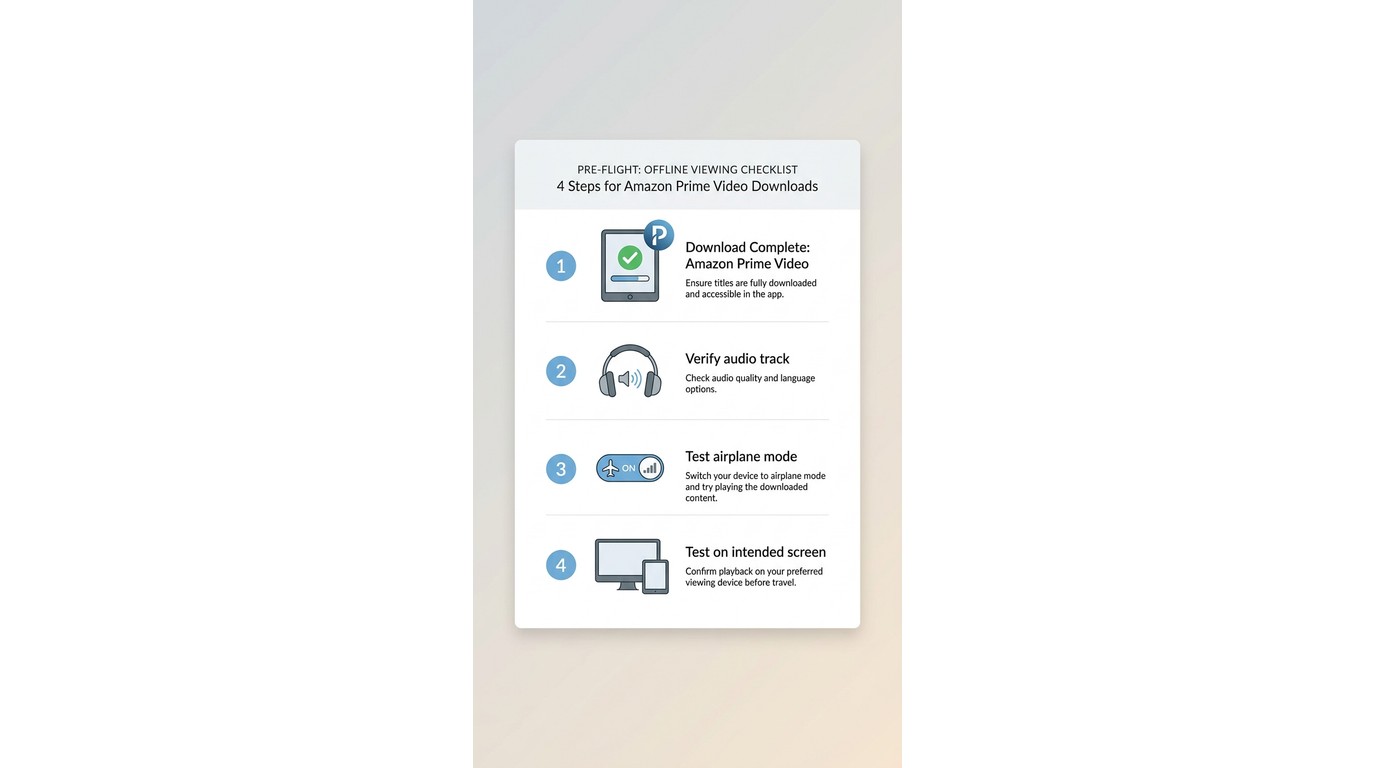
Before a flight or other low-connectivity trip, complete downloads early and open each title once while connected. Then confirm the intended audio track, test airplane mode, and test the exact device and display you plan to use.
Travelers can encounter surprises involving license refreshes, audio selection, displays, or incomplete downloads. For broader steps to watch Amazon video offline, start by testing the completed title before departure. In practice, this preflight check matters more than discovering a limitation after boarding.
Official downloads are a sensible choice when app-based viewing is enough. A desktop local-file workflow becomes relevant when a Windows or Mac user has a specific authorized personal-use need for format choices or queue controls.
StreamFab Desktop Workflow and Output Options
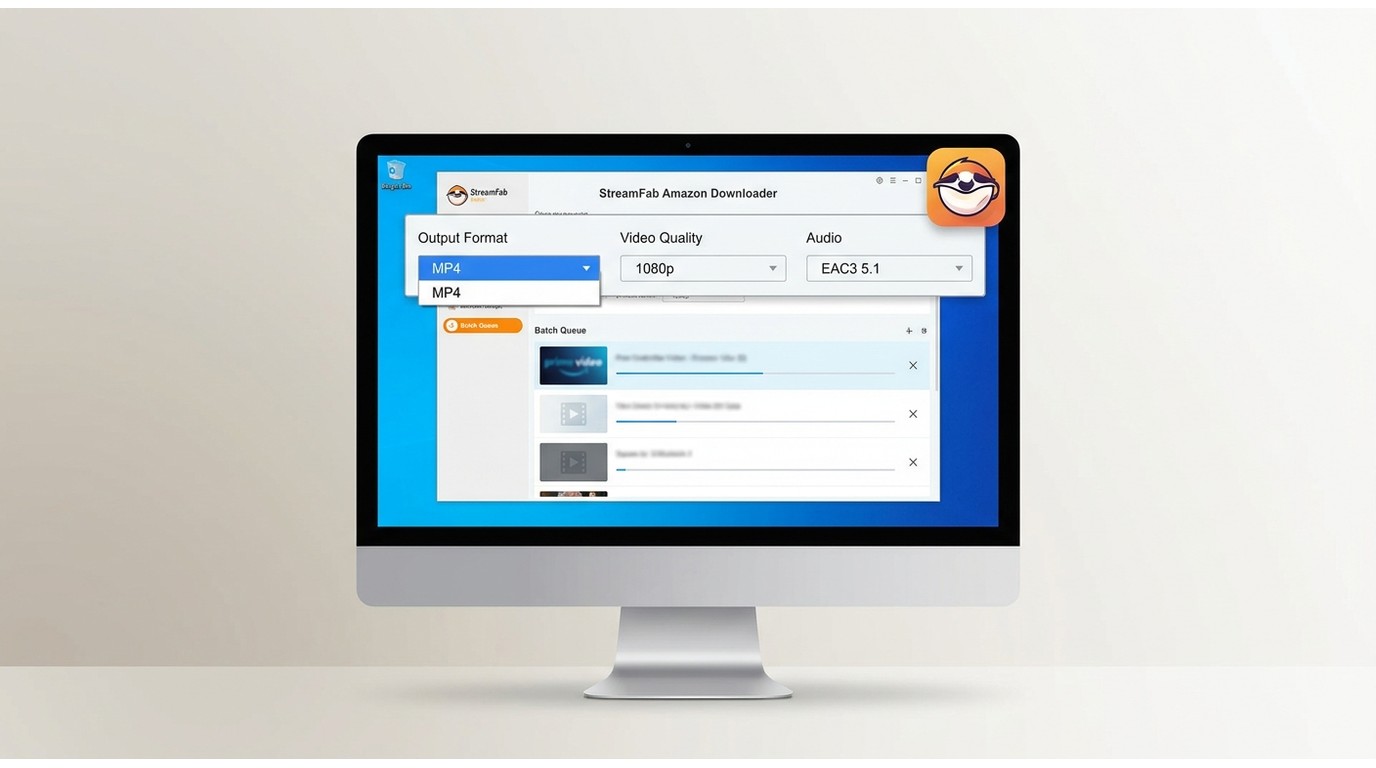
StreamFab Amazon Downloader is a desktop option for Windows and Mac users who need a local-file workflow for content they are authorized to access, where permitted by platform terms and applicable law. It is best suited to readers who need format or queue controls, and not ideal for readers who only need occasional in-app viewing or do not want desktop software.
The most useful difference for this use case is practical file control, not a promise that any title or playback condition will behave the same in every setup. Readers comparing a Prime Video MP4 download workflow can review the format-specific details separately. Amazon’s download restrictions are also relevant when assessing local viewing options: Amazon download restrictions.

- Even if you’re on the ad-supported standard plan, StreamFab strips out the interruptions during the backup process.
- In my tests on Windows 11, a 2-hour movie took about 8 minutes to save with full EAC3 5.1 audio.
- Because these are local files, they don't have a 48-hour "self-destruct" timer.
- Downloading Amazon Prime Video to MP4 allows you to move these files to a Mac, a laptop, or a tablet and play them in VLC without any "online license checks."
- Availability depends on the title, account access, and current service conditions.
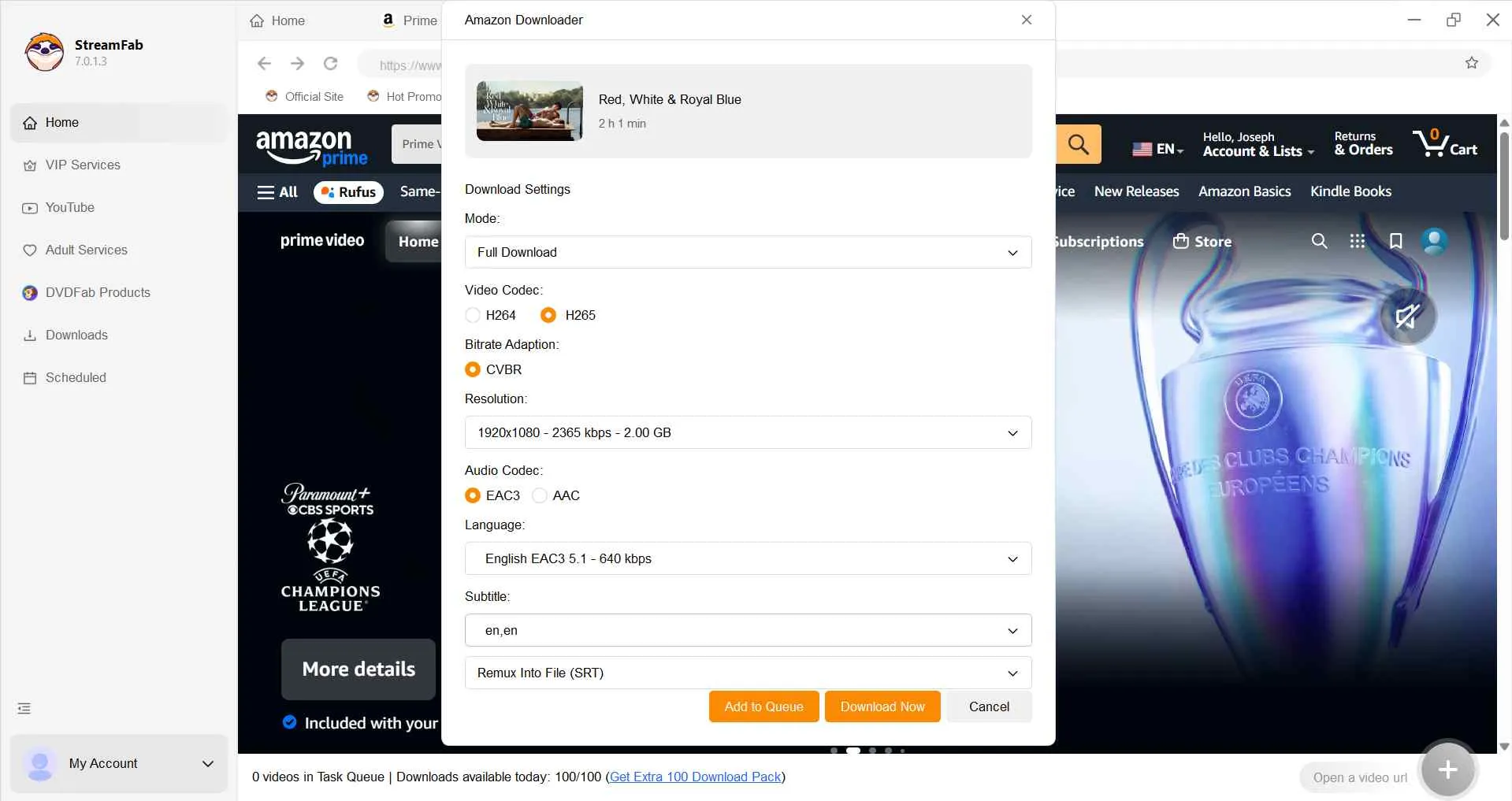
- H.264 or H.265 output options are available where supported.
- Choose available audio languages, subtitles, and metadata options.
- Batch queues and scheduled episode downloads can help organize eligible series releases.
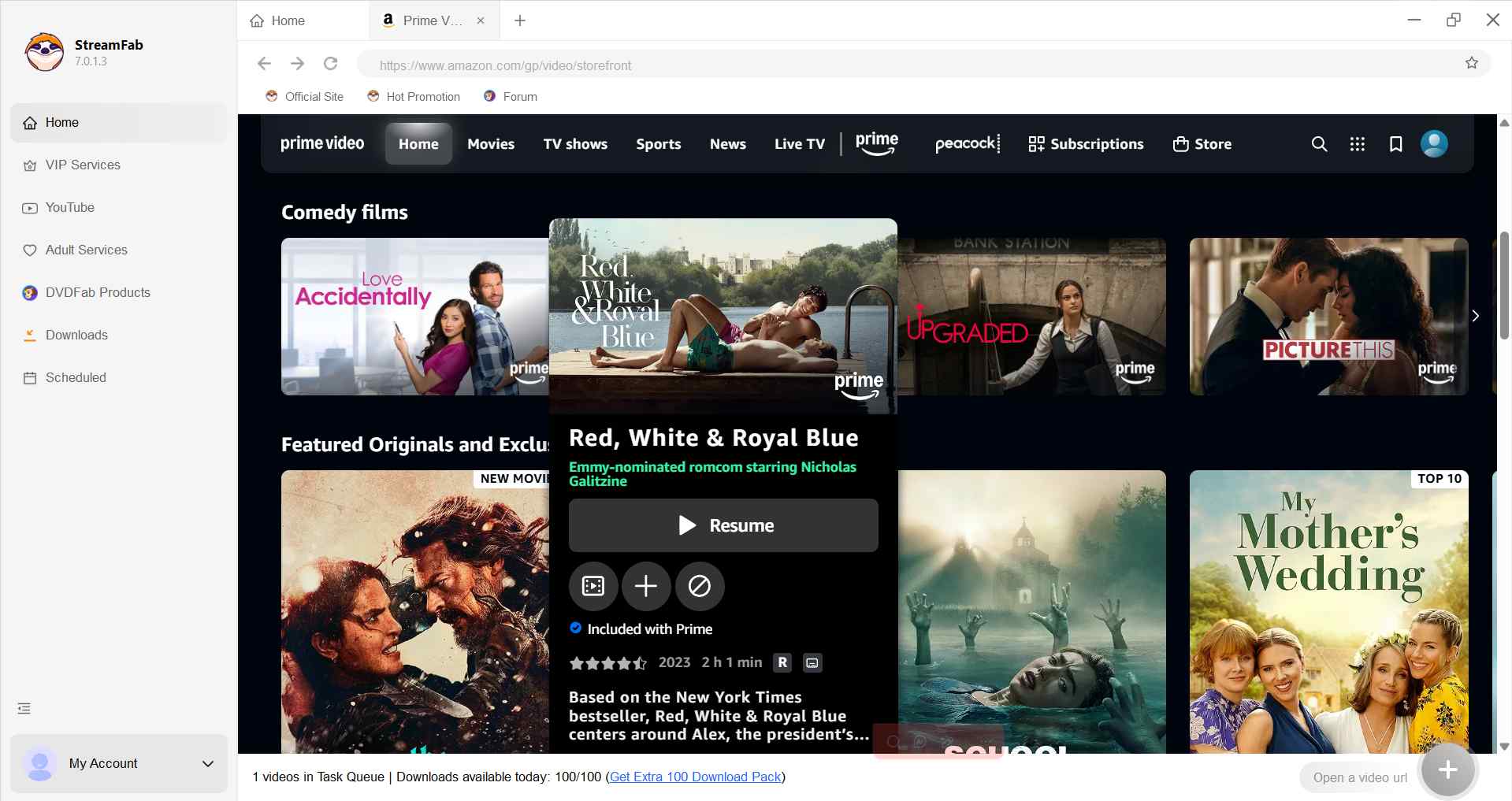
StreamFab Download Steps
StreamFab offers a 30-day trial with three videos per streaming service, with the same features as the paid version but a quantity limit. Use the desktop workflow only for titles your account is authorized to access.

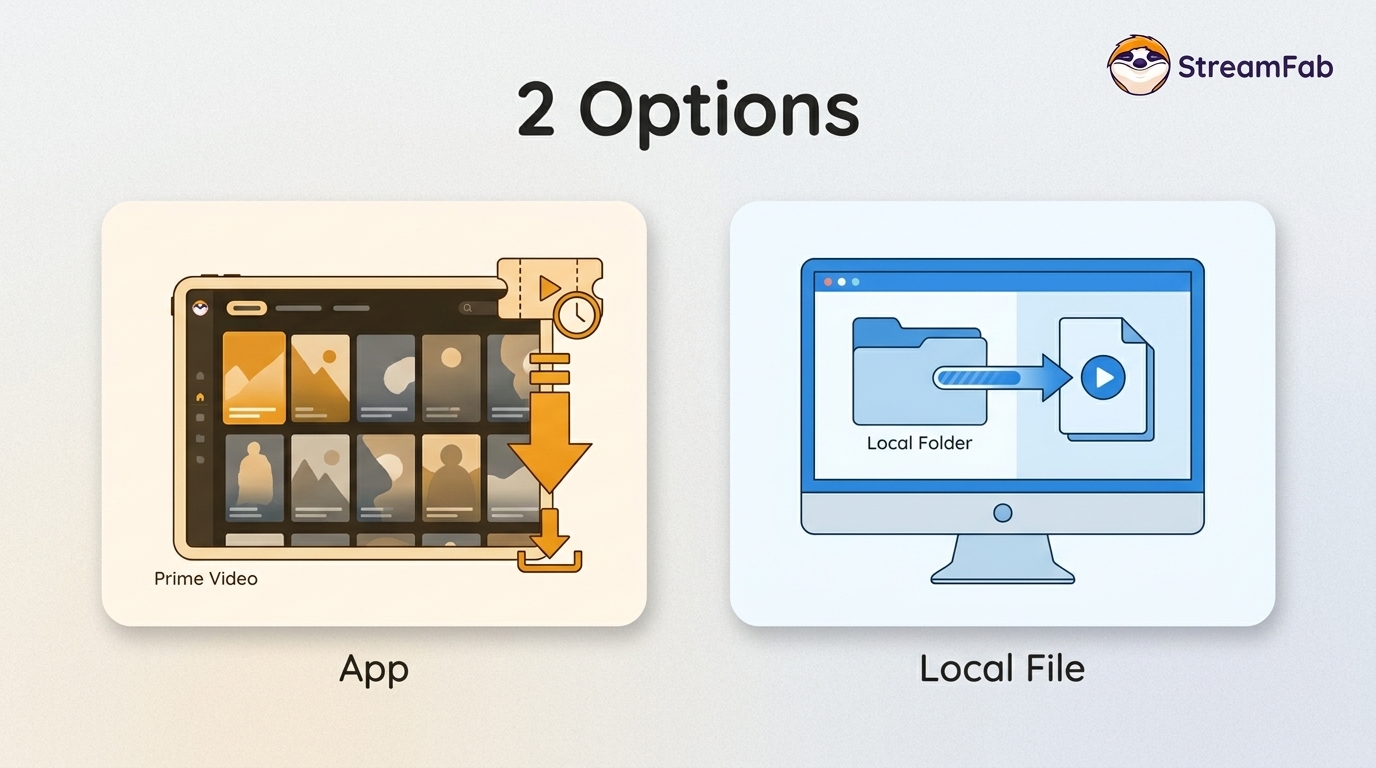
Official App Downloads Versus Local Files
Official app downloads are managed items intended for playback within Prime Video, while the desktop workflow produces visible MP4 or MKV files for authorized personal offline viewing.
The difference matters most when local-player compatibility, subtitle handling, or queues are part of your viewing setup. Account notices, including warning emails from Amazon Prime Video, should be addressed through the applicable account and platform guidance.
| Category | Amazon Prime Video Download | StreamFab Amazon Downloader |
|---|---|---|
| Availability | Eligible titlesDownload availability can vary by licensing, region, subscription, channel, device, and account. | Available account-authorized titles can be saved locally where permitted by platform terms and applicable law. |
| Playback environment | Downloads are app-managedand may require account or license checks. | Local copies are intended for authorized personal offline viewing in supported local players. |
| Account rules | Plan-based limitsTitle, device, provider, and account restrictions can apply. | Account-authorized accessAvailability varies by title and service conditions. |
| Supported systems | Fire tablets, iOS, Android, macOS, and Windows 10/11 | Windows/Mac |
| Playback location | Managed in the Prime Video app | Saves in MP4/MKVwith local-player compatibility that differs from in-app downloads |
| Queue controls | App-managedDownload controls vary by title and account | Batch queues and scheduled downloads |
Neither workflow is universally better. The Prime Video app keeps viewing inside Amazon’s managed environment, while the desktop workflow is for a narrower need: authorized local-file control on Windows or Mac.
Prime Video Download Troubleshooting and FAQs
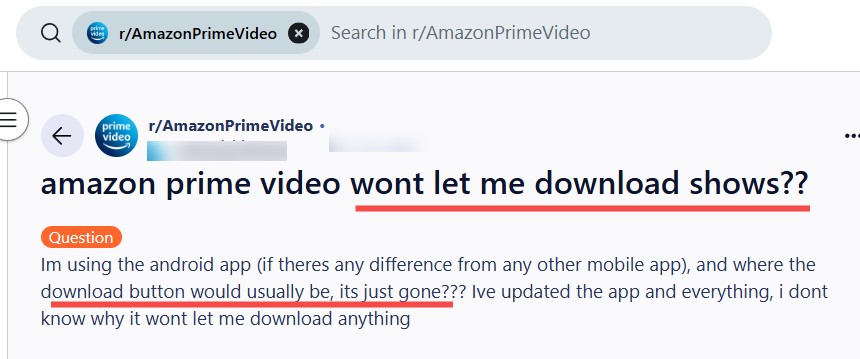
Why is the Download button missing for some Prime Video titles?
Check title licensing, your region, subscription or channel eligibility, supported-device status, and account limits first. A title that streams is not necessarily available for official download, and the app’s title page is the best place to confirm current eligibility.
Why won’t a downloaded Prime Video title play on a flight?
First confirm that the download completed, open it once while connected, verify the selected audio track, and test airplane mode on the intended device. License status, an incomplete download, unsupported display use, or device-specific app behavior can all affect playback.
What should I try when a Prime Video download is stuck or fails?
The following table summarizes common user issues with Amazon Prime Video downloads and recommended troubleshooting steps:
- Description Official troubleshooting StreamFab solution Missing button, stuck, or failed download The title may be ineligible, storage may be low, permissions may be blocked, or a cached download may be corrupted.
- Confirm eligibility and storage, update and restart the app, remove the affected download or clear cache, then download again.
- Check title, account, device, and storage conditions before retrying. Offline playback failure A completed title does not play in the expected travel setup.
- Open it while connected, confirm the download and audio track, update the app and device, then test airplane mode before departure.
- Downloaded-title playback remains subject to the Prime Video app, account status, and supported display restrictions.
- Playback or audio issue Video stutters, quality is lower than expected, or the selected audio track is wrong.
- Restart the app, try another available quality option, and confirm the preferred audio track before downloading again.
For an inherent in-app limitation, assess whether an authorized desktop local-file workflow better matches your device and playback needs.
Does availability vary by subscription?
Yes. Download access can vary by title, region, subscription, channel, device, and current account rules. If your account includes a channel, eligibility is shown in the Prime Video app; readers who need to download Amazon Channels video can review the channel-specific details there.
Conclusion
For most readers, the decision comes down to where and how they plan to watch.
- Choose the official Prime Video app for occasional offline viewing on a supported device, especially when in-app playback meets your needs.
- Consider StreamFab Amazon Downloader only when authorized personal-use needs on Windows or Mac specifically include local MP4/MKV formats, batch queues, or scheduled downloads.
The official app is not a lesser option when it fits the trip and device. A desktop local-file workflow is a more specialized choice, not a replacement for every Prime Video download. Use offline options only for content you are authorized to access, where permitted by platform terms and applicable law. Keep saved copies for personal, non-commercial use, and do not share, redistribute, upload, or use them commercially.
Video download rules and supported devices can change over time.
July 2026 Updates:
Account rules: Consolidated the current standard and Ultra download quantities in one section.
Device guidance: Added supported-device, storage, USB-drive, Chromecast, and AirPlay guidance.
Troubleshooting: Expanded the travel and offline-playback checks.
This guide distinguishes managed Prime Video app downloads from desktop local-file workflows for personal, non-commercial use within applicable platform terms and law.

Yes, you can directly download Amazon Prime video on Mac through the official macOS app (subject to a strict 30-day limit) or utilize third-party downloders to export permanent local MP4 files. Explore my 2026 technical tests to avoid blackout restrictions.
By Erika Leen - Aug 26, 2026
Amazon Prime Video Channels like Starz, AMC+, and Acorn TV offer extra shows beyond standard Prime. But their downloads face time and device limits. This guide explains the key difference between Prime vs Channels and shows how to safely download Channel videos.
By Erika Leen - Aug 25, 2026

I revisits the most iconic PBS Kids shows of the 2000s, sharing heartfelt recommendations and formative memories of each series,
By Erika Leen - Aug 21, 2026
You can download eligible rented Amazon movies and purchased titles through the Prime Video app, but rentals have limited viewing Windows and app-managed storage. This guide explains the official route first, then a desktop local-file workflow for authorized viewing when format, audio, or playback flexibility matters.
By Nicole Lopez - Aug 11, 2026