
Is Discovery Plus on Hulu? 4 Viewing Options in 2026

Summary: If searching for Discovery Plus on Hulu has left you wondering whether one subscription unlocks both services, the answer is no: Hulu carries selected Discovery shows and eligible live channels, but discovery+ remains separate. The same distinction matters when you search for Discovery Channel on Hulu.
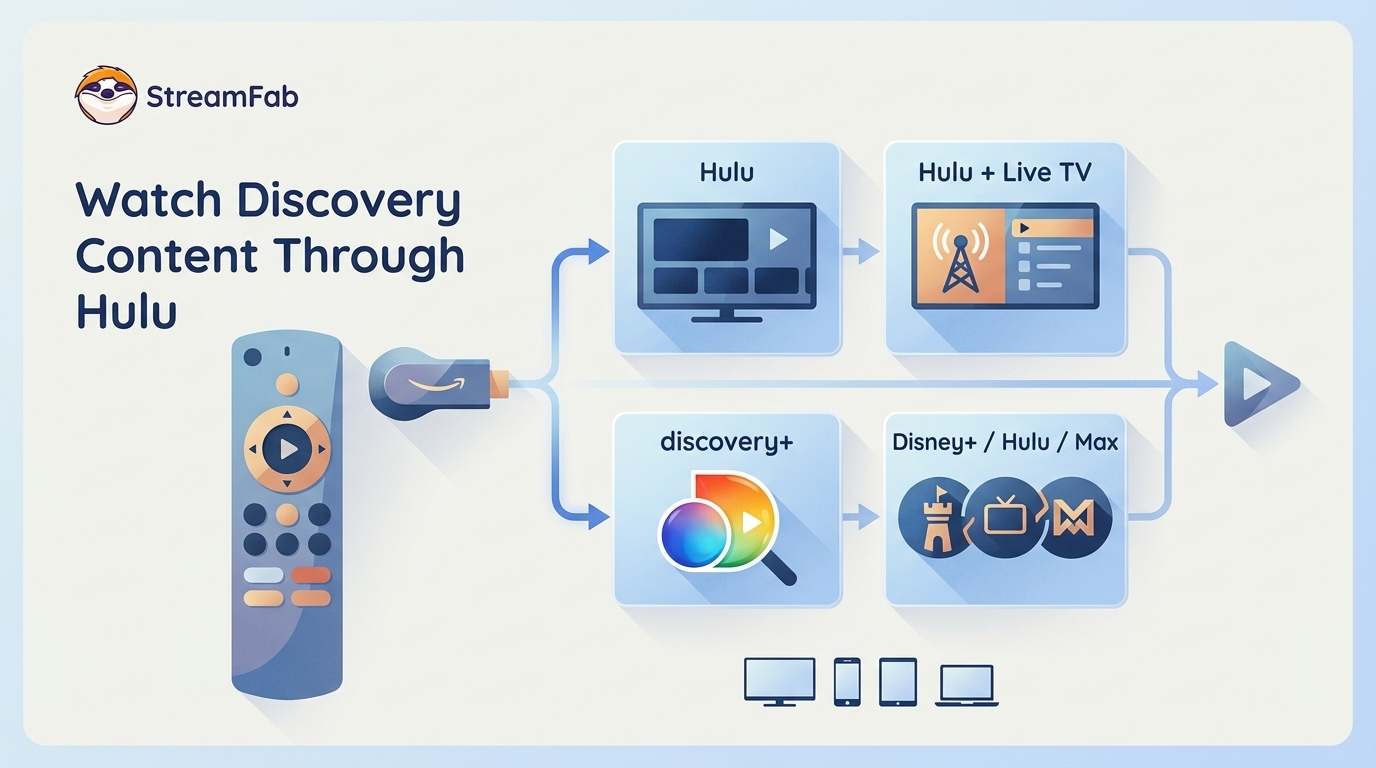
Table of Contents
The practical route is to compare four access paths first, then narrow the choice by channel availability, catalog depth, and offline rules. That avoids paying twice for overlapping shows while still missing the seasons you wanted.
Discovery Plus Is Not a Hulu Add-On
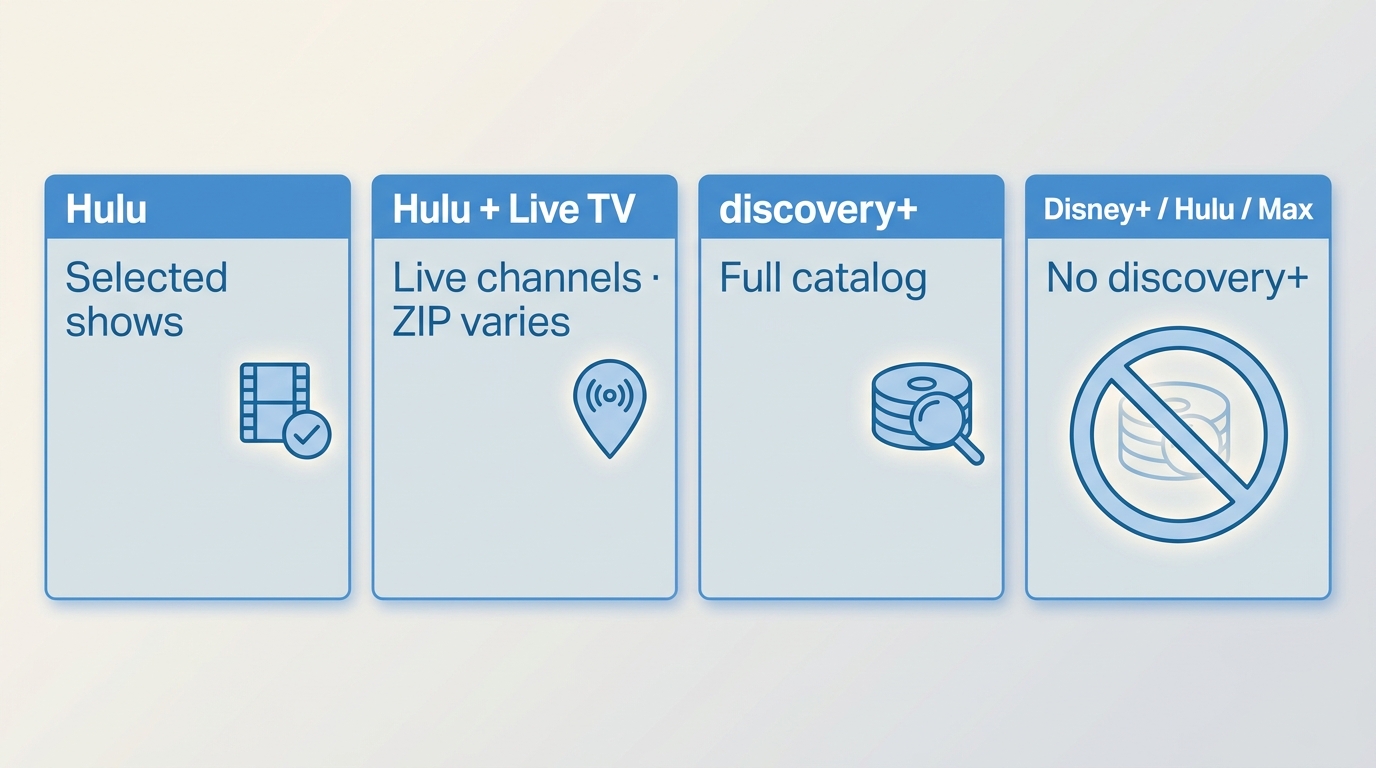
Hulu does not sell discovery+ as an add-on. You can watch selected Discovery content through Hulu, use eligible Discovery channels with Hulu + Live TV, or subscribe to discovery+ separately.
Four Viewing Options and Current Pricing
The four options solve different problems: Hulu supplies selected on-demand titles, Live TV adds scheduled channels where available, discovery+ provides its own catalog, and the Disney+/Hulu/Max bundle combines those three named services without adding discovery+.
| Viewing option | Account path | Current price basis | Content scope | Native offline eligibility |
|---|---|---|---|---|
| Hulu on-demand Discovery content | Hulu account | Starts at $11.99/month | Selected shows and seasons | Eligible plan and supported mobile devices |
| Hulu + Live TV | Hulu account | Starts at $89.99/month | Eligible live channels plus Hulu catalog | Eligible Hulu titles on supported mobile devices |
| Standalone discovery+ | Separate discovery+ account | $5.99 Limited Ads; $9.99 Ad-Free | Dedicated discovery+ catalog | Ad-Free on supported iOS and Android |
| Disney+/Hulu/Max bundle | Bundle account and service apps | Varies by bundle tier | Disney+, Hulu, and Max catalogs | Each service's plan and device rules |
Prices and availability shown are as of August 2026. The phrase Discovery Plus Hulu bundle is misleading because none of these rows represents a discovery+ add-on sold inside Hulu.
When Hulu offline eligibility matters, treat the plan, title, supported mobile device, and applicable Hulu download limit as separate checks rather than assuming every Discovery title can be saved.
For Discovery Plus pricing, the key distinction is ad load and native download eligibility, not Hulu billing. My practical rule is to pay for the catalog you use, then add Live TV if scheduled channels matter.
Discovery Plus vs Hulu Access
Discovery Plus vs Hulu is a catalog decision, not a choice between two interfaces for the same subscription. Hulu licenses selected Discovery shows and seasons; discovery+ maintains a separate account and dedicated on-demand catalog.
A Discovery Plus channel list can describe networks and content families in the dedicated service, but it does not guarantee that the same seasons or release timing will appear on Hulu. The practical upshot is simple: search the catalog you plan to pay for before assuming the libraries overlap.
Discovery Channel and ID on Hulu Live
Hulu + Live TV can carry the linear Discovery Channel and Investigation Discovery, but the lineup varies by location. That access is different from subscribing to the discovery+ library.
Discovery Channel Availability by ZIP Code
The Hulu Discovery Channel lineup depends on ZIP code, so availability is a location-specific service question rather than a discovery+ account question. Eligible viewers can watch the scheduled channel through Hulu + Live TV without gaining the full discovery+ catalog.
The practical way to watch Discovery on Hulu is to choose Live TV for scheduled programming and Hulu on-demand for selected episodes already in its catalog. I would choose Live TV for channel surfing, not as a substitute for a dedicated discovery+ subscription.
ID Channel and Catalog Limits
Discovery ID on Hulu may refer to the Investigation Discovery live channel, selected ID shows in Hulu's on-demand catalog, or both. None of those paths turns Hulu into a portal for the complete discovery+ library.
Investigation Discovery live access, Hulu on-demand seasons, and the discovery+ catalog can differ by title, season, release timing, and location. That is why an ID show appearing on Hulu does not establish that its full back catalog is included.
Offline Viewing Options and Limits
Official mobile downloads are the simplest option when your plan, device, and title qualify. A desktop local-file workflow serves a different need and should remain secondary to the service and catalog decision.
Native Downloads by Plan and Device
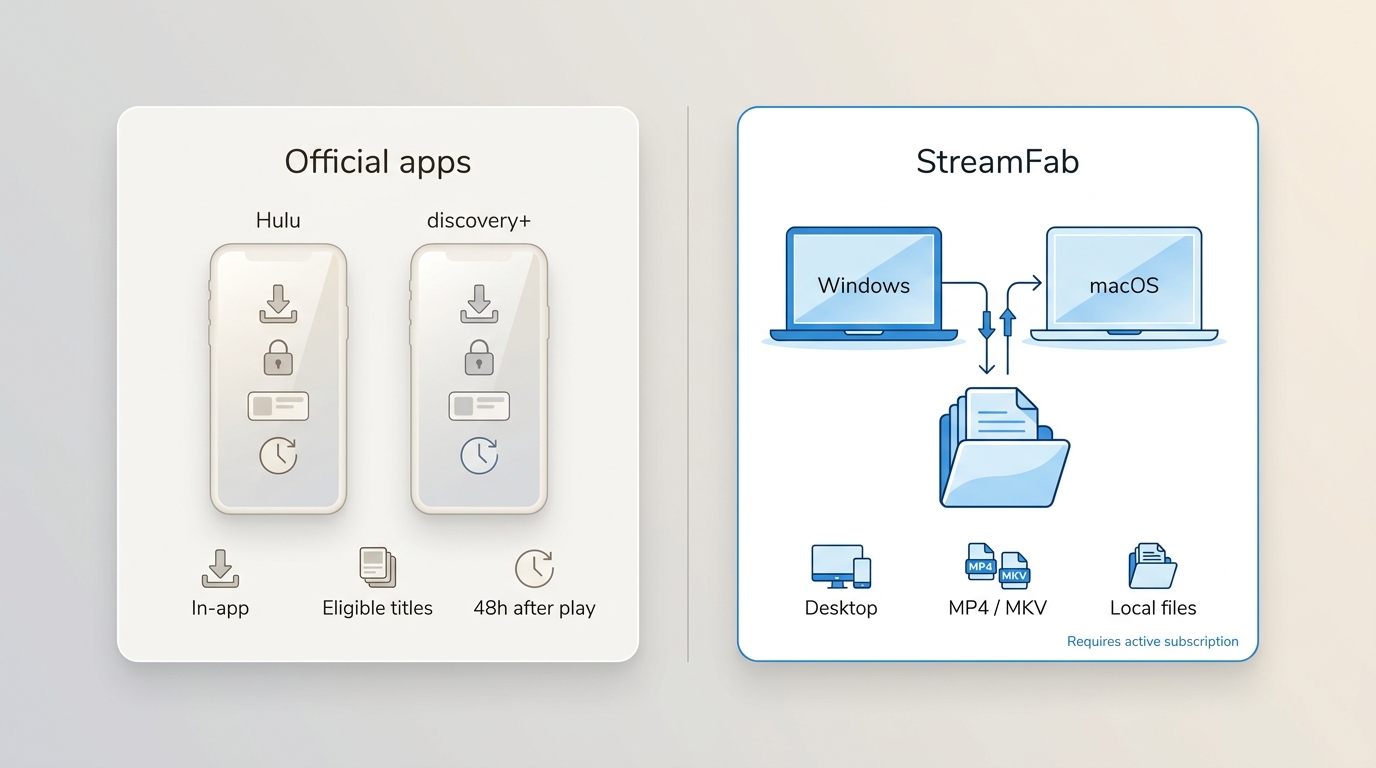
Discovery Plus download eligibility is limited to Ad-Free subscribers using supported iOS and Android devices. Hulu offline downloads likewise depend on an eligible Hulu plan, a supported mobile device, and title availability; neither service offers a general laptop download path.
Native downloads stay managed inside the service app and should not be confused with a generic MP4 file. They suit viewers who want quick mobile access with minimal setup, but they remain tied to the app's account, device, and catalog rules.
In my recent tests, the latest CDM Update forces a rigid DRM handshake that limits offline files to a strict 48-hour viewing window once playback begins.
StreamFab for Authorized Offline Viewing
For personal offline viewing of content you are authorized to access, where permitted by platform terms and applicable law, StreamFab Discovery Plus Downloader is a desktop alternative for Windows and macOS when official mobile downloads do not fit the viewing setup.
It supports source-dependent output up to 1080p in MP4 or MKV, with H.264 or H.265 video and AAC 2.0 audio. Batch queuing is available, and the 30-day trial allows three video downloads per service; results can vary by title, region, plan, and software version.
I use specialized extraction solutions that interact directly with the source manifest.

Effortlessly archive documentaries and shows from Discovery Plus on Hulu in true 1080p quality with 1:1 Bitstream EAC3 5.1 audio retention.
Technical Advantages:
- Bypass Widevine L1 black screens for an unlimited ad-free watching experience.
- Direct manifest extraction for 1080p & EAC3 5.1 audio tracks without screen recording quality loss.
- Optional H.264 or H.265 codecs to optimize your NAS or local storage space.
- Universal MP4 saving for flexible access and flawless Plex server scraping.
- Auto-detects SSAI dynamic ad-insertions and filters them out of the final file.
- Scheduled metadata fetching for automatic episode renaming.
Within the broader streaming video downloader lineup, use the Discovery Plus module for discovery+ titles and the Hulu module for Hulu titles because the accounts and catalogs are not interchangeable.
If Hulu playback produces a black screen or a protection-related error, the Hulu DRM error explainer is the relevant diagnostic path; the symptom alone does not establish local-output eligibility.
Best for: Windows or Mac users who need authorized local files, batch queuing, and selectable MP4 or MKV output.
Not ideal for: viewers who only need occasional mobile downloads, newly posted episodes that have not reached the module yet, or titles affected by region, plan, or version differences.
Local-File Workflow
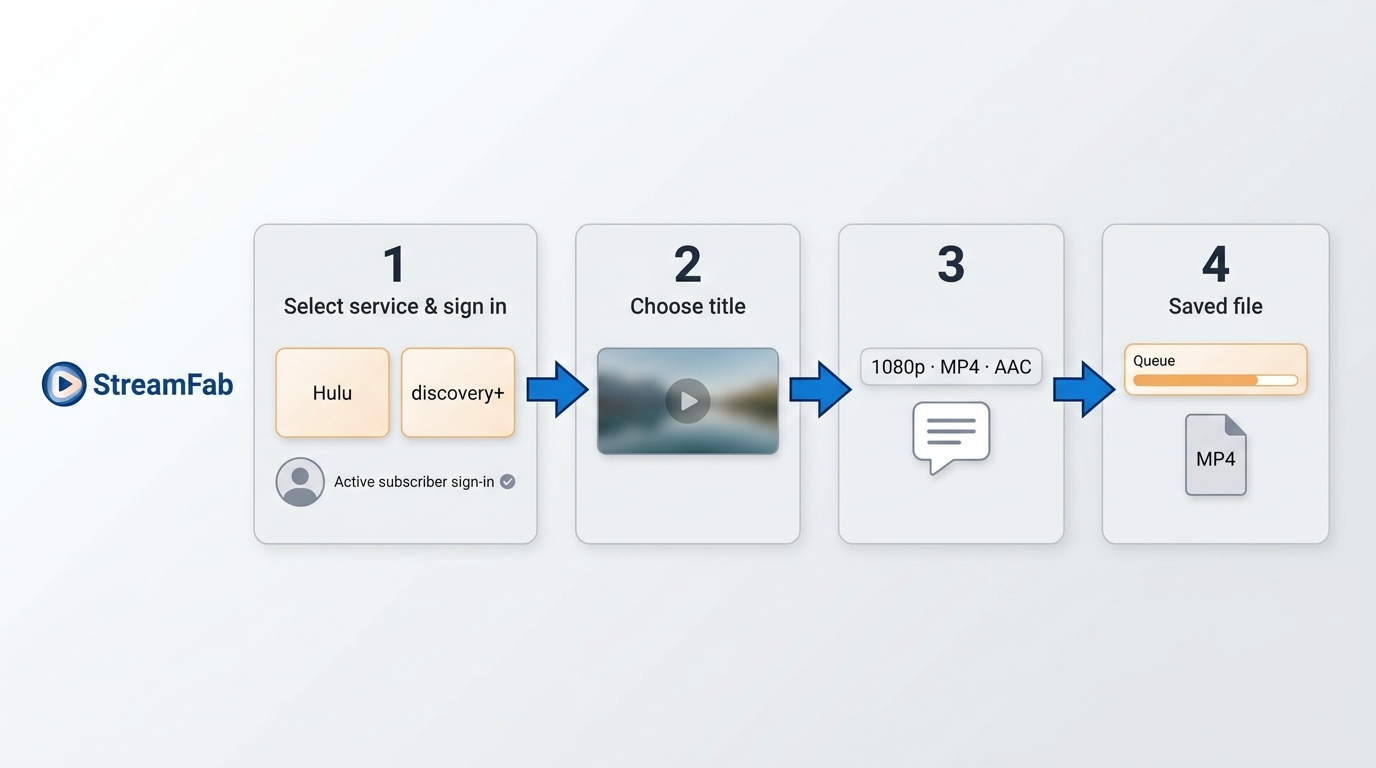
Use the correct service module, an authorized account, and the options actually offered for the selected title. The steps stay user-facing and do not promise the same result for every catalog item.
Download the video downloader
Install StreamFab Hulu Downloader on your device and launch it.
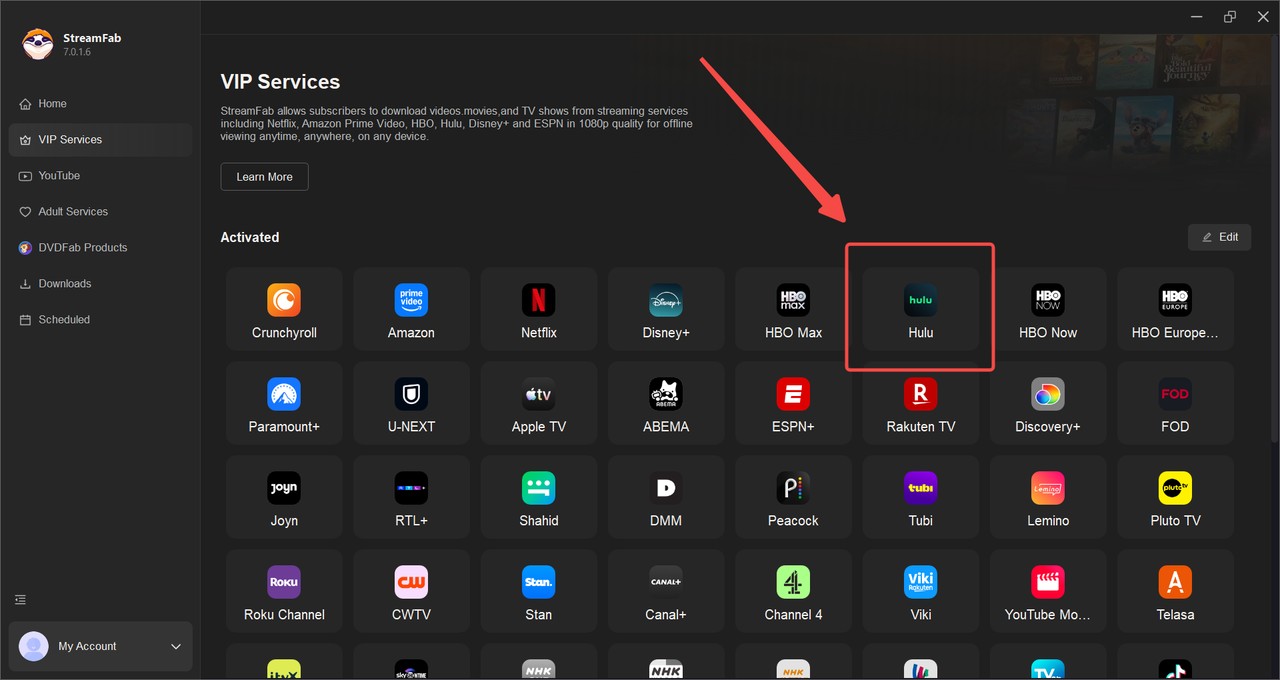
Choose the streaming service
Find the Hulu icon, click it, and then find the Discovery Plus shows you want.
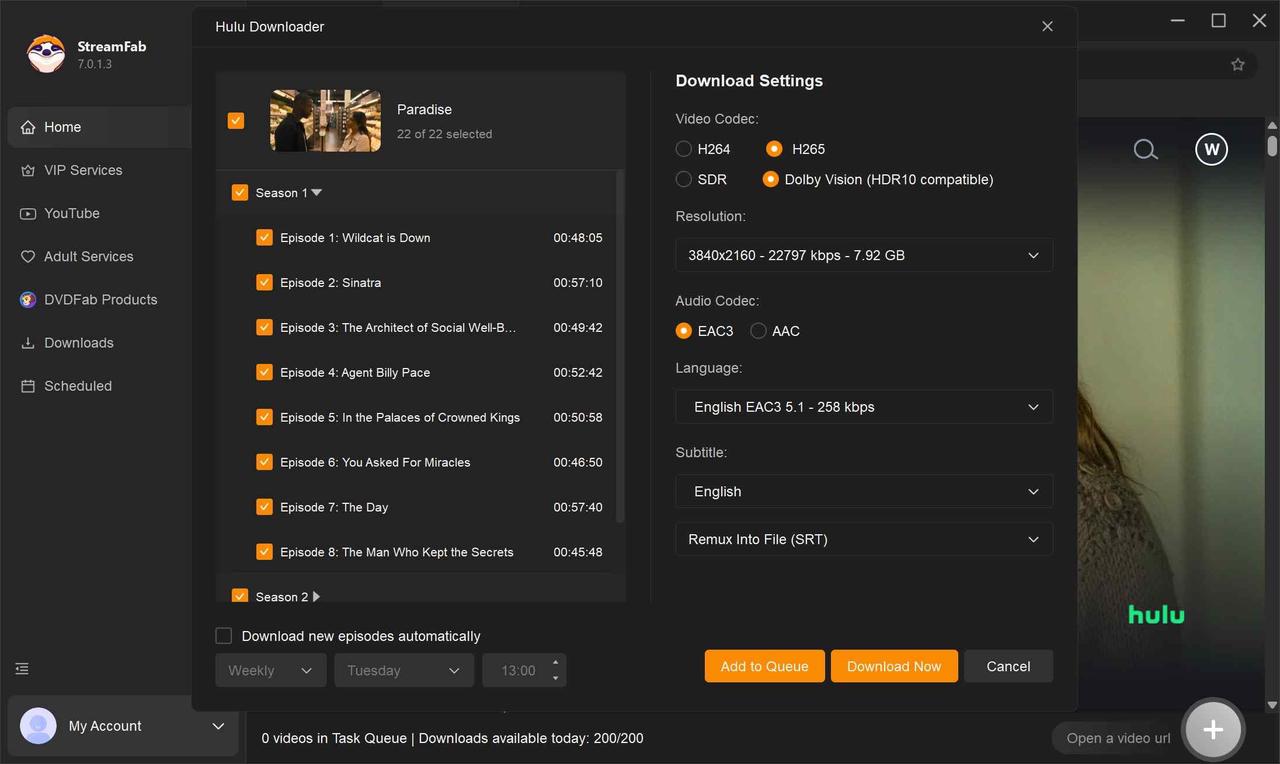
Customize the file
When you play the Discovery Plus video, a pop-up window will ask for your video options. You can choose the audio and subtitle language.
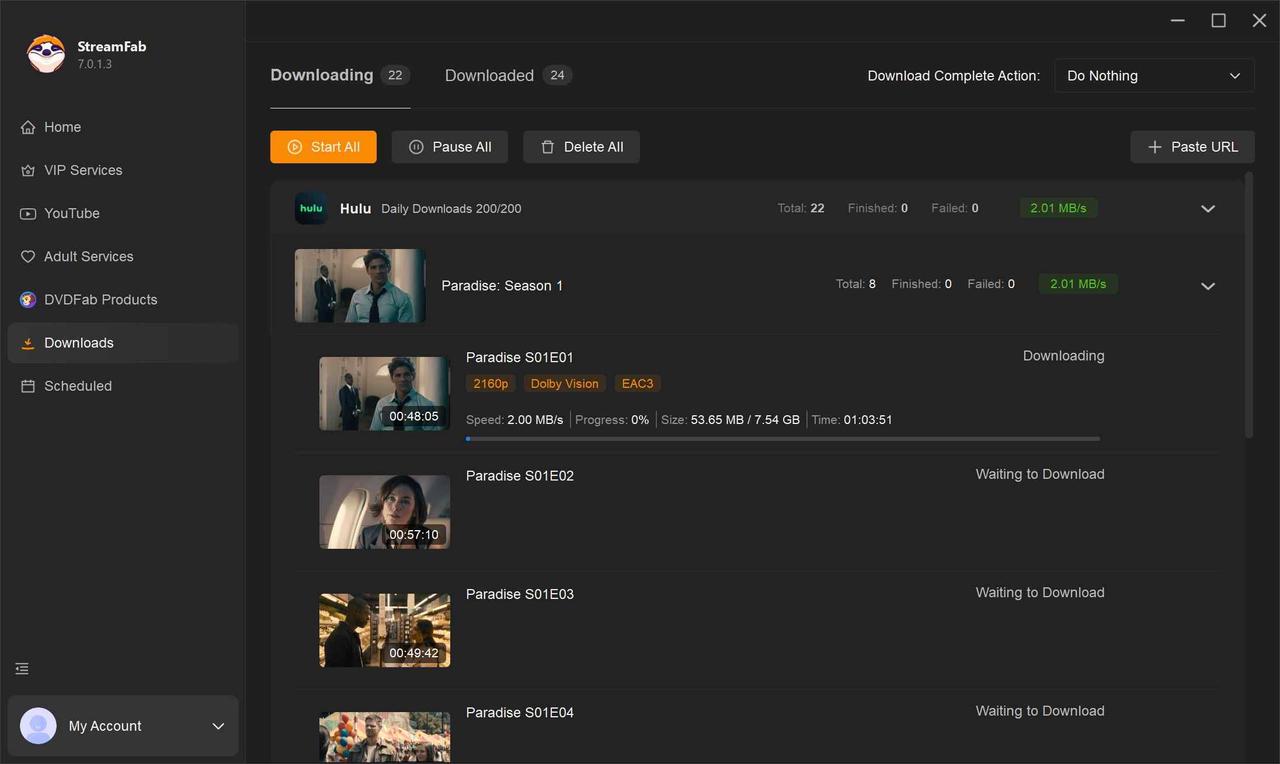
Click the download button
After customization, you can download it right now or add it to the queue to download later.
When MP4 is the desired local format, the Download Hulu Videos to MP4 context applies to Hulu titles, while discovery+ titles require the Discovery Plus module.
A newly posted episode may not appear immediately. If analysis fails or the app crashes, use troubleshooting that matches the installed software version rather than assuming the title or service is universally supported.

Frequently Asked Questions
Do I need both Hulu and discovery+ to watch Discovery content?
Not necessarily. Use Hulu for selected shows already in its catalog, Hulu + Live TV for eligible scheduled channels, or discovery+ for its dedicated catalog. Paying for both makes sense when both libraries contain titles you will actually watch.
Can I use my existing discovery+ login inside Hulu?
No. discovery+ and Hulu use separate subscriptions and account environments. Hulu carries selected Discovery content and eligible live channels, but it does not provide a discovery+ account portal.
Why does Hulu have some Discovery shows but not the full discovery+ catalog?
Licensing, season availability, and release timing differ by service. A show appearing on Hulu therefore does not mean every season or related title from the discovery+ catalog is included.
Is discovery+ included in the Disney+/Hulu/Max bundle?
No. That bundle combines Disney+, Hulu, and Max. Warner Bros. Discovery's ownership of Max does not convert the bundle into a discovery+ subscription.
Conclusion
Choose the service by viewing mode and catalog, not by brand ownership. The four paths answer different needs, and none creates a discovery+ add-on inside Hulu.
- Selected show already on Hulu: use Hulu on-demand and avoid a duplicate subscription.
- Scheduled Discovery or ID channel: choose Hulu + Live TV after checking the ZIP-code lineup.
- Dedicated discovery+ catalog: subscribe to standalone discovery+ with its separate account.
- Disney+, Hulu, and Max together: choose the named three-service bundle, which does not include discovery+.
If desktop local files are part of an authorized offline workflow, StreamFab can be considered after the official app rules; later file usability depends on the source, title, region, plan, service rules, and software environment.
My take is simple: do not buy a second subscription to fix a catalog assumption. Identify the catalog or channel carrying the title, then choose the matching account path.


Learn why Hulu DRM errors and black screens appear on certain devices in 2026 and how to fix them. Includes tested solutions for security requirements, HDCP handshakes, and offline conversions.
By Erika Leen - Sep 20, 2026

The Hulu download limit is 25 titles across 5 devices, and the ad-supported plan is not eligible. Learn how to fix Hulu downloads not working, remove ghost devices, and manage offline viewing reliably in 2026.
By Erika Leen - Aug 6, 2026

Hulu's own downloads stay locked inside its mobile apps, so there are two honest ways to watch offline: the official in-app download for phones and tablets, or a desktop MP4 workflow. This guide compares both paths, explains why screen recording fails on protected playback, and helps you match output settings to the device you actually watch on.
By Erika Leen - Aug 6, 2026

The best Hulu downloader depends on whether you need official mobile offline viewing, laptop local files, or a recording workflow. This Hulu downloader review compares five options by documented output, device fit, and reliability limits rather than unsupported universal claims.
By Marcia Hatcher - Jul 30, 2026