How to Rip Hulu Videos: 3 Offline Options Explained

Summary: I sincerely hope this guide helps you find a Hulu "ripping" approach that feels right for you. Many tools offer free trials, so you can test how they work and whether they meet your personal offline-viewing needs before making a decision.
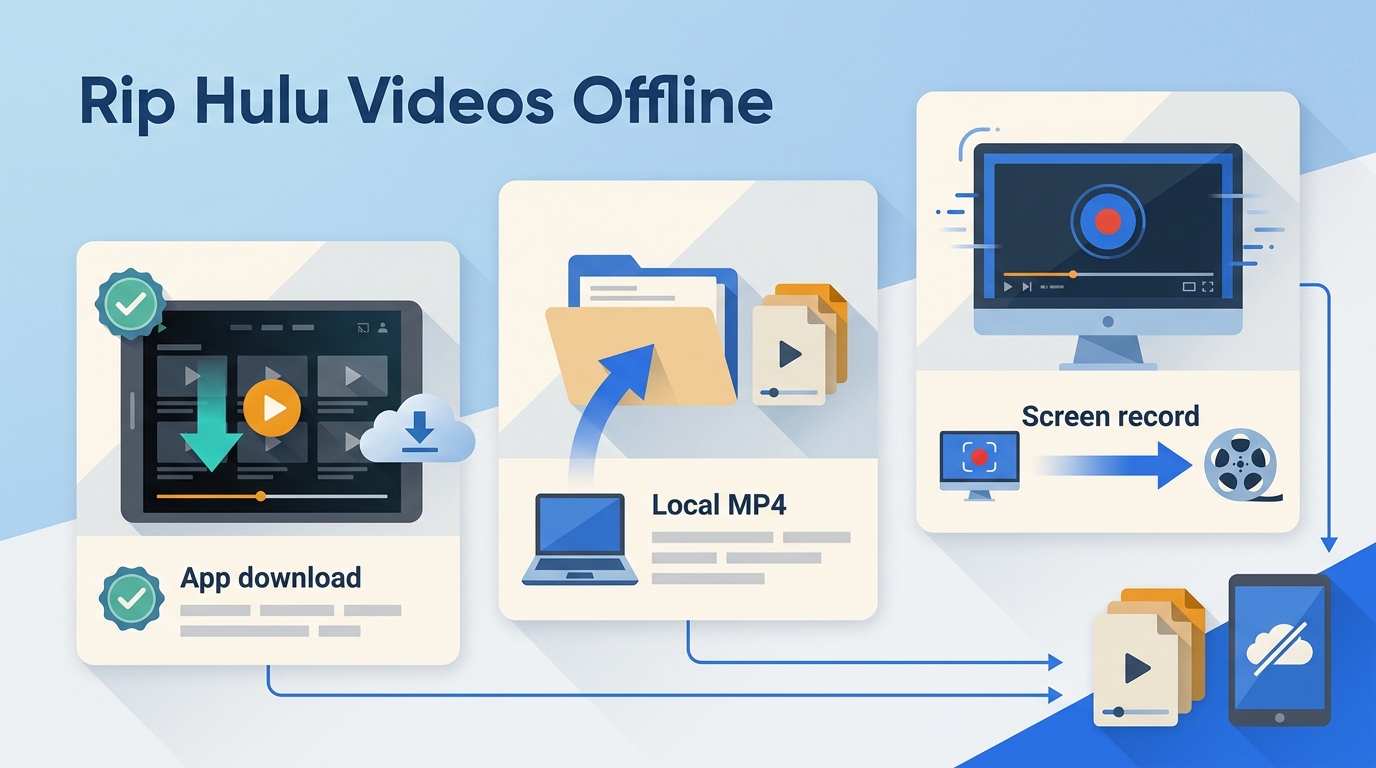
Here’s the short answer: Hulu download limits mean official Hulu downloads are app-managed files for supported mobile and tablet devices, not a laptop local-file feature. For Hulu laptop offline viewing, a desktop tool is needed to create local MP4 or MKV files.
Choose between official Hulu downloads, desktop local files, and screen recording based on your device and offline-viewing needs:
- Hulu Ripping Rules: Understand Hulu’s terms, copyright considerations, and practical account limits.
- StreamFab Hulu Downloader: Compare official app downloads with a desktop MP4 or MKV local-file workflow.
- Hulu App Download vs. Personal Rip: Use the FAQ for subtitles, delayed episodes, external storage, and error 609 troubleshooting.
Can You Save Hulu Videos on a Laptop?
Official Hulu downloads are designed for offline playback within the Hulu app on supported devices. A desktop local-file workflow is different: it saves content to a chosen folder in a portable format such as MP4 or MKV.

The practical decision comes down to device, file flexibility, and effort: official downloads are simplest for supported mobile travel, desktop local files suit users who need portable output, and screen recording is a slower fallback with its own playback limitations.
Hulu Terms, Copyright, and Account Risk
Hulu account safety and copyright questions deserve a careful answer. Hulu’s Terms of Use, copyright law, and a service’s technical rules are separate considerations, so no third-party workflow can promise immunity from errors or account action.
Terms of Use and Copyright Are Different
First, we need to distinguish between violating Hulu's Terms of Service and violating national copyright law.
Hulu’s Terms of Use set rules for access to and use of its content. Eligible subscribers can download Hulu shows through Hulu’s official app feature on supported devices, while other workflows may be restricted by the service’s terms.
Copyright law is a separate issue. Paying for access does not automatically make every copying method lawful; the analysis can depend on jurisdiction, purpose, and method. Avoid sharing, selling, or distributing saved content. My editorial rule is simple: a subscription gives permission to watch, not blanket permission to copy by any method.

Account Safety Requires Practical Limits
No source establishes a guaranteed safe request rate or immunity from account action. Keep usage moderate, avoid excessive simultaneous jobs, and stop when repeated errors occur. Personal offline viewing should stay within the access rights, platform terms, and applicable law that apply to you.
Keep desktop software current, avoid repeated retries after a failure, and reassess the workflow if errors continue. These steps cannot guarantee an outcome, but they are more practical than assuming a paid account removes all service-level limits.

For account-sensitive viewing, there is no risk-free setting. Use current software, keep requests moderate, and pause the workflow when repeated errors appear.
How to Choose the Right Hulu Video Downloader
There are three practical approaches: official Hulu downloads for supported mobile and tablet viewing, a desktop local-file workflow for authorized Windows or Mac users who need portable files, and screen recording for viewers who prefer a real-time process and can accept possible playback issues.
StreamFab for Desktop Local Files
For content you’re authorized to access, where permitted by platform terms and applicable law, StreamFab Hulu Downloader is a desktop option for Windows and Mac users who need local MP4 or MKV files.

Hulu US titles can be saved in up to 4K or 1080p where available, with Dolby Vision, HDR10, and HDR10+ compatibility, MP4 or MKV output, EAC3 5.1 or AAC 2.0 audio, embedded or external SRT subtitles, batch processing, and scheduled downloads.
A desktop tool is not the right fit for everyone. It makes sense when you need a local file on Windows or Mac; it is less practical if you only want occasional offline viewing on a supported phone or tablet. This guide does not compare prices; pricing can vary, so the decision here is based on device, file format, and workflow fit. When evaluating software, focus on current compatibility, clear output settings, and sensible usage limits:
- ✅ Use software that receives compatibility updates as Hulu changes its site and apps.
- ✅ Start with one title and confirm the selected quality, audio, subtitles, and output folder before starting a larger job.
- ✅ Screen recording Hulu is another option, but it runs in real time and protected playback can create black-screen issues. For related playback problems, see Hulu DRM errors.
For users who need portable local files, the relevant strengths are configurable output, subtitle choices, and batch scheduling rather than a promise of risk-free use.
StreamFab is designed for Hulu viewing on Windows and Mac:
- Built-in Browser: Sign in to Hulu through the app’s built-in browser and select the title you are authorized to access.
- Current Compatibility: Keep the app updated because service interfaces and title availability can change.
- Practical Limits: Begin with one title, confirm the output settings, and pause if repeated errors occur.
Official Downloads vs. Desktop Local Files
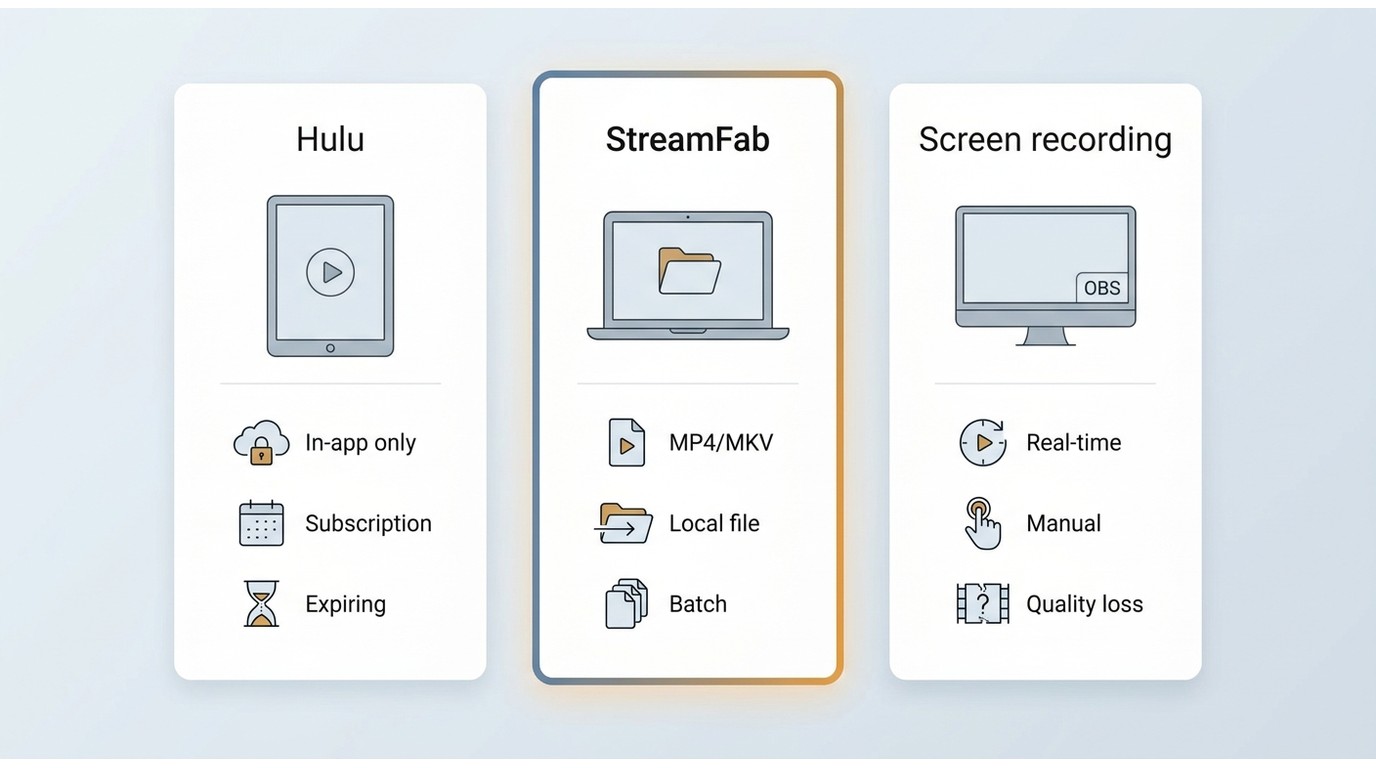
Official downloads suit supported mobile travel because Hulu manages the files inside its app. A desktop local-file workflow suits Windows or Mac users who need a selected output folder and portable formats. Screen recording is a separate fallback, but it is slower because it happens in real time and may encounter black-screen playback problems.
Official Hulu download limits and offline restrictions: As of July 2026, eligible ad-free subscribers can download supported titles on mobile and tablet devices, with up to 25 downloads across five devices. Unwatched downloads generally remain available for 30 days, and playback usually opens a 48-hour viewing window. Title availability varies.
| Comparison Point | Official Hulu Downloads | StreamFab Desktop Local Files | Screen Recording |
|---|---|---|---|
| Best Fit | Supported mobile or tablet travel | Authorized Windows or Mac users who need portable files | Users who accept a real-time fallback |
| Device and Output | Hulu app-managed downloads on supported mobile and tablet devices | MP4 or MKV files saved to a selected folder on Windows or Mac | A recording file created during playback on a computer |
| Quality and Expiration | Quality, title availability, and viewing windows are managed by Hulu | Up to 4K or 1080p where available; local-file playback depends on the device, player, and service conditions | Quality depends on playback and recording settings |
| Speed, Subtitles, and Black-Screen Risk | Convenient in-app access; subtitle availability varies by title | Subtitle choices and batch processing are available; title and region availability can vary | Runs in real time; subtitle capture can vary, and protected playback may show a black screen |
| Main Limitation | No portable local laptop files | Requires desktop software and a compatible title | A slower workflow with possible playback limitations |
Rip Hulu Videos in 4K/1080p in Three Steps
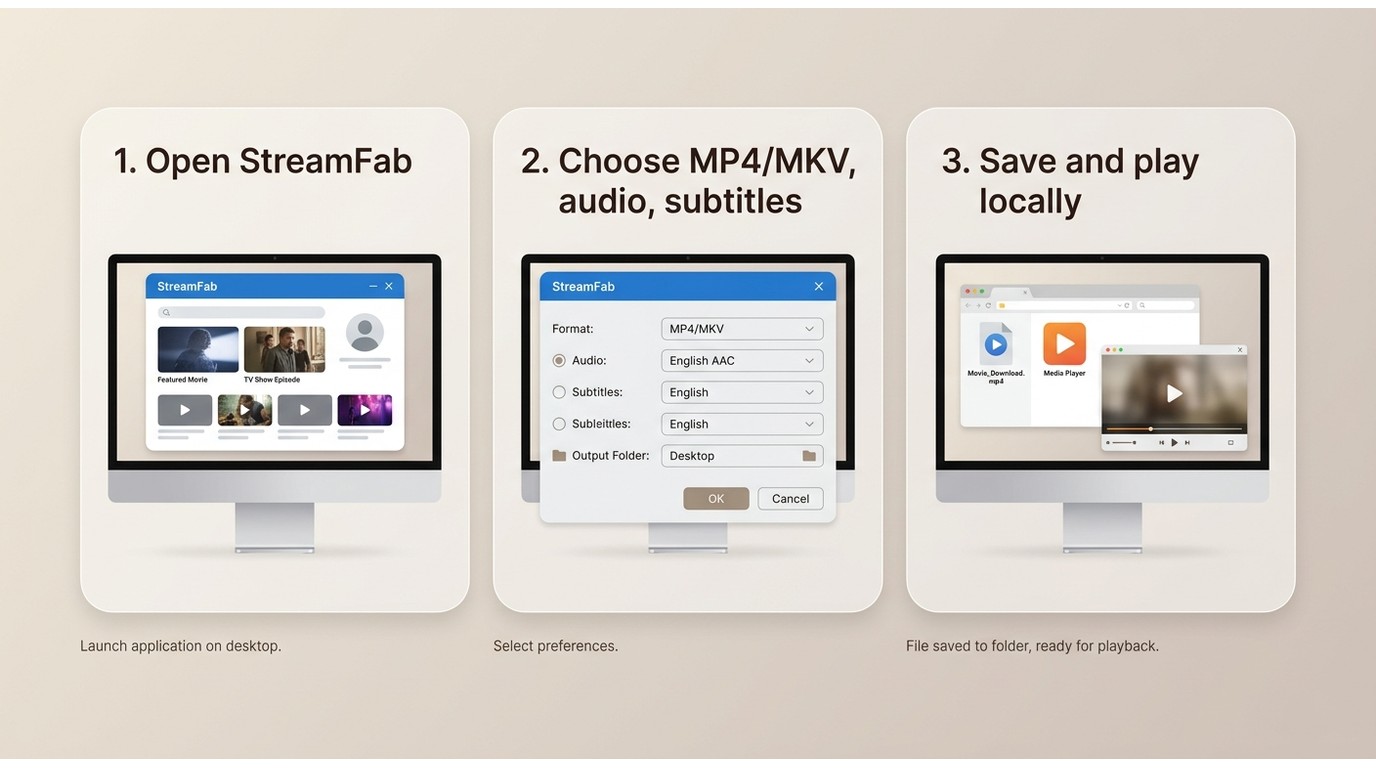
Start with one title rather than a full season. A short trial run lets you confirm title availability, output settings, subtitles, and storage before you commit to a larger batch.
Screen recording remains an alternative when its real-time pace and possible black-screen playback issues are acceptable, but it is not the same as a desktop local-file workflow.
We've written a separate in-depth best Hulu downloaders review, so if you're interested or want to learn more about similar solutions, you can check that out.
Here are the StreamFab Hulu steps to save videos from Hulu:
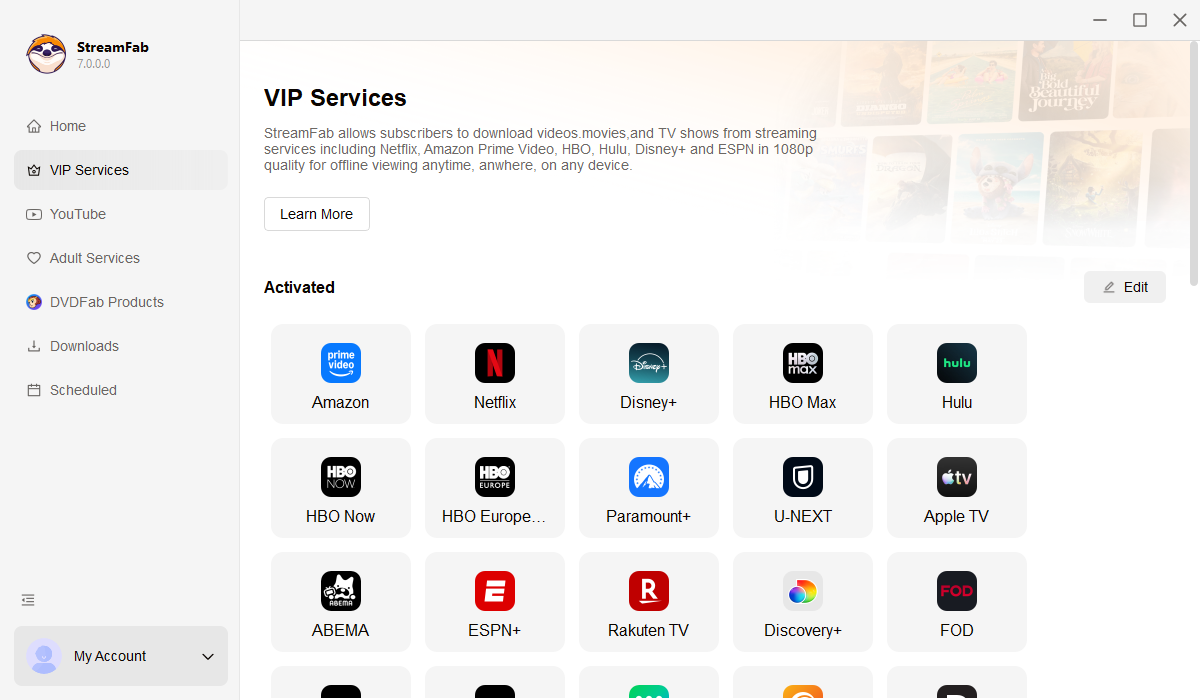
Step 1: Open StreamFab on your Windows or Mac computer and select the Hulu service. You should reach the built-in browser where you can access Hulu with your own account.
Step 2: Find a Hulu title you are authorized to access, then choose the quality, MP4 or MKV format, audio, subtitle option, and output folder. Confirm that the selected settings match the device or player you plan to use.
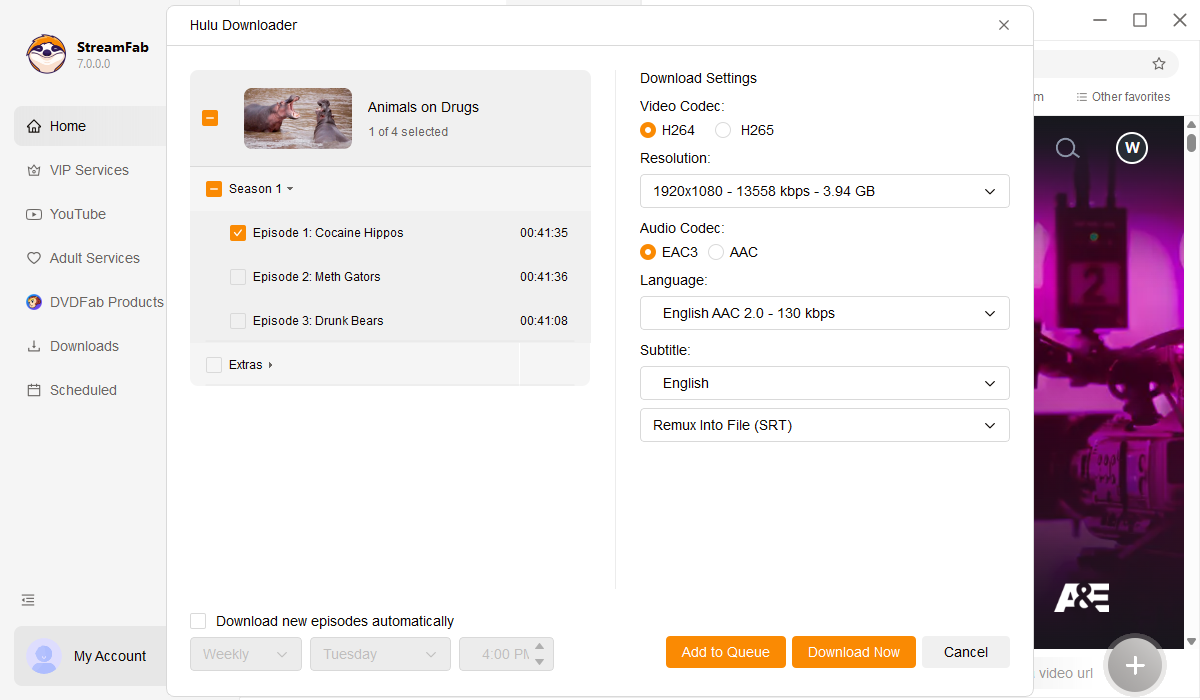
Step 3: Select Download to save a local copy for personal offline viewing. Check the completed file, subtitle behavior, and playback before starting another title or a larger batch.
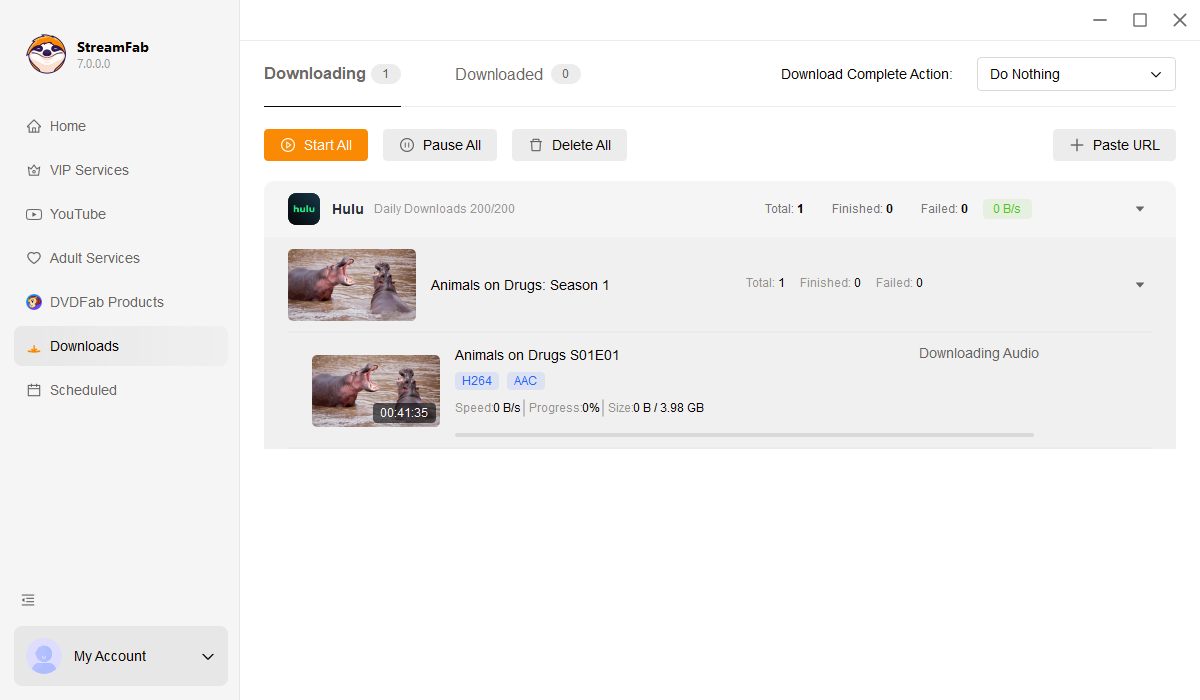
Title availability can vary by plan, region, and the title itself. If a title is not selectable, refresh the analysis, confirm the correct region and episode, then retry later rather than assuming it will appear immediately.
FAQs
Can I Watch Hulu Offline on a Plane?
Yes, if the title is eligible for Hulu’s official download feature and remains within Hulu’s device and viewing-time rules. Official downloads are designed for supported mobile and tablet apps, not for laptop local-file playback.
Does StreamFab Save Hulu Subtitles?
Yes. StreamFab supports embedded subtitles and external SRT files. Available subtitle languages and tracks can vary by title and region, so check one completed file before starting a batch.
Why Is a Same-Day Hulu Episode Missing?
A same-day episode can be watchable before it becomes selectable in a desktop downloader. Wait, refresh the title analysis, confirm the correct region and episode, and update the software before trying again. The delay varies, so there is no fixed wait time.
What Fixes Hulu Error 609 or Analysis Crashes?
There is no universal fix. Update StreamFab, restart the analysis, retry a different title or quality, and confirm storage space and account access. A title may play in the built-in browser while analysis or downloading still fails, so treat each stage as a separate checkpoint. Send logs to support if the problem continues.
Conclusion
The right option depends on the device, output, and effort you need. Official Hulu downloads are the more convenient choice for supported mobile travel. A desktop local-file workflow is a practical alternative for authorized Windows and Mac users who need MP4 or MKV files, while screen recording can fit viewers who prefer a real-time process and can accept possible black-screen playback issues.
If you only need a few episodes for a trip, official downloads are usually the simpler choice. If portable local files are the real requirement, StreamFab Hulu Downloader is worth considering after a one-title test confirms that it fits your title, device, and storage setup.


If searching for Discovery Plus on Hulu has left you wondering whether one subscription unlocks both services, the answer is no: Hulu carries selected Discovery shows and eligible live channels, but discovery+ remains separate. The same distinction matters when you search for Discovery Channel on Hulu.
By Erika Leen - Aug 11, 2026

The Hulu download limit is 25 titles across 5 devices, and the ad-supported plan is not eligible. Learn how to fix Hulu downloads not working, remove ghost devices, and manage offline viewing reliably in 2026.
By Erika Leen - Aug 6, 2026

Hulu's own downloads stay locked inside its mobile apps, so there are two honest ways to watch offline: the official in-app download for phones and tablets, or a desktop MP4 workflow. This guide compares both paths, explains why screen recording fails on protected playback, and helps you match output settings to the device you actually watch on.
By Erika Leen - Aug 6, 2026

The best Hulu downloader depends on whether you need official mobile offline viewing, laptop local files, or a recording workflow. This Hulu downloader review compares five options by documented output, device fit, and reliability limits rather than unsupported universal claims.
By Marcia Hatcher - Jul 30, 2026