
FreeGrabApp Not Working? 2026 DRM Fixes & Safe Alternatives

Summary: When FreeGrabApp is not working or fails to save an MP4, start by separating a local app issue from a service-specific failure. FreeGrabApp remains actively marketed, and the most useful next step is a repeatable check of the error, app version, account state, and output folder.
Table of Contents
FreeGrabApp Status and Output Limits
What FreeGrabApp Saves
FreeGrabApp is marketed as a Windows PC application, and it offers Free and Premium licensing options. A FreeGrabApp Premium license may have a different module scope from the Free option, while output options, quality settings, and subtitle support can vary by service.
A detected link is not the same as a completed file: the app may identify a video, then fail during transfer, MP4 finalization, or writing to the selected folder. For a broader look at the product’s scope and licensing approach, this FreeGrab review covers the distinctions between its modules.
Service-Specific Failures
FreeGrabApp Netflix downloader and FreeGrabApp Amazon downloader issues should be treated as service-specific until proven otherwise. A login change, expired session, source-page change, anti-bot check, or temporary parser outage may affect one module while others continue to work.
If the same item fails after the local checks below, report the exact error and wait for a service-side update rather than repeatedly retrying a large queue.
Note: FreeGrabApp remains available, but module support and output options can change by service.Start with the exact error message and one reproducible item before changing multiple settings. Use official product pages and support channels for current module availability.
FreeGrabApp Troubleshooting Checks
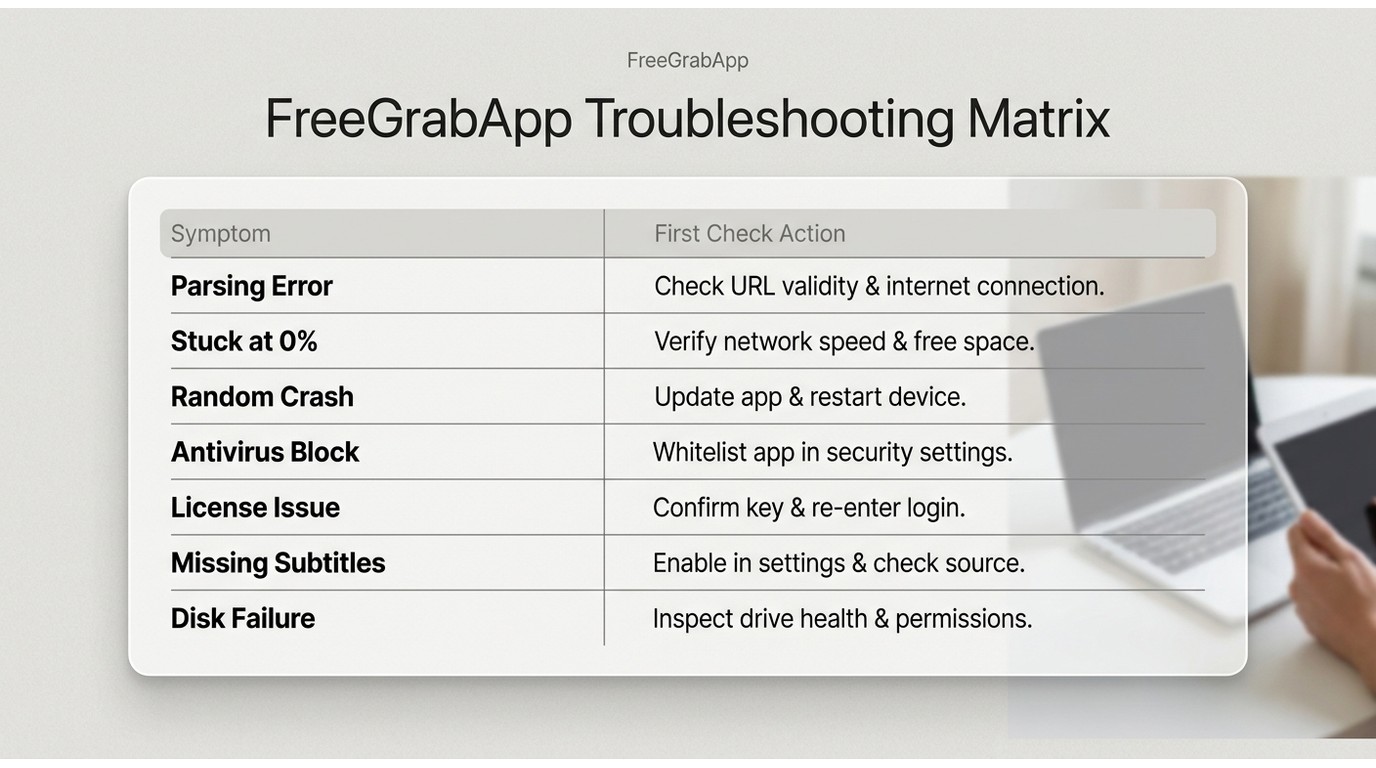
Match the Symptom First
A useful diagnosis begins with the exact symptom, not an undocumented certificate change. Use this quick matrix to identify the next check:
| Symptom | Check first |
|---|---|
| Parsing error | Restart the app, confirm the latest official build, and retry one item. |
| Video detected but stuck at zero | Confirm account access, the source page, available disk space, and the output path. |
| Random crash or runtime error | Reduce the queue to one item and test hardware acceleration as a conditional setting. |
| Antivirus block | Check quarantine and allow the official installer only if you trust the source. |
| License activation issue | Use the vendor’s license-recovery or support route rather than treating it as a parser failure. |
| Missing subtitles | Review the module’s subtitle settings and confirm that the source stream offers the selected language. |
| Disk or output-folder failure | Check free space, folder permissions, and whether the destination is available. |
The practical takeaway is simple: reproducible local checks are more useful than changing undocumented system components, because they reveal whether the problem is on the PC or with one service.
Run the Local Checks
Work through the local checks in order: restart FreeGrabApp and note the exact error; install the latest official build; retry one item instead of a large queue; confirm disk space and output-folder permissions; review antivirus or firewall quarantine; then clear the app cache or perform a clean reinstall if the issue persists.
Disabling hardware acceleration can be worth testing for a repeatable rendering crash, but it is not a documented cure for every parsing or download failure.
FreeGrabApp Safety and User Reports
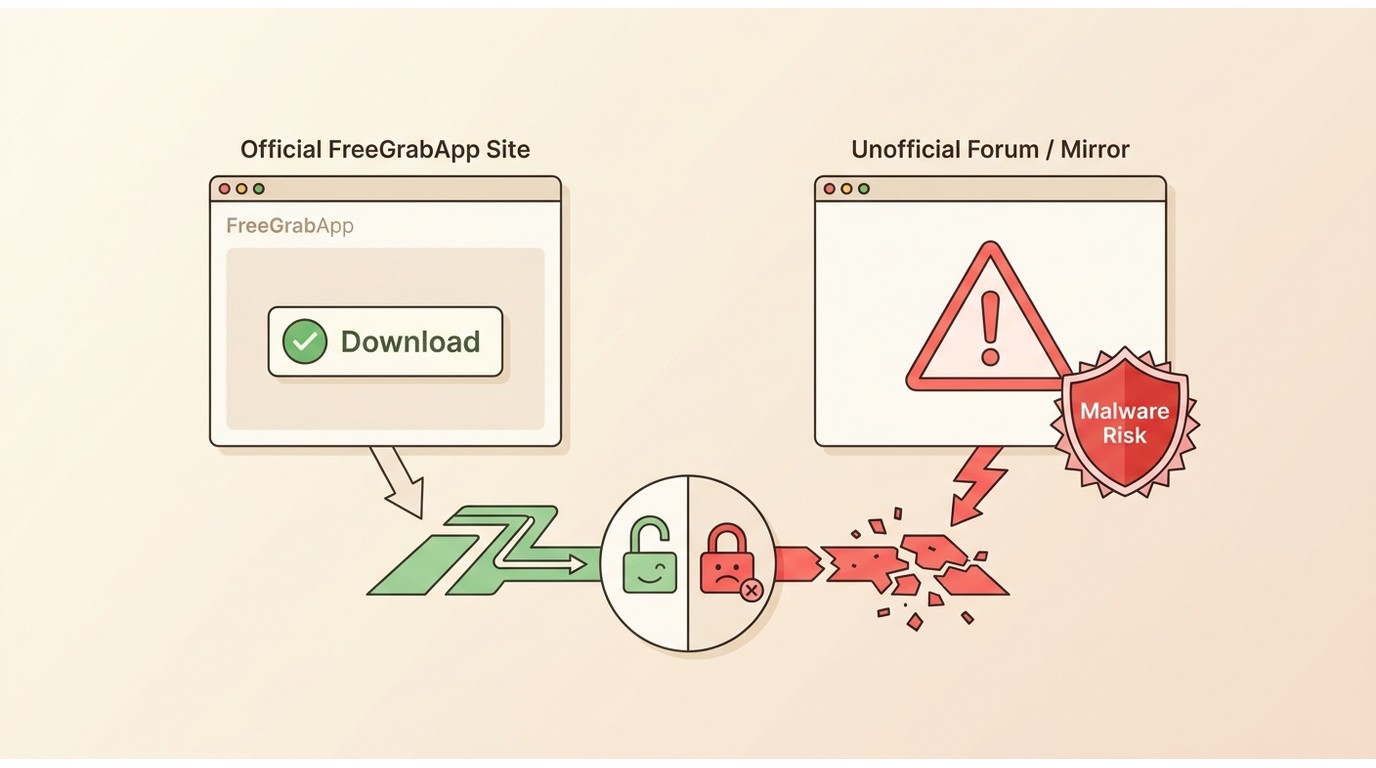
Installation and Malware Risks
For FreeGrabApp safety, use the official installer and avoid altered installers distributed through unofficial forums, which can expose a PC to malware or unwanted software. Reputation evidence is mixed, and a rating shown in a search snippet is not a substitute for a live review sample or a security assessment.
As of July 2026, treat reports of crashes, failed saves, and slow support as user signals to investigate, not proof that every installation is unsafe.
What Current Users Report
Recurring reports tend to center on crashes, runtime errors, and service-specific save failures. Those reports are useful for identifying patterns, but they cannot establish the cause of an individual FreeGrabApp problem.
The most reliable approach is to document the app version, affected service, source URL type, and exact error before contacting support.
When an Alternative Makes Sense
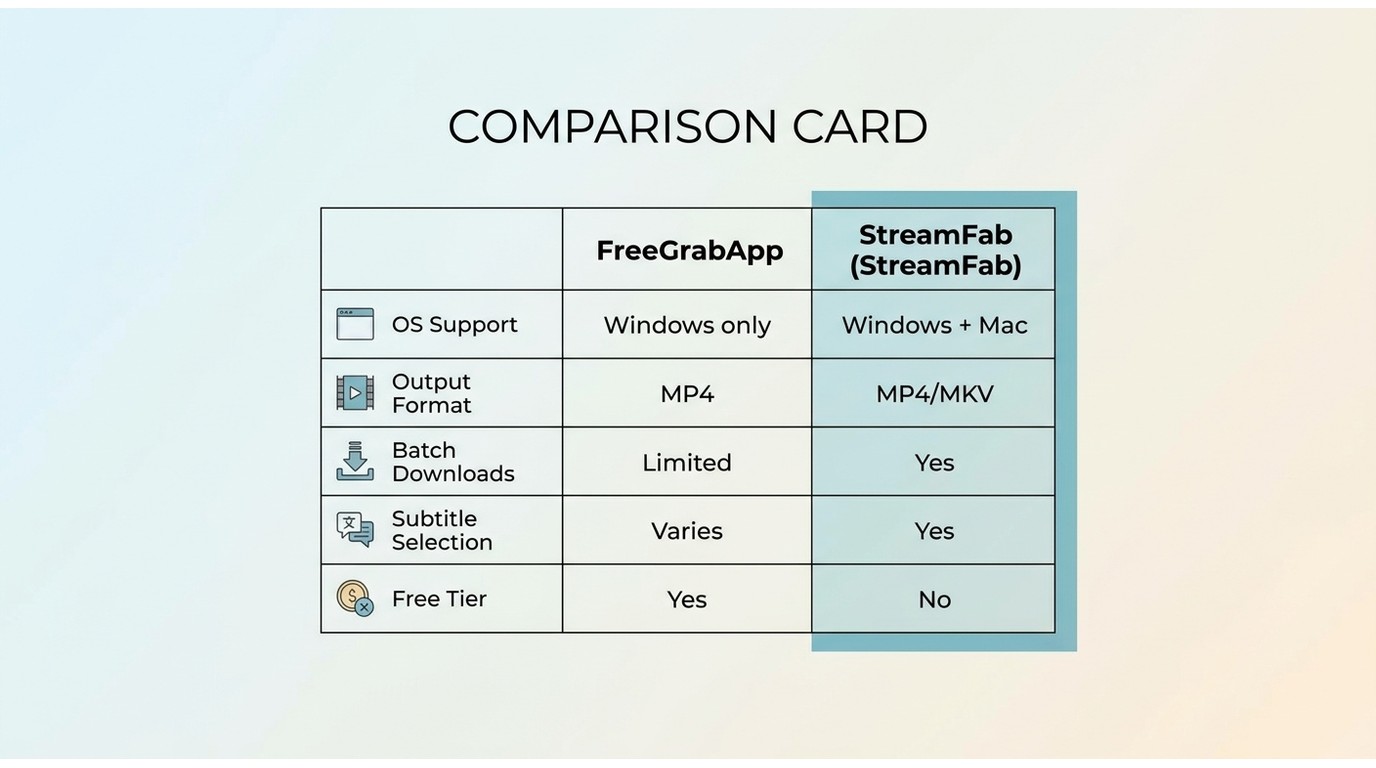
FreeGrabApp and StreamFab Compared
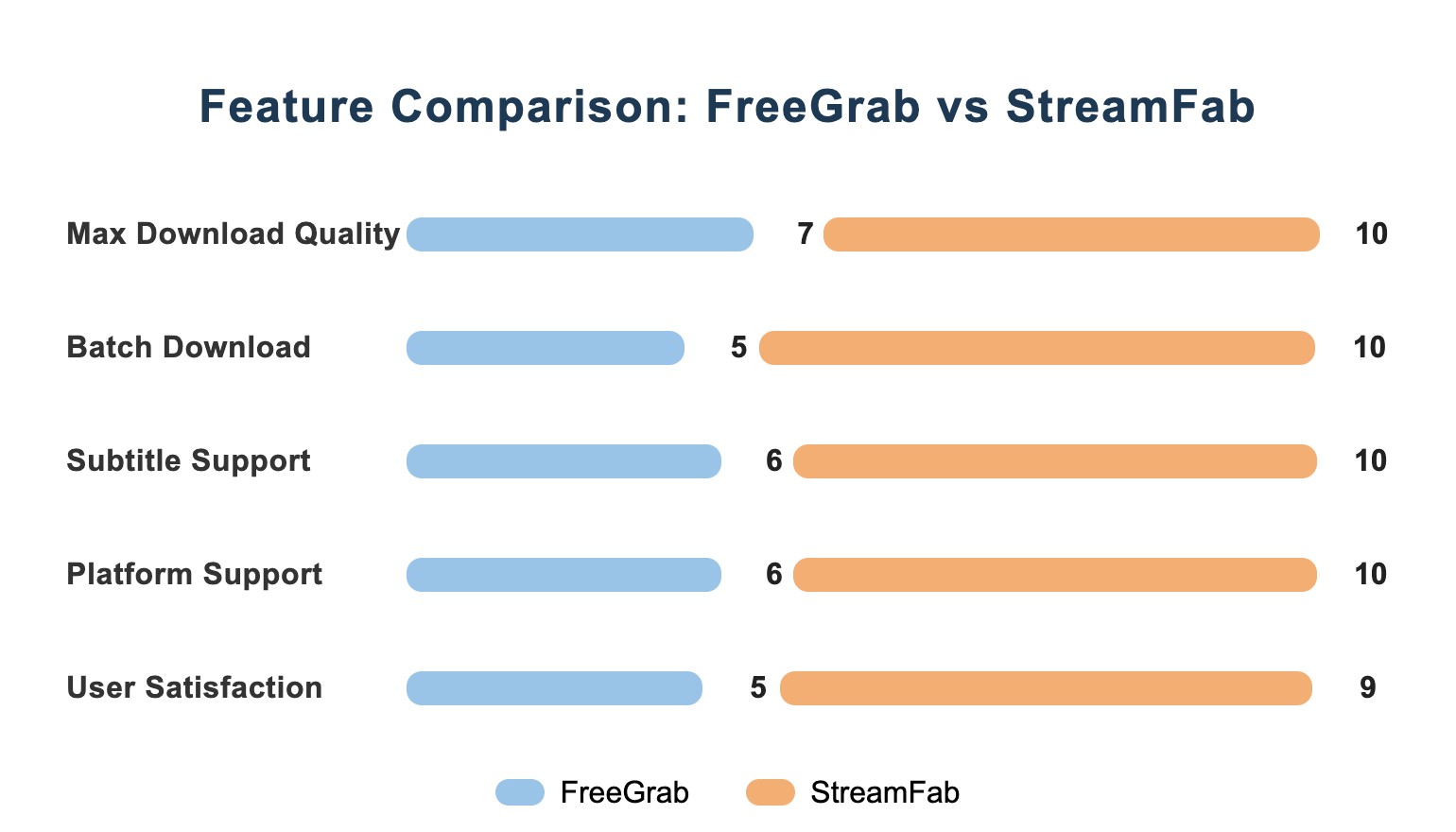
FreeGrabApp remains an active option for Windows users, while StreamFab All-In-One is designed for Windows and Mac users who need a broader local-file workflow.
The meaningful comparison is not a blanket reliability verdict: it is whether the available operating system, output format, subtitle handling, audio choices, batch workflow, and license model fit your needs. The StreamFab review examines these workflow considerations in more detail.
Who StreamFab Suits
For content you’re authorized to access, where permitted by platform terms and applicable law, StreamFab is a third-party desktop alternative for Windows and Mac users who need a local-file workflow. It supports MP4 or MKV output, subtitle and audio selection, and batch or scheduled downloads across supported services.
It suits people who want a maintained desktop interface, selectable audio and subtitles, and files in common formats for personal offline use. It is less suitable for someone looking for a free, occasional single-video tool. Supported services and availability may change, so check the current status on the official site.
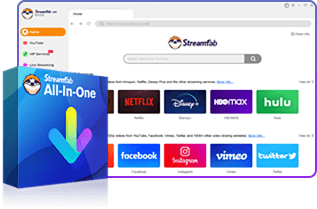
- Supports selected streaming services, with availability varying by service and region.
- Save supported content as MP4 or MKV, with available quality depending on the service and plan.
- Choose audio languages and download available subtitles for supported content.
- Use batch downloads and scheduled workflows for supported series and episodes.
- Available for Windows and Mac desktop workflows.
| Comparison point | FreeGrabApp | StreamFab All-In-One |
|---|---|---|
| Current official status | Active product; module and service results vary | Active product; supported-service availability may change |
| Operating systems and output | Windows PC scope; output depends on the module and service | Windows and Mac; MP4 and MKV output |
| Subtitles, audio, and workflow | Availability depends on the module and source stream | Audio and subtitle selection; batch and scheduled downloads |
| License and fit | Free and Premium options; confirm current license details with the vendor | Suited to users who need a maintained desktop local-file workflow |
Legal and Responsible Offline Use
Authorization and Platform Terms
Download only content you’re authorized to access, where permitted by platform terms and applicable law. In the United States, copyright guidance notes that authorization, copyright ownership or permission, platform terms, access controls, purpose, and distribution can all affect the legal analysis. Paying for access does not automatically settle those questions, and personal use should not be treated as permission to share or redistribute files.
Safer Downloading Practices
- Install software from the vendor’s official website, and keep your operating system and security software current.
- Avoid altered installers from unofficial sources, which may carry malware or unwanted software.
- For questions about StreamFab’s security and responsible-use boundaries, see whether StreamFab is safe to use.
FAQs
Can I use FreeGrabApp on a Mac?
FreeGrabApp is presented as a Windows PC application. If you use a Mac, choose a desktop tool that explicitly supports macOS rather than assuming a Windows installer or module will work through compatibility software.
How can I recover a missing FreeGrabApp license key?
Use FreeGrabApp’s official license-recovery or support route with the purchase email or order details. An activation problem is separate from a parsing or MP4-save failure, so resolve the license issue before troubleshooting a download module.
Why are subtitles missing from my FreeGrabApp download?
Subtitle availability depends on the selected module, its settings, and the source stream. Confirm that the subtitle language is enabled and available for that title before repeating the download; a completed MP4 does not necessarily include every subtitle option.
What should I do when GrabNWatch shows an error?
A GrabNWatch error is separate from a FreeGrabApp issue. Check the source URL, supported-site behavior, browser blockers, and current service availability before changing network settings.
Conclusion
First determine whether the FreeGrabApp problem is local or limited to one service. Run the seven checks, document the exact symptom, and stop repeated retries when the same failure persists. Consider an alternative only if it fits your operating system, output, subtitle, audio, and workflow needs.

AnyStream (RedFox AnyStream) shut down in June 2024 and remains gone in 2026. I tested every major replacement — here are the 5 best anystream alternatives, including free options, ranked by real-world performance.
By Erika Leen - Oct 12, 2026

Evaluating the Audials One 2026 free trial? I tested its 720p caps, examined if is audials legal under Fair Use
By Erika Leen - Sep 29, 2026

Are you thinking of purchasing NoteBurner and unsure if it’s worth the investment? In this NoteBurner review, let’s delve into its product lines, particularly the NoteBurner Video Downloader’s pros and cons.
By Marcia Hatcher - Sep 28, 2026

Read our in-depth Audials review for 2026. Is Audials safe and legal for Amazon Prime? Discover actual test results, Widevine DRM fixes, and better alternatives.
By Erika Leen - Sep 28, 2026