
Can You Download BritBox Shows? US Options for Mobile and PC

Summary: Whether it is Britbox originals or BBC films, if you don't want to miss anything of Britbox service, you must know if can you download Britbox shows for your internet-free streaming.
Here's the thing US viewers keep tripping over: whether you can download BritBox shows for offline viewing has almost nothing to do with the app on your phone, and almost everything to do with how you subscribed. The standalone BritBox service in the US does not hand you a download button at all. If you signed up through Apple TV or as an Amazon Prime Video Channel, offline downloads live inside that host app, with that host app's rules. That single distinction is why the same Reddit thread keeps repeating itself every few months.
So this guide walks the actual US decision in order: where BritBox downloads work today, how the official host-app route compares with a desktop local-copy workflow, and — only if the first route doesn't fit your setup — when StreamFab is worth installing on a Windows or Mac machine.
Where BritBox Downloads Work in the US

Short answer up front: the standalone BritBox service in the US does not offer offline downloads on any device. If you want to save an episode to watch on a plane, you need a channel subscription — and you download from inside that channel's app, not from BritBox itself.
Standalone App vs Channel Subscriptions
Three subscription routes exist for US viewers, and only two of them give you an offline button:
- Direct BritBox (britbox.com): streaming only. No download icon in the mobile app, no desktop download option. This trips up most first-time subscribers.
- BritBox via Apple TV: episodes download inside the Apple TV app on iPhone, iPad, or supported Apple devices, using Apple TV's offline rules.
- BritBox as a Prime Video Channel: episodes download inside the Prime Video app on iOS and Android, using Prime Video's offline rules.
Bottom line: the subscription route, not the device, decides whether you see a download button. If you already pay through Apple TV or Prime and can't find offline, you're looking in the wrong app — open the host app, not BritBox.
Official Download Limits
Because downloads live inside the host app, the limits are the host app's — not a universal BritBox rule. In practice you can expect:
- A viewing window once you press play, plus a longer expiration if you never open the file (both set by the host app's licensing, not by BritBox).
- A cap on how many titles can sit offline at once, per device or per account.
- Downloads restricted to mobile and tablet — no official desktop download path on Windows or Mac.
- Regional licensing checks that can lock playback if the app detects you're outside a supported country.
Check the current numbers inside your host app's Help section, since Apple TV and Prime Video adjust these independently.
- No Standalone Downloads: The direct BritBox app in the US does not offer an offline download button on any device — mobile or desktop.
- Host App Decides the Rules: If you subscribed via Apple TV or Prime Video Channels, downloads happen inside that app under its own limits, not a universal BritBox policy.
- Mobile and Tablet Only: Both Apple TV and Prime Video route downloads to iOS or Android — there is no official desktop download client on Windows or Mac.
- Viewing Windows Apply: Host apps enforce a shorter countdown once playback starts and a longer overall expiration; exact durations vary by app and change over time.
- Regional Licensing Checks: Downloads may stop playing if the host app detects you are outside a supported country, even when the file is on your device.
- Per-Account Caps: Each host app limits how many titles can sit offline at once and how many devices can be tied to one account — check the current values in the app's Help section.
- Selective Catalog: Not every BritBox title is licensed for offline saving, so some episodes stream only.
Official Host-App Downloads vs a Desktop Local Copy
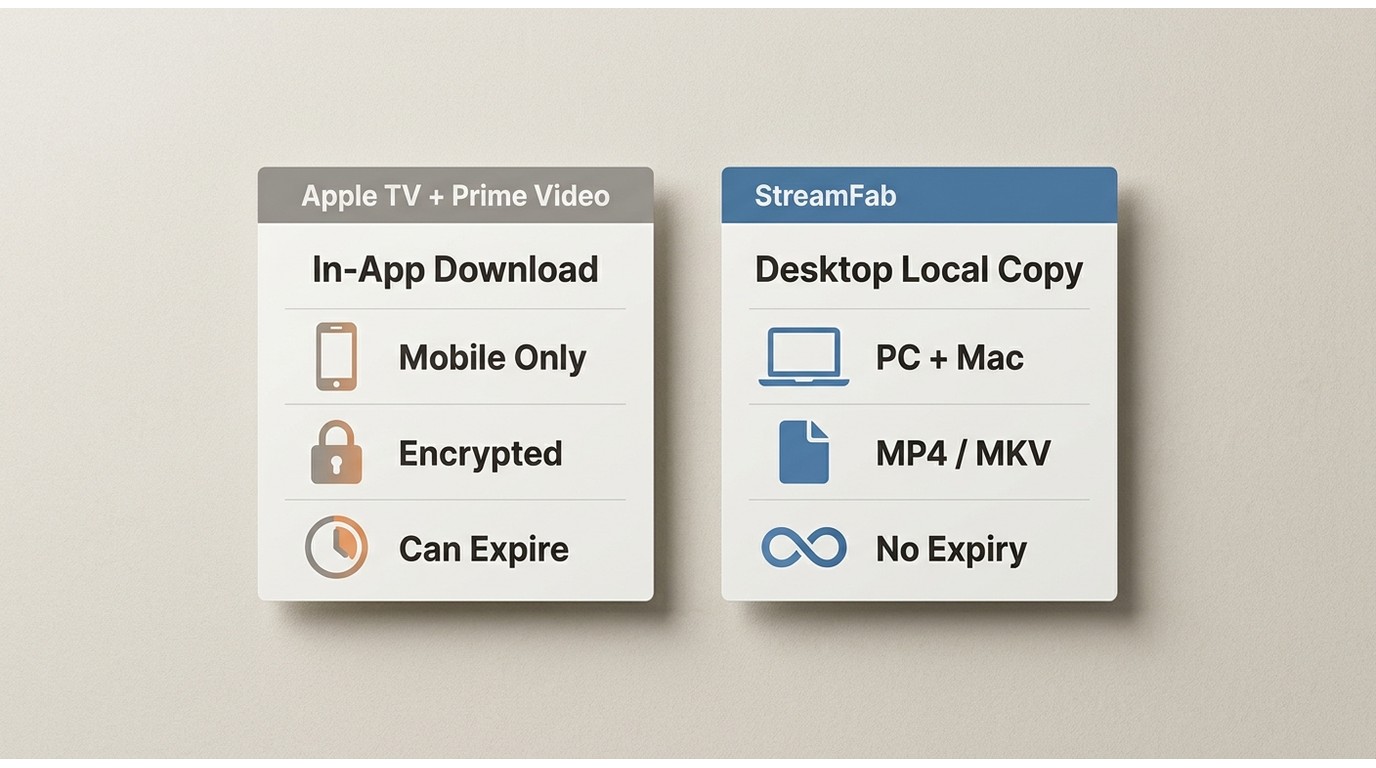
Whether the host-app route is enough for you depends on how you actually watch. This table is a decision aid, not a product pitch — for most casual viewers, the official Apple TV or Prime Video download is genuinely all they need.
| Dimension | Apple TV / Prime Video download | StreamFab desktop local copy |
|---|---|---|
| Where it works | Inside the host app you subscribed through | Windows 10/11 and macOS desktop |
| Required subscription route | BritBox via Apple TV or Prime Video Channels | Any active BritBox subscription you can sign into |
| Supported devices for playback | iOS, iPadOS, Android (in-app only) | Any player that reads MP4 / MKV |
| Offline file type | Encrypted, in-app package | MP4 or MKV |
| Resolution | Up to the host app's mobile ceiling | Up to 1080p depending on source and plan |
| Audio and subtitle control | Limited to what the host app exposes | Select tracks and subtitles before download |
| Batch and scheduled downloads | One title at a time, manual | Whole-season batch and overnight scheduling |
| Viewing-window limits | Host-app licensing countdown applies | File exists as a standard video; playback depends on the reader's authorization |
| Best fit | Occasional mobile viewing on a supported channel | Desktop users managing several episodes across sources |
| Not ideal for | Laptop viewing, external storage, format control | Someone whose Apple TV or Prime app already covers their trips |
Host-app policies change; confirm current limits in Apple TV or Prime Video Help (as of August 2026).

Related: Everything To Know About BritBox Amazon Prime Channel
When StreamFab Fits the Job
Honest gate first: if your Apple TV or Prime Video app already lets you download the episodes you actually watch, and you only view on your phone during commutes, you don't need a third-party tool. Close the tab. The rest of this section is for a narrower reader — someone on Windows or Mac who wants a local file they control, for content they're authorized to access, where permitted by platform terms and applicable law.
StreamFab is a desktop application (Windows 10/11 and macOS) built by DVDFab Software. It uses stream recording rather than DRM decryption, and its differentiator on BritBox specifically is that a Windows or Mac workflow exists at all — the official route stops at mobile. Here's the fit check in one line: best for desktop users managing several episodes at once; not ideal for someone whose host-app downloads already cover the trip.

Download the entire Britbox library on your PC and remove advanced encryption from any Britbox title. Get high-quality and permanent downloads without any device or regional restriction.
- MP4 or MKV, your call: Pick MP4 for universal player support, or MKV when you want to keep multiple audio tracks in one file for later switching.
- Up to 1080p from the source: Output resolution follows the BritBox stream and your subscription plan, saved as a standard video file any player can open.
- Multichannel audio preserved: When the source carries EAC3 5.1 or AC3 5.1, it stays intact instead of being downmixed to stereo, which matters for anyone plugging into a soundbar or receiver — StreamFab exposes the choice via
- Subtitle track selection: Choose SRT external or embedded subtitles per download rather than being stuck with whatever the app defaults to; see the broader
- Batch a whole season: Queue an entire season in one pass instead of tapping download 12 times on a phone.
- Schedule overnight: Set new episodes to grab automatically when they release, so your morning coffee comes with fresh files.
Which Route Matches Your Subscription?
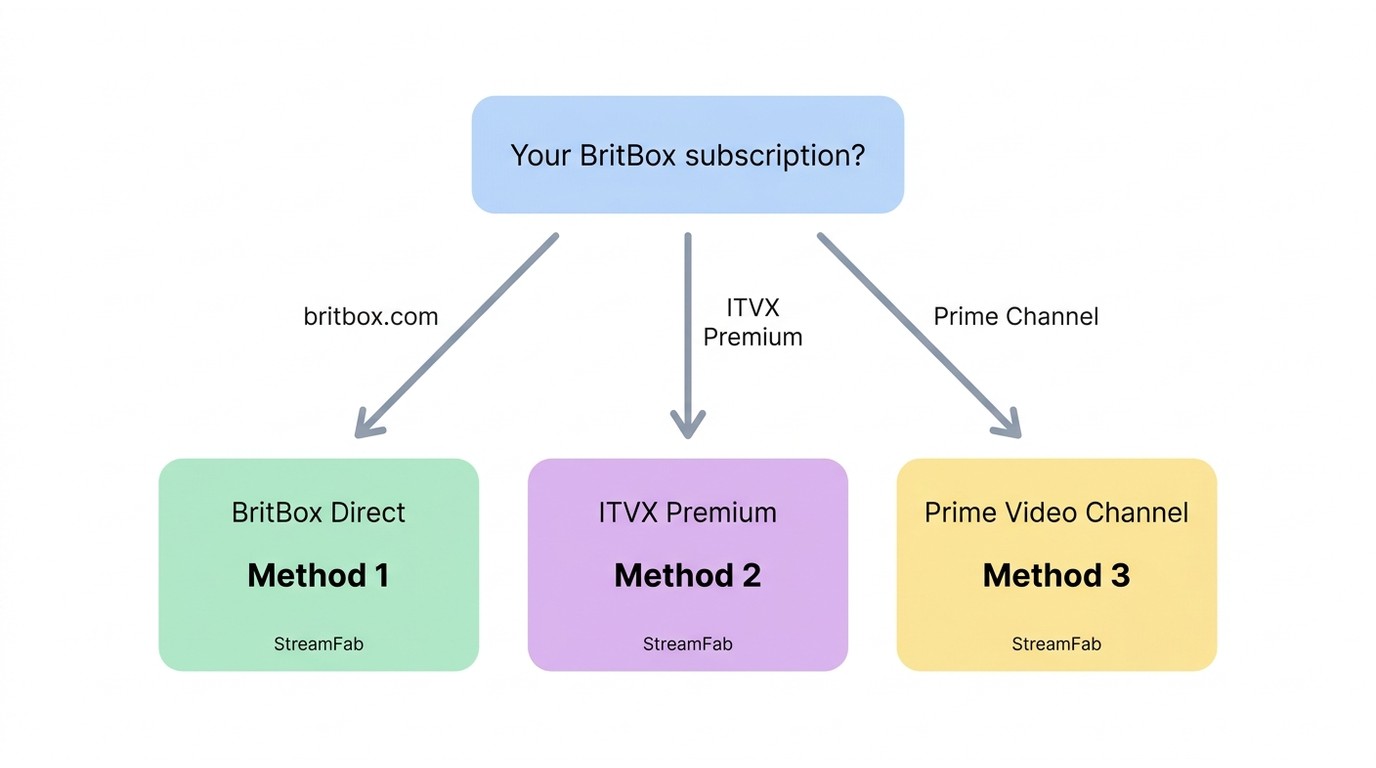
Your subscription entry point — not your device — decides which of these three workflows applies to you. If you pay BritBox directly, use Method 1. If you're a UK viewer accessing British catalog titles through ITVX Premium, use Method 2. If you subscribed as a Prime Video Channel in the US, use Method 3. The setup steps overlap heavily, so pick the section that matches how you actually pay and skip the other two.
Method 1: Direct BritBox Access
Download StreamFab
Open StreamFab on your PC. Copy the web address of the BritBox show you want to save and paste it directly into the search bar.
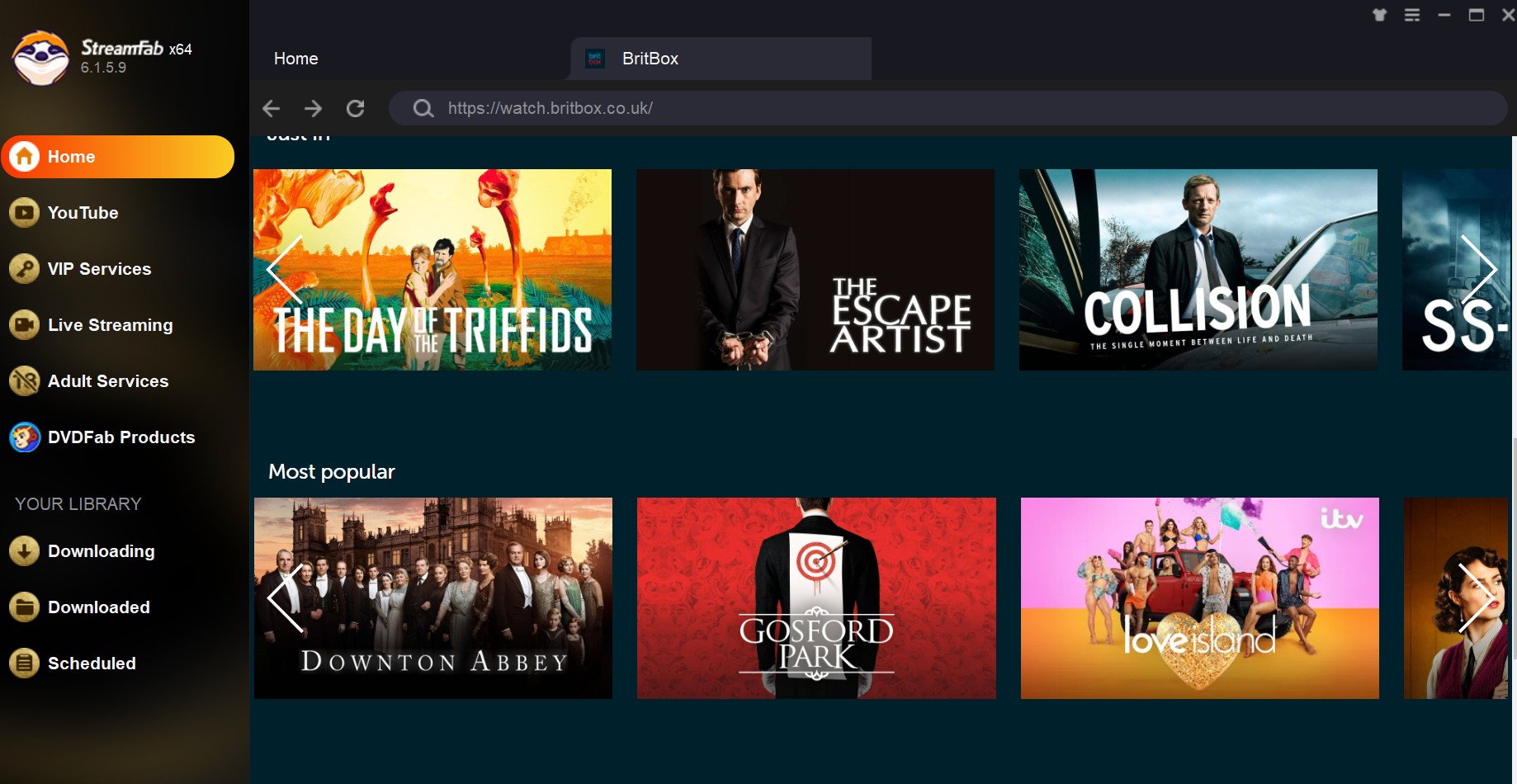
Choose the streaming service
Log in to your active BritBox account within the built-in browser. Play the video you have chosen, and the tool will automatically analyze the stream to prepare for the backup.
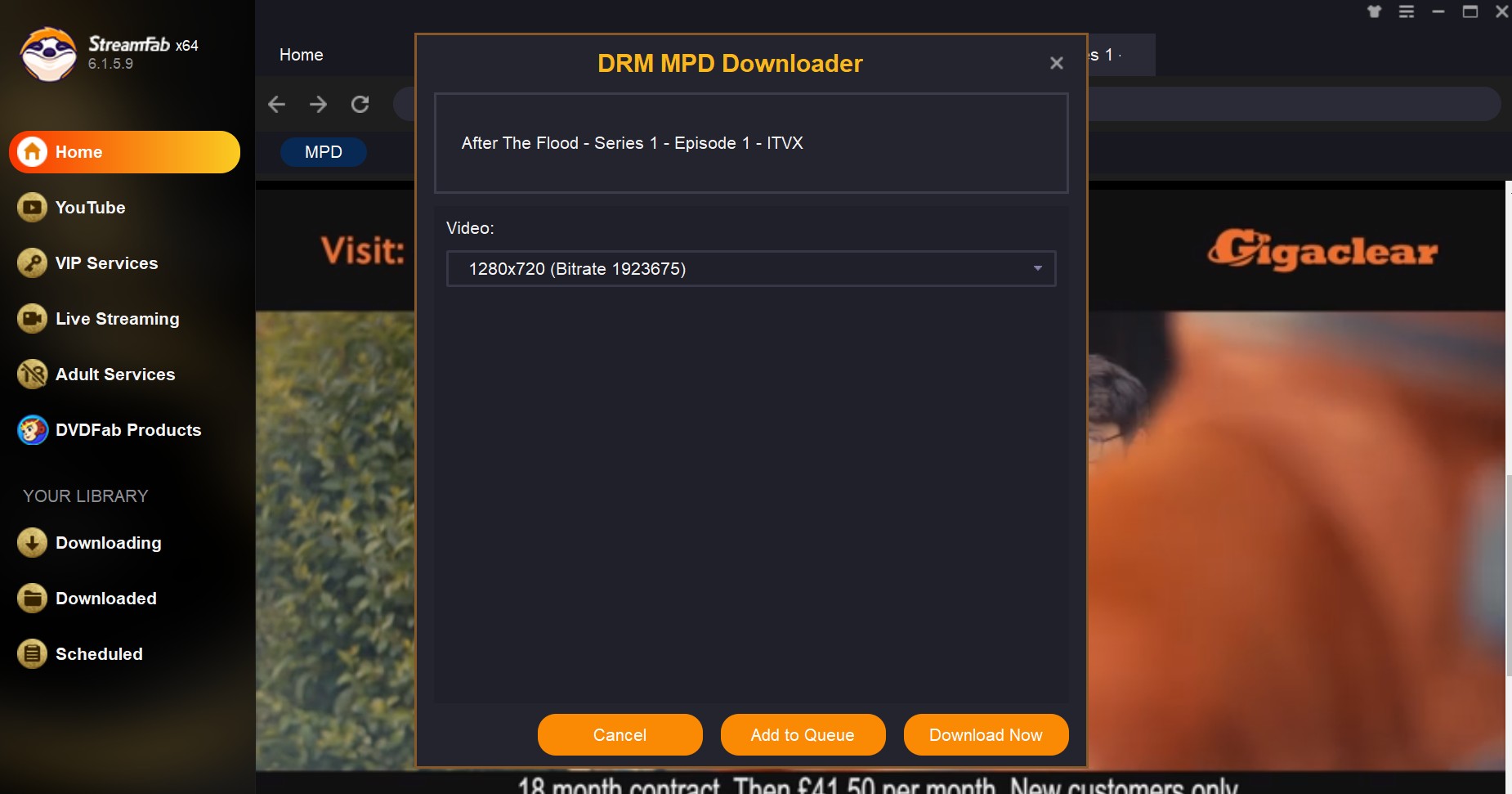
A settings window will appear. Select your preferred resolution, such as 1080p, and choose your subtitle language. Click Download Now to save the file to your computer permanently.
Method 2: Use the ITVX Module for Seamless UK Content Access

A quick note from my testing: after the 2024 merger, the UK BritBox catalog now sits inside ITVX Premium, so Method 2 is the one that actually reaches those titles. If you're a US reader, ITVX won't accept your subscription — jump to Method 3.
Download StreamFab
Open StreamFab and click on the ITVX icon from the list of supported streaming services.
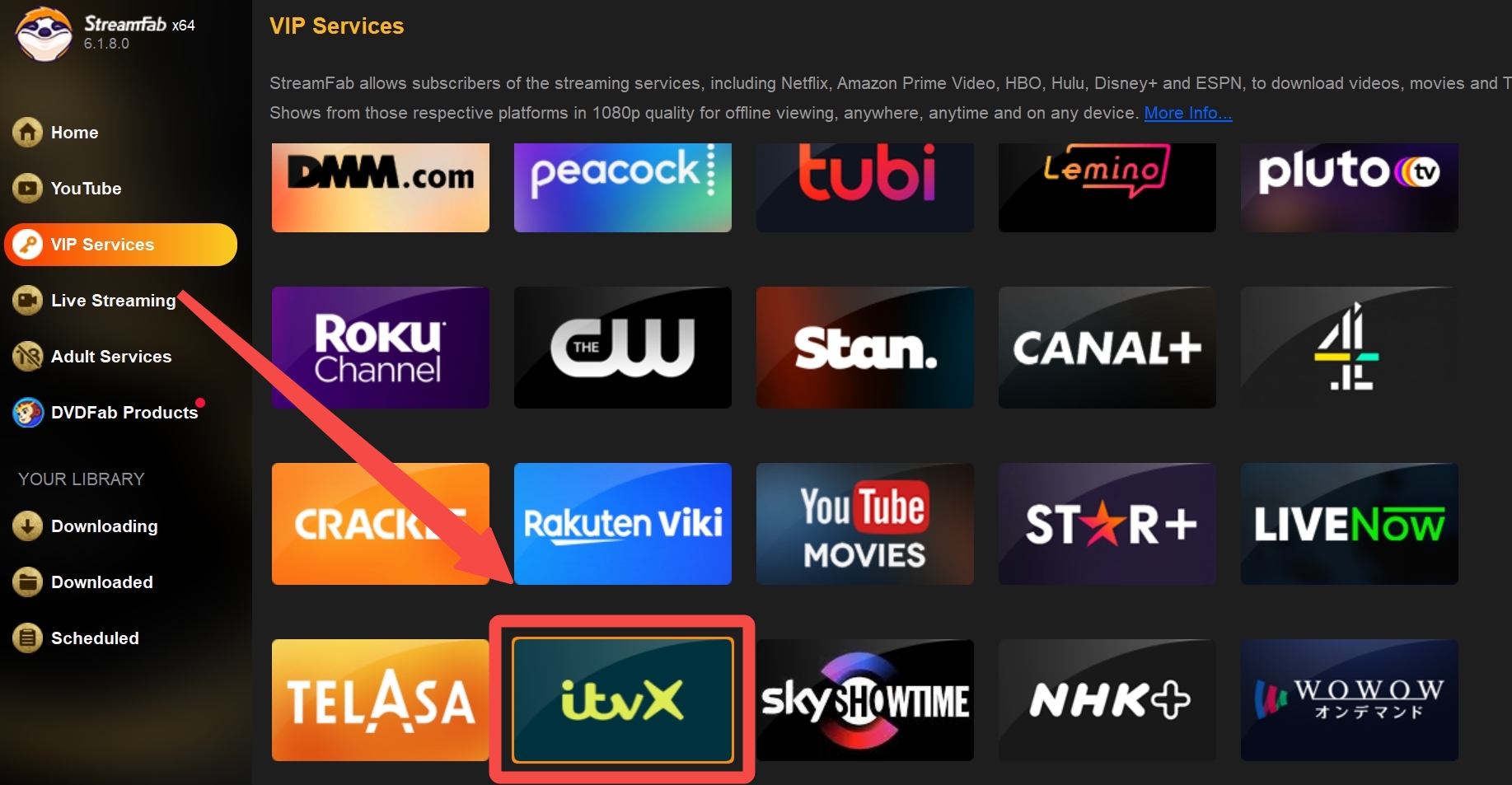
Find Britbox via iTVX Channel
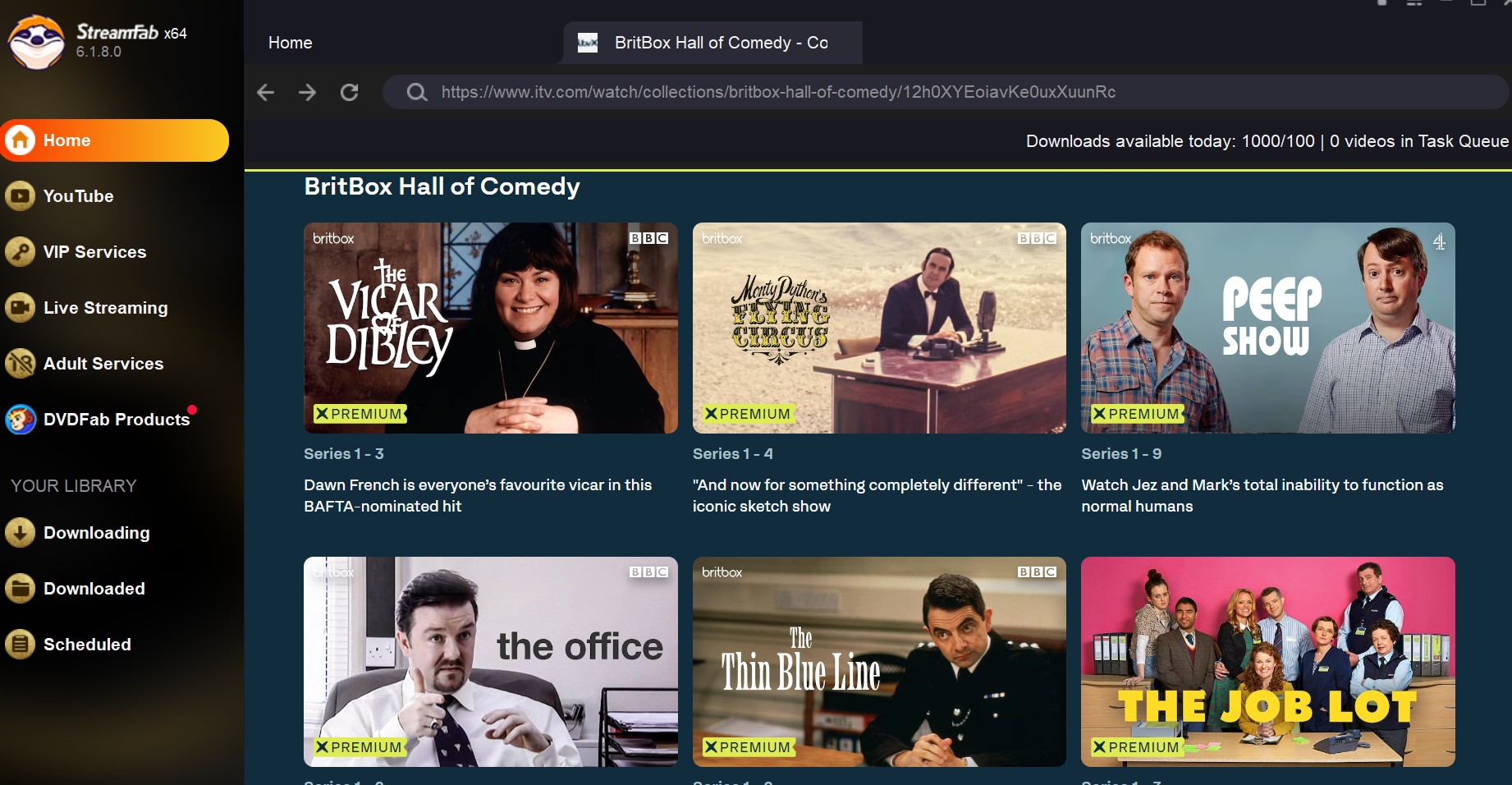
Browse the BritBox category inside the ITVX interface. Once you find your series, click play to let the software recognize the video data.
Choose your desired video quality and audio format in the pop-up menu. Confirm your choices to begin the local backup process, ensuring the show remains accessible even if it later leaves the platform.
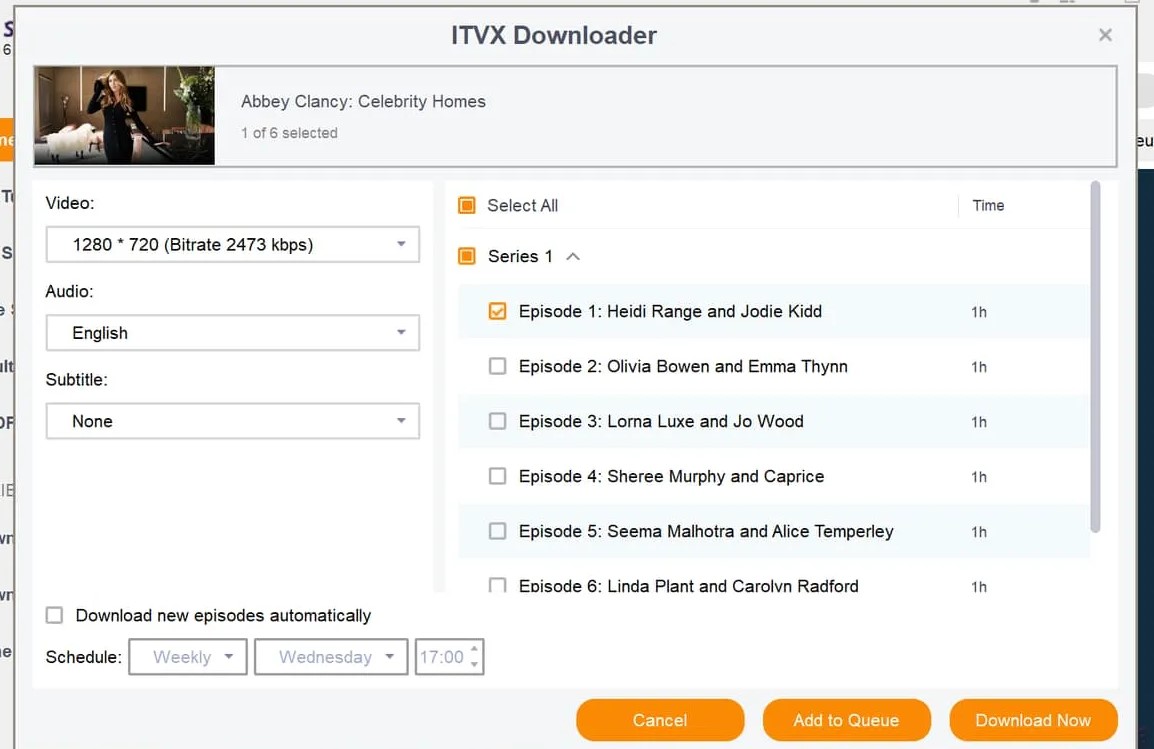
ITVX Premium is the current home for BritBox's UK catalog, so this is the module UK subscribers should be using — not the direct BritBox route.
Method 3: Amazon Channel Access for US Viewers
For US viewers who subscribed to BritBox as an Amazon Prime Video Channel, this is the route to use — the Amazon-specific module signs into your Prime account, not into britbox.com. A Prime Video Channel is a separately billed add-on, not a benefit included with base Prime membership.
Download StreamFab
Launch the software and select the Amazon service icon. This allows the tool to work with the specific protocols used by Prime Video.
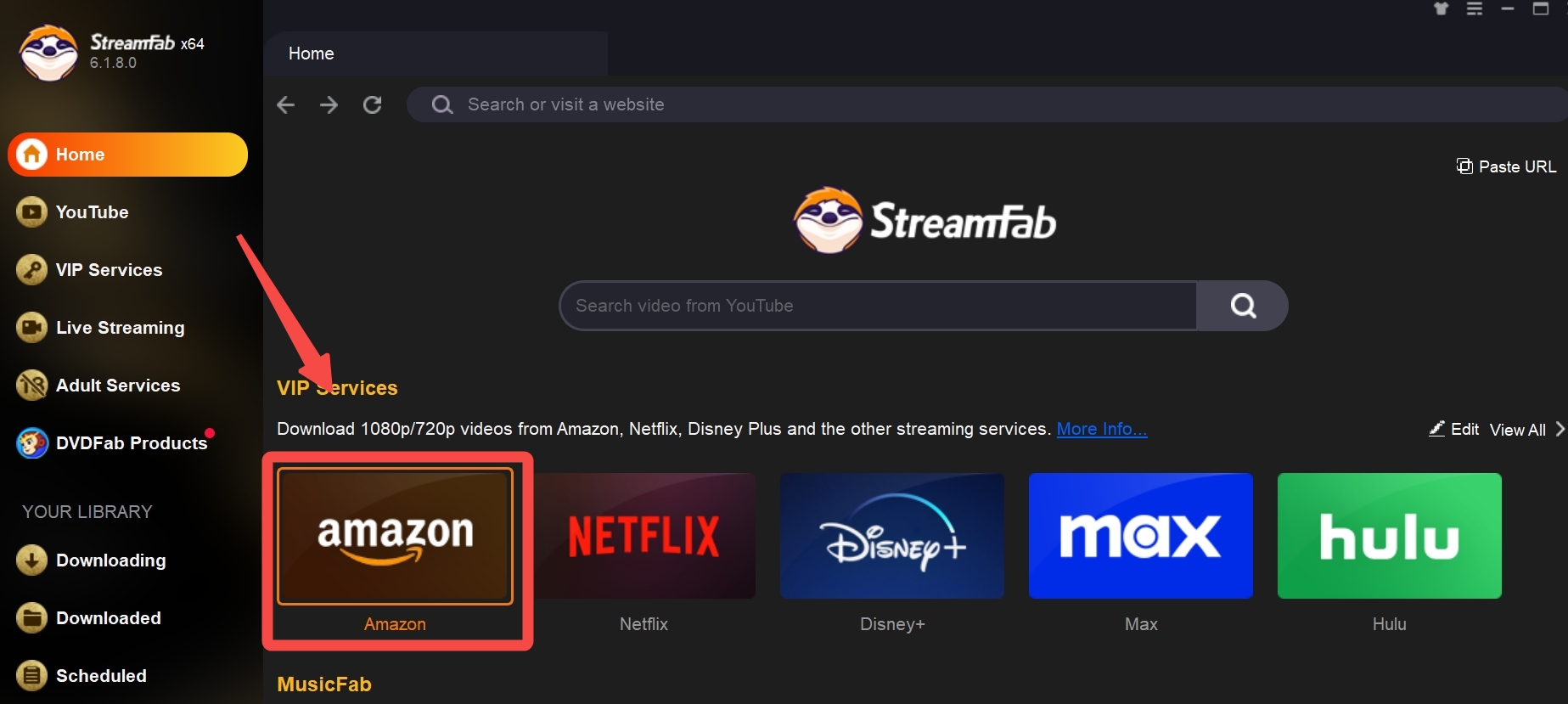
Find Britbox via Amazon Channel
Navigate to your Amazon Channels and select BritBox. Search for the program you wish to backup and start the playback.
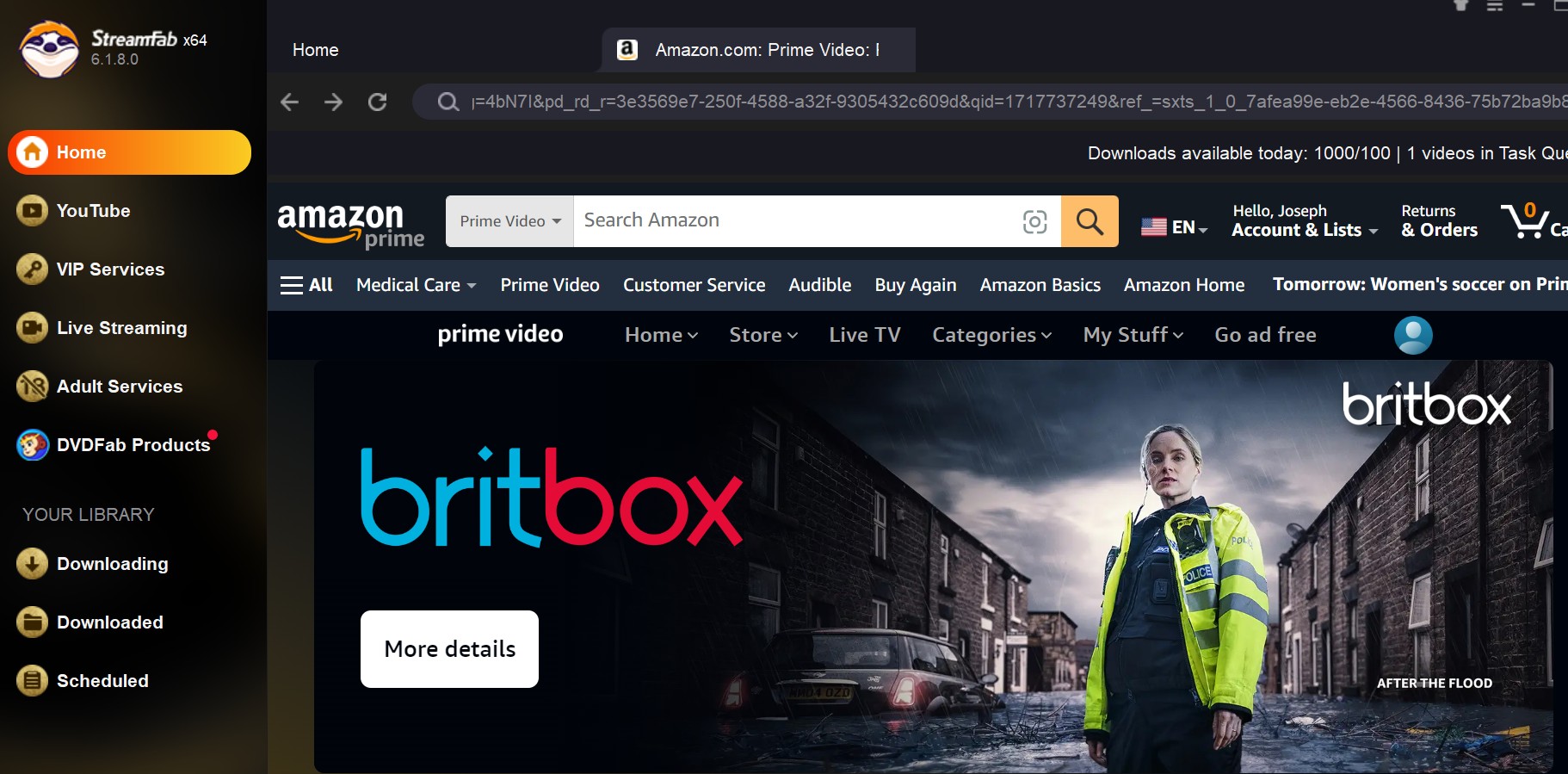
Adjust the settings in the pop-up window to match your device's storage needs. Once you start the process, the video will be saved as a high-quality file that never expires.
A single StreamFab install exposes all three modules above, so you don't reinstall when your subscription route changes. Same interface whether you're pulling from BritBox direct, ITVX Premium, or a Prime Video Channel — files land in one downloading Acorn TV folder you choose, in the format you picked.
Legal and Safe Offline-Viewing Boundaries
This isn't a boilerplate footer — the line here is what decides which route this article recommends. Downloading BritBox episodes for your own offline viewing on a device you own is a different activity from sharing, reselling, or redistributing those files. Any local-copy workflow described above assumes you have an active subscription, that you're the person watching, and that you're acting where permitted by BritBox's terms and applicable US law. StreamFab is a third-party desktop tool that records the stream you're already authorized to view; it doesn't grant access you don't already have, and it doesn't survive a canceled subscription as a way to keep watching the platform's catalog. Keep it personal, keep it authorized, and the workflow stays inside the lines.
FAQs
Why is there no download button in my BritBox app?
Because the standalone BritBox service in the US doesn't offer offline downloads. If you signed up at britbox.com, streaming is your only option in the official app. Downloads exist only for viewers who subscribed through a host channel — you have to open the Apple TV app or the Prime Video app, find BritBox inside it, and download from there.
Does an Amazon Prime membership include BritBox?
No. BritBox on Prime Video is a separately billed Prime Video Channel add-on, not part of base Prime membership. You need an active Prime account to subscribe to the channel, but the BritBox fee is charged on top of Prime.
Why do official BritBox downloads expire?
The expiration is enforced by the host app, not by BritBox itself. Apple TV and Prime Video each run their own licensing countdown once you press play, plus a longer window if you never open the file. Exact durations vary by app and change over time, so check the current values inside the app you actually downloaded from.
Can I save authorized BritBox videos to a PC for offline viewing?
Not through any official desktop app — BritBox, Apple TV, and Prime Video all route downloads to mobile only. A desktop tool like StreamFab (Windows 10/11 and macOS) can produce a local MP4 or MKV from content you're authorized to access, where permitted by platform terms and applicable law. If your host-app downloads already cover your commute, you don't need it; if you want files on a laptop for a flight, that's what it's for.
Conclusion
My honest take after walking readers through this a hundred times: most US BritBox subscribers should just use the download button inside their Apple TV or Prime Video app, and stop looking for a hidden feature in the direct BritBox app that doesn't exist. That's the shortest path to an episode on your phone before a flight.
The desktop route is worth it when three things line up: you watch on a Windows or Mac laptop rather than a phone, you want to keep files in MP4 or MKV with your own audio and subtitle picks, and you're queuing more than a handful of episodes at a time. If that's you, StreamFab All-In-One covers all three BritBox subscription routes from one install — for authorized personal viewing, where permitted by platform terms and applicable law.

The Criterion Channel is full of classic movies, and there is no official way to get them. This article introduced several third-party tools to help you dealing with this problem. And the downloader is the best one with advanced functions and outstanding quality.
By Nicole Lopez - Sep 16, 2026
Looking to download ctv video content for unrestricted offline viewing? Based on my 2026 technical tests, here is the ultimate guide to permanently archive CTV videos in crisp 1080p MP4 formats.
By Erika Leen - Aug 19, 2026
Can you watch Udemy offline? How to watch Udemy courses offline on PC? This guide covers everything you want to know about Udemy offline viewing on different devices.
By Jacob Harrison - Aug 19, 2026
Can you save Udemy DRM videos as a local personal backup? Why do you only get a black screen file? This guide addresses the technical hurdles of creating a personal backup, specifically explaining the latest methods in 2026.
By Jacob Harrison - Aug 18, 2026