Is BritBox Free With Amazon Prime? US Costs and Trials (2026)

Summary: This article explains the distinctions between BritBox’s own streaming service and its availability as a channel on Amazon Prime Video. It covers differences in content, features, price, etc. Scroll down to get more details.
Table of Contents
If you spotted BritBox sitting inside your Prime Video app and wondered whether your Amazon Prime membership already covers it, the short answer is no. BritBox is a separate paid subscription, not a benefit included with Amazon Prime. In the US, customers can buy subscriptions through Prime Video with or without an Amazon Prime membership. Direct BritBox Standard costs $10.99/month or $109.99/year in the US.
Is BritBox free with Amazon Prime, and how much is BritBox if you subscribe separately? I would choose the billing route before worrying about the app. Below, I compare direct and Amazon subscriptions, explain the costs and trial terms, and outline the official offline-viewing options.

Choose Your BritBox Access Route: Direct vs. Amazon Prime Channel
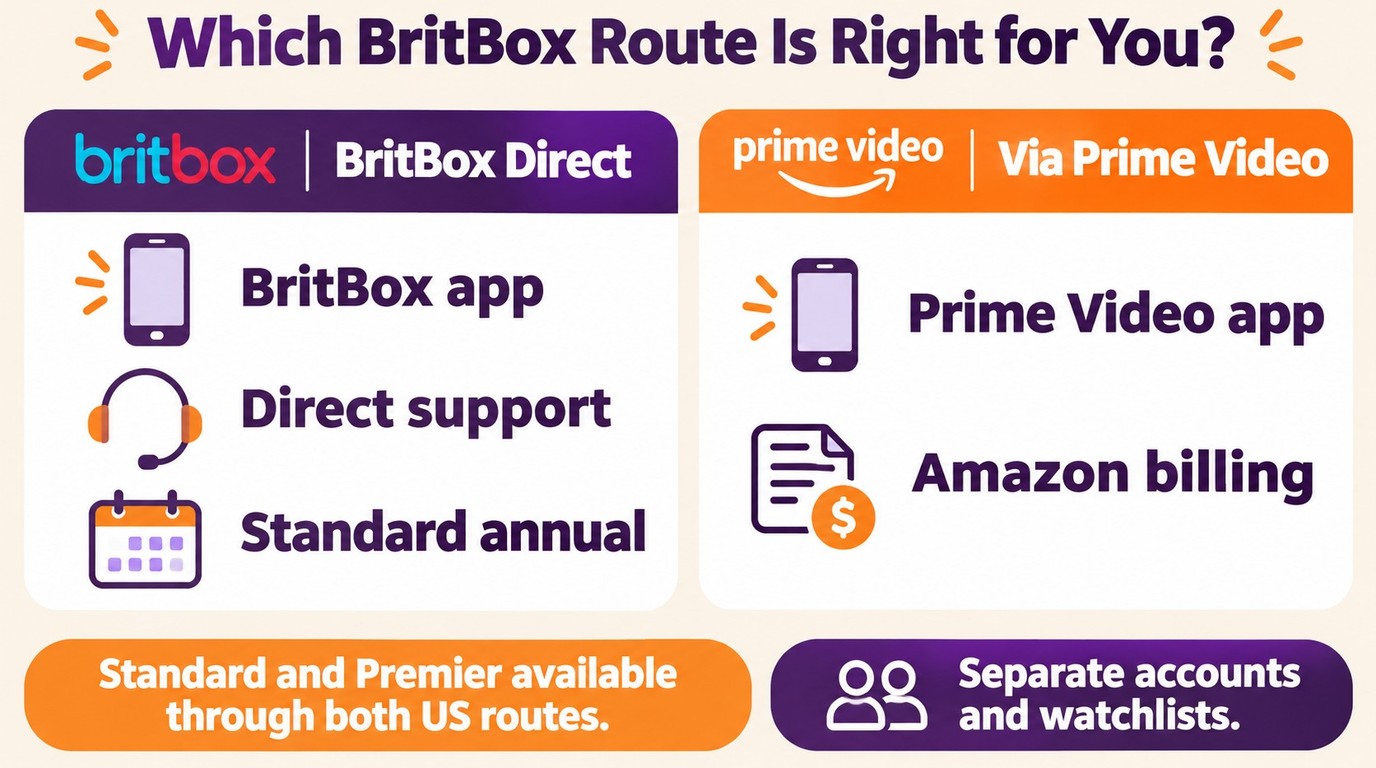
Amazon suits viewers who prefer the Prime Video app and Amazon billing; direct BritBox suits those who prefer the standalone app, its annual Standard option, or direct BritBox support. Standard and Premier are available through both US routes. Both draw from the same core catalog, but check the subscription offer for the specific title and season you want; Amazon handles upgrades and billing for Amazon-billed subscriptions. Premier offers select titles in 4K UHD on compatible devices; streaming quality depends on the tier, title, and device, not simply the billing route.
Direct BritBox subscribers use the standalone app, with features determined by their plan. Amazon Prime Channel subscribers trade some flexibility for the convenience of consolidated billing and unified content discovery within the Prime Video interface.
Here's a detailed breakdown comparing both subscription methods:
| Subscription route | Plan access | Offline Downloads | Billing and cancellation |
|---|---|---|---|
| BritBox Direct | Standard and Premier | Premier required in US BritBox app | BritBox account settings |
| BritBox on Amazon | Standard and Premier | Eligible titles in Prime Video app | Purchasing Amazon account's subscription settings |
Both routes offer ad-free viewing, but their apps, profiles, and watchlists remain separate. Direct subscribers contact BritBox support; Amazon-billed subscribers contact Amazon. The direct Standard plan has an annual option; an annual Standard plan is often not offered through Amazon.
My rule of thumb: if you already live inside Amazon and just want one bill, the Prime Video Channel route is the smoother pick. If you prefer the standalone app, the annual Standard option, or direct BritBox support, subscribe on the BritBox site. Premier is available through either US route.
Check the US Offer for Your Next BritBox Show
Before subscribing, open the US page for the exact show and season you want, then read the offer beside the episode. A Premier early-access label means that episode is available earlier with Premier; it does not mean every Standard title requires an upgrade. A separate rental or purchase button is a different transaction, not proof that the episode is included in your subscription. Choose the BritBox subscription offer tied to your account, and read any upgrade or payment confirmation before accepting another charge.
BritBox Pricing Reality: No, It's Not Free With Prime
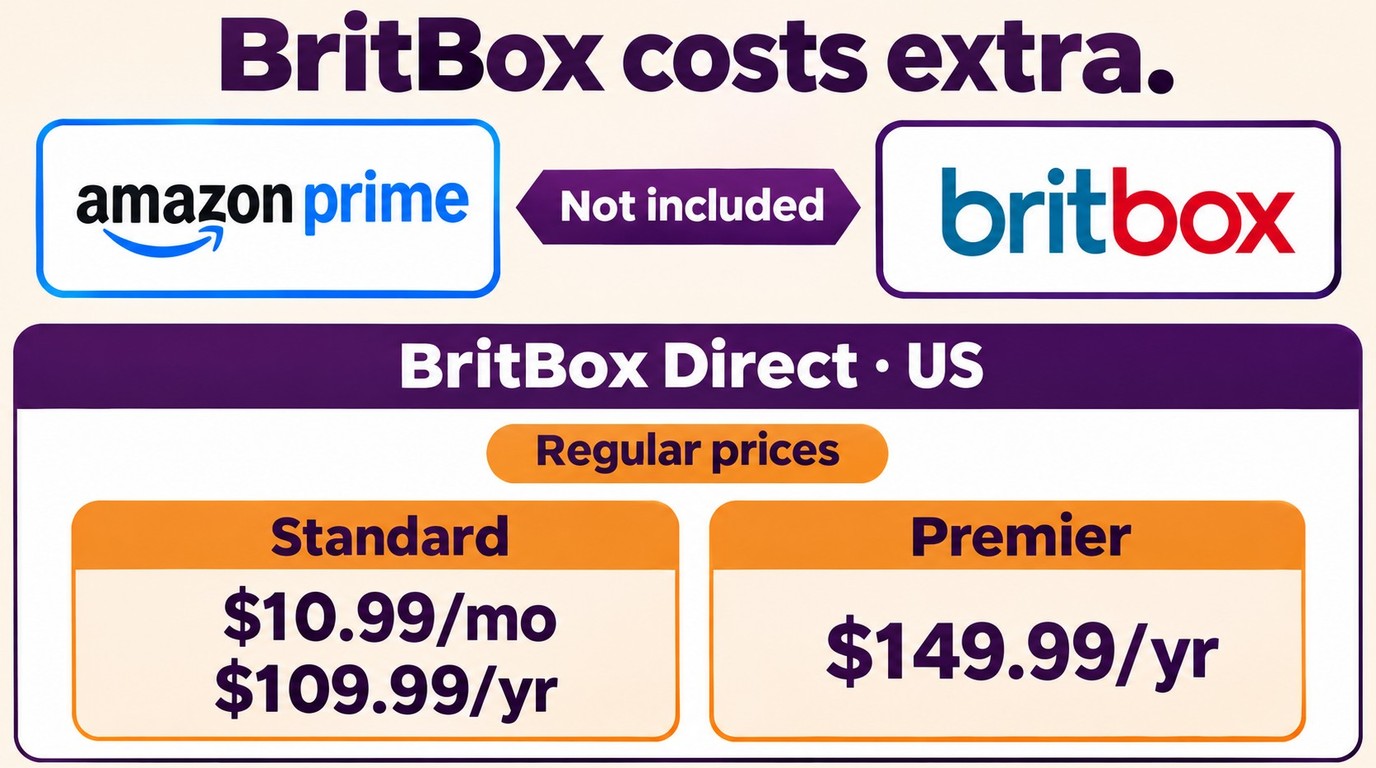
Amazon Prime membership does not include BritBox access. This misconception persists because BritBox appears as a Channel option within Prime Video. The integration creates visual proximity that many users mistake for bundled inclusion.
Reality check: BritBox requires a separate subscription regardless of your Prime membership status. In the US, you can subscribe to BritBox through Prime Video with or without an Amazon Prime membership.
Compare Current Subscription Costs
Pricing structures differ slightly between direct subscriptions and Amazon Prime Channels. Here's what you'll pay in 2026:
BritBox Direct Subscription (Official Website/App):
- Standard Monthly: $10.99 (US)
- Standard Annual: $109.99 (US)
- Premier Annual: $149.99 (US) — unlocks certain early-access or mid-season titles
BritBox Amazon Prime Channel:
- Standard Monthly: $10.99 (US)
- Standard annual plan: often not offered through Amazon
- Premier: available through Amazon in the US
US prices, plan options, trial terms, and bundle details are current as of November 2026.
An Amazon Prime membership is not required to buy a BritBox subscription through Prime Video in the US. The optional Amazon Super Bundle costs $29.99/month and combines BritBox, PBS Masterpiece, STARZ, MGM+, and AMC+ Premium, with no free trial. It is a paid bundle, not included Prime access.

On the monthly rate the two routes essentially match. Direct Standard's $109.99 annual plan costs less than paying its $10.99 monthly rate for a full year. Premier is also available through Amazon, so choose that tier based on its benefits rather than assuming it requires a direct subscription.
Amazon Prime Channel subscribers gain the convenience of unified billing and content discovery inside Prime Video. What you give up is BritBox-specific promotions and a support line that talks to BritBox rather than Amazon.
The direct BritBox Standard trial lasts 7 days and is available once per account. Premier has no free trial. BritBox recommends canceling a direct trial at least 24 hours before it ends. Amazon trial eligibility and renewal terms are set by the checkout offer.
Account Separation: Why Your Logins Won't Transfer
Direct BritBox subscriptions and Amazon Prime Channel subscriptions operate as completely separate accounts. This separation creates important limitations many subscribers discover only after signing up.
Your direct BritBox login credentials won't work on Amazon Prime. Conversely, your Amazon credentials won't authenticate the standalone BritBox app. This walled-garden approach means:
Key Account Limitations:
- Watch history, favorites, and personalized recommendations remain isolated between platforms
- Downloaded content stays within the app ecosystem where you initiated the download
- Subscription management, cancellation, and billing inquiries route through different support channels
- No account merging or data transfer options exist between direct and Amazon Channel subscriptions
To cancel, identify the account charging you, open its subscription settings, cancel there, and retain the confirmation. For Amazon billing, use Prime Video subscription settings in the purchasing Amazon account; for direct billing, use your BritBox account settings. Canceling one does not cancel the other.
If BritBox works on your computer but not your TV, open Prime Video on the TV and sign in with the same Amazon account that purchased the subscription. An Amazon-billed subscription does not provide a standalone BritBox app login.
Download BritBox Content for Personal Offline Viewing
In the US, downloads in the BritBox app require Premier. Amazon-billed BritBox viewers use the Prime Video app for eligible downloads under Amazon's rules. The official BritBox app and Prime Video app both allow temporary downloads for travel and limited connectivity situations.
Direct Premier downloads in the BritBox app allow 25 items per account across 5 devices, within 20 GB. Downloads are removed after 30 days or 48 hours after playback begins, so eligible direct subscribers should download in the BritBox app close to their planned viewing time. Amazon-billed viewers should use the Prime Video app's eligible downloads; the Prime Video download limits and supported-device rules are separate from BritBox's limits.
App downloads stay within the relevant app rather than becoming transferable MP4 or MKV files. For subscribers who want a more flexible personal backup of legitimately accessed content, a third-party desktop tool such as StreamFab Amazon Downloader can help with downloading Amazon Channels videos, including BritBox.
StreamFab Video Downloader for Personal Content Management
In-app playback is the simpler option for travel. For a personal local-file workflow, StreamFab Amazon Downloader supports MP4 and MKV output up to 1080p on Windows 10 and macOS 12+, with available audio and subtitle selection.

StreamFab Amazon Downloader provides BritBox subscribers with enhanced flexibility for managing offline content accessed through valid subscriptions. The tool supports personal backup workflows for content you can legally access during your active subscription period.
For video and audio output selection, our team measured 1080p video at 8258 kbps and E-AC-3 5.1 audio at 640 kbps on August 10, 2026, using SPY×FAMILY S1E2, a 24-minute Prime Video Germany episode, on Windows 11 over 250 Mbit/s WLAN.
Title compatibility is specific to the supported workflow. The 30-day trial includes 3 video downloads per service, with paid-version features, so you can try your intended titles and output settings.
- Download BritBox shows for personal offline viewing of content accessible through your valid subscription
- Choose MP4 or MKV output up to 1080p.
- Choose video settings that suit your playback device.
- Use a player compatible with the selected file format.
- Select available audio languages and subtitles for offline viewing.
- Check audio and subtitle playback before your trip.
Personal Backup Workflow Steps
Get the software through official channels
Obtain the current installer from the official product page and keep it updated.

Open an authorized playable page
Use the supported workflow, then select available output and subtitle options.

Save files privately
Keep files within the permitted personal-use scope and do not share or redistribute them.

FAQs
1. Is BritBox included free with Amazon Prime membership?
No. BritBox requires a separate paid subscription and is not included with Amazon Prime. In the US, you can subscribe through Prime Video with or without a Prime membership; the BritBox subscription is a separate charge.
2. Does BritBox on Amazon Prime offer a free trial?
Amazon trial eligibility and renewal terms appear at checkout. Direct Standard offers a 7-day trial once per account; cancel at least 24 hours before it ends. Premier and the Amazon Super Bundle have no free trial.
3. Can I switch between direct BritBox and Amazon Prime Channel without losing my watchlist?
No. Direct BritBox and Amazon subscriptions use separate accounts. Watchlists, viewing history, and personalized recommendations do not transfer between them. Manage your Amazon watchlist in the Amazon account used to purchase the subscription.
4. Which subscription method offers better video quality?
Premier offers select titles in 4K UHD on compatible devices. Streaming quality depends on your plan, the title and your device, not simply whether you subscribe directly or through Amazon. Both US routes offer Premier.
5. What's the difference between BritBox Standard and Premier?
Standard covers the main catalog. Premier adds select-title early access and US direct-app downloads, and is available through Amazon as well as directly. An early-access upgrade prompt applies to that offer; it does not mean every Standard title requires an upgrade.
6. How do I cancel BritBox if I subscribed through Amazon Prime?
Cancel Amazon-billed BritBox in that Amazon account’s Prime Video subscription settings; manage direct subscriptions in your BritBox account. If the subscription is missing, check which account is being charged. Canceling one route does not cancel the other. Retain your cancellation confirmation.
7. Can I download BritBox shows on both subscription methods?
Yes, with different eligibility rules. In the US, downloads in the BritBox app require Premier. Amazon-billed subscribers use the Prime Video app for eligible titles on supported devices. Each app has its own limits, and downloads remain within that app.
Conclusion
BritBox is a separate paid subscription, not included with Amazon Prime. Standard and Premier are available through both US routes; Amazon handles upgrades and billing for Amazon-billed subscriptions. I would choose Amazon for its app and billing convenience, or direct BritBox for the standalone app, its Standard annual option, and direct support.
Amazon Prime Channel subscribers benefit from consolidated billing and unified content discovery within the Prime Video interface. This integration suits viewers who prefer to watch and manage their subscription through Amazon, whether or not they have Prime.
Direct BritBox subscribers use the standalone app and contact BritBox for support. This route fits viewers who prefer that app and don't mind managing a separate subscription.
This content is provided for informational purposes only. Any use of third-party tools should be limited to personal backup and offline viewing of content you can legally access during a valid subscription. Always comply with the platform's Terms of Use and applicable copyright laws in your jurisdiction.

You can download eligible rented Amazon movies and purchased titles through the Prime Video app, but rentals have limited viewing Windows and app-managed storage. This guide explains the official route first, then a desktop local-file workflow for authorized viewing when format, audio, or playback flexibility matters.
By Nicole Lopez - Nov 16, 2026
Discover how to watch 4K movies on Amazon Prime Video, and understand the difference between 4K streaming and offline downloads. This guide also explains why Amazon downloads are generally limited to 1080p and how to save eligible videos with customizable audio, subtitles, codecs, and output formats for personal offline viewing.
By Jacob Harrison - Nov 14, 2026
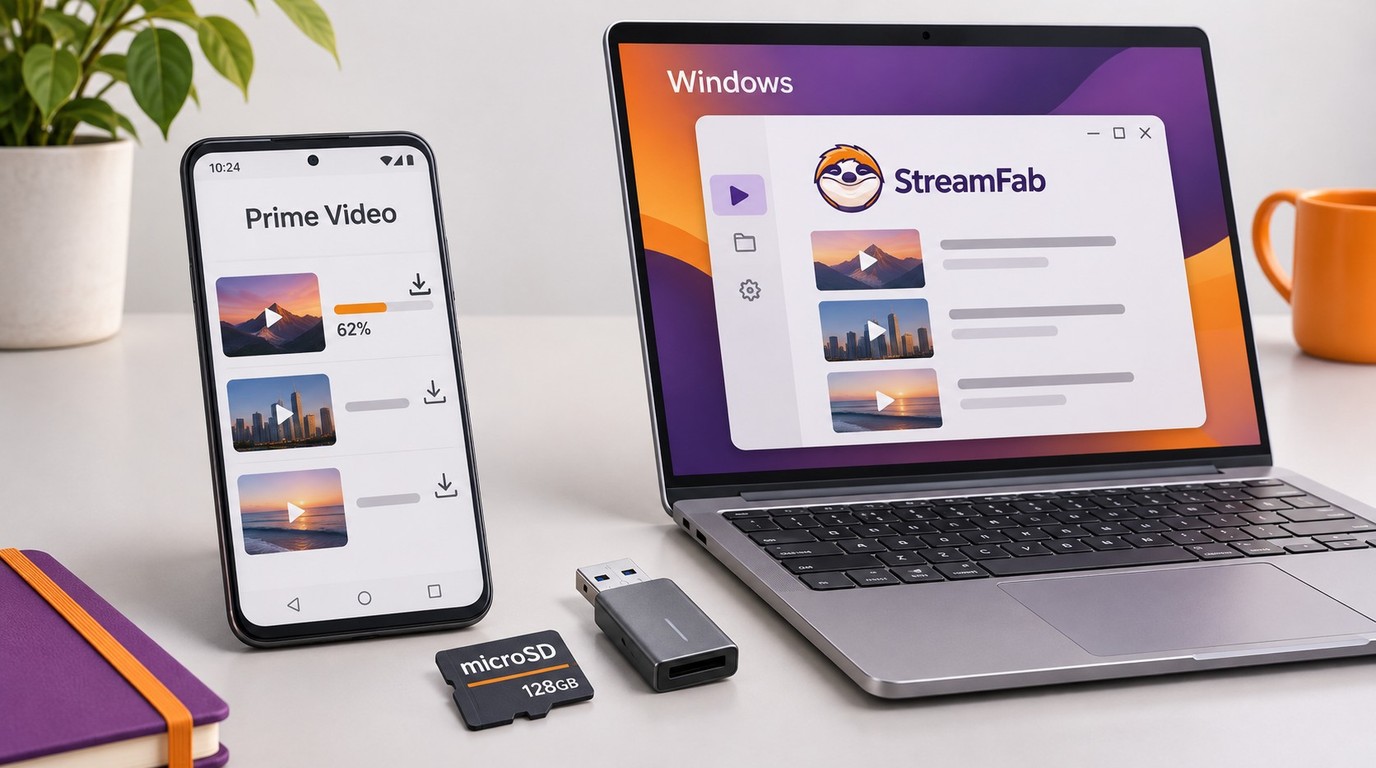
Looking for a way to Amazon Video Download to an SD Card? Then look no further because this guide will show you how to download Amazon videos to SD card with the help of StreamFab Amazon Downloader.
By Marcia Hatcher - Nov 14, 2026
Amazon Prime Video DRM is why the same title can play normally in one app yet show “DRM scheme not supported” or a Prime Video black screen on another device. The practical answer is to match the platform system, diagnose the failing layer, and understand how official downloads differ from portable local files.
By Marcia Hatcher - Nov 10, 2026