
How to Convert M3U8 to MP4: 4 Methods for Files and Streams

Summary: M3U8 files store video links, not content—hence the need to convert to MP4. Three methods: StreamFab (high-quality, Android support), online tools (risky, limited), and VLC (open-source). Table compares platforms, quality, and users; FAQs answer format differences. Recommend StreamFab for reliability.
Table of Contents
Pick the Right M3U8 Workflow
Here's the short answer: an M3U8 file is a text playlist that points to video segments, so getting a portable MP4 depends on where the segments live and how you're allowed to reach them. The right method comes down to your input (a local playlist, a public URL, or an authorized protected stream) and your device. I've spent enough time cleaning up half-finished captures of public livestreams and local HLS backups to know the failure modes rarely have to do with the tool itself, so this guide is organized by source and skill rather than by product.
Local File, Public URL, or Protected Stream
A local .m3u8 with its .ts segments already on disk is the easiest case: FFmpeg or VLC can pack them into an MP4 without re-encoding. A public URL that your player can already open is the next step up, and browser developer tools are usually enough to find the playlist URL before you convert. Authenticated or protected streams are a different problem — converting the playlist does not change who is authorized to access or save the underlying media, so save only what you own or are authorized to access, where platform terms and applicable law allow.
Desktop, Browser, or Android
On Windows or macOS you have the full toolbox: FFmpeg for speed and batch, VLC for a GUI, an online converter for a one-off public file, or a desktop downloader when the source is authorized but protected. In a browser alone, online converters are the only route, and their reach is narrow. On Android, a reputable local converter app handles simple playlists on device; long, private, or authenticated sources are better done on a PC and copied over.

FFmpeg Converts Public Streams Fast
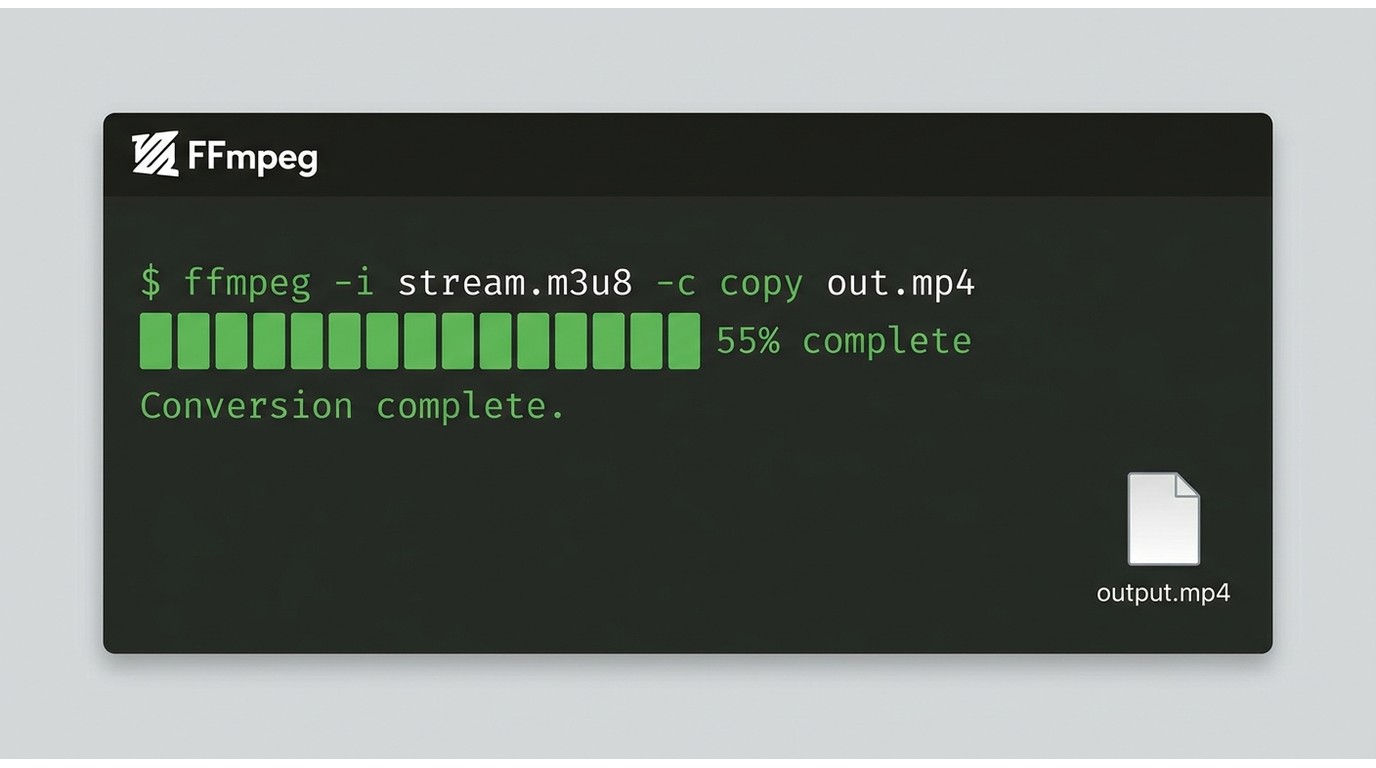
For a local playlist or a public URL you can already open, FFmpeg is the most efficient route. It's free, cross-platform, and — when the source codecs are compatible with the MP4 container — it can remux without re-encoding, so there's no generational quality loss. The trade-off is the command line; if that's a hard no, skip to VLC.
Stream Copy Command
The one-liner that solves most cases is:
ffmpeg -i "https://example.com/playlist.m3u8" -c copy output.mp4
-c copy tells FFmpeg to copy the existing audio and video streams into the MP4 container instead of re-encoding them. This works when the segments are H.264/AAC (or another MP4-compatible pair) and the playlist is complete. When I would skip the GUI and go straight to FFmpeg: any time the source is a plain public HLS URL and I want the job done in seconds.
When Re-encoding Is Necessary
Stream copy fails when the codecs aren't MP4-compatible (for example, some HEVC-in-TS variants, or audio in an unusual profile), when timestamps are broken, or when segments are missing and FFmpeg has to rebuild the timeline. In those cases, drop -c copy and let FFmpeg transcode — for example ffmpeg -i input.m3u8 -c:v libx264 -c:a aac output.mp4. Transcoding creates new encoded streams and may alter quality, so try remuxing first and only re-encode when compatibility or repair forces it.
Batch Jobs and Playlist Lists
For many playlists, put the URLs in a text file and loop over them with a shell script (or a for loop on Windows). This is the cleanest way to run overnight batches without babysitting a GUI. It's not ideal for readers who don't want to touch a terminal — for them, a desktop downloader with a queue is a better fit.
VLC Offers a Simpler Desktop Route
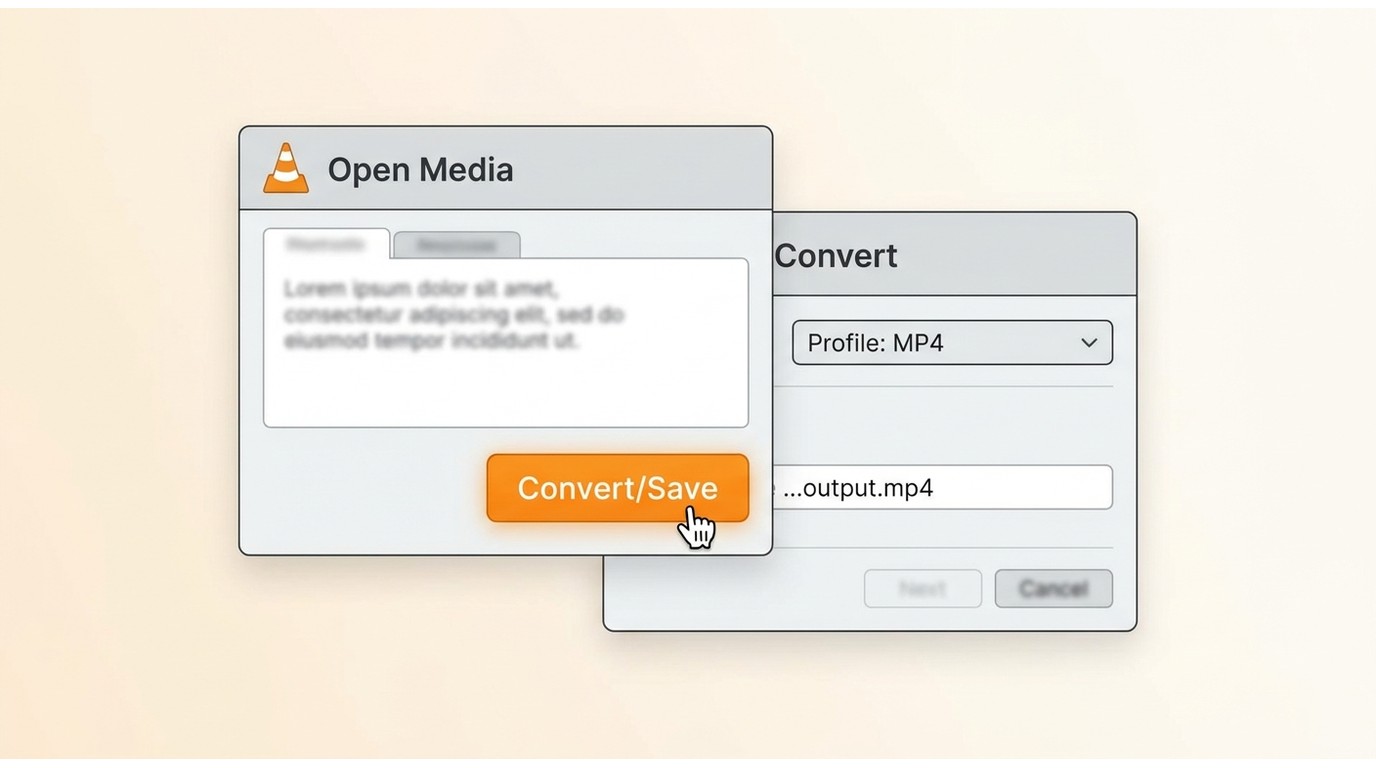
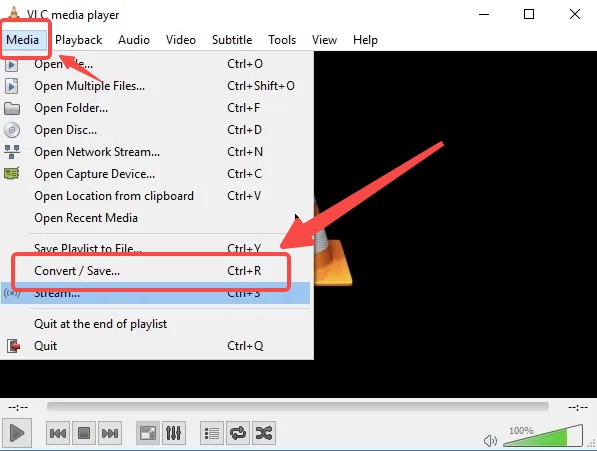
VLC is the approachable GUI option for ordinary local playlists and accessible URLs. It's free, open-source, and runs on Windows, macOS, and Linux. Open Media → Convert/Save, load the .m3u8 or paste the URL, choose an MP4 profile, and save. My honest take: VLC's graphical workflow is fine for one or two files but manual and sluggish for large sets, and command-line automation is possible for advanced users but harder to approach than FFmpeg. It also produces short or unplayable clips when the source stream drops mid-capture, so treat a suspiciously small output as a signal to re-fetch the playlist, not to change codecs. VLC does not handle DRM-encrypted streams.
Online Tools Fit Simple Public Streams
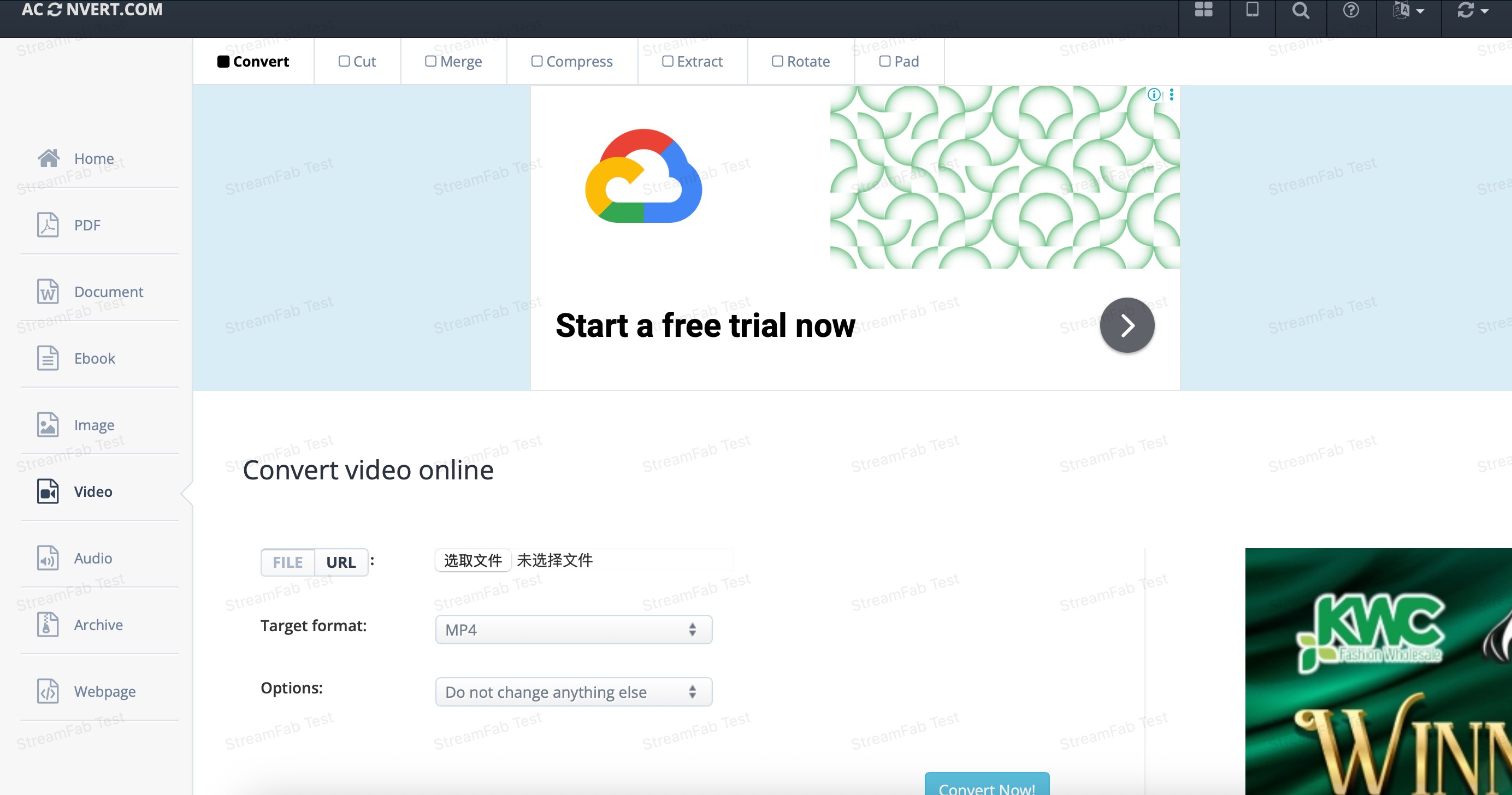
Browser-based converters like AConvert or CloudConvert are convenient when you have a small, publicly accessible playlist and don't want to install anything. Paste the URL, wait for the queue, download the MP4. That's the honest use case. Where they struggle: authenticated or tokenized URLs (the token often expires before the server finishes fetching), long files that exceed size limits, private links you shouldn't be uploading to a third party, and streams that require decryption keys the tool doesn't have. If any of those apply to your source, a local workflow is safer and more likely to finish.
StreamFab Fits Authorized Protected Streams
Before running through this section: convert or save only media you own or are authorized to access, where platform terms and applicable law allow. Converting a playlist does not change access rights.
StreamFab is a desktop alternative on Windows and macOS for sources that require authentication and where a local-file workflow is needed. It saves the stream via screen/stream recording (not key extraction) and outputs a single MP4 or MKV, so the file plays in ordinary media players without a companion app. I'd reach for it when FFmpeg can't reach the segments and VLC won't touch the source — not as a first stop.
Who It Suits and Who It Does Not
Best for: readers with an active subscription who want a portable local backup and are comfortable running a desktop app. Not ideal for: casual one-off conversions of a public URL (FFmpeg or VLC is faster), or anyone looking to bypass a paywall — that's neither the tool's purpose nor a use we'd support.
Quality, Audio, and Subtitle Options
Available quality depends on the source and plan
StreamFab saves the stream at the resolution your source and subscription actually deliver (up to 1080p on the DRM M3U8 platform), so what you get on disk matches what the service serves.
MP4 or MKV output with subtitle choices
Pick MP4 for the widest player compatibility or MKV when you want to keep multiple audio and subtitle tracks; SRT can stay external or be burned in.
Original audio, batch, and scheduling
Original audio tracks are kept where the source provides them, and a queue plus scheduler let long jobs run unattended overnight.
Built-in browser for authenticated sources
The in-app browser signs into supported services so the download runs against an authorized session — useful when an external browser would lose the token.
Three-Step: Download M3U8 Streams with StreamFab
Free Download Windows 11/10/8.1/8/7
Free Download macOS 12.0 or newer
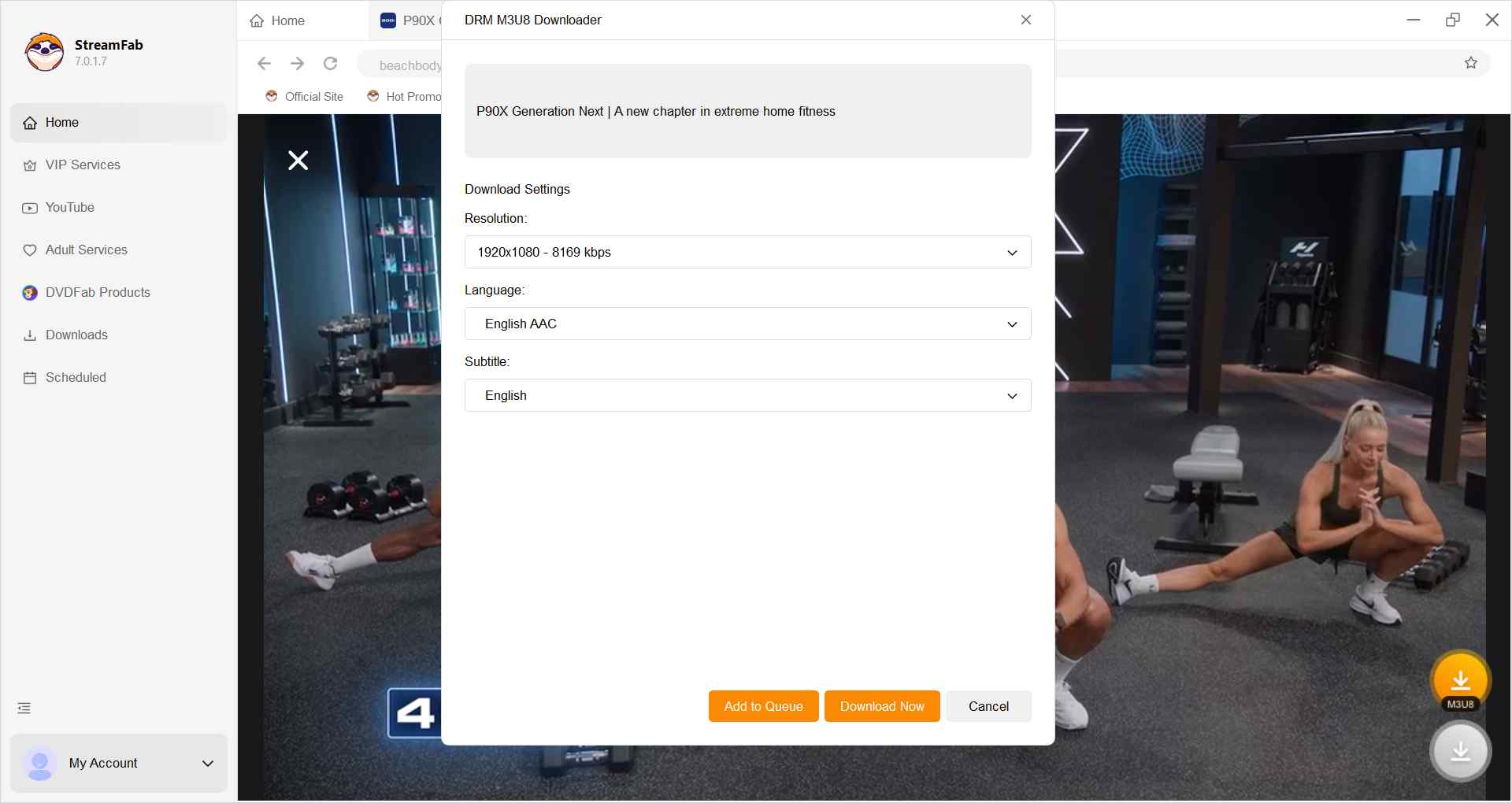
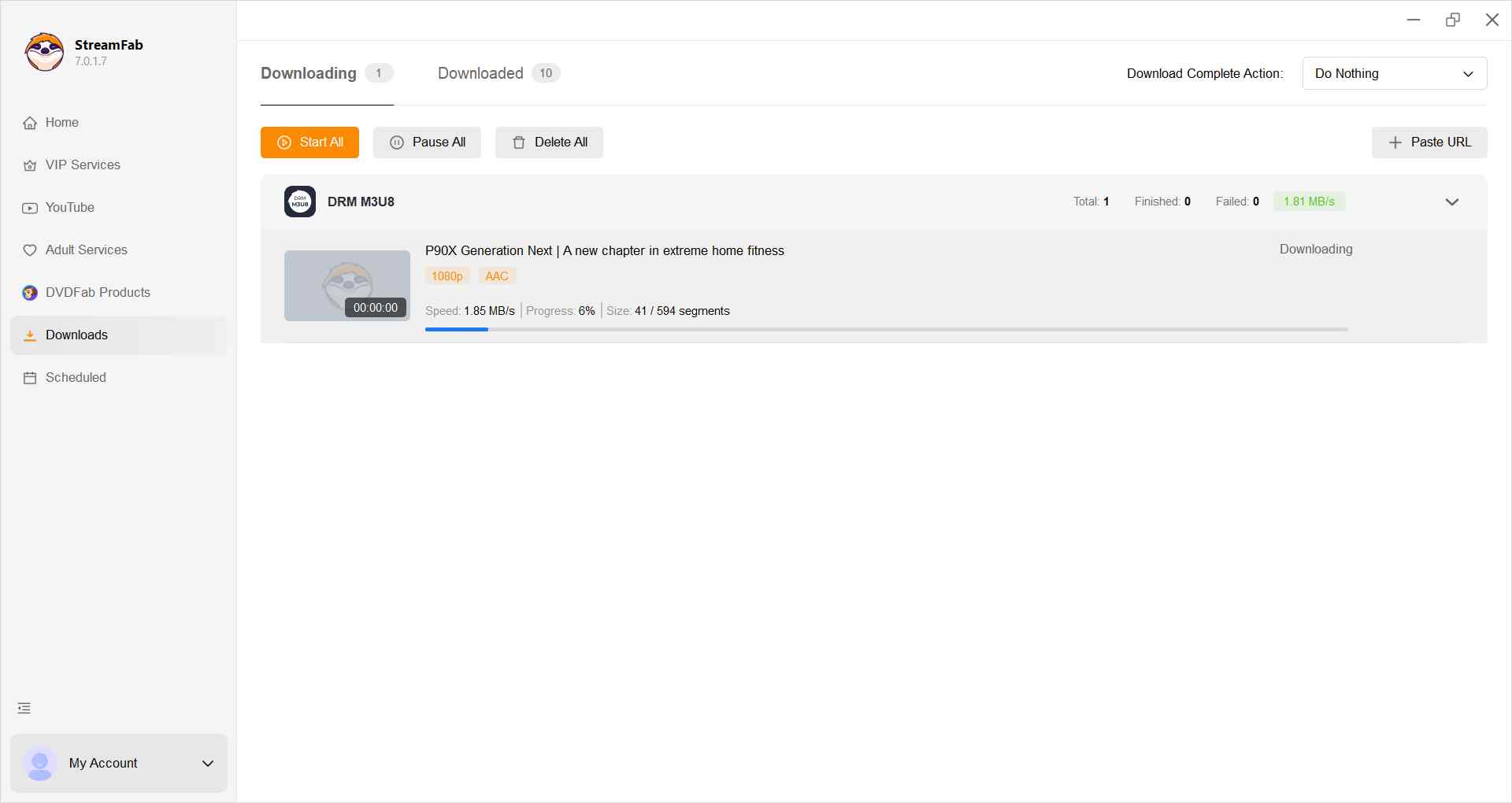
Output is a single MP4 or MKV that plays in ordinary media players, with audio and video kept in sync. Availability and behavior on specific services may change; check the official product page for current supported sources.

Reference workflow (online converter):
Reference workflow (VLC):
Fix Short, Broken, or Blocked Output
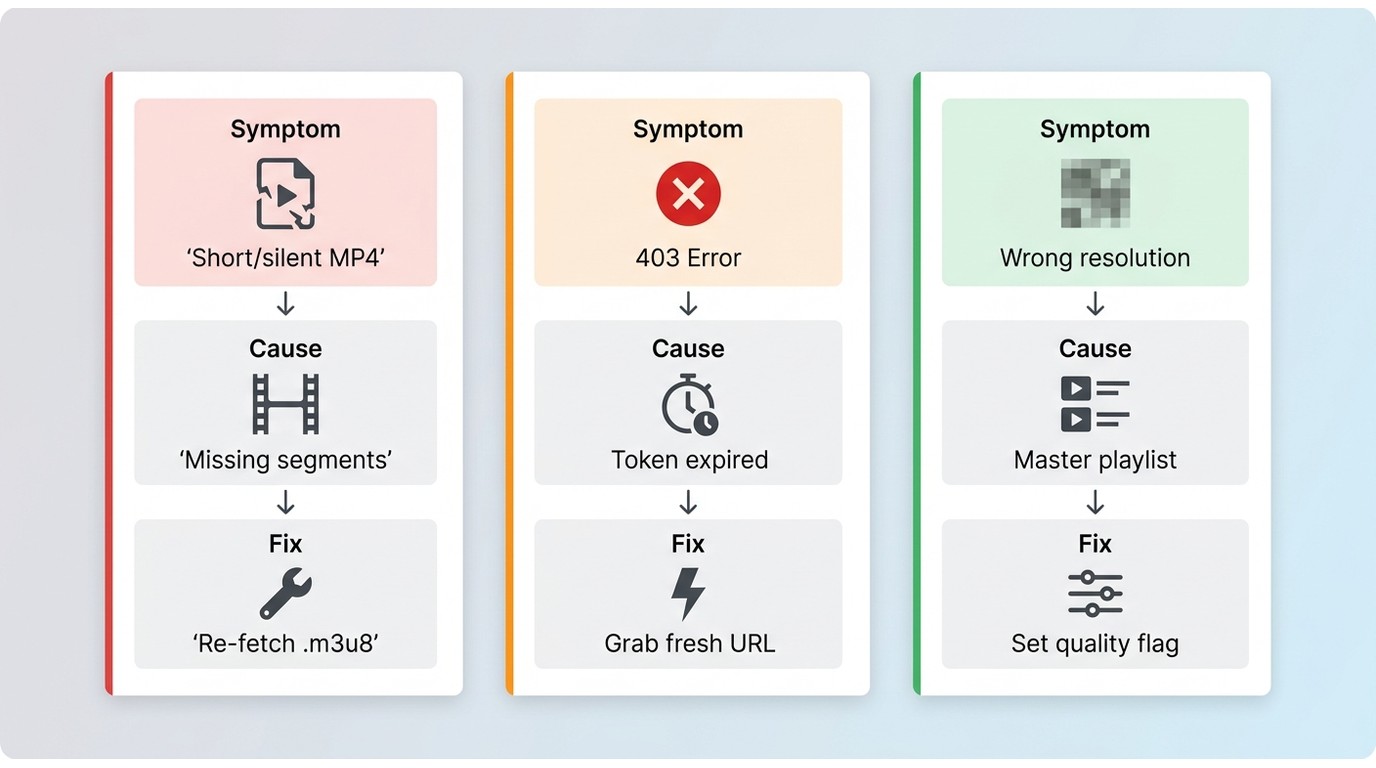
Most M3U8-to-MP4 failures aren't about the tool — they're about the playlist. Work symptom by symptom, and re-fetching a complete, currently authorized playlist should come before changing codecs.
Short, Silent, or Unplayable Files
An MP4 that's a few seconds long, has no audio, or won't play usually means the source stream was incomplete: the playlist ended early, a segment was missing, or the audio codec didn't survive the container change. Re-fetch the .m3u8, confirm every segment resolves in a browser, and if the audio is in an unusual profile, transcode audio only (-c:v copy -c:a aac).
Expired URLs and 403 Errors
Tokenized playlists expire — sometimes in minutes. A 403 partway through a job almost always means the token died. Grab a fresh playlist URL immediately before converting, and for long jobs prefer a tool that keeps the session alive rather than a one-shot online converter.
Missing Segments and Wrong Resolution
If FFmpeg logs missing segments or timestamp discontinuities, the playlist itself is damaged; try requesting it again. When output resolution is lower than expected, the master playlist probably has multiple variants and the tool picked a lower rung — point FFmpeg at the specific variant playlist rather than the master.
Compare the Four Conversion Routes
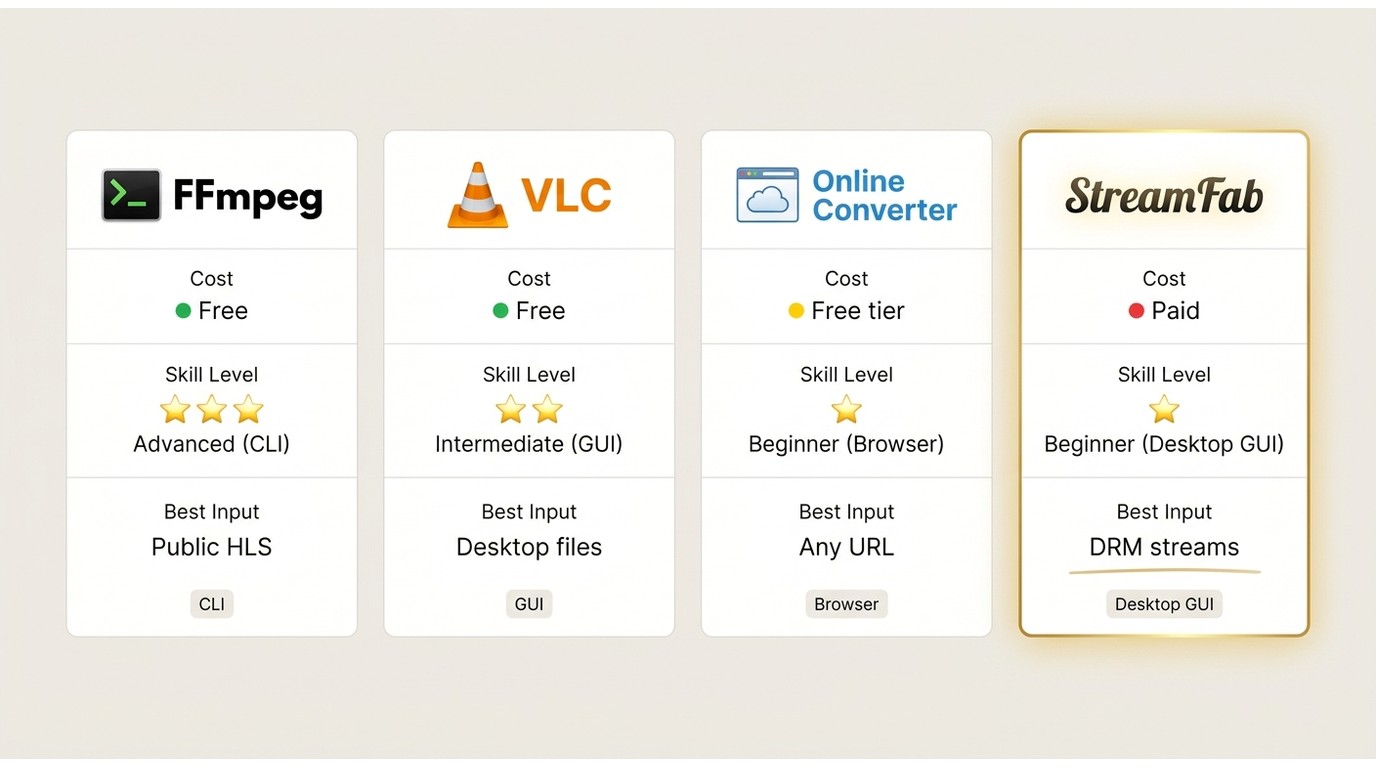
| Feature | FFmpeg | VLC | Online converter | StreamFab |
|---|---|---|---|---|
| Best input type | Local playlist or public URL | Local playlist or public URL | Small, public URL | Authorized authenticated stream |
| Cost | Free | Free | Free tier with limits | Paid, with a free trial |
| Skill level | Command line | GUI, beginner-friendly | Browser only | Desktop GUI |
| Works offline | Yes for local files | Yes for local files | No | Yes after download |
| Batch support | Strong (scripting) | Manual, slow | Limited | Built-in queue and scheduler |
| Remux or re-encode | Remux by default, transcode on demand | Depends on profile | Often re-encodes | Depends on source and codec |
| Common failure point | Incompatible codecs or broken timestamps | Short or unplayable output on dropped streams | Tokens, size limits, CORS | Source not supported |
| Best fit | Repeatable jobs, batch, quality preservation | Casual GUI conversion | One-off non-sensitive file | Authorized authenticated source |
| Not ideal for | Users avoiding the terminal | Large batches | Private, tokenized, or long files | Casual public-URL conversions |
FAQs
Conclusion
Circling back to the playlist-vs-portable-file problem from the top: pick by source, not by product. For a local .m3u8 or a public URL, FFmpeg's -c copy is the fastest path with no quality loss when codecs cooperate; drop to a transcode only when they don't. If a terminal isn't your thing, VLC does the same job with a GUI. For a small, non-sensitive public URL, an online converter is fine. For an authorized authenticated source where you need a local file, StreamFab is the desktop route worth trying — within an active subscription and platform terms. A short output, a 403, or missing segments is almost always a playlist problem, so re-fetch first and change codecs last.
Note:This software is intended for personal backup of legally subscribed media content only. It is prohibited to use this tool for commercial purposes or illegal distribution. Users must comply with the copyright laws and terms of service of the respective platforms.


Instagram offers three practical download routes: its native Download action, a no-login browser tool for accessible public posts, and a Windows or Mac desktop workflow for repeated authorized saves. This guide explains access limits, file-quality checks, safety warnings, and fixes for missing buttons, muted audio, and failed links.
By Nicole Lopez - Aug 6, 2026
This article explains how to download videos from M3U8 files, covering what M3U8 is and introducing main methods along with their pros and cons, helping users choose a safe and effective solution for offline viewing.
By Jacob Harrison - Aug 6, 2026
Struggling with encrypted M3U8 streams? Learn how to extract live URLs, fix VLC playback errors, and bypass 2026 DRM protections easily with advanced downloading solutions.
By Marcia Hatcher - Aug 5, 2026
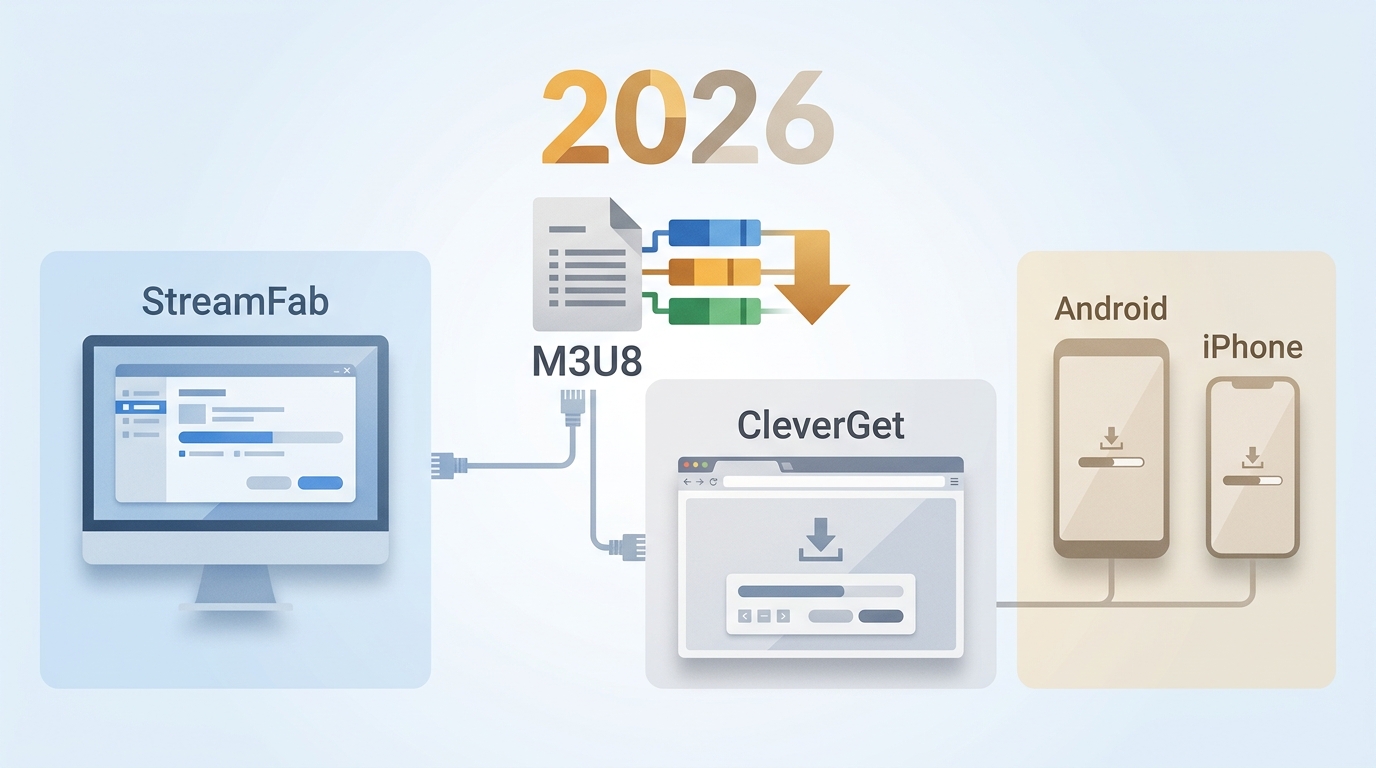
The right M3U8 downloader depends on whether the stream is public, login-required, or access-controlled, plus whether you need a quick file, a playlist, or a reusable local format. This guide compares desktop apps, browser extensions, and mobile options so you can choose the fit before you download an M3U8 playlist.
By Jacob Harrison - Aug 5, 2026