
What Is iTunes and How Does It Work in 2026?

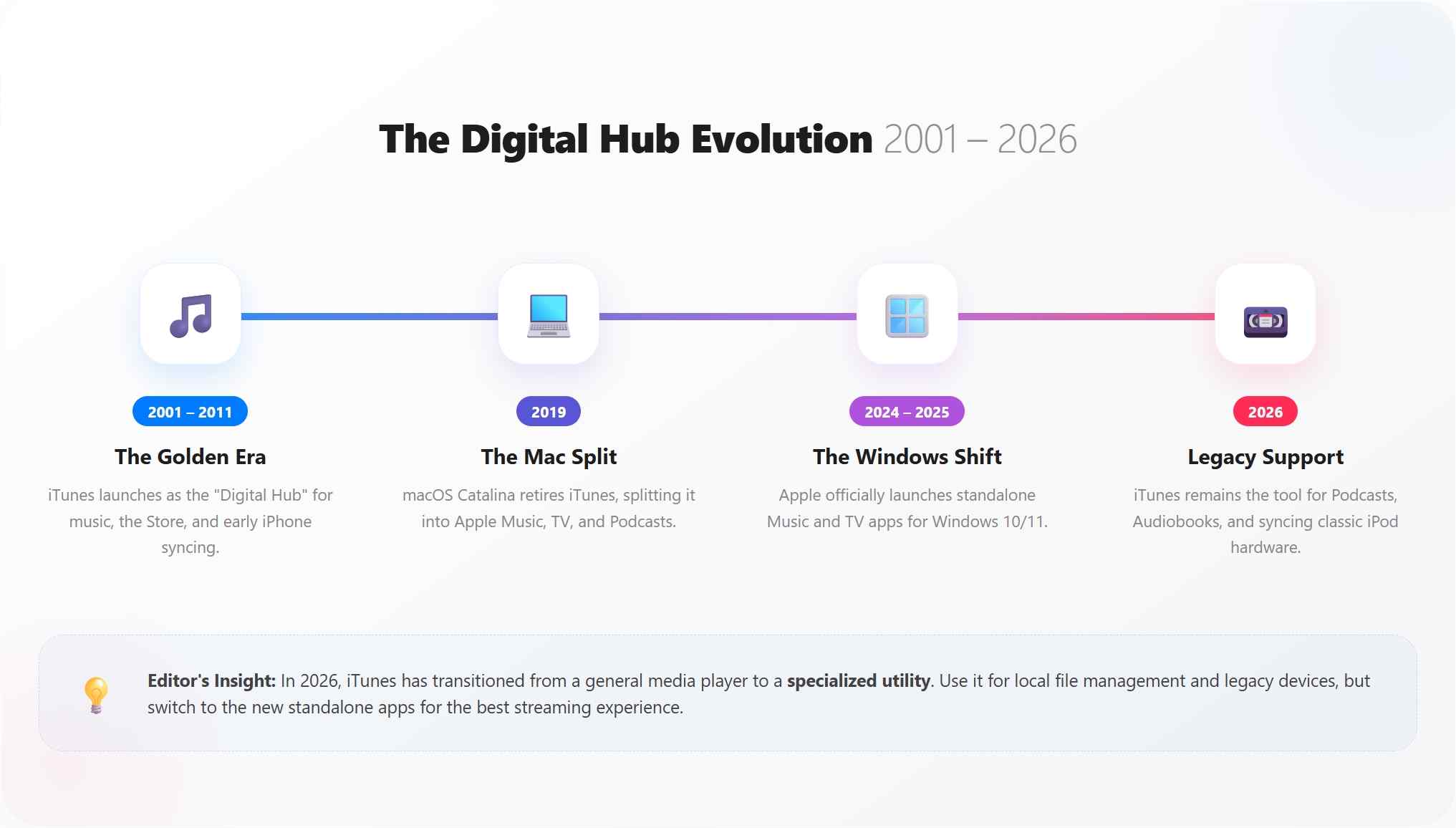
Summary: iTunes in 2026 is a legacy Apple media and device utility, not the all-in-one hub it once was. Its role now depends on your computer, media type, and device: newer Apple apps handle most current Windows tasks, while iTunes still matters for selected local-library, audiobook, podcast, and legacy iPod workflows.
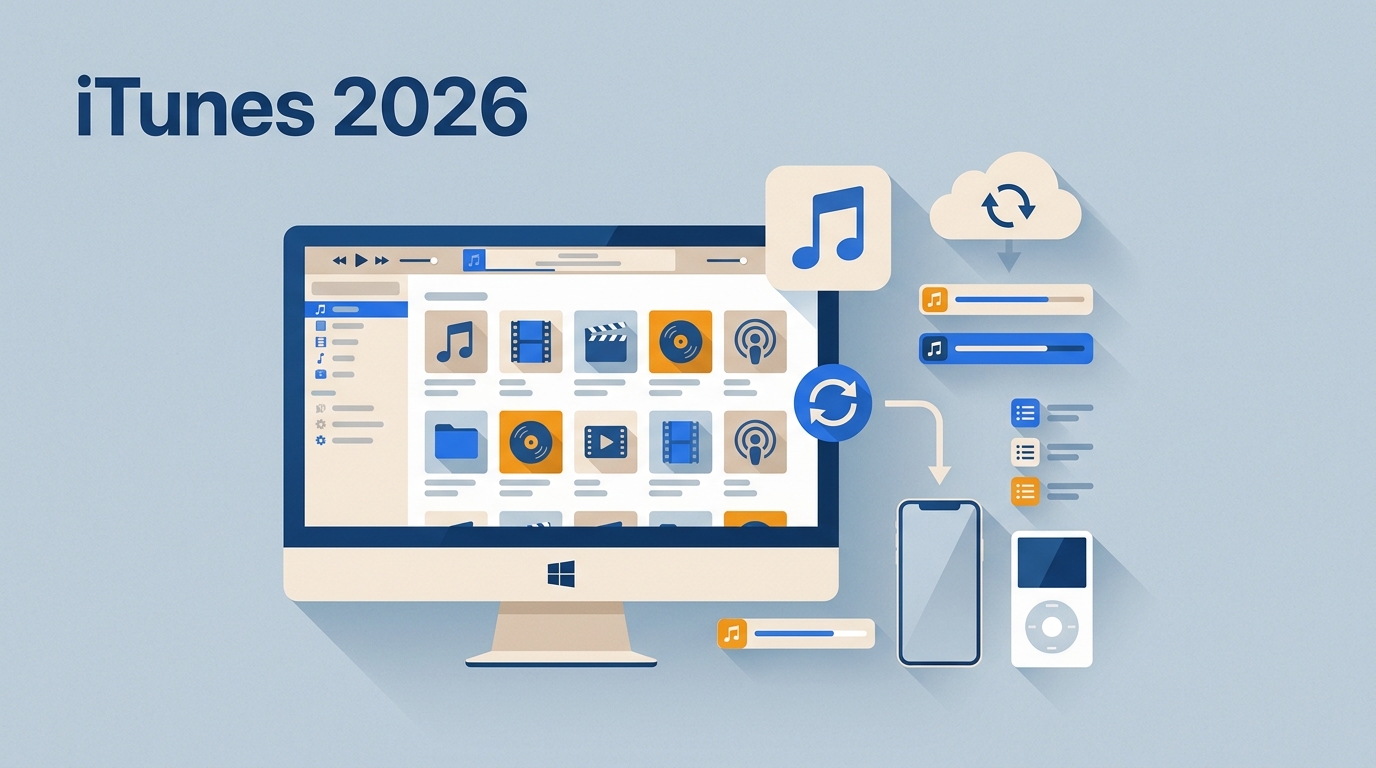
Table of Contents
What iTunes Is in 2026
The practical takeaway is that iTunes is still useful when you need its local-library workflow, but Apple Music, Apple TV, and Apple Devices are simpler for most modern Windows tasks. This guide explains how iTunes works, which Apple app now fits each job, and why MP4 compatibility depends on more than a file extension.
It also distinguishes ordinary local media management from protected M4V files, which have separate format and usage-rights considerations.
How iTunes Works
iTunes works by bringing supported local media and Store purchases into one library, then letting you organize, sync, or back up selected content when that workflow is supported. For most current Windows users, the local-library workflow is its useful remaining strength; newer Apple apps reduce friction for music, video, and modern-device management.
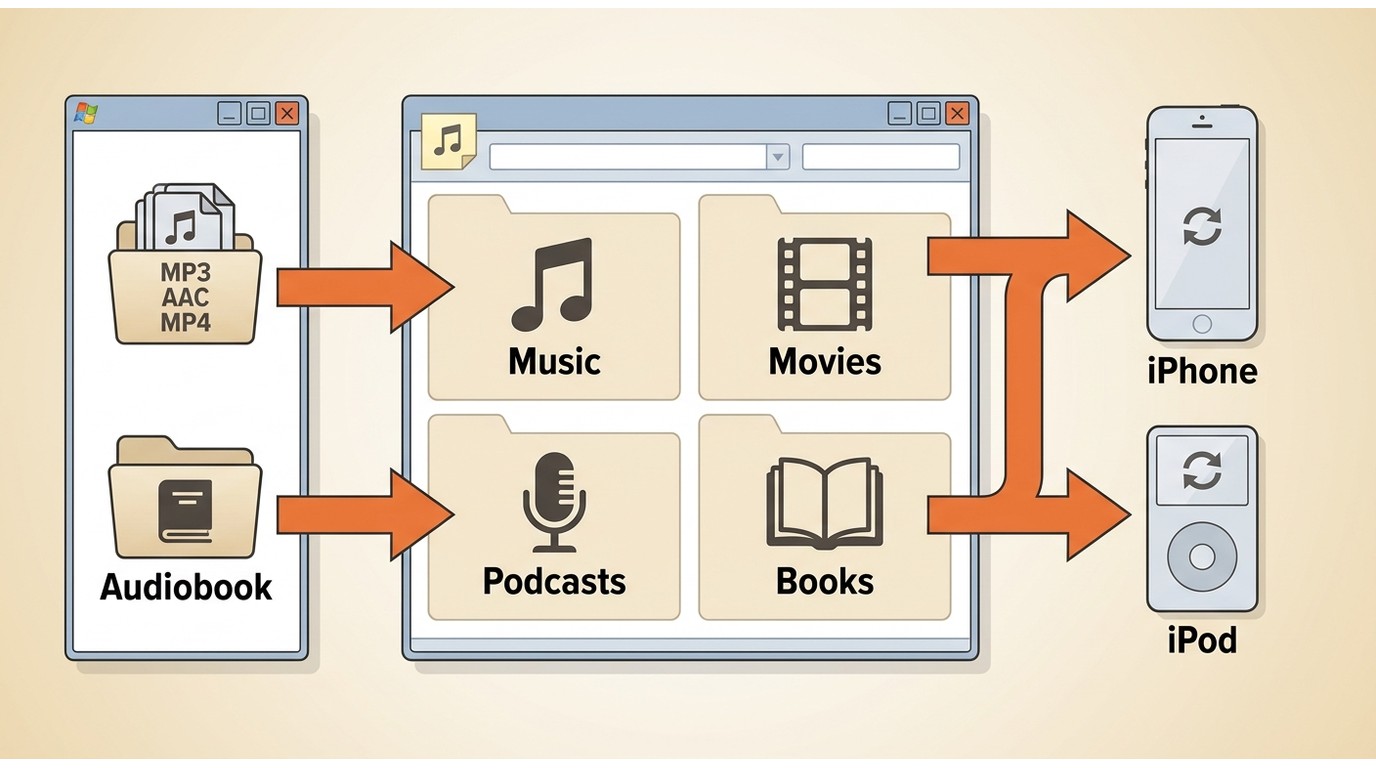
- Add or Buy Media: Import supported files into the library or purchase eligible music and video through the iTunes Store.
- Organize the Library: Use albums, artists, playlists, and metadata to keep local media searchable.
- Connect an Apple Device: Attach a compatible device when you need to manage supported sync or backup tasks.
- Select Content to Sync: Choose the music, podcasts, audiobooks, or other supported items you want to transfer.
- Create a Local Backup: Save a local copy of supported iPhone or iPad data when that device-management workflow is available.
- Use Legacy Features Where Needed: iTunes remains particularly relevant for many classic iPod, podcast, audiobook, and local-library workflows
Who Still Needs iTunes?
The 2026 Apple App Map
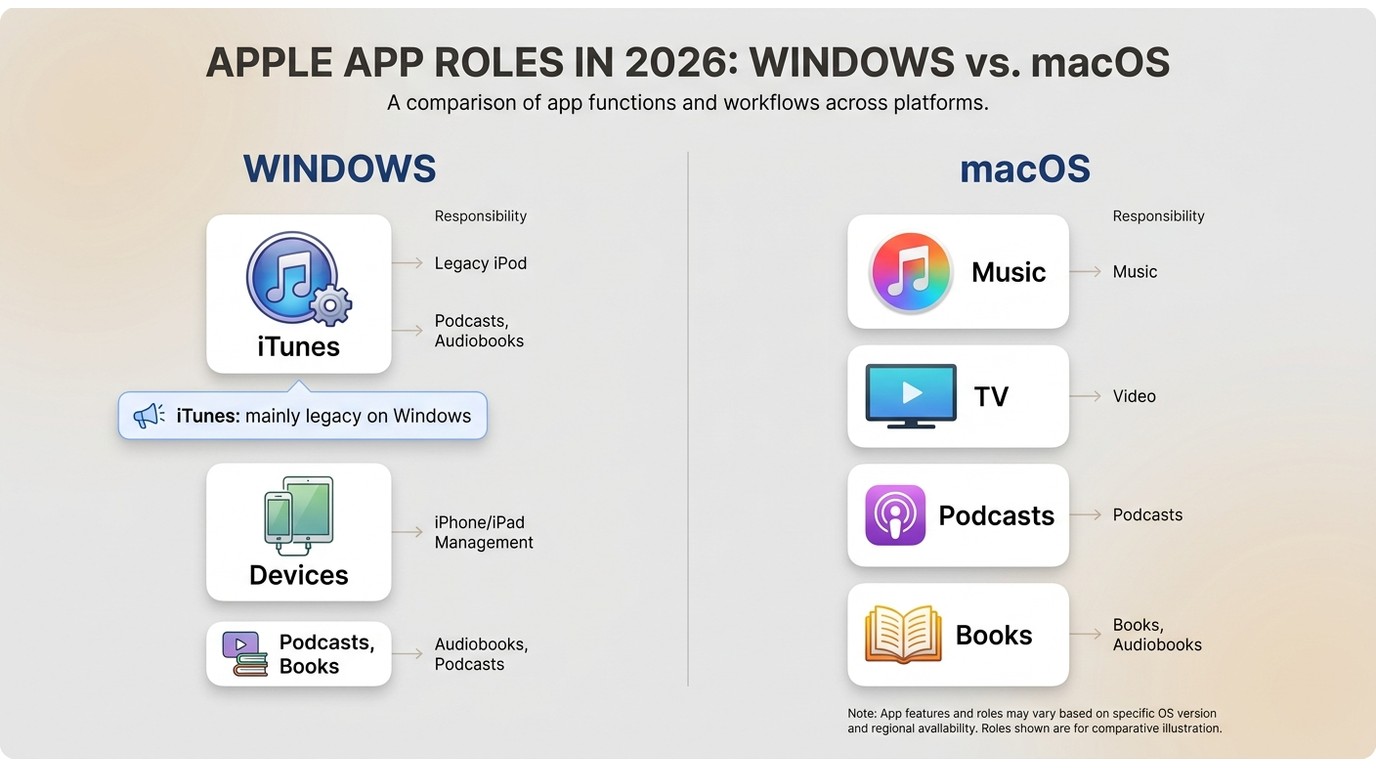
On Windows, Apple Music, Apple TV, and Apple Devices take over most music, video, and current iPhone or iPad tasks once installed. iTunes remains focused on podcasts and audiobooks in that setup, along with selected legacy workflows. On a Mac, the same jobs are generally divided among Music, TV, Podcasts, Books, and Finder.
| Apple service or app | What it is | Primary task in 2026 | When iTunes is still needed |
|---|---|---|---|
| iTunes | Legacy media and device utility | Local library, podcasts, audiobooks, and some legacy sync workflows | Often for classic iPod or older local-library workflows |
| iTunes Store | Apple storefront | Buy eligible music, movies, and TV shows | Not a replacement for library management |
| Apple Music | Music app and subscription service | Music listening and library access | Use it for current music tasks |
| Apple TV | Video app | Movies, TV shows, and video purchases | Use it for current video tasks |
| Apple Devices | Windows device-management app | Manage modern iPhone and iPad sync and backups | Usually not needed for current iPhone or iPad management |
| Apple Podcasts | Podcast app | Find, follow, and play podcasts | Useful if you prefer the older iTunes podcast workflow |
| Apple Books | Books and audiobook app | Read books and listen to audiobooks | Useful for older Windows audiobook libraries |
iTunes, the Store, and Apple Music
These names describe different things: iTunes is software, the iTunes Store is a place to buy individual items, and Apple Music is a subscription service. For most Windows users, task-specific apps are easier to navigate. If you still use an iPod Classic or maintain a carefully organized local library, that is where iTunes continues to make sense.
iTunes Formats and MP4 Compatibility
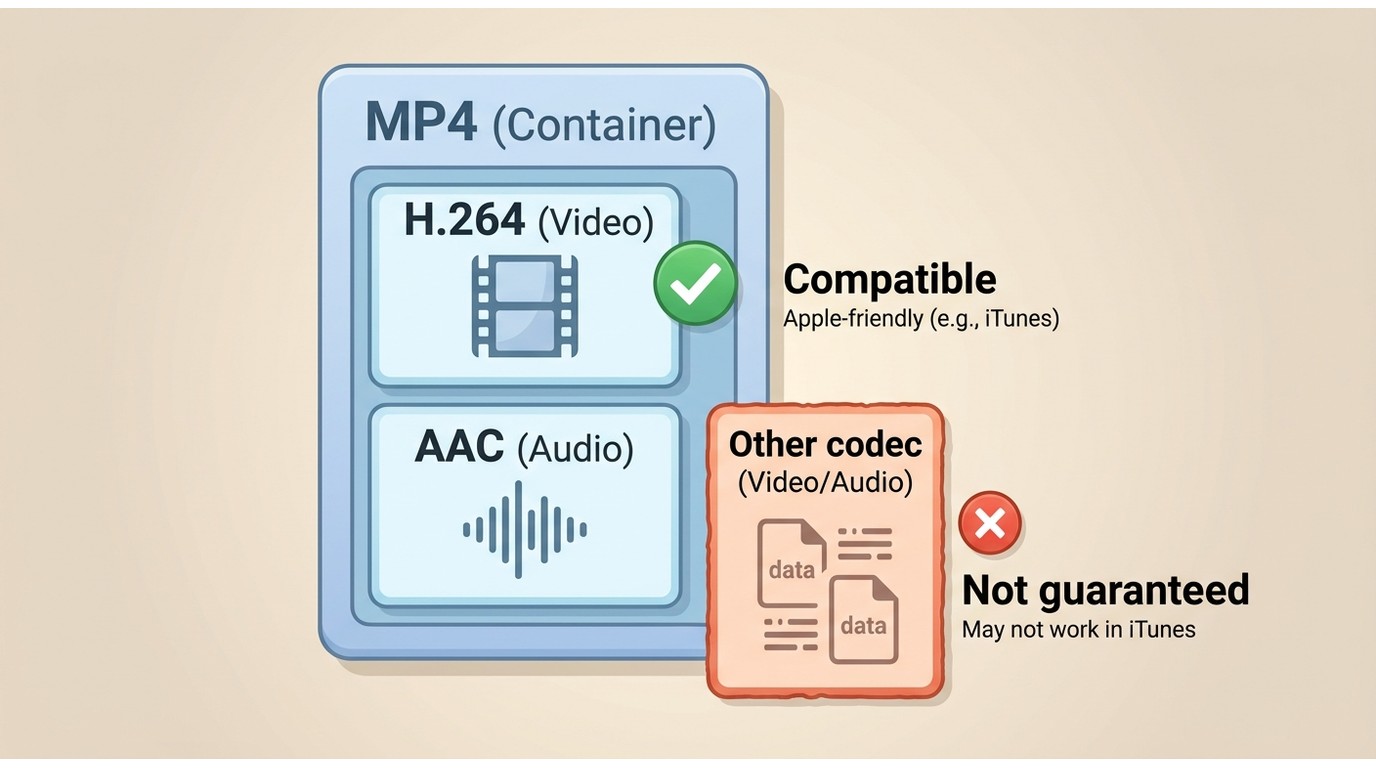
iTunes can handle some MP4 files, but an .MP4 extension alone does not guarantee import, playback, or device sync. MP4 is a container, meaning it can hold different video and audio codecs; the codecs inside the file and the target device profile must also be compatible.
MP4 Containers and Codecs
An MP4 or M4V file with Apple-compatible video and audio codecs is more likely to work than a file whose internal codecs are unsupported. Renaming a file extension does not change its codecs, so it does not solve a compatibility problem.
| Format | Typical use in iTunes | Compatibility note |
|---|---|---|
| MP4 | Video container | May import, play, or sync when its internal codecs and target device profile are supported. |
| M4V | Apple-associated video container | Often used for Apple video content; protected files can have additional usage-rights limits. |
| MOV | QuickTime video container | Compatibility depends on the codecs inside the file. |
| AAC | Compressed audio | A supported audio import choice and a practical option when smaller files matter. |
| ALAC | Apple Lossless audio | A supported audio import choice for preserving audio data in an Apple-compatible format. |
| MP3 | Compressed audio | A supported audio import choice with broad device compatibility. |
| WAV | Uncompressed audio | A supported audio import choice, though files can be large. |
| AIFF | Uncompressed audio | A supported audio import choice commonly used in Apple workflows. |
| FLAC | Lossless audio | Not a standard iTunes import format; conversion to ALAC may be appropriate when format compatibility is needed. |
Why Device Sync Can Fail
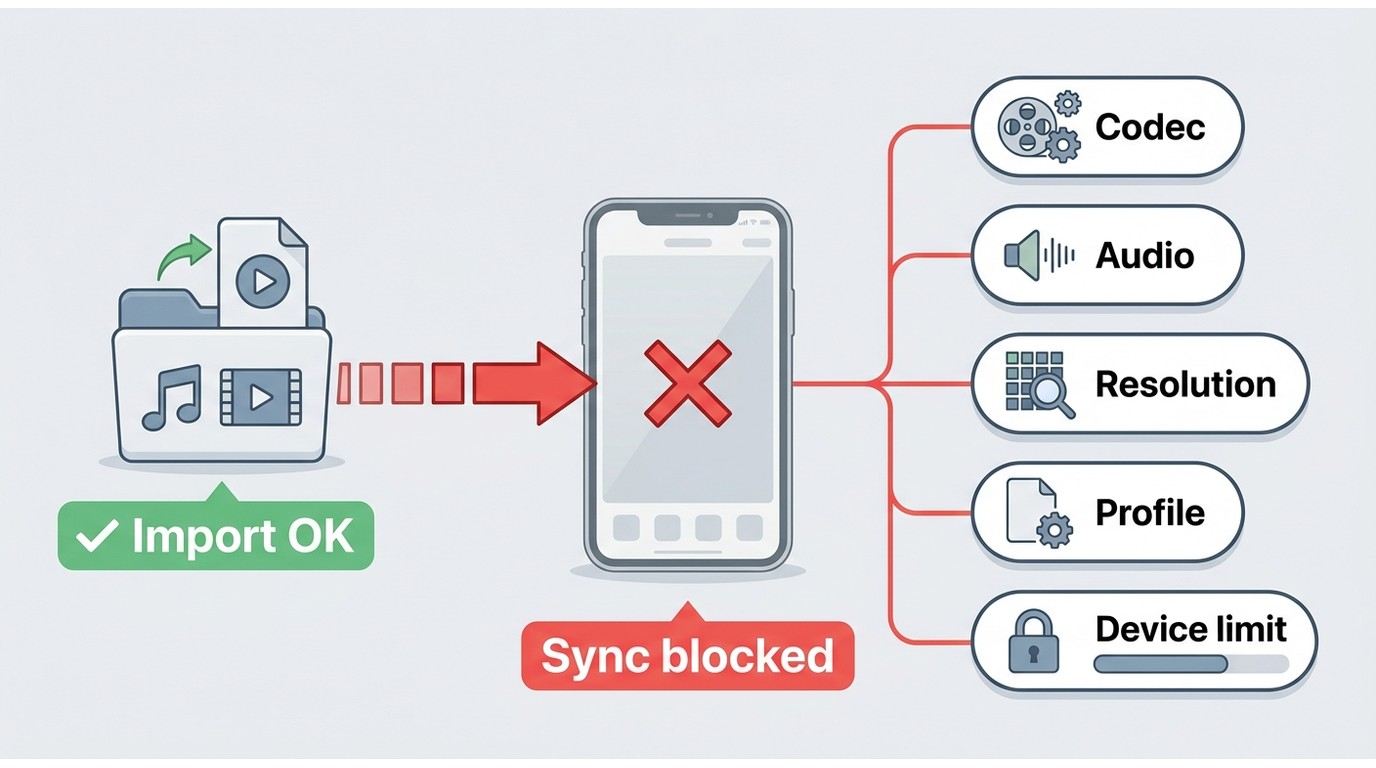
A file can appear in the library yet fail to sync because the destination device does not support its internal codecs, resolution, audio configuration, or profile. In practice, checking the actual file details before conversion creates less friction than changing its extension and trying again.
StreamFab for Personal Offline Viewing
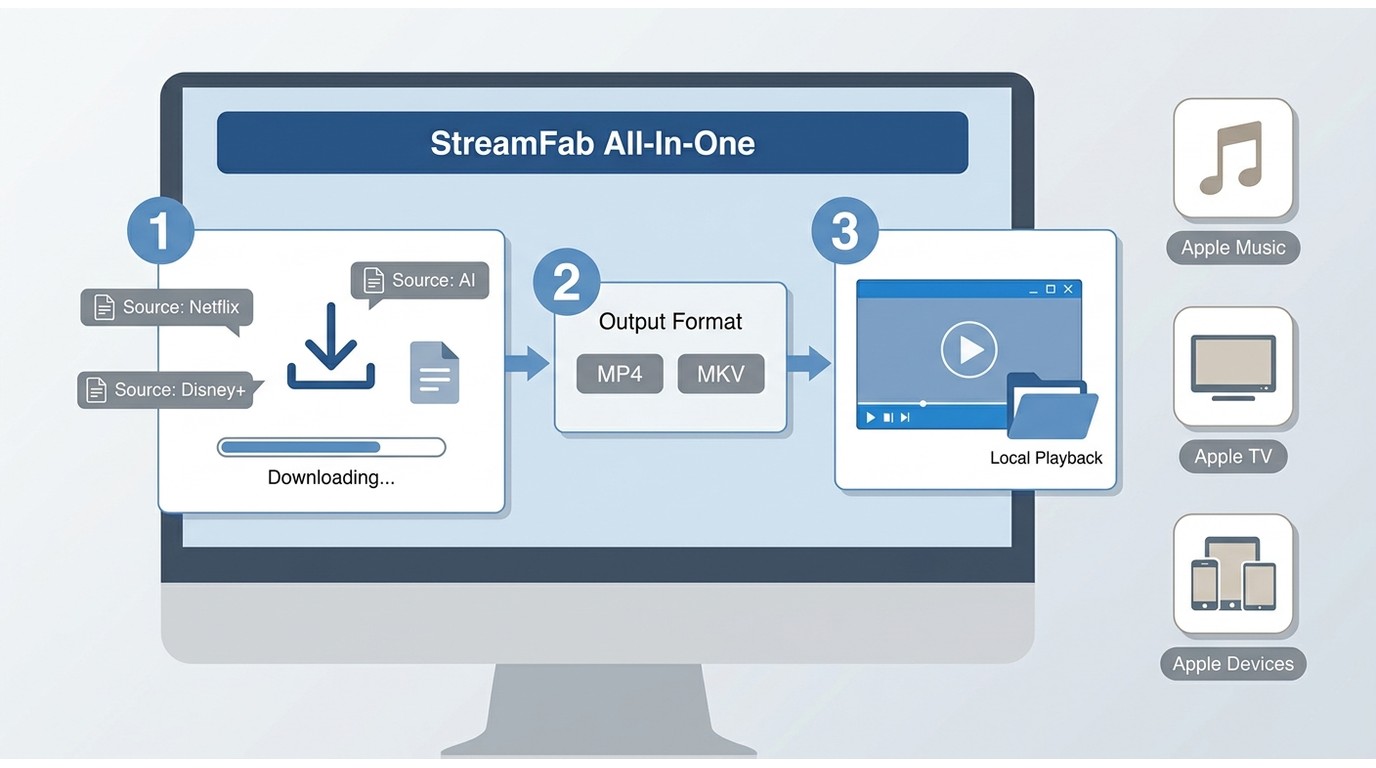
For content you’re authorized to access, where permitted by platform terms and applicable law, StreamFab All-In-One offers a desktop local-file workflow for personal offline viewing. It is separate from Apple’s official apps and can create MP4 or MKV files for compatible local playback; M4V-to-MP4 conversion workflows are a separate format-compatibility consideration.

StreamFab works with the latest video protocols to let you export your iTunes library for safe, long-term storage. By creating these personal archives, you get:
Universal Compatibility: Convert iTunes M4V files into standard MP4 formats that play on any smart TV or tablet.
High-Quality Exports: Preserve the high resolution and fidelity of your original videos.
High-Speed Processing: The advanced analysis engine identifies your video streams and secures your backup in minutes.
Permanent Access: Create local backups that never expire, even if a studio removes the movie from streaming platforms later.
Where It Does Not Fit
StreamFab is not a replacement for Apple Music, Apple TV, Apple Devices, or the iTunes Store. If your goal is simply to sync a current iPhone, retrieve a purchase through the appropriate Apple app, or fix an incompatible MP4, use the Apple workflow or address the file’s codecs first.
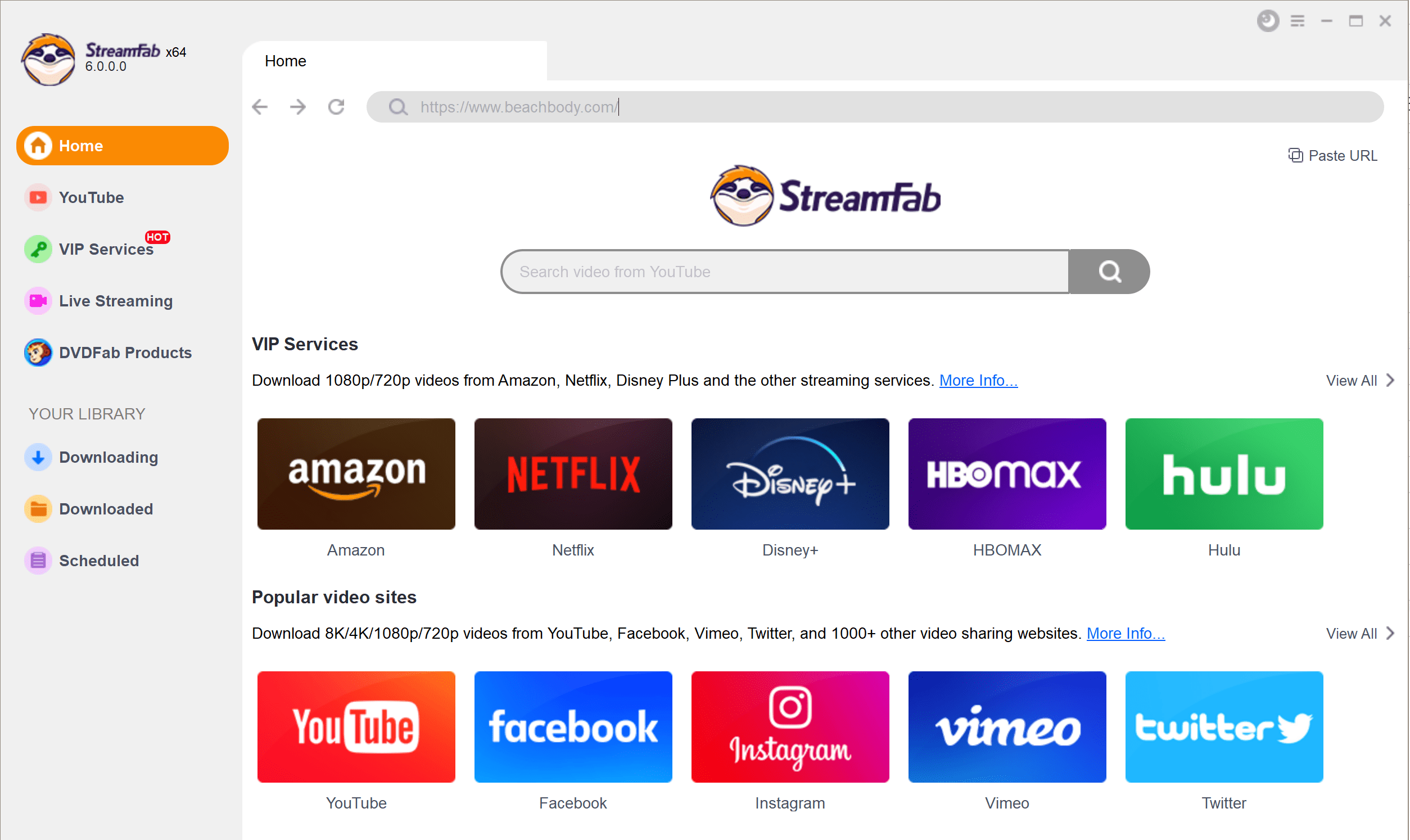
Choose the streaming service
Select a desired website on the Homepage's top address bar to navigate it in StreamFab's built-in browser.
Customize the file
Select and play a video to download, customize the output parameters, and proceed to download and save it on your system.
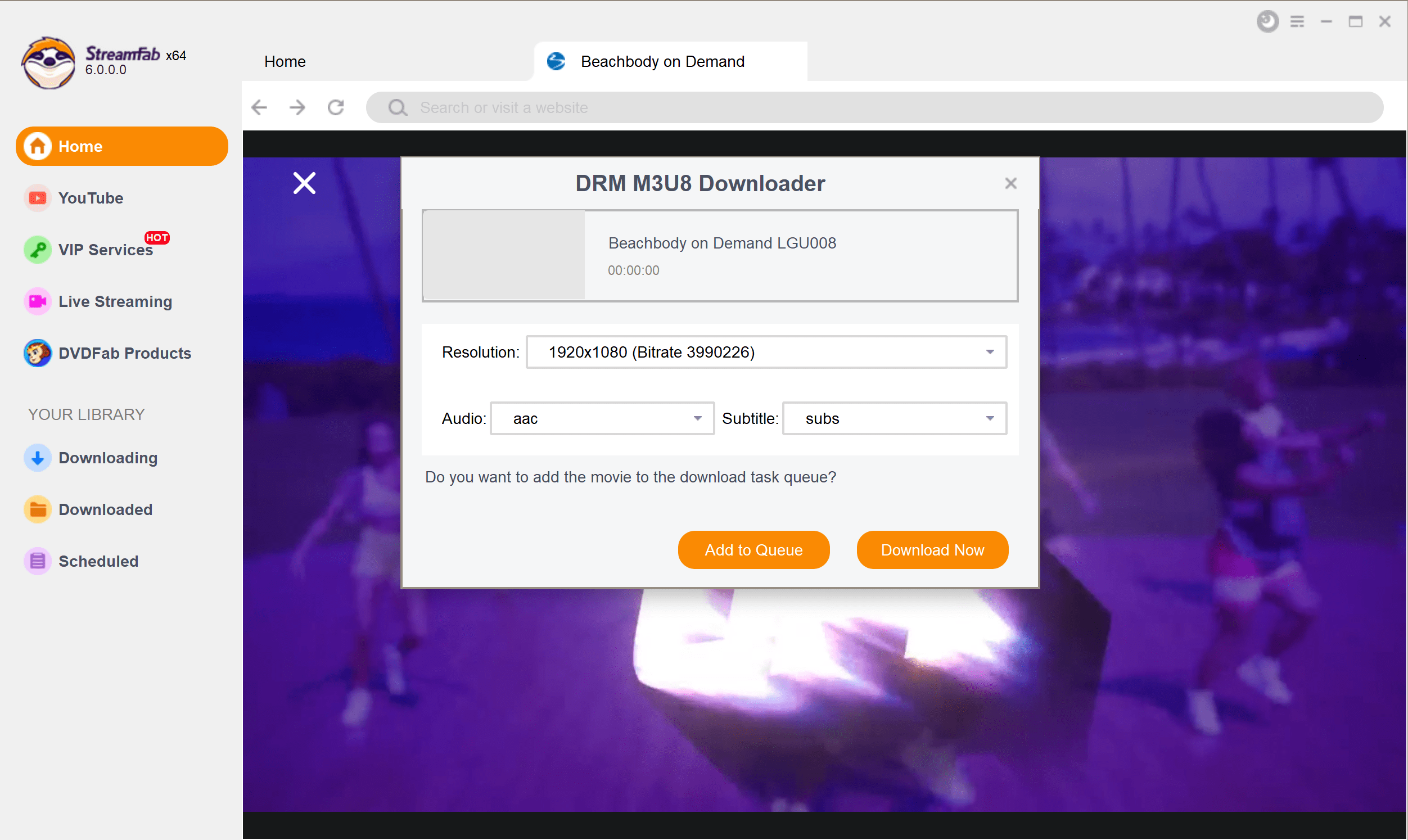
Note: This article focuses on iTunes, current Apple apps, and media-format compatibility. Use the Apple app that matches the media type or device you want to manage.
FAQs
Where can I find older iTunes purchases now?
Open the current Apple app that matches the media type: Apple Music for music, Apple TV for movies and TV shows, and Apple Books for books and audiobooks. On Windows, iTunes can remain available for podcasts and audiobooks after the newer apps are installed. Sign in with the same Apple Account used for the original purchase.
Can iTunes still sync an iPod Classic?
iTunes remains relevant for many iPod Classic and iPod nano sync workflows, especially when you maintain a local music library. Modern iPhone and iPad management on current Windows systems is generally handled through Apple Devices instead. Older protected-media rights are separate from ordinary device-sync settings.
Does using the iTunes Store require a monthly fee?
The iTunes application itself does not require a monthly subscription. Individual iTunes Store purchases are separate transactions, while Apple Music is a subscription service with its own access terms. A Store purchase and a subscription do not provide the same usage-rights model, and neither should be treated as unrestricted ownership.
Why can an MP4 import but fail to sync?
Importing confirms that iTunes can read enough of the file to add it to the library, but syncing also requires codecs and device settings that the destination supports. Check the video codec, audio codec, resolution, and target-device profile instead of relying on the .MP4 extension alone. Protected M4V files may also have separate usage-rights limits.
Does iTunes support FLAC files?
FLAC is not a standard iTunes import format. If you need a lossless file in an Apple-compatible library, converting FLAC to Apple Lossless (ALAC) is the practical format-compatibility path. Keep the original file if you need to preserve the source format.
Conclusion
iTunes still serves selected local-library and legacy-device needs, but its current role, usage rights, and format compatibility have clear limits. For most current Windows users, Apple Music, Apple TV, and Apple Devices are the more straightforward choices for their respective tasks.
Use iTunes when its local-library or legacy iPod workflow matches your setup, and use the newer Apple apps when they better match the device or media type. For authorized content where permitted by platform terms and applicable law, a local-file workflow such as StreamFab All-In-One may be useful for personal offline viewing, but it does not replace Apple’s own apps or resolve every format limitation.


Instagram offers three practical download routes: its native Download action, a no-login browser tool for accessible public posts, and a Windows or Mac desktop workflow for repeated authorized saves. This guide explains access limits, file-quality checks, safety warnings, and fixes for missing buttons, muted audio, and failed links.
By Nicole Lopez - Aug 6, 2026
This article explains how to download videos from M3U8 files, covering what M3U8 is and introducing main methods along with their pros and cons, helping users choose a safe and effective solution for offline viewing.
By Jacob Harrison - Aug 6, 2026

Struggling with encrypted M3U8 streams? Learn how to extract live URLs, fix VLC playback errors, and bypass 2026 DRM protections easily with advanced downloading solutions.
By Marcia Hatcher - Aug 5, 2026
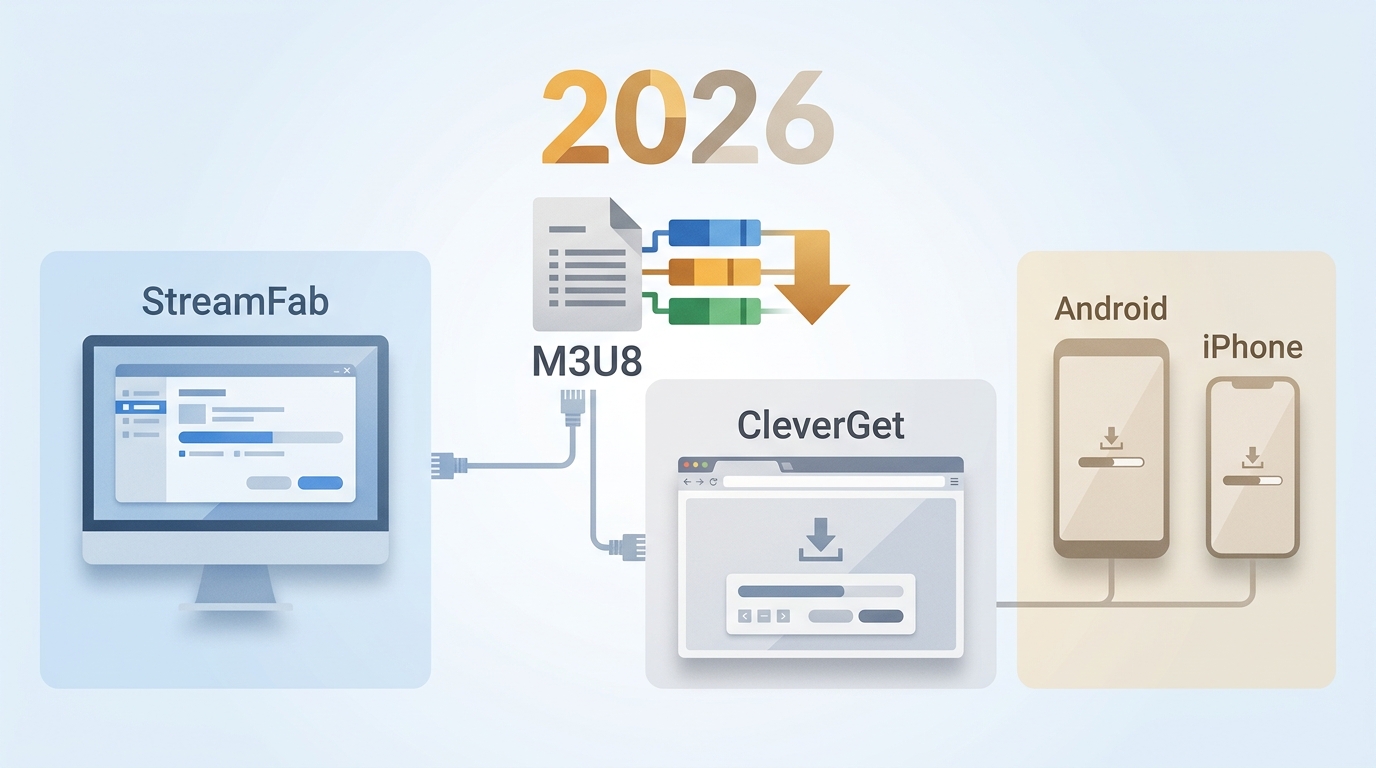
The right M3U8 downloader depends on whether the stream is public, login-required, or access-controlled, plus whether you need a quick file, a playlist, or a reusable local format. This guide compares desktop apps, browser extensions, and mobile options so you can choose the fit before you download an M3U8 playlist.
By Jacob Harrison - Aug 5, 2026