
Netflix Raised Prices Again: What All 3 US Plans Cost Now

Summary: Netflix raised all three US plan prices in March 2026. This guide compares old and current rates, explains billing timing and add-ons, and helps you choose whether to keep, downgrade, rotate, or cancel based on actual use.
Table of Contents
Another higher Netflix bill is no longer a rumor: the Netflix price increase 2026 moved current Netflix prices to $8.99, $19.99, and $26.99 per month in the US. Here is what changed, when it reaches your bill, and how to choose whether to keep, downgrade, rotate, or cancel.
My take is simple: judge the increase by how often the account gets used, not by loyalty to a tier. The sections below separate the price facts from the plan-fit and offline-viewing decisions.
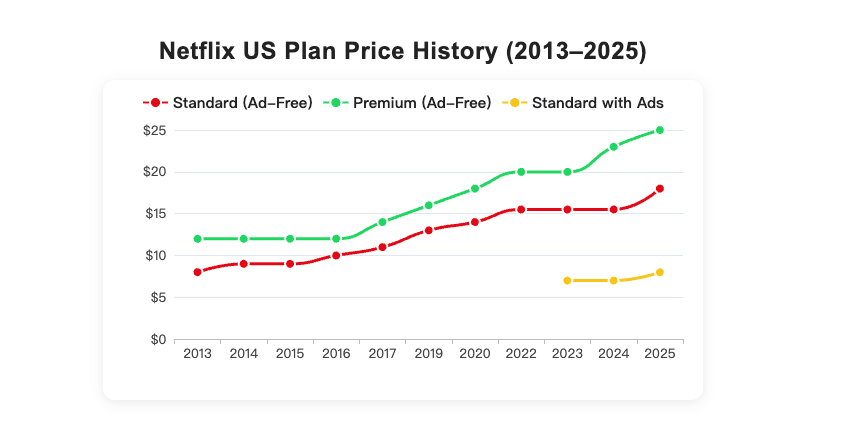
Netflix’s 2026 US Prices at a Glance
Netflix raises prices in uneven steps, but this round is easy to quantify: all three US tiers increased after the March 2026 announcement. These Netflix plans and prices are the baseline for every keep-or-cancel decision.
Old vs. New Monthly Prices
Each plan now costs more, with Premium and Standard adding $2 per month and Standard with ads adding $1.
| Plan | Previous monthly price | Current monthly price | Monthly increase | Annual increase |
|---|---|---|---|---|
| Standard with Ads | $7.99 | $8.99 | $1 | $12 |
| Standard | $17.99 | $19.99 | $2 | $24 |
| Premium | $24.99 | $26.99 | $2 | $24 |
Source: Netflix Help Center, as of August 2026. US list prices are shown before tax and account-specific add-ons.
The Netflix Premium price is $26.99 per month, while Standard is $19.99 and Netflix Standard with ads is $8.99. The gap matters more than the headline increase: moving from Premium to Standard cuts $7 from the monthly bill, while accepting ads lowers it further.
When the New Rate Hits Your Bill
The US change was announced on March 26, 2026, but the new amount can appear on different billing dates. Affected members receive an email about one month before the higher price reaches their bill.
- Read the price-change email and note the billing date it names.
- Compare the new tier cost with how the account was used recently.
- Change or cancel the plan before that billing date if the new value no longer works.
Taxes and Add-Ons Vary by Account
Netflix displays plan prices before tax, so the final charge can vary with local taxes, packages, add-ons, and account-level adjustments. There is no single US streaming-tax percentage that accurately predicts every bill.
The Netflix extra member cost is $7.99 per month with ads or $9.99 without ads. Standard supports one Extra Member slot, while Premium supports up to two, so add-ons can change the comparison between tiers.
Why Netflix Raised Prices Again
The public explanation for why Netflix raised prices centers on continued investment in programming and the value it believes the service delivers. The relevant Netflix price increase history is short: the March 2026 change followed the previous broad US increase announced in January 2025.
Content Spending and Pricing Power
Netflix can point to original series, films, live programming, and newer formats such as video podcasts as reasons to keep investing. Its scale also gives it room to test how much subscribers will pay without immediately leaving.
That business case does not automatically make the increase good value. I would weigh the catalog you actually finish and the number of regular viewers on the account, not the size of Netflix’s content budget.
The Ad-Supported Strategy
The $8.99 ad-supported tier gives Netflix a lower entry price while adding advertising revenue. That does not prove the company raised other tiers to force a downgrade, but the wider price gaps make the ad plan more visible to budget-focused viewers.
If catalog fit matters more than the bill itself, a Hulu vs. Netflix comparison can separate content preference from subscription price.
Which Netflix Plan Fits Your Budget?
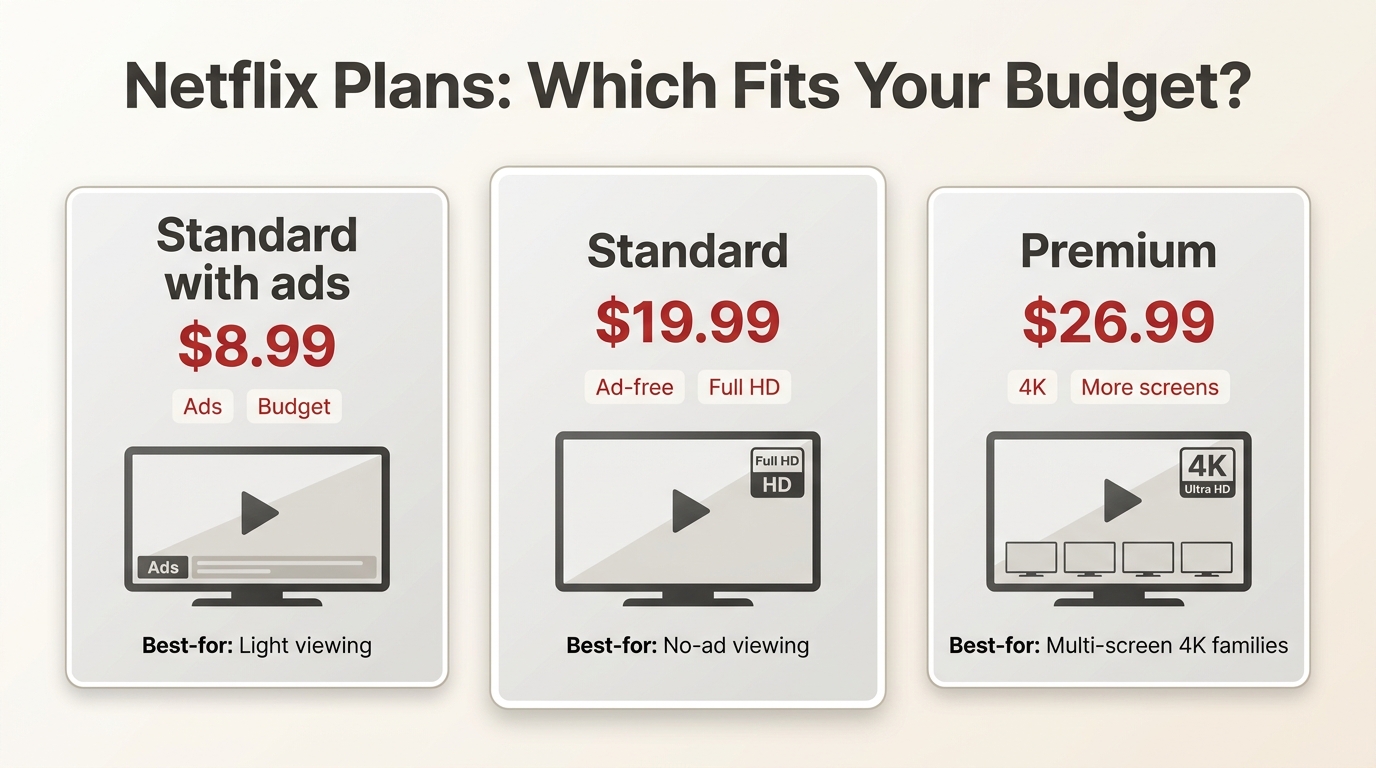
The right plan depends on ads, picture quality, simultaneous viewing, and actual use. In my view, usage frequency is a better decision signal than staying with the same tier by default.
Premium vs. Standard
Premium fits viewers who regularly use 4K and need more simultaneous streams. It is not ideal when most viewing is Full HD or the account rarely has competing screens, because the $26.99 price then buys capacity that sits idle.
Standard fits accounts that want ad-free Full HD without Premium’s higher price. It is less suitable for viewers who consistently use 4K or need Premium’s larger simultaneous-viewing allowance.
Ads, Downloads, and Extra Members
Netflix Standard with ads fits price-sensitive viewers who accept commercial breaks. It is not ideal for anyone who values uninterrupted viewing enough to pay the $11 difference to Standard.
Official download availability and limits can depend on the plan, title, and device. Extra Member eligibility also differs by tier: Standard allows one slot, Premium allows up to two, and the add-on price depends on whether that Extra Member watches with ads.
Your Keep, Downgrade, or Cancel Decision
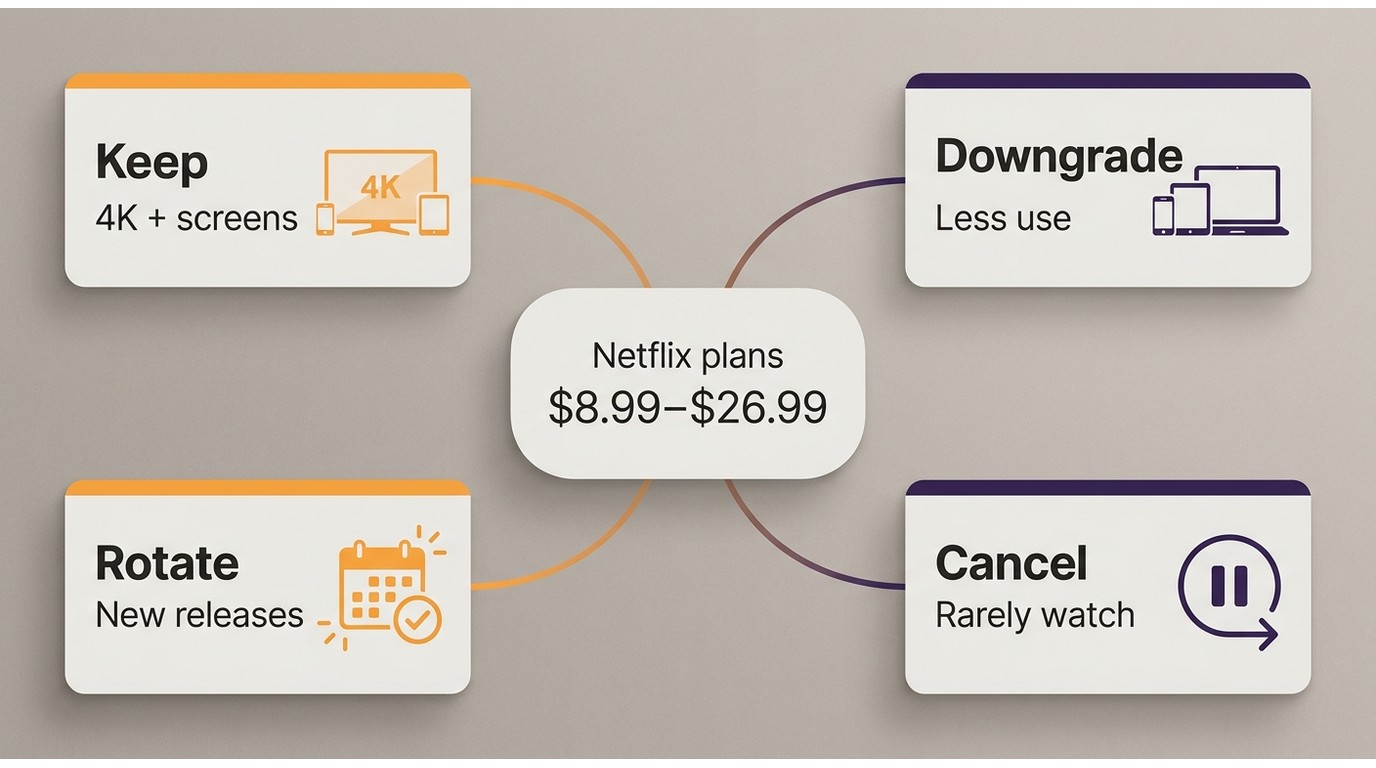
Before changing the plan, review viewing frequency, screen needs, 4K use, and any carrier benefit attached to the account. Then make one of four decisions instead of absorbing the increase by habit.
- Keep: retain Premium when 4K and simultaneous viewing are used often enough to justify $26.99.
- Downgrade: choose Standard or Standard with ads when the lower tier covers the account’s real needs.
- Rotate: subscribe during release Windows and pause during low-use months.
- Cancel: leave when the catalog and viewing frequency no longer earn a place in the budget.
For a broader budget review, practical ways to save money on Netflix include comparing tier gaps, carrier credits, rotation, and cancellation rather than treating the monthly charge as fixed.
Carrier Perks and Upgrade Costs
A carrier perk may cover a base tier or apply a credit, but it does not automatically absorb Netflix’s increase. Compare the perk’s current value with the Netflix tier you use, then calculate any upgrade amount that remains.
Subscription Rotation
Rotation works best for viewers who follow a small number of release Windows and can pause between them. It is not ideal for accounts used every week, where repeated cancellation and reactivation adds friction without much savings.
Because StreamFab pricing options are separate from Netflix’s monthly fee, assess the local-file workflow only after deciding which Netflix tier, if any, still earns its place in the budget.
A Desktop Option for Authorized Offline Copies
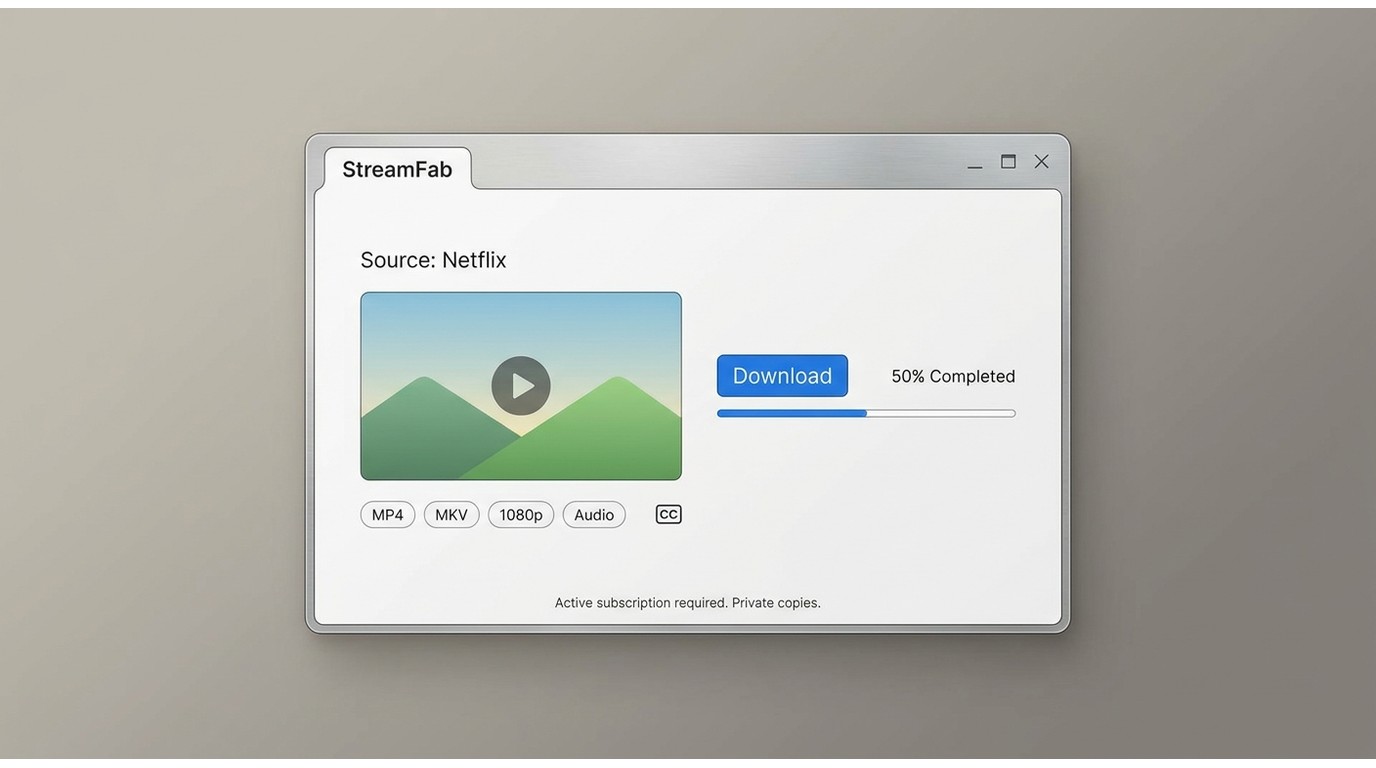
For content you’re authorized to access, where permitted by platform terms and applicable law. StreamFab Netflix Downloader is a desktop alternative when official downloads are unavailable or do not fit a Windows or Mac workflow.
Where the Local-File Workflow Fits
This route fits Windows or Mac users who need MP4 or MKV files for personal offline viewing. It is not ideal for readers whose phone or tablet already handles Netflix’s official downloads.
A Netflix video downloader comparison is most useful when that desktop workflow matters; it should not determine whether the $8.99, $19.99, or $26.99 Netflix plan itself is worth paying for.

Download all Netflix episodes and movies in 1080P HDR with Dobly vision and Atmos EAC 3 5.1 audio in MP4/MKV format to save on your device permanently.
Verified Formats and Workflow Features
On Windows and Mac, the workflow outputs up to 1080p and supports the formats, audio, subtitles, batch processing, and scheduling listed below.
- Save authorized Netflix titles for personal offline viewing on Windows or Mac
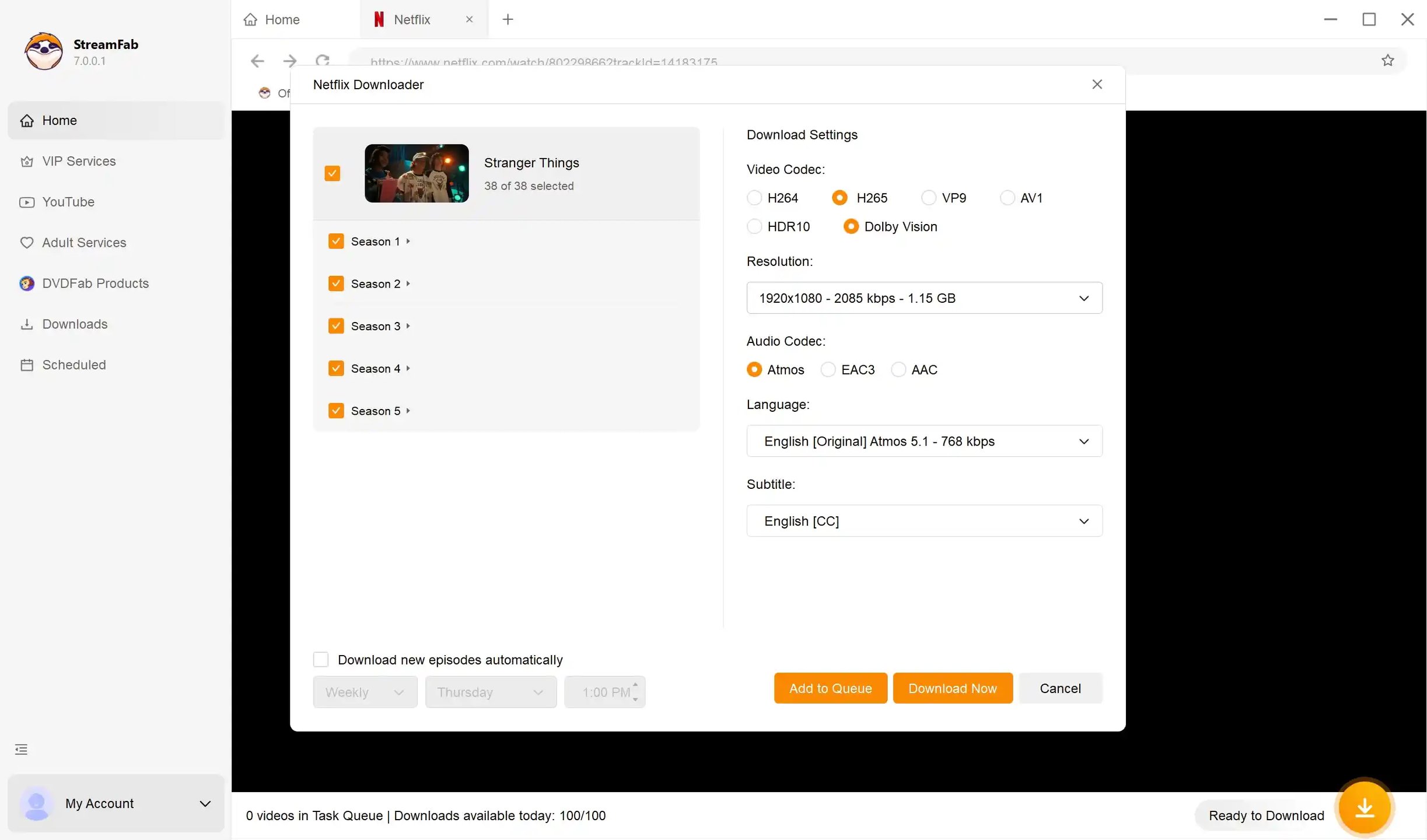
- Output up to 1080p as MP4 or MKV with H.264, H.265, VP9, or AV1 choices
- Retain HDR10 or Dolby Vision and Dolby Atmos or EAC3 5.1 when the source supports them
- Choose subtitle modes and preferred audio languages for local playback
- Use batch processing and scheduled downloads for multiple titles
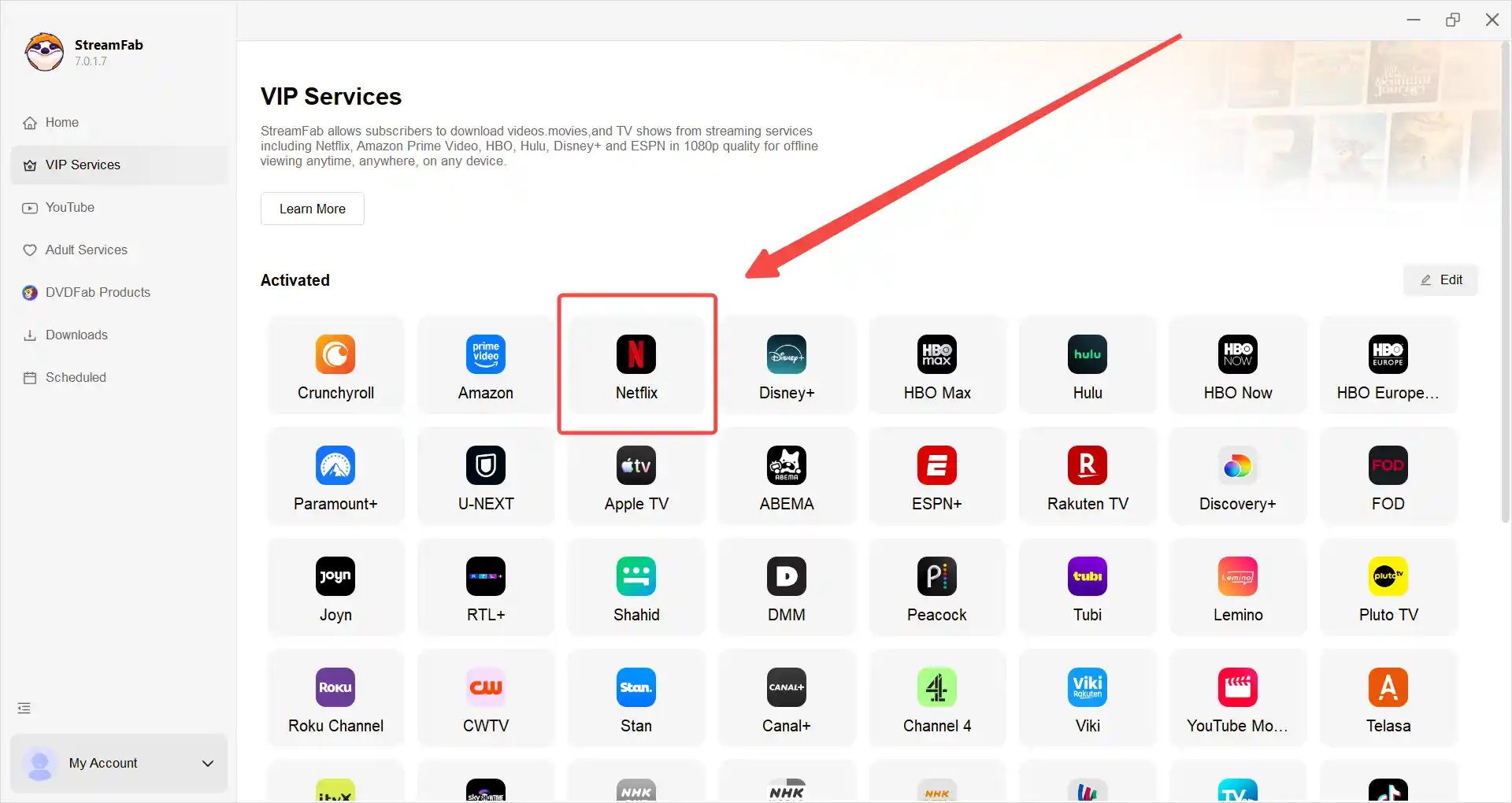
Launch StreamFab on your device, and choose 'Netflix' service.
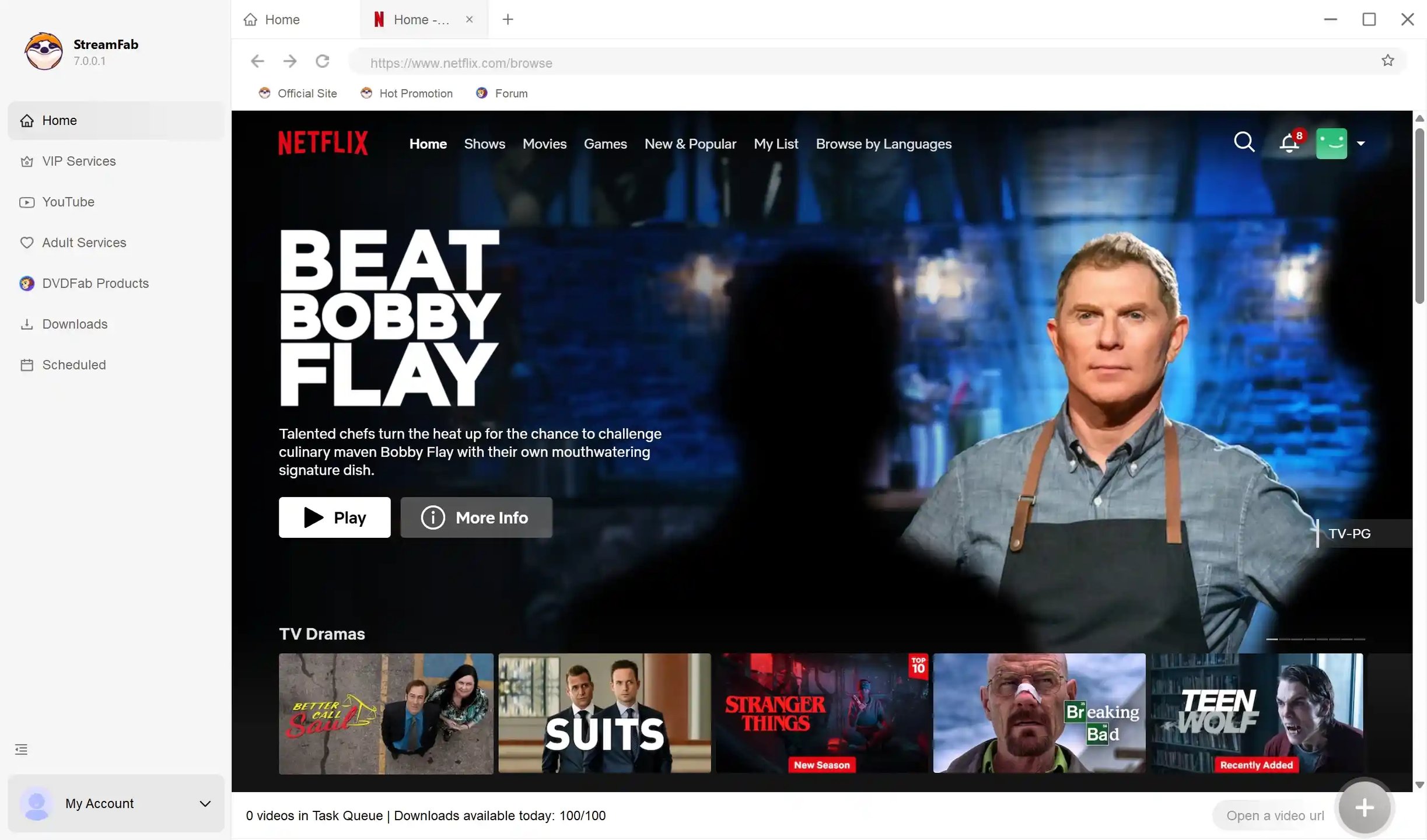
Log into your account and search for the Netflix content you want to download.
Customize the output quality, language, format, etc. before you download.
Click the “Download” option to complete the offline saving process of the video.
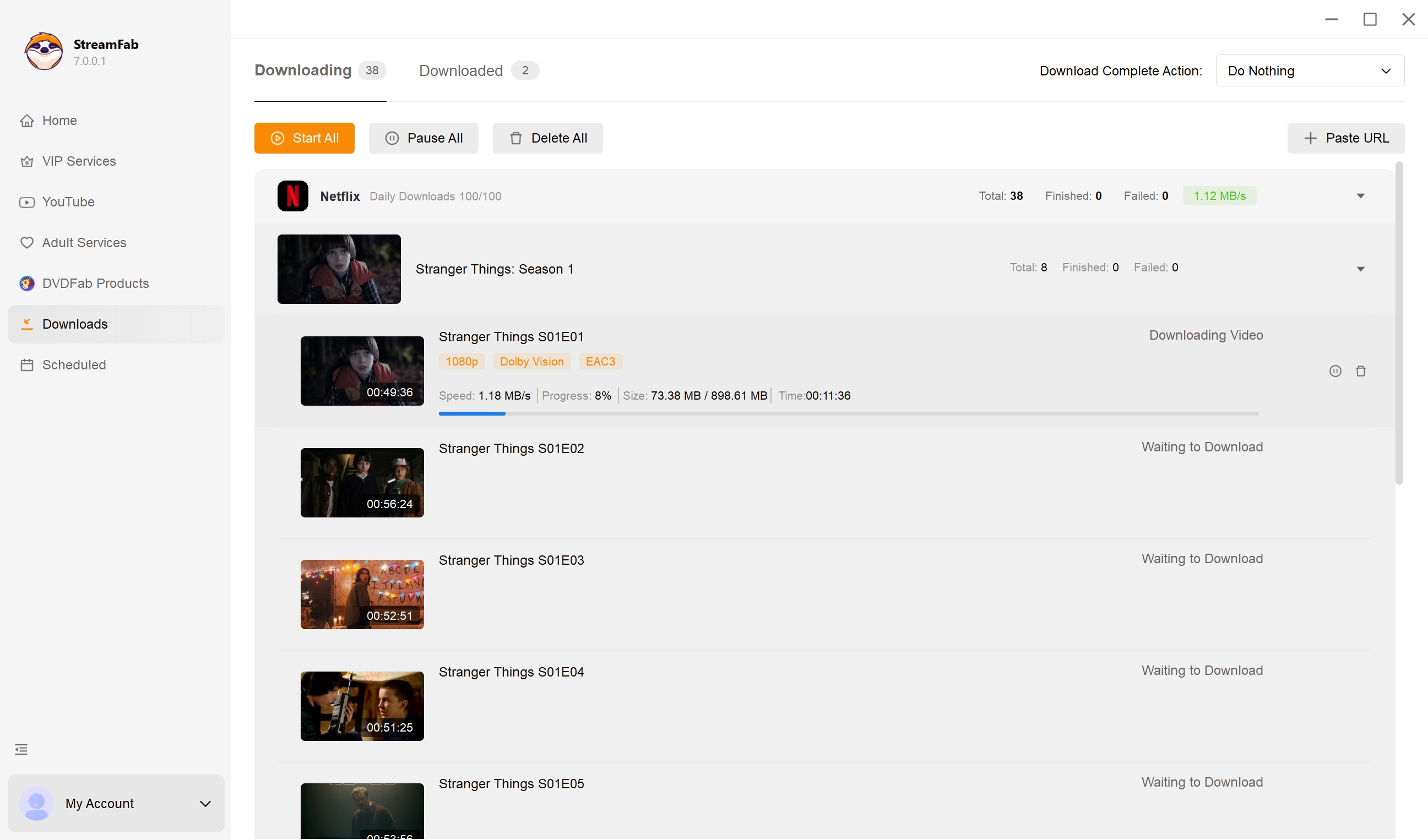
In a June 2026 macOS test on a 24 Mbps connection, a 15:07 Netflix episode was saved at 1080p with HDR10, Dolby Atmos or DD+5.1, and a file size of about 538.6 MB. That result applies to the tested episode and setup.
Netflix Price Increase FAQs
How much was Netflix a month 2024 vs 2026?
5.49 for Standard and
2.99 for Premium. Tracking how much is netflix a month 2024 against mid-2026 rates (7.99 Standard,
4.99 Premium), we see an aggressive inflation curve largely driven by live sports acquisitions and ad-platform maturation.Does Netflix offer a student discount or annual plan?
Netflix does not list a dedicated US student discount or annual subscription for its standard consumer plans. Carrier and bundle promotions are separate offers, so compare their credit with the Netflix tier you actually want.
What happens to an Extra Member if I downgrade?
Extra Member eligibility follows the destination plan. Standard supports one slot, Premium supports up to two, and the ad-supported plan does not provide the same Extra Member setup, so review the account change screen before confirming the downgrade.
Can I switch or cancel before the higher bill arrives?
Yes. The price-change email arrives about one month before the new amount reaches the affected billing date, giving you time to switch tiers or cancel through the account controls.
Will a carrier perk automatically cover Netflix’s increase?
No. Coverage depends on the carrier offer and the Netflix tier attached to it. Compare the perk credit with the new tier price to find any remaining upgrade charge.
Conclusion: Is Netflix Still Worth It?
Netflix is still worth keeping when the catalog, 4K use, and simultaneous viewing justify the selected tier. Premium makes sense for frequent 4K and multi-screen use; Standard or ads fits lighter needs; rotation or cancellation is rational when viewing drops.
StreamFab belongs in a secondary, authorized offline-viewing decision where permitted, not in the core subscription-value test. Start with the monthly budget and actual usage, then pay for the tier that solves today’s needs rather than last year’s habit.

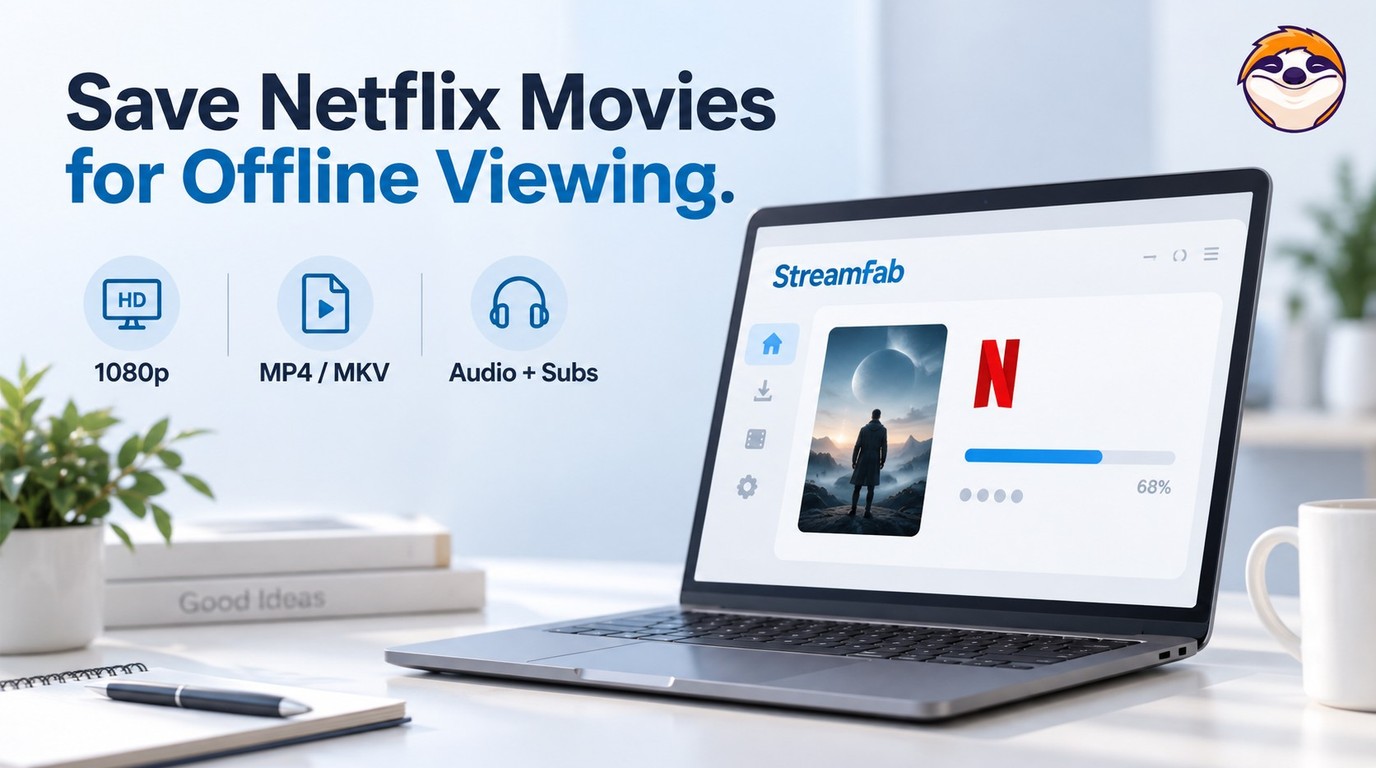
Netflix app downloads stay on supported devices, while MP4/MKV files require a separate, authorized workflow. Compare official downloads, StreamFab output up to 1080p, and Audials One recording, then follow the existing steps. The FAQs clarify app-cache limits, 4K streaming versus file output, and paid software versus a trial.
By Erika Leen - Oct 13, 2026

Star Trek was removed from Netflix across most regions in January 2026. As of July 2026, here's the complete streaming guide — Paramount+, Pluto TV, regional options — plus how to save what you can from Netflix before your local window expires.
By Nicole Lopez - Oct 13, 2026
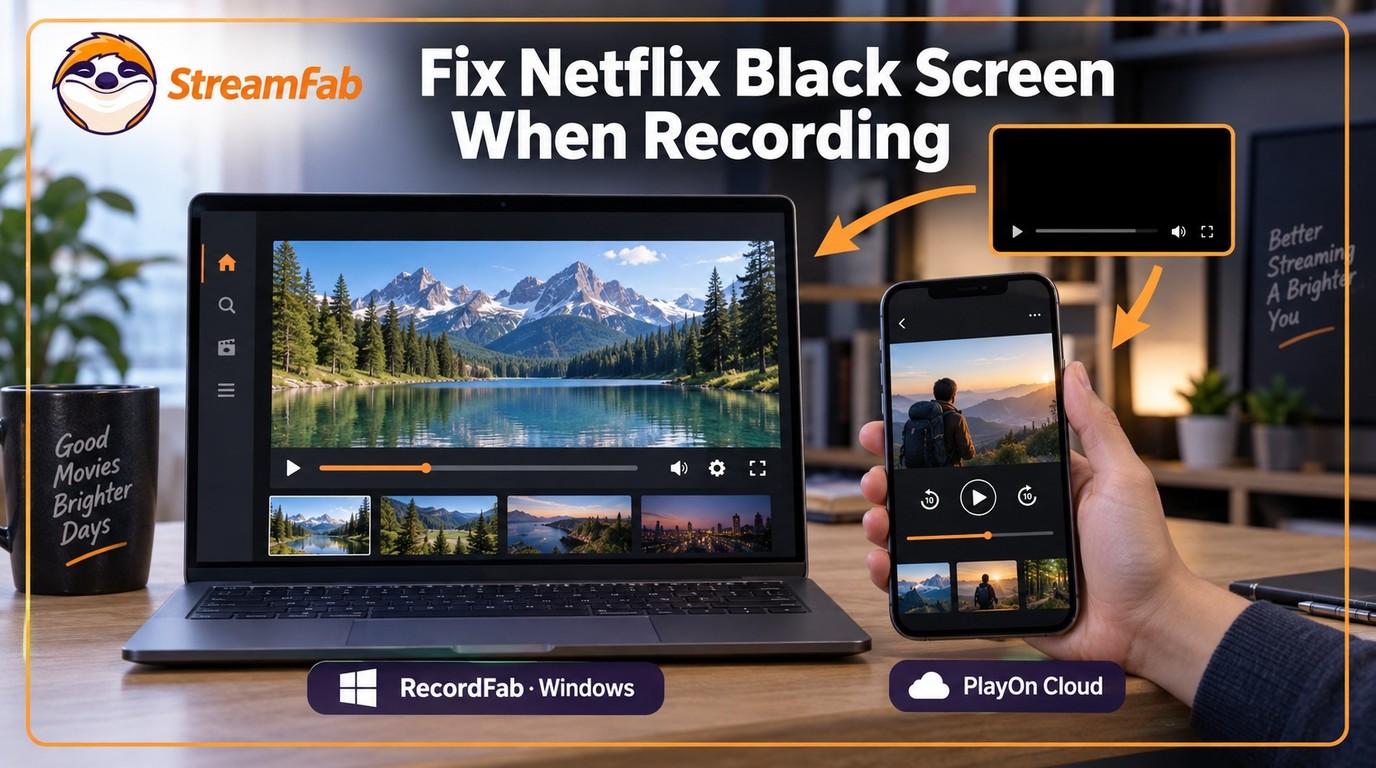
Netflix's HDCP protection gives you a black screen with every standard screen recorder. In July 2026, I tested four tools — here's which ones bypass it on PC and mobile, and why StreamFab is the zero-risk alternative when recording quality matters.
By Erika Leen - Oct 12, 2026
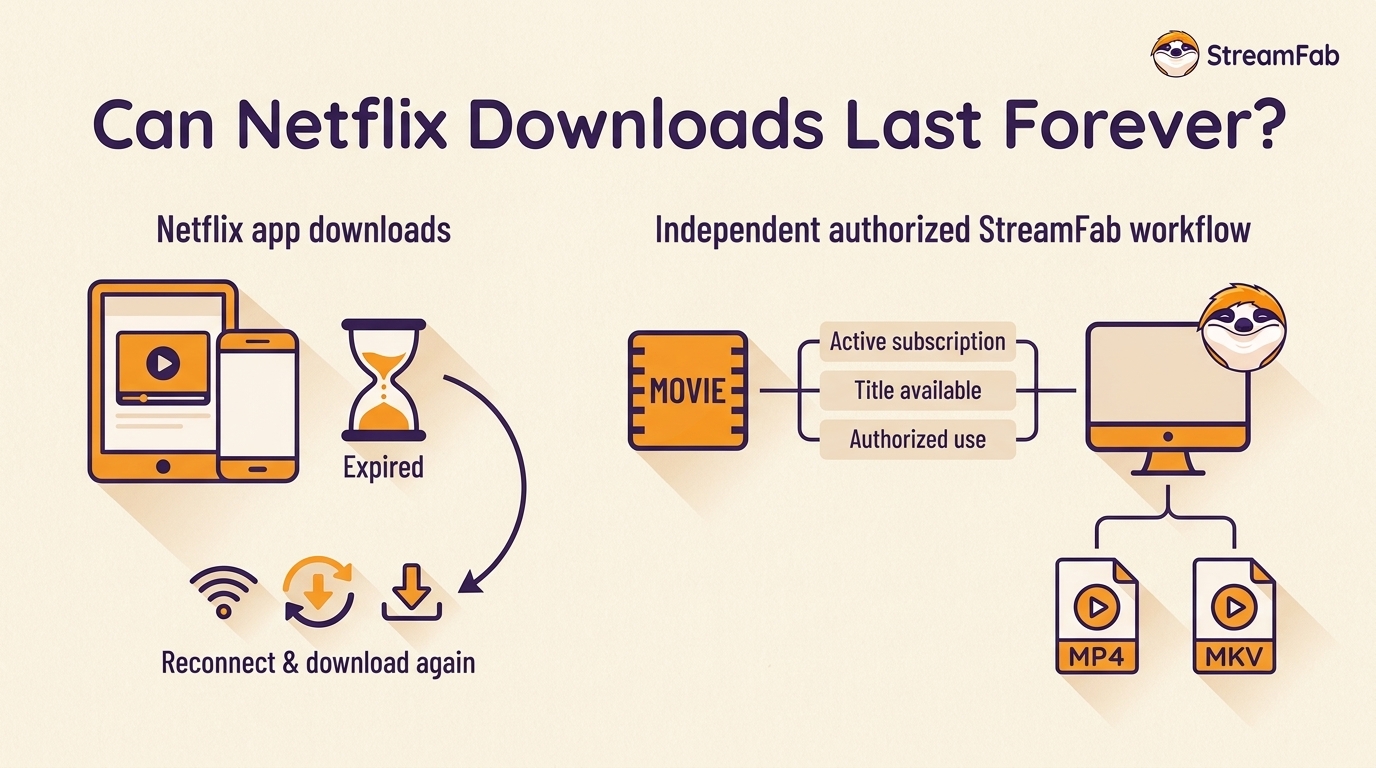
Netflix downloads expire in 48 hours after play or 30 days unwatched — and disappear completely if you cancel. In July 2026, I tested every method to keep them permanently. One actually works. Here's what Netflix doesn't want you to know about the download expiration design, and the tool that bypasses it.
By Erika Leen - Oct 12, 2026