
Netflix India Plans and Prices 2026: 4 Tiers Compared

Summary: Netflix has been expanding its presence in India, with a focus on producing and acquiring local content to cater to the diverse tastes of Indian viewers. The company has launched several affordable subscription plans in India to strive from the intense competition.
Netflix India Prices at a Glance
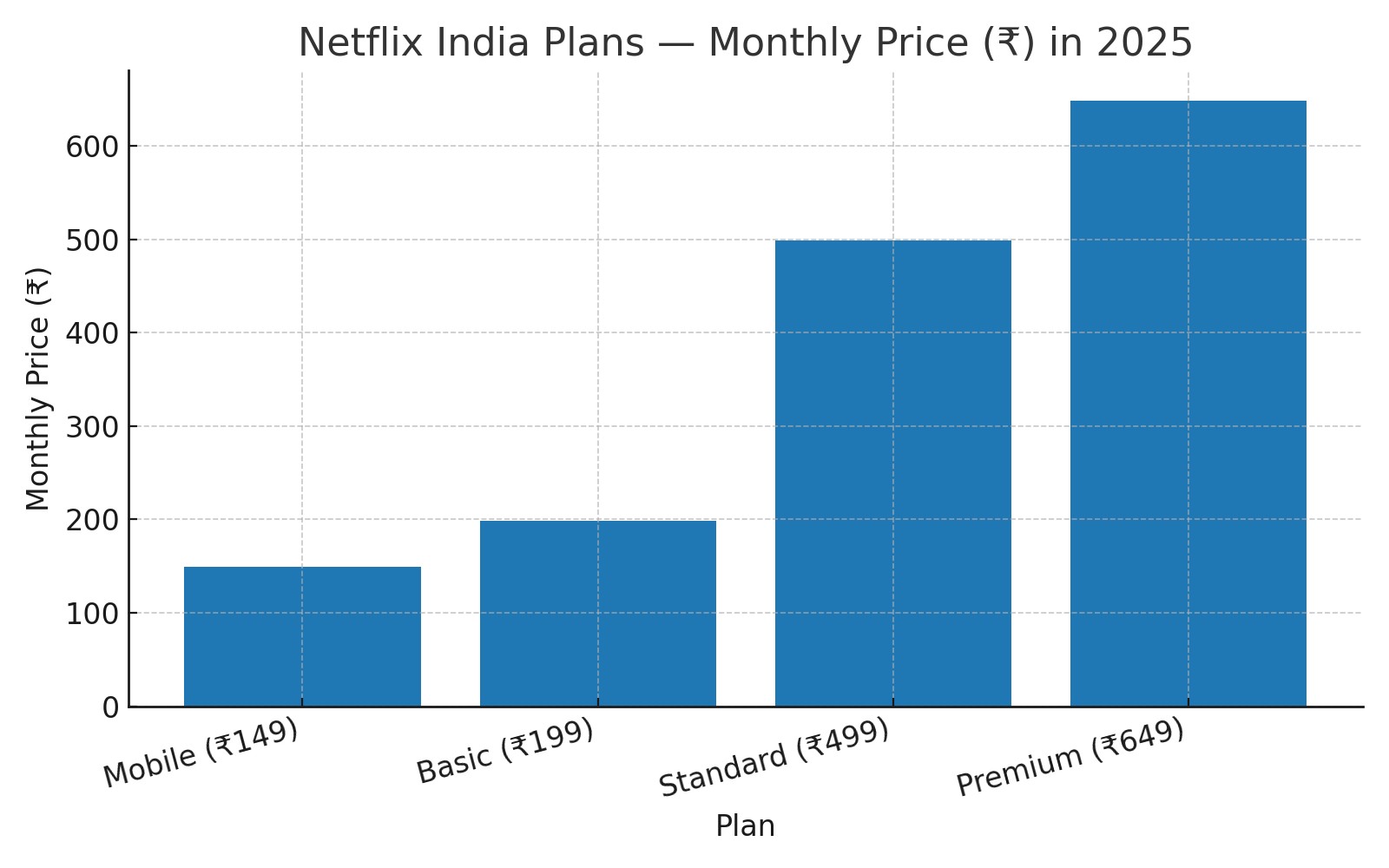
Netflix India plans are easiest to compare when you start with the monthly price, not the marketing noise: four tiers cost ₹149, ₹199, ₹499, or ₹649 per month. There is no official annual plan, so the yearly cost is simply 12 monthly payments, while Jio and Vi bundles can change the math for eligible customers. The practical decision comes down to your device, picture quality, and how many people watch at once.
Compare price, video quality, simultaneous streams, and download-device needs before choosing a plan.

Netflix India Monthly Subscription Plans for 2026
Netflix India plans range from ₹149 to ₹649 per month across four tiers: Mobile, Basic, Standard, and Premium. They differ in video quality, supported devices, simultaneous streams, and download-device allowances.
| Plan | Monthly price | Video quality | Simultaneous streams | Download devices |
|---|---|---|---|---|
| Mobile | ₹149 | 480p | 1 | 1 phone or tablet |
| Basic | ₹199 | 720p HD | 1 | 1 supported device |
| Standard | ₹499 | 1080p Full HD | 2 | More than Basic |
| Premium | ₹649 | 4K Ultra HD + HDR | 4 | More than Standard |
Netflix India plan details shown here are as of August 2026.
For readers searching from the United States, India and U.S. Netflix prices are not interchangeable. Travel access does not change an account's billing country, signup eligibility, payment method, or available catalog.
Billing and payment basics
All four plans are billed monthly. During signup, Netflix shows the payment methods available for the account's billing country. My rule is simple: choose the plan that matches how you actually watch, then change it when your screen or household needs change. Paying for Premium when nobody uses a 4K TV is not a streaming strategy.
The chart below maps each plan to the viewing setup it fits best.
Is an annual subscription cheaper?
Netflix bills monthly only in India—there’s no official “annual” plan. If you just want a rough annual budget, multiply the monthly rate by 12:
₹149 → ₹1,788, ₹199 → ₹2,388, ₹499 → ₹5,988, ₹649 → ₹7,788.
Promotions and free trials
Netflix India does not have a standard free trial. A carrier bundle or limited promotion may have separate terms, but it is not the same as a blanket Netflix trial.
How I Match Plans to Real People
Use four factors: device, resolution, screens, downloads
Check Jio/Vi bundles for possible savings.
- Phone-only, price first → Mobile ₹149.
- Occasional TV/PC but single viewer → Basic ₹199.
- Couples / small families (two watching at once) → Standard ₹499.
- Bigger households with 4K/HDR viewing needs → Premium ₹649.

The reality of “sharing” passwords
Netflix enforces a strict policy of one account per household. Outside your household, people should use their own account or, where available, be added as an “extra member.” If you travel often, expect occasional device verification checks.
Netflix Bundles from Jio and Vi
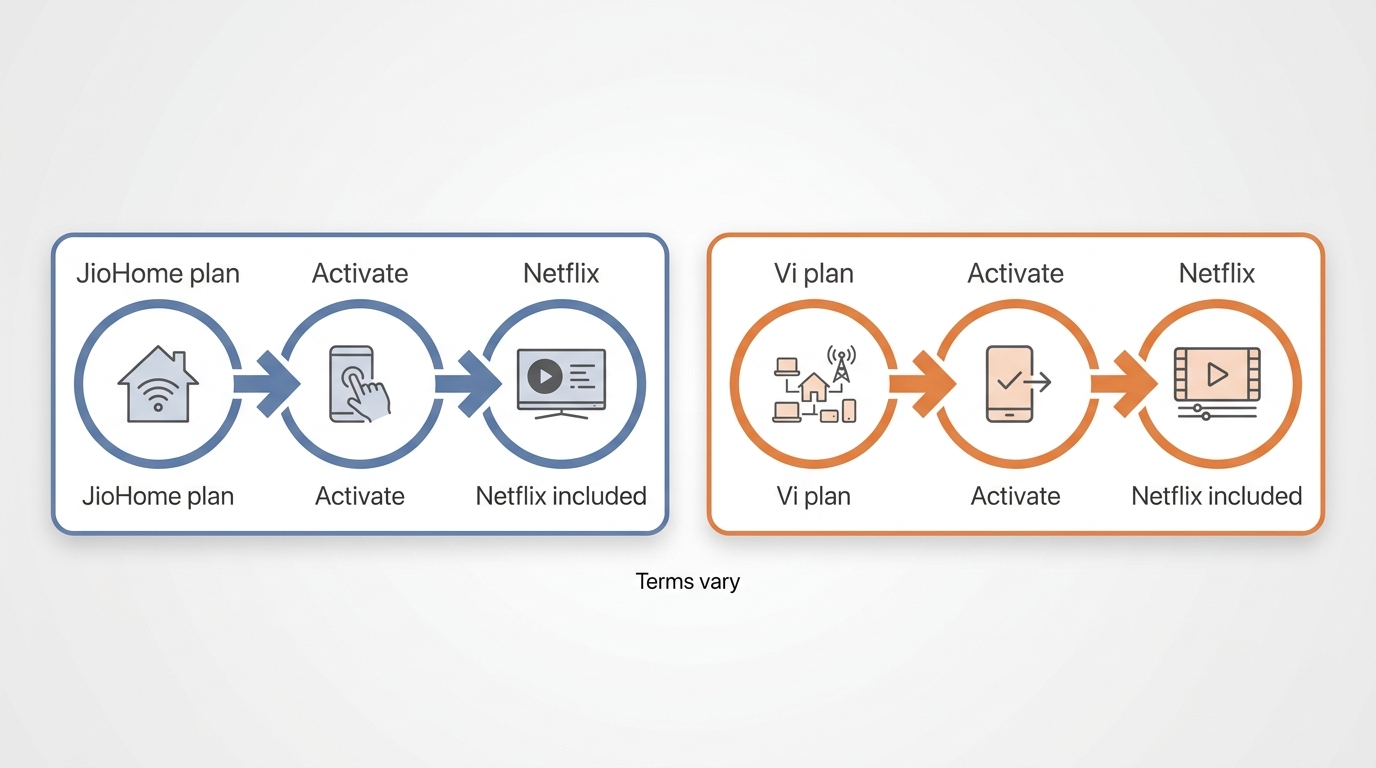
Selected JioHome and Vi plans can include Netflix, but eligibility depends on the service and plan currently attached to your account. When you compare a bundle with direct billing, broader ways to save money on Netflix matter more than a headline bundle offer alone.
| Provider | Eligible service | Netflix benefit | Activation | Validity |
|---|---|---|---|---|
| Jio | Selected JioHome plans | Included with eligible plans | JioHome flow | Plan-dependent |
| Vi | Selected eligible plans | Included with eligible plans | Vi app | Plan-dependent |
JioHome eligibility and activation
Selected JioHome plans include Netflix. Activation follows the JioHome flow, and moving to an eligible plan can require paying the applicable plan difference.
Vi eligibility and activation
Selected eligible Vi plans include Netflix. Eligible customers activate the benefit through the Vi app.
If you are renewing or switching a plan, check whether Netflix is included. A bundle is worth considering when you already need the underlying mobile or home service.
Official Downloads and Local-File Tradeoffs
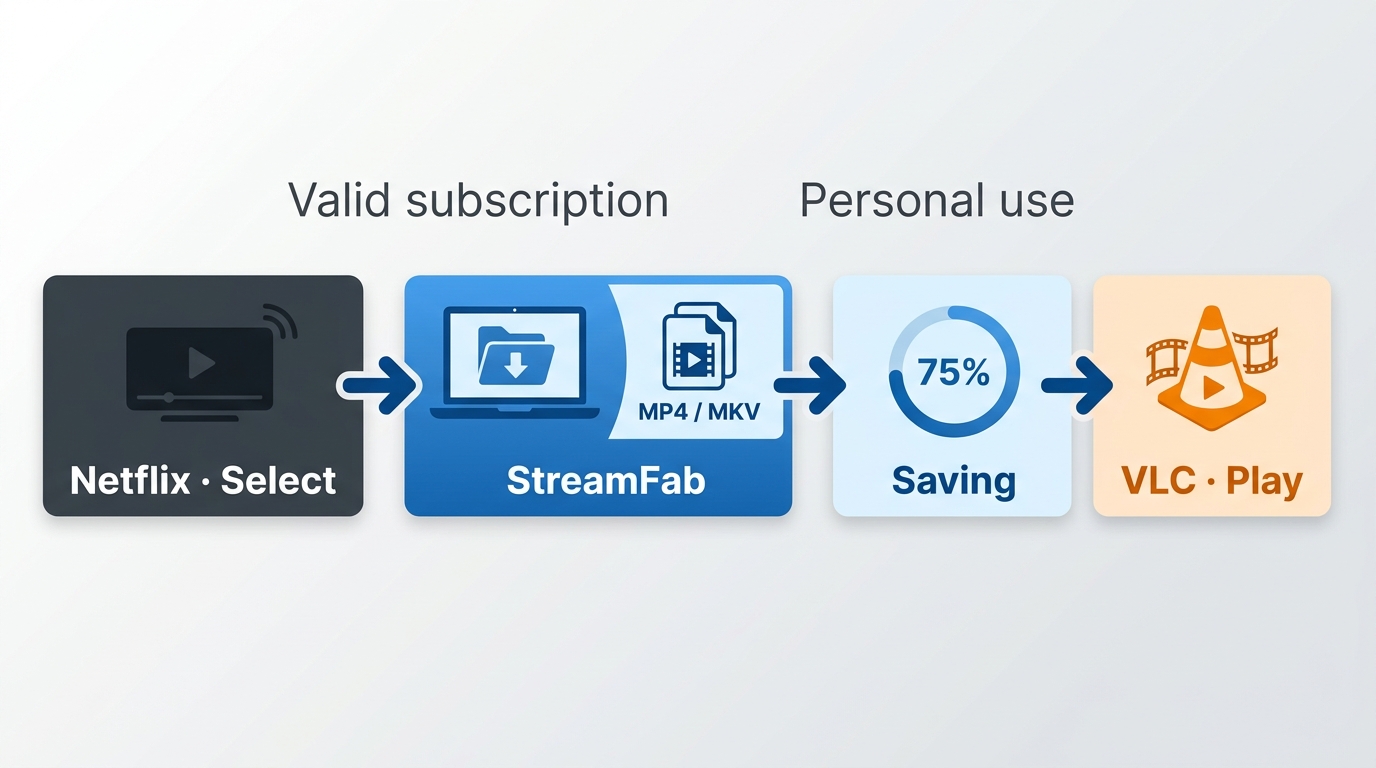
Netflix lets subscribers download select titles in its app for offline viewing. Official downloads work best for viewers who mainly watch on supported mobile devices, but not every title is available, and Netflix download limits, device caps, and expiry behavior can apply.
Netflix app downloads remain managed inside the app and are not designed for file transfer or sharing. If you have an active Netflix subscription, are saving content you are authorized to watch for personal use, and your use complies with Netflix's terms and applicable law, a local-file workflow is a desktop alternative. StreamFab Netflix Downloader uses screen-recording technology and can save supported titles as local MP4 or MKV files on Windows or Mac. It is not the right fit if the Netflix mobile app already covers your offline needs.
- Choose MP4 or MKV for local playback.
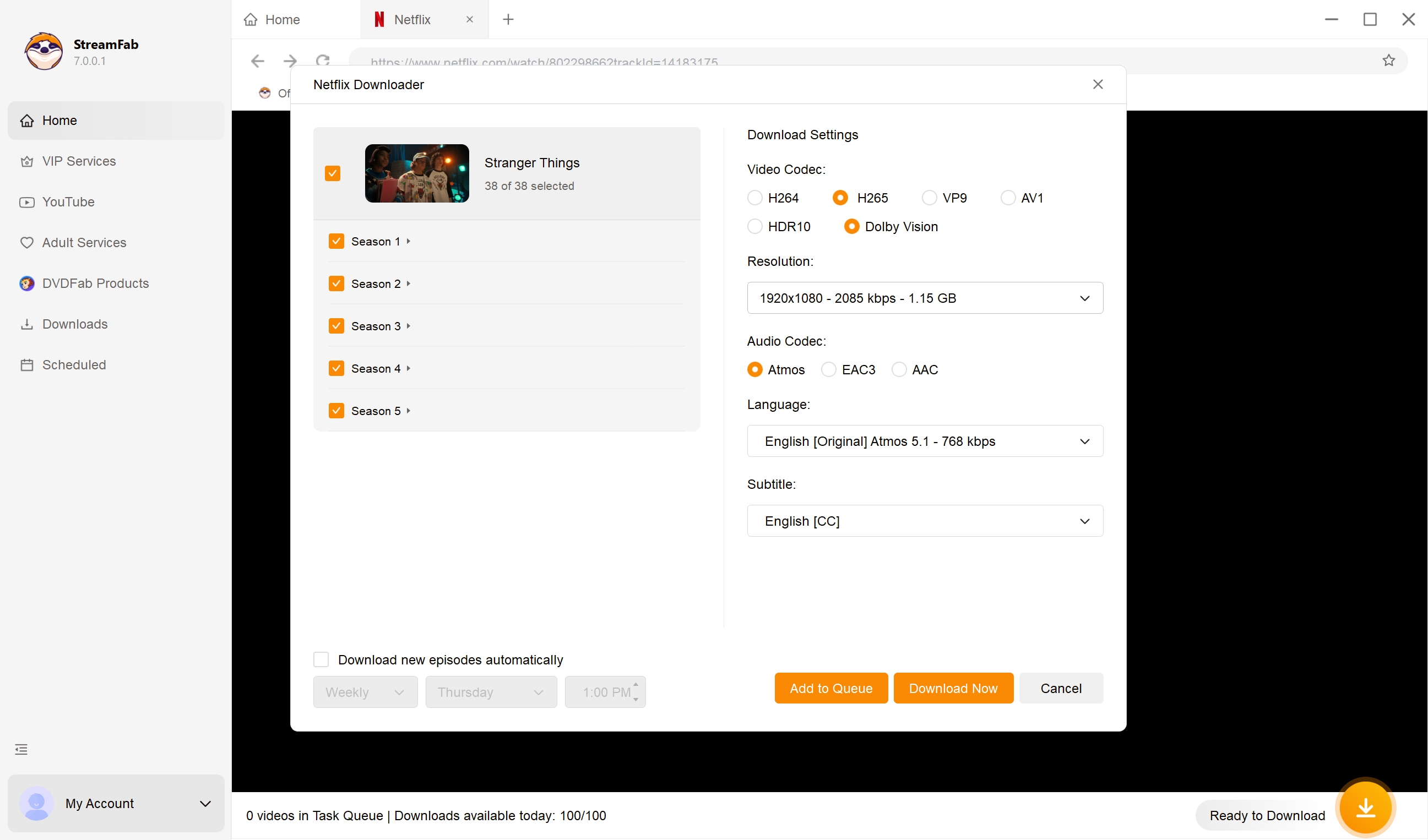
- Select supported video quality, audio tracks, and subtitles for a specific title.
- Choose H.264 or H.265 when available.
- Use local files on compatible Windows or Mac playback setups.
- Keep supported subtitles and metadata with the selected title.
- Use batch work and scheduling for titles you are authorized to access.
Local-file workflow for authorized content
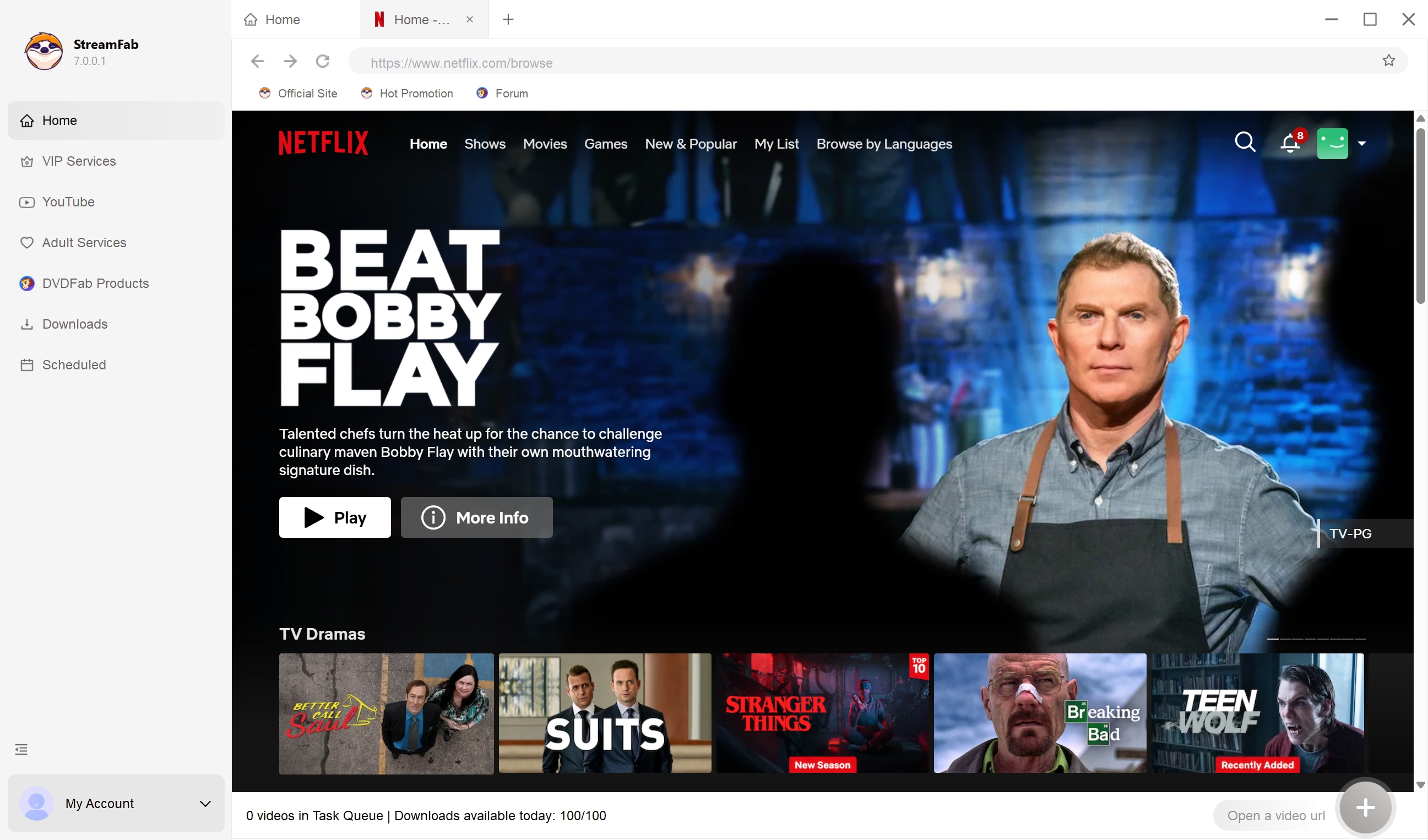
Choose the streaming service
Tap the VIP Services to find the Netflix icon, log in to your Netflix account, and then play the video you wish to download. You can also copy and paste your video URL directly into the address bar on the homepage.
Customize the file
Search for the video and play it, then a pop-up window will ask for your video options. You can choose the audio and subtitle language.
Click the download button
After customization, you can download it immediately or add it to the queue. For any legal free movie streaming site from Netflix, StreamFab can also satisfy your needs.
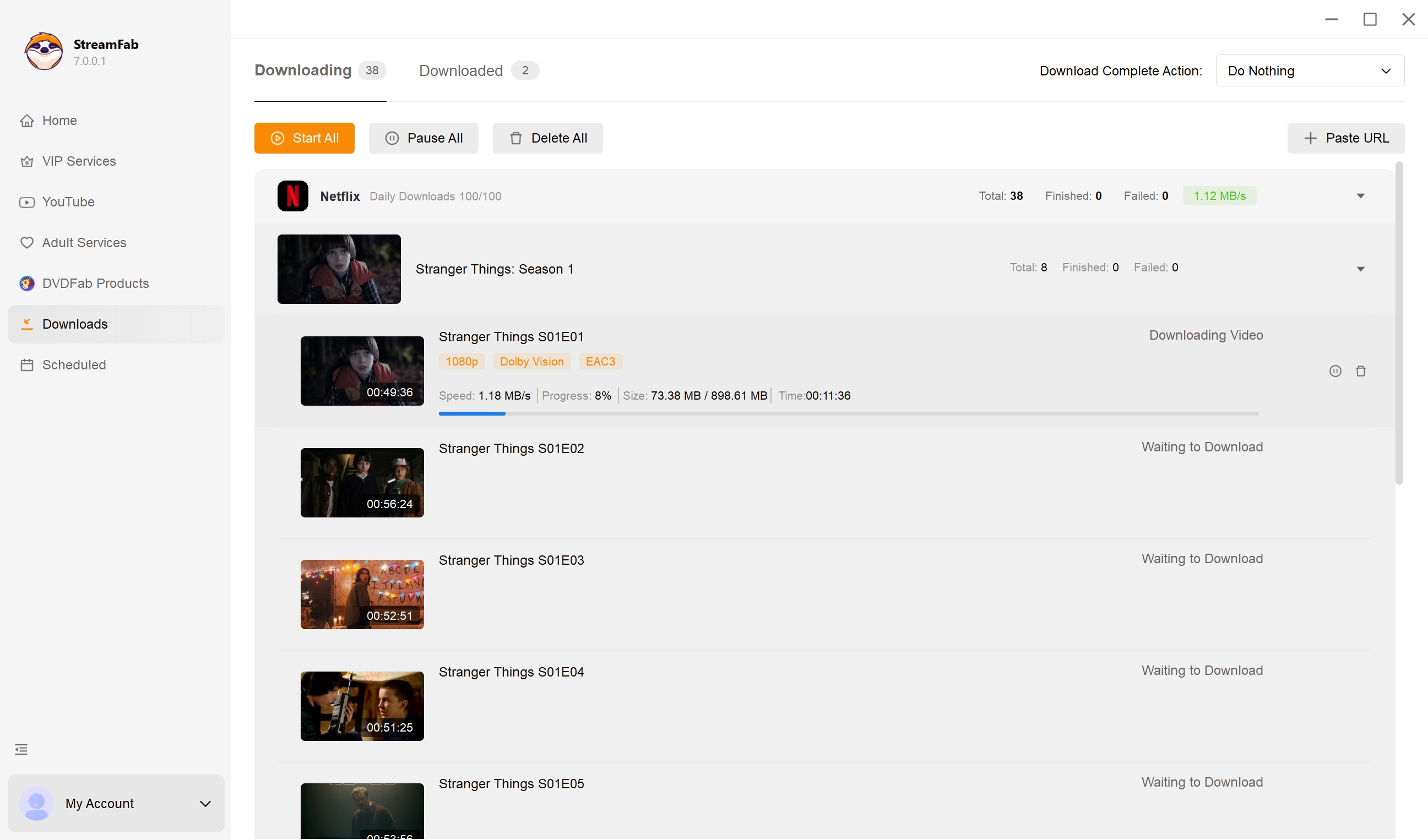
If login or video analysis fails, update the application and retry the title before contacting support. In my view, checking the available tracks for that title is more useful than assuming one codec or audio format will appear everywhere.
Note: StreamFab is intended strictly for personal, non-commercial use. Please ensure you comply with the streaming service's Terms of Use and your local copyright laws.
FAQ
Conclusion
Choose Mobile for one phone or tablet, Basic for one viewer who also uses a TV or computer, Standard for two simultaneous viewers, and Premium for a 4K household that needs more screens. A carrier bundle is worth considering when you already need the underlying JioHome or Vi service, not merely because Netflix is attached to it. Regional Netflix price changes can also affect how you compare a direct monthly subscription with a bundle.

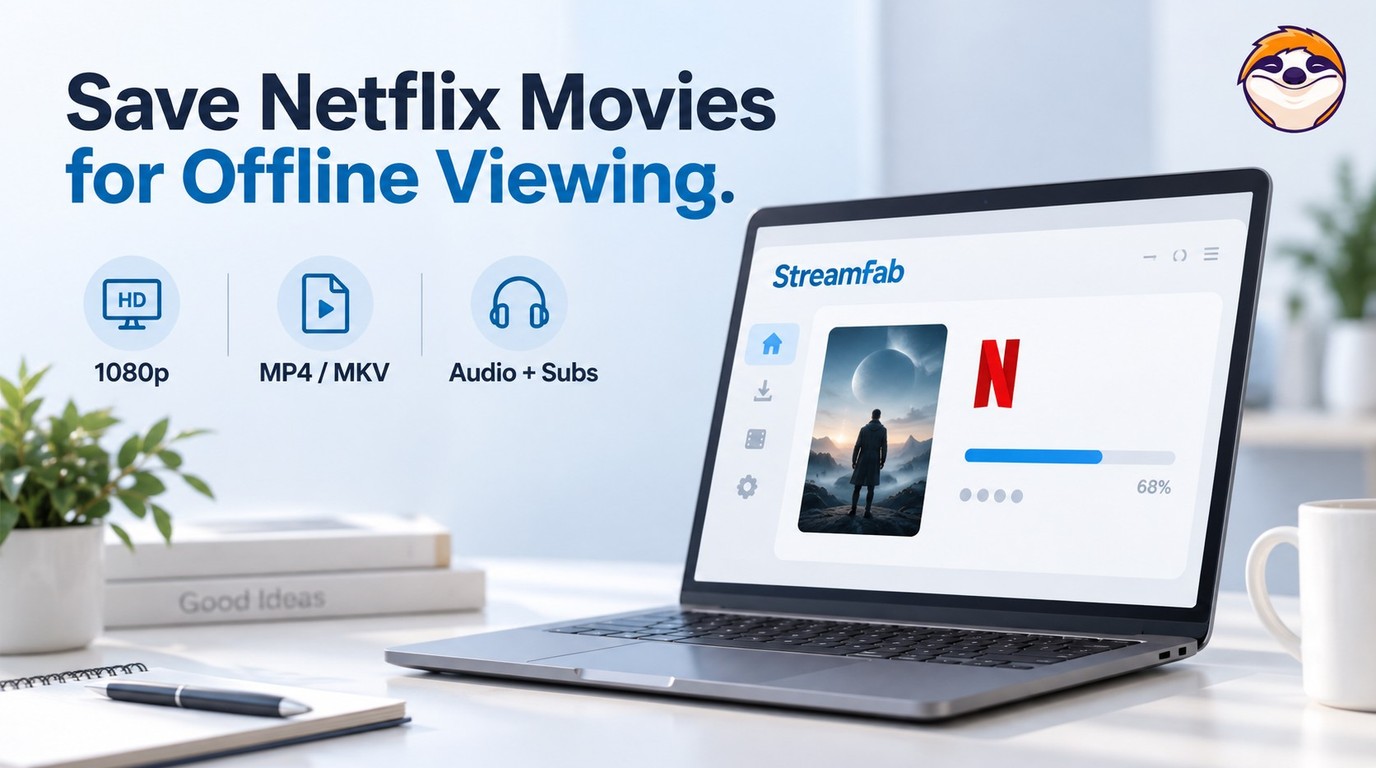
Netflix app downloads stay on supported devices, while MP4/MKV files require a separate, authorized workflow. Compare official downloads, StreamFab output up to 1080p, and Audials One recording, then follow the existing steps. The FAQs clarify app-cache limits, 4K streaming versus file output, and paid software versus a trial.
By Erika Leen - Oct 13, 2026
Star Trek was removed from Netflix across most regions in January 2026. As of July 2026, here's the complete streaming guide — Paramount+, Pluto TV, regional options — plus how to save what you can from Netflix before your local window expires.
By Nicole Lopez - Oct 13, 2026
Netflix's HDCP protection gives you a black screen with every standard screen recorder. In July 2026, I tested four tools — here's which ones bypass it on PC and mobile, and why StreamFab is the zero-risk alternative when recording quality matters.
By Erika Leen - Oct 12, 2026
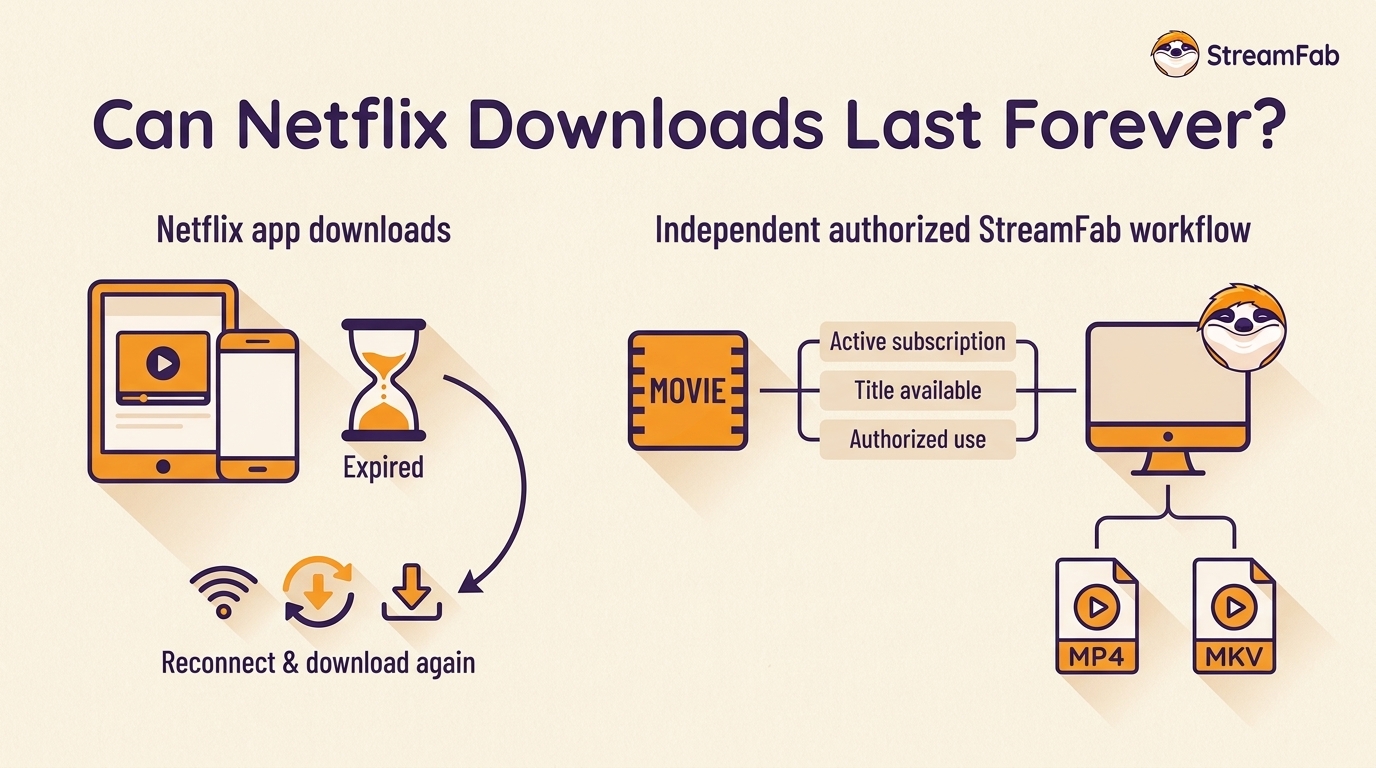
Netflix downloads expire in 48 hours after play or 30 days unwatched — and disappear completely if you cancel. In July 2026, I tested every method to keep them permanently. One actually works. Here's what Netflix doesn't want you to know about the download expiration design, and the tool that bypasses it.
By Erika Leen - Oct 12, 2026