
Hulu vs. Netflix in 2026: Is Hulu Worth Adding?

Summary: In the Hulu vs Netflix decision, Hulu is worth adding when next-day network shows, Disney bundle value, or live channels fill a real gap. Otherwise, Netflix alone is often enough if its originals and 4K selection already match your household’s viewing habits.
- Keep Netflix if →Your household mainly wantsglobal originals. Netflix is usually enough when its movies, international series, and4K HDRcatalog already cover what you watch most.
- Add Hulu if →You regularly followU.S. network TV. Hulu adds next-day episodes and can make more sense with a Disney bundle. Choose Hulu + Live TV if you also needlive channelsfor sports, news, and a cable-style guide.
Hulu vs Netflix: Price and Core Differences
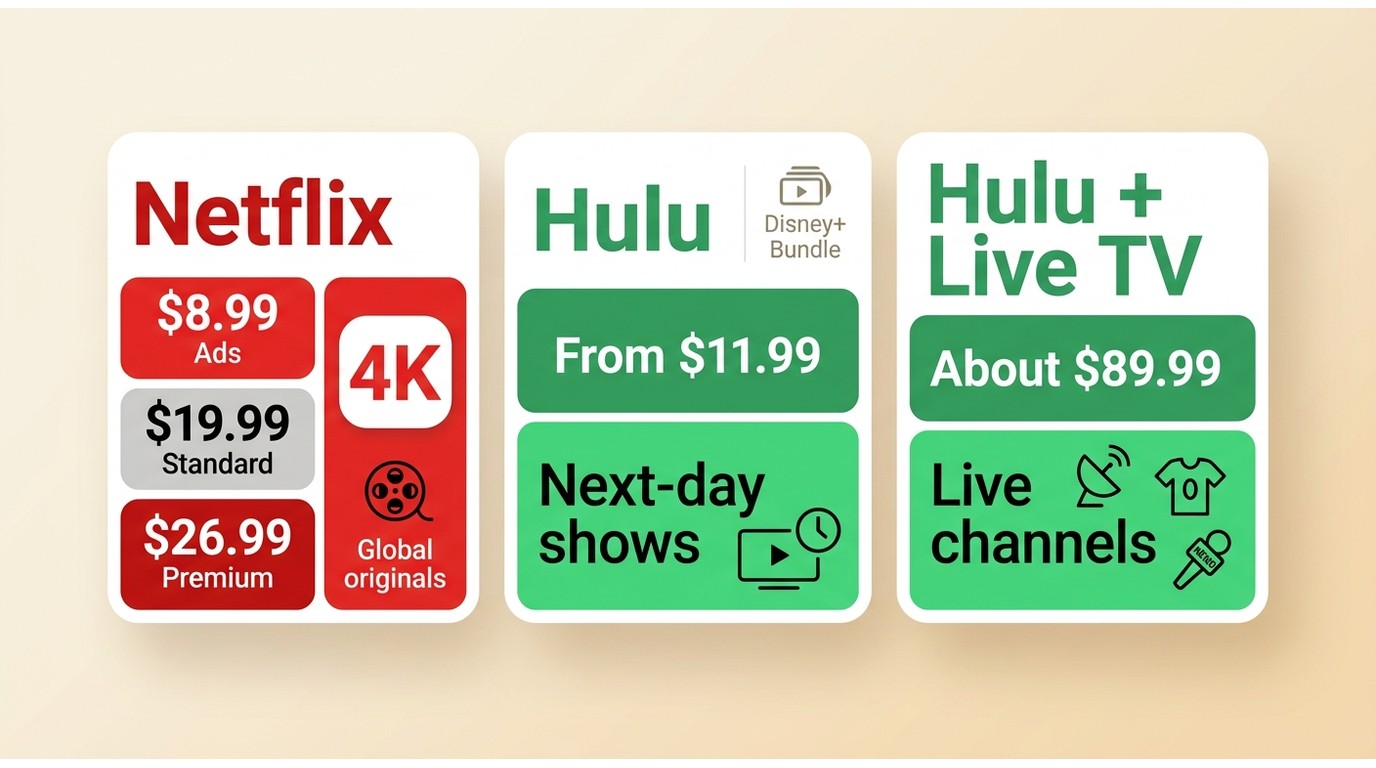
The fundamental difference lies in their distribution architecture: Netflix is a global Content Delivery Network (CDN) designed for simultaneous, worldwide drops of original 4K series, whereas Hulu functions primarily as a localized, next-day digital DVR for U.S. network broadcasts constrained by legacy licensing.
Hulu and Disney+ status: Hulu is integrating more closely with Disney+, but standalone Hulu subscriptions and access continue, including Hulu + Live TV. For current Hulu subscribers, that means the service still stands on its own, while bundle and app integration may make Disney’s ecosystem more appealing.
Current Prices and Household Rules
Household rules matter when people who do not live together expect to use the same subscription. Netflix’s household and extra-member options are plan-dependent, while Hulu access is generally intended for use within a home household.
As of August 2026, Netflix costs $8.99 per month for Standard with ads, $19.99 for Standard, and $26.99 for Premium. Netflix price increases are worth factoring into the total household budget, especially because extra members cost $7.99 per month with ads or $9.99 without ads. Hulu costs $11.99 per month with ads or $18.99 without ads, with an annual ad-supported option at $119.99; Hulu + Live TV starts around $89.99 per month.
| Decision factor | Keep Netflix only | Add Hulu On-Demand | Choose Hulu + Live TV |
|---|---|---|---|
| Best fit | Global originals and movies | Next-day network TV | Cable-style viewing at home |
| Added monthly cost | No second subscription | From $11.99 | From about $89.99 |
| Next-day network shows | Not the main focus | Core strength | Included with on-demand access |
| Live content | Selected live events | No channel package | Live channels, sports, and news |
| Originals and 4K | Broader 4K emphasis | Smaller 4K catalog | Live TV is generally HD |
| Ads, trials, cancellation | Ads plan or higher tiers | Ads or no-ads plan; offers vary | Broadcast ads remain; monthly cancellation |
Streaming Quality, Devices, and Limits
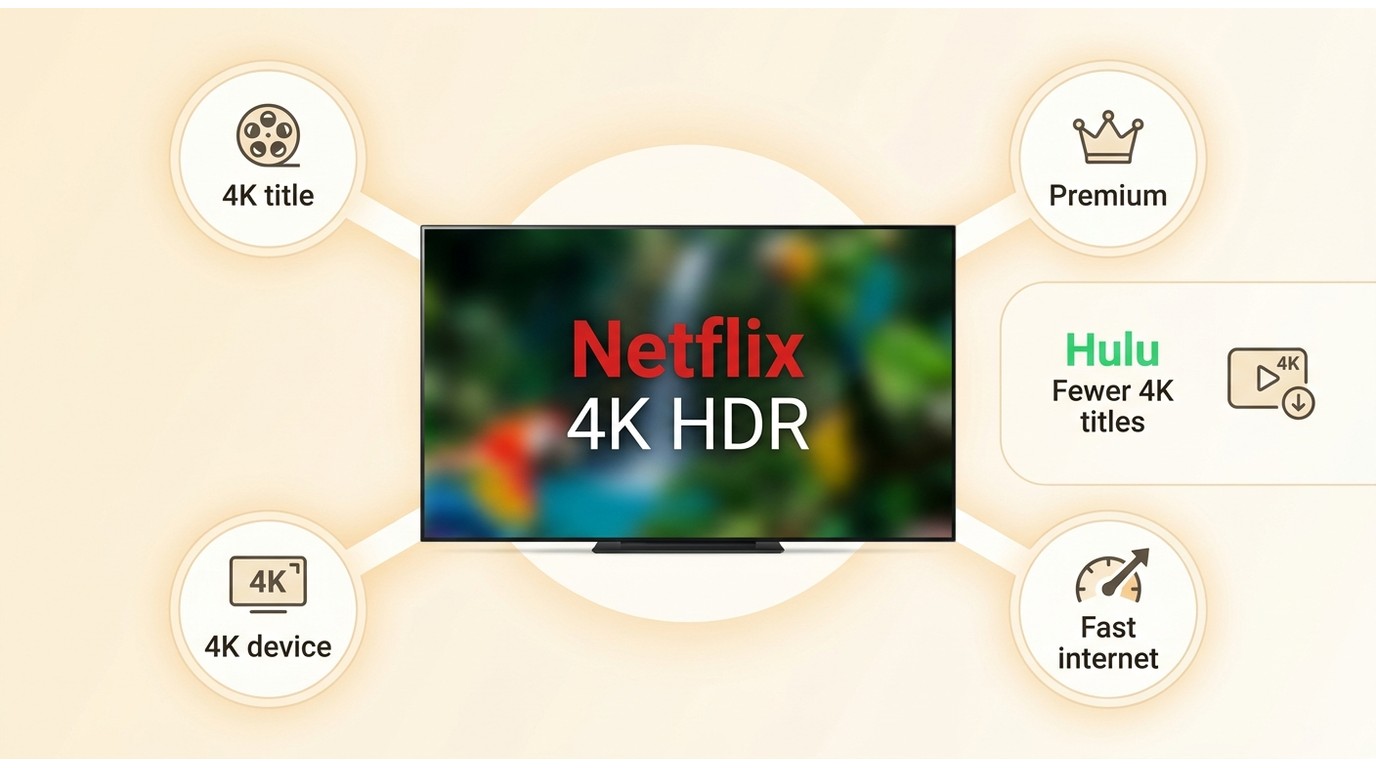
For viewers comparing Netflix or Hulu mainly on picture quality, Netflix is generally the stronger fit for a broader 4K-focused catalog. Hulu’s value is more closely tied to next-day TV and live-channel options than to being the primary destination for 4K viewing.
4K HDR in Everyday Use
Netflix puts more emphasis on 4K and HDR programming, especially on its Premium tier, while Hulu offers 4K for a smaller selection of titles and devices. Your display, device, connection, and plan can all affect the quality you actually receive.
For a home theater where 4K is a priority, Netflix is the more natural starting point. Hulu makes more sense as an addition when its current-season TV catalog or Live TV lineup solves a viewing need Netflix does not.
Official Downloads and Local-File Options
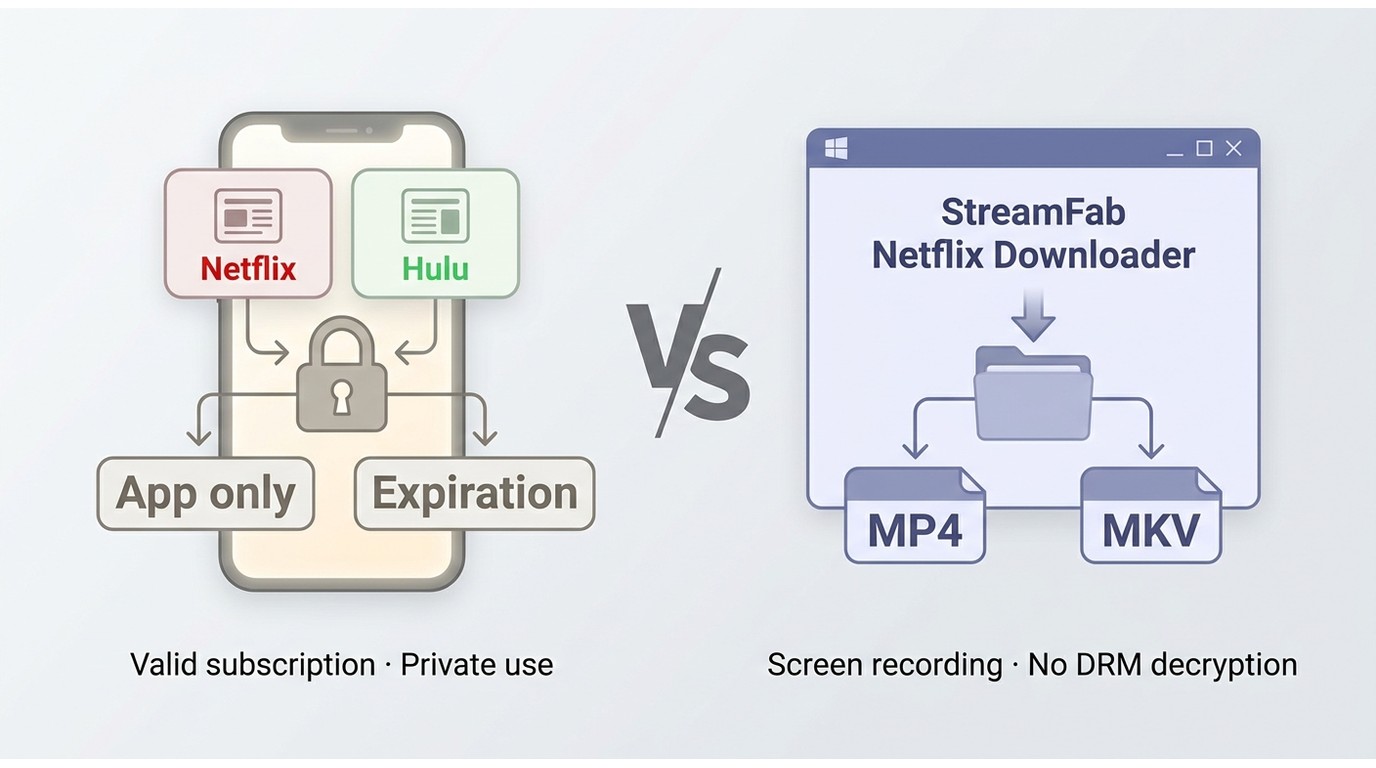
Official downloads are useful for short trips, but they are app-controlled and designed around each service’s supported devices and title-specific rules.
Netflix downloads stay inside the Netflix app on supported devices. Their availability and expiration can vary by title, and the app shows the time remaining. Hulu downloads are likewise available on supported mobile devices with eligible plans and remain within the Hulu app, subject to Hulu’s download and expiration rules.
If you need the details behind Netflix’s title-based download limits, they differ from a general assumption that every download follows one timer.
For an exportable local-file workflow, StreamFab Netflix Downloader is a desktop alternative for viewers with an active Netflix subscription who are saving authorized content for personal offline viewing, where permitted by Netflix’s terms and applicable law. It uses screen-recording technology and can save content as MP4 or MKV, with selectable subtitles and batch workflows for eligible titles; readers comparing app-controlled downloads with a Netflix-to-MP4 workflow should keep that difference in mind. It is not the right fit for someone who only needs occasional in-app downloads on a phone or tablet.
Use any local-file option only with an active subscription, for personal offline viewing of authorized content, and in line with platform terms and applicable law.
Is Hulu Worth Adding to Netflix?
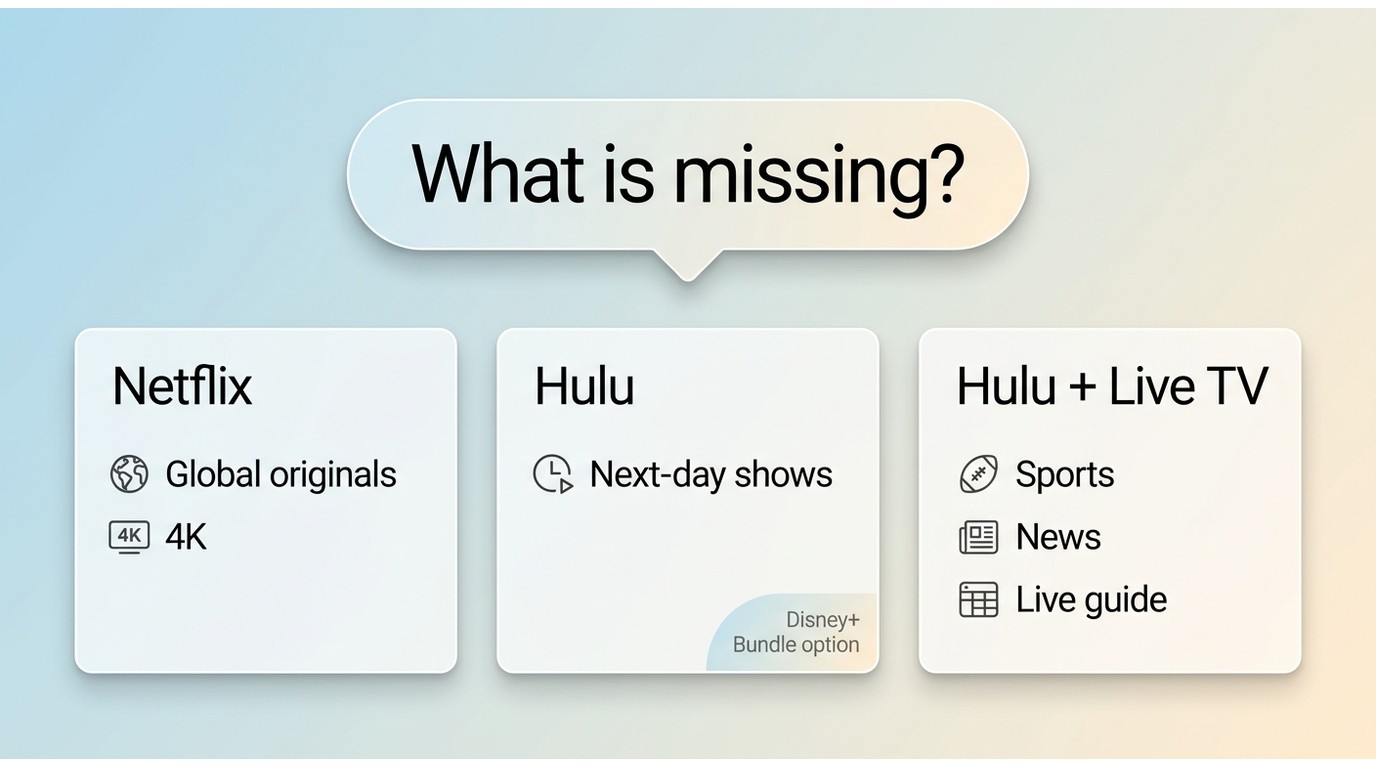
Add Hulu when next-day network TV, Disney bundle value, or a cable-style live channel package fills a real gap. Keep Netflix alone when its originals, 4K focus, and the time your household actually has to watch already meet your needs.
Price, Ads, Trials, and Cancellation
If you are watching the monthly total, Netflix’s $8.99 ad-supported tier remains the lower entry point, while Hulu starts at $11.99 with ads. Hulu’s no-ads plan costs more, and even ad-free choices can still include ads in live programming or certain on-demand content. Promotional trials can vary, but both services offer monthly plans that can be canceled rather than treated as a long-term commitment. Paying for a second ad-supported service stops making sense when it duplicates shows you already skip; Hulu earns its place when you will actually use its next-day TV or bundle value.
Shows, Movies, and Discovery
- For the traditional TV fan: If you follow network shows like Abbott Elementary or The Resident, Hulu is a strong fit. Its next-day availability can feel like a convenient DVR-style option for viewers who follow current network television.
- For the film and global series fan: When it comes to original content, the pros and cons of Hulu vs. Netflix become very clear. Netflix is often the better fit here, with global hits such as Stranger Things and investing heavily in Oscar-contending films.
Live TV and Live Events
Hulu + Live TV is the stronger fit for households that want a cable-style channel lineup for sports, news, and local programming. Netflix now carries selected live events, but it does not offer a live-channel bundle comparable to Hulu + Live TV. Choose Hulu + Live TV when the guide and channel lineup matter more than simply adding another on-demand library.
For Families: Profiles, Streams, and Content
For larger households watching on different screens, Netflix Premium can be a better fit when four simultaneous streams and 4K are priorities. Hulu + Live TV may suit families that place more value on its channel lineup and the included Disney+ bundle than on Netflix’s 4K emphasis.
For the person who travels a lot: Can you use Hulu outside of the US?
Travel is a meaningful Hulu vs Netflix difference. Hulu is available in the United States, while Netflix is available in many countries, although Netflix’s library changes by location. Before a flight, official downloads can help you watch Netflix offline, provided the title and device meet Netflix’s download rules.
Observed Trade-Offs
The practical differences are easiest to notice in everyday viewing: picture quality, how quickly you can find something to watch, and whether downloads fit the device you carry.
On 4K Quality:
Netflix’s larger 4K HDR emphasis is most noticeable when a household watches on a capable TV and chooses a plan that supports it. Hulu’s 4K selection is smaller, so its picture quality is less likely to be the deciding reason to subscribe. For viewers who prioritize cinematic originals, Netflix remains the better primary service.
Interface and Discovery
Netflix is generally easier for viewers who want quick recommendations and a straightforward on-demand experience. Hulu has more to organize because it combines on-demand programming with a live guide, which can be more useful for channel surfers but less direct when you are already tired of scrolling. Choose the interface that fits how you decide what to watch, not just the size of its catalog.
Offline Download Limits
Official downloads are best treated as an in-app travel feature, not as files you manage independently. Netflix and Hulu apply plan, device, title, and expiration rules, so frequent travelers should check the available download options before relying on either service for a long trip. For occasional mobile viewing, the official apps are generally the simplest fit.
FAQs
Which Service Fits You Best?
Keep Netflix when its global originals and stronger 4K priorities already cover what your household watches. Add Hulu when next-day U.S. television, Disney bundle value, or Hulu + Live TV fills a specific viewing gap. If neither service is solving a current need, rotating subscriptions can be a more sensible choice than paying for overlapping catalogs.


Protected Netflix video can appear black in Discord screen shares. Set up a synchronized watch party with Teleparty and use Discord for voice chat, with eligible access for each participant. Learn how personal offline playback differs and how to troubleshoot ordinary, unprotected screen sharing.
By Nicole Lopez - Sep 28, 2026
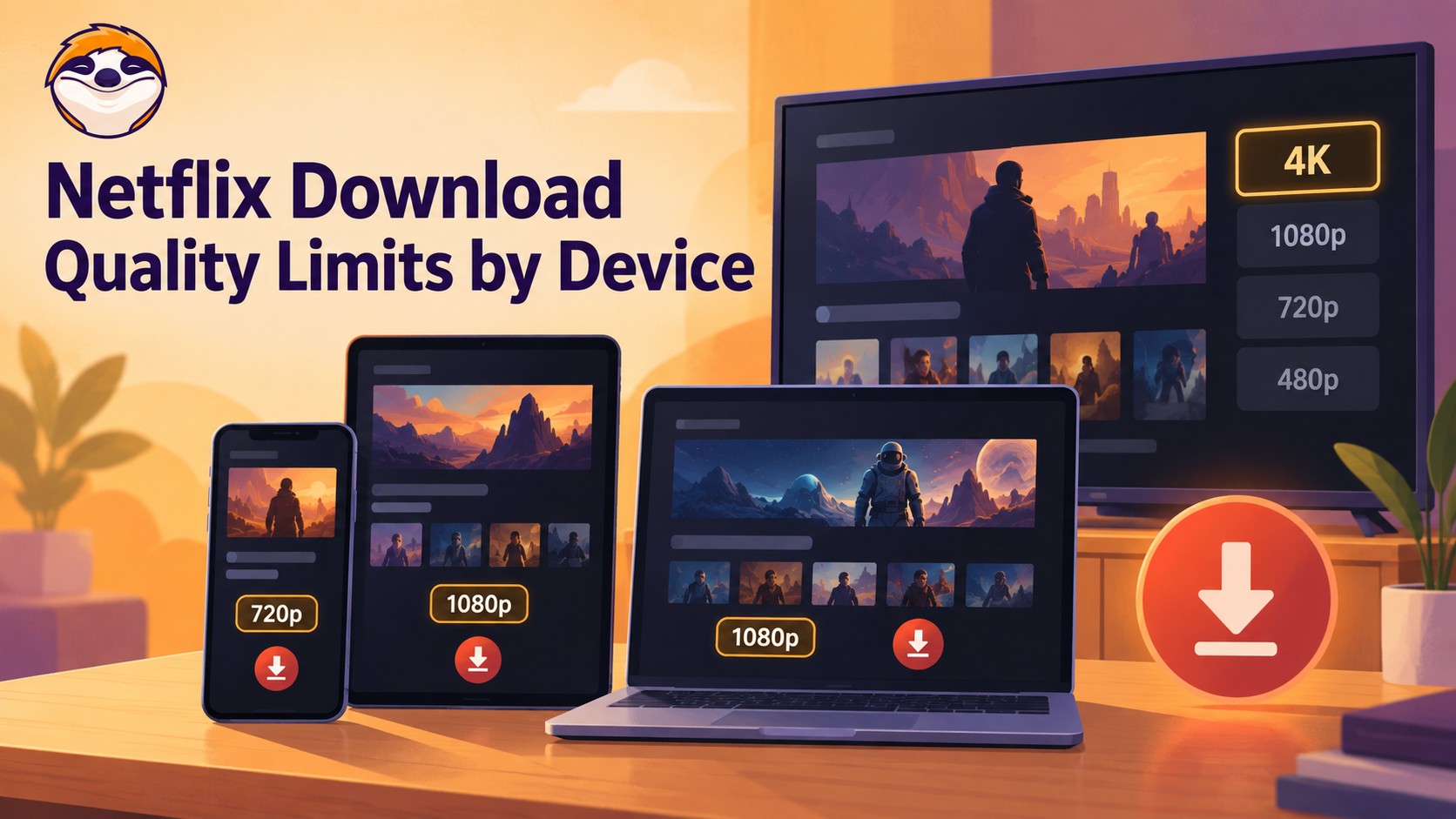
Netflix streams eligible titles in 4K, but official offline downloads stop at up to 1080p and are unavailable on Windows and Mac. Compare supported devices, check title eligibility, and understand how app-managed downloads differ from local MP4 or MKV files for personal offline viewing.
By Jacob Harrison - Sep 24, 2026
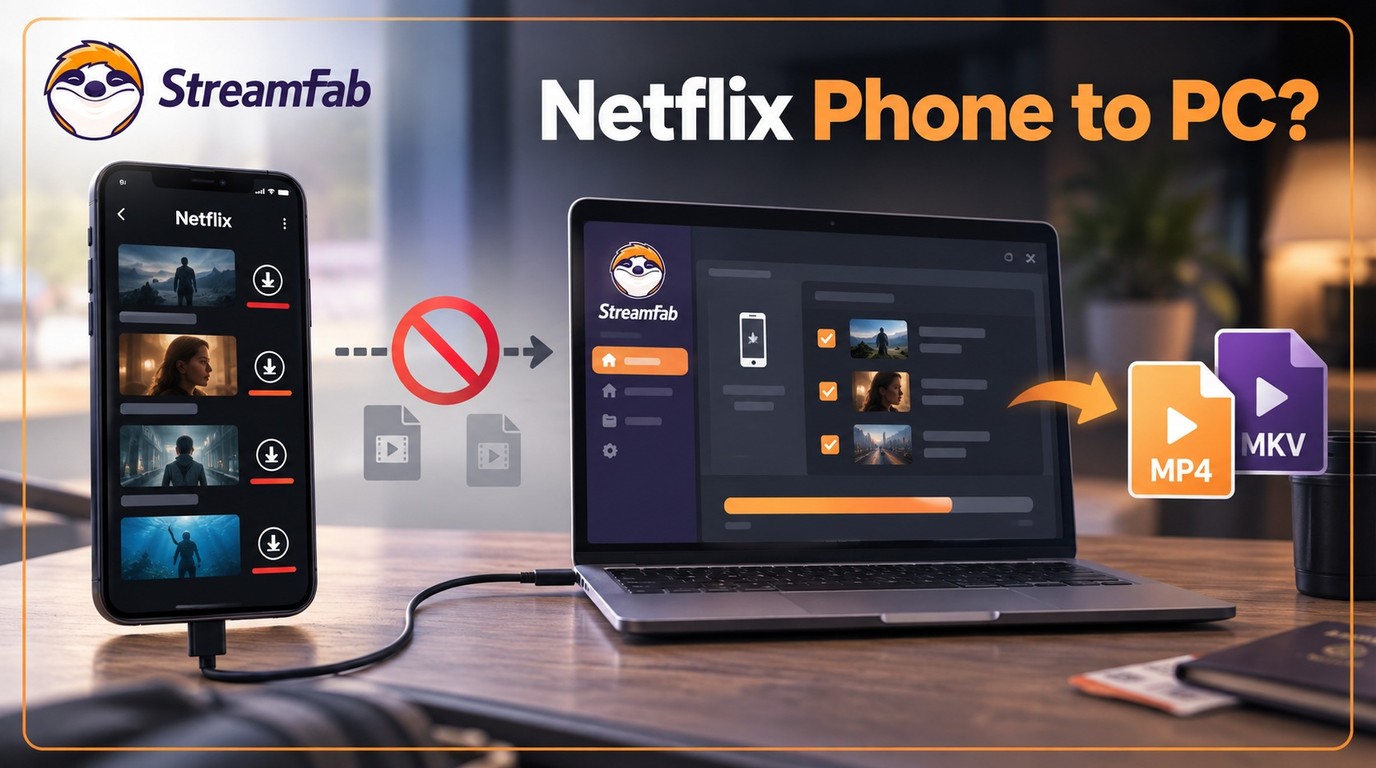
Can I transfer Netflix downloads from phone to computer? No direct method exists due to strict DRM, but you can convert them to MP4 for permanent cross-device offline viewing.
By Jacob Harrison - Sep 16, 2026
Netflix does not provide a native download path for macOS, but Mac users still have practical offline routes. This guide compares official iPhone and iPad downloads, cloud recording, and a desktop MP4/MKV workflow, with device requirements, measured StreamFab results, BlueStacks caveats, and troubleshooting steps.
By Marcia Hatcher - Sep 3, 2026