
By Click Downloader Review 2026: Price, Safety, and Limits

Summary: By Click Downloader may suit Windows users who want a simple way to save public and social-video links, but its value depends on current site compatibility, authentication prompts, and the workflow you actually need. This review covers price, MP4 output, safety, reliability, and alternatives.
By Click Downloader at a Glance
By Click Downloader remains an active Windows-focused product, but a simple price or quality claim does not tell the whole story. Before installing it for downloading YouTube videos, consider the target site, sign-in requirements, output format, and whether you need occasional clips or a broader local-file workflow.
The practical question is not whether one downloader works in every situation. It is whether its current compatibility, authentication requirements, and file-handling options fit your own viewing and organization needs.
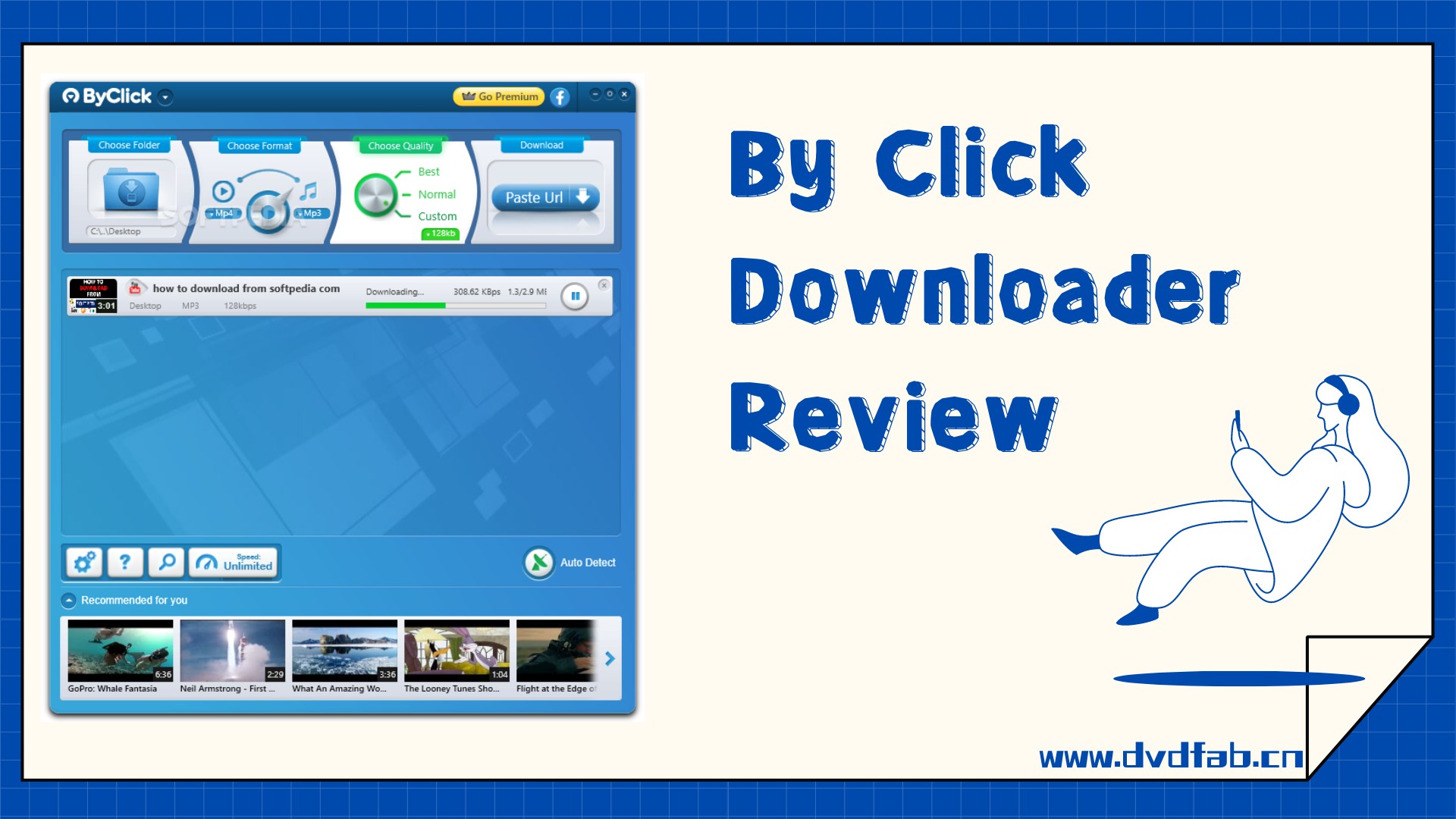
By Click Downloader Features and Test Results
By Click Downloader is active, but its reliability should be judged by the specific site, format, and account state involved rather than by a universal success or failure claim. Its straightforward Windows workflow can fit users saving occasional public or social videos; users with broader source, file-format, or scheduling needs should compare alternatives before buying.
Supported Sites, Formats, and Quality
By Click Downloader advertises support for public-video and social-media sources, MP4 and MP3 output, playlists, private videos when you have permission, and several quality levels.
Its 720p through 8K quality options are official claims, not a universal result across sites. The product is Windows-first; searches for Android, Mac, Linux, portable editions, or video downloader for Chrome extensions do not by themselves establish native app support.
- Save supported public-video and social-media links through a Windows desktop workflow.
- Choose MP4, MP3, and other advertised output formats based on device compatibility.
- Save playlists or multiple selected titles with the batch option where the source supports it.
- The official product page advertises 720p, 1080p, 4K, and 8K options; availability varies by source.
- Private-video access requires permission and any account authorization required by the source platform.
- MP3 trimming can help create a shorter audio file for personal device use.
- The product advertises automatic ID3 tags, including artist information and album art.
Windows and Device Compatibility
By Click Downloader is presented as a Windows desktop downloader. It is not established here as a native Mac, Linux, Android, or browser-extension app, so users on those platforms should choose a tool designed for their operating system rather than relying on similarly named searches.
Free vs. Premium Pricing
The official premium page lists the following US offers as of July 2026:
The official pages show a free download option, but they do not clearly state a seven-day trial or a fixed free-tier quality allowance. Treat advertised quality levels as source-dependent rather than as a guaranteed premium ceiling.
| License | Official US price | Included terms |
|---|---|---|
| One-year Premium | $11.99 | Premium license for one year, including future updates. |
| Premium unlimited license | $14.99 | Unlimited license, including future updates. |
| Optional two-PC upgrade | $4.99 | Adds use on a second PC. |
| Money-back guarantee | 30 days | Listed on the official premium page. |
Using By Click Downloader for MP4
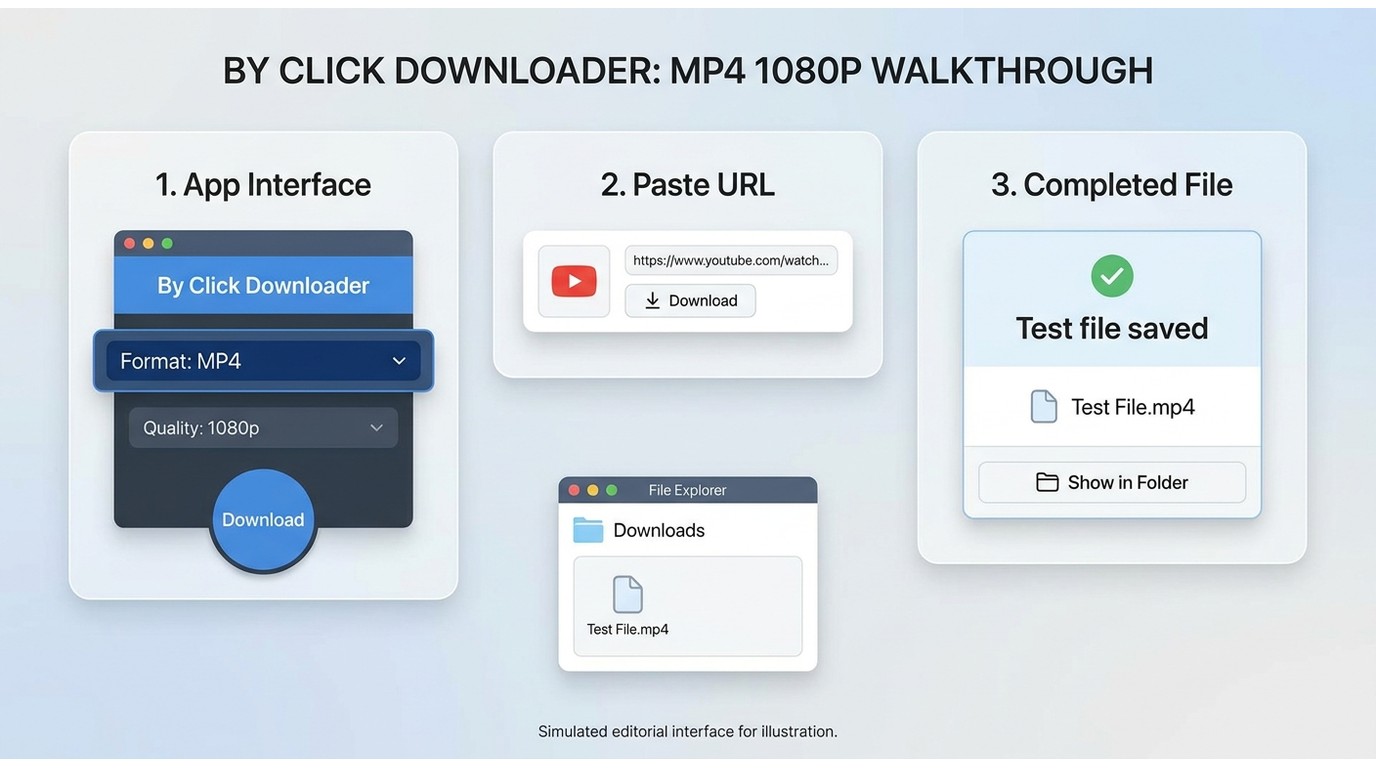
To save an available video as MP4, choose MP4 as the output format, then use the browser prompt when it appears or paste the video URL into By Click Downloader.
Select an available quality, start the download, and use Show in Folder when it finishes. If that option is unavailable, open the destination folder configured in the app settings.
Is By Click Downloader Safe?
Safety has two separate parts: whether the installer is trustworthy and what access the workflow requests after installation. Download the installer from the official source, review any authentication or Chrome-credential prompt before proceeding, and avoid treating a website badge as proof of account privacy.
Credential prompts deserve more weight than generic security badges because they can affect access to your browser or account data.
- Download the installer from the official product source rather than a mirror or bundled installer.
- Review each installation screen and decline optional software you do not want.
- Read the privacy policy before entering account details or granting browser-related access.
- Treat any credential or cookie request as a separate privacy decision.
- A long-running domain can be one trust signal, but it is not a complete safety assessment.
- Confirm that the download page uses the product's official domain before installing.
- HTTPS protects the website connection, but it does not eliminate installer, credential, or account-security risks.
Why By Click Downloader Stops Working
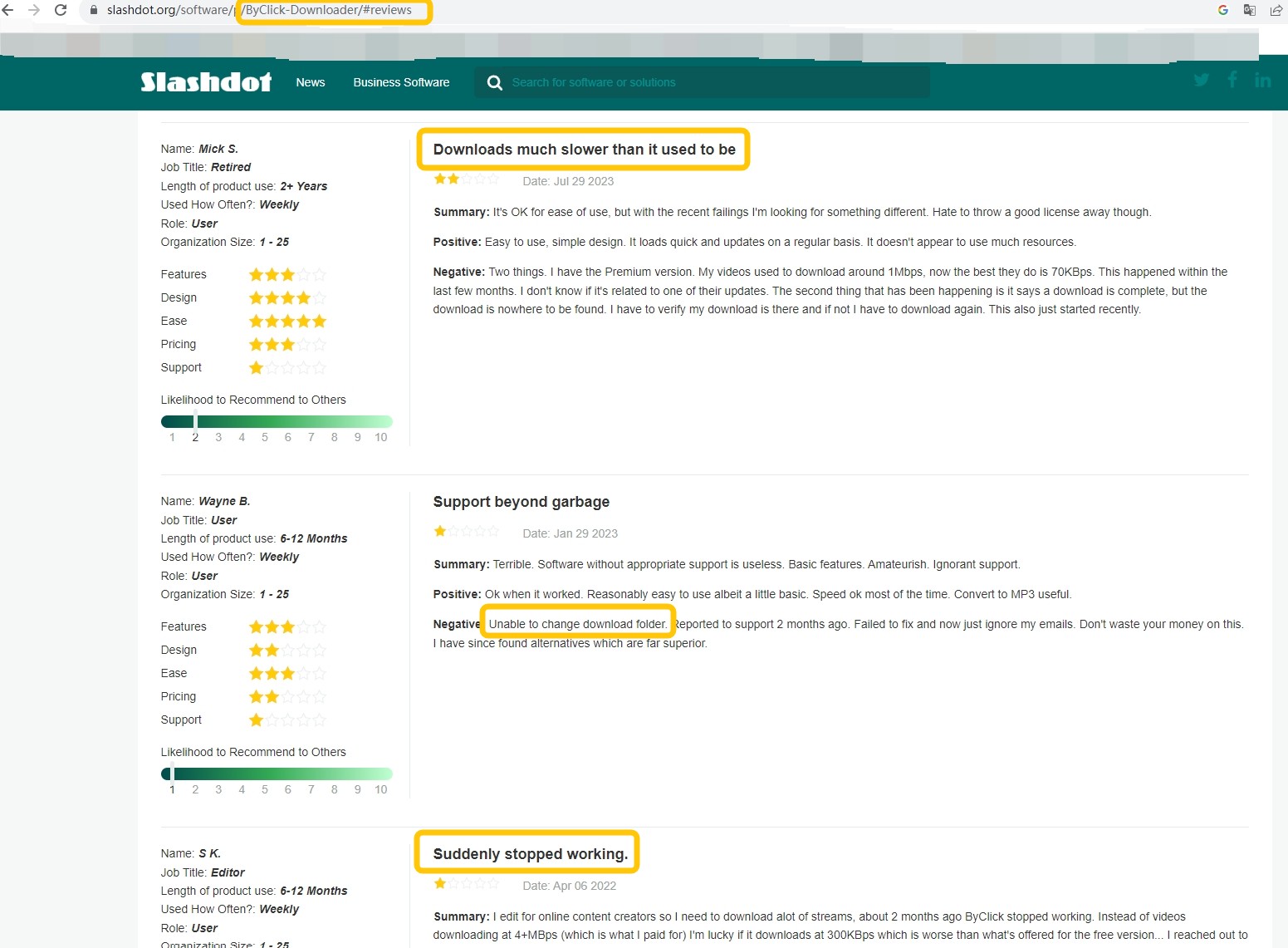
When By Click Downloader stops at reconnecting or retrieving, start with the visible symptom rather than assuming one technical cause. Common practical failure points include Chrome or Google authentication prompts, expired cookies, age-restricted content, playlist parsing, subtitle requests, and platform-side changes.
Restart the app and browser, sign in again only when the prompt is expected, then retry a single public video before attempting a playlist.
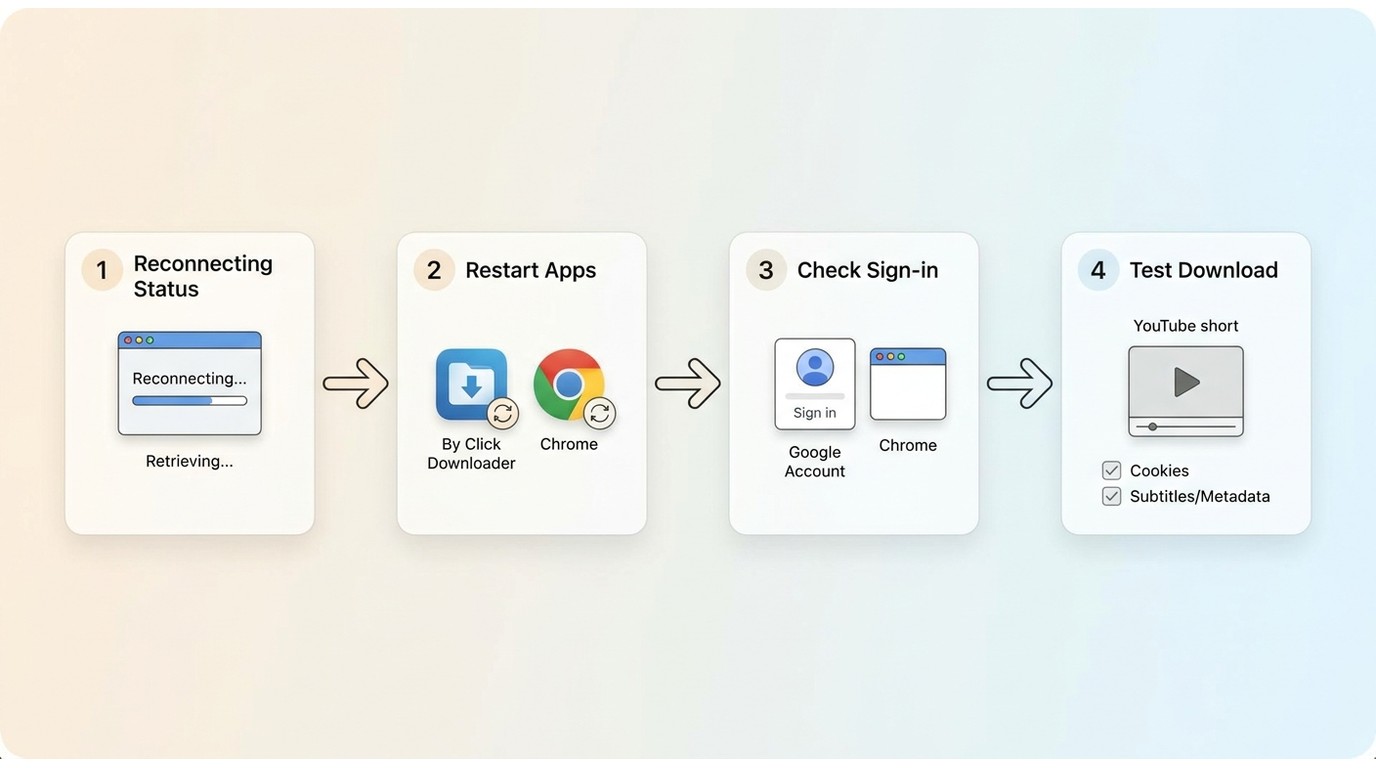
If reinstalling and restarting do not resolve the issue, test a different supported source and disable optional subtitle or metadata selections for that attempt.
Community reports can identify patterns, but they do not establish a single cause for every failed download. Reproducible symptoms and dated steps are more useful than a universal diagnosis.
Alternatives to By Click Downloader
Alternatives are best compared by operating system, source type, file format, maintenance tolerance, and budget. By Click Downloader is aimed at a simple Windows workflow; yt-dlp suits users comfortable with command-line maintenance, browser converters fit occasional public clips but can vary in privacy and reliability, and StreamFab All-In-One is a desktop option for broader authorized streaming workflows.
Side-by-Side Comparison
This comparison uses published product descriptions and workflow characteristics, not a controlled cross-tool speed test. For a broader category view, see this best streaming video downloader review.
| Option | Best fit | Systems, output, workflow, and main limitation |
|---|---|---|
| By Click Downloader | Windows users saving supported public or social videos | Windows desktop; MP4 and MP3; playlist support; $11.99 yearly or $14.99 unlimited license; site compatibility and account prompts can affect results. |
| yt-dlp | Users comfortable with a command line and regular maintenance | Windows, Mac, and Linux; format selection and playlists; open-source; setup and site changes require technical attention. |
| Browser-based converters | Occasional public clips without desktop installation | Browser-based; output and quality vary; pricing and batch support vary; assess privacy, ads, and source reliability carefully. |
| StreamFab All-In-One | Windows or Mac users who need a broader local-file workflow | Windows and Mac; MP4 or MKV; batch and scheduled tasks, subtitles, and supported multichannel audio; requires an active service subscription and authorized use. |
Decision tip: Choose a lightweight Windows downloader for occasional supported public-video links, a command-line tool when you are comfortable maintaining it, a browser converter only for limited low-stakes use, or a desktop streaming workflow when local files, batches, and subtitles matter more.
When StreamFab Fits Better
StreamFab is a separate desktop alternative to By Click Downloader for Windows and Mac users who need local MP4 or MKV files across supported streaming services, particularly for batches, scheduled tasks, multilingual subtitles, or supported multichannel audio.
For content you are authorized to access, where permitted by platform terms and applicable law, it uses screen-recording and stream-recording technology rather than DRM decryption; keep use within private-copy boundaries and maintain an active subscription to the original service.
It is not the natural fit for someone who needs one occasional public YouTube clip or prefers a command-line tool. The workflow below shows how to use StreamFab for users whose needs match that scenario.
Download the StreamFab software
Install the software on your device and open the interface
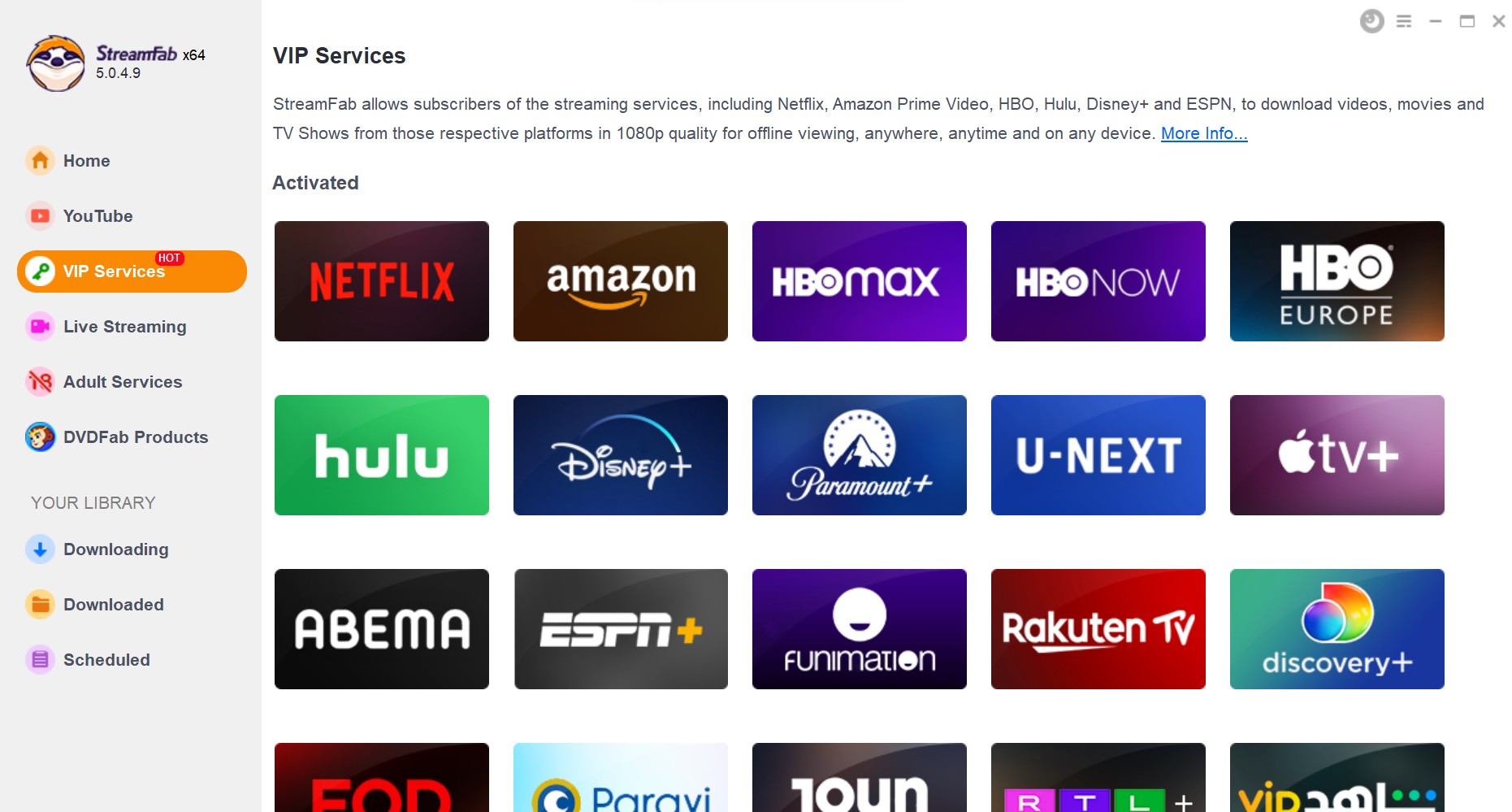
Choose the streaming service
To download videos, you can go to the Explore section or the Streaming Services to choose a website first. You can also copy and paste your video URL directly into the address bar on the Homepage.
Customize the file
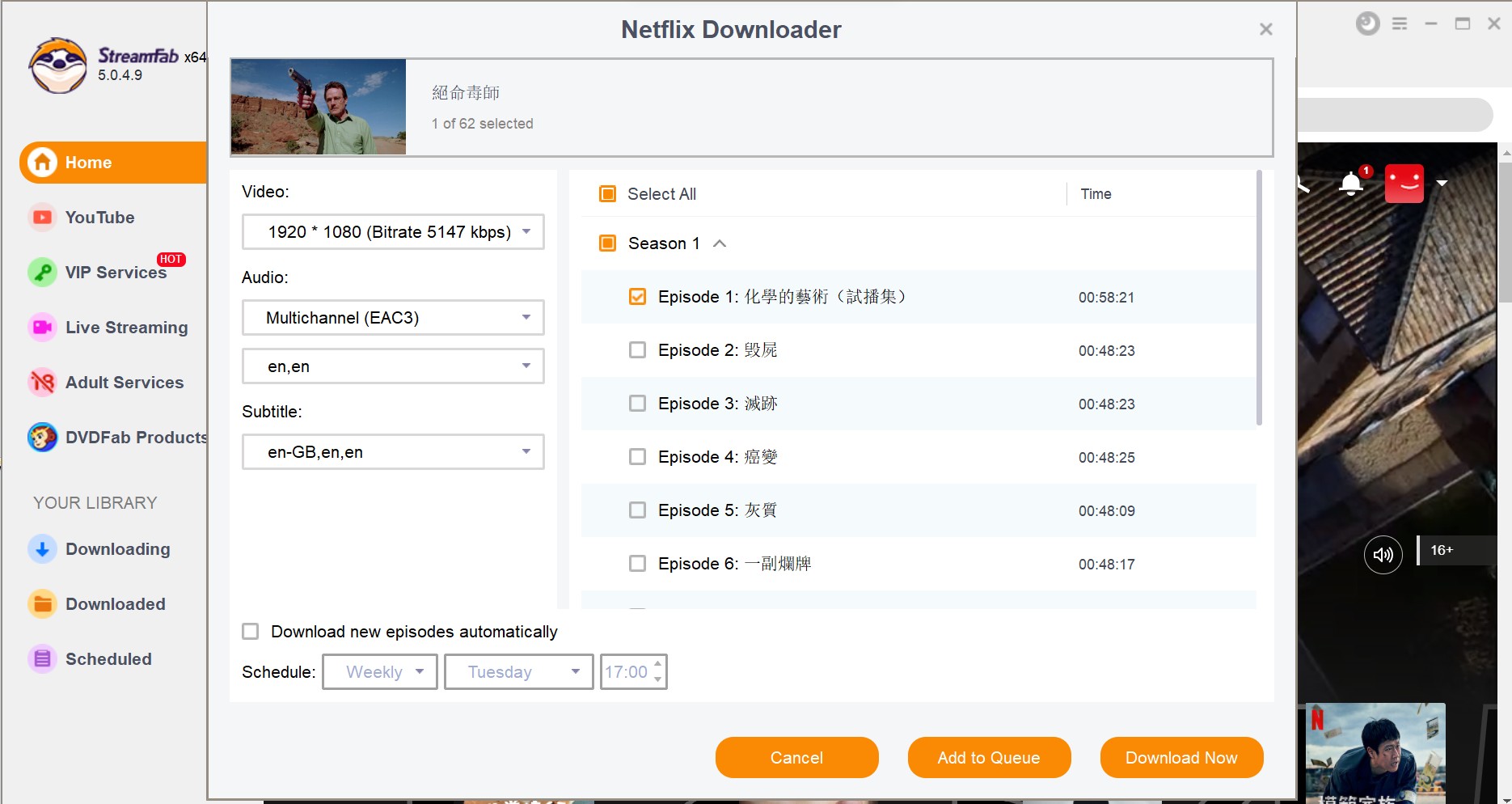
Search for the video and play it, then a pop-up window will ask for your video options. You can choose the audio and subtitle language.
Click the download button
After customization, you can download it right now or add it to the queue.
By Click Downloader FAQs
Is By Click Downloader free, and does it offer a seven-day trial?
The official site offers a free download option, but it does not clearly state a seven-day trial or a fixed free-tier allowance. Premium offers are listed separately, so do not assume that a trial length or feature limit applies unless it is shown during the current installation or checkout flow.
How do I uninstall By Click Downloader from Windows?
Open Settings in Windows, go to Apps , find By Click Downloader, select it, and choose Uninstall . You can also use Control Panel's Programs and Features. Remove leftover desktop shortcuts only if they remain after the normal uninstall process.
Is it legal to save videos with By Click Downloader?
That depends on the content, your authorization, the platform's terms, and applicable law. Use download tools only for content you are allowed to access and keep any copies within permitted personal-use boundaries.
Can By Click Downloader save a video as an MP4 file?
Yes, MP4 is an advertised output option. Choose MP4 before starting the download, then use Show in Folder or the destination set in the app to locate the completed file.
Does By Click Downloader still work with YouTube?
The product remains active, but individual results can change with YouTube updates, sign-in requirements, cookies, and video restrictions. If one download fails, retry a public video after restarting the app and browser before assuming the tool no longer works.
Conclusion
By Click Downloader remains active and can suit Windows users who want a simple workflow for supported public and social-video links. Its fit depends on the target site, current compatibility, account requirements, and the reliability you observe with your own downloads.
Choose yt-dlp if you prefer a command-line tool, a browser converter for limited public-video use, or StreamFab when an authorized Windows or Mac streaming workflow needs local MP4 or MKV files, batches, and subtitles. The best choice is the one that matches your source, operating system, and comfort with ongoing maintenance.

AnyStream (RedFox AnyStream) shut down in June 2024 and remains gone in 2026. I tested every major replacement — here are the 5 best anystream alternatives, including free options, ranked by real-world performance.
By Erika Leen - Oct 12, 2026
Evaluating the Audials One 2026 free trial? I tested its 720p caps, examined if is audials legal under Fair Use
By Erika Leen - Sep 29, 2026
Are you thinking of purchasing NoteBurner and unsure if it’s worth the investment? In this NoteBurner review, let’s delve into its product lines, particularly the NoteBurner Video Downloader’s pros and cons.
By Marcia Hatcher - Sep 28, 2026
Read our in-depth Audials review for 2026. Is Audials safe and legal for Amazon Prime? Discover actual test results, Widevine DRM fixes, and better alternatives.
By Erika Leen - Sep 28, 2026