
MovPilot HBO Max Downloader Review: Price, Safety, and Practical Limitations

Summary: Is Movpilot HBO Max Video Downloader still worth its price in 2026? There is a trustable experience in person and detailed analysis. It's available but a better and stronger max downloader is more recommended than it.
Table of Contents
MovPilot Review Verdict at a Glance
In short, MovPilot may suit Windows and Mac users who want configurable MP4 or MKV files, but its short trial and one-computer license limit how confidently you can judge its value before buying.
If you are searching for a MovPilot HBO downloader to download HBO Max to MP4 on a laptop, the important questions are less glamorous: What files can it create, what purchase terms apply, and how does its desktop workflow differ from Max's official downloads? I focus on those decision points instead of speculative back-end claims.
Official Max Downloads Have Clear Limits
US plan quotas and expiration rules
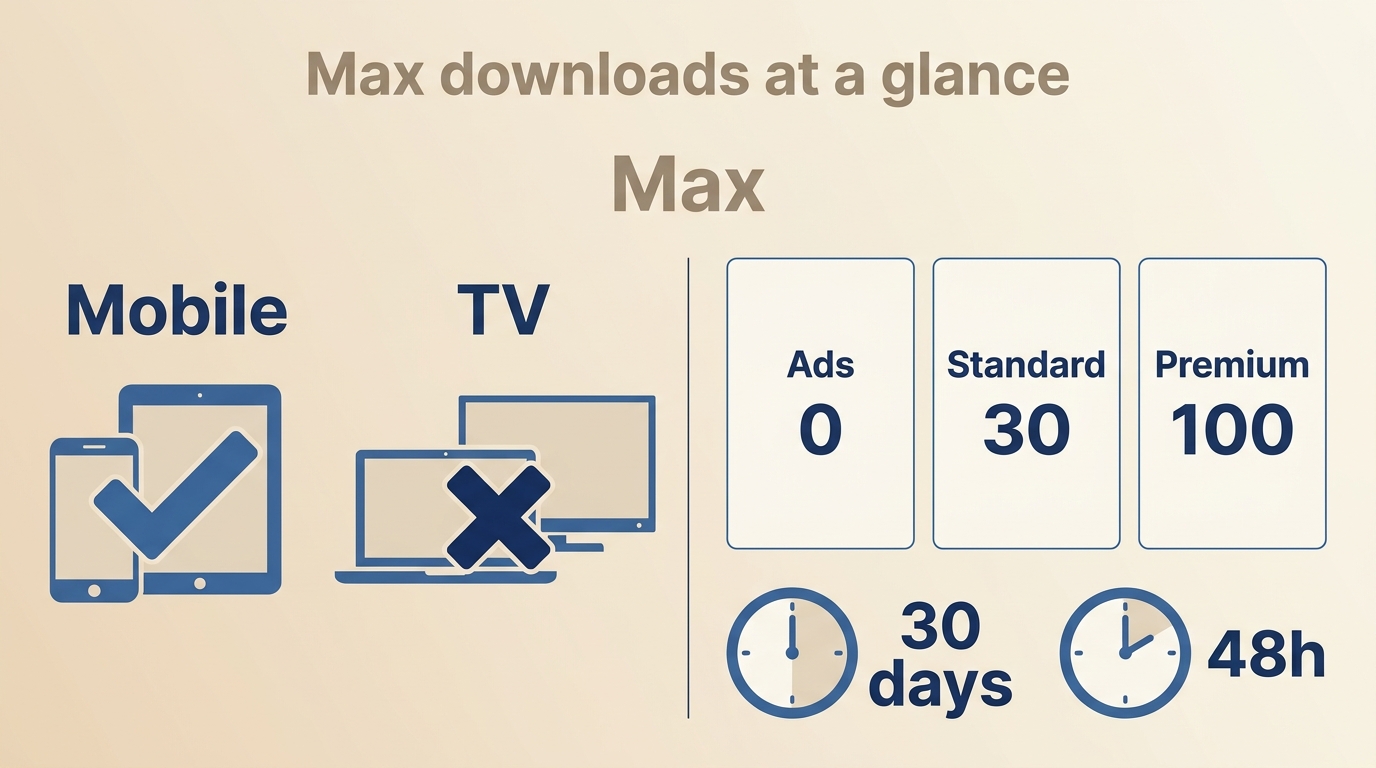
In the United States, official Max downloads are available on supported phones and tablets, not computers or TV devices. Basic with Ads includes no downloads, Standard allows up to 30 downloads, and Premium allows up to 100.
Unwatched downloads expire after 30 days, while a started download expires after 48 hours. Max explains these limits in its official download rules.
Why computers need a different workflow
That device distinction matters more than a generic complaint about download limits.
Official downloads are designed for managed in-app viewing, whereas a desktop workflow is for readers who need compatible local files for personal offline viewing, subject to the service's terms and applicable law.
MovPilot Specs, Price, and Compatibility
MovPilot Price, Free Trial, and License
MovPilot is paid desktop software. As of August 2026, the official US purchase page lists a $99.95 single plan, a $129.95 Netflix and HBO Max bundle, and a $149.95 all-in-one plan.
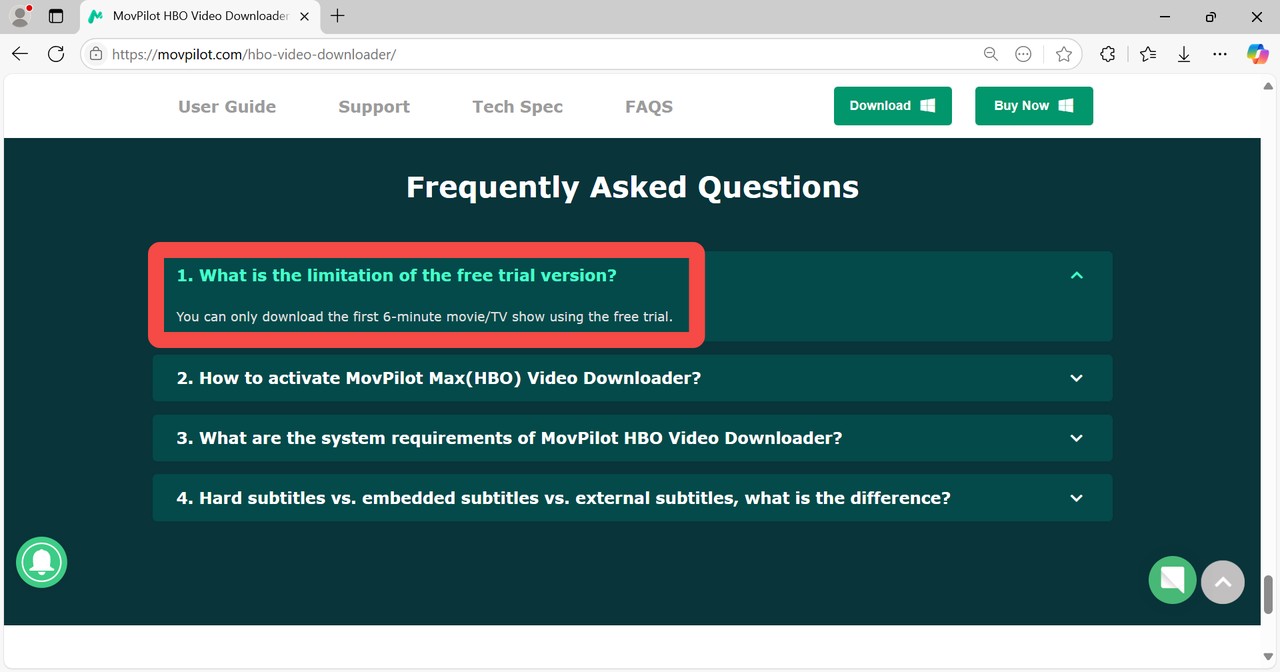
A separate promotional landing page lists $69.96 for a limited audience, so that offer is not a universal price. The trial is limited to the first 6 minutes of a selected title, and the listed single-product license covers one computer.
Formats, quality, audio, and subtitles
MovPilot advertises MP4 and MKV output with H.264 or H.265 options, up to 1080p depending on the Max plan and available title, selectable audio tracks, and soft, hard, or external subtitle options. Treat the selector as an advertised setting, not proof of the finished file's quality.
MovPilot System Requirements for Windows and Mac
The HBO downloader is desktop software for Windows and macOS. It is not a native Android or iOS downloader, although compatible local files may be played on supported devices.
| Decision factor | Official Max downloads | MovPilot desktop workflow | Practical takeaway |
|---|---|---|---|
| Eligible devices | Supported phones and tablets | Windows and macOS computers | Desktop use needs separate software |
| Quota or trial | Standard: 30; Premium: 100 | First 6 minutes per selected title | Trial cannot show full-title behavior |
| Video options | Managed in-app download | MP4/MKV; H.264/H.265; up to 1080p advertised | Check completed files, not selectors |
| Audio and subtitles | Managed in-app options | Selectable audio; soft, hard, or external subtitles | Confirm your preferred output |
| Expiration or license | 30 days unplayed; 48 hours started | One computer for the listed single plan | Different ownership and access models |
| Best fit | Occasional mobile viewing | Configurable desktop local files | Choose by device and library needs |

This article focuses on the HBO downloader; a broader MovPilot review [[https://streamfab.dvdfab.cn/blog/movpilot-review.htm]] covers the wider product lineup.
Movpilot Netflix Downloader Review
Movpilot Amazon Prime Video Downloader Review
Using MovPilot for Personal Offline Viewing
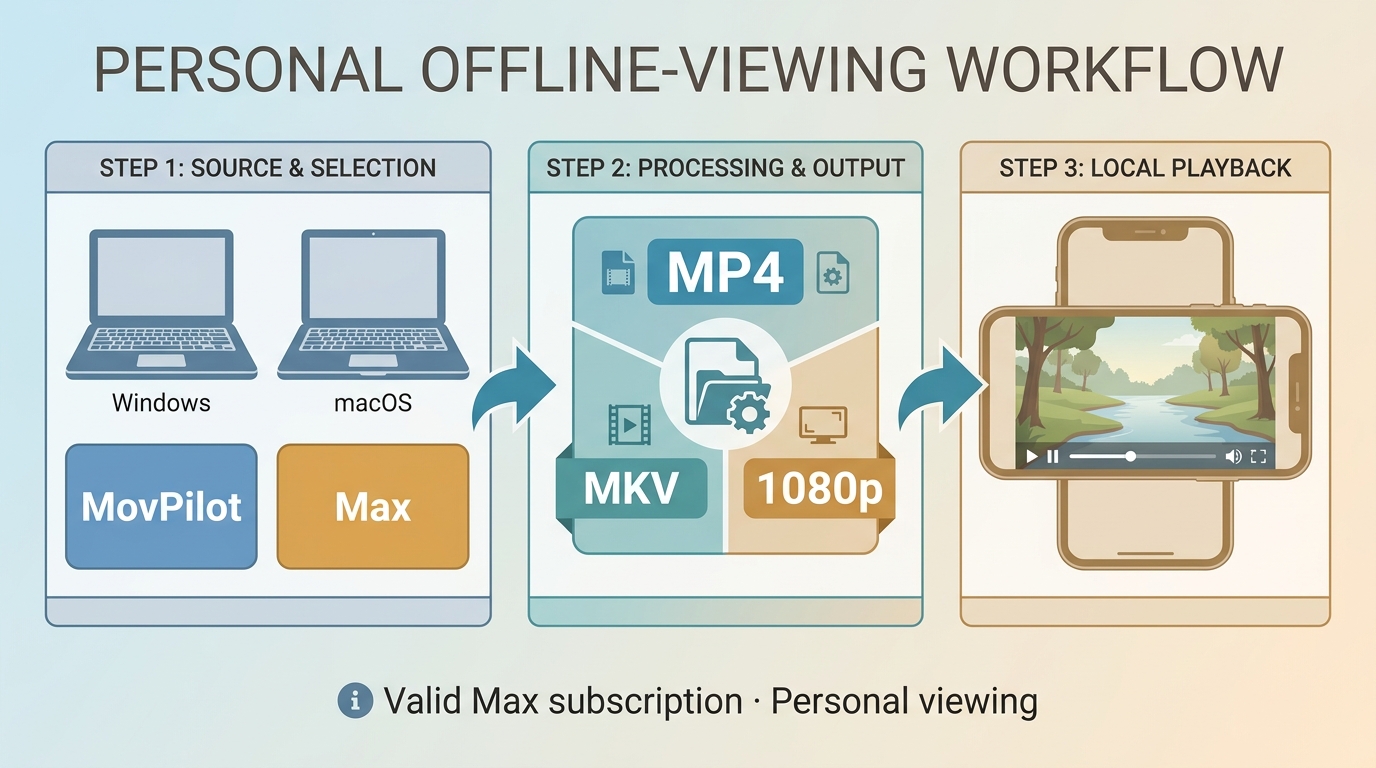
Three-Step MovPilot Workflow
Before you start: You need an active Max subscription, a Windows or macOS computer, enough local storage, and content you are authorized to access.
Download the video downloader
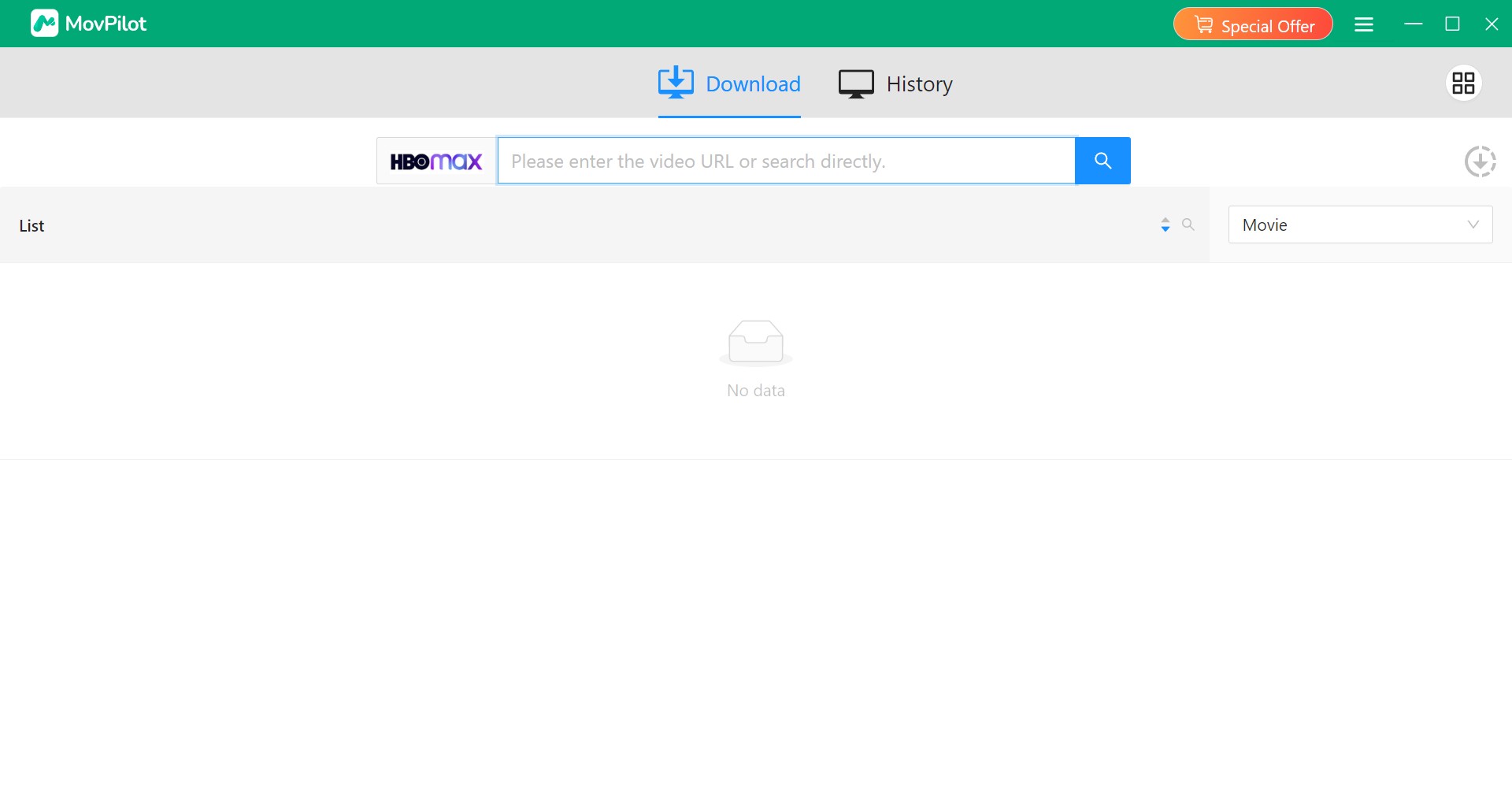
Download and install the downloader and log in to HBO Max. Use the built-in browser to search for the names of your favorite movies or shows, or you can copy the video's URL and paste it into the search bar.
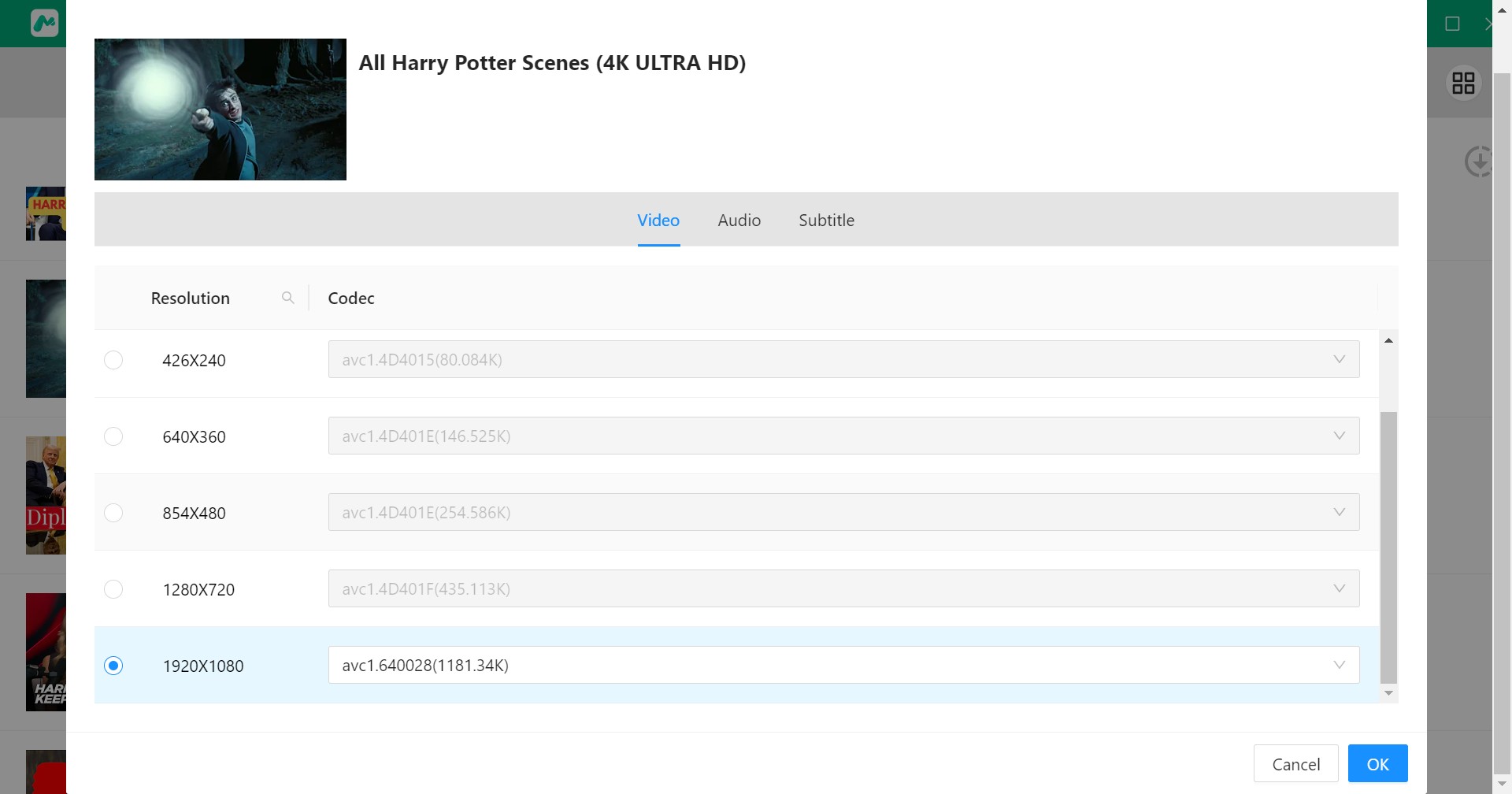
Customize the file
Before starting your download, there is a window that allows you to customize the resolution, codec, audio, and subtitle settings as you want.
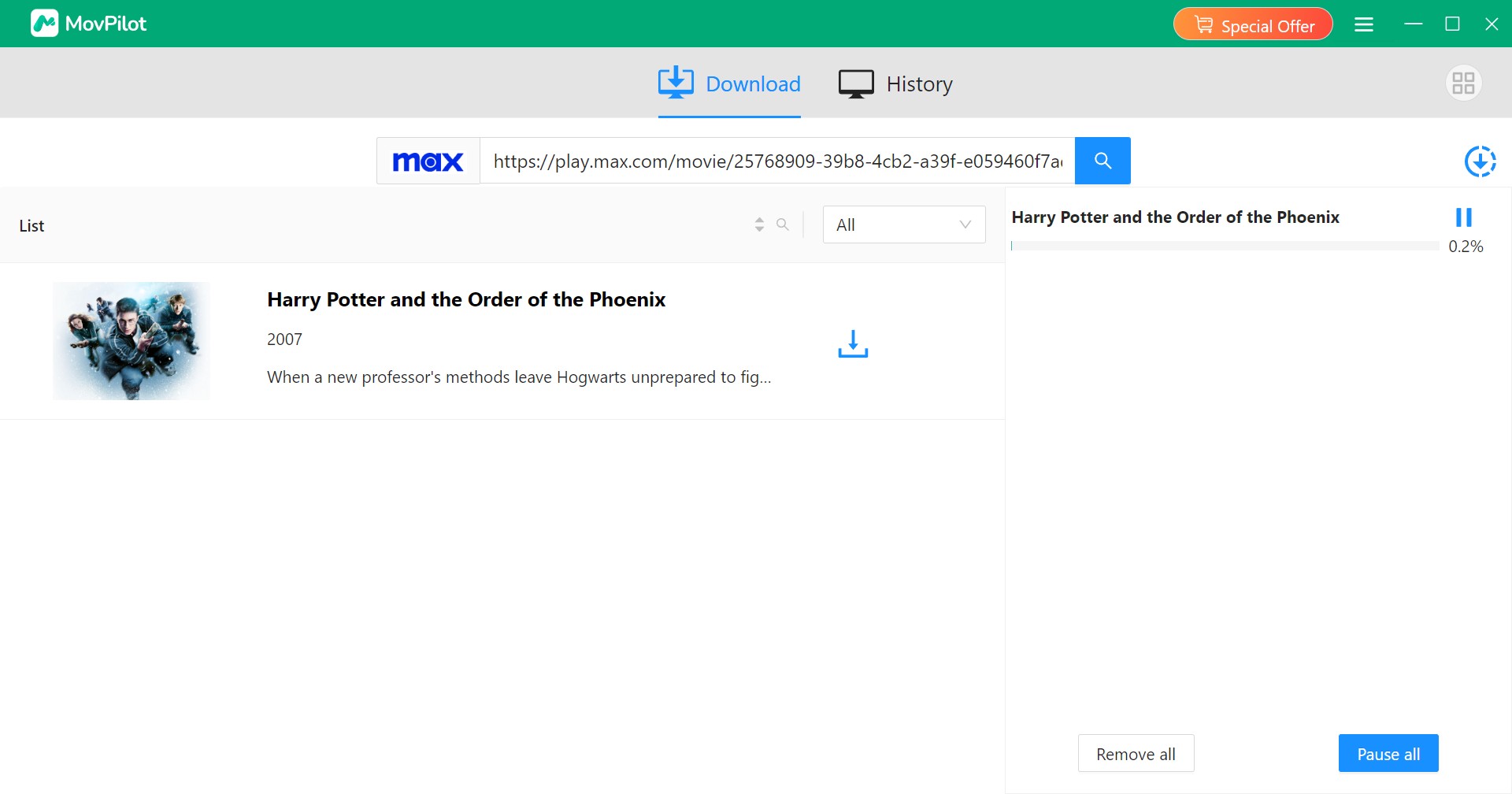
Click the download button
Click the OK button to start downloading. Wait until the download is finished and enjoy the movies. Where the videos are saved depends on the Output Folder in Preference settings.
For a separate assessment of another desktop option, see this FlixGrab review.
What This Review Can and Cannot Verify
This review weighs official Max download rules, MovPilot's advertised specifications and purchase terms, and the practical desktop-versus-mobile decision.
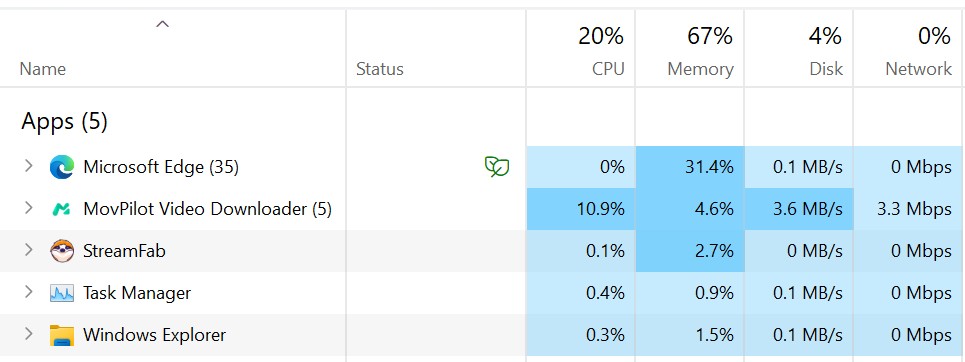
Official rules and vendor-listed features establish the factual baseline. It does not present speed, CPU use, RAM use, or completion rates as fixed results because no documented controlled run is available.
MovPilot’s Advertised Specs and Practical Limitations
What the Trial Cannot Establish
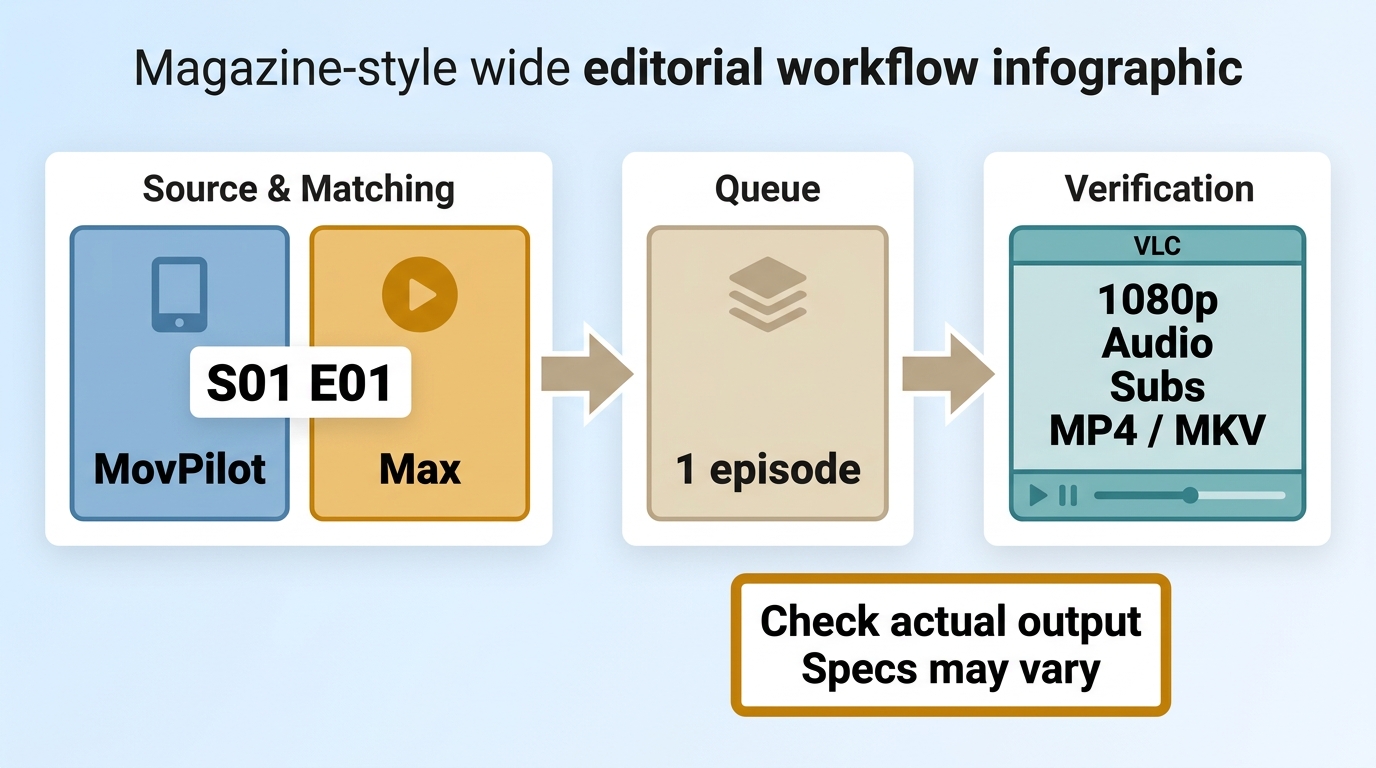
A short trial segment cannot establish long-session stability, season-queue performance, speed, CPU use, RAM use, or failure rates. Those metrics should not drive the purchase decision without documented controlled results.
Episode matching and batch reliability
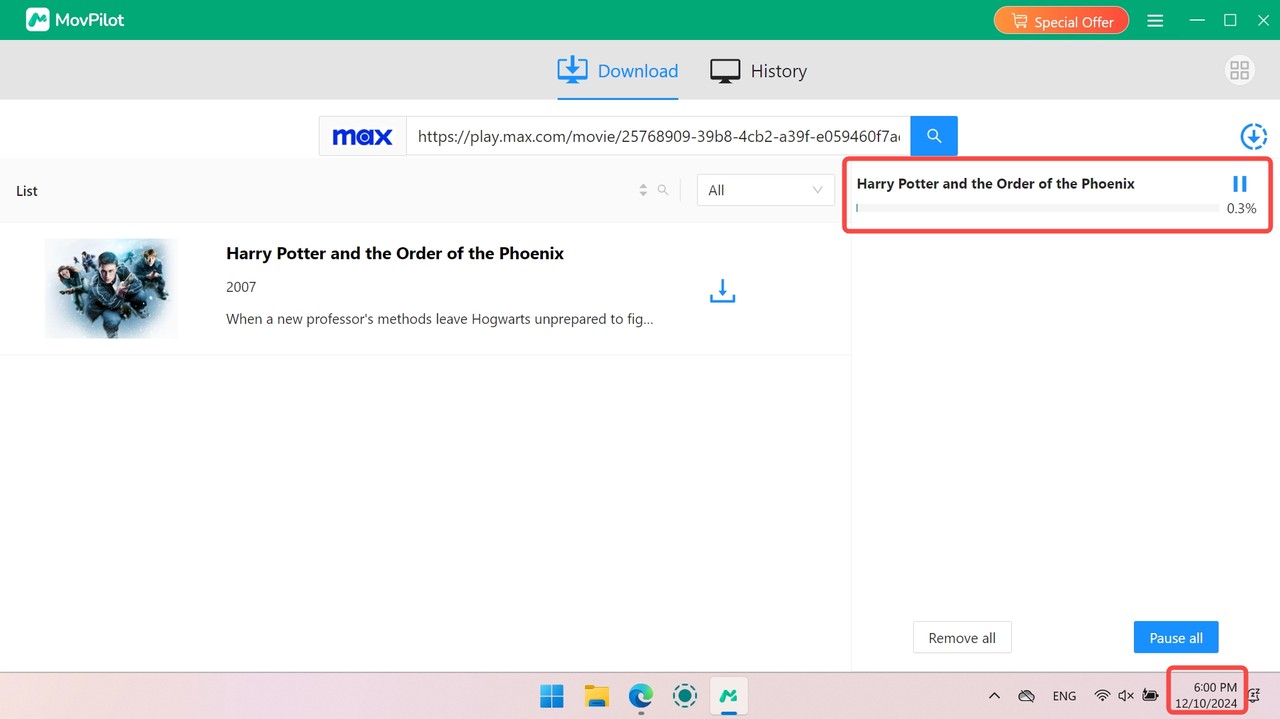
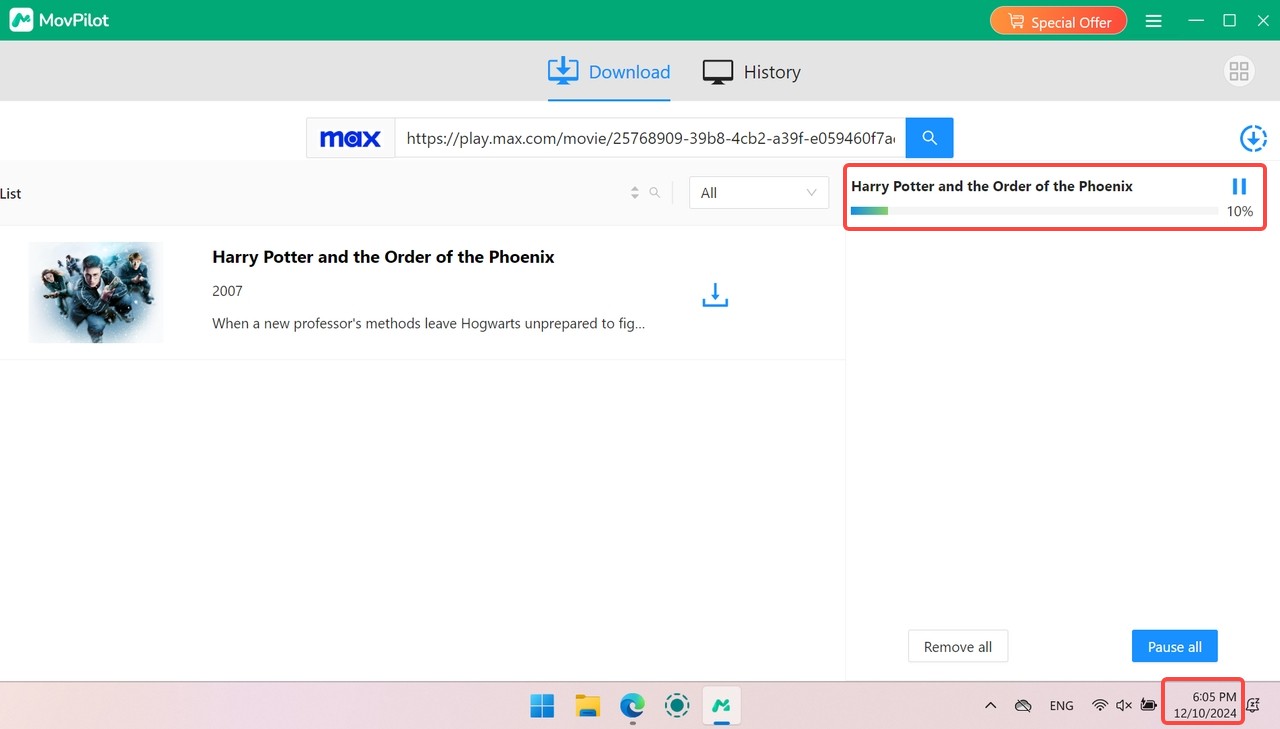
Before queuing a season, refresh the title analysis, compare episode names and numbers, and run one episode first. If the mapping is wrong, update the app, analyze the title again, and contact support if the mismatch continues. This small check matters more than a headline speed claim when you are preparing a series for a trip.
Final-file quality and format
MovPilot advertises MP4 and MKV output, with H.264 and H.265 options and resolution up to 1080p where the title and subscription allow it. Check the completed file in your preferred player before assuming that the quality selector matches the final resolution, audio track, or subtitle behavior.
Is MovPilot Safe for Your Account?
MovPilot is separate from Max's official download feature, so installation and account decisions deserve a separate check. Download the installer only from MovPilot's official site. Supported devices and availability may change.
There is no independent malware audit cited in this assessment. Treat your Max credentials as sensitive: use the legitimate sign-in flow, avoid sharing account access, and do not enter credentials into lookalike sites or unofficial installers.
Account safety also differs from software security. Use the workflow only with an active subscription and for content you are authorized to access, where permitted by platform terms and applicable law, for personal offline viewing without redistribution. Max can change its terms or service behavior, so no desktop workflow can promise a particular account outcome.
When MovPilot Is Not the Best Fit
MovPilot is a reasonable fit for a Windows or Mac user who specifically wants configurable MP4 or MKV files. It is less compelling for someone who needs occasional mobile viewing, because the official Max app already handles that use case, or for anyone expecting a full-length trial before deciding.
A flexible option for larger libraries
StreamFab HBO Max Downloader workflow is a third-party desktop alternative to Max's official download feature and is subject to each service's terms and local law. It may fit users who prioritize scheduled series downloads, compatibility updates, and organized local-library metadata. It may be unnecessary if you only need occasional official mobile downloads.
- Download Max videos as 1080p/4K MP4 with AC3 5.1 audio track.
- Download HBO Max movies with HDR10 or Dolby Vision.
- Download either the H.264 or H.265 version of the videos in MP4/MKV format.
- Download newly released Max episodes or movies automatically at a set time
For a recurring desktop library, the MovPilot versus StreamFab comparison examines the product-to-product tradeoffs in more detail.
Download the video downloader
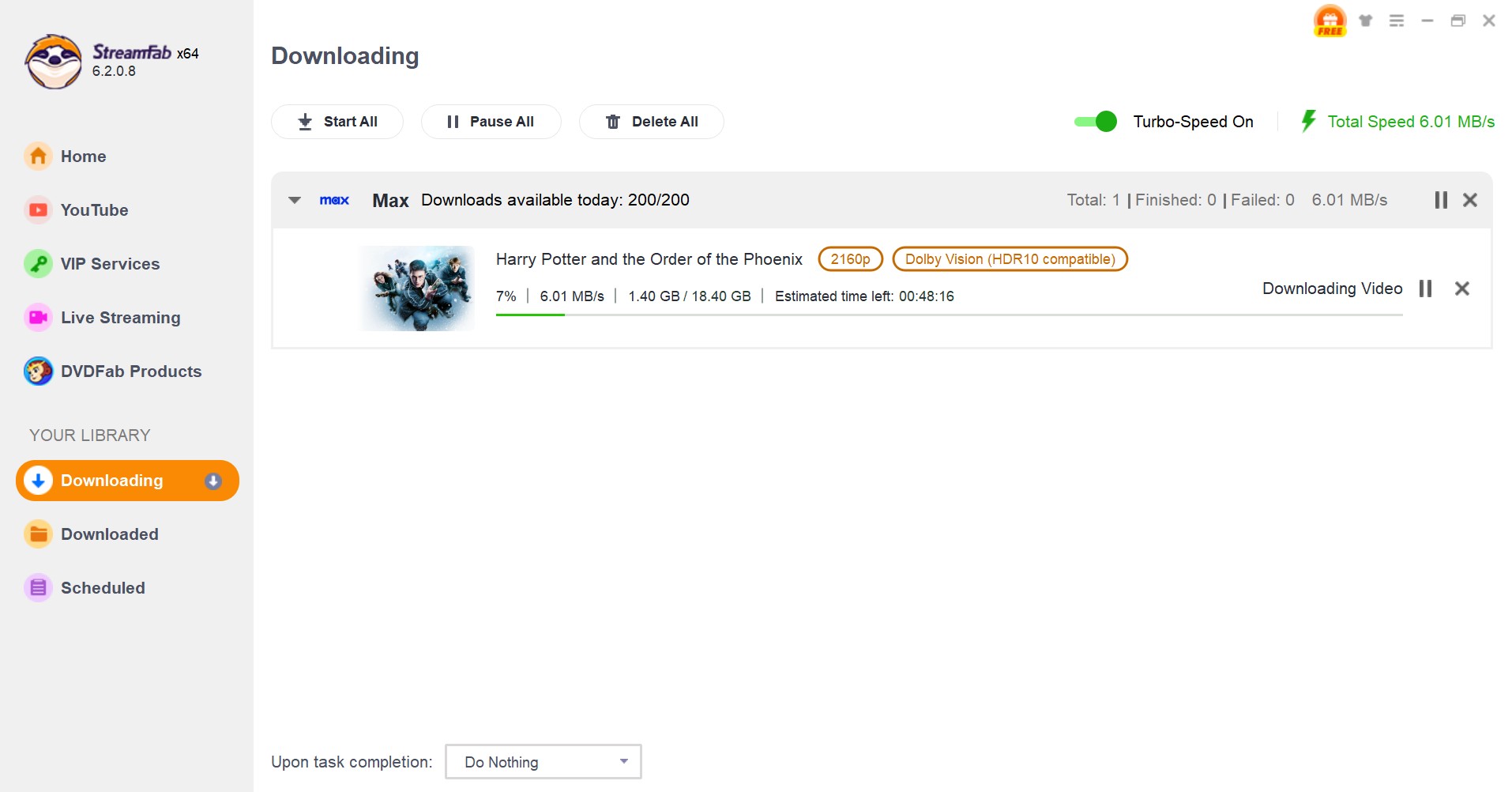
Install StreamFab first and find HBO Max or Max on the page of "VIP Services", click one of them, and log in to your HBO Max account. Directly pasting the show's URL copied from the Max site is also available.
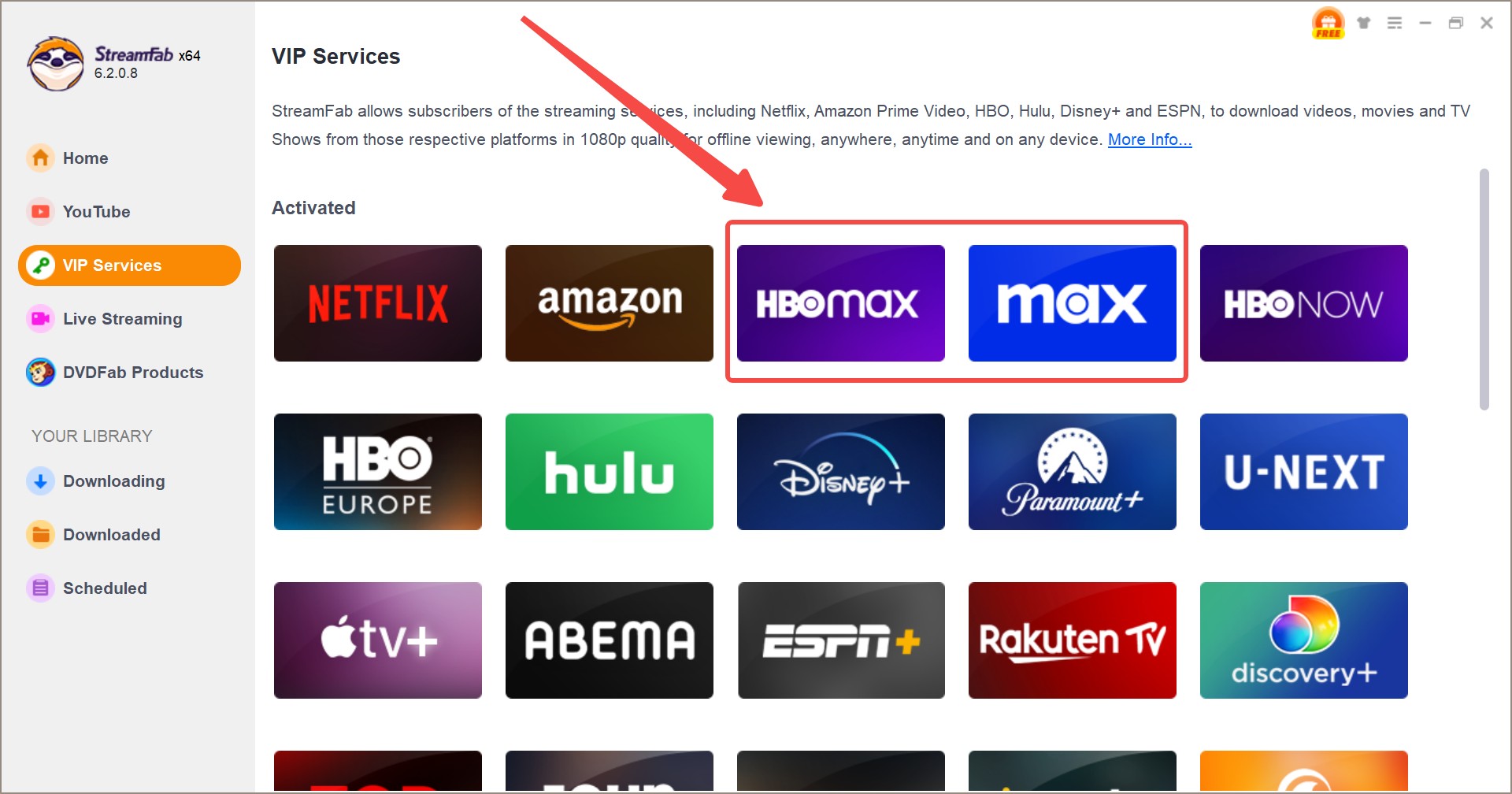
By the way, all steps here are still available if you want to download HBO Max shows on Mac.
Customize the settings
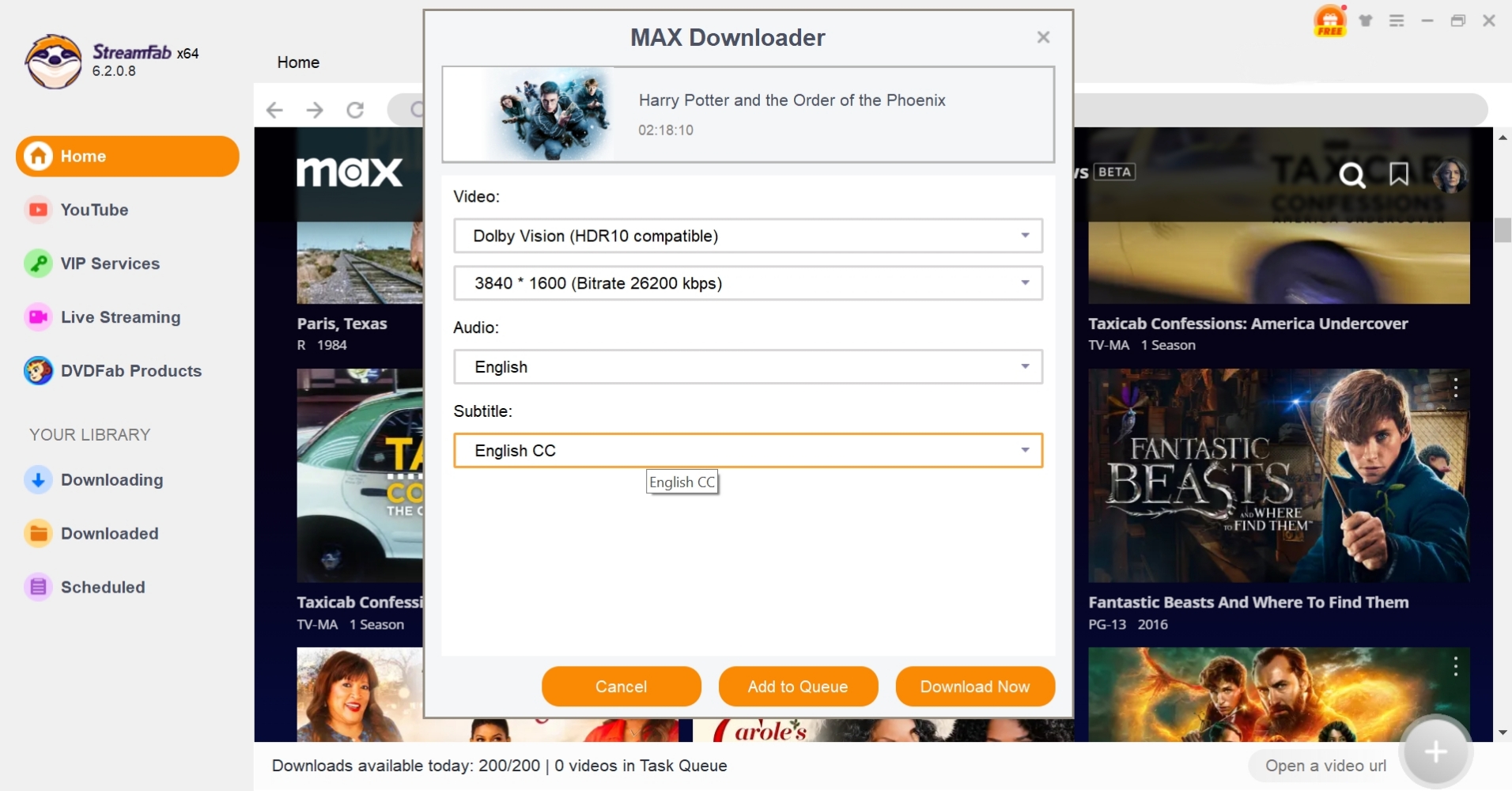
Search for shows or movies you like with a built-in browser. Adjust videos, audio and subtitle settings to start downloading or adding them to the queue.
Download the videos
After all the sets, you just need to wait for a moment until the download is finished. If you want to know where the movies are located, please check the "Download Directory" in settings.
Related reading:
Why Are HBO Max downloads not working? How to Fix!
Frequently Asked Questions
Is Movpilot HBO Max Downloader Legal & Safe to Use?
Does Movpilot HBO Max Downloader Have a Free Trial?
Are Free HBO Max Download Tools Real?
Does MovPilot offer an Android app or APK?
No. The HBO downloader discussed here is Windows and macOS desktop software. Android and iOS devices can be playback destinations for compatible local files, but they are not native MovPilot downloader platforms.
Can MovPilot download a short clip from Max?
The workflow is designed around selecting available titles rather than choosing a time-coded segment. Any later editing should be limited to content you are authorized to use.
Can I use one MovPilot license on multiple computers?
The listed single-product license covers one computer. If you need access on more than one machine, compare the purchase terms before choosing a plan.
Conclusion: Is MovPilot Worth It?
MovPilot is worth considering if you use a Windows or Mac computer and want MP4 or MKV output for personal offline viewing of content you are authorized to access.
Its brief trial is the main limitation because it cannot meaningfully show how full movies or season queues will perform. For occasional phone or tablet viewing, official Max downloads are the simpler fit; for larger scheduled libraries, StreamFab is a relevant desktop alternative.

Evaluating the Audials One 2026 free trial? I tested its 720p caps, examined if is audials legal under Fair Use
By Erika Leen - Sep 29, 2026
Are you thinking of purchasing NoteBurner and unsure if it’s worth the investment? In this NoteBurner review, let’s delve into its product lines, particularly the NoteBurner Video Downloader’s pros and cons.
By Marcia Hatcher - Sep 28, 2026
Read our in-depth Audials review for 2026. Is Audials safe and legal for Amazon Prime? Discover actual test results, Widevine DRM fixes, and better alternatives.
By Erika Leen - Sep 28, 2026
TuneFab’s Amazon downloader suits a focused desktop routine, while VideOne covers multiple services. Compare their workflows, license structures, and output checks with StreamFab, then use the numbered setup and maintenance steps for authorized personal offline viewing.
By Erika Leen - Sep 24, 2026