
9xbuddy Downloader in 2026: Current Status, Limits, and 5 Alternatives

Summary: 9xbuddy is still actively distributed in 2026 across the web, an Android app, a Windows app, and a Firefox extension, but reliability and available features vary a lot by source site, device, and delivery surface. If you searched to check whether it still works before switching tools, the honest answer is "sometimes" — and this article walks through the current status, per-platform availability, what formats and quality you actually get, safety by access method, common parsing errors, and five alternatives worth knowing.
Table of Contents
My take up front: 9xbuddy is still worth trying as a first step for simple, authorized public-media downloads. Once it fails on more than one site, the right replacement depends on your device and the type of content you're saving, not on which tool has the longest feature list.
9xbuddy Performance by Platform
9xbuddy's current state is uneven rather than broken. In my testing across public video hosts, the web and Firefox extension surfaces tend to succeed more often on open sources like YouTube-style public clips than the Android app does, and results shift week to week as source sites change how they serve media. Before troubleshooting a single failure, it helps to know which surface you're actually using and what it's built to handle.
Current Web, App, and Extension Options
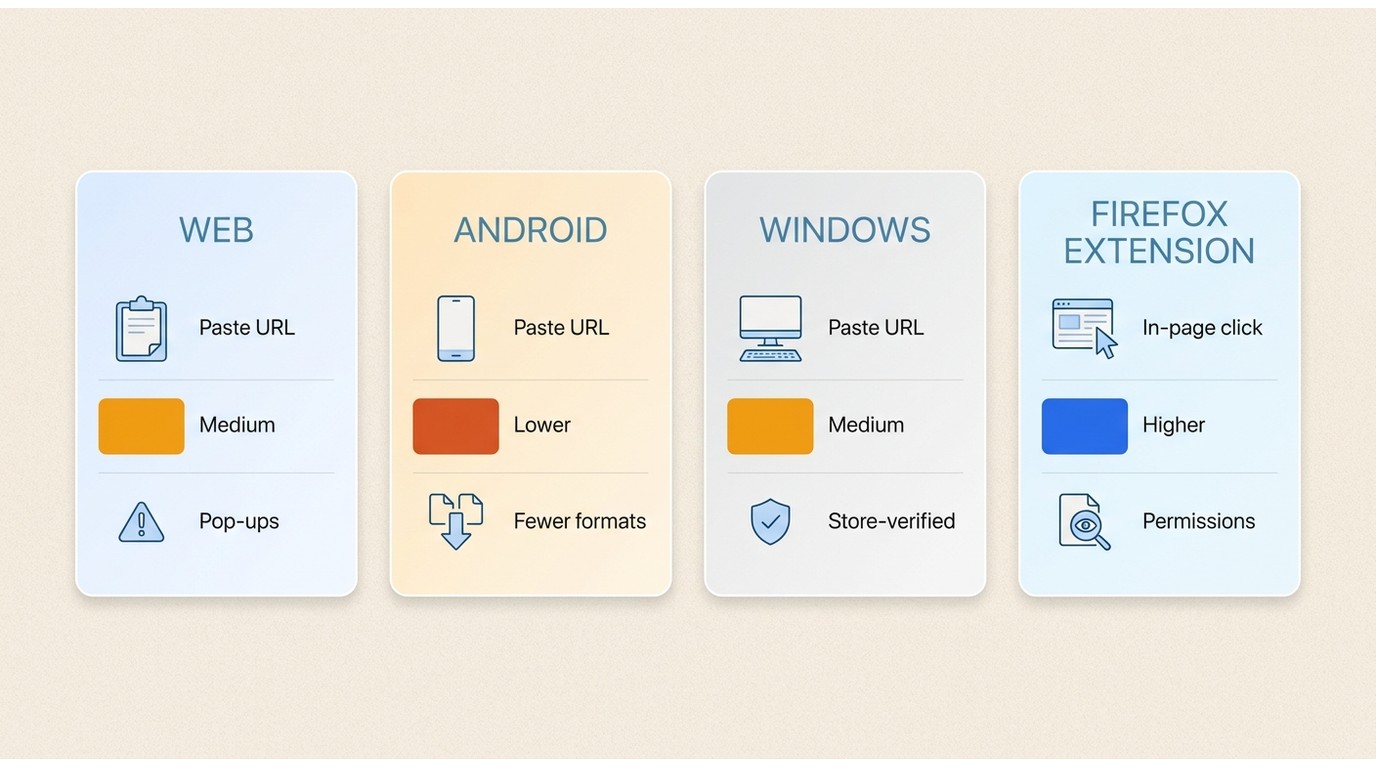
As of July 2026, four delivery surfaces are in active distribution: the web tool at 9xbuddy.com, an Android app listed on Google Play, a Windows app listed on the Microsoft Store, and a Firefox add-on on addons.mozilla.org. There is no first-party iOS app, so iPhone users are limited to the web workflow inside Safari or a supported browser.
Coverage and behavior differ across surfaces: the Firefox extension picks up media from the page you're viewing, while the web and app entry points ask you to paste a URL, and this — together with parsing evaluations that resemble Chrome-extension helpers you may already know from a broader video downloader for Chrome extensions roundup — explains why the same video can succeed on one surface and fail on another.
Basic 9xbuddy Download Workflow
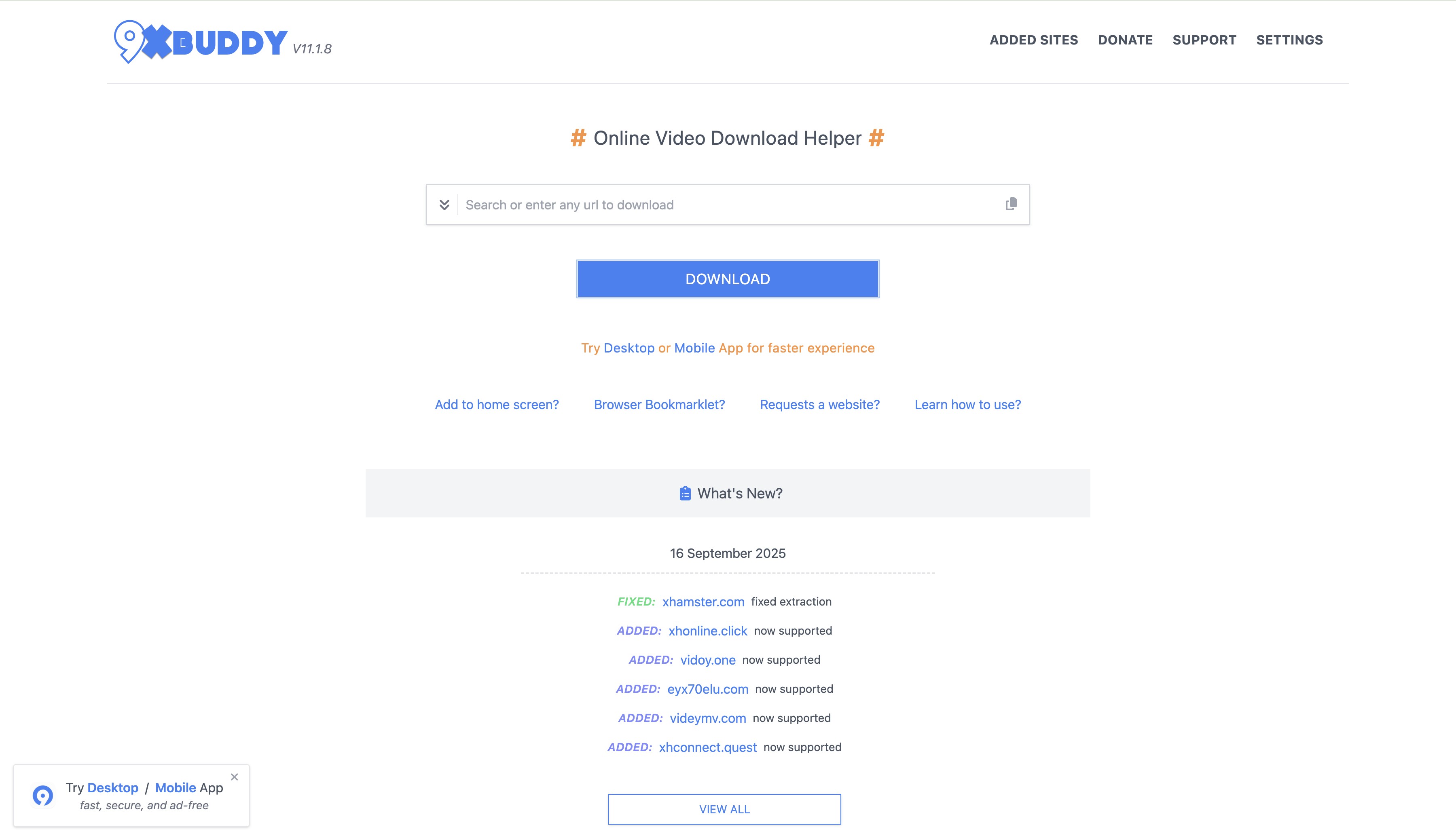
The workflow is intentionally simple on every surface. Open the live site or the verified app or extension, paste (or, in the extension, click on) an authorized public-media URL, wait for the parser to return available formats, pick a resolution and container that shows up in the list, and save the file to your device.
Available quality and format options depend on the host site and the surface — a URL that returns a full menu on the web may fall back to a single MP4 in the Android app. This basic path is worth a try when you just need one clip from a public source; if it fails twice on different videos, that's the point where I move to a dedicated tool rather than keep retrying.
Parsing Failures and Site Compatibility
When 9xbuddy shows only a 480p or 720p option, or hangs on "parsing," the cause is rarely a single universal one. In practice I've seen a mix of factors: the source site changed how it serves media, the video is region-restricted, the host uses a delivery format the parser doesn't handle, or the web surface hits shared-server checks that a local app or extension wouldn't.
Two of those failures on the same site are my personal stop rule — after that, more retries usually cost more time than a switch to a desktop tool would.
Safety Risks by Access Method
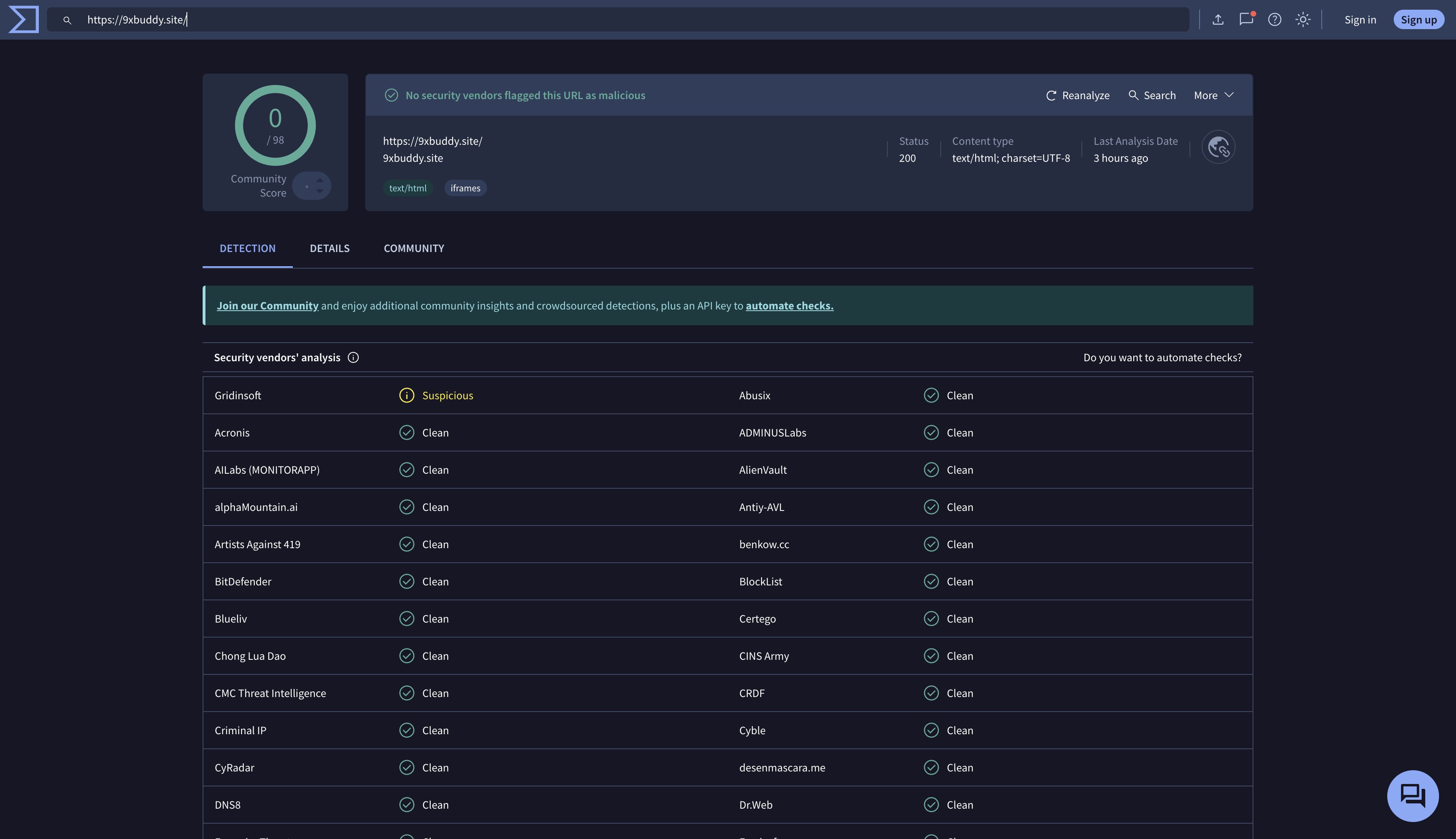
Safety with 9xbuddy depends on how you reach it, not on the name alone. The website itself tends to load ad-network pop-ups and redirect Windows that can push toward lookalike domains or sideloaded installers — worth using a pop-up blocker for. The Google Play and Microsoft Store listings reduce impersonation risk because the store verifies the publisher, but store presence is not a promise of clean behavior on every source site.
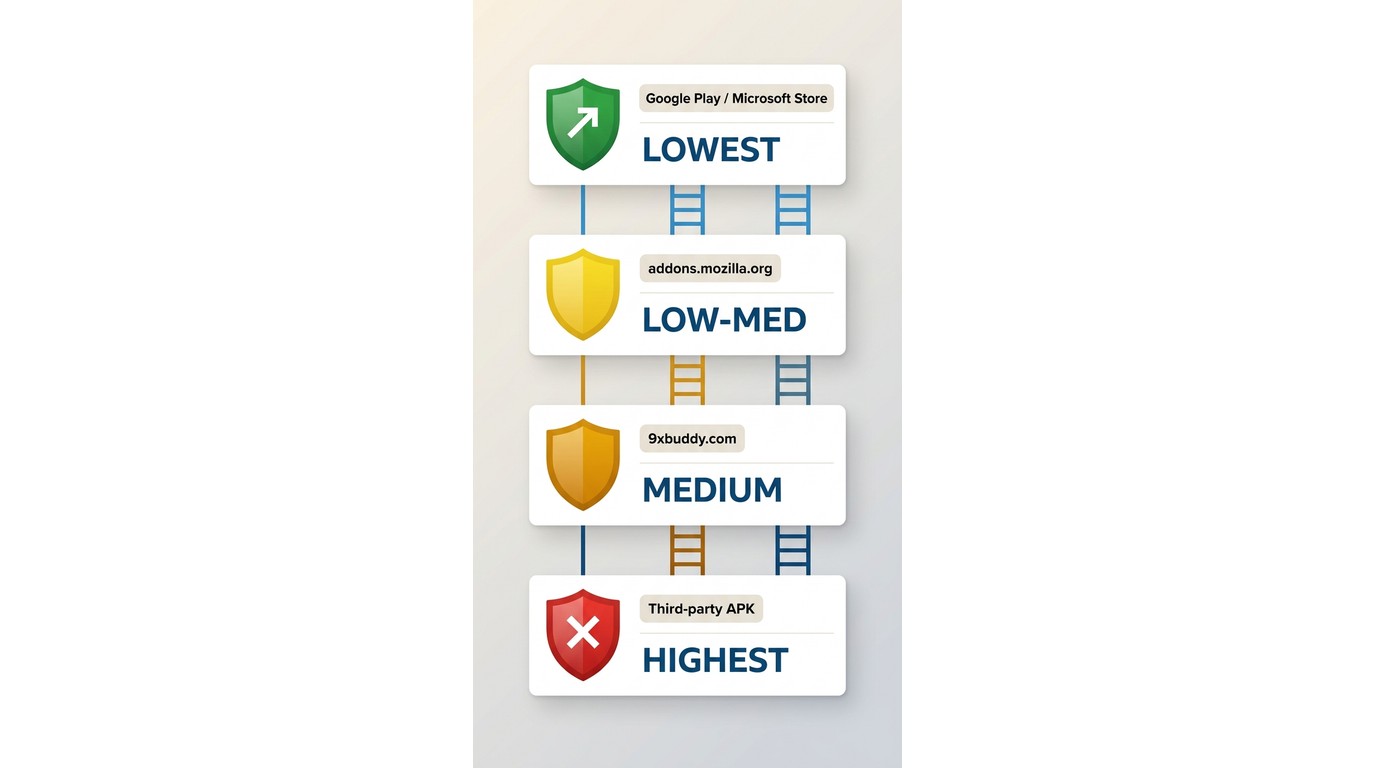
The Firefox add-on will ask for permissions on the pages you visit; review that permissions list before installing. Manually downloaded APKs from third-party sites are the highest-risk path — I avoid them entirely. A short checklist before you use any surface: confirm the exact domain or publisher name, decline any prompt to install extra software, ignore "premium APK" offers from third parties, and if a redirect lands you outside the tool, close the tab and start again from a bookmarked entry.
Formats, Quality, and Technical Limits
Feature claims on 9xbuddy listings and what you actually get out of a given source video are two different things — worth separating cleanly before you judge the tool.
Claimed Features Versus Observed Results
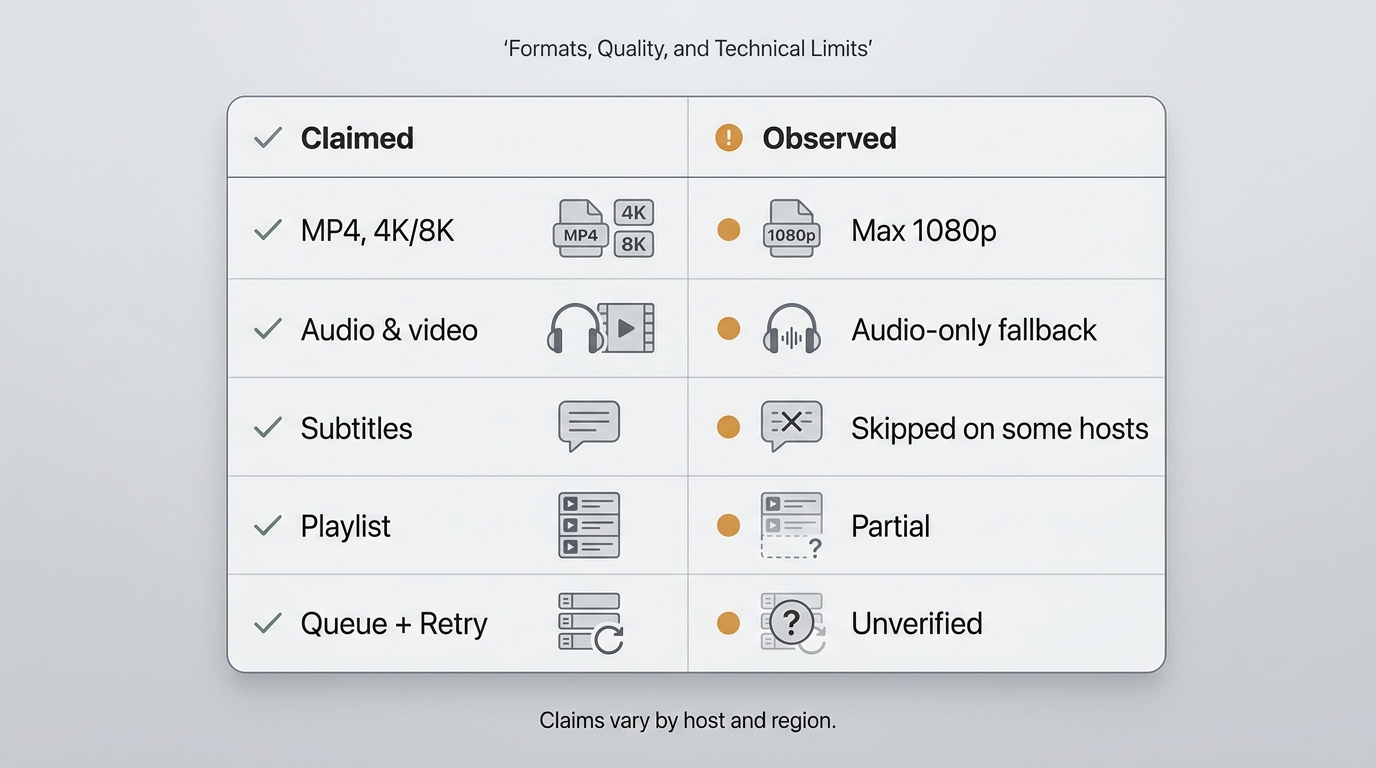
Official listings across surfaces mention MP4 output, subtitles, playlist and multiple-link handling, download queues with retries, and HD, 4K, or 8K options where the source supports them.
Observed results in my testing sat below those ceilings on most attempts: public YouTube-style clips generally returned MP4 up to 1080p with audio; longer or region-restricted videos often returned lower resolutions or an audio-only track; subtitle and playlist handling worked on some hosts and silently skipped on others. The pattern is source-specific, so treat the listing claims as a menu of possibilities rather than a guarantee for any particular video.
High-Resolution Video and Audio Sync
Where a source truly serves 4K with a matching high-bitrate audio track, free web parsers frequently fall back to a lower resolution or return video without the higher audio track attached.
That's not a universal failure — it's a limit you should expect when the source separates video and audio streams and the parser can't recombine them cleanly. If a specific title needs a 4K MP4 with the full audio track intact, a desktop tool is a more consistent path than repeated 9xbuddy retries.
Five 9xbuddy Alternatives by User Fit
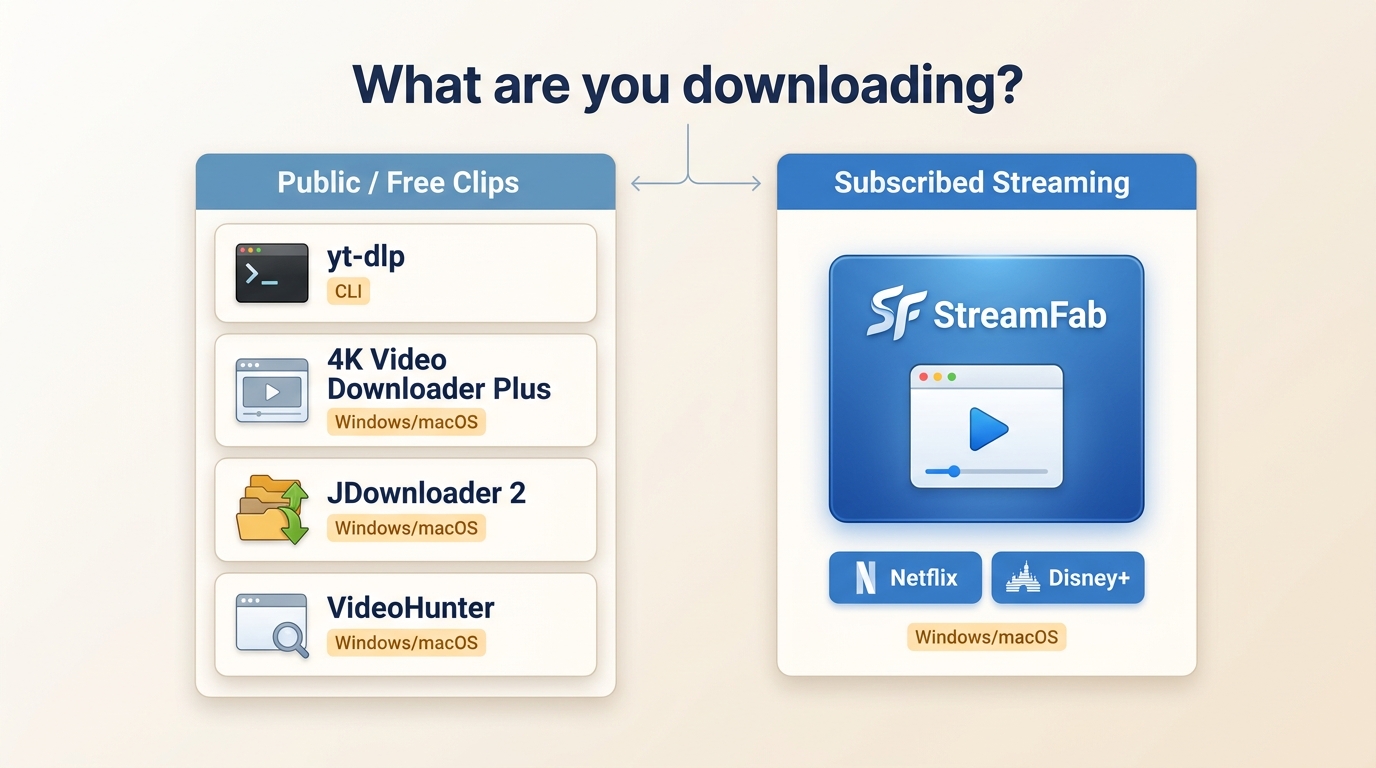
When 9xbuddy stops working on the site you care about, the right replacement depends less on which tool has the most features and more on your device, technical comfort, and whether the content is a public clip or a paid streaming title. The five below cover those cases without overlap. For a broader roundup that includes tools outside this shortlist, see this best streaming video downloader review.
StreamFab for Premium Streaming Workflows
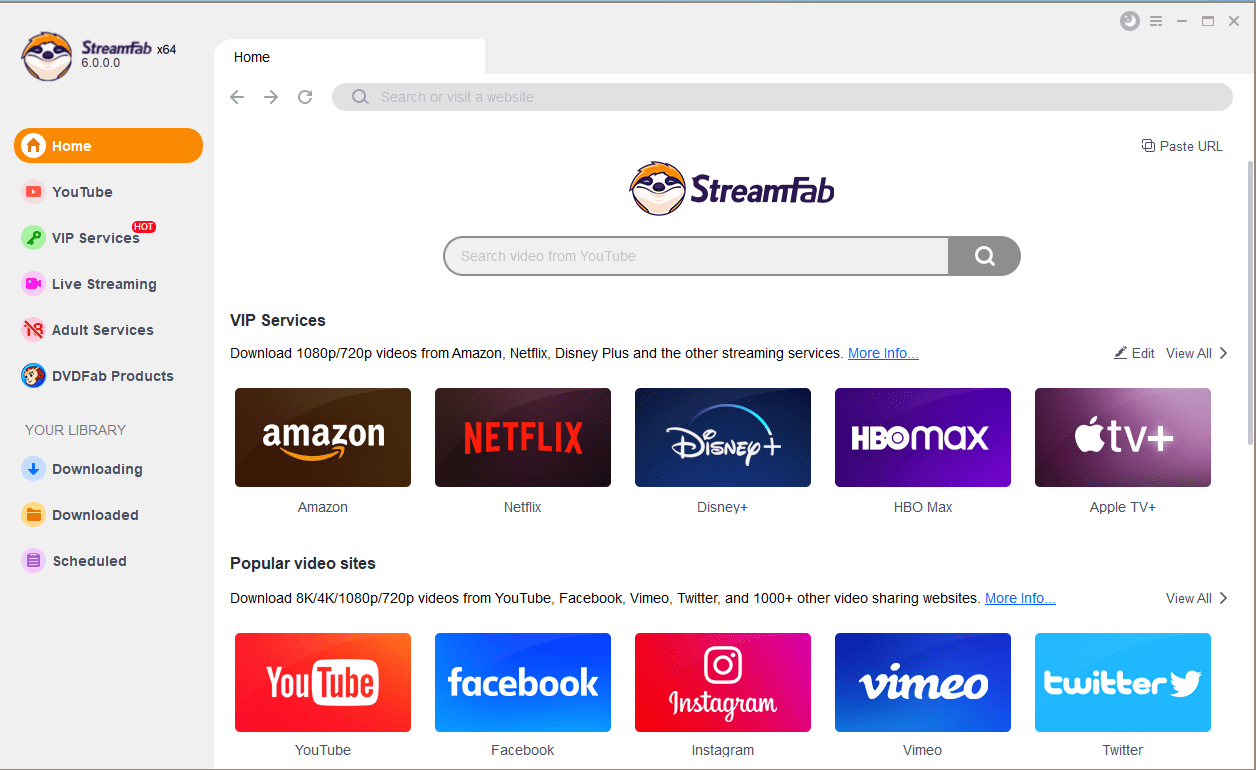
For content you're authorized to access, where permitted by platform terms and applicable law, StreamFab Video downloader is a desktop local-file workflow for Windows and macOS. It uses screen-recording technology (not DRM removal), supports MP4/MKV output with subtitles and metadata, batch and scheduled downloads, and — depending on the source platform and your subscription tier — preserves original multichannel audio without transcoding.
Best for: viewers who already subscribe to premium streaming services and want reliable local copies of their subscribed content for offline viewing. Not ideal for: someone who only needs an occasional free clip from a public site — a simpler free tool is a better fit there.
- Get ad-free downloads from any country for an unlimited period.
- Unlimited downloads with 1080p resolution & EAC3 5.1 or AAC 2.0 audio track.
- Downloading option with H.264 or H.265 codecs to save your device storage space.
- MP4/MKV/MP3 saving for flexible access to downloads on any device.
- Get downloads with your best-suited subtitles & metadata.
- Scheduled newly released videos will be automatically downloaded.
Step By Step Guide:
Step 1: First, launch the application. You can either use the built-in secured browser to log into your streaming provider or paste a specific URL
Step 2: Second, once parsing finishes, a customization window appears where you set your output preferences. You can pick H.265 to save local storage, choose subtitle languages to save as SRT, and select an available audio track.
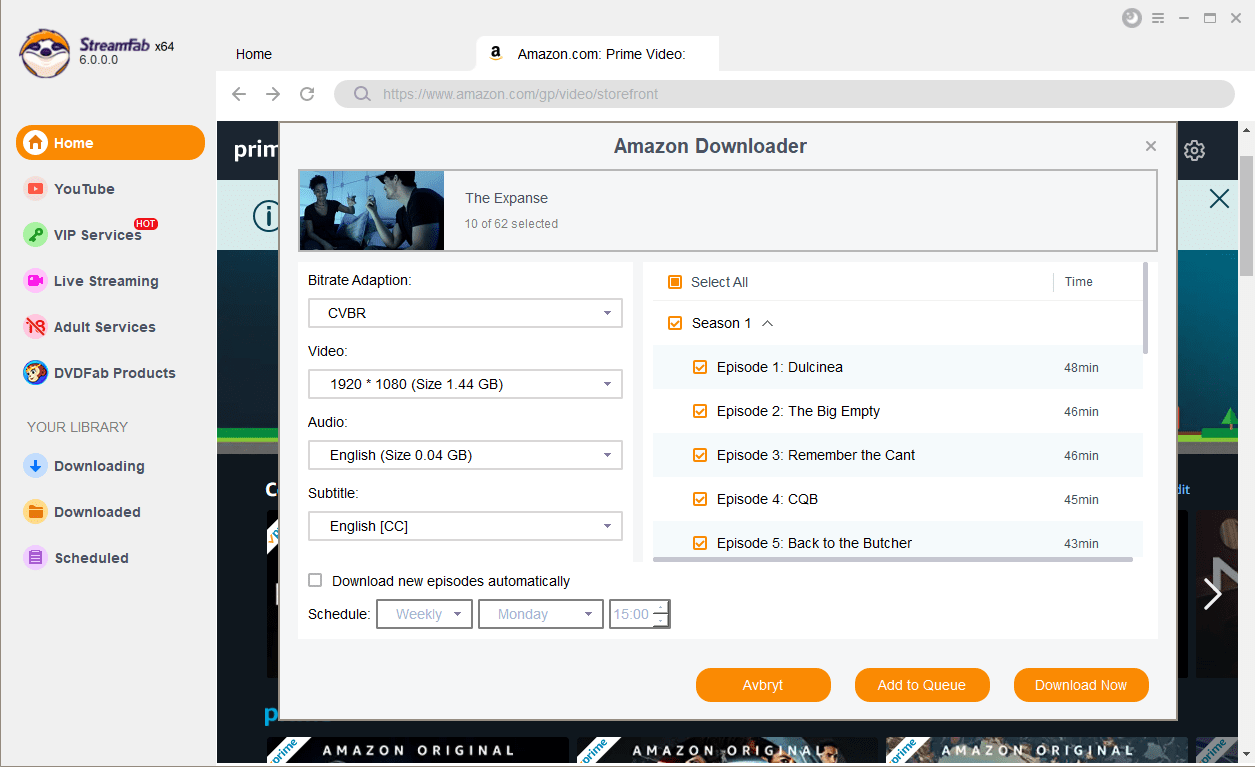
Step 3: Finally, starting the download adds the task to a batch queue and saves the file locally for offline viewing on your own device.

yt-dlp for Command-Line Users
yt-dlp is a free, open-source command-line downloader, forked from YouTube-dl and updated frequently by an active community. It handles DASH sources and muxes separate video and audio via FFmpeg, which is why it succeeds on public sites where simpler parsers fall back. Best for: users comfortable with a terminal, config files, and occasional troubleshooting. Not ideal for: readers who want a click-and-save GUI, since yt-dlp has no built-in graphical interface.
JDownloader 2 for Batch Links
JDownloader 2 is a free, Java-based download manager that shines when you have a long list of links to process at once — it grabs URLs from the clipboard, parses them in parallel, and sorts by file type. Best for: users who need bulk link handling across standard video and file hosts. Not ideal for: paid streaming services, which sit outside its scope. Its interface feels dated, and users should watch the installer prompts carefully to decline bundled offers.
4K Video Downloader Plus for Public Sites
For public platforms like YouTube and Vimeo, the 4K Video Downloader Plus offers a polished desktop GUI with entire-channel grabs, 3D and 360-degree support, and smart folder organization. Best for: users who want yt-dlp's public-site reach without the command line. Not ideal for: paid streaming services — the tool operates within non-DRM scope, so it won't work on subscription content.
VideoHunter for Desktop Simplicity
VideoHunter is a lightweight desktop client that supports a wide range of standard video hosting sites and generally handles 1080p output on public sources without the pop-up clutter of ad-supported web parsers. Best for: users who want a simple desktop GUI for public video sites. Not ideal for: paid subscription streaming services, which fall outside its supported scope. If you're mapping how tools in this space have evolved, this ClipGrab review is a useful sibling reference.
9xbuddy Alternative Comparison
If you already know your device and content type from the section above, you may not need this table. It's here as a side-by-side for readers weighing several tools at once; the summary judgment beneath it is more useful than any single column.
| Options | Success Rate | DRM Engine | Maximum Resolution | Supported Codec |
|---|---|---|---|---|
| 9xbuddy (Web) | Low (Prone to timeouts) | None | Mostly 720p/480p | H.264 Only |
| StreamFab | Extremely High | Yes (Advanced CDM) | 8K / 4K / 1080p | H.264 / H.265 / AV1 |
| yt-dlp | High (Needs updates) | No (Requires external keys) | Source Maximum | All (via FFmpeg) |
| JDownloader 2 | Moderate | No | Source Maximum | H.264 / AV1 depending on host |
| 4K Video Downloader | High (Non-DRM only) | No | 8K / 4K | H.264 / H.265 |
Frequently Asked Questions
Does 9xbuddy still work in 2026?
Yes — it's still actively distributed across web, Android, Windows, and Firefox surfaces, but whether a specific video works depends on the source site and the surface you use. Try it once; if it fails twice on different sources, switch tools.
Is 9xbuddy free to use?
The core web tool and the listed apps and extension are advertised as free, funded by on-site advertising. Ignore any third-party "premium APK" or paid unlock offers — those aren't from the official surfaces and carry real safety risk.
Can I use 9xbuddy on an iPhone?
There's no first-party iOS app, so iPhone users are limited to the mobile web workflow, which is the least reliable path. If saving to iPhone is your primary need, the honest one-sentence answer is: don't rely on 9xbuddy — pick a desktop tool from the list above, save the file, and transfer it to your iPhone via Photos or Files.
Why does 9xbuddy get stuck while parsing a link?
Parsing hangs usually trace back to a mix of causes — the source site changed how it serves media, the video is region-restricted, or the surface you're on doesn't support that host. Try the same URL on a different 9xbuddy surface (web vs. extension vs. app); if two surfaces both fail on that source, treat it as a scope limit and switch to a desktop tool rather than keep retrying.
Conclusion
Circling back to the take from the top: 9xbuddy still deserves a first try for simple, authorized public-media downloads when the surface you're on supports the source. Once it fails on more than one platform, the better question isn't "which tool has the most features" but "what am I trying to save, and on what device."
For public clips with a graphical interface, 4K Video Downloader Plus or VideoHunter is a comfortable next step; for wide public-site reach and no GUI aversion, yt-dlp is hard to beat; for bulk link lists, JDownloader 2; and for content on premium streaming services you already subscribe to, a desktop tool like StreamFab handles batch and format needs the free web parsers can't.

Downloading your favorite Netflix library permanently for your flexible offline watch is not a big deal anymore. Try the Pazu Netflix video downloader to enjoy Netflix streaming with ultimate customizations.
By Erika Leen - Sep 18, 2026
This review exposes the gap between Video Downloader Plus's marketing and its actual performance. Technical tests confirm the extension cannot process encrypted HLS streams found on major sites. Furthermore, the review critiques the lack of a free trial, forcing users to pay blindly for functionality that may not work on complex websites.
By Jacob Harrison - Sep 15, 2026

Explore a comprehensive list of alternative software to MovPilot. Learn about their features, pricing, and user reviews to make an informed decision based on 2026 DRM standards.
By Erika Leen - Sep 15, 2026
How to cancel PlayOn subscription? Will you get a refund after cancelling? This guide tells you everything you need to know about cancelling PlayOn subscriptions.
By Nicole Lopez - Sep 15, 2026