
StreamFab Crack in 2026: Why It Fails and What to Use Instead

Summary: StreamFab crack or StreamFab hack lisence are illegal! But don’t worry – there’s a better solution. ALL users can get StreamFab FREE offers that you can use without any risk or legal consequences.
Table of Contents
Do StreamFab Cracks Still Work in 2026?
If you’re searching for a StreamFab crack or a StreamFab cracked build, the current answer is unreliable: a modified copy may open, then fail on server authorization, a forced update, or a version mismatch. Unverified installers also add a security risk.
Users may encounter launch crashes, forced-update prompts, unauthorized-account messages, and failures after a service or app update. Those signals do not prove the same cause in every case, but they make a “working” repack a weak foundation for software that depends on current server approval.
This article explains the warning signs, the limits of the official StreamFab trial, and what to expect from its MP4 and MKV output options. To identify the legitimate installer source, review which StreamFab official site to use before downloading anything.
Why StreamFab Cracks Fail and Put Devices at Risk
An unofficial StreamFab copy may look like a shortcut, but its source, changes, and authorization path are not independently verifiable. That does not prove every file contains a threat, yet it is enough to treat the installer as a security risk rather than a normal software download.
Distributing or using unauthorized software copies can also create legal and account risks. Use legitimately obtained software only for content you’re authorized to access, where platform terms and applicable law permit it; these StreamFab copyright guidelines explain the personal-use boundary in more detail.
Risk 1: Malware and Data Theft Risks
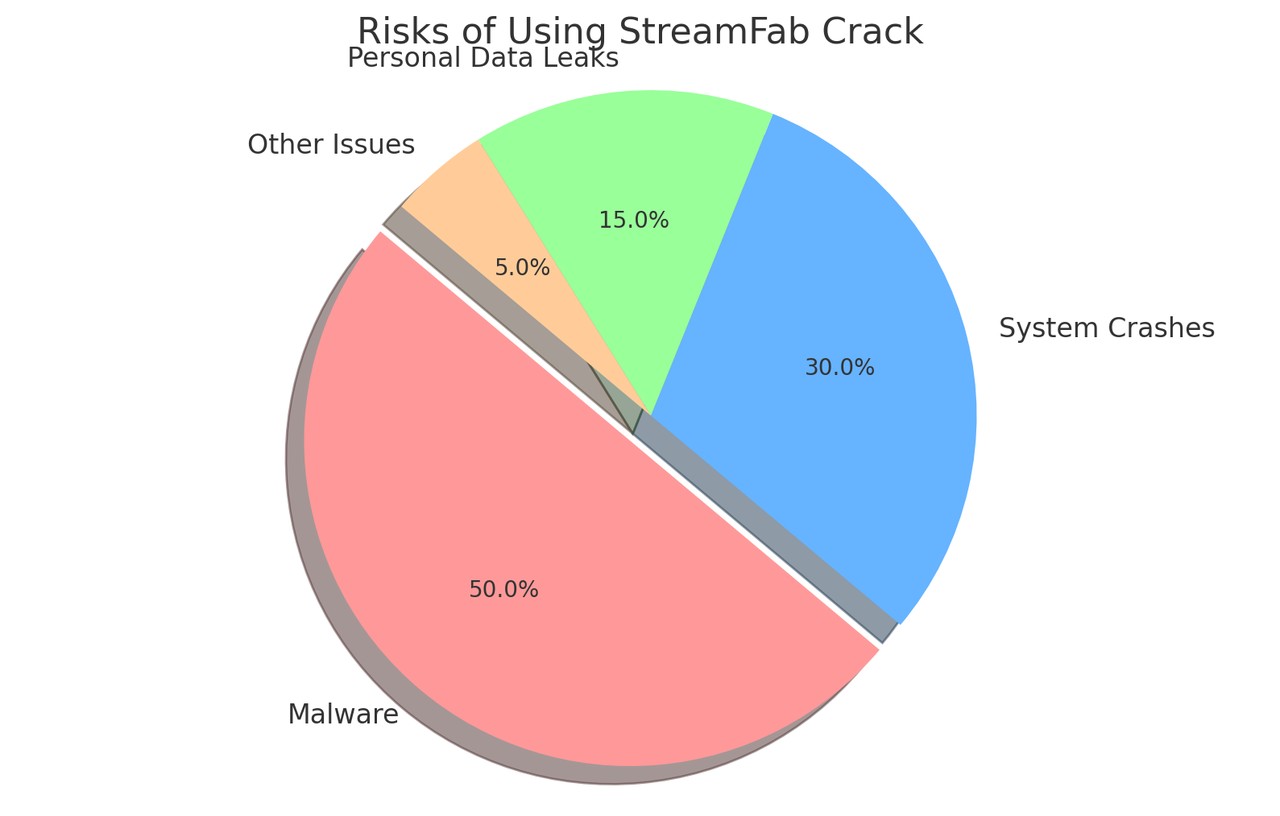
Unofficial installers from unverified sources can be modified, bundled with unwanted software, or used to deliver malware. A security warning is a reason to stop and verify the file, not a reason to turn off the protection designed to inspect it.
Unexpected system crashes, unfamiliar background processes, browser changes, and repeated download failures are all reasons to remove the file and scan the device. They are warning signs, not proof of one specific payload, but an unverified installer that asks you to weaken security controls is not worth testing.
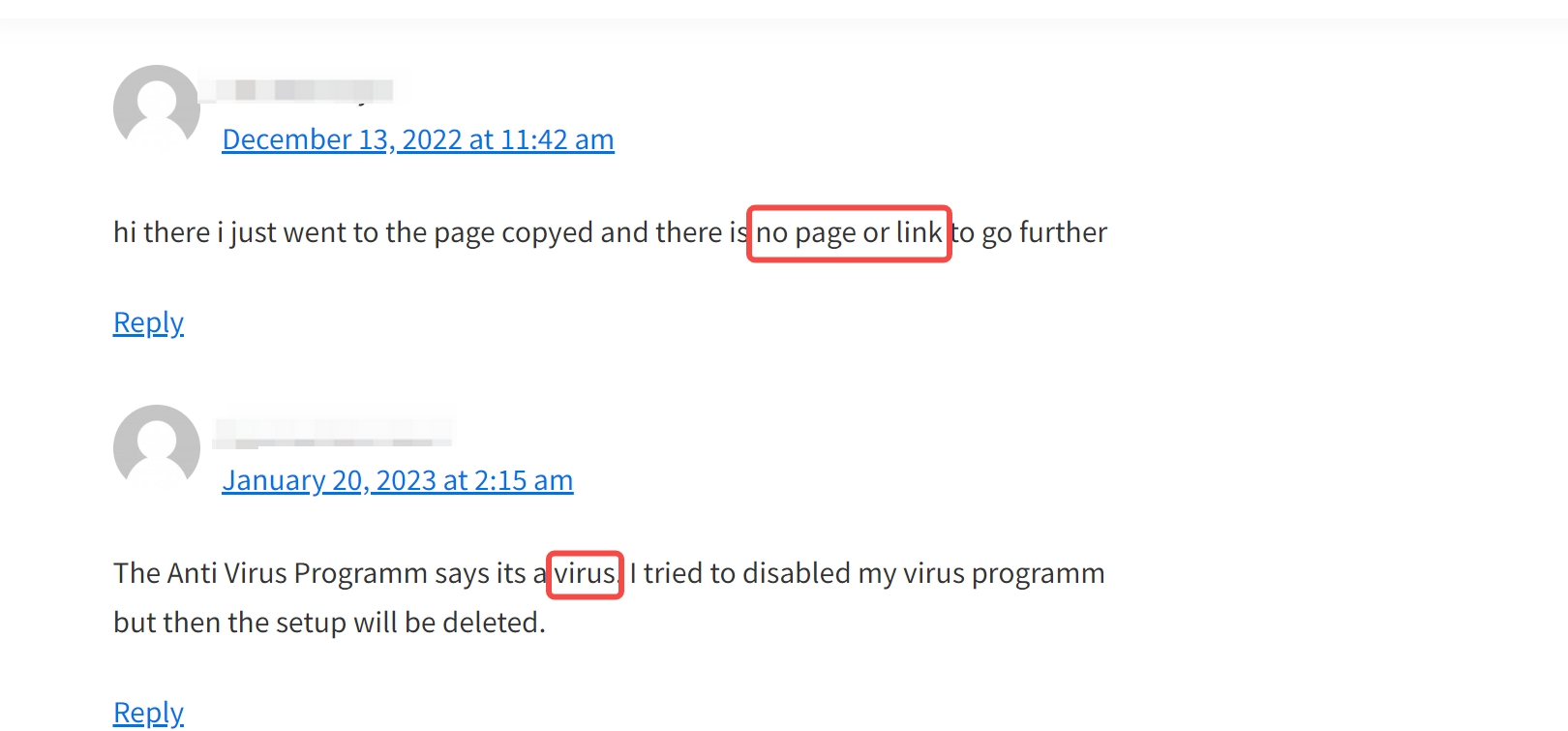
A file offered through an unverified source is not a sound trade for account security, device stability, or predictable access.
Risk 2: Hidden Mining and Performance Warning Signs
Hidden cryptocurrency-mining processes are one possible risk with untrusted software, but performance problems alone do not identify the cause. Check for unfamiliar processes, unusually high CPU or GPU use, excessive heat, and battery drain, then remove and scan the suspicious file rather than continuing to use it.
Warning signs to investigate
Warning signs worth investigating include:
- Unusual heat: Sustained heat that is noticeably higher than normal deserves investigation.
- Unexpected battery drain: Rapid battery loss can indicate an unfamiliar background process, among other causes.
- Slowdowns or crashes: Repeated performance problems after an unverified installation are a reason to remove the file and scan the device.
If these signs appear after an unverified installation, stop using the file; the antivirus FAQ below outlines the containment steps.
Risk 3: Server Authorization Breaks Unofficial Copies
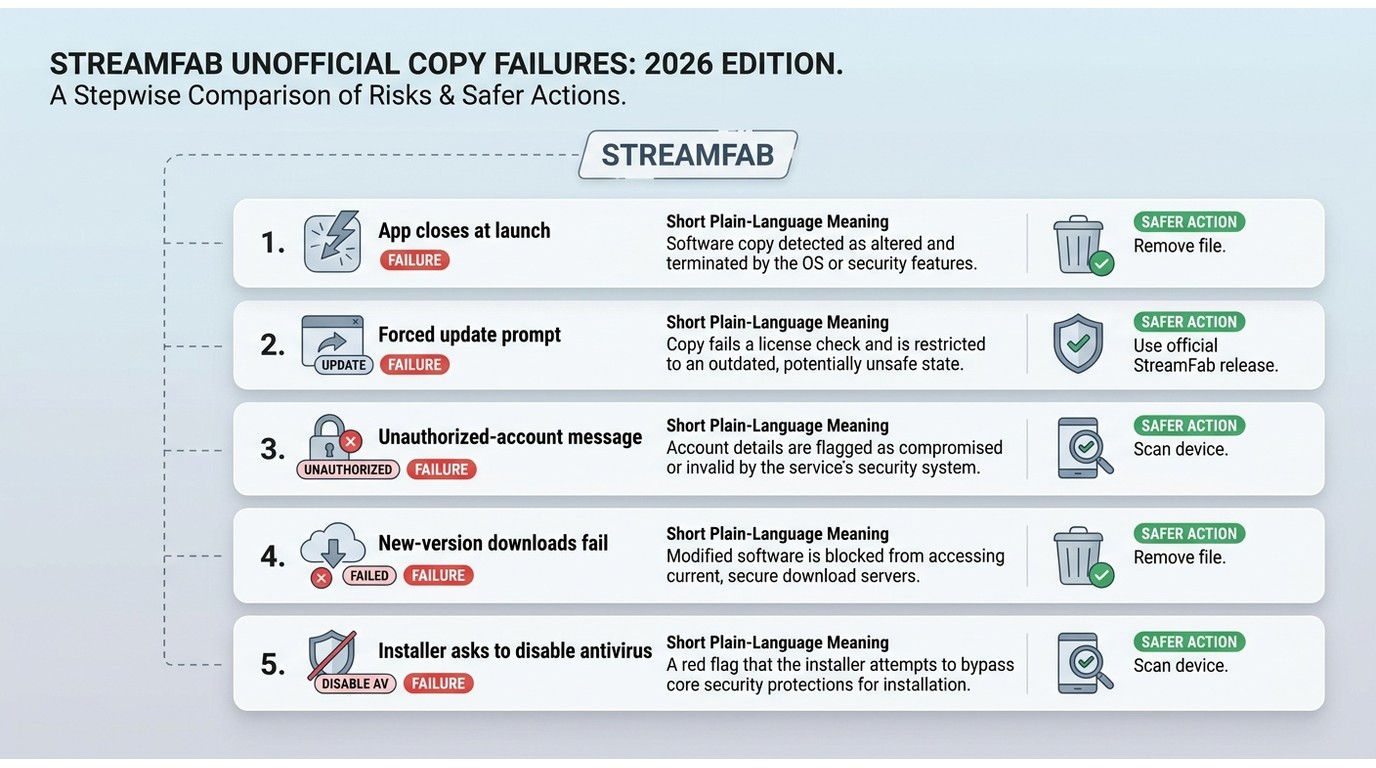
Modified builds can open and still fail later when current server-side authorization rejects an account, the app requires an update, or altered files no longer match the current version. That is why claims of a permanently working repack are especially unconvincing for software that depends on server approval.
| Observed signal | What it can indicate | Safer response |
|---|---|---|
| App closes at launch | An incompatible or altered build | Remove it and scan the device |
| Forced update prompt | The installed version is no longer accepted | Do not replace it with another unverified build |
| Unauthorized-account message | Current account authorization was rejected | Use valid account access through the official application |
| New-version downloads fail | The build may not match the current service or app version | Stop using the modified copy and use a current official release |
| Instructions to disable antivirus | The installer cannot be safely verified | Keep protection enabled, remove the file, and scan the device |

A modified build can fail after an authorization or version change, even if it initially opens. For content you’re authorized to access, the official StreamFab release provides a verifiable installation path and current product support within its documented limits.
Official StreamFab: Trial Limits and Safer Access
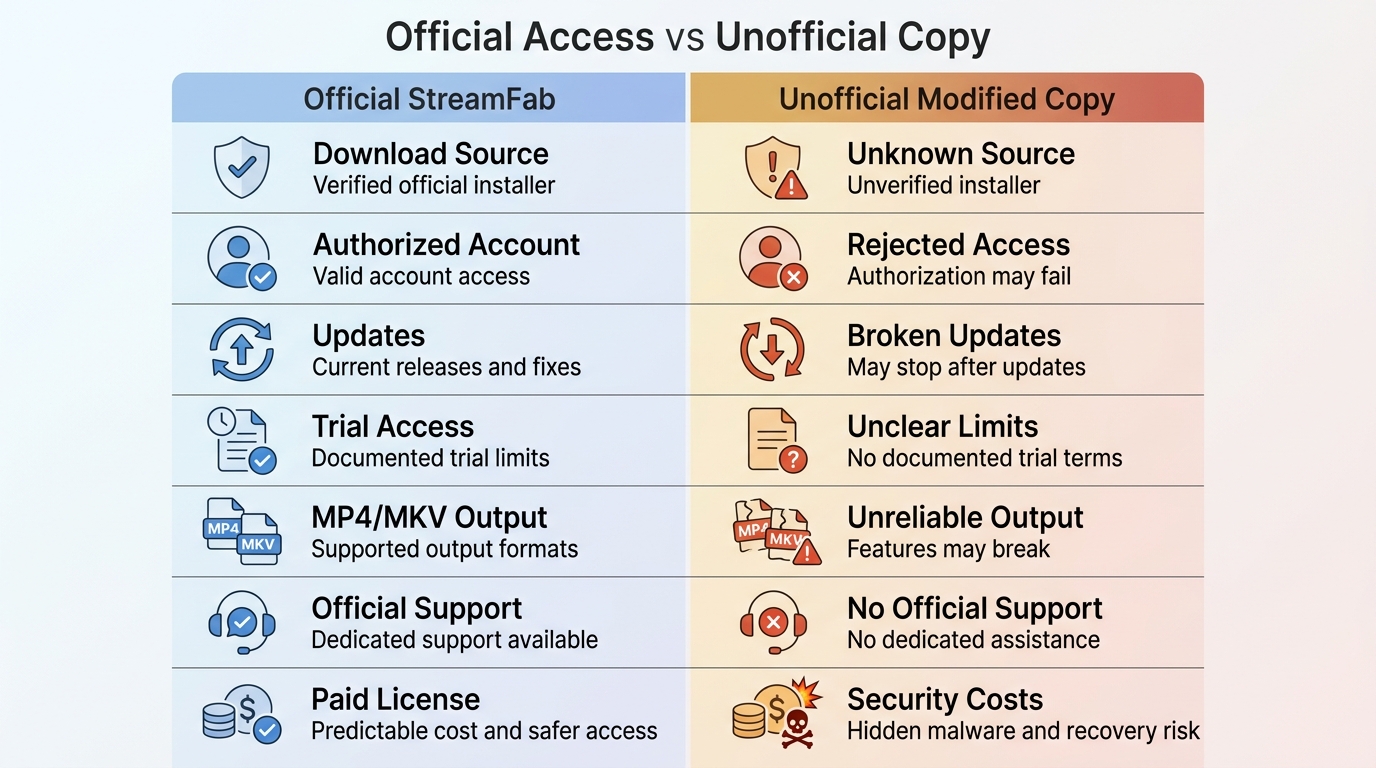
Official vs. Cracked StreamFab at a Glance
| Decision point | Official StreamFab | Unofficial modified copy |
|---|---|---|
| Download source | Available from an identifiable official source | Source and installer changes cannot be reliably verified |
| Account authorization | Uses valid account access and current authorization | May be rejected when authorization checks apply |
| Updates and current-version support | Receives current releases and support | May stop working after an update or version change |
| Malware exposure | Avoids the added uncertainty of an unverified repack | Installer contents and modifications are unknown |
| Official support | Available for the licensed application | Not available for altered builds |
| Trial access and limits | Limited trial access for supported services | No documented trial terms |
| MP4/MKV output | Available for supported titles | Output behavior cannot be reliably predicted |
| Cost and trade-offs | Documented trial limits and authorized-use conditions | Uncertain access, security, and reliability trade-offs |
Trial and version details are current as of July 2026.
What the Official Free Trial Includes
The official StreamFab offer includes a limited trial for supported services and a feature-limited free YouTube tier. This suits someone testing one or a few supported services, but it is not designed for unrestricted access across every service.
MP4, MKV, Audio, Subtitles, and Batch Jobs
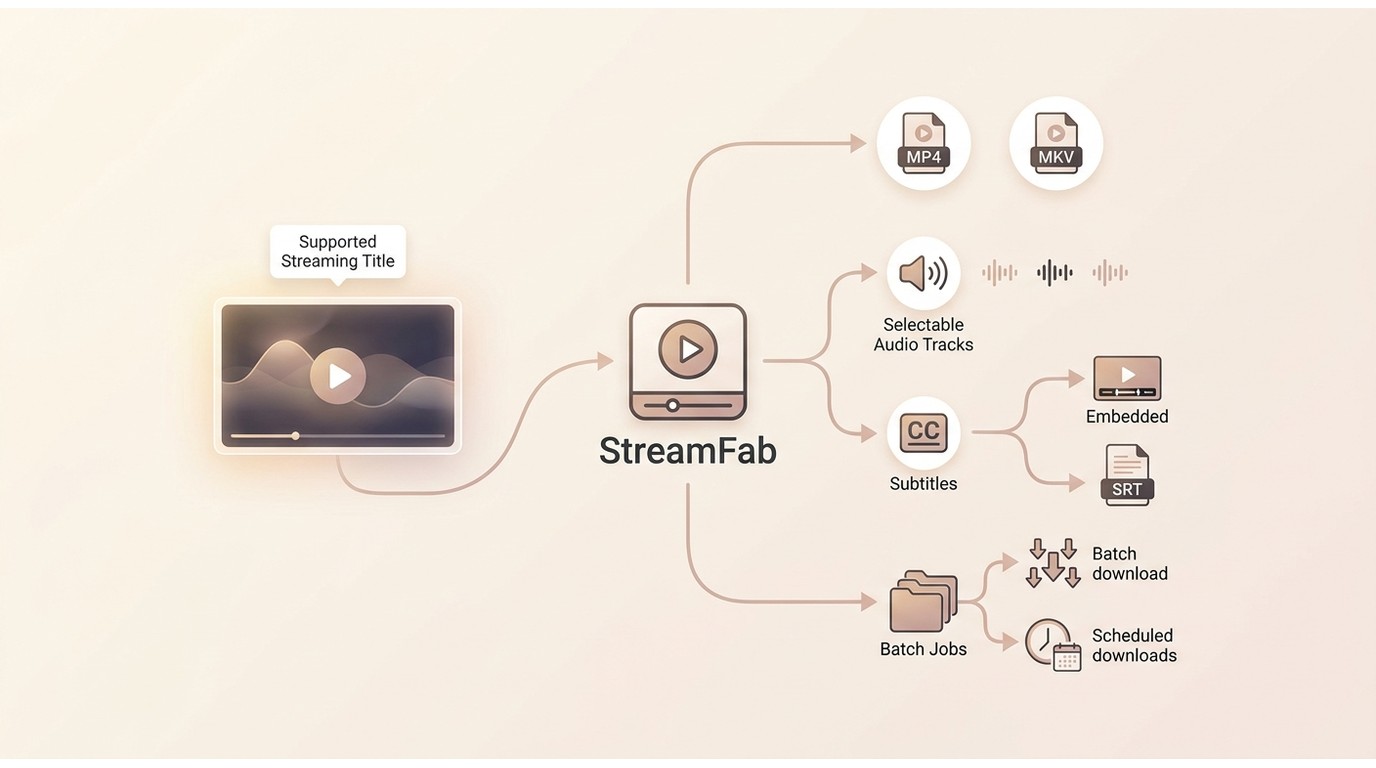
For content you’re authorized to access, StreamFab can save supported titles as MP4 or MKV, with selectable audio tracks and subtitles available as embedded tracks or SRT files. It also supports batch jobs and scheduled downloads. Available resolution depends on the streaming service, title, account plan, and supported module.
Installing StreamFab from an official source reduces the uncertainty that comes with an unverified installer. Supported-service availability may change, so confirm current status on the official site.
The official StreamFab offer includes a limited trial for supported services and a feature-limited free YouTube tier, so it is not intended for unrestricted use across every service.
Verify and Install the Official App Safely
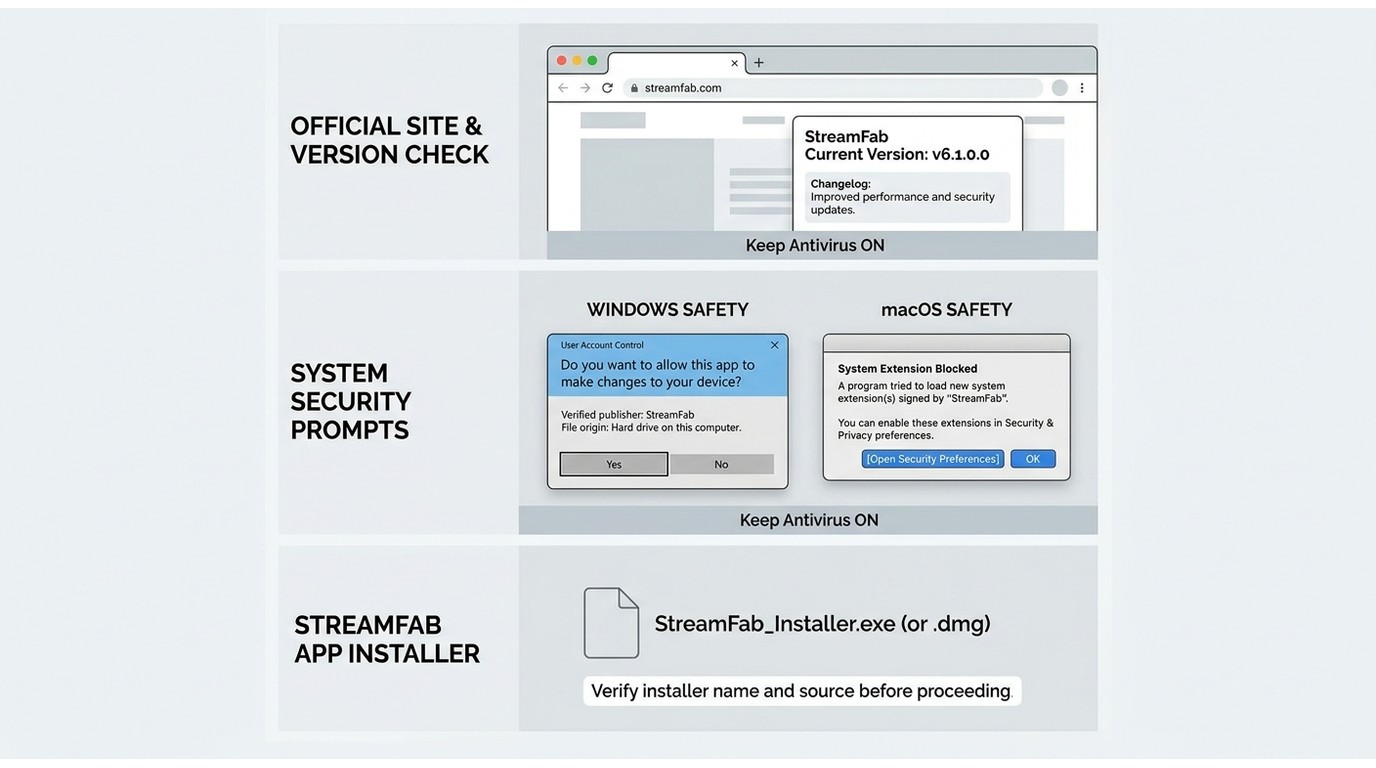
- Use the official domain and confirm that the installer matches the current version or changelog.
- Respect Windows and macOS security prompts instead of overriding them for an unverified file.
- If a suspicious copy was installed, remove or quarantine it and run a full security scan before installing a replacement.
- Keep antivirus protection enabled throughout the process.
Install the Official StreamFab
First, grab the official StreamFab All-In-One installer directly from the main website and open it on your computer. This immediately activates your free trial across all the included streaming modules.
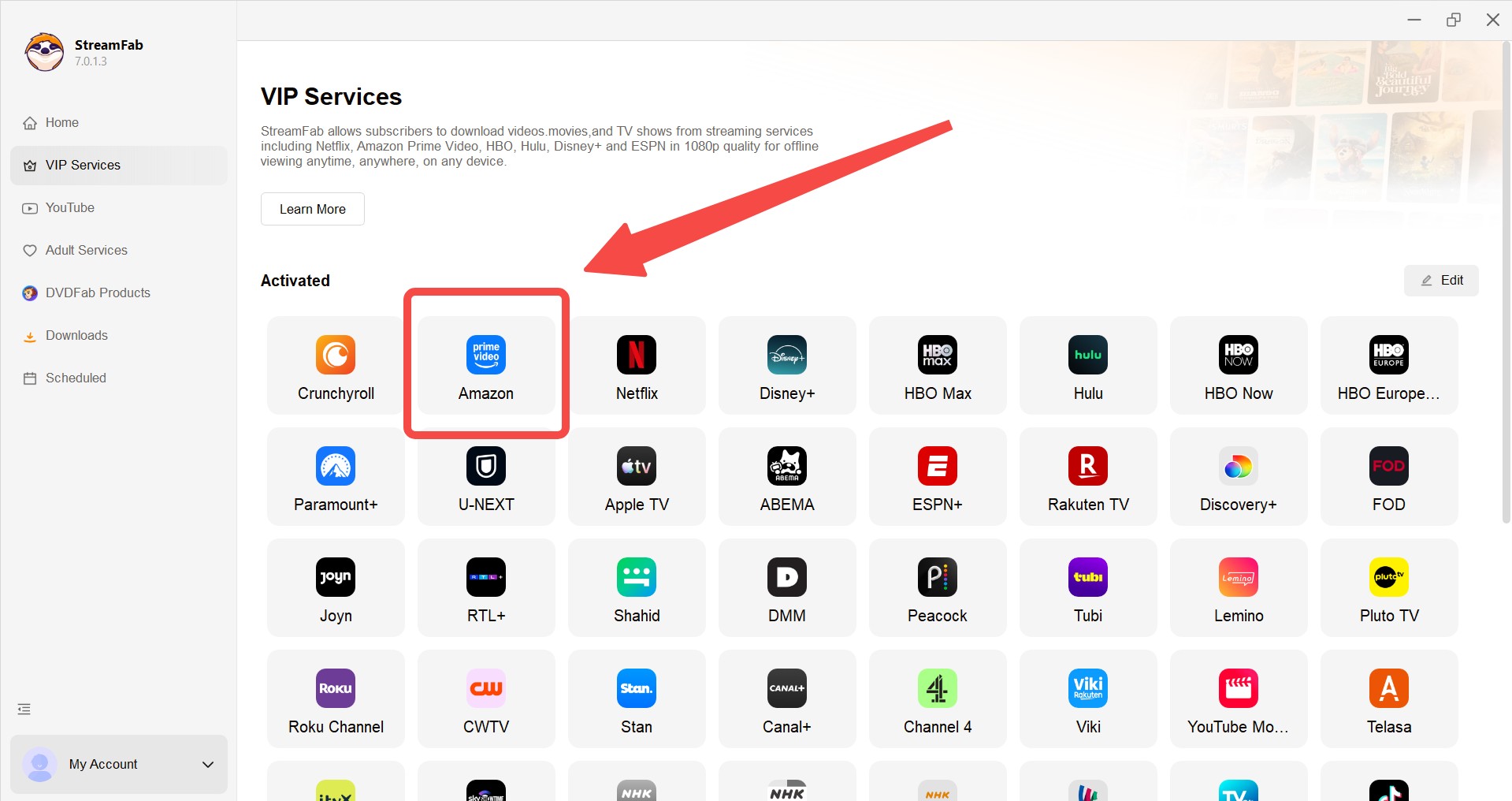
Locate Your Target Streaming Platform
Next, simply find your preferred streaming service within the built-in browser, or just copy and paste your specific video URL right into the search bar. We will use Amazon Prime Video here as a quick example.
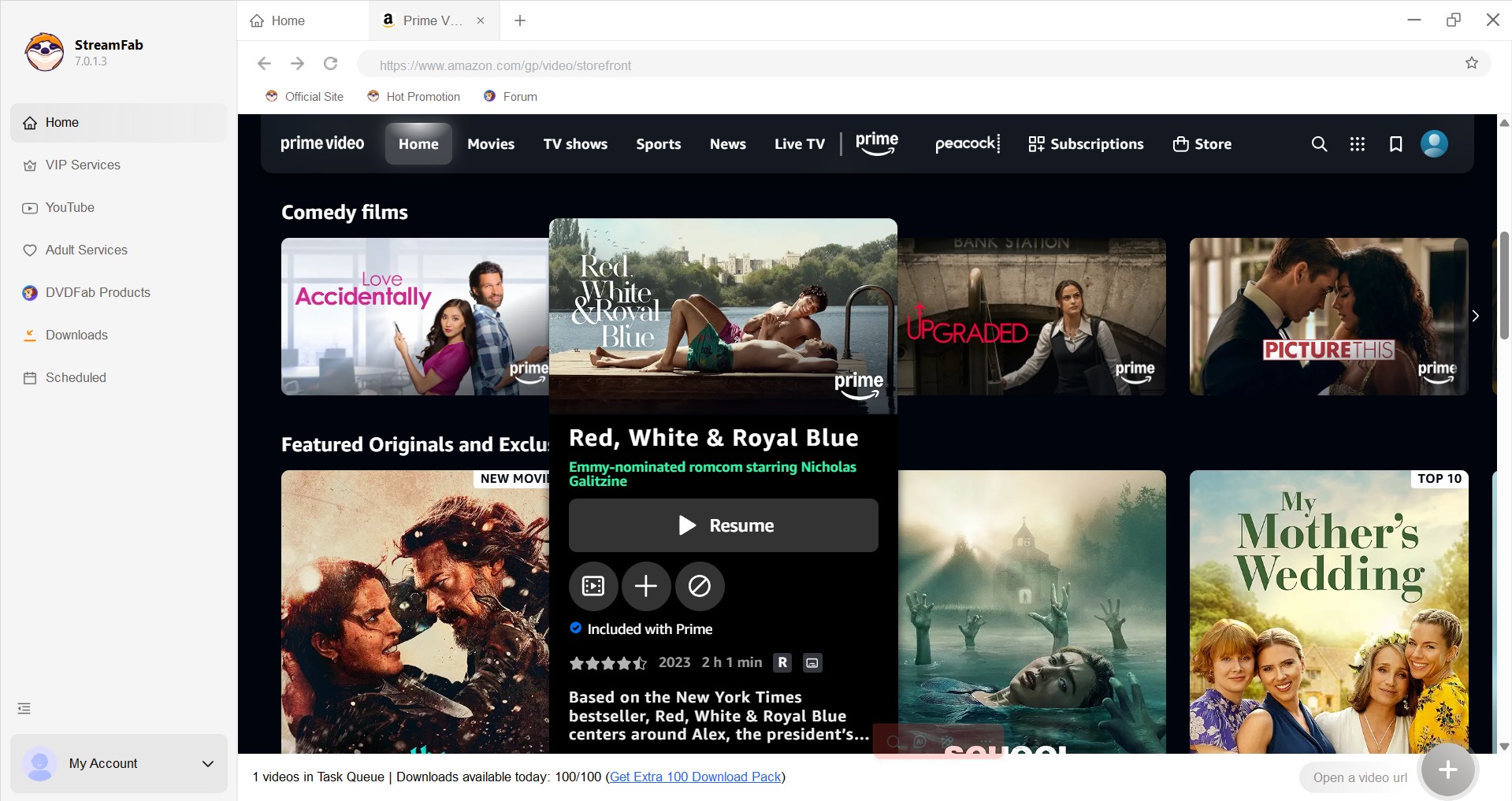
Customize Your Video Preferences
As soon as you hit play on your chosen video, the software instantly analyzes the video protocols. A popup window will then prompt you to select your preferred video resolution, audio tracks, and subtitle languages for your local backup.
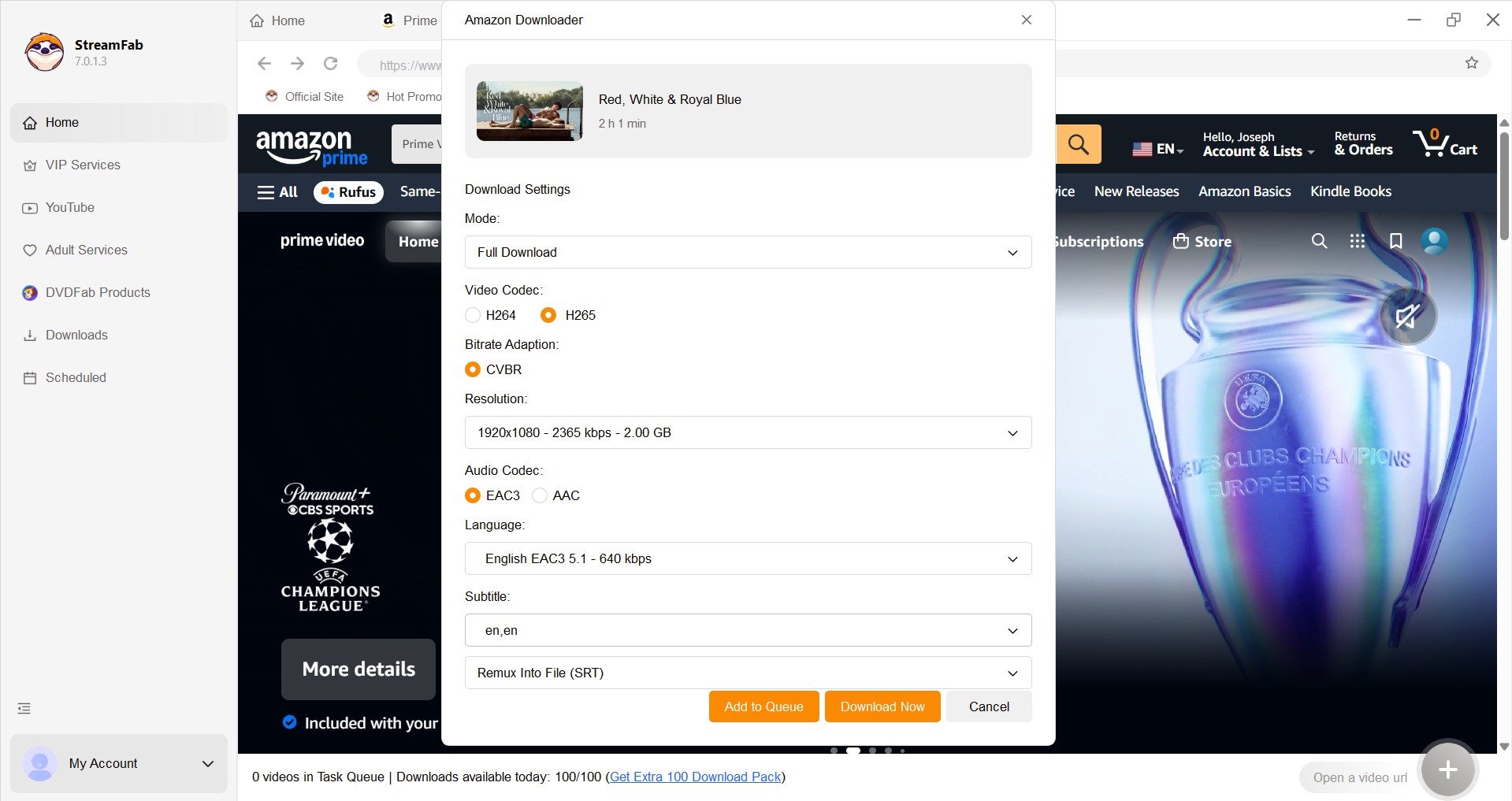
* If you try this step using a StreamFab Crack or fake torrent file, the connection will drop and the download will immediately fail.
Hit Download and Build Your Library
Once you finish customizing your settings, you can hit the download button immediately or add multiple titles to your task queue for batch processing.
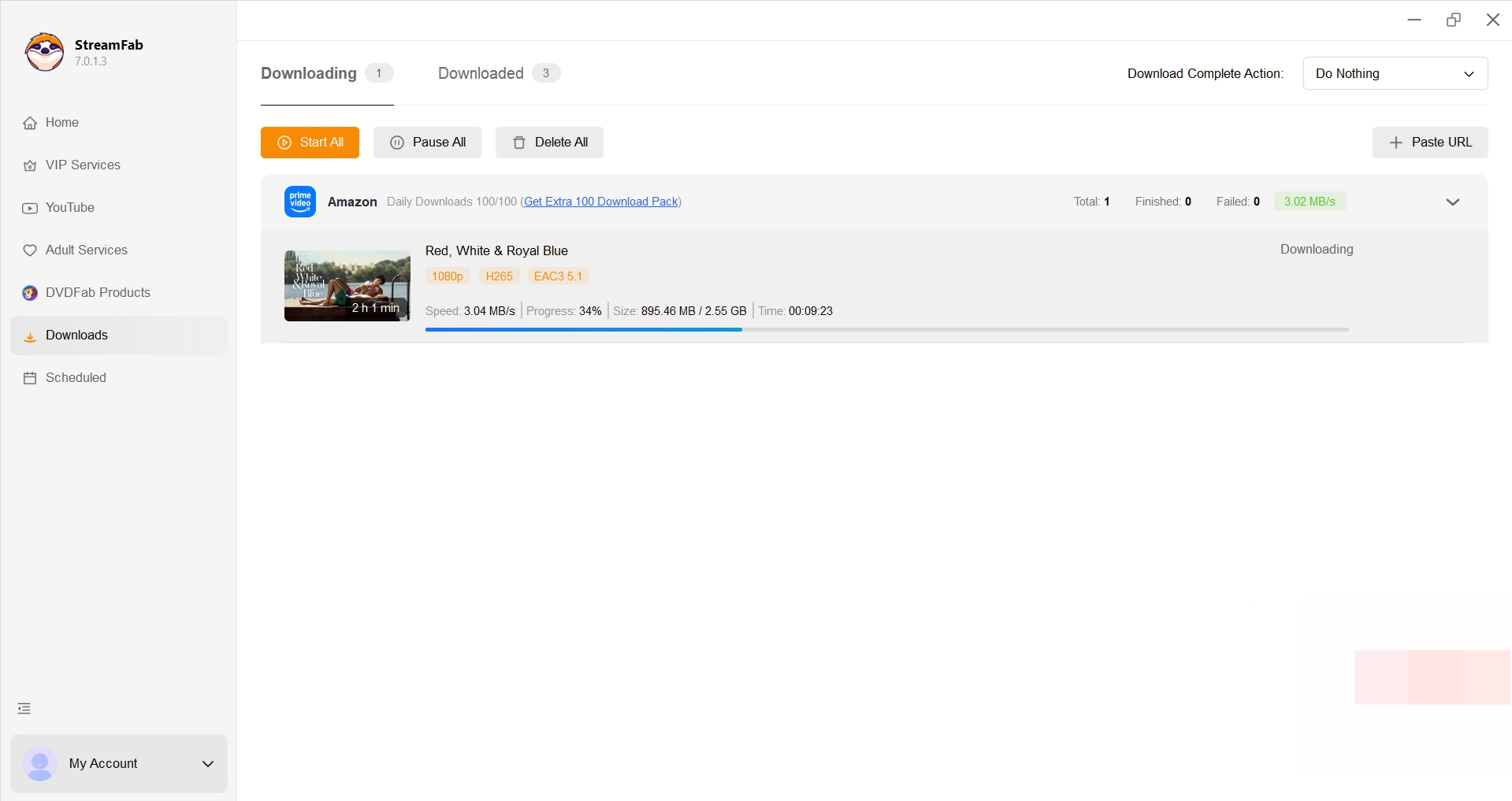
When choosing a supported service and output settings, the how to use StreamFab guide covers the product workflow in detail. For installation, use the official source and follow normal operating-system security prompts.
The official release provides a documented support path when a supported service or module has an issue. In my view, that documented path is more useful than chasing a modified build whenever a service changes.
Frequently Asked Questions
Is a StreamFab crack safer on macOS than Windows?
No. An unofficial macOS DMG has the same core trust problem as an unofficial Windows installer: you cannot reliably verify what was changed or who signed it. Use the official download source and respect normal macOS security warnings.
Can a shared StreamFab license key expose my account?
Current access depends on a valid account and server approval, so leaked or shared credentials may be rejected and can expose account or activation details to misuse. My view is that sharing login or activation information is a poor trade, even when no modified installer is involved.
Should I disable antivirus for a flagged StreamFab installer?
Do not disable antivirus to install an unverified build. Stop the installation, keep protection enabled, quarantine or remove the file, and scan the device. A warning alone does not prove a specific threat, but instructions to disable security are a strong reason not to proceed. Replace the file only with an official download.
Can I use the official trial for one hard-to-find title?
The trial has limits that apply to supported VIP services. Whether a specific title is available depends on the service, title, account plan, and module support. Use it only for content you’re authorized to access, where permitted by platform terms and applicable law.
Conclusion
Modified StreamFab copies may initially open but can fail after server authorization changes, forced updates, or version mismatches. Files from unverified sources also add security uncertainty, so a verifiable installer is the more defensible choice.
The official trial is a safer starting point for readers who want to test supported services and local MP4 or MKV output from a verifiable installer. Its limits matter: the trial is not unlimited, and it may not fit every title, service, account plan, or output-quality need.
- This revision updates the explanation of authorization-related failures, official trial conditions, output-format details, and installer-verification steps.
The page now distinguishes observable warning signs from confirmed causes, adds an official-versus-unofficial comparison, explains MP4 and MKV expectations, and clarifies safer installation and authorized-use boundaries.

Match StreamFab download problems to the stage that failed, then work through 12 targeted fixes for updates, Mac crashes, error codes, audio, and stalled queues. Use the MP4/MKV output checklist to check playback, and prepare a complete log report when a controlled retry leaves the same error.
By Erika Leen - Oct 28, 2026
Choosing between CleverGet Amazon Downloader and StreamFab comes down less to their 1080p labels than to whether they complete the Amazon titles, queues, and audio/subtitle options you need. This comparison separates verified specifications from claims that need a current matched test.
By Erika Leen - Oct 27, 2026
Staring at an error code and wondering what StreamFab is actually telling you? In July 2026, I mapped every code against the real failure it represents — here's the reference guide that skips the corporate jargon and tells you exactly what to do in under 2 minutes.
By Erika Leen - Oct 12, 2026
StreamFab 7 marks the first major update in nearly three years. This review looks beyond surface-level changes and examines what actually matters in everyday use based on real testing, community feedback
By Erika Leen - Sep 28, 2026