
3 Ways to Download Instagram Videos in High Quality

Summary: Instagram offers three practical download routes: its native Download action, a no-login browser tool for accessible public posts, and a Windows or Mac desktop workflow for repeated authorized saves. This guide explains access limits, file-quality checks, safety warnings, and fixes for missing buttons, muted audio, and failed links.
Table of Contents
Trying to download Instagram videos usually comes down to three routes: use Instagram's own Download action when it appears, use an Instagram video downloader for an accessible public post, or use a desktop workflow when you need repeated authorized saves and closer control over the resulting file.
The real snag is knowing why a button is missing, whether a copied link is accessible, and whether the saved file matches the expected video and audio. The sections below put the three routes in decision order.
Three Ways to Download Instagram Videos
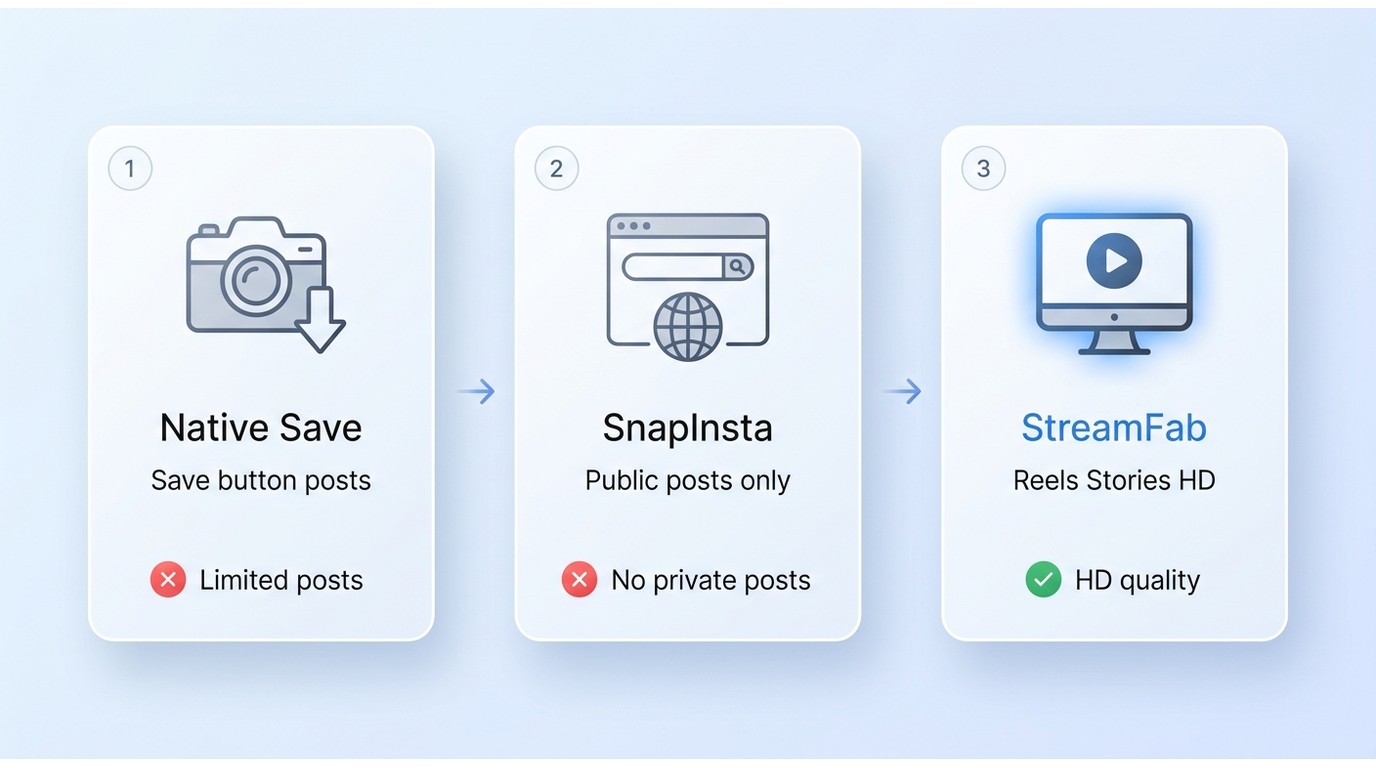
Start with Instagram's native action, move to a no-login browser tool for an accessible public post, and consider desktop software when repeated saves justify the setup. I recommend that order because it matches the simplest method to the least complicated task.
Use Instagram's Download Button
Instagram's Download action keeps the process inside the app. It may be unavailable when the creator disables downloads, the post type is unsupported, or audio rights limit what Instagram can include.
Before you start: confirm that you can view the post legitimately and have permission to save it.
- Open the Reel or eligible video post in Instagram.
- Tap the Share icon and look for Download.
- Save the file, then play it from Photos or your gallery to check the video and audio.
If Download does not appear, check the troubleshooting section before switching methods.
Use a Browser Tool for Public Posts
A browser tool suits a one-off public post when the native button is unavailable. The same workflow works in current phone and computer browsers, but the service must be able to open the public URL.
- Open the accessible public post and copy its link from Instagram's Share menu.
- Paste the link into the browser downloader without entering Instagram credentials.
- Dismiss unexpected redirects or fake download buttons and choose the file tied to the post.
- Open the saved file and verify its image, audio, and dimensions.
SnapInsta is one active example, but its 1080p, 2K, and 4K labels remain vendor claims until the delivered file is inspected. The copy-link pattern also appears when people save Facebook videos to a camera roll, while Instagram's access settings still control its own URL.
On iPhone, check Downloads and Photos. On Android, check Downloads and the gallery.
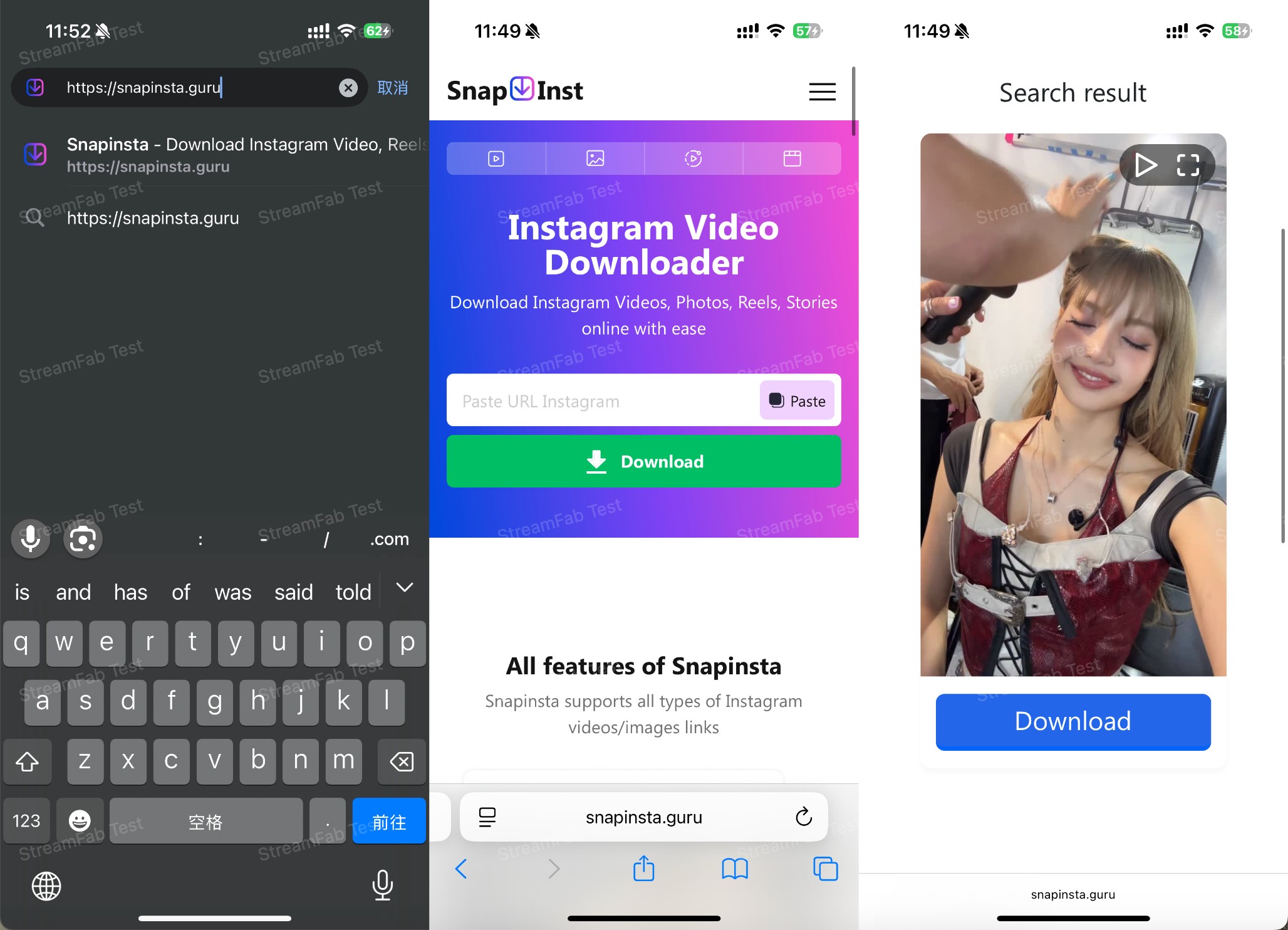
Search for the tool online
Open your browser, search for the Snap Insta.
Copy and paste the link of you want to download instagram video
Open the instagram, copy the video's link, then back to the tool, paste the link here.
Click download
After you click download, you can see the video or photos have been analyzed, and you can click "Download" again, you can see a pop-up window, and the tap "save", the videos are saved.
Copy the video URL from Instagram
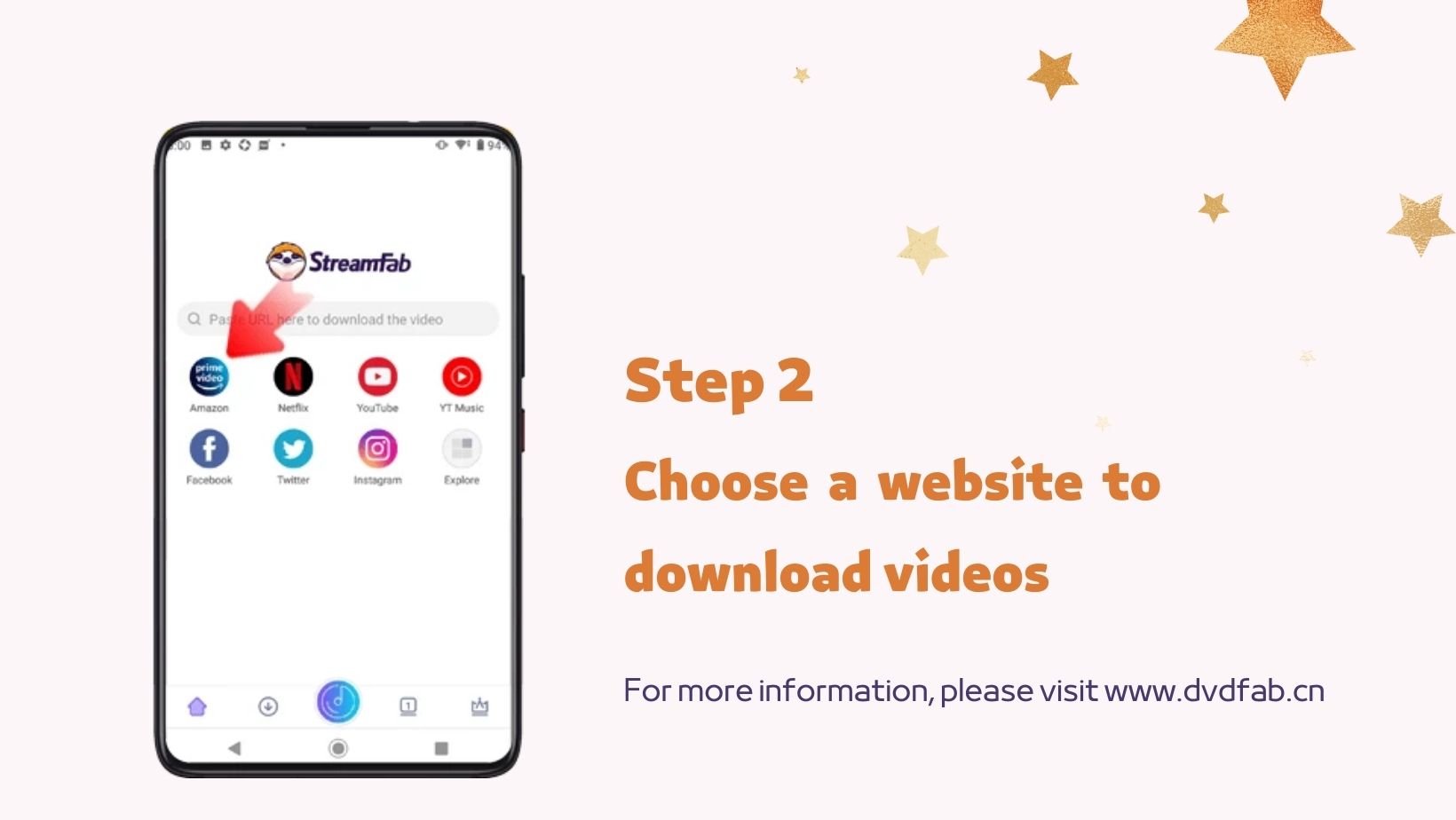
You can scan the QR code at the photo, or you can search for the StreamFab for Android at your browser, then open the Instagram, share the videos you can see a choice named "Copy the link", tap it.
Paste the Ins video URL to StreamFab
Then back to the StreamFab, paste the link you copied just now in the StreamFab, it will analysis the link itself, and you can choose Instagram service at the app directly, but you need to log into your account first.
Customize the file
Please play the video first, then there will be a pop-up window, you can set up the format like resolution, then tap "Download" icon, you will see the videos at your phone's local folder. You can also convert YouTube videos to MP3 on your mobile devices with this solution.
Use a Desktop App for Repeated Saves
A desktop app fits repeated authorized saves, Instagram videos on a computer, and queue-based work. Its installation and setup are excessive for one public clip that the native action already handles.
What Each Method Can Download
Content type and access state matter more than the pasted URL alone. Public posts are the broadest fit for browser tools, while private, restricted, expired, and message-only links remain limited to what the signed-in viewer is authorized to access.
| Method | Best fit / device | Content / access | Login / quality | Audio / main limit |
|---|---|---|---|---|
| Instagram Download action | One-off eligible phone saves | Eligible posts or Reels; creator and audio settings apply | Active Instagram session; native highest-available quality | Audio may be absent; not offered for all posts |
| No-login browser downloader | One-off public posts in a current browser | Public posts or Reels; private, DM-only, and restricted links usually fail | No Instagram credentials; quality varies by returned file | Ads, redirects, wrong files, audio, or watermarks may vary |
| StreamFab desktop workflow | Repeated authorized Windows or Mac saves | Accessible authorized videos; availability varies by post | MP4 or MKV; available audio or subtitle options | Extra setup; poor fit when Instagram's action works |
Method availability is summarized as of August 2026.
Posts, Reels, Stories, and Carousels
Posts and Reels are the most common candidates. Stories and Highlights are time-sensitive, while a carousel method must identify the intended video item.
- Posts and Reels: try the native action first, then a public-link browser method or an authorized desktop workflow.
- Stories and Highlights: the item must still be accessible.
- Carousels: confirm the saved file matches the intended slide.
- Older long-form posts: treat them like other accessible video posts.
Public, Private, and Restricted Accounts
A public URL can often be resolved without a login, but pasting a private or restricted link elsewhere does not make it public. DM links, Close Friends Stories, expired Stories, and restricted posts may fail.
A URL is not permission. Stay within content you can legitimately access, and do not use someone else's credentials.
What Instagram Download Quality Really Means
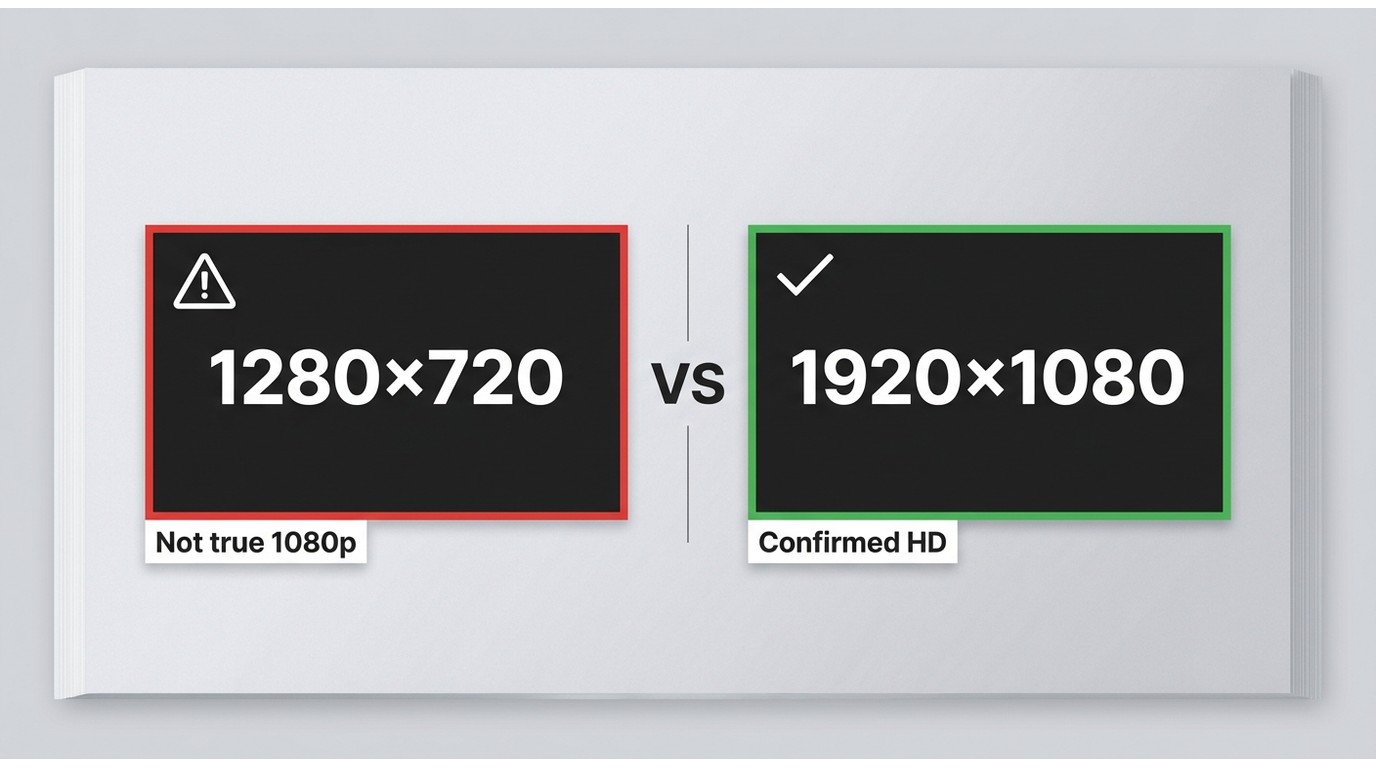
An Instagram video downloader 1080p label is not proof that a specific file is 1080p. Instagram download quality depends on the source post, the file Instagram exposes, and whether the chosen method preserves the available video and audio.
Verify 720p and 1080p Files
If your goal is to download HD Instagram videos, inspect the result instead of trusting an HD badge. I put more weight on the verified highest-available file than on a 1080p claim that may describe an upscale or a different post.
- Open the downloaded file's Properties or Get Info panel.
- Check the frame dimensions. A 1280 × 720 file is 720p, while 1920 × 1080 is 1080p.
- Use a media-information view to check bitrate, container, frame rate, and whether an audio track is present.
- Play a detailed scene and compare it with the accessible Instagram post, accounting for the app or browser's own playback scaling.
An Instagram downloader 1080 result is meaningful only when the file properties confirm it. If the source available for that post is lower resolution, changing the label cannot create missing detail.
Check Audio, Watermarks, and Format
Quality includes more than resolution. Play the full file, confirm that speech and music are synchronized, look for an unexpected watermark, and check whether the container opens in your preferred player.
Browser and native downloads commonly arrive as a ready-to-play file, but formats can vary by method. If a legitimate workflow produces a playlist-based file, an M3U8-to-MP4 conversion is a separate format step and does not improve the source quality.
Desktop Downloads with StreamFab
For content you're authorized to access, where permitted by platform terms and applicable law, StreamFab DRM M3U8 Downloader is a Windows and Mac desktop alternative for repeated local saves when Instagram's native action or a clean browser workflow does not fit.
Best Fit and Honest Limits
StreamFab DRM M3U8 Downloader fits users who want Instagram videos on PC or Mac and expect to repeat the workflow. It is not ideal for a one-off public clip when Instagram's Download action already works.
Its role is narrower than a general M3U8 downloader comparison: this article is about choosing an Instagram method, not ranking tools. My practical judgment is to add desktop software only when queueing, file choice, or repeat use provides a real benefit.
Save Authorized Videos as MP4 or MKV
The verified desktop specification covers Windows and Mac, output up to 1080p, and MP4 or MKV files. Batch processing and available audio or subtitle choices support repeated authorized saves.
Download the video downloader
Choose the appropriate installer for your operating system to ensure you have the hardware decoding modules required for post-processing.
Free Download macOS 12.0 or newer
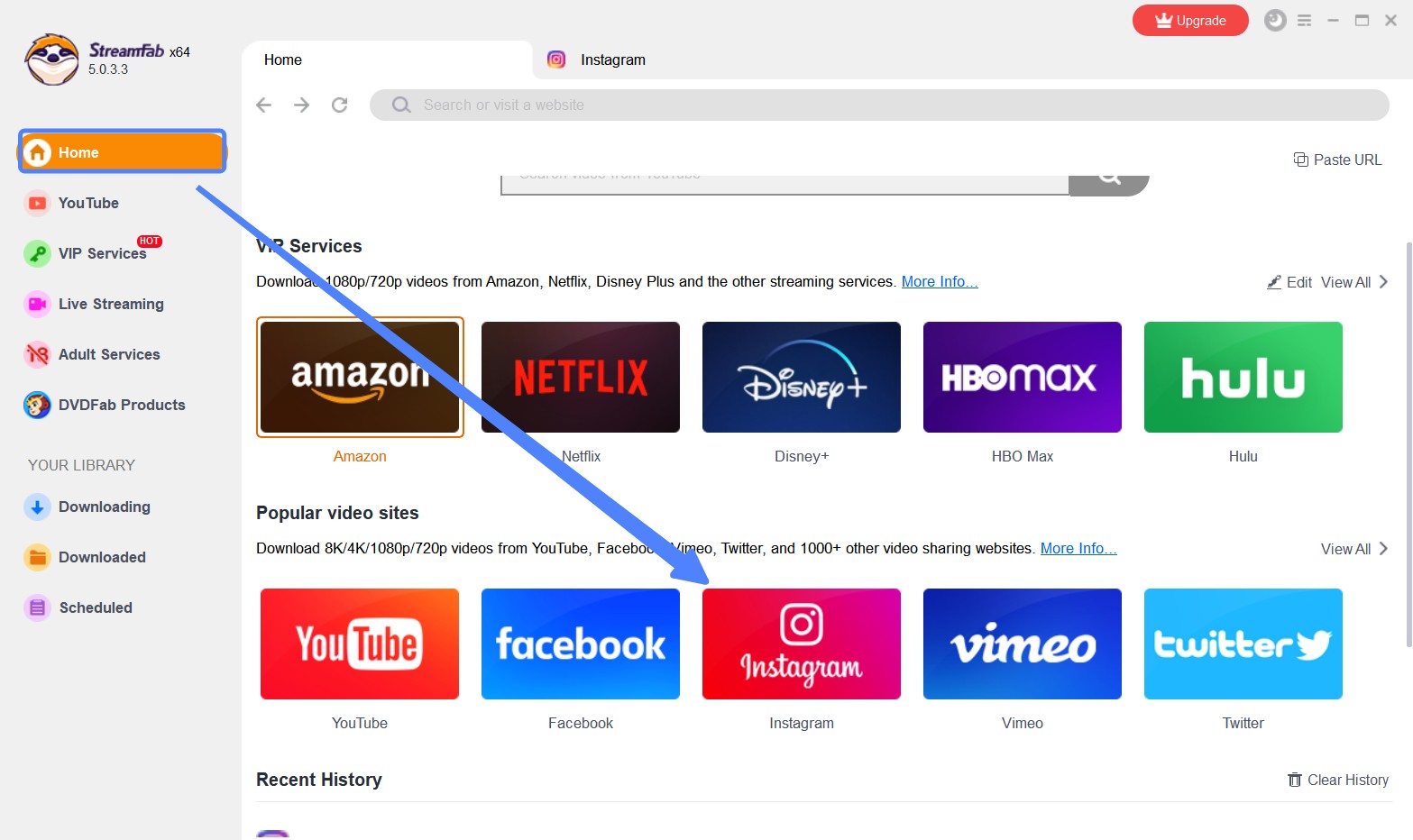
Choose the streaming service
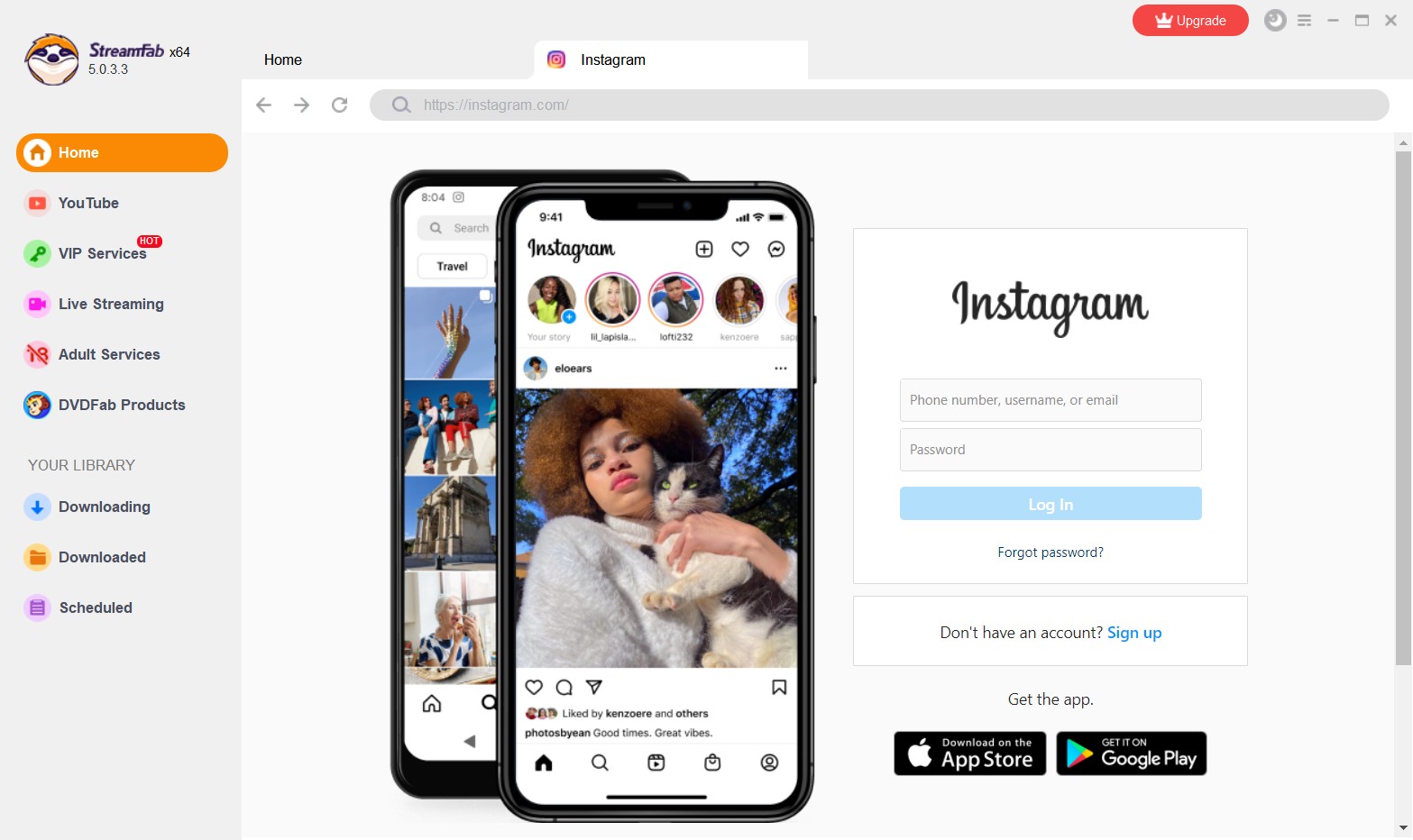
Launch the interface and navigate to the VIP Services panel. By clicking the Instagram icon here, you can log in with your Ins account to find the video.
Customize the file
When you play a target video, the software's network sniffer detects ins videos automatically. A prompt will appear allowing you to select your exact resolution, effectively generate a 1080p lossless files.
Queue Repeated Downloads Efficiently
Build a queue after confirming that each post is accessible and the selected file is correct. This reduces repetitive copy-and-paste work.
The queue logic is related to workflows that download video from M3U8, but the useful rule here is simpler: test one Instagram file first, confirm its quality and audio, then add the remaining accessible links.
Safe Downloading and Copyright Limits
A safe Instagram video downloader workflow is defined by visible access, no unrelated credential request, a clean file result, and respect for creator rights. A logo or vague safety badge cannot replace those checks.
Avoid Fake Buttons and Credential Prompts
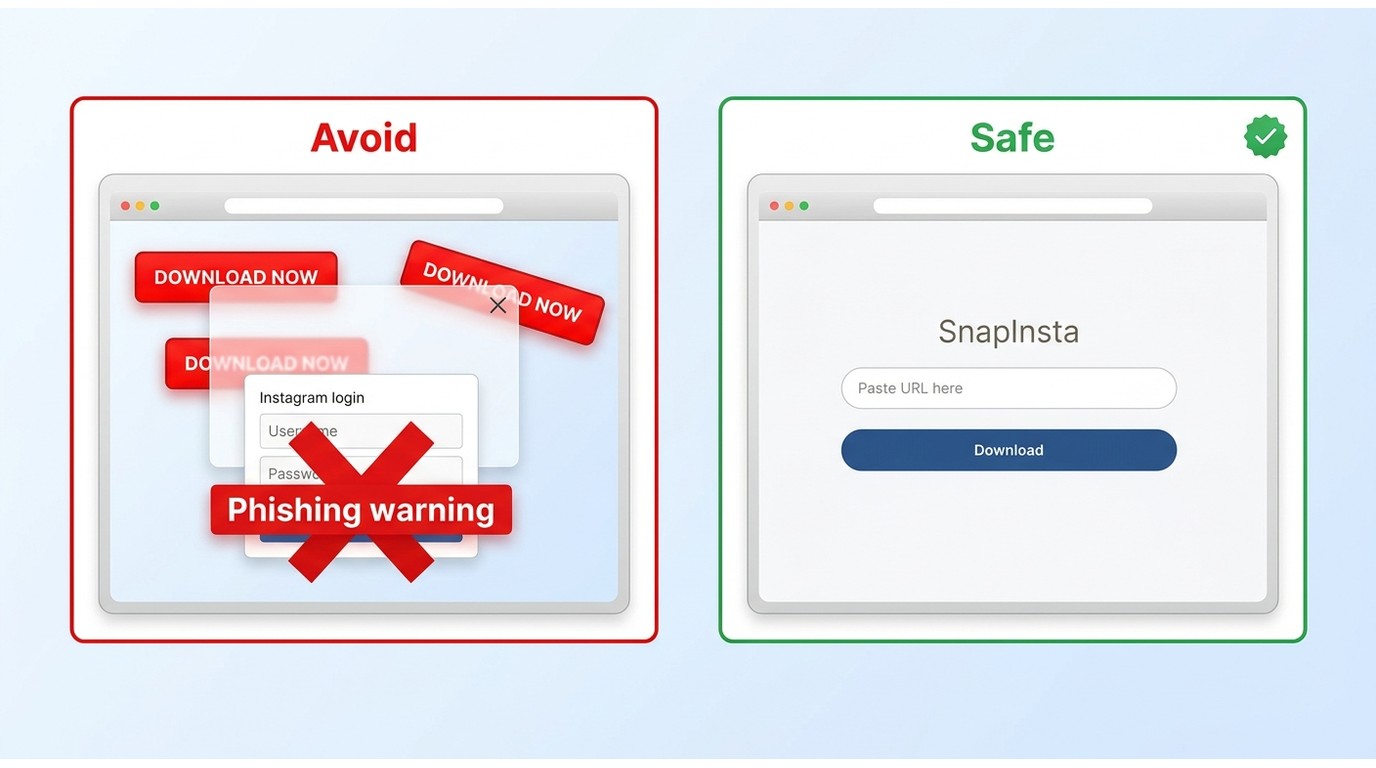
Browser tools vary. Fake buttons, repeated pop-ups, unexpected redirects, and the wrong file are clear reasons to stop.
- Prefer Instagram's native Download action when it is available.
- Use browser tools for accessible public posts and do not enter Instagram credentials into an unrelated service.
- Close pages that repeatedly redirect or request unrelated software.
- Scan an unexpected executable or archive instead of opening it.
- Check that the saved media matches the post before sharing or storing it.
I value a clean, no-credential workflow more than an unsupported “safe” badge because the steps are observable and easy to stop when something changes.
Respect Creator Rights and Access Rules
Saving a video does not grant permission to repost it. Keep personal offline viewing separate from redistribution, commercial use, and other uses that conflict with creator rights or platform terms.
Reminder:Save only videos you are authorized to access, and use the resulting files for permitted personal offline viewing.
Common Instagram Download Problems
Most failures fall into three groups: Instagram does not offer its Download action, the saved file is wrong or incomplete, or the copied link is not accessible to the chosen method. Diagnose the group before switching tools.
Missing Download Button
The creator may have disabled downloads, the post type may be unsupported, or its audio may limit saving. Update Instagram, reopen the post, and check Share before choosing another method.
Wrong, Muted, or Low-Quality Files
Confirm that the carousel item or Reel matches the link, then inspect the file dimensions and audio track. Missing audio may reflect post availability, a native restriction, or a method that missed an available track.

A lower-quality file may be the highest version exposed for that post. If another method returns a larger file, compare dimensions and visible detail.
Failed and Restricted Links
Copy the link again and open it in the signed-in Instagram session to confirm the post still exists. Public browser tools usually fail on private, restricted, expired, or message-only URLs.
For a carousel, confirm which item the method selects. If a link opens only inside a DM or for a specific account, stay within that access.
Conclusion
Use Instagram's Download action first, use a clean browser tool for an accessible public post, and consider StreamFab for repeated authorized desktop saves. I would not add desktop setup to a one-off task, but I would not trust an HD label without inspecting the file either.
The right method is the one that matches the post's access state, returns the expected video and audio, and adds no more friction than the task requires.
FAQs

This article explains how to download videos from M3U8 files, covering what M3U8 is and introducing main methods along with their pros and cons, helping users choose a safe and effective solution for offline viewing.
By Jacob Harrison - Aug 6, 2026
Struggling with encrypted M3U8 streams? Learn how to extract live URLs, fix VLC playback errors, and bypass 2026 DRM protections easily with advanced downloading solutions.
By Marcia Hatcher - Aug 5, 2026
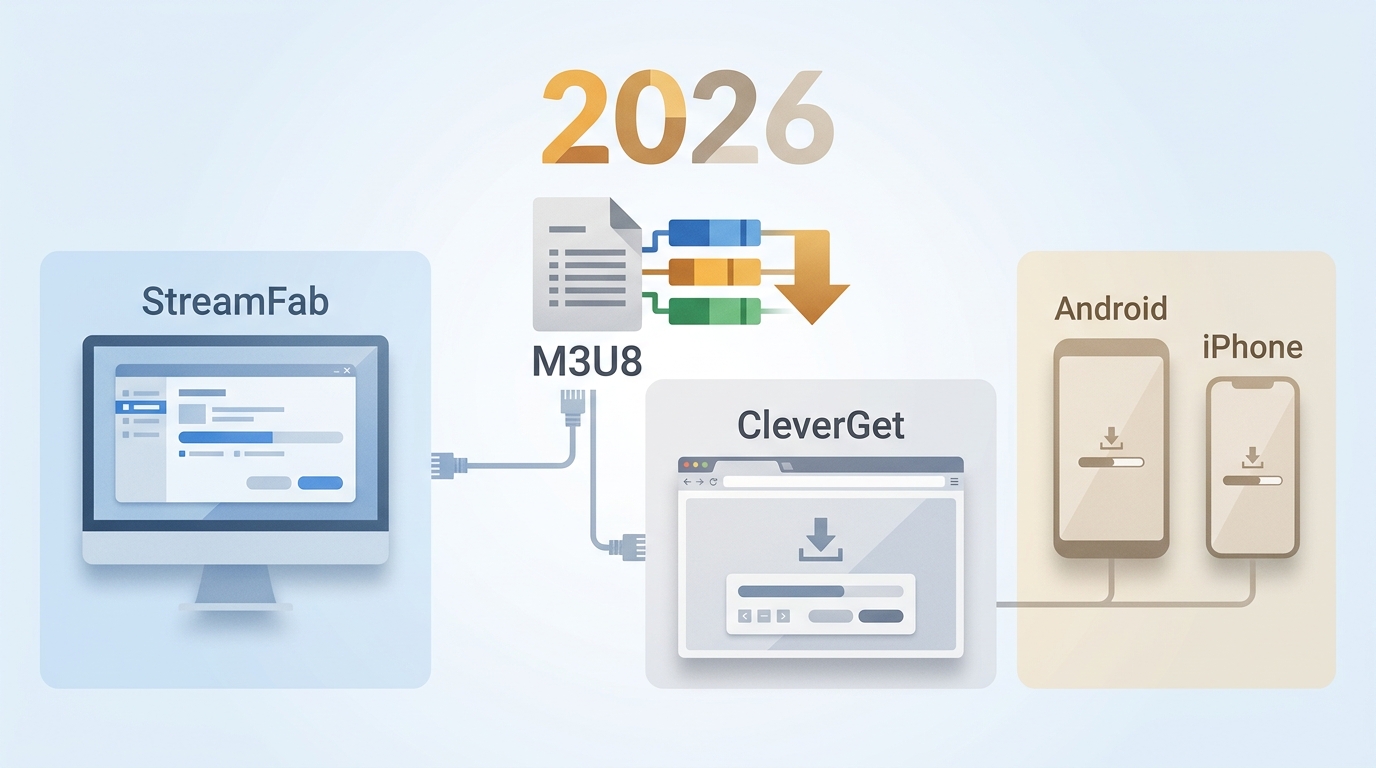
The right M3U8 downloader depends on whether the stream is public, login-required, or access-controlled, plus whether you need a quick file, a playlist, or a reusable local format. This guide compares desktop apps, browser extensions, and mobile options so you can choose the fit before you download an M3U8 playlist.
By Jacob Harrison - Aug 5, 2026
M3U8 files store video links, not content—hence the need to convert to MP4. Three methods: StreamFab (high-quality, Android support), online tools (risky, limited), and VLC (open-source). Table compares platforms, quality, and users; FAQs answer format differences. Recommend StreamFab for reliability.
By Jacob Harrison - Aug 4, 2026